

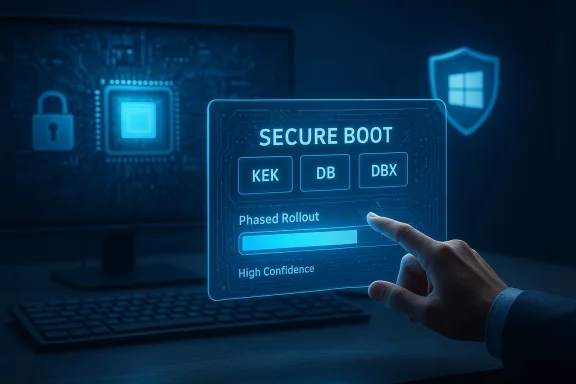
Microsoft is using the regular Windows Update channel to rotate Secure Boot certificates on existing devices so that systems that rely on the original 2011 Microsoft Secure Boot certificates do not slip into a degraded security state when those certificates begin to expire between June and October 2026. The rollout is deliberate and telemetry‑gated: replacement certificates and updated boot components are being delivered inside standard Windows cumulative updates and targeted first at devices Microsoft classifies as high‑confidence—machines that show a strong history of applying updates successfully—while administrators retain tools and procedures to manage, verify, and, where necessary, manually remediate certificate enrollment across fleets.
Secure Boot is a firmware‑level trust mechanism that prevents unsigned or tampered early‑boot code from executing. For Windows devices this trust model has relied on a small set of Microsoft certificates (issued in 2011) that live in UEFI variables: the Platform Key (PK, OEM controlled), the Key Exchange Key (KEK), the Secure Boot Signature Database (DB) and the Revoked Signature Database (DBX). Those Microsoft certificates—Microsoft Corporation KEK CA 2011, Microsoft Windows Production PCA 2011, and Microsoft Corporation UEFI CA 2011—are time‑bound and are scheduled to expire in a phased window beginning in June 2026 and finishing in October 2026.
Microsoft and OEM partners prepared replacement certificate authorities (the “2023” CA set) and a coordinated rollout plan: new KEK and DB certificate entries, updated Windows Boot Manager binaries signed by the 2023 CA, and orchestration logic inside Windows updates that decides which machines should receive the certificates automatically. The aim is simple and urgent: preserve the ability to sign and service boot components after the 2011 CAs expire so that devices can continue to receive fixes for early‑boot vulnerabilities.
Key operational notes for IT and power users:
Nevertheless, the operation puts the onus squarely on administrators and OEMs: update images, refresh recovery media, coordinate firmware updates, and verify enrollment. Organizations that delay or assume everything will “just happen” risk finishing the October 2026 expiration window with a subset of devices in a degraded security state—unable to receive boot‑level protections moving forward.
Takeaway: act now. Inventory, update, test, and confirm. Don’t disable Secure Boot. And prioritize firmware updates for models that vendors continue to support; where vendor support has ended, prepare replacement strategies. The Secure Boot certificate rotation is manageable if you treat it as a standard, high‑priority patching and firmware coordination project—and not as background infrastructure that can be ignored.
Source: extremetech.com Microsoft Will Use Windows Updates to Keep Secure Boot Working as Certificates Expire
 Background / Overview
Secure Boot is a firmware‑level trust mechanism that prevents unsigned or tampered early‑boot code from executing. For Windows devices this trust model has relied on a small set of Microsoft certificates (issued in 2011) that live in UEFI variables: the Platform Key (PK, OEM controlled), the Key Exchange Key (KEK), the Secure Boot Signature Database (DB) and the Revoked Signature Database (DBX). Those Microsoft certificates—Microsoft Corporation KEK CA 2011, Microsoft Windows Production PCA 2011, and Microsoft Corporation UEFI CA 2011—are time‑bound and are scheduled to expire in a phased window beginning in June 2026 and finishing in October 2026.Microsoft and OEM partners prepared replacement certificate authorities (the “2023” CA set) and a coordinated rollout plan: new KEK and DB certificate entries, updated Windows Boot Manager binaries signed by the 2023 CA, and orchestration logic inside Windows updates that decides which machines should receive the certificates automatically. The aim is simple and urgent: preserve the ability to sign and service boot components after the 2011 CAs expire so that devices can continue to receive fixes for early‑boot vulnerabilities.
Why this matters: what “certificate expiration” actually changes
The certificates in firmware determine what signatures the firmware will trust when validating boot components. When a CA that signs boot components expires, the following practical consequences occur if the trust chain is not replaced:- The system will still boot—but it may be unable to receive future signed boot‑level updates from the vendor, because if the signing authority no longer exists in the firmware the chain cannot be validated.
- The device will enter a degraded security state for pre‑OS protections: future mitigations for bootkits, compromised boot managers, and new early‑boot weaknesses cannot be delivered via the normal Secure Boot update path.
- Over time that degraded state increases the attack surface for sophisticated threats that target code that runs before Windows gains control.
What Microsoft is delivering through Windows Update
Microsoft’s operational plan has three key elements:- New certificate artifacts (the Microsoft KEK 2023, Windows UEFI CA 2023 and related certificates) packaged for deployment to firmware variables (DB/KEK).
- Updated Windows Boot Manager binaries signed with the 2023 CA so the OS bootloader and revocation logic continue to validate.
- Telemetry‑gated, phased deployment logic embedded in cumulative updates so that only high‑confidence devices—machines that show a reliable update history and firmware readiness—are automatically enrolled first.
Key operational notes for IT and power users:
- The new 2023 certificates have already been included in Windows servicing updates released earlier; however, automatic firmware enrollment is gated and is only attempted when the device meets the high‑confidence criteria.
- Devices built and sold since 2024 commonly ship with the 2023 certificates pre‑installed in firmware; these systems do not need OS‑assisted enrollment.
- Systems that will not receive the automatic OS‑side enrollment include: devices with Secure Boot disabled, machines that cannot reach Microsoft update telemetry endpoints, many IoT/embedded devices, and Windows 10 systems that are not enrolled in the Extended Security Updates (ESU) program.
Technical primer: KEK, DB, DBX and the boot manager
To understand the update model you need to know how Secure Boot’s pieces fit together:- PK (Platform Key): controlled by the OEM. The PK authorizes changes to KEK and other Secure Boot variables.
- KEK (Key Exchange Key): allows an entity (for example Microsoft) to update the DB and DBX; a change to KEK effectively delegates which authorities can update what is trusted or revoked.
- DB (Signature Database): contains certificates and allowed signatures (for boot managers, EFI apps).
- DBX (Revoked Signature Database): lists signatures and binaries that are explicitly blocked.
- Windows Boot Manager (bootmgr.efi): the signed component the firmware will validate against the DB; self‑revocation and Secure Version Numbering (SVN) are used to prevent rollback attacks.
Who is affected — and who is not
- Most Windows 11 devices that receive regular Windows updates will get the new certificates automatically, provided they meet Microsoft’s high‑confidence update telemetry criteria and have firmware that accepts the KEK/DB changes.
- Newer PCs sold from 2024 typically already include the 2023 certificates in firmware and are not dependent on an OS‑driven enrollment.
- Windows 10 devices are a special case: Microsoft ceased mainstream support for Windows 10 on October 14, 2025; continuing security updates depend on ESU enrollment. Devices that are not enrolled in the ESU program will no longer receive the cumulative update packages needed to perform automatic Secure Boot enrollment and therefore risk remaining on the expiring 2011 CAs.
- Servers, IoT, industrial, and medical devices often run firmware that rarely changes. Many of these platforms will require coordinated firmware (BIOS/UEFI) updates from the OEM or vendor to accept the new KEK/DB entries.
- Devices with Secure Boot disabled will not receive the new certificates via the OS update mechanism and remain unprotected at the pre‑OS layer.
The strengths of Microsoft’s approach
- Phased, telemetry‑gated rollout lowers risk. By qualifying high‑confidence devices before automatically modifying firmware variables, Microsoft avoids a one‑size‑fits‑all change that could cause widespread issues.
- Single‑channel delivery for most users. Using the regular cumulative update distribution makes the update easier for consumer devices and smaller organizations that rely on Windows Update.
- Clear guidance and management tooling. Microsoft published guidance, a WinCS (Windows Configuration System) key to enable automated updates, PowerShell verification commands, and scheduled tasks administrators can trigger—providing both automated and manual paths for different deployment scenarios.
- Coordination with OEMs. OEM support pages and firmware updates are being published in coordination with Microsoft, reducing blind spots for mainstream models and recent hardware.
The risks and critical failure modes
- Firmware incompatibility is the central failure point. If a motherboard firmware cannot accept the KEK or DB changes—because the vendor stopped updating firmware for that model or because of OEM implementation quirks—there is no OS‑side workaround other than vendor firmware updates or hardware replacement.
- Fleet imaging and recovery media pitfalls. Organizations that deploy custom golden images, WinRE recovery images, or bootable media must refresh those artifacts to include the updated Windows Boot Manager and new trust chain. Failure to do so can leave recovery and deployment tools incompatible with the updated boot manager SVN and revocation logic.
- Unsupported and bypassed Windows 11 installs. Devices brought to life by unsupported hacks (TPM or CPU bypasses) often break telemetry or update pathways; Microsoft’s automatic enrollment logic may deprioritize or exclude these systems, leaving them at risk.
- Edge cases: anti‑cheat, encryption interactions, virtualization. Anti‑cheat and kernel integrity ecosystems depend on Secure Boot guarantees; changes or gaps in the certificate roll can produce degraded anti‑cheat behavior. Systems using BitLocker and recovery keys should be tested; certain virtualization and VHD boot scenarios require validation because boot manager SVN changes can reject older media.
- Human error and process drift. Teams that delay refreshing deployment images, do not test vendor firmware updates, or instruct users to disable Secure Boot as a mitigation will create preventable exposure.
Practical guidance for IT administrators
Below is a prioritized, sequenced checklist to manage the rollover safely across an enterprise fleet.- Inventory (now)
- Identify devices with Secure Boot enabled, model/firmware versions, and OS versions. Track which devices are Windows 11 vs Windows 10 and whether Windows 10 devices are enrolled in ESU.
- Determine which machines are managed by Windows Update vs WSUS/SCCM/Intune (controlled update channels require explicit approval for the certificate payload).
- Install the prerequisite servicing stack updates (SSU)
- Ensure devices have the latest servicing stack updates installed so cumulative updates can apply the new certificate metadata reliably.
- Approve and deploy January 2026 and later cumulative updates
- For Windows 11 fleets, ensure KB5074109 (and subsequent related monthly updates) or equivalent LCU is applied. For Windows 10 ESU tenants, apply the parallel servicing updates.
- Refresh deployment and recovery images
- Update golden images, WinRE (winre.wim), and recovery media so they contain the updated Windows Boot Manager and certificate payloads. Validate fresh images in a test ring before large‑scale deployment.
- Validate and monitor
- Use PowerShell and event logs to verify enrollment:
- Confirm Secure Boot is enabled: Confirm‑SecureBootUEFI should return True on supported systems.
- Trigger the Secure Boot servicing task if you need to expedite: Start‑ScheduledTask -TaskName "\Microsoft\Windows\PI\Secure‑Boot‑Update"
- Verify DB entries: run the PowerShell snippet that checks the DB for the new CA: [System.Text.Encoding]::ASCII.GetString((Get‑SecureBootUEFI db).bytes) -match 'Windows UEFI CA 2023' — expecting True on success.
- Monitor Windows event logs for Secure Boot update events (Event IDs listed in Microsoft guidance such as 1801, 1808 and update‑related events like 1037).
- Engage OEMs for firmware updates
- For systems that fail enrollment tests, work with OEM support channels to obtain firmware updates or vendor‑approved manual enrollment tools. Maintain a roster of model‑specific remediation steps for the most common device classes.
- Pilot, then expand
- Validate the full sequence—image deployment, boot manager acceptance, recovery scenarios, BitLocker recovery flows—on a small pilot before broad rollout.
- Confirm Secure Boot enabled:
- Confirm‑SecureBootUEFI
- Check for the new DB certificate (example verification command):
- [System.Text.Encoding]::ASCII.GetString((Get‑SecureBootUEFI db).bytes) -match 'Windows UEFI CA 2023'
- Trigger servicing task:
- Start‑ScheduledTask -TaskName "\Microsoft\Windows\PI\Secure‑Boot‑Update"
Advice for home users and small businesses
- Keep Windows Update enabled and install the latest cumulative updates. For most consumer Windows 11 PCs, Microsoft’s phased approach will handle the enrollment automatically when the device qualifies.
- Do not disable Secure Boot as a workaround. Disabling Secure Boot eliminates the protections the certificate rotation is intended to preserve and prevents the OS from applying the new certificates through the documented, supported mechanism.
- If you run an older PC that never received firmware updates or an unsupported Windows 11 install, consider upgrading hardware or migrating to a supported device. For Windows 10 users, enroll in Microsoft’s ESU program if you cannot upgrade immediately—ESU is required to keep receiving the cumulative updates that include the certificate enrollment logic.
- If you are an advanced home user, you can verify certificates using the same PowerShell checks recommended for IT teams. If verification shows the new 2023 CAs are missing, contact your device vendor for BIOS/UEFI guidance.
Edge cases, gotchas, and recovery considerations
- Imaging and boot media: Because the Boot Manager now uses an SVN and self‑revocation model, older bootable USBs and recovery images may be refused if they contain older Boot Manager versions. Ensuring recovery USBs and deployment images are refreshed is non‑negotiable.
- BitLocker and recovery keys: Rolling out boot manager changes in mass can cause unexpected BitLocker recovery screens if devices are not properly prepared or if the deployment process forces firmware changes during critical windows. Test BitLocker recovery flows in pilot rings.
- Virtual machines and nested virtualization: Secure Boot behavior under hypervisors can vary. If you depend on VHD‑based boot or nested virtualization, run compatibility tests and verify that the hypervisor correctly preserves and exposes Secure Boot state.
- Third‑party signed boot components and option ROMs: Microsoft split the 2011 “UEFI CA” into distinct 2023 CAs that separate boot loader signing from option ROM signing—this gives administrators finer control but also requires careful planning for systems that rely on vendor option ROM code (for example some RAID controllers or NIC option ROMs).
- Unsupported or custom firmware: OEM‑customized firmware may implement Secure Boot in subtly different ways; vendors have been asked to publish model‑specific instructions and tools. Where vendor updates are not forthcoming, mitigation options can be limited.
Critical analysis: is this the best way to handle a systemic certificate expiry?
Microsoft’s strategy balances two competing priorities: continuity of platform security and minimization of disruption.- The decision to deliver replacement certificates via existing cumulative updates and to gate actual firmware modifications behind telemetry signals is a pragmatic choice. It reduces blast radius and enables large numbers of consumer devices to be protected without requiring millions of individual BIOS updates.
- The telemetry gate (high‑confidence targeting) is both a strength and a potential operational blind spot. It prevents devices that frequently fail updates from being auto‑enrolled prematurely, but it also means devices that legitimately cannot report telemetry—air‑gapped systems, some specialized enterprises, or privacy‑conscious deployments—may be excluded unless admins proactively use Microsoft’s documented enrollment procedures.
- The approach relies on OEM firmware being updatable and correctly implemented. Where vendors have abandoned older models or shipped firmware with quirks, Microsoft’s OS‑side assistance has limited effect. This is unavoidable: firmware is inherently lower in the stack than the OS and requires vendor cooperation.
- Documentation and tooling have been thoughtfully produced (WinCS keys, scheduled tasks, PowerShell verification). Nonetheless, the real world is always messier: imaging workflows, recovery processes, and third‑party platform dependencies (anti‑cheat, hardware security modules, medical device vendors) create integration complexity that requires thorough, device‑class testing.
Practical checklist — what to do right now
- For IT administrators:
- Inventory devices by model, firmware version, and update channel.
- Ensure latest SSU and January 2026 (and later) cumulative updates are approved and staged.
- Refresh all deployment and recovery images with the latest Windows Boot Manager and update the WinRE images.
- Pilot the certificate enrollment on a representative set of devices, monitor event logs, and validate BitLocker/recovery behavior.
- Collect a remediation list of models that require OEM firmware updates and coordinate vendor timelines.
- For managed fleets, implement WinCS or Intune reporting to track UEFI certificate deployment state.
- For home users:
- Keep Windows Update enabled and install available updates.
- Don’t disable Secure Boot.
- If you run very old hardware or an unsupported Windows 11 install, plan an upgrade path or consult your OEM.
- For security teams:
- Add Secure Boot certificate enrollment checks into standard system posture audits.
- Monitor for degraded devices that report missing 2023 CA entries and prioritize remediation for internet‑facing and high‑risk endpoints.
Final assessment and recommendation
Microsoft’s Secure Boot certificate rotation is a major maintenance event for the Windows ecosystem but not a sudden crisis. The company provided a multi‑pronged, measured execution plan: new CA artifacts, updated boot binaries, telemetry‑gated delivery inside normal cumulative updates, and management tooling for administrators. That combination is the right tradeoff for minimizing catastrophic outcomes across millions of devices.Nevertheless, the operation puts the onus squarely on administrators and OEMs: update images, refresh recovery media, coordinate firmware updates, and verify enrollment. Organizations that delay or assume everything will “just happen” risk finishing the October 2026 expiration window with a subset of devices in a degraded security state—unable to receive boot‑level protections moving forward.
Takeaway: act now. Inventory, update, test, and confirm. Don’t disable Secure Boot. And prioritize firmware updates for models that vendors continue to support; where vendor support has ended, prepare replacement strategies. The Secure Boot certificate rotation is manageable if you treat it as a standard, high‑priority patching and firmware coordination project—and not as background infrastructure that can be ignored.
Source: extremetech.com Microsoft Will Use Windows Updates to Keep Secure Boot Working as Certificates Expire
