

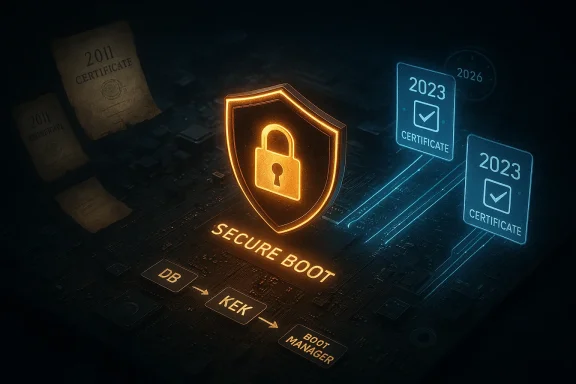
Microsoft’s long-lived Secure Boot certificates issued around 2011 are scheduled to begin expiring in mid‑2026, and the operating-system and firmware ecosystem is in active, coordinated motion to replace those keys with a new “2023” certificate family to avoid a calendar-driven break in Secure Boot trust and the ability to deliver security fixes for pre‑boot components. erview
UEFI Secure Boot is the firmware-level trust gate that verifies cryptographic signatures on early boot components — bootloaders, shim binaries, option ROMs, and the Windows Boot Manager — before handing control to the operating system. Secure Boot stores certificate authorities (CAs) in firmware variables (the Platform Key PK, the Key Exchange Key KEK, the allowed-signature database DB, and the revocation database DBX). When those CA certificates reach their expiration date, firmware can no longer accept updates or trust signatures tied to the expired certificates unless a new valid CA is present.
Microsoft and many OEMs historically provisioned a set of Microsoft-issued CA certificates in or around 2011. Those certificates were intentionally long‑lived, but the calendar eventually catches up: critical Microsoft-supplied CAs from 2011 will begin to expire in June 2026, with an additional Windows production PCA following later in 2026. To preserve the chain of trust, Microsoft created a replacement family of certificates (commonly referred to as the 2023 CA family) and began staging delivery mechanisms via Windows servicing and OEM firmware updates.
This isn’t theoretical housekeeping — it's an operational deadline. If a device still depends exclusively on the 2011 CA entries when those certificates lapse, it may: stop accepting future Secure Boot updates, be unable to validate newly signed bootloader or shim updates, or fail to receive DBX revocations. Those conditions can lead to lost security updates for pre‑boot components, unexpected BitLocker recovery prompts, or compatibility problems with anti‑cheat and other integrity-sensitive software.
What exactly is expiring — the timeline and the mapping
Understanding precisely which CAs expire and when is essential for planning.- Microsoft’s guidance groups the expirations into two windows: June 2026 for several 2011 CAs and October 2026 for the production PCA used to sign the Windows boot manager.
- Leading OEM advisories publish more precise day-level dates for their platforms. For example, HP’s advisory lists June 25, 2026 and June 28, 2026 for two of the 2011 CAs and October 20, 2026 for the Windows Production PCA. These day-level numbers vary by vendor and model. Use OEM guidance for exact calendar days for your hardware.
- Microsoft Corporation KEK CA 2011 — expires June 2026. Replacement: Microsoft Corporation KEK 2K CA 2023 (stored in KEK; used to sign DB/DBX updates).
- Microsoft UEFI CA 2011 — expires June 2026. Replacements: Microsoft UEFI CA 2023 and Microsoft Option ROM UEFI CA 2023 (split roles so option ROMs can be trusted independently).
- Microsoft Windows Production PCA 2011 — expires October 2026. Replacement: Windows UEFI CA 2023 (used to sign Windows Boot Manager binaries).
Who is affected?
- Most consumer devices that receive regular Windows Update and manufacturer firmware updates will transition automatically or via a coordinated firmware update path; many devices built since 2024 already include the 2023 CA entries in firmware.
- High‑risk groups (require active attention):
- Air‑gapped systems or devices that block diagnostic telemetry (Microsoft’s rollout is telemetry‑gated for safety).
- Hardware whose firmware disallows OS‑initiated writes to KEK/DB variables; these require OEM firmware updates or manual enrollment.
- Enterprise fleets using bespoke images or custom recovery media.
- Virtual machines and cloud images that use firmware-based Secure Boot (cloud vendors may require image updates).
- Gaming PCs and anti‑cheat reliance: Anti‑cheat systems increasingly rely on Secure Boot and TPM signals. If a platform cannot validate new, properly signed pre‑boot components after certificate expiry, anti‑cheat protections may refuse to run and block games from launching or connecting to online services. This makes the issue visible to a broader audience beyond corporate IT.
How Microsoft and OEMs are delivering the replacement certificates
Microsoft designed a conservative, ordered rollout to avoid leaving platforms in an untrusted state. The high-level approach includes both OS‑side servicing and firmware updates:- Windows Update cumulative/quality packages contain the enrollment logic, device-targeting metadata, and certificate payloads. These updates were first observed rolling in early 2026 Patch Tuesday packages (notable updates: KB5074109 for Windows 11 and KB5073724/K B5073455 variants for Windows 10/11 channels). The servicing logic is telemetry‑gated — Microsoft will automatically enroll only devices that demonstrate sufficient update health to reduce the risk of bricking or regression.
- OEM firmware updates: For platforms that disallow OS‑initiated updates to KEK/DB, OEMs must ship BIOS/UEFI updates that either apply the new certificates or permit the OS-side process to do so. OEMs (HP, Dell, Lenovo, Microsoft Surface, etc.) have published model-level guidance listing minimum BIOS/UEFI versions and telling administrators whether a firmware update is required.
- Order-sensitivity: Microsoft’s process intentionally follows an ordered sequence — add DB entries (new CA certificates), apply KEK updates (which may require OEM-signed KEK material), and then replace the Windows Boot Manager binary with a version signed under the new PCA. This order ensures a device never has a new boot manager that the firmware does not yet trust.
- Administrative controls: Enterprises get Group Policy / MDM controls, Intune / WinCS tooling, and registry keys to opt into, opt out of, or force updates. This is critical for staging the rollout across managed fleets.
Practical checks — how to verify your device’s state
If you are responsible for one PC or a large fleet, you should verify whether the 2023 CA certificates are present in your firmware and whether the servicing logic has been applied.Important: The safest first step is to keep Windows Update enabled and install current monthly cumulative updates. For targeted verification or troubleshooting, use these checks.
Quick, non‑technical check (home users)
- Keep Windows Update current and install available firmware (UEFI/BIOS) updates from your PC vendor.
- For gamers: confirm anti‑cheat and game launcher guidance; many publishers will post compatibility checks or advice.
Power‑user and admin checks
- Open an elevated PowerShell (Run as Administrator).
- Use built-in tooling or scripts that query firmware variables for DB / KEK entries. Microsoft and OEM advisories provide PowerShell samples and event log instrumentation for tracking enrollment states. The OS-side servicing also exposes registry flags (for example, UEFICA2023 status bits) and event IDs that indicate progress or error codes.
- Check installed updates: confirm the presence of the January 2026 cumulative packages that include the enrollment logic (for example, KB5074109 or KB5073724 depending on your OS channel). These updates include the payload and the device-targeting logic.
- Consult OEM advisories: some vendors publish model‑level lists that show whether a firmware update is required and, in a handful of cases, the exact certificate expiry dates they reference. Use OEM pages for the authoritative day-level dates.
Enterprise checklist — planning for June–October 2026
Large fleets require coordination between OS deployment teams, endpoint security, firmware management, and asset inventory. Here’s a concise plan you can adapt.- Inventory and grouping
- Create an inventory of devices with Secure Boot enabled.
- Identify devices that are air‑gapped, telemetry‑blocked, or have firmware that denies OS writes to KEK/DB.
- Flag devices that require OEM firmware updates.
- Targeted pilots
- Use phased pilots with a small set of representative models to validate firmware+OS enrollment and verify no BitLocker recovery or shutdown regressions occur.
- Apply Microsoft’s “high‑confidence” criteria in test groups first, then scale.
- Firmware sequencing
- If your vendor requires a BIOS/UEFI update to accept KEK/DB writes, sequence firmware updates before OS + certificate enrollment to avoid blocked enrollments.
- Monitoring and remediation
- Monitor event logs and Microsoft-provided registry flags for enrollment status.
- Prepare fallback procedures for BitLocker recovery (store keys centrally in AD/MDM) and have an OEM support channel for firmware failures.
- Documentation and communications
- Prepare employee and help‑desk messaging about possible symptoms: unexpected BitLocker recovery prompts, games or services complaining about anti‑cheat, or devices appearing to refuse updated boot components.
- Provide clear escalation paths to firmware vendors for devices where OS-side enrollment cannot succeed.
Known risks, failure modes, and recent regressions
No large, cross-cutting change to the boot chain is risk-free. Microsoft and OEM advisories have already documented a few areas to watch:- Telemetry‑gated rollout may leave air‑gapped devices behind. Devices blocking telemetry or diagnostic signals might not be included in the automated enrollment and require manual or OEM assistance. That’s why inventorying air‑gapped and telemetry‑blocked endpoints is critical.
- Firmware that disallows OS‑initiated KEK/DB writes requires vendor cooperation. Some vendors require a firmware update to accept new KEK entries or to include the 2023 certs by default. Without vendor action, OS-driven enrollment cannot proceed.
- BitLocker recovery and boot interruptions. In some cases, updating pre‑boot components or boot manager binaries can trigger BitLocker recovery prompts. Enterprise teams must ensure BitLocker recovery keys are backed up to AD/Intune and plan maintenance windows.
- Device‑specific regressions reported after early January updates. Microsoft has acknowledged some configuration‑specific regressions (for example, a shutdown/hibernate regression on systems running System Guard Secure Launch with certain updates). While these are narrow in scope, they show the importance of targeted pilot testing before broad rollout.
- Day-level expiry discrepancies across vendor advisories. OEMs sometimes quote exact expiry days that differ slightly (for instance, HP’s June 25 / June 28 / Oct 20 day-level list). These differences reflect vendor-level communication choices and the specific certificate objects listed in firmware; they do not change the operational reality that the transition must be completed before the mid‑to‑late 2026 window. Always confirm the day-level cutoff for your platform with the OEM.
What to do now — step-by-step remediation for admins and power users
Follow these prioritized steps to reduce risk and minimize surprises.- Prioritize updates
- Install the January 2026 (and subsequent) cumulative updates that contain the enrollment logic (for example, KB5074109, KB5073724 depending on your channel). These packages include device-targeting and payloads needed for the 2023 CA enrollment.
- Update firmware
- Check vendor advisory pages for your models. If the vendor requires a firmware update to accept new KEK/DB values, apply that firmware update before the OS-driven enrollment attempt.
- Back up BitLocker keys and recovery data
- Ensure BitLocker recovery keys are backed up in AD/Intune or your key escrow solution before you begin wide-scale updates. This avoids prolonged help‑desk work if a recovery prompt appears.
- Pilot, monitor, then scale
- Pilot a small set of devices per model; monitor event logs and the Microsoft-provided registry flags to confirm enrollment success. Once confidence thresholds are met, expand the rollout.
- Plan for exceptions
- Identify devices that are air‑gapped or telemetry‑blocked and schedule manual enrollment via OEM tools or firmware updates.
- Keep vendor support contacts ready for model-level firmware issues.
- For home users and gamers
- Keep Windows Update enabled and install firmware updates offered through the vendor’s update tools.
- If a game or anti‑cheat system stops working after updates, check for published guidance from publishers and ensure Secure Boot is enabled and the device is fully patched.
Critical analysis: strengths of Microsoft’s approach and remaining weaknesses
Microsoft’s plan has clear strengths:- Orderly, order‑sensitive sequence reduces chance of bricking. By ensuring DB → KEK → boot manager updates happen in that order, Microsoft avoids a class of failures where a new boot manager would not be trusted by firmware.
- Telemetry‑gated rollout minimizes blast radius. Targeting devices that show healthy update behavior reduces the risk of mass problems on unsupported or flaky platforms.
- Multiple delivery paths for coverage. Combining OS-side enrollment with OEM firmware updates covers both modern platforms that permit OS writes and older models that require firmware roll-in.
- Dependency on OEM responsiveness for older or locked platforms. If OEMs do not publish timely firmware updates for certain models, those devices will require manual interventions. This is especially problematic for industrial, medical, or embedded systems with long lifecycles.
- Air‑gapped and telemetry‑blocked fleets risk being missed. These systems require explicit identification and manual remediation to avoid being left without a valid CA when the 2011 certificates expire.
- Operational complexity for large fleets. The coordinated sequence of firmware and OS updates, BitLocker key escrow, and pilot testing is non‑trivial for enterprises; smaller IT teams may be overwhelmed without a clear project plan.
- Residual ambiguity in day-level expiry messaging. Day-level differences between vendor advisories can create operational confusion; this requires organizations to align on conservative internal deadlines and vendor confirmations.
Final recommendations (what you should do this week)
- If you manage endpoints: run an inventory now for Secure Boot state, firmware versions, and telemetry policy status. Identify air‑gapped and telemetry‑blocked devices and list vendor update requirements. Prepare pilot groups and ensure BitLocker keys are escrowed.
- If you run a single PC: enable Windows Update, install available firmware updates, and make sure BitLocker keys are backed up (if you use BitLocker). Check your game publishers’ support pages if you use anti‑cheat.
- For vendors and system integrators: publish clear model‑level guidance for expiry day mapping and minimum BIOS versions needed to accept the 2023 certs. If you’re an OEM, ensure you’ve provided firmware versions and update channels for devices still under support.
- For enterprise security teams: treat the 2026 Secure Boot certificate refresh like any other cryptographic‑anchor rotation: inventory, test, roll out in phases, monitor, and be ready to remediate exceptions. Use Microsoft’s tooling for orchestration and logging, and coordinate firmware sequencing with vendors.
Conclusion
The expiry of the 2011 Secure Boot certificates is a real and time‑sensitive operational event that affects the fundamental trust anchors for UEFI Secure Boot. Microsoft, OEMs, and major Linux distributors have coordinated a practical, layered response — new 2023 CA certificates, OS‑side enrollment logic, and firmware updates — to prevent a mass disruption in mid‑to‑late 2026. That said, the change demands active action: inventorying devices, sequencing firmware and OS updates, and planning for edge cases like air‑gapped systems and devices that block telemetry. Organizations that follow a methodical, tested, and vendor‑coordinated rollout will avoid most of the disruption and preserve Secure Boot’s critical protections for years to come.Source: Microsoft - Message Center Windows Secure Boot certificate expiration and CA updates - Microsoft Support
