

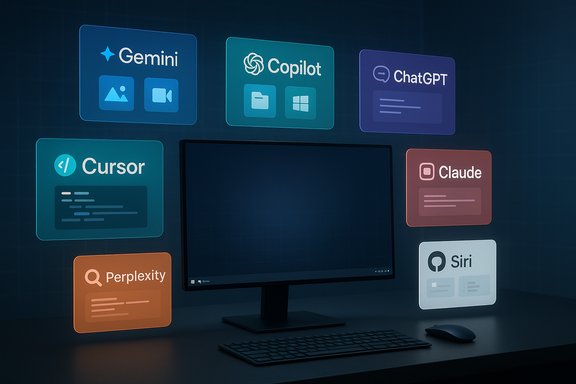
The Beebom roundup naming seven AI assistants — Google Gemini, ChatGPT, Microsoft Copilot, Cursor, Perplexity, Claude, and Siri paired with ChatGPT — captures the state of personal and developer-facing assistants in 2025: practical, uneven, and tightly tied to ecosystem lock‑in and subscription tiers.
Modern AI assistants are no longer novelty chatbots; they are multi‑modal, action‑driven services that integrate with calendars, email, cloud drives, code editors, and image/video creators. Vendors compete on three fronts: model capability (reasoning and multi‑modal understanding), ecosystem integration (OS and app hooks), and commercial packaging (who pays, what limits, and what guarantees exist). The Beebom list reflects those tradeoffs by ranking assistants on usability and task fit rather than raw benchmark scores.
The following feature expands the Beebom summary, verifies key product claims against vendor documentation and independent reporting, and provides a practical assessment for Windows‑centric readers and power users who must choose an assistant for everyday work.
Conclusion: the Beebom list is a valuable, user‑facing snapshot; for production use, lean on Copilot for enterprise governance, Gemini for Android/Google creativity, ChatGPT for generalist work, Cursor for code, Perplexity for research, and Claude when long‑form reasoning matters — and always verify sensitive outputs and review vendor contracts before handing them access to your data.
Source: Beebom 7 Best AI Assistants I've Tested and Use Regularly in 2025
 Background
Modern AI assistants are no longer novelty chatbots; they are multi‑modal, action‑driven services that integrate with calendars, email, cloud drives, code editors, and image/video creators. Vendors compete on three fronts: model capability (reasoning and multi‑modal understanding), ecosystem integration (OS and app hooks), and commercial packaging (who pays, what limits, and what guarantees exist). The Beebom list reflects those tradeoffs by ranking assistants on usability and task fit rather than raw benchmark scores.The following feature expands the Beebom summary, verifies key product claims against vendor documentation and independent reporting, and provides a practical assessment for Windows‑centric readers and power users who must choose an assistant for everyday work.
Quick overview of the seven assistants Beebom tested
- Google Gemini — positioned as the multimodal flagship, deeply integrated with Android and Google Workspace, with high‑end image and video models such as Nano Banana and Veo.
- ChatGPT (OpenAI) — the generalist assistant used for drafting, research, code, and custom GPTs; voice and plugin integrations broaden its utility.
- Microsoft Copilot — focused on Microsoft 365 and Windows integration; positioned for business workflows, document grounding, and tenant governance.
- Cursor — a coding‑first assistant and IDE/Editor agent focused on quick code fixes, refactors, and understanding project context.
- Perplexity — a citation‑forward research assistant that also offers Pro tiers and browser/agent features for extended workflows.
- Claude (Anthropic) — built for long‑form reasoning, creative brainstorming, and developer integrations like GitHub.
- Siri (with ChatGPT) — Apple’s native voice assistant, still limited compared with the standalone LLM assistants but tightly integrated across Apple devices; rumors and reporting suggest Apple is working on a major Siri overhaul.
Google Gemini — ecosystem power player with true multimodality
What Beebom says and what’s verified
Beebom places Gemini at the top for daily use because of Android and Google app integration and its multimodal feature set. This is consistent with Google’s documentation that lists Gemini 3 Pro as the flagship multimodal model and names image/video models (Nano Banana, Veo) in its product portfolio.Key strengths
- Deep Android and Workspace integration: Gemini actions can draft emails, edit Docs, summarize content, and sync across devices.
- Multimodal models for image and video: Google’s documentation and product pages identify Nano Banana (image) and Veo (video) variants as production models in the Gemini family.
- Competitive pricing tiers: Market reporting shows Google bundles advanced model access into paid tiers (Google AI Plus/Pro) with consumer price points reported around $19.99/month in consumer markets while regionally varied launches (e.g., India) use introductory pricing.
Limitations and risks
- Privacy and cloud dependency: Most advanced Gemini features are cloud‑backed; organizations requiring on‑device guarantees must evaluate the tradeoffs carefully.
- Feature gating and quotas: Google has restricted free access and shaped usage limits (image/video generation quotas) to encourage paid subscriptions; this can surprise heavy users.
Practical guidance
- For Android users and Google Workspace organizations, Gemini is the natural first choice when creative multimodal tasks (photo editing, short video creation) are central to the workflow. Validate storage and training opt‑outs via account settings if data governance is a requirement.
ChatGPT — the flexible generalist and developer ecosystem hub
Confirmed claims
ChatGPT remains the powerhouse generalist: writing, brainstorming, code assistance, and a rich custom‑GPT/plugin ecosystem. OpenAI’s published pricing shows a Free tier, a Plus tier at $20/month, and higher Pro/Enterprise tiers for heavier usage.Strengths
- Versatility and cross‑platform continuity: Mobile and desktop syncs make ChatGPT a practical daily tool for drafting and ideation.
- Extensible via GPTs and integrations: Third‑party connectors and the plugin ecosystem expand utility into music, travel, and design workflows.
Limitations
- Ecosystem hooks: ChatGPT does not natively own an OS ecosystem like Google or Microsoft, so deep OS‑level automation is harder to achieve without third‑party connectors. That’s changing with app integrations, but it remains a relative weakness.
Practical guidance
- If you need a single tool for writing, prototypes, and ad‑hoc coding, ChatGPT Plus ($20/month) is a reasonable baseline; for business use, evaluate enterprise connectors and data‑handling options.
Microsoft Copilot — the enterprise copilot that knows Windows
Verified positioning
Microsoft has explicitly positioned Copilot as the productivity copilot for Microsoft 365 and Windows. Microsoft announced Copilot Pro as a $20/month consumer option earlier, and the company later embedded Copilot features into Microsoft 365 Personal/Family and premium consumer bundles while also offering business‑grade Copilot in enterprise plans.Strengths
- Office app grounding and governance: Copilot is unique for tenant grounding, admin controls, Purview integration, and IT auditability — essential for regulated businesses.
- Windows and Outlook integration: Copilot surfaces inside the OS and Office clients, making context‑aware assistance less frictioned for Windows users.
Limitations and risks
- Creativity in media generation: Copilot is competent but not always the most creative for image/video generation compared with specialist models.
- Bundling and price complexity: Microsoft’s product lines and naming (Copilot, Copilot Pro, Microsoft 365 Premium) have evolved quickly; pricing and bundling require close reading to understand what each plan includes. Independent reporting shows Copilot features now ship within Microsoft 365 offerings and dedicated Pro options have been reworked into broader bundles.
Practical guidance
- Microsoft‑centric enterprises should default to Copilot for compliance and governance. For individuals who are heavy Office users, the bundled Microsoft 365 Premium / Personal options may be the best cost/benefit, but verify exactly which Copilot capabilities and quotas are included.
Cursor — the coding specialist worth considering for developers
What it is
Cursor is an IDE‑first assistant designed to understand codebases, fix bugs, and refactor code in context. Cursor’s pricing confirms a free tier and a $20/month Pro plan for individuals, with higher tiers for teams.Strengths
- Codebase awareness: Cursor can access project files, imports, and structure to provide meaningful fixes and real‑time coding assistance.
- Developer tooling: Integrations with editors and GitHub flows make Cursor a productive teammate for debugging and onboarding.
Limitations
- Niche utility: Cursor is focused on engineering workflows and is not a full general‑purpose assistant for calendar or inbox tasks. For teams that need both code help and broader automation, a Companion strategy (Cursor + ChatGPT/Copilot) works better.
Practical guidance
- Try Cursor on a non‑critical repository first. Use it to accelerate code reviews and refactors, but keep static analysis and CI pipelines as final gates — AI suggestions must be validated with tests.
Perplexity — research and citation emphasis
Claims and verification
Perplexity markets itself as a generative search engine with explicit citation handling and a Pro tier at roughly $20/month for consumers (with Pro/Max/Enterprise tiers documented). Perplexity’s product pages and help center confirm these tiers and the focus on Pro searches and research features.Strengths
- Citation‑first responses: Perplexity emphasizes traceability and often supplies source snippets and links, which is valuable for research workflows.
- Comet agent and shopping features: Perplexity is expanding into browser‑style agents and commerce flows for Pro/Max subscribers. Independent reporting documents Comet and early enterprise features.
Limitations and risks
- Sourcing errors remain possible: Independent audits and coordinated checks (EBU/BBC, others) show citation‑forward assistants can still misrepresent sourcing or context; always verify mission‑critical facts against primary materials.
Practical guidance
- Perplexity is a strong research tool for quick syntheses with citations. Use Pro for heavier research needs, and require primary source verification before publishing or acting on legal/financial conclusions.
Claude (Anthropic) — a reasoned alternative with developer integrations
Verified capabilities
Claude emphasizes long‑form reasoning, a low‑hallucination stance, and deployments that include GitHub integration and developer tooling. Anthropic’s pricing page documents a free tier and Pro tier (advertised at $17/month with annual billing or $20 when billed monthly), with features like Claude Code and Research access in Pro.Strengths
- Human‑like conversation and project organization: Claude is often recommended for brainstorming, structured document analysis, and sustained multi‑turn tasks.
- Developer and GitHub integrations: Native GitHub integration simplifies code context ingestion and makes Claude useful in engineering workflows where provenance and repo context matter.
Limitations
- Ecosystem reach: Claude is less tightly integrated into OS ecosystems than Google or Microsoft, so desktop automation and OS hooks are more limited.
Practical guidance
- Use Claude where long‑form reasoning, research organization, and a low‑hallucination profile matter. For code tasks, enable GitHub integration and pair Claude’s outputs with test suites.
Siri with ChatGPT — legacy assistant, ecosystem continuity, and a major transition
Reality check on Beebom’s claim
Beebom notes Siri is weaker than rivals but can use ChatGPT integration to answer complex queries. That’s accurate: Siri remains Apple’s system assistant and can be augmented by third‑party integrations and shortcuts. However, major industry reporting indicates Apple is pursuing bigger changes to Siri (including potential external model partnerships) rather than a simple plugin approach. Bloomberg and subsequent reporting indicate Apple explored using external large models to power new Siri capabilities; these reports are significant but still part of developing coverage and not final user‑facing confirmations.Strengths
- Tight device integration and privacy posture: Siri’s OS hooks and Apple’s privacy framing make it the default hands‑free assistant for Apple users.
Limitations and risks
- Performance gap: In independent comparisons and hands‑on tests, Siri consistently lags behind third‑party LLM assistants on open‑ended reasoning, multi‑step tasks, and creative outputs. Beebom’s assessment that Siri is “not that smart” compared with newer assistants reflects those practical gaps.
Practical guidance
- Expect Apple to incrementally replace or augment Siri’s backend with larger models or third‑party services; track official Apple announcements for concrete timelines. Treat any rumor of acquisition or wholesale backend change (e.g., buying Perplexity) as speculative until Apple confirms. Reporting suggests talks and exploratory activity, but acquisitions or contracts were not always finalized at time of reporting.
Cross‑cutting risks and governance checklist
AI assistants are powerful, but three universal risks require operational controls:- Hallucination and provenance: Even top assistants fabricate plausible but incorrect facts. For any legal, financial, or safety‑critical decision, require source verification and human sign‑off.
- Data exposure and model training: Consumer tiers frequently use inputs to improve models; enterprise contracts can limit training use but must be negotiated explicitly. Check vendor non‑training clauses and default retention policies.
- Subscription creep and operational cost: The $20/month “sweet spot” is real for many consumer Pro tiers, but team and enterprise usage scales quickly. Map expected usage, quotas (image/video generations, Pro searches), and escalation costs before committing.
- Start with a 2–4 week pilot on test accounts to measure real usage and failure modes.
- Apply least privilege: grant calendar or mailbox access only to test folders or sandbox accounts.
- Insist on enterprise contracts with non‑training guarantees for regulated data.
- Add validation gates: automated tests for code suggestions, human legal review for contract drafts, and source verification for research outputs.
How I’d choose among the seven assistants (practical scenarios)
- If you live inside Google/Android/Workspace: pick Gemini for multimodal creativity and fastest Actions integration. Verify paid plan quotas if you use heavy image/video generation.
- If you want a single, flexible assistant for writing, code, and custom automations: choose ChatGPT (Plus for regular heavy use). Audit plugins and data retention.
- If you work in Windows + Microsoft 365 for enterprise workflows: deploy Microsoft Copilot under tenant contracts for governance, auditing, and Purview integration.
- If you’re a developer and need codebase‑aware assistance: evaluate Cursor and Claude with GitHub integrations; keep test suites as the final arbiter.
- If your tasks require fast, citable research: use Perplexity Pro for source‑forward answers and cross‑check primary materials.
Notable strengths across the field
- Action-driven assistants (Gemini, Copilot) are lowering friction for everyday tasks by executing multi‑step flows: draft → edit → send.
- Multi‑vendor specialization improves outcomes: coding assistants (Cursor), research engines (Perplexity), and long‑form reasoning models (Claude) deliver best‑in‑class results for their niches.
Places Beebom’s roundup is right — and where it needs caution
What Beebom gets right:- Ranking assistants by use case rather than pure IQ is practical and actionable for readers.
- Emphasizing Gemini and Copilot for ecosystem users and ChatGPT for generalists matches real product strengths and market positioning.
- Pricing and plan names change rapidly. What reads as Copilot Pro at $20 or Gemini Pro at $19.99 in one quarter can be repackaged into bundled consumer/enterprise plans in the next. Verify current vendor pages before buying.
- Industry rumors (e.g., Apple acquiring Perplexity, or Apple definitively choosing Google Gemini to power Siri) have traction in reporting but remain conditional until Apple and the counterparty confirm terms. Treat such claims as plausible but provisional.
Final verdict and practical next steps
The Beebom roundup is a useful, hands‑on starter that accurately maps the current assistant landscape and correctly assigns winners by use case rather than brand fandom. For Windows users and IT admins, the pragmatic decision is seldom “one‑assistant to rule them all.” Instead:- Pick one generalist (ChatGPT or Gemini) for drafting and ideation.
- Add a specialist for high‑risk or high‑volume tasks (Copilot for Office governance, Cursor for code, Perplexity for cited research).
- Pilot, measure, and gate. Start small, evaluate real usage against quotas, and lock in enterprise contracts before subjecting regulated data to cloud processing.
Conclusion: the Beebom list is a valuable, user‑facing snapshot; for production use, lean on Copilot for enterprise governance, Gemini for Android/Google creativity, ChatGPT for generalist work, Cursor for code, Perplexity for research, and Claude when long‑form reasoning matters — and always verify sensitive outputs and review vendor contracts before handing them access to your data.
Source: Beebom 7 Best AI Assistants I've Tested and Use Regularly in 2025
