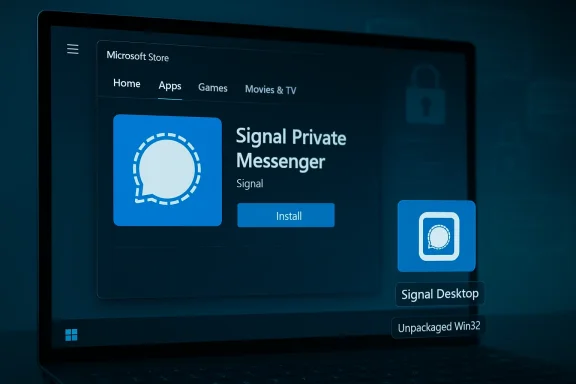
Signal’s desktop client has finally landed in the Microsoft Store for Windows 10 and Windows 11, bringing the privacy-first messenger into one of the most convenient distribution channels for PC users — but the move raises important questions about packaging, update mechanics, enterprise deployment, and what "Store availability" actually means for security-conscious users.
Signal is broadly known for prioritizing privacy: end-to-end encryption, minimal metadata retention, and open-source clients. For years the desktop experience — Signal Desktop — has been available only as a download from Signal’s website or via community packages on Linux. That changed with the recent Microsoft Store listing, which allows Windows users to install Signal with a single click from the Store UI on both Windows 11 and Windows 10 PCs.
This story is more than a convenience announcement. The way Signal appears in the Store — as a classic Win32/unpackaged desktop app — determines how it installs, how it updates, how enterprises can distribute it, and which Windows platform integrations will (or will not) work. The Store listing also intersects with ongoing privacy-focused feature work Signal has shipped on Windows — notably a default-on screen security measure to prevent system-level screenshot/indexing tools from recording messages — making the listing relevant for both everyday users and security-focused audiences.
In short: yes, Signal is on the Microsoft Store; no, it didn’t suddenly change how its encryption or backend works. But the packaging choice and distribution mechanics matter. The rest of this feature unpacks what changed, why it matters, and what Windows users and administrators should know before they click Install.
On Windows the desktop app functions as a companion client to your mobile installation: you pair the desktop client with your phone (or register an independent desktop-only account where supported) and message sync occurs between devices while maintaining Signal’s encryption model.
The key takeaway: Signal’s move to the Microsoft Store does not strip away these privacy-focused runtime protections. Platform quirks may still influence the behavior of screenshot-blocking techniques (especially as Microsoft experiments with new indexing or AI features), but Signal’s client-level protections continue to operate independently of the Store distribution mechanism.
For Microsoft, attracting privacy-focused, high-profile apps like Signal is a reputational win: it helps shift public perception of the Store from a restricted, UWP-only catalog to a true one-stop destination for major Windows apps.
For users, that’s a net positive: easier discovery, one-click installs, and a safer environment for finding legitimate software. But the devil remains in the details: packaging choices, update control, and enterprise management still vary by publisher and by how the app is published.
Signal’s Microsoft Store arrival is an important milestone — proof that the Store is now a viable, mainstream distribution channel for privacy-first apps. It closes a small gap between the Windows ecosystem and one of the most-used secure messaging platforms, while preserving the technical and policy decisions that make Signal what it is. But as always with software distribution, the details of packaging, hosting, and update control matter — and they’re worth understanding before you click Install.
Source: Windows Central Signal arrives on the Microsoft Store for Windows 11 and Windows 10
 Background / Overview
Signal is broadly known for prioritizing privacy: end-to-end encryption, minimal metadata retention, and open-source clients. For years the desktop experience — Signal Desktop — has been available only as a download from Signal’s website or via community packages on Linux. That changed with the recent Microsoft Store listing, which allows Windows users to install Signal with a single click from the Store UI on both Windows 11 and Windows 10 PCs.This story is more than a convenience announcement. The way Signal appears in the Store — as a classic Win32/unpackaged desktop app — determines how it installs, how it updates, how enterprises can distribute it, and which Windows platform integrations will (or will not) work. The Store listing also intersects with ongoing privacy-focused feature work Signal has shipped on Windows — notably a default-on screen security measure to prevent system-level screenshot/indexing tools from recording messages — making the listing relevant for both everyday users and security-focused audiences.
In short: yes, Signal is on the Microsoft Store; no, it didn’t suddenly change how its encryption or backend works. But the packaging choice and distribution mechanics matter. The rest of this feature unpacks what changed, why it matters, and what Windows users and administrators should know before they click Install.
What Microsoft Store availability actually means
Two ways to put a desktop app in the Store
Microsoft supports two primary routes for bringing a desktop (Win32) app into the Microsoft Store:- Package the app as an MSIX package. This gives the app a first-class Store experience: Microsoft hosts the package, the OS can manage updates, the app gets package identity, improves integration with Windows features, and supports things like S-Mode and private app publishing.
- Or list the app as an unpackaged (classic) installer — essentially a Store listing that points to an executable or MSI hosted by the publisher. Users see the listing and get a one-click install experience, but the publisher must host the installer and the app manages updates itself.
What that packaging choice means in practice
- Hosting and updates stay with Signal. An unpackaged listing requires the publisher to host the installer. The app remains responsible for its own update mechanism; the Microsoft Store will not become the source of automatic OS-managed updates in the same way MSIX-packaged apps receive them.
- No full Windows feature integration. Unpackaged apps won’t gain some Store/OS integrations that MSIX apps do. For example, S-Mode support, Store-side flighting, private app publishing for enterprises, and the seamless OS-backed backup/restore behaviors are limited or unavailable.
- Easier store onboarding for cross-platform apps. Listing an existing EXE/MSI as-is is a friction-reducing path for projects that already ship desktop installers (like Electron apps). It lets developers put a storefront entry in front of users without changing their CI/CD or update system.
- Store certification still applies. Even unpackaged installers go through Microsoft’s certification checks before publication, giving an additional vetting step beyond downloading from a random website.
The technical reality: Signal Desktop on Windows
The desktop client and its architecture
Signal Desktop is a cross-platform desktop app built on the Electron framework; the source is available publicly. Electron gives Signal a single codebase across Windows, macOS, and Linux, and explains why the application appears as a traditional Win32 desktop program on Windows.On Windows the desktop app functions as a companion client to your mobile installation: you pair the desktop client with your phone (or register an independent desktop-only account where supported) and message sync occurs between devices while maintaining Signal’s encryption model.
How installation and updates will work
Because the Microsoft Store entry is an unpackaged Win32 installer, installing Signal from the Store does the following workflow for the user:- The Store lists Signal and provides a one-click Install.
- The installer (hosted by Signal) is downloaded and run on the PC.
- Signal Desktop installs like a traditional Windows program, creating Start menu entries and the usual file-system artifacts.
- Once installed, Signal’s own internal updater is responsible for patching the application and delivering new releases. The Store will not automatically manage incremental updates like it does for packaged MSIX apps.
Privacy and security analysis
What does Store availability change for Signal’s security guarantees?
Short answer: not much for encryption, but potentially meaningful for delivery integrity.- End-to-end encryption remains unchanged. Signal’s messaging encryption happens at the protocol and client level. Whether you installed Signal from its website or from the Microsoft Store, messages are still end-to-end encrypted; Signal’s servers route messages but cannot read them.
- Metadata collection policies remain unchanged. The client and the Signal service still follow the same metadata minimization policy. The Store listing does not change the server-side data Signal collects or stores.
- Delivery integrity depends on publisher hosting. Because the installer remains hosted by Signal, the chain of trust depends on Signal’s server security and the certificate used to sign the installer. Microsoft’s Store review is an added check, but the publisher-hosted route means the update and hosting plane remains a supply-chain responsibility of Signal rather than Microsoft.
The supply-chain and update surface: pros and cons
Pros:- Signal retains control of updates, allowing faster security fixes and consistent cross-platform builds.
- The Store listing improves discoverability and reduces risk of users downloading a spoofed or malicious installer from third-party sites.
- Because updates are managed by Signal’s own updater, a compromise of Signal’s update infrastructure could affect many installs. That risk exists whether or not the app is listed in the Store; listing only changes discovery, not the update mechanism.
- Enterprises that rely on centralized Store/IT-managed app distribution may find unpackaged apps harder to assimilate into their standardized deployment flows (more on that below).
Interaction with Windows features: the Recall/screenshot debate
Signal has been active in hardening the desktop client against OS-level screenshot/indexing features in Windows 11. The app includes a screen security setting that can render the window black to screenshot/indexers — a defensive move aimed at preventing system-level tools (or controversial features like indexing/screenshot history) from archiving private messages.The key takeaway: Signal’s move to the Microsoft Store does not strip away these privacy-focused runtime protections. Platform quirks may still influence the behavior of screenshot-blocking techniques (especially as Microsoft experiments with new indexing or AI features), but Signal’s client-level protections continue to operate independently of the Store distribution mechanism.
Enterprise and IT admin considerations
For IT pros and admins, Signal arriving in the Microsoft Store provokes several operational questions.Enterprise distribution and private app publishing
- Packaged vs unpackaged affects private publishing. Microsoft’s private app/publisher features (which let IT teams push apps to enrolled devices or use Store-for-Business workflows) are more limited for unpackaged apps. A packaged MSIX app can be published privately in the Microsoft Store for Enterprise flows; unpackaged installers typically do not get the same treatment.
- Management via Intune or Configuration Manager. Enterprises already using Microsoft Endpoint Manager (Intune) or Configuration Manager can still deploy Signal, but methods differ:
- If Signal provides an enterprise-ready MSI build, admins can use standard software distribution mechanisms (SCCM/Intune Win32 app deployment).
- Relying on the Store listing for mass distribution may be insufficient if private app features are not available for Signal’s unpackaged listing.
Update control and version gating
Admins who need to pin an application version or delay updates in a managed environment will find it easier when apps are packaged in MSIX or when Microsoft Store supports enterprise-controlled flighting. With Signal’s unpackaged approach, update control will be guided by Signal’s own update mechanism — meaning admins should plan deployment/testing processes (e.g., test groups with delayed installations) rather than relying on Store-managed staging.Security posture and app telemetry
From a security operations perspective:- The Store listing reduces the likelihood of end users inadvertently downloading malicious imitations.
- However, security teams should still validate installer signatures, verify publisher identity, and ensure that Signal’s automatic updater conforms to their organization’s software update policies.
Why Signal chose the unpackaged Store route (analysis)
There are practical reasons an app like Signal might pick the unpackaged/Win32 installer route to the Microsoft Store:- Minimal engineering overhead. Converting a complex cross-platform Electron app to MSIX can require packaging adjustments, testing, and potential changes to update delivery. Listing the existing installer in the Store is faster and avoids refactoring the release pipeline.
- Update control remains with the developer. Many teams prefer to retain their update servers, release channels, and telemetry pipelines rather than handing update cadence to the Store.
- Broad compatibility. An unpackaged installer behaves the same way it always has, reducing surprises for users who already rely on the desktop installer experience.
Risks and mitigations: what to watch for
Signal joining the Store is welcome, but users and admins should be mindful of a few potential risks and take straightforward steps to mitigate them.- Installer-host compromise risk. Because Signal hosts the installer, if the hosting infrastructure or signing keys were compromised, malicious updates could be pushed. Mitigation:
- Check installer signatures before deployment when possible.
- Prefer enterprise-approved deployment channels for mass rollouts.
- Monitor Signal’s official channels for security advisories and patch notes.
- Limited enterprise control. If your organization needs Store-managed private deployments or controlled staged rollouts, verify whether Signal offers an MSIX or MSI suitable for your management tools, or coordinate with Signal for an enterprise-friendly installer.
- User confusion about update behavior. Users may assume that because Signal is in the Store, updates will be handled by Microsoft. Communicate internally (for teams) that Signal Desktop may still update itself and that the Store listing is a delivery channel, not necessarily the update plane.
Practical guidance for Windows users
If you’re a Windows user thinking about installing Signal from the Store, here are clear steps and checks to follow:- Confirm the publisher. When using the Microsoft Store, verify the Store entry lists Signal (or the official Signal publisher) as the publisher before installing.
- Decide where to install from. Installing from the Store is convenient and reduces the risk of fake download pages; installing from Signal’s official website is equivalent in terms of client behavior. Choose the source you trust.
- Understand updates. Don’t assume the Store will push Signal updates on your behalf. The app’s own updater may be used; check Signal Desktop’s settings for update controls if you want to manage when updates happen.
- Verify code signing (advanced). For security-conscious users, examine the executable’s digital signature after installation to ensure it’s signed with a publisher certificate that matches Signal’s known identity.
- Use the screen security toggle if needed. If you’re concerned about system-level screenshotting or OS indexing features, review Signal’s privacy settings on Windows and enable screen security as appropriate — but be aware of accessibility trade-offs.
The broader significance for the Microsoft Store ecosystem
Signal’s arrival underlines a broader trend: mainstream, cross-platform desktop apps increasingly view the Microsoft Store as a necessary part of Windows distribution strategy. The Store’s improvements over the past few Windows feature updates — including support for unpackaged apps and better discoverability — have made it a more attractive route for developers who historically directed users to their sites.For Microsoft, attracting privacy-focused, high-profile apps like Signal is a reputational win: it helps shift public perception of the Store from a restricted, UWP-only catalog to a true one-stop destination for major Windows apps.
For users, that’s a net positive: easier discovery, one-click installs, and a safer environment for finding legitimate software. But the devil remains in the details: packaging choices, update control, and enterprise management still vary by publisher and by how the app is published.
Final verdict — is this a meaningful change?
Yes — but with caveats.- For everyday Windows users, Signal being available in the Microsoft Store is a net win: easier discovery, a frictionless install experience, and an additional vetting step that reduces the risks of fake installers.
- For privacy and security, Signal’s core guarantees remain intact: end-to-end encryption and metadata minimization are properties of the Signal protocol and apps, not of the distribution channel.
- For enterprises and power users, the unpackaged Store route means Signal’s updates, deployment, and enterprise publishing story will look familiar to IT teams that already manage traditional Win32 software — but it won’t inherently give them the Store-backed controls and flighting MSIX provides.
Signal’s Microsoft Store arrival is an important milestone — proof that the Store is now a viable, mainstream distribution channel for privacy-first apps. It closes a small gap between the Windows ecosystem and one of the most-used secure messaging platforms, while preserving the technical and policy decisions that make Signal what it is. But as always with software distribution, the details of packaging, hosting, and update control matter — and they’re worth understanding before you click Install.
Source: Windows Central Signal arrives on the Microsoft Store for Windows 11 and Windows 10