

When mainstream Windows laptops started shipping with Qualcomm’s Snapdragon X family, reviewers praised their battery life, cool running and on‑device AI acceleration — but real‑world, hands‑on testing has exposed three structural compatibility problems that buyers and IT teams can’t ignore. Practical productivity tasks work well; however, system recovery from local USB images, replacing or dual‑booting with Linux, and serious gaming are all areas where Snapdragon X Windows machines still fall short in ways that matter to everyday users and IT administrators.
The current wave of Copilot+ Windows machines pairs Microsoft’s Windows 11 with Qualcomm’s Snapdragon X family (X, X Plus, X Elite and the newer X2 announcements), delivering very attractive battery and AI characteristics in thin, fan‑cooled designs. These machines commonly ship with robust NPUs for local AI, long vendor‑quoted playback runtimes, and polished industrial design — features that have already shifted buyer expectations for ultraportables. But the transition to ARM in the Windows ecosystem remains incomplete: device firmware, the minimal recovery environment (WinRE), third‑party imaging tools, and the Linux/open‑source ecosystem are all catching up at different rates. The result is a mixture of substantial strengths and practical limitations that must be evaluated before purchase.
Source: ZDNET I tested 3 Snapdragon X Windows laptops this year - and found 3 big issues
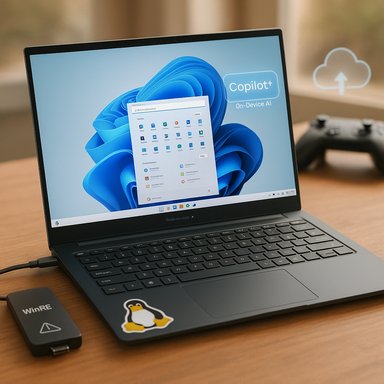 Background / Overview
The current wave of Copilot+ Windows machines pairs Microsoft’s Windows 11 with Qualcomm’s Snapdragon X family (X, X Plus, X Elite and the newer X2 announcements), delivering very attractive battery and AI characteristics in thin, fan‑cooled designs. These machines commonly ship with robust NPUs for local AI, long vendor‑quoted playback runtimes, and polished industrial design — features that have already shifted buyer expectations for ultraportables. But the transition to ARM in the Windows ecosystem remains incomplete: device firmware, the minimal recovery environment (WinRE), third‑party imaging tools, and the Linux/open‑source ecosystem are all catching up at different rates. The result is a mixture of substantial strengths and practical limitations that must be evaluated before purchase. 1) Backup and bare‑metal restore: WinRE on Arm can’t always see your external image
What’s broken
On many Snapdragon X machines, attempting a standard bare‑metal restore from an external USB SSD fails because the recovery media (a Windows recovery drive or rescue USB created by third‑party tools) boots but cannot access the attached external drive that contains the system image. Reported failures affect both generic Windows recovery media and rescue media created by mainstream backup suites. In practice this means the usual plan — boot rescue media, point it at a local external system image, and restore — is unreliable on some Arm‑based Windows devices. This has been reported in hands‑on reviews and multiple community threads and vendor support discussions.Why it happens
- WinRE is intentionally minimal. The Windows Recovery Environment runs a compact “Safe OS” (winre.wim) with a reduced set of drivers to keep recovery reliable and small. That minimalism means some device families or newer USB host controller drivers are not present in WinRE builds shipped for Arm devices, so storage devices connected over certain controllers are not enumerated.
- Driver and firmware parity is incomplete. The driver set used by the running Windows desktop and the WinRE image are serviced separately. If the recovery image lacks a storage host‑controller or USB driver matching the laptop’s hardware, the attached drive will not appear inside WinRE. Third‑party rescue media that reuses WinRE inherits the same limitation.
Evidence and independent corroboration
- Hands‑on reporting from reviewers documented the exact symptom: rescue media boots but the external SSD is invisible; vendors and backup vendors (Macrium, MSP360 users) reproduced the behavior and linked it to WinRE on Arm.
- Community traces and forum moderation of the WinRE image problem following Windows servicing waves show that changes to the compact recovery image occasionally introduced regressions or driver gaps — underscoring the fragility of the minimal driver set used by WinRE.
Practical impact
For home users this is a convenience problem: the easiest local restore path can be blocked and the recovery process becomes longer. For business and IT teams the implications are more serious: standard recovery procedures (image to local external drive → rescue USB → restore) are part of many disaster‑recovery playbooks. When that path is unavailable, IT teams must adopt more complex and slower alternatives — network‑based restores, cloud backups, or re‑image and manual reinstallation workflows.Workarounds and mitigation
- Store a copy of the image on a network share (SMB/NFS) and restore over the network from WinRE; ensure the rescue environment has the network drivers needed.
- Use cloud restoration (vendor cloud services or OneDrive/SharePoint) and then reconstruct the system from scratch — slower but more reliable for now.
- Keep an Intel/AMD reference machine with all rescue media tested and validated for disaster recovery and use it for key image‑recovery operations when an Arm device is involved.
- Build custom WinPE rescue media that includes the specific USB and storage drivers for the target machine — advanced users or IT departments can add OEM drivers into a WinPE image and create a rescue USB with the correct driver set. (This requires extra tooling and care; it is not plug‑and‑play.
Recommendation
Treat bare‑metal recovery from a local USB image as not guaranteed on Arm Windows laptops today. Validate your chosen recovery path on the exact device model before relying on it. Enterprises should update runbooks and add network/cloud restore options as mandatory fallback procedures.2) Linux and dual‑boot: support exists, but it’s not the painless option you expect
The headline
Any expectation that a Snapdragon X laptop will be a drop‑in Linux machine is optimistic. While Linux distros — especially Ubuntu’s arm64 builds — are making meaningful progress on Snapdragon X Elite hardware, hardware enablement is still work‑in‑progress: bootloaders, device trees, audio, camera and certain power‑management or firmware features can be missing or unstable. The community advice is clear: Linux on X Elite is for hobbyists and tinkerers, not for users who need a production replacement.Current state of support
- Ubuntu community support: Ubuntu’s Community Hub and device‑specific threads show that recent Ubuntu arm64 images (including Ubuntu 25.x family workarounds and concept ISOs) have been used successfully on several X Elite machines — including the Dell XPS 13 9345 — but with caveats: many hardware components (webcam, speakers, advanced power management) may not work out of the box. The official guidance is to keep Windows installed and dual‑boot, or install Linux only after verifying firmware updates and driver support.
- Distribution availability: Some distros do publish arm64 ISOs, but device support and convenience (installer images that include the correct device tree and firmware) lag behind x86 offerings. In many cases, the community‑provided “Ubuntu concept” or vendor‑specific images are needed.
Why this is different from Intel x86
- Firmware and ACPI/device tree differences. Linux relies on either ACPI on x86 or device trees and upstream kernel support for ARM SoCs. Upstream kernel and vendor firmware support for laptop‑class Hexagon/NPU/Adreno subsystems is still maturing.
- Closed or delayed upstream drivers. Some device components (audio codecs, WLAN/BT, webcam firmware) rely on vendor blobs or kernel patches that are only recently landing upstream; until that work matures, feature parity with Windows is incomplete.
Practical impact and who should care
- Hobbyists and developers who enjoy hardware projects will find this fertile ground; expect months of work to get a fully functional system.
- For professionals who need a stable Linux environment for work (development, content creation, system administration), an Intel or AMD laptop remains the safer, predictable choice.
Recommended checklist before attempting Linux on Snapdragon X
- Confirm the exact device model and firmware version.
- Search the distro community and vendor bug trackers for that model (device tree, ubuntu‑x1e, etc..
- Keep Windows intact (dual‑boot) until Linux support is proven.
- Be prepared to accept missing features (camera, speakers) or to maintain workarounds.
- Consider using a virtual machine or cloud dev box as an alternative until native support stabilizes.
3) Gaming: workable for light titles, but not competitive for serious players
The reality
Snapdragon X chips include integrated Adreno GPUs that are improving generation over generation, and the SoCs are competitive on many synthetic benchmarks. Yet delivering a modern, high‑framerate PC gaming experience on Windows on Arm remains constrained by three factors: GPU capability vs. discrete laptop GPUs, emulation overhead for x86 titles, and driver maturity. Independent game‑centric testing and multiple hands‑on reviews conclude that casual and older titles run fine at modest settings, but AAA 3D gaming at high resolution and 60+ fps remains out of reach for most Snapdragon X Ultrabooks.Technical constraints
- Integrated vs. discrete GPUs. Discrete mobile GPUs from Nvidia and AMD still deliver orders‑of‑magnitude better rasterization and GPU‑compute performance for modern titles. Integrated Adreno variants are powerful for an integrated GPU but simply lack the headroom of an RTX or Radeon mobile part.
- Emulation penalty. Many Windows PC games and anti‑cheat stacks are x86/x64‑only or expect AVX/advanced CPU features. Microsoft’s Prism emulation and ongoing AVX/AVX2 support improvements have helped, but translated execution costs CPU cycles and introduces stuttering or compatibility issues for some games. The emulation overhead is especially apparent on graphically heavy or CPU‑bound titles.
Independent assessments
- PC Gamer concluded that Snapdragon chips are not yet a replacement for gaming laptops and recommended tempered expectations for 3D, high‑resolution gaming. PCMag’s hardware analysis reached a similar practical view: low‑end and mid‑level gaming is possible with tuned settings, but competitive AAA gaming at 60 fps is unlikely on current Snapdragon X Ultrabooks.
Practical advice
- If gaming is a core use case, choose a laptop with a discrete GPU or rely on cloud/console streaming services (Xbox Cloud Gaming, GeForce Now, etc. from the Snapdragon laptop.
- For occasional or indie titles, test the specific titles you care about before committing. Many smaller and older games will run fine; modern AAA 3D titles will need lowered settings.
Strengths, trade‑offs and enterprise perspective
What these Snapdragon X laptops do well
- Battery life and thermals. For mainstream productivity (Office, browser, email, cloud apps), Snapdragon X machines offer exceptional battery life and typically run cool. This makes them unbeatable for travel and all‑day meetings.
- Polished hardware and integrated local AI features. The NPU‑driven Copilot+ features can add real productivity wins (local transcription, quick generative edits, on‑device summaries) at low latency.
The trade‑offs
- Compatibility variability. Legacy x86 apps, niche professional plugins, device‑specific drivers, and certain backup/restore scenarios are the main pain points. These are not necessarily fatal, but they are real and operationally important.
- Ecosystem friction. Linux dual‑booting and GPU‑heavy workloads require extra validation and can delay deployment for developers or power users.
Enterprise buying guidance (short checklist)
- Inventory critical applications and confirm Arm‑native builds or validated emulation performance.
- Test vendor backup/rescue workflows on the exact SKU before rolling out at scale.
- Consider offering a dual‑SKU strategy: Snapdragon for road warriors and lightweight roles; Intel/AMD for power users, legacy apps and GPU workloads.
- Confirm warranty, firmware update cadence and managed‑device driver support from the OEM.
What to watch next
- Qualcomm’s Snapdragon roadmap (X2 family) promises higher CPU/GPU and NPU numbers that narrow gaps on raw performance, and Microsoft’s ongoing emulation improvements (Prism, AVX support) continue to reduce compatibility friction. However, hardware is only part of the equation — WinRE updates, OEM driver releases, and the pace of upstream Linux/device‑tree support will ultimately determine how quickly the outstanding issues disappear. Early tests of the next X2 generation show promising performance figures, but real‑world, retail‑machine reviews are the real proof point to watch.
Clear, practical recommendations
- For everyday office productivity, frequent travelers and users who prize battery life and on‑device AI, Snapdragon X Copilot+ laptops are a compelling choice.
- For anyone who needs predictable, fast local bare‑metal recovery using a USB system image, treat backup workflows as suspect until validated on the exact model; plan network/cloud fallback options.
- For Linux users or hobbyists, expect a project: you can run Linux on many X Elite devices, but expect missing features and firmware workarounds. Test before committing.
- For gamers and GPU‑heavy professionals, prefer Intel/AMD laptops with discrete GPUs or plan to rely on cloud streaming and remote workstations.
Final assessment
The Snapdragon X‑powered Copilot+ wave has reset expectations for thinness, battery life and local AI integration in Windows laptops. The hardware advances are real and meaningful. At the same time, platform transitions always expose edge cases — and with Arm‑based Windows those edges include recovery workflows, Linux support, and serious gaming. For most mainstream users whose work is browser‑ and Office‑centric, the trade‑offs are acceptable and the user experience is excellent. For IT teams, hobbyists, and gamers who require robust local restore, easy OS replacement, or high‑end GPU power, the current generation still requires careful validation and pragmatic fallback plans. Buyers should evaluate the devices against a checklist that includes recovery‑path testing, application support verification, and explicit acceptance of the platform’s current limits.Source: ZDNET I tested 3 Snapdragon X Windows laptops this year - and found 3 big issues
