

This year’s hands‑on experience with three Snapdragon‑powered Windows laptops delivers a simple, uncomfortable verdict: for mainstream productivity the new Qualcomm X‑series machines are compelling — but three structural compatibility problems remain that can break real‑world workflows for power users and IT teams.
Windows on Arm has crossed a threshold: Qualcomm’s Snapdragon X family (X, X Plus, X Elite and successors) and Microsoft’s Copilot+ positioning have produced laptops that run cool, deliver exceptional battery life, and offer on‑device AI acceleration through dedicated NPUs. Reviewers and early buyers report excellent day‑to‑day performance for Office, web apps, and typical knowledge‑work tasks — the things most people actually do on a laptop.
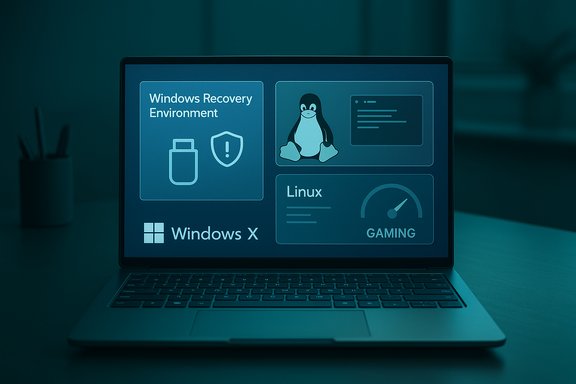
That progress, however, masks three persistent gaps that matter if you want reliable disaster recovery, plan to replace or dual‑boot Windows with Linux, or expect to do any serious local gaming. These are not abstract performance counters or benchmark quibbles; they are compatibility and platform‑level mismatches between a deliberately minimal recovery environment, the nascent state of Arm Linux support, and integrated Arm GPUs that still trail discrete x64 graphics in raw gaming workloads. The problem set is real, repeatable, and has wide implications for buyers and IT decision‑makers.
For enterprises and power users that require predictable, tested restore paths or the ability to run alternate OSes locally, the consequences are tangible: longer restore times, extra complexity in backups, months of engineering work to get hardware features working in Linux, and limited local gaming options. Those trade‑offs should be evaluated before committing to an Arm‑based Windows fleet or a single daily‑driver purchase.
Workarounds that reviewers and vendors recommend include:
But the transition imposes systemic rather than incremental friction: recovery processes, alternative OS installs, and some categories of software (particularly those tightly coupled to the kernel or low‑level drivers) are likely to be affected. This is not just a matter of “one buggy driver” — it’s the consequence of a reduced recovery environment and an emerging device‑support matrix that’s still being filled in. For IT organizations, the risk is operational: longer recovery times, unknown restore paths, and increased support overhead unless the devices and processes are validated beforehand.
Where this matters least is in casual consumer usage: if your laptop duties are email, document editing, web conferencing, and light media work, the trade‑offs are likely worth it. Where it matters most is in predictable operational workflows: imaging and restore practices, Linux‑first development environments, and local high‑performance gaming or GPU compute. For those use cases, the conservative recommendation remains: test first or choose x64 hardware until the specific gaps are closed for your model and workflow.
Buyers should treat Copilot+ and Snapdragon X machines like any emerging‑platform purchase: test mission‑critical workflows on the exact SKU, validate rescue and restore procedures, confirm OS and app support, and plan mitigation strategies (custom WinRE media, cloud/network recovery, or an x64 fallback for GPU‑heavy tasks). For mainstream productivity users the payoff is large; for IT, gamers, and hobbyist Linux users the decision requires more careful planning.
Source: ZDNET I tried 3 Windows laptops with Qualcomm chipsets this year - and found 3 glaring issues
 Background / Overview
Windows on Arm has crossed a threshold: Qualcomm’s Snapdragon X family (X, X Plus, X Elite and successors) and Microsoft’s Copilot+ positioning have produced laptops that run cool, deliver exceptional battery life, and offer on‑device AI acceleration through dedicated NPUs. Reviewers and early buyers report excellent day‑to‑day performance for Office, web apps, and typical knowledge‑work tasks — the things most people actually do on a laptop.That progress, however, masks three persistent gaps that matter if you want reliable disaster recovery, plan to replace or dual‑boot Windows with Linux, or expect to do any serious local gaming. These are not abstract performance counters or benchmark quibbles; they are compatibility and platform‑level mismatches between a deliberately minimal recovery environment, the nascent state of Arm Linux support, and integrated Arm GPUs that still trail discrete x64 graphics in raw gaming workloads. The problem set is real, repeatable, and has wide implications for buyers and IT decision‑makers.
Why this matters now
The hardware is already compelling for many buyers: thin, light designs with long runtimes and responsive local AI features are attractive for road warriors and anyone who values battery life. But the move to Arm is not merely a swap of CPU microarchitecture — it shifts the entire ecosystem. Recovery tooling, third‑party imaging suites, OEM firmware and drivers, anti‑cheat and game distribution tooling, and Linux upstream device support must all evolve to the new platform. Until that ecosystem catches up, the transition introduces operational risk for certain use cases.For enterprises and power users that require predictable, tested restore paths or the ability to run alternate OSes locally, the consequences are tangible: longer restore times, extra complexity in backups, months of engineering work to get hardware features working in Linux, and limited local gaming options. Those trade‑offs should be evaluated before committing to an Arm‑based Windows fleet or a single daily‑driver purchase.
1) Backup and bare‑metal restore: WinRE’s driver gap breaks local USB restores
What I found
Installing a recovery USB, booting it and expecting to restore a full system image from an attached external SSD is a standard, decades‑old routine for system recovery. On the Snapdragon machines I tested that routine broke: rescue media would boot, but the external USB SSD containing the system image would not appear — meaning a bare‑metal restore from local media could not proceed. That symptom was reproducible across generic Windows recovery media and rescue environments produced by third‑party imaging tools.Why this happens (technical explanation)
Windows Recovery Environment (WinRE) is a compact, purpose‑built “Safe OS” based on WinPE. By design it contains a reduced set of drivers and components to keep the environment small and reliable. If the WinRE image (winre.wim) lacks a device’s USB host controller or root‑hub driver, storage devices attached to that controller may not be enumerated inside WinRE — even though they work perfectly in the full Windows desktop. Microsoft’s documentation makes this explicit: WinRE is customizable but limited by the footprints and packages that ship inside winre.wim, and OEMs or admins must add missing drivers when necessary. Third‑party rescue media that use WinRE inherit the same constraints; rescuers that don’t explicitly include the correct host‑controller or storage drivers will boot but be blind to some external disks. Macrium’s rescue media tooling and documentation show that users may need to include or load drivers into the rescue environment so attached storage is visible during restore operations. Practical guidance from backup vendors confirms the driver‑gap diagnosis and recommends explicitly injecting drivers when building recovery media.Practical impact and workarounds
For home users, the result is an annoyance: the simplest local restore path — boot rescue USB, restore from USB SSD — may be blocked and require a multi‑step workaround. For business and IT teams, however, the implications are more significant: disaster‑recovery playbooks that assume local bare‑metal restore to identical hardware become unreliable without testing and additional automation.Workarounds that reviewers and vendors recommend include:
- Storing system images on network locations (SMB/NAS) and restoring over the network from WinRE.
- Using cloud backups and restoring files after a fresh Windows reinstallation.
- Creating a custom WinRE/WinPE image that includes the exact OEM USB/host controller drivers needed to enumerate external media.
Bottom line
If your workflow relies on quick local bare‑metal restores from a USB SSD, validate that the exact model you plan to buy supports that path in WinRE (test the rescue media on the device). Treat the default experience as suspect until proven otherwise.2) Linux and dual‑boot: it’s possible — but it’s still a project
The headline
The old expectation — “If it runs Windows, you can install Linux” — no longer holds as universally true for Snapdragon X machines. Native Arm64 Linux support for modern laptop hardware is improving rapidly, but it remains incomplete: some devices will boot, many features (audio, camera, fingerprint sensors) may be missing or unstable, and OEM firmware/DTB support needs time to mature. Ubuntu’s community and upstream kernel teams are actively working on this, but support is device‑by‑device and often requires extra steps.Evidence from the community
Ubuntu’s architecture and community pages explicitly document the current state: recent Ubuntu arm64 images (concept and subsequent releases) have made installs possible on a shortlist of devices — including the Dell XPS 13 9345 — but with warnings that “hardware support for Snapdragon X Elite is work‑in‑progress” and that several components (speakers, webcam, power management) may be incomplete. Launchpad bug reports for specific X Elite models list missing audio, fingerprint reader, and battery reporting among the outstanding issues. These are concrete, tracked problems that kernel and firmware engineers are resolving over time.What that means for dual‑booters and hobbyists
- Expect to spend time: installations often require firmware updates, selecting specific installer options (e.g., “include additional drivers”), and frequently following community‑maintained device trees and kernel builds.
- Plan for missing features: speakers, cameras, fingerprint readers, and some power management features may not work immediately.
- Preserve Windows: the community recommends dual‑boot over replacing Windows entirely until your specific device is fully supported — firmware updates from OEMs can alter boot behavior, and restoring Windows may be necessary.
When Linux works well
On devices actively tracked by the Ubuntu concept images or by other distro projects, core components — Wi‑Fi, GPU acceleration, and touchscreens — are increasingly functional. But the distribution of support is uneven: some OEM‑configured models and BIOS/UEFI firmware revisions are easier to get running than others. The result is a classic hobbyist scenario: you can get Linux on many Arm laptops, but it’s often a long weekend project rather than a five‑minute plug‑and‑play replacement.3) Gaming: integrated Arm GPUs are improving, but they’re not x64‑discrete GPUs
The problem in plain English
If you want to play modern AAA PC games at high settings and framerates on a single general‑purpose laptop, a Snapdragon Copilot+ machine is not the right tool today. The integrated Adreno GPUs in Snapdragon X silicon are capable for casual and older titles, and can even run heavier games at reduced settings, but they don’t match the performance or driver maturity of discrete GPUs from Nvidia and AMD. Reviewers who tested a range of titles concluded that Snapdragon gaming is “possible” but limited in resolution, settings, and sustained frame rates.What independent testing shows
PC Gamer’s survey of the landscape made clear that while some titles run acceptably (especially when upscaling and quality reductions are used), Snapdragon chips do not deliver 4K or high‑FPS performance in demanding 3D games. Some games that are Steam Deck verified or generally well optimized for low‑power platforms work well; others refuse to launch, crash, or suffer from severe stuttering under emulation. Notebookcheck and PC testing sites that benchmark Adreno‑based X Elite chips routinely place them behind modern AMD and Intel integrated GPUs in raw graphics throughput. Windows on Arm also faces a secondary barrier: compatibility with game launchers, installers, and anti‑cheat systems. Historically, many anti‑cheat stacks were designed only for x64 driver models and blocked or prevented local installs on Arm unless the anti‑cheat vendor provides Arm‑compatible driver support or Microsoft and the game ecosystem adapt. Microsoft and partners have begun addressing those gaps (for example, improving the Xbox app and certain game storefront behaviors), but the landscape is evolving rather than solved.Who can game on these laptops today?
- Casual players of older titles, indie games, and e‑sports/low‑requirements titles with settings lowered will have a usable experience.
- Gamers who rely on cloud streaming (Xbox Cloud Gaming, GeForce Now) can offload rendering and play at high quality without local GPU horsepower, making a Snapdragon laptop viable as a streaming client.
- Hardcore local gamers who need 60+ fps at native resolution should still choose a machine with a discrete Nvidia/AMD GPU or a high‑end Intel/AMD iGPU APU.
Strengths, mitigations and a buyer checklist
What these Snapdragon machines do very well
- Battery life: real‑world runtimes are outstanding in light to moderate workloads.
- Thermals: devices run cool and quietly under typical productivity loads.
- On‑device AI: local NPUs enable low‑latency Copilot features, fast transcription, and small generative tasks without cloud round‑trips.
Practical mitigations for the three problems
- Backup/Restore: Build and test custom recovery media on the exact SKU. Include OEM USB and storage drivers in a WinRE image or adopt network/cloud restore workflows tested end‑to‑end. Don’t assume a stock recovery USB will see all external disks.
- Linux: If Linux is important, consult the distro community’s device‑support lists and prefer devices with explicit community or OEM “developer edition” support. Keep Windows intact until your device is proven.
- Gaming: Use cloud streaming for high‑end titles, or buy an x64 machine if local AAA gaming is a requirement. Expect playable experiences only at reduced settings and resolutions.
Quick pre‑purchase checklist
- Verify essential applications have native Arm builds or acceptable emulation performance.
- Test backup/rescue media on the target SKU; confirm external USB restore paths or prepare a network/cloud fallback.
- If Linux is required, check distro trackers and community device lists for the exact model and firmware version.
- For gaming, confirm whether titles you care about are supported, and consider cloud gaming as an interim solution.
- Ask the OEM about firmware update cadence and whether WinRE images are being updated with matching drivers.
What’s changing — and how soon can these issues disappear?
There are active, positive signals across multiple fronts. Microsoft continues to improve emulation and platform support; the Windows recovery image can be updated and customized to include additional drivers; Ubuntu and kernel maintainers are upstreaming support for Snapdragon X‑class devices; and major gaming ecosystem players are working on anti‑cheat and store compatibility. Recent posts from the Ubuntu community and kernel bug trackers show concrete progress for several X Elite devices, and Microsoft and OEMs are publishing WinRE updates and guidance for customizing recovery images. However, platform transitions take time. The driver, firmware, and distribution ecosystems must be synchronized: OEMs must ship updated WinRE or provide driver packages, Linux maintainers must upstream device trees and kernel drivers, and game/anti‑cheat vendors must certify their stacks for Arm. That work is underway, but buyer caution remains warranted until the combination of firmware, drivers, and tooling stabilizes across the major device SKUs.Critical analysis — strengths, risks and the real trade‑off
These Arm laptops represent a meaningful step forward in mobile Windows design. They deliver what many users value most: long battery life, quiet operation, and responsive everyday performance with modern productivity apps. The addition of a local NPU introduces compelling new workflows for Copilot features and on‑device inference.But the transition imposes systemic rather than incremental friction: recovery processes, alternative OS installs, and some categories of software (particularly those tightly coupled to the kernel or low‑level drivers) are likely to be affected. This is not just a matter of “one buggy driver” — it’s the consequence of a reduced recovery environment and an emerging device‑support matrix that’s still being filled in. For IT organizations, the risk is operational: longer recovery times, unknown restore paths, and increased support overhead unless the devices and processes are validated beforehand.
Where this matters least is in casual consumer usage: if your laptop duties are email, document editing, web conferencing, and light media work, the trade‑offs are likely worth it. Where it matters most is in predictable operational workflows: imaging and restore practices, Linux‑first development environments, and local high‑performance gaming or GPU compute. For those use cases, the conservative recommendation remains: test first or choose x64 hardware until the specific gaps are closed for your model and workflow.
Conclusion
Qualcomm’s Snapdragon X devices and Microsoft’s Windows on Arm have delivered a tangible shift in what laptops can offer: better battery life, cooler thermals, and promising on‑device AI features that improve daily productivity for many users. But this is a platform transition, and transitions create edge cases that affect real‑world operations. The three glaring issues — WinRE’s driver limitations blocking local USB restores, uneven Linux support that makes dual‑booting a project, and integrated GPU limits that constrain local AAA gaming — are not theoretical. They are current, actionable, and testable.Buyers should treat Copilot+ and Snapdragon X machines like any emerging‑platform purchase: test mission‑critical workflows on the exact SKU, validate rescue and restore procedures, confirm OS and app support, and plan mitigation strategies (custom WinRE media, cloud/network recovery, or an x64 fallback for GPU‑heavy tasks). For mainstream productivity users the payoff is large; for IT, gamers, and hobbyist Linux users the decision requires more careful planning.
Source: ZDNET I tried 3 Windows laptops with Qualcomm chipsets this year - and found 3 glaring issues
