

Sparkle 2.18.0 lands as another reminder that the Windows “debloat” category is no longer just a collection of PowerShell scripts and registry tweaks. It is turning into a polished app experience, with update mechanisms, package selection, offline handling, and safer reapply/revert workflows that speak directly to users who want customization without turning maintenance into a weekend project. The latest release also shows the project leaning harder into resilience and usability, with fixes for toast notifications, app icons, and package manager filtering. That combination matters because the Windows optimization space has always had a trust problem: users want speed and privacy, but they also want clarity, reversibility, and fewer sharp edges.
Sparkle is part of a broader wave of Windows optimization tools that package familiar system-tuning ideas into a more approachable interface. The value proposition is simple on paper: remove unnecessary apps, reduce background clutter, disable telemetry-related features where appropriate, and make the machine feel faster and cleaner. In practice, the appeal comes from reducing the friction between wanting a lean Windows installation and actually performing the work safely.
The category itself has matured rapidly. For years, enthusiasts relied on scripts, batch files, and community checklists to strip out bloatware and harden privacy settings. Those tools worked, but they demanded confidence, patience, and a willingness to recover from the occasional mistake. Sparkle’s positioning suggests a more guided experience, one that tries to preserve the power-user ethos while lowering the barrier to entry.
That shift matters because Windows 10 and Windows 11 have both grown more opinionated over time. Microsoft’s platforms now ship with more integrated services, more bundled apps, and more cloud-connected features than many enthusiasts want by default. Sparkle’s stated support for both operating systems puts it squarely in the middle of a long-running debate about how much of Windows should be user-controlled versus platform-defined.
The release of version 2.18.0 also arrives at a time when users are more skeptical than ever about hidden system behavior. Privacy concerns, telemetry complaints, and the desire for predictable local control are not niche talking points anymore. They are mainstream enough that a tool like Sparkle can market itself not just as a cleaner, but as a practical answer to the modern Windows maintenance problem.
That reversibility is crucial. Users are often willing to make aggressive changes if they know they can back out of them without reinstalling the operating system. A safe rollback path is what turns a tweak tool into something practical for real-world use. Without it, even useful optimizations become risky experiments.
Sparkle also appears to target a second audience: people who are not deeply technical but still want a better Windows setup. That audience usually wants three things at once: fewer distractions, better performance, and less telemetry. The challenge is giving them controls that are understandable enough to use without requiring a sysadmin mindset.
The tool’s promise is that a user can make meaningful changes without manually hunting through Control Panel, Settings, Group Policy, scheduled tasks, or the registry. In theory, that saves time and reduces mistakes. In practice, it also creates a single point of trust: if the app mislabels a tweak or behaves inconsistently, the user experience breaks down quickly.
The no-sandbox flag is especially telling. Whether it was added for compatibility, startup reliability, or environment-specific behavior, the underlying message is that Sparkle wants to run on more systems with fewer launch problems. Compatibility work is often invisible marketing, but it is often what determines whether a utility gets recommended in forums and IT circles.
The package-manager changes also show that Sparkle is thinking more carefully about software discovery and installation flows. Fixing Chocolatey apps appearing when winget is selected may sound minor, but these details matter in a utility that aims to manage installed software cleanly. The wrong app list can create confusion, wasted time, and accidental selections.
The added offline modal is also practical. Many system tools assume a stable connection during setup, but maintenance utilities are often used in messy real-world conditions where internet access is limited, blocked, or deferred for security reasons. Offline awareness is an underrated feature in this category.
Privacy is even more emotionally charged. When a tool advertises the ability to disable Microsoft tracking, it is tapping into a broad demand for transparency and reduced background reporting. That demand exists across consumer and enterprise audiences, though for different reasons. Consumers want fewer data flows and less clutter; organizations want tighter policy control and less variability.
The key question is whether a tool like Sparkle makes these changes safer and more understandable, or simply easier to apply without enough context. Good tools teach. Great tools do that while making it harder to create unintended side effects. That distinction is everything in Windows tuning.
In a home setting, disabling telemetry-related features may feel like common sense. In a managed environment, those same changes can conflict with device management standards or compliance expectations. That is why any debloat utility should be treated as a customization layer rather than a universal best practice.
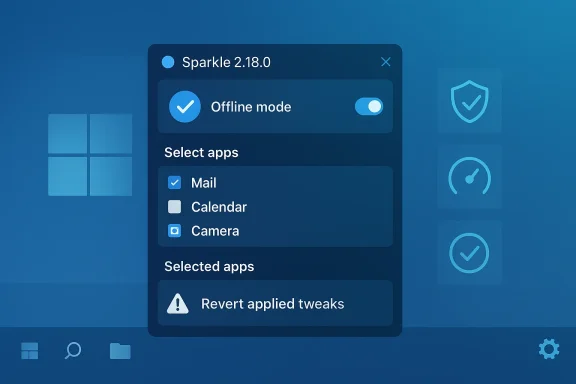
The addition of a selected apps button on the apps page is a good example of a small interface change with outsized benefits. It gives users visibility into their own choices, which reduces uncertainty. That matters when the task involves modifying installed software, where an accidental click can feel expensive.
The warning added to the revert applied tweaks tab is another example of good interface discipline. Reversal is a critical feature in this category, but it should never feel casual. A tool that allows powerful changes should remind users that reversion is part of a deliberate maintenance flow, not an afterthought.
There is also an important psychological element here. Users are more likely to let a tool manage system changes if the app communicates status clearly, handles transitions smoothly, and avoids alarming glitches. In that sense, polish is not vanity. It is part of system safety.
Winget and Chocolatey both play important roles in the Windows software ecosystem, but they serve slightly different habits and audiences. If Sparkle is going to present app choices cleanly, it needs to respect those differences. Cross-contamination in search results can produce frustration and undermine confidence in the app’s package logic.
The added selected apps view is a strong quality-of-life improvement for this part of the experience. It helps users understand what they have queued up before making changes. In a category where users often juggle multiple app installs, the ability to review selections is not just convenient; it is protective.
It also helps avoid support problems. When users can see what they selected and why, they are less likely to blame the app for a misunderstanding. The result is less friction and fewer “it broke my machine” narratives that often follow broad customization tools.
But performance tuning in Windows is always context-sensitive. A tweak that helps one machine may do nothing on another, and a setting that improves perceived speed can sometimes trade away convenience, battery life, or background functionality. That makes a reversible tool especially valuable, because it acknowledges that the right configuration is personal.
The changelog’s mention of tweak reapply logic is relevant here. Performance tuning is often iterative. A user may test a setting, reinstall software, receive a system update, or change hardware. Being able to reapply a tweak quickly keeps the tool relevant after the first launch.
Sparkle’s broad tweak catalog appears aimed at that flexibility. The more options a tool offers, the more important it becomes to explain the tradeoffs. Users need to understand whether a change is cosmetic, structural, or potentially disruptive.
This is where modern tweak tools differ from older, more brittle approaches. Instead of treating system changes as one-way, they try to make them session-based and auditable. That design philosophy encourages exploration while lowering the fear of permanent damage. It also makes the app more credible in forum discussions, where users quickly test whether a utility can recover gracefully.
The warning added to the revert tab reinforces that message. It subtly reminds users that reversibility is powerful but should still be treated with respect. That restraint is healthy, especially for an app that can modify system behavior in several directions at once.
There is a broader lesson here for the Windows utility market. The winning tools are increasingly the ones that combine power with guardrails. Users do not necessarily want fewer options; they want fewer surprises.
Enterprise observers should also watch how the app frames privacy and performance changes. In consumer space, “faster and cleaner” is enough to drive interest. In managed environments, however, the conversation quickly shifts to policy compatibility, supportability, and documentation quality.
Sparkle 2.18.0 is less about flashy new capabilities than about making a Windows tuning tool feel dependable, coherent, and less error-prone. That may sound modest, but in this category it is exactly the sort of progress that builds lasting value. If the project continues to refine its balance of control, reversibility, and usability, it could become one of those rare utilities that both enthusiasts and cautious users are comfortable recommending.
Source: Neowin Sparkle 2.18.0
 Background
Sparkle is part of a broader wave of Windows optimization tools that package familiar system-tuning ideas into a more approachable interface. The value proposition is simple on paper: remove unnecessary apps, reduce background clutter, disable telemetry-related features where appropriate, and make the machine feel faster and cleaner. In practice, the appeal comes from reducing the friction between wanting a lean Windows installation and actually performing the work safely.The category itself has matured rapidly. For years, enthusiasts relied on scripts, batch files, and community checklists to strip out bloatware and harden privacy settings. Those tools worked, but they demanded confidence, patience, and a willingness to recover from the occasional mistake. Sparkle’s positioning suggests a more guided experience, one that tries to preserve the power-user ethos while lowering the barrier to entry.
That shift matters because Windows 10 and Windows 11 have both grown more opinionated over time. Microsoft’s platforms now ship with more integrated services, more bundled apps, and more cloud-connected features than many enthusiasts want by default. Sparkle’s stated support for both operating systems puts it squarely in the middle of a long-running debate about how much of Windows should be user-controlled versus platform-defined.
The release of version 2.18.0 also arrives at a time when users are more skeptical than ever about hidden system behavior. Privacy concerns, telemetry complaints, and the desire for predictable local control are not niche talking points anymore. They are mainstream enough that a tool like Sparkle can market itself not just as a cleaner, but as a practical answer to the modern Windows maintenance problem.
Why this release matters
The significance of 2.18.0 is less about any single feature and more about the direction it signals. The changelog focuses on reliability, package handling, and better user feedback, which are the things that determine whether a utility feels experimental or dependable. That is the difference between a tool people try once and a tool they keep installed.- No-sandbox launch support suggests broader compatibility across systems.
- Offline modal handling helps when network access is limited or unreliable.
- Reapply logic acknowledges that users often revisit tweaks after system changes.
- Selected apps visibility lowers the chance of accidental package mistakes.
- Documentation updates are a quiet but important sign of maturity.
What Sparkle Is Trying to Solve
At its core, Sparkle is trying to solve a user-experience problem, not just a technical one. Windows power users have long known how to disable telemetry, uninstall preloaded apps, adjust services, and apply performance-oriented registry changes. The problem is that these tasks are fragmented, easy to forget, and sometimes difficult to reverse cleanly. Sparkle attempts to gather all of that into one interface with a reversible model.That reversibility is crucial. Users are often willing to make aggressive changes if they know they can back out of them without reinstalling the operating system. A safe rollback path is what turns a tweak tool into something practical for real-world use. Without it, even useful optimizations become risky experiments.
Sparkle also appears to target a second audience: people who are not deeply technical but still want a better Windows setup. That audience usually wants three things at once: fewer distractions, better performance, and less telemetry. The challenge is giving them controls that are understandable enough to use without requiring a sysadmin mindset.
The utility model
Sparkle’s model is best understood as a guided optimization suite. It blends debloating, privacy settings, cleanup, and system tweaks into one workflow. That is different from a traditional maintenance utility, which might only clean files or only manage startup items.The tool’s promise is that a user can make meaningful changes without manually hunting through Control Panel, Settings, Group Policy, scheduled tasks, or the registry. In theory, that saves time and reduces mistakes. In practice, it also creates a single point of trust: if the app mislabels a tweak or behaves inconsistently, the user experience breaks down quickly.
- Cleaner tools address storage clutter and temporary files.
- Debloat functions reduce preinstalled or unused software.
- Privacy toggles aim to reduce unwanted data collection.
- Performance tweaks target responsiveness and system overhead.
- Revert support gives users a safety net.
Release 2.18.0 in Context
The 2.18.0 changelog is notable because it reads like a maintenance release with real product implications. Added no-sandbox support, better toast behavior, fix-ups for Chocolatey and winget app handling, offline UI handling, and improvements to tweak reapply logic all point toward a tool that is being hardened for everyday use. That is the kind of work users often overlook until it is missing.The no-sandbox flag is especially telling. Whether it was added for compatibility, startup reliability, or environment-specific behavior, the underlying message is that Sparkle wants to run on more systems with fewer launch problems. Compatibility work is often invisible marketing, but it is often what determines whether a utility gets recommended in forums and IT circles.
The package-manager changes also show that Sparkle is thinking more carefully about software discovery and installation flows. Fixing Chocolatey apps appearing when winget is selected may sound minor, but these details matter in a utility that aims to manage installed software cleanly. The wrong app list can create confusion, wasted time, and accidental selections.
Changelog items that stand out
A few entries deserve special attention because they affect trust and day-to-day usability rather than just polish. Toasts getting stuck when tweaks were applied too quickly sounds like a classic UX race condition, and race conditions are exactly the sort of issue that can make a tool feel flaky. By fixing that, Sparkle is reducing the chance of false impressions that the app has frozen or failed.The added offline modal is also practical. Many system tools assume a stable connection during setup, but maintenance utilities are often used in messy real-world conditions where internet access is limited, blocked, or deferred for security reasons. Offline awareness is an underrated feature in this category.
- Toast fixes improve responsiveness and user feedback.
- Offline mode handling makes the app more usable in constrained environments.
- Tweak reapply logic supports iterative system tuning.
- Selected apps button improves package-management visibility.
- Broken icon fixes enhance credibility and visual consistency.
Debloating, Privacy, and the Windows Tension
Sparkle sits in the middle of a long-running Windows tension: users want a capable, modern operating system, but they do not always want all of the defaults that come with it. Debloating is the shorthand for that frustration, but the real issue is control. People are not just removing apps; they are trying to reclaim predictability.Privacy is even more emotionally charged. When a tool advertises the ability to disable Microsoft tracking, it is tapping into a broad demand for transparency and reduced background reporting. That demand exists across consumer and enterprise audiences, though for different reasons. Consumers want fewer data flows and less clutter; organizations want tighter policy control and less variability.
The key question is whether a tool like Sparkle makes these changes safer and more understandable, or simply easier to apply without enough context. Good tools teach. Great tools do that while making it harder to create unintended side effects. That distinction is everything in Windows tuning.
Consumer versus enterprise expectations
Consumers generally want a faster laptop, fewer startup annoyances, and a cleaner interface. They are more likely to appreciate a one-click approach if it is easy to undo. Enterprise users, on the other hand, care about repeatability, policy alignment, and supportability. A tool can be attractive to both groups, but it is rarely equally appropriate for both.In a home setting, disabling telemetry-related features may feel like common sense. In a managed environment, those same changes can conflict with device management standards or compliance expectations. That is why any debloat utility should be treated as a customization layer rather than a universal best practice.
- Consumers prioritize simplicity and speed.
- Enterprises prioritize governance and predictability.
- Power users want granular control.
- IT admins want consistency across devices.
- Privacy advocates want explicit data-minimization controls.
The User Interface Advantage
One of Sparkle’s strongest claims is not a technical one but a usability one: it offers a modern, user-friendly interface. That matters because a lot of Windows optimization tools fail not on capability, but on presentation. If the UI is confusing, users become hesitant; if it looks outdated, they assume the rest of the app is equally fragile.The addition of a selected apps button on the apps page is a good example of a small interface change with outsized benefits. It gives users visibility into their own choices, which reduces uncertainty. That matters when the task involves modifying installed software, where an accidental click can feel expensive.
The warning added to the revert applied tweaks tab is another example of good interface discipline. Reversal is a critical feature in this category, but it should never feel casual. A tool that allows powerful changes should remind users that reversion is part of a deliberate maintenance flow, not an afterthought.
Small UI details, big trust implications
Sparkle’s UI improvements are not flashy, but they are the sort of changes that build confidence over time. Fixing broken app icons may seem cosmetic, yet icons are part of how users mentally map the software they are about to touch. If the visual layer is inconsistent, the perceived reliability of the whole app drops.There is also an important psychological element here. Users are more likely to let a tool manage system changes if the app communicates status clearly, handles transitions smoothly, and avoids alarming glitches. In that sense, polish is not vanity. It is part of system safety.
- Clear selection states reduce user error.
- Warnings on reversions encourage intentional action.
- Stable iconography improves perceived quality.
- Smooth toasts and modals reduce confusion.
- Better docs help users understand what the app is actually doing.
Package Management and App Selection
The package-management side of Sparkle is especially interesting because it moves the project beyond pure tweaking and into software provisioning. Fixing Chocolatey apps showing up when winget is selected indicates that the app is trying to maintain a clean separation between package ecosystems. That separation matters for anyone who uses Sparkle as part of a broader setup workflow.Winget and Chocolatey both play important roles in the Windows software ecosystem, but they serve slightly different habits and audiences. If Sparkle is going to present app choices cleanly, it needs to respect those differences. Cross-contamination in search results can produce frustration and undermine confidence in the app’s package logic.
The added selected apps view is a strong quality-of-life improvement for this part of the experience. It helps users understand what they have queued up before making changes. In a category where users often juggle multiple app installs, the ability to review selections is not just convenient; it is protective.
Why package clarity matters
Package clarity reduces one of the biggest risks in any system-setup tool: hidden assumptions. Users should know whether they are acting on a winget package, a Chocolatey package, or a direct app entry. That distinction can affect source trust, installation behavior, and update paths.It also helps avoid support problems. When users can see what they selected and why, they are less likely to blame the app for a misunderstanding. The result is less friction and fewer “it broke my machine” narratives that often follow broad customization tools.
- Correct package source filtering prevents confusion.
- Selection review supports safer bulk actions.
- App-level visibility improves troubleshooting.
- Ecosystem separation preserves user trust.
- Cleaner search results make the tool feel more professional.
Performance Tweaks and System Behavior
Sparkle’s appeal is not limited to cleanup and privacy. The broader promise includes performance tweaks that can improve responsiveness, game behavior, and general system efficiency. That is a powerful message because it taps into one of the oldest user desires in computing: make the machine feel faster without buying new hardware.But performance tuning in Windows is always context-sensitive. A tweak that helps one machine may do nothing on another, and a setting that improves perceived speed can sometimes trade away convenience, battery life, or background functionality. That makes a reversible tool especially valuable, because it acknowledges that the right configuration is personal.
The changelog’s mention of tweak reapply logic is relevant here. Performance tuning is often iterative. A user may test a setting, reinstall software, receive a system update, or change hardware. Being able to reapply a tweak quickly keeps the tool relevant after the first launch.
Performance is not one-size-fits-all
A modern Windows machine can have a very different bottleneck profile depending on whether it is a gaming laptop, an office desktop, or a compact productivity device. Some users are most sensitive to startup delays, while others care about game latency, thermals, or memory footprint. That means an optimization suite has to be flexible rather than prescriptive.Sparkle’s broad tweak catalog appears aimed at that flexibility. The more options a tool offers, the more important it becomes to explain the tradeoffs. Users need to understand whether a change is cosmetic, structural, or potentially disruptive.
- Startup reductions can improve day-one responsiveness.
- Service tweaks may reduce background overhead.
- Game-related changes can help specific workloads.
- Network adjustments may alter latency behavior.
- Reapply support helps maintain consistency after updates.
Safety, Reversibility, and User Confidence
A major strength of Sparkle’s positioning is that it emphasizes safety and reversibility. That message is not marketing fluff. It is central to whether a tool like this can be recommended beyond the most technical audience. The average user is much more willing to experiment if there is a trustworthy revert path.This is where modern tweak tools differ from older, more brittle approaches. Instead of treating system changes as one-way, they try to make them session-based and auditable. That design philosophy encourages exploration while lowering the fear of permanent damage. It also makes the app more credible in forum discussions, where users quickly test whether a utility can recover gracefully.
The warning added to the revert tab reinforces that message. It subtly reminds users that reversibility is powerful but should still be treated with respect. That restraint is healthy, especially for an app that can modify system behavior in several directions at once.
Reversibility as a product feature
Reversibility is not just a convenience. It is a trust mechanism. When users know they can back out of a change, they are more likely to try a tool in the first place and more likely to recommend it afterward. That can matter more than any single tweak.There is a broader lesson here for the Windows utility market. The winning tools are increasingly the ones that combine power with guardrails. Users do not necessarily want fewer options; they want fewer surprises.
- Applied tweak tracking makes changes feel manageable.
- Warnings reduce accidental reversions.
- Reapply paths improve long-term consistency.
- Rollback support lowers adoption anxiety.
- Clear state visibility helps users trust the interface.
Strengths and Opportunities
Sparkle’s latest release shows a project that understands where user pain really lives: not in abstract feature lists, but in the details of how a system tool behaves when people rely on it every day. The opportunity is to become one of the default recommendations for Windows users who want customization without scripting. If it keeps improving trust, clarity, and compatibility, it can occupy a valuable middle ground between casual cleanup apps and hardcore debloat scripts.- Modern UI lowers the intimidation factor for new users.
- Reversible changes make experimentation safer.
- Broad tweak coverage gives the tool practical depth.
- Package management support expands usefulness beyond cleanup.
- Offline handling improves reliability in real-world environments.
- Documentation alignment suggests a more mature product direction.
- Compatibility fixes help it reach more machines and setups.
Risks and Concerns
The same features that make Sparkle attractive also create risk. A powerful debloat and privacy tool can easily overpromise, and users may apply changes without fully understanding the consequences. Even when the app is safe, the perception of risk remains high because it touches core Windows behavior, installed software, and system services.- Over-optimization can harm usability more than it helps.
- Privacy tweaks may conflict with enterprise policy or support needs.
- Package selection errors could lead to unwanted installs or removals.
- Broad system changes can interact unpredictably with updates.
- User confusion may arise if tweak effects are not explained clearly.
- False confidence is a danger when reversible features look simpler than they are.
- Maintenance burden can grow as Windows itself evolves.
What to Watch Next
The big question is whether Sparkle can keep expanding without losing the simplicity that makes it attractive. The release cadence and changelog suggest active development, but the real test will be whether future versions preserve a clear mental model for users. Tools like this succeed when they reduce friction while increasing understanding.Enterprise observers should also watch how the app frames privacy and performance changes. In consumer space, “faster and cleaner” is enough to drive interest. In managed environments, however, the conversation quickly shifts to policy compatibility, supportability, and documentation quality.
Key areas to monitor
- How well Sparkle handles future Windows builds and updates
- Whether package manager support stays clean and accurate
- How clearly the app explains the consequences of each tweak
- Whether offline and low-connectivity use cases remain stable
- How often the project revisits safety and revert workflows
- Whether documentation stays synchronized with app behavior
- Whether the tool adds more granular controls without becoming cluttered
Sparkle 2.18.0 is less about flashy new capabilities than about making a Windows tuning tool feel dependable, coherent, and less error-prone. That may sound modest, but in this category it is exactly the sort of progress that builds lasting value. If the project continues to refine its balance of control, reversibility, and usability, it could become one of those rare utilities that both enthusiasts and cautious users are comfortable recommending.
Source: Neowin Sparkle 2.18.0
