

Speechify’s Chrome extension now does more than read to you — it will listen, type, and answer, bringing voice-first interaction directly into the browser and opening a new front in the voice AI productivity race.
Speechify built its reputation on high-quality text‑to‑speech: natural voices, multi‑language support, and a library-syncing reading experience that helped students, professionals, and accessibility users consume written content hands‑free. The company has expanded that core into a broader Voice AI platform designed to read, type, talk, and answer from a single browser extension. The Chrome extension update announced in late November 2025 adds two headline capabilities: a dictation-style voice typing feature and a conversational voice assistant that docks in a browser sidebar. Those two features change the extension’s role from purely TTS (text‑to‑speech) into a multifunctional productivity tool: users can dictate content into web apps, ask a live assistant to summarize or explain a page, and receive spoken responses — without leaving Chrome. Speechify says the aim is to make voice the default interaction model rather than a secondary mode. That positioning is central to the product’s pitch and competitive messaging.
The product is promising — particularly for reading, summarization, and light dictation workflows — but it is early in its evolution. Expect real‑world accuracy and cross‑site reliability to improve over months, and watch carefully for the safety architecture the company ships with agentic features. In short: Speechify’s Chrome voice AI is a useful new tool today and a potential platform play tomorrow, but users and IT pros should balance enthusiasm with cautious rollout and clear privacy expectations.
Source: CryptoRank Speechify Unleashes Revolutionary Voice AI: Chrome Extension Gets Game-Changing Voice Typing and Assistant Features | AI News AI assistant | CryptoRank.io
 Background / Overview
Speechify built its reputation on high-quality text‑to‑speech: natural voices, multi‑language support, and a library-syncing reading experience that helped students, professionals, and accessibility users consume written content hands‑free. The company has expanded that core into a broader Voice AI platform designed to read, type, talk, and answer from a single browser extension. The Chrome extension update announced in late November 2025 adds two headline capabilities: a dictation-style voice typing feature and a conversational voice assistant that docks in a browser sidebar. Those two features change the extension’s role from purely TTS (text‑to‑speech) into a multifunctional productivity tool: users can dictate content into web apps, ask a live assistant to summarize or explain a page, and receive spoken responses — without leaving Chrome. Speechify says the aim is to make voice the default interaction model rather than a secondary mode. That positioning is central to the product’s pitch and competitive messaging. What’s new: Voice Typing and Browser Assistant
Voice Typing — features and mechanics
Speechify’s Voice Typing is a full‑featured in‑browser dictation system. The product claims to convert spoken words into formatted text in real time and to do so with conveniences aimed at real workflows:- Real‑time transcription with punctuation and grammar corrections.
- Automatic removal of filler words (e.g., “um,” “uh”) for cleaner output.
- Contextual understanding to reduce obvious transcription errors.
- Integration with common web targets — Gmail, Google Docs, and other text fields.
The Voice AI Assistant — what it can do
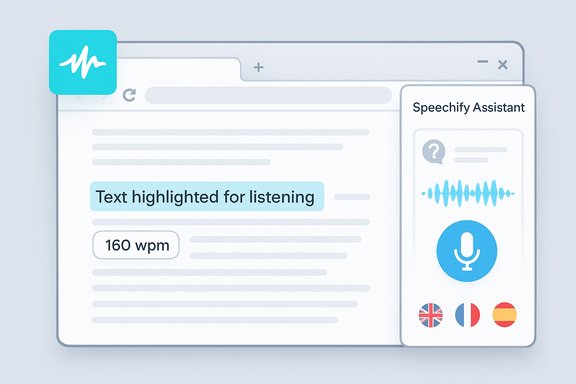
The new assistant lives in a browser sidebar and is explicitly page‑aware: it reads the text on the current webpage (or documents in view) and answers natural‑language questions such as:- “What are the three key ideas in this article?”
- “Explain this technical concept in simpler terms.”
- “Summarize the main points of this document.”
Verifying the claims: technical details and independent checks
Speechify’s own pages and the Chrome Web Store listing document the feature set (voice typing, assistant, TTS voices, language support). The company’s marketing page states the assistant works “on any page” and references 200+ voices across many languages for its TTS offering. The Chrome Web Store listing reiterates core capabilities and user‑facing features. Independent reporting corroborates the launch and highlights early performance observations. TechCrunch and syndicated coverage confirm the addition of voice typing and the sidebar assistant, reproduce quotes from Speechify leadership, and report that the tool currently supports English dictation with plans to expand languages and site optimizations. Those reports also note real‑world hiccups (site‑specific behavior on platforms like WordPress) and preliminary accuracy comparisons against other dictation tools. A few specific items that were verified from public documentation and reporting:- Speechify’s in‑browser assistant and voice typing are available now via the Chrome extension and are being rolled out across desktop and mobile gradually.
- The assistant is sidebar‑hosted and page‑aware; it reads visible content and answers spoken questions.
- Speechify’s marketing claims about voice throughput and the speed advantage of dictation are present on product pages but are usage‑dependent; independent reviews flagged accuracy and compatibility differences across sites. These caveats are important for realistic expectations.
- Speechify’s site claims large user bases in aggregate; the Chrome Web Store extension listing shows a lower browser‑extension install count than the company’s cross‑platform “50M+ users” claim. The difference likely reflects combined installs across mobile and desktop apps versus the Chrome extension alone. This is a common marketing vs. platform nuance but worth flagging for precision.
- Specific quantitative accuracy comparisons (for example, precise word‑error‑rate differences versus Wispr Flow or Willow) were reported by TechCrunch during short tests. Those numbers aren’t published as standardized benchmarks; they represent early hands‑on impressions and vendor comments rather than peer‑reviewed evaluations. Treat WER comparisons as preliminary unless published by an independent benchmark with methodology.
Early performance—and where it needs work
Independent hands‑on reviews have already surfaced the two most salient practical limits:- Platform glue: voice typing behaves well in Google Docs and Gmail, but third‑party editors (WordPress post editors, some web apps) can be inconsistent because of differing DOM structures and input frameworks. This is not unique to Speechify; browser dictation extensions must handle many site implementations. Speechify says it will roll out site‑specific optimizations.
- Accuracy and learning curve: reviewers observed a higher word‑error rate than some newer rivals in short tests, and Speechify acknowledges its model improves through continued use and personalization. In practice, that means users may need to edit more at first and rely on the assistant’s summarization rather than perfect raw transcription. Again, the degree of accuracy depends on microphone quality, room noise, accents, and vocabulary.
How Speechify stacks up in the broader voice AI landscape
Speechify is entering a crowded and fast‑moving market. Key competitors and adjacent players include:- General conversational AI providers (OpenAI’s ChatGPT voice integrations, Google Gemini) that have added speech as a front‑end. These providers tend to treat voice as an additional mode rather than the default UI.
- Browser‑first assistants and AI browsers (OpenAI Atlas, Perplexity, Comet) that embed side‑bars or agentic features directly into the browsing surface. Those products often claim multi‑tab reasoning and more direct site automation. Industry reporting shows overlap and feature parity disputes in this area.
- Emerging specialized dictation/voice‑type tools like Wispr Flow, Willow, and Monologue; early tests reported by media outlets put Speechify behind some rivals on raw transcription accuracy in initial trials. These comparisons are early and may change as models are retrained and real‑world data arrives.
- Voice‑first design philosophy. The company frames voice as the primary default interaction instead of a mode switch, which shapes UI and product decisions.
- Tight integration of TTS, dictation, and page‑aware assistance in one extension — a convenience for users who already rely on Speechify for reading content.
- Site compatibility and raw speech recognition accuracy need refinement for heavy dictation users.
- Agentic automation (autonomous task completion like making appointment calls) is aspirational; implementation details, safety, and permissions are complex and not yet shipped at scale.
Security, privacy, and enterprise governance — what to watch
Voice assistants tethered to browser context change the threat model. Independent analysis of AI‑browser features highlights multiple risk vectors that also apply to Speechify’s model:- Data scope and transmission: When the assistant ingests page content, images, or file snippets to answer a query, vendors must clearly document what is sent to cloud models, what is processed locally, and how long any artifacts are retained. Early browser‑AI experiments have raised questions about upload scopes and retention; treat cloud transit as likely unless the vendor explicitly documents on‑device processing.
- Permissions and delegation: Agentic features that can act on forms or automate clicks create a new attack surface. If an assistant can fill forms or click UI elements, an attacker or malicious page could attempt to trick it into granting permissions or submitting sensitive data. Vendors must implement explicit, discoverable consent, audit logs, and strict sandboxing for any automated actions.
- Enterprise controls and policy: For managed Windows environments, administrators will want the ability to restrict extension installation, block context ingestion from managed pages, and audit telemetry. Until vendors provide enterprise admin toggles and clear documentation, organizations should pilot in controlled rings and limit extension permissions on production machines.
- Use isolated browser profiles or containers for high‑risk web activities (banking, Web3 wallets).
- Disable or limit assistant access on pages that contain sensitive corporate data or credentials.
- Monitor network telemetry for unexpected uploads when testing new voice features.
- For accessibility users who gain clear benefits from voice tools, balance privacy defaults by selectively enabling the assistant for non‑sensitive workflows only.
Usability tips and workflow ideas for Windows users
Speechify’s voice features lend themselves to concrete productivity wins when applied deliberately. Suggested workflows:- Quick research: Open a long article, ask the assistant for a three‑point summary, then dictate your own notes into a Google Doc using Voice Typing.
- Draft emails hands‑free: Use voice typing in Gmail to produce first drafts, then run the assistant to summarize the message for recipients.
- Accessibility and study: Students can have the assistant explain technical passages out loud, then quiz themself using the assistant to generate flashcards or summaries.
- Use a good external microphone or headset to improve recognition in noisy environments.
- Test voice typing on the specific web apps you rely on; where it fails, report the site to Speechify so the company can prioritize optimizations.
- Keep the assistant permissions narrow until you’re comfortable with its behavior on different pages.
Roadmap, agentic ambitions, and the long game
Speechify’s stated roadmap goes beyond reading and basic dictation. The company has floated plans for autonomous agents that can complete tasks on a user’s behalf — for example, calling to make appointments or waiting on hold with customer support. That vision maps onto broader industry trends where vendors try to shift assistants from passive summarizers to active task executors. Tech reporting notes that companies such as Truecaller and startups like Cloacked are pursuing similar functionality. A few practical hurdles stand between concept and safe reality:- Reliable, auditable action logs and confirmations are essential so users can understand exactly what any assistant did on their behalf.
- Fraud and social‑engineering mitigations must be robust before agents interact with third‑party systems (booking, payments).
- Legal and regulatory scrutiny will increase as assistants perform actions with monetary or privacy consequences; vendors should design with compliance in mind from the outset.
Strengths, weaknesses, and verdict
Strengths
- Integrated stack: Combining TTS, voice typing, and a page‑aware assistant reduces context switching and suits workflows that mix reading, summarizing, and writing.
- Voice‑first UX: For users who prefer speaking over typing, Speechify’s positioning is coherent and may attract accessibility and multitasking audiences.
- Fast route to value: The Chrome extension distribution and a free entry point lower adoption friction for curious users and educators.
Weaknesses and risks
- Accuracy and compatibility: Early tests show higher word error rates than some rivals and inconsistent behavior on complex site editors. Expect editing overhead for early users.
- Privacy and cloud processing: Unless Speechify documents robust on‑device processing for specific features, assume cloud transit for complex reasoning. Enterprises and privacy‑sensitive users should proceed with care.
- Agent safety and automation risk: Ambitious agentic features present nontrivial safety, fraud, and regulatory concerns that will take time and rigorous controls to mature.
Final take: why this matters for WindowsForum readers
Speechify’s move converts a popular reading tool into a voice‑centric productivity layer in the browser. That matters for Windows users because Chrome remains a dominant browser choice on Windows desktops, and the extension approach makes the feature accessible without OS‑level changes. For people who rely on voice for accessibility or speed, Speechify’s extension offers immediate utility. For IT teams, the release is a reminder that browser extensions are becoming richer and more powerful endpoints that require governance and pilot testing.The product is promising — particularly for reading, summarization, and light dictation workflows — but it is early in its evolution. Expect real‑world accuracy and cross‑site reliability to improve over months, and watch carefully for the safety architecture the company ships with agentic features. In short: Speechify’s Chrome voice AI is a useful new tool today and a potential platform play tomorrow, but users and IT pros should balance enthusiasm with cautious rollout and clear privacy expectations.
Quick checklist: If you want to try Speechify’s new features safely
- Install the Speechify Chrome extension and test in a disposable profile.
- Use an external headset in noisy environments to improve transcription quality.
- Avoid dictating or uploading sensitive credentials or corporate documents until you confirm data handling policies.
- Report site‑specific issues (e.g., WordPress editor edge cases) to Speechify support so they can prioritize fixes.
- For enterprises, pilot in a controlled deployment and evaluate admin controls before broad enablement.
Source: CryptoRank Speechify Unleashes Revolutionary Voice AI: Chrome Extension Gets Game-Changing Voice Typing and Assistant Features | AI News AI assistant | CryptoRank.io
