

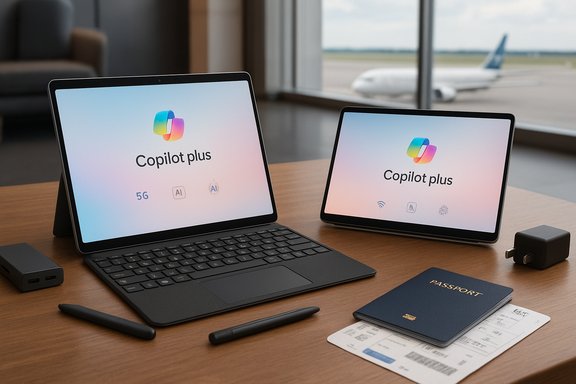
Microsoft’s pitch that the Surface family includes “the best lightweight laptops for travel” is concise and appealing: the Surface Pro promises tablet‑first flexibility with detachable typing and pen input, while the Surface Laptop offers a classic clamshell experience in an ultra‑portable, long‑endurance package. Both product lines are now often offered as Surface Copilot+ PCs, pairing Qualcomm’s Snapdragon X‑series silicon (and in some SKUs Intel Core Ultra options) with on‑device AI acceleration, long manufacturer‑claimed battery life, and premium aluminum builds aimed squarely at travelers and digital nomads.
Microsoft has repositioned Surface around three travel‑centric priorities: portability, battery endurance, and AI‑enabled productivity. Recent Surface models emphasize Snapdragon X Series NPUs for Copilot+ features, optional 5G on select Surface Pro SKUs, and a premium anodized aluminum design intended to resist day‑to‑day wear when you’re moving between airports, cafés, and coworking spaces. Manufacturer statements highlight metrics such as starting weights around 1.5 pounds for Surface Pro (tablet only) and up to 23 hours of battery life on some Surface Laptop 13” SKUs, positioning these machines as among the lightest and longest‑running Windows options for travel.
This article summarizes those claims, verifies the most load‑bearing technical points using multiple independent reports contained in the available dossier, and provides a practical, critical guide that weighs the real‑world benefits against compatibility and long‑term‑use risks for frequent travelers.
Caveat: specific weights vary by SKU (keyboard included or not, LTE/5G modems, battery options). Always check the spec sheet of the exact configuration before assuming a travel weight.
Caveat (important): lab playback figures are not the same as mixed‑use battery life. Real‑world runtimes depend heavily on display brightness, active apps, background syncing, and whether AI features or cellular radios are in use. Treat “up to X hours” as a best‑case, directional figure rather than a guaranteed daily outcome.
Caveat: NPUs improve certain experiences, but they are not a replacement for cloud compute on heavier AI workloads (large model inference or training). The practical benefits depend on deep integration in apps and Windows features; buyer value is higher when your workflow maps to the Copilot feature set.
Buy a Surface if:
Source: Microsoft Best Laptop for Travel | Microsoft Surface
 Background
Microsoft has repositioned Surface around three travel‑centric priorities: portability, battery endurance, and AI‑enabled productivity. Recent Surface models emphasize Snapdragon X Series NPUs for Copilot+ features, optional 5G on select Surface Pro SKUs, and a premium anodized aluminum design intended to resist day‑to‑day wear when you’re moving between airports, cafés, and coworking spaces. Manufacturer statements highlight metrics such as starting weights around 1.5 pounds for Surface Pro (tablet only) and up to 23 hours of battery life on some Surface Laptop 13” SKUs, positioning these machines as among the lightest and longest‑running Windows options for travel.This article summarizes those claims, verifies the most load‑bearing technical points using multiple independent reports contained in the available dossier, and provides a practical, critical guide that weighs the real‑world benefits against compatibility and long‑term‑use risks for frequent travelers.
What Microsoft says: the travel case for Surface
Surface Pro — the 2‑in‑1 travel companion
- Marketed as a tablet that converts into a full laptop with a detachable keyboard and Surface Slim Pen support, ideal for sketching, note‑taking, and media.
- Emphasizes ultra‑light construction (Surface Pro tablet starting weights cited around 1.5 lb), optional 5G connectivity for always‑online travel, and Snapdragon X Series processors for extended battery life and on‑device AI.
Surface Laptop — the clamshell for road warriors
- Sold as a traditional notebook with refined thermals, a PixelSense display, Windows Hello, and a premium aluminum unibody.
- Positioning highlights include very long battery life (manufacturer claims up to ~23 hours on the 13” model) and sub‑3‑pound weights for 13” and 13.8” SKUs, making it a natural pick for travelers who prefer a conventional laptop.
Travel convenience tips (Microsoft’s guidance)
Microsoft’s travel guidance reinforces the hardware pitch with practical tips: use a padded sleeve or hard case, bring a USB‑C charger or travel power adapter (Surface USB‑C Travel Hub recommended), back up data before departure, and enable device tracking and strong lock‑screen security like Windows Hello. These simple habits matter as much as hardware choices when traveling.Verifying the crucial claims: portability, battery and AI
Any serious buyer should verify three core claims: weight, battery endurance, and the presence and utility of on‑device AI (Copilot+ / NPU acceleration). The available reports and reviews in the file set corroborate Microsoft’s messaging in important ways, while also offering useful context and caveats.1) Portability and weight
Multiple independent reviews confirm that Surface models are designed to be light and travel‑friendly, with the Surface Pro family often promoted as tablet‑light and Surface Laptop 13‑series consistently landing under the 3‑pound mark depending on configuration. These published assessments echo manufacturer materials and position Surface strongly for travelers where every ounce counts.Caveat: specific weights vary by SKU (keyboard included or not, LTE/5G modems, battery options). Always check the spec sheet of the exact configuration before assuming a travel weight.
2) Battery life — lab claims vs. real life
Manufacturer battery numbers (for example, up to 16 hours of local video playback for some Surface Pro SKUs and up to 23 hours for Surface Laptop 13 in certain configurations) are widely quoted in advertisements and product pages, and they show up across review roundups as directional evidence that these devices excel at long runtimes. Independent reviews reproduced in the uploaded materials corroborate outstanding battery endurance on Snapdragon X‑series Surface SKUs and explicitly call out near‑23‑hour local playback results in some tests.Caveat (important): lab playback figures are not the same as mixed‑use battery life. Real‑world runtimes depend heavily on display brightness, active apps, background syncing, and whether AI features or cellular radios are in use. Treat “up to X hours” as a best‑case, directional figure rather than a guaranteed daily outcome.
3) Copilot+ and on‑device AI (NPUs)
Surface Copilot+ SKUs integrate an on‑device Neural Processing Unit (NPU) — often marketed by Qualcomm TOPS figures on Snapdragon X silicon — to accelerate Copilot features, local image editing, summarization, and other light inference tasks without cloud latency. Independent reporting in the file set confirms that NPUs materially improve responsiveness for short AI tasks and privacy‑sensitive workflows. Review coverage and community analysis highlight the real advantages for day‑to‑day “assistant” tasks like summarizing web pages or generating images from prompts.Caveat: NPUs improve certain experiences, but they are not a replacement for cloud compute on heavier AI workloads (large model inference or training). The practical benefits depend on deep integration in apps and Windows features; buyer value is higher when your workflow maps to the Copilot feature set.
Strengths — why Surface is an excellent travel pick today
- Battery‑first design: Snapdragon X‑series SKUs have delivered industry‑leading measured runtimes in multiple reviews, which directly translates to fewer chargers in your bag and longer productivity on flights and trains.
- Versatile form factors: The 2‑in‑1 Surface Pro is a genuine multiplatform tool (tablet, sketchbook, laptop), while Surface Laptop gives you a lightweight, robust notebook; both are compelling for different travel profiles.
- On‑device AI (Copilot+): For travelers who rely on instant summarization, translation, or quick content creation, on‑device NPUs reduce latency and preserve privacy when compared to cloud‑only workflows.
- Premium, durable construction: Anodized aluminum unibody designs and high‑quality hinges make these machines resilient to the scuffs and small knocks of frequent travel. Several reviews singled out build quality and finish as differentiators.
- Always‑connected options: Optional cellular connectivity (LTE/5G on select Surface Pro SKUs) is practical for travelers who need reliable connections in places without Wi‑Fi. Confirm bands for international travel before you buy.
Risks and limitations every traveler should know
- ARM (Windows on Arm) compatibility: Many travel‑focused Surface SKUs use ARM‑based Snapdragon processors. While compatibility has improved substantially, some legacy x86 apps, drivers, or plug‑ins can still misbehave or run slower under emulation. Enterprises and power users with niche tools must test their critical applications before migrating.
- Accessory and total cost: Surface Pro keyboards, Slim Pen, and other accessories are typically sold separately. The headline price for a tablet‑only SKU often excludes the key components travelers will actually need (keyboard, pen, protective folio), so factor these into your total cost.
- Firmware and early‑ship variability: Community reports and analyst notes in the compilation show isolated firmware issues affecting battery management and performance on some early units. Always update firmware and Windows before judging battery and thermals.
- Cellular band support: Optional 5G is a genuine plus, but the practical utility depends on the bands supported by the SKU and the carriers in the countries you visit. Verify the SKU’s band list for international trips.
- Marketing figures can mislead: Metrics like TOPS for NPUs and “up to X hours” battery numbers are useful for comparison but should not be treated as absolute guarantees. Real‑world workloads, display brightness, and background tasks dramatically affect outcomes.
Practical buying checklist for travelers
- Confirm the exact SKU: Snapdragon X Plus vs. X Elite vs. Intel Core Ultra have materially different strengths. Choose the platform that matches your app compatibility and battery needs.
- Check RAM and storage: For travel and longevity, 16 GB RAM and 256–512 GB SSD are practical minimums—choose 512 GB if you keep many media files locally.
- Budget for accessories: Add keyboard, Slim Pen 2 (if you need stylus input), a solid sleeve or hard case, and a USB‑C travel charger or hub to your total cost.
- Validate app compatibility: Especially if you use specialized software (engineering tools, older proprietary apps, plugins), test them on an ARM SKU or select an Intel/AMD SKU to avoid surprises.
- Check regional cellular bands: If you need 5G abroad, confirm band support for your destination before purchasing.
- Update firmware immediately: Install the latest BIOS/firmware and Windows updates to minimize early‑ship bugs and optimise battery behaviour.
Which Surface should you pick based on travel style?
For ultra‑minimalist travelers (carry‑on only; light bag)
Pick: Surface Pro (Snapdragon X SKU) with detachable keyboard and Slim Pen as optional. The tablet‑first form factor keeps weight down when you don’t need the keyboard—great for reading, streaming, sketching, and light productivity on the go. Confirm that your required apps behave acceptably on Windows on Arm.For the frequent flyer who needs all‑day uptime
Pick: Surface Laptop 13 (Snapdragon X Elite SKU) or equivalent Surface Laptop configuration that advertises the long battery life. These SKUs consistently rank high in tested battery endurance and provide a conventional, distraction‑free clamshell experience for long flights and multi‑session workdays. Factor in at least 16 GB RAM for multitasking and offline Copilot use.For creators and note‑heavy workflows
Pick: Surface Pro with OLED / color‑calibrated display and a higher SSD configuration. The detachable design plus pen support is superior for sketching and quick ideation; choose 512 GB+ if you manage large media assets. Be mindful of thermal limits for sustained heavy rendering—cloud or larger workstations still win for extended heavy jobs.Quick comparisons and alternatives to consider
- If absolute x86 compatibility and maximum sustained CPU/GPU throughput are essential, consider Intel/AMD laptops from other OEMs rather than ARM‑first Surface SKUs; these maintain better legacy software support and typically include more powerful discrete GPUs for prolonged content creation or gaming. Reviews in the file set advise matching the platform to the workload rather than chasing a brand.
- Budget‑minded travelers should weigh the total cost of a Surface (accessories included) versus a similarly spec’d Intel/AMD ultrabook which may include keyboard and lower accessory costs. The tradeoff frequently boils down to battery life and Copilot+ features versus out‑of‑the‑box compatibility.
Final verdict — Surface as a travel laptop
Microsoft’s Surface lineup legitimately earns its place among the best lightweight laptops for travel when you value battery life, premium build, and portable AI features. The Surface Pro is the best pick for travelers who prize tablet flexibility and pen input; the Surface Laptop is the better choice for those who want the predictability and battery longevity of a conventional clamshell. Independent reviews and community analyses echo Microsoft’s central claims—particularly around battery life and NPU‑enabled Copilot features—while cautioning about ARM compatibility and accessory costs.Buy a Surface if:
- You value long unplugged runtimes and a premium lightweight chassis.
- Your workflows align with Copilot+ features or you use mainstream, well‑supported apps.
- You can accommodate the accessory cost (keyboard and pen if needed).
- You rely on niche legacy software, driver‑dependent peripherals, or heavy sustained CPU/GPU workloads.
- You want the lowest possible total cost of ownership without buying additional accessories.
Closing tips for traveling light and staying productive
- Always install the latest firmware and Windows updates before travel to reduce the chance of early‑ship bugs affecting battery life or connectivity.
- Carry a compact USB‑C travel hub and a single USB‑C charger capable of powering both your laptop and phone—Surface models support modern USB‑C charging on many SKUs but check power delivery limits.
- Use cloud sync plus an encrypted external SSD backup of any mission‑critical files to mitigate loss or theft risk. Enable Windows Find My Device and biometric logins (Windows Hello) for faster recovery and secure access.
Source: Microsoft Best Laptop for Travel | Microsoft Surface
