 Microsoft Finds a Cheaper Door Into Surface
For most of Surface’s recent life, the brand has carried a simple promise: pay more, get Microsoft’s clearest idea of what Windows hardware should be. That pitch works when the hardware feels aspirational, when the software story is coherent, and when the entry price does not scare away the very students, home users, and light-office buyers who once made the Surface Go and base Surface Laptop compelling.
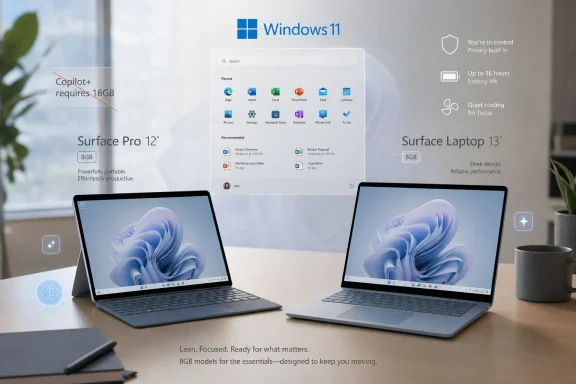
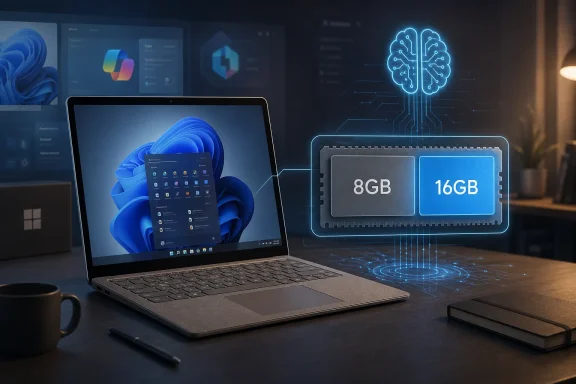
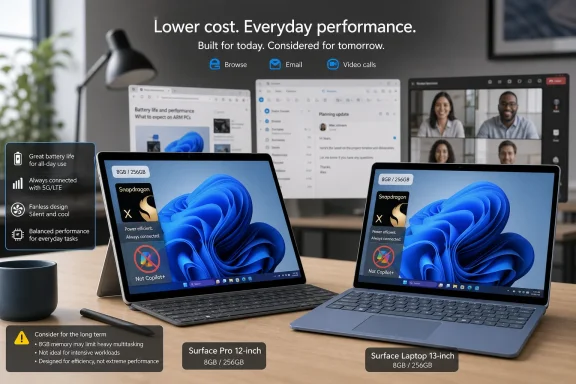
The new 8GB configurations are a correction to that problem. They do not appear to replace the 16GB models; they create a lower rung on the ladder. Microsoft’s public positioning is practical enough: some customers browse, stream, write documents, manage email, and join video calls, and those buyers may not want to pay the premium for memory they believe they will never use.
That is a defensible retail argument. It is also a revealing one. Surface is no longer just competing against premium Windows machines; it is competing against iPads with keyboards, Chromebooks that have become good enough, refurbished MacBooks, and the simple decision to keep an old laptop for another year.
The danger is that Microsoft has chosen the one specification most likely to age badly. Storage can sometimes be managed, cloud services can paper over small disks, and processors have become fast enough for casual computing. Memory, once soldered into a thin laptop or tablet, is destiny.
The Copilot+ Line Holds at 16GB, and That Matters
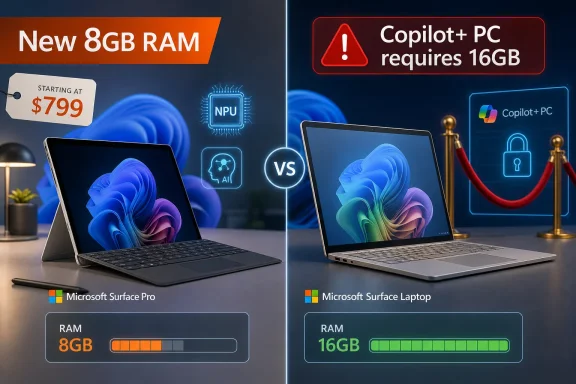
Microsoft’s Copilot+ PC requirements have made 16GB of RAM more than a nice-to-have. They have made it a line of demarcation. A Copilot+ PC needs a sufficiently powerful NPU, adequate storage, and at least 16GB of memory, which means an 8GB Surface can be modern, Arm-based, and efficient without being part of Microsoft’s flagship AI category.
That distinction is going to confuse normal buyers. A Surface with Snapdragon branding looks like it belongs to the same new Windows-on-Arm era as the Copilot+ machines. It may even share much of the design language and some of the battery-life promise. But the absence of Copilot+ branding means the machine is deliberately excluded from the premium AI feature bucket Microsoft has been building around Windows 11.
The company can fairly say the requirements have not changed. That is important, because lowering the Copilot+ threshold to fit cheaper devices would have made the whole category feel negotiable. Microsoft has instead done something more subtle: it has admitted that not every new Surface needs to be an AI showcase.
That admission is healthy, but awkward. For months, Microsoft has treated AI PCs as the next default Windows experience. Now it is selling new Surface hardware for buyers who are explicitly not buying into that default.
The 8GB Bet Is Really a Bet on User Restraint
The case for 8GB of RAM is strongest when the user behaves exactly as the spec sheet imagines. A browser with a few tabs, Word, Outlook, Teams, Spotify, maybe a streaming window, and some light photo management are not impossible workloads for an 8GB Windows PC. On efficient Arm silicon, with modern standby behavior and careful background management, the machine may feel perfectly fine on day one.
The problem is that users do not live inside clean benchmark scripts. Browser tabs multiply. Teams and Slack sit in the background. OneDrive syncs. Antivirus scans. Windows Update stages a feature release. A user who bought a “basic” machine discovers that basic computing in 2026 means running a dozen web apps that behave like desktop applications and consume memory accordingly.
This is the old netbook trap in a more elegant chassis. The machine can be good enough in the store, good enough in reviews focused on light use, and good enough for the first semester or first year. Then the software stack gets heavier, the user’s workflow expands, and the device begins to feel prematurely old.
Microsoft knows this. That is why 16GB remains the Copilot+ floor. The new configurations are not an argument that 8GB is the modern baseline for Windows; they are an argument that some buyers will accept the compromise if the starting price is low enough.
Surface Is Chasing Affordability Without Becoming Cheap
The Surface brand has always had a tension at its center. Microsoft wants Surface to be a reference design, a premium Windows object that nudges OEMs forward. But it also wants Surface to be a real product family with enough volume to matter. Those goals collide whenever the entry price drifts too far from the mainstream laptop market.
An $849 Surface Pro is still not cheap once a keyboard is added. A $949 Surface Laptop is not a bargain-bin PC. These are lower-cost Surfaces, not budget laptops, and the distinction is crucial. Microsoft is not trying to fight $399 Windows machines at retail; it is trying to keep Surface in the conversation for buyers who might otherwise step down to a cheaper ecosystem.
That makes the memory cut a familiar premium-brand maneuver. Keep the industrial design, the display quality, the Microsoft badge, and the processor story. Reduce the one internal component many consumers understand least clearly at purchase time. The result is a lower advertised price that preserves the look and feel of the product line.
Apple has played this game for years, and it has been criticized for it for just as long. The difference is that macOS has often been perceived as more forgiving on lower memory configurations, whether fairly or not. Windows 11, especially with modern web workloads and Microsoft’s own collaboration apps, does not enjoy the same benefit of the doubt.
The Arm Transition Still Needs Trust, Not Just Lower Prices
Windows on Arm is in a far better position than it was during the Surface Pro X era. Qualcomm’s Snapdragon X chips brought the performance, battery life, and emulator improvements that Microsoft needed to make Arm laptops feel like normal Windows PCs rather than experimental side projects. The software compatibility story is still not perfect, but it is no longer the immediate deal-breaker it once was for mainstream use.
That progress is exactly why the 8GB move is risky. Microsoft finally has a Windows-on-Arm platform that many users can buy without apologizing for it. Shipping under-memory configurations risks reviving a different kind of skepticism: not “Will my apps run?” but “Will this thing feel slow in two years?”
For Windows enthusiasts and IT pros, that distinction matters. Arm compatibility problems can be diagnosed application by application. Memory pressure is more diffuse. It shows up as stutter, tab reloads, sluggish switching, and the creeping sense that a machine is less responsive than it should be.
The Surface team may believe its target buyer will never push the system that hard. But the history of entry-level PCs suggests the target buyer often becomes a heavier user simply by continuing to use the same machine as the web, Windows, and daily life accumulate more demands.
Enterprise Buyers Will See the Trap Before Consumers Do
For sysadmins, the new 8GB Surface configurations are easy to categorize: interesting for narrow roles, risky for general deployment. A locked-down kiosk, a field device for browser-based workflows, or a lightweight education machine might fit the profile. A knowledge worker laptop almost certainly does not.
Modern endpoint management has also changed what “basic” means. Security agents, device management tools, VPN clients, browser isolation, EDR platforms, and collaboration apps all take their cut before the user opens a spreadsheet. An 8GB machine that looks adequate in a consumer setting can become cramped inside a managed enterprise image.
The Copilot+ distinction adds another procurement wrinkle. Organizations standardizing on AI-capable Windows hardware will not want exceptions that miss the feature baseline. Even if today’s Copilot+ experiences are uneven, the 16GB requirement gives IT departments a clean purchasing rule: buy above the line, avoid stranded hardware.
That does not mean nobody in business should buy these machines. It means the burden of justification is higher. The cheaper Surface is attractive only when the workload is known, stable, and unlikely to expand.
Microsoft’s Messaging Has to Do More Than Say “Everyday”
The phrase “everyday productivity” is doing a lot of work here. It suggests a friendly, low-stakes world of browsing, communication, entertainment, and documents. It also avoids the harder question: how long should a new Surface remain comfortable doing those things?
A laptop is not a phone on a two-year contract. Many buyers expect a Windows PC to last four, five, or even six years. Schools stretch fleets. Families hand devices down. Small businesses keep machines until they break. The real test is not whether 8GB works in 2026; it is whether it still feels acceptable in 2029.
Microsoft’s strongest defense is that choice is better than no choice. If the 16GB models remain available and clearly positioned as the better long-term buy, the 8GB models can serve buyers with strict budgets. But that requires honest retail communication, not just a lower starting price and a footnote about Copilot+ eligibility.
The company should be explicit that these are entry configurations for light workloads. Not vaguely “everyday.” Not quietly differentiated. Plainly light-duty. Anything less risks turning a price-sensitive purchase into a disappointment that reflects on Surface and Windows on Arm more broadly.
The AI PC Story Just Became More Honest
There is an upside to this move that Microsoft may not want to say out loud: it separates the Windows PC market from the AI PC hype cycle. Not every buyer needs local generative features. Not every student, parent, or traveler is choosing a laptop based on Recall, image generation, semantic search, or whatever Copilot+ feature Microsoft highlights next.
That does not undermine Copilot+ as a category. It may actually strengthen it. A premium label has more meaning when not every new device gets to wear it. By keeping 8GB Surfaces outside the badge, Microsoft preserves the idea that Copilot+ denotes a higher hardware baseline rather than a marketing sticker.
The uncomfortable part is that Microsoft has spent considerable energy implying that the future of Windows is AI-first. These new configurations suggest the present is still price-first. That is not a contradiction so much as a market reality intruding on a keynote narrative.
Consumers do not buy roadmaps. They buy machines at a price they can tolerate. Microsoft can want every new PC to be an AI PC, but memory pricing, component costs, and household budgets still get a vote.
The Real Upgrade Is Still the 16GB Model
For enthusiasts, the practical advice is simple: if the Surface is going to be a primary PC, buy 16GB. That is not because 8GB is unusable. It is because the savings are front-loaded while the compromise is permanent.
A Surface Pro in particular invites accessories and longer ownership. Add a keyboard, a pen, a dock, cloud subscriptions, and a few years of Windows updates, and the original RAM decision becomes a small fraction of the total cost of living with the device. Saving money on memory can look sensible at checkout and foolish over the lifetime of the machine.
The Surface Laptop case is slightly different because the keyboard is included and the form factor is more conventional. But the same logic applies. A laptop meant for school, travel, work, and home use will encounter workloads its buyer did not anticipate.
Microsoft’s 8GB configurations therefore make the most sense as secondary devices. They are travel machines, couch computers, note-taking systems, and web terminals with premium build quality. They are much harder to recommend as the one Windows PC a user expects to grow into.
The Cheaper Surface Comes With a Very Specific Fine Print
The new configurations are not a disaster, and they are not a revolution. They are a price adjustment disguised as a product expansion, and the fine print matters more than the headline.
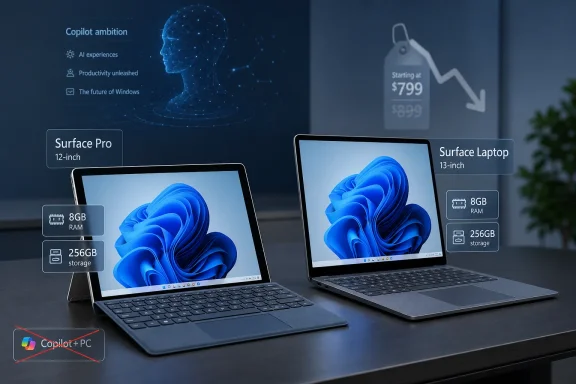
- Microsoft is creating cheaper entry points for the 12-inch Surface Pro and 13-inch Surface Laptop without replacing the 16GB configurations.
- The 8GB models do not qualify as Copilot+ PCs because Microsoft’s AI PC baseline still requires at least 16GB of memory.
- The lower prices make sense for light browsing, documents, communication, streaming, and secondary-device use.
- Buyers who multitask heavily, keep PCs for many years, or rely on managed enterprise software should treat 16GB as the realistic floor.
- The move preserves Copilot+ as a higher-tier badge but also shows that price pressure is stronger than Microsoft’s AI PC messaging.
- The biggest risk is not day-one performance; it is whether an 8GB Windows 11 Surface still feels modern after several years of updates and heavier web apps.
Microsoft’s quieter Surface expansion is a useful reminder that the PC market does not move in lockstep with platform strategy. The company can define an AI-ready future around 16GB of RAM and powerful NPUs, but it still has to sell hardware to people staring at monthly budgets, crowded browser windows, and old laptops that refuse to die. The 8GB Surface models may find their audience, especially among light users who value design and battery life over headroom, but they also draw a bright line through Microsoft’s own story: the cheapest new Surface is not the future of Windows AI — it is the compromise Microsoft must make while waiting for that future to become affordable.