

Microsoft is pairing its latest Snapdragon X2-based Surface Pro and Surface Laptop configurations with Sony’s WH-1000XM6 headphones in a US promotion that began in July. Buyers of qualifying systems through the Microsoft Store receive a digital redemption key for the $459.99 headphones, with fulfillment handled by Sony and shipping limited to the continental United States.
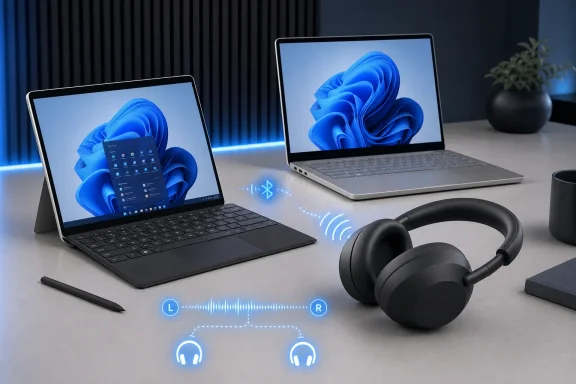
The pitch is Bluetooth LE Audio. Microsoft says the combination enables super-wideband stereo audio during calls, lower-latency playback, and Windows 11 Shared Audio support. The latter allows one compatible Surface device to send the same stream to two LE Audio headphones from Quick Settings.
LE Audio is not simply a matter of seeing “Bluetooth LE” on a spec sheet. Per Microsoft’s Windows support documentation, the PC needs compatible Bluetooth hardware, audio codec support, manufacturer drivers, and Windows 11 version 22H2 or later. Stereo playback while the microphone is active requires Windows 11 version 24H2 or newer, compatible integrated LE hardware, current drivers, and relevant Windows updates.
That matters because conventional Bluetooth headsets often fall back to lower-quality mono playback when their microphone is in use. Microsoft says LE Audio can maintain super-wideband quality, and on supported hardware can provide stereo playback during calls and games. It also supports direct connectivity with compatible LE Audio hearing devices.
The Surface-specific claims should not be read as a blanket upgrade for existing PCs. Microsoft is limiting its promotion and compatibility messaging to new Surface Pro and Surface Laptop models configured with Snapdragon X2 processors.
If the headphones were previously paired to the PC, Microsoft recommends removing that existing pairing in Windows before starting again. Pairing can then proceed through Swift Pair or through Settings > Bluetooth & devices > Add device.
Sony’s own support material adds an important caveat: LE Audio can occasionally cause call-related problems with particular connected devices or apps, including missing ringtones or an inability to answer a call. Sony’s fallback recommendation in those cases is switching the headphones back to Classic Audio through Sound Connect.
The redemption is available only with eligible online Microsoft Store purchases while supplies last, so prospective buyers should verify the exact Surface configuration and Windows LE Audio setting before counting on the feature set.
The pitch is Bluetooth LE Audio. Microsoft says the combination enables super-wideband stereo audio during calls, lower-latency playback, and Windows 11 Shared Audio support. The latter allows one compatible Surface device to send the same stream to two LE Audio headphones from Quick Settings.
 The Windows 11 catch
LE Audio is not simply a matter of seeing “Bluetooth LE” on a spec sheet. Per Microsoft’s Windows support documentation, the PC needs compatible Bluetooth hardware, audio codec support, manufacturer drivers, and Windows 11 version 22H2 or later. Stereo playback while the microphone is active requires Windows 11 version 24H2 or newer, compatible integrated LE hardware, current drivers, and relevant Windows updates.That matters because conventional Bluetooth headsets often fall back to lower-quality mono playback when their microphone is in use. Microsoft says LE Audio can maintain super-wideband quality, and on supported hardware can provide stereo playback during calls and games. It also supports direct connectivity with compatible LE Audio hearing devices.
The Surface-specific claims should not be read as a blanket upgrade for existing PCs. Microsoft is limiting its promotion and compatibility messaging to new Surface Pro and Surface Laptop models configured with Snapdragon X2 processors.
Pairing needs a phone first
Sony’s setup is slightly more involved than a normal Windows Bluetooth pairing. As outlined by Microsoft and Sony, WH-1000XM6 owners should first pair the headphones with an Android phone or iPhone, update the headset firmware and Sony Sound Connect app, then select LE Audio Priority or the Low Latency option before pairing the headset to the Surface.If the headphones were previously paired to the PC, Microsoft recommends removing that existing pairing in Windows before starting again. Pairing can then proceed through Swift Pair or through Settings > Bluetooth & devices > Add device.
Sony’s own support material adds an important caveat: LE Audio can occasionally cause call-related problems with particular connected devices or apps, including missing ringtones or an inability to answer a call. Sony’s fallback recommendation in those cases is switching the headphones back to Classic Audio through Sound Connect.
What the bundle actually offers
The hardware deal is a straightforward sales incentive, but it highlights the practical distinction between LE Audio-capable Windows systems and older Bluetooth implementations. Shared Audio is useful for travel and ad hoc viewing, while better microphone-mode audio and lower latency are more relevant to calls, video playback, and casual gaming.The redemption is available only with eligible online Microsoft Store purchases while supplies last, so prospective buyers should verify the exact Surface configuration and Windows LE Audio setting before counting on the feature set.
References
- Primary source: Microsoft
Published: Wed, 15 Jul 2026 07:26:41 GMT
Surface + Sony WH-1000XM6: The LE Audio Duo | Microsoft Surface
Surface Pro and Surface Laptop with Snapdragon X2 natively support Bluetooth LE Audio — and the Sony WH-1000XM6 is purpose-built for it.www.microsoft.com
- Official source: support.microsoft.com
Check if a Windows 11 device supports Bluetooth Low Energy Audio | Microsoft Support
How to determine if a Windows 11 device supports Bluetooth Low Energy Audio.support.microsoft.com - Related coverage: sony.com
- Related coverage: electronics.sony.com
