

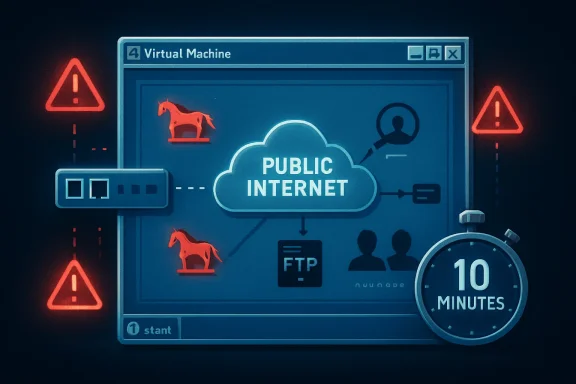
A Windows XP Service Pack 3 virtual machine placed directly on the public Internet with its firewall disabled was reportedly compromised within about 10 minutes in Eric Parker’s experiment, acquiring Trojan processes, a rogue FTP service, DNS tampering, and unauthorized user accounts. The stunt is not merely retro-computing theater. It is a reminder that unsupported software does not slowly become unsafe in some abstract compliance sense; it becomes part of the Internet’s background radiation.
The lesson is sharper in 2026 than it was when XP support ended in 2014. Windows 10 has now crossed its own mainstream support cliff, and millions of otherwise usable PCs sit in the same psychological space XP occupied a decade ago: loved, familiar, and increasingly expensive to defend. The XP box in Parker’s lab is a museum piece, but the argument it makes is painfully current.
The most arresting detail of the XP experiment is not that malware arrived. It is that the user reportedly did almost nothing. No warez site, no abandoned browser plugin, no malicious attachment, no “click here to update your codec” trap from the bad old Web.
That matters because most consumer security advice still frames compromise as a moral drama about user behavior. Do not click strange links. Do not download suspicious files. Do not reuse passwords. All true, and all insufficient when an operating system is exposing vulnerable services directly to a network where automated scanners never sleep.
Parker’s test was intentionally extreme. The Windows XP SP3 system was put in a virtual machine, the firewall was disabled, NAT was removed, and the machine was assigned a public-facing Internet presence closer to what many home PCs experienced in the early broadband era. In that sense, it was not a normal 2026 home setup. It was a controlled re-creation of an older, more reckless default posture.
But the speed of the result is still useful. The Internet is not a passive place waiting for you to browse it. It is an active environment in which vulnerable systems are discovered, fingerprinted, and attacked by automated infrastructure at industrial scale. XP’s problem is not simply that it is old; it is that it belongs to an era before Microsoft fully rebuilt Windows around the assumption that the network itself was hostile.
Security people remember a different room. They remember Blaster, Sasser, Code Red’s shadow, RPC panic, default-admin habits, and the long hangover that led to Microsoft’s Trustworthy Computing reset. XP was beloved because it was usable. It was dangerous because it was built before the industry had absorbed the cost of ubiquitous connectivity.
Service Pack 2 in 2004 changed much of that story by turning on the Windows Firewall by default and hardening parts of the networking stack. But SP2 and SP3 were retrofits, not a total philosophical rewrite. XP still carried assumptions from the turn of the century: local administrator use was common, browser isolation was primitive by modern standards, exploit mitigations were limited, and the operating system’s servicing model was not designed for the threat cadence we now take for granted.
That is why “but I only use it carefully” is not a serious defense. Carefulness helps when the primary risk is user-initiated execution. It does not help enough when exposed services can be reached without asking permission.
That does not rescue XP. It only changes the route attackers must take.
Behind a router, the old system is less likely to be hit immediately by unsolicited inbound traffic. But it remains exposed to malicious files, old browser bugs, SMB lateral movement from other infected devices, weak credentials, unsafe removable media, and any misconfiguration that opens a path from the wider network. In a home lab, that may be an acceptable risk if the machine is isolated and expendable. In a business, it is a liability with a power cord.
The modern reporting around Parker’s test sometimes leans into the horror-movie version: plug in XP and the monsters arrive before the coffee cools. That is directionally true for the exposed configuration, but the more sober conclusion is more damning. XP can only be made tolerable by surrounding it with compensating controls that assume the OS itself cannot be trusted.
That is the hallmark of a platform whose security lifecycle is over. You are no longer maintaining the machine. You are containing it.
But treating EternalBlue as the explanation risks making the problem sound narrower than it is. If only one bug is the villain, then one patch feels like redemption. XP’s real weakness is broader: an unsupported kernel, obsolete defaults, aging cryptography, abandoned software ecosystems, and a security architecture that lacks years of mitigation work baked into newer Windows releases.
Microsoft did issue emergency patches for unsupported systems during the WannaCry crisis, including XP. That extraordinary move has sometimes encouraged a false sense of safety, as if Redmond keeps a hidden ambulance parked outside every retirement home. It does not. Emergency patches are exceptions designed to protect the broader ecosystem when the blast radius is too large to ignore.
Even when a famous wormable flaw is patched, the operating system remains stranded. There is no steady stream of fixes for newly discovered issues. There is no modern browser support in any meaningful sense. There is no mainstream endpoint protection story that turns XP into a safe daily driver. The system may boot, but the world around it has moved on.
Still, the contrast is revealing. By Windows 7, Microsoft had internalized the trauma of XP’s early security failures. User Account Control, stronger firewall defaults, improved memory protections, better service hardening, and a more disciplined update culture all reflected a company that had been forced to treat security as an engineering system rather than a feature checklist.
Windows 7 benefited from Vista’s pain. Vista was mocked by users and vendors, but many of its most controversial changes were exactly the ones Windows needed. UAC annoyed people because it broke the old assumption that every desktop session should behave like a trusted administrator. Driver signing, service isolation, and a more restrictive networking posture all pushed the ecosystem toward a less permissive baseline.
XP belonged to the world before that reckoning. Windows 7 belonged to the world after it. The difference between 10 minutes and 10 hours is not magic; it is the cumulative effect of security defaults, mitigations, and a software industry that had been dragged, often complaining, into adulthood.
The more uncomfortable question is what happens to newer Windows versions as they leave support behind. Windows 10 ended support for mainstream users on October 14, 2025, though Microsoft offers Extended Security Updates for eligible systems and organizations have their own paid options. That does not make Windows 10 “the new XP” overnight. It is vastly more secure than XP by design.
But unsupported Windows follows a familiar curve. At first, nothing happens. The machine still boots, apps still open, the browser still launches, and the user wonders what all the fuss was about. Then the first missed security update arrives. Then the second. Then attackers begin comparing patched and unpatched systems, reverse-engineering fixes for supported platforms, and looking for legacy machines that did not receive them.
That is the quiet danger of end-of-support. It is not a cinematic cliff where the PC bursts into flames at midnight. It is an accounting change in favor of the attacker. Every month, the unsupported system accumulates known weaknesses that defenders cannot fully close.
That shift deserves credit. It reduced an enormous class of casual Internet background attacks against consumer PCs. The average home user no longer needs to understand port exposure to avoid being immediately scanned on every Windows service.
But NAT is not a security religion. It is one layer. It does little against malicious downloads, compromised websites, browser exploitation, phishing payloads, remote access scams, infected USB devices, or lateral movement from another compromised machine on the same LAN. It also fails the moment a user enables port forwarding, plugs into the wrong network, exposes RDP, or places a machine into a DMZ because some old game or device “needed it.”
For legacy systems, that distinction is everything. A router may keep the wolves from the front door. It does not make the house fireproof.
This is where nostalgia tends to collide with infrastructure. Old operating systems often survive because a single old application still matters: a CNC controller, a label printer, a lab instrument, a point-of-sale tool, a scanner driver, or a piece of software whose vendor disappeared in 2009. The machine is kept alive not because anyone believes it is secure, but because replacing the surrounding workflow is expensive.
The temptation is to let that machine “just check a website” or “just download a driver.” That is where containment fails. The unsupported OS becomes a bridge between an old dependency and a live threat environment. Once it can browse, email, mount shares, or authenticate to modern services, it is no longer a museum piece. It is a weak endpoint with access.
A locked-down XP box running a single offline instrument is a risk to be managed. An XP box with a browser and a domain login is malpractice.
The danger is not merely that these systems exist. The danger is that they often sit in networks designed for convenience rather than containment. They share file servers. They authenticate against domain infrastructure. They are reachable by remote support tools. They are exempted from security policies because “the vendor says not to install anything.”
That exception culture is how old machines become beachheads. Attackers do not need XP to be the final target. They need it to be the neglected device that helps them move toward the valuable target. A vulnerable workstation on a flat network can be more useful than a hardened server in a segmented one.
The right enterprise response is not to pretend every legacy system can be replaced tomorrow. Sometimes it cannot. The right response is to make every exception visible, time-limited, isolated, monitored, and owned by someone senior enough to feel the risk.
An actual air gap can be a valid strategy for obsolete systems. It is also operationally annoying, which is why organizations quietly erode it. The lab technician needs results exported. The vendor needs remote troubleshooting. The plant manager wants dashboards. The finance team wants reports. Every convenience adds a path.
XP’s fragility forces honesty. If a system cannot survive contact with a hostile network, then the organization must decide whether it is truly isolated or merely undocumented. There is no middle ground where everyone gets modern connectivity and 2001-era security assumptions.
That is why legacy risk management is less a technical project than a governance problem. Someone has to say no, or at least say yes with compensating controls and a retirement date.
That last point is crucial. Legacy environments often accumulate because patching itself becomes scary. The machine controls something important. The application is brittle. The vendor is gone. The admin who understood it retired. So updates are deferred, then avoided, then forgotten.
Security teams sometimes describe this as negligence, and sometimes it is. But often it is the predictable result of systems designed without lifecycle ownership. Nobody budgeted for replacement. Nobody documented dependencies. Nobody tested recovery. Years later, the patch window becomes a business continuity crisis.
XP is the warning label on that failure. The cost of unsupported software is not paid only when attackers arrive. It is paid every year an organization postpones the boring work of inventory, modernization, and decommissioning.
The most complicated part of Windows 10’s afterlife is hardware. Many PCs that run Windows 10 well do not officially qualify for Windows 11 because of CPU, TPM, or security-baseline requirements. Users see a working computer; Microsoft sees a platform boundary. Both views contain truth.
For consumers, Extended Security Updates soften the landing but do not eliminate the decision. ESU buys time, not renewal. It does not turn Windows 10 into a forever platform, and it does not solve the application, driver, and browser support questions that will become more pressing as the years pass.
For businesses, the lesson from XP is to treat the first year after support ends as borrowed time, not a new steady state. If an organization is still discovering which Windows 10 machines cannot move forward, it is already late. If it is still debating whether unsupported endpoints are “probably fine,” it has mistaken inertia for strategy.
But keeping an old box alive on an unsupported OS is not the only alternative. Linux may be viable for some users. ChromeOS Flex may be viable for others. A lightweight supported Windows configuration may work where hardware qualifies. For specialized offline tasks, isolation may be better than replacement.
The false economy begins when the cheapest short-term path is treated as risk-free. A business that refuses to replace a legacy workstation may later spend far more responding to an incident. A home user who keeps an unsupported system online may not lose a factory floor, but they can lose accounts, files, privacy, and time.
Security costs are often invisible until they are not. XP’s 10-minute compromise compresses that timeline into a demo. Most real failures take longer, but the bill is the same kind of bill.
But retro computing requires boundaries. A vintage PC should be treated like a vintage car: wonderful in the right setting, dangerous if expected to meet modern safety standards at freeway speed. You can admire the engineering without pretending airbags, ABS, emissions systems, and crash structures never happened.
For XP, the safe pattern is boring but effective. Keep it offline when possible. If networking is required, isolate it on a separate VLAN or physical network. Block inbound and outbound traffic by default. Avoid modern credential use. Move files through controlled channels. Snapshot virtual machines. Assume compromise is possible and design the environment so compromise does not matter.
The goal is not to shame people for liking old software. The goal is to stop old software from becoming new infrastructure.
Source: modernetdigital.cat What happens if you connect a Windows XP PC without any protection
The lesson is sharper in 2026 than it was when XP support ended in 2014. Windows 10 has now crossed its own mainstream support cliff, and millions of otherwise usable PCs sit in the same psychological space XP occupied a decade ago: loved, familiar, and increasingly expensive to defend. The XP box in Parker’s lab is a museum piece, but the argument it makes is painfully current.
 The Internet Did Not Need a Browser to Find Windows XP
The most arresting detail of the XP experiment is not that malware arrived. It is that the user reportedly did almost nothing. No warez site, no abandoned browser plugin, no malicious attachment, no “click here to update your codec” trap from the bad old Web.That matters because most consumer security advice still frames compromise as a moral drama about user behavior. Do not click strange links. Do not download suspicious files. Do not reuse passwords. All true, and all insufficient when an operating system is exposing vulnerable services directly to a network where automated scanners never sleep.
Parker’s test was intentionally extreme. The Windows XP SP3 system was put in a virtual machine, the firewall was disabled, NAT was removed, and the machine was assigned a public-facing Internet presence closer to what many home PCs experienced in the early broadband era. In that sense, it was not a normal 2026 home setup. It was a controlled re-creation of an older, more reckless default posture.
But the speed of the result is still useful. The Internet is not a passive place waiting for you to browse it. It is an active environment in which vulnerable systems are discovered, fingerprinted, and attacked by automated infrastructure at industrial scale. XP’s problem is not simply that it is old; it is that it belongs to an era before Microsoft fully rebuilt Windows around the assumption that the network itself was hostile.
XP’s Nostalgia Tax Comes Due at the Network Edge
Windows XP remains one of Microsoft’s most emotionally durable products because it arrived at a moment when the PC still felt personal. It was fast enough, colorful enough, stable enough, and simple enough to become the mental image of “Windows” for an entire generation. For many enthusiasts, XP is less an operating system than a room they remember.Security people remember a different room. They remember Blaster, Sasser, Code Red’s shadow, RPC panic, default-admin habits, and the long hangover that led to Microsoft’s Trustworthy Computing reset. XP was beloved because it was usable. It was dangerous because it was built before the industry had absorbed the cost of ubiquitous connectivity.
Service Pack 2 in 2004 changed much of that story by turning on the Windows Firewall by default and hardening parts of the networking stack. But SP2 and SP3 were retrofits, not a total philosophical rewrite. XP still carried assumptions from the turn of the century: local administrator use was common, browser isolation was primitive by modern standards, exploit mitigations were limited, and the operating system’s servicing model was not designed for the threat cadence we now take for granted.
That is why “but I only use it carefully” is not a serious defense. Carefulness helps when the primary risk is user-initiated execution. It does not help enough when exposed services can be reached without asking permission.
The Experiment Was Artificial, but the Result Was Not Fake
It is worth being precise about what Parker’s demonstration does and does not prove. A Windows XP machine behind a modern consumer router, with NAT, a hardware firewall, no port forwarding, and no routine Web browsing, is not the same thing as an XP machine placed naked on the public Internet. Most home users are protected by layers they may not even understand.That does not rescue XP. It only changes the route attackers must take.
Behind a router, the old system is less likely to be hit immediately by unsolicited inbound traffic. But it remains exposed to malicious files, old browser bugs, SMB lateral movement from other infected devices, weak credentials, unsafe removable media, and any misconfiguration that opens a path from the wider network. In a home lab, that may be an acceptable risk if the machine is isolated and expendable. In a business, it is a liability with a power cord.
The modern reporting around Parker’s test sometimes leans into the horror-movie version: plug in XP and the monsters arrive before the coffee cools. That is directionally true for the exposed configuration, but the more sober conclusion is more damning. XP can only be made tolerable by surrounding it with compensating controls that assume the OS itself cannot be trusted.
That is the hallmark of a platform whose security lifecycle is over. You are no longer maintaining the machine. You are containing it.
EternalBlue Is the Symbol, Not the Whole Disease
The article circulating from modernetdigital.cat points to EternalBlue as a key vulnerability in the XP story, and for good reason. EternalBlue, associated with Microsoft’s SMBv1 implementation and made infamous by WannaCry in 2017, remains the perfect shorthand for what happens when legacy Windows systems meet automated exploitation. It required no clever social engineering flourish. It turned reachable machines into stepping stones.But treating EternalBlue as the explanation risks making the problem sound narrower than it is. If only one bug is the villain, then one patch feels like redemption. XP’s real weakness is broader: an unsupported kernel, obsolete defaults, aging cryptography, abandoned software ecosystems, and a security architecture that lacks years of mitigation work baked into newer Windows releases.
Microsoft did issue emergency patches for unsupported systems during the WannaCry crisis, including XP. That extraordinary move has sometimes encouraged a false sense of safety, as if Redmond keeps a hidden ambulance parked outside every retirement home. It does not. Emergency patches are exceptions designed to protect the broader ecosystem when the blast radius is too large to ignore.
Even when a famous wormable flaw is patched, the operating system remains stranded. There is no steady stream of fixes for newly discovered issues. There is no modern browser support in any meaningful sense. There is no mainstream endpoint protection story that turns XP into a safe daily driver. The system may boot, but the world around it has moved on.
Windows 7 Survived Longer Because Microsoft Learned the Hard Way
The same experiment reportedly run against Windows 7 produced a much less dramatic result: hours of exposure without obvious compromise. That should not be misread as proof that Windows 7 is safe in 2026. It is not a supported mainstream desktop operating system for ordinary users, and its own extended support story has largely ended outside specialized programs.Still, the contrast is revealing. By Windows 7, Microsoft had internalized the trauma of XP’s early security failures. User Account Control, stronger firewall defaults, improved memory protections, better service hardening, and a more disciplined update culture all reflected a company that had been forced to treat security as an engineering system rather than a feature checklist.
Windows 7 benefited from Vista’s pain. Vista was mocked by users and vendors, but many of its most controversial changes were exactly the ones Windows needed. UAC annoyed people because it broke the old assumption that every desktop session should behave like a trusted administrator. Driver signing, service isolation, and a more restrictive networking posture all pushed the ecosystem toward a less permissive baseline.
XP belonged to the world before that reckoning. Windows 7 belonged to the world after it. The difference between 10 minutes and 10 hours is not magic; it is the cumulative effect of security defaults, mitigations, and a software industry that had been dragged, often complaining, into adulthood.
The Real Story Is Not XP, It Is Unsupported Windows
XP is an easy target because it is old enough to be charming. Its wallpaper is iconic. Its interface has become retro. Its risks are so obvious that writing “do not expose XP to the Internet” feels like warning readers not to store petrol beside a space heater.The more uncomfortable question is what happens to newer Windows versions as they leave support behind. Windows 10 ended support for mainstream users on October 14, 2025, though Microsoft offers Extended Security Updates for eligible systems and organizations have their own paid options. That does not make Windows 10 “the new XP” overnight. It is vastly more secure than XP by design.
But unsupported Windows follows a familiar curve. At first, nothing happens. The machine still boots, apps still open, the browser still launches, and the user wonders what all the fuss was about. Then the first missed security update arrives. Then the second. Then attackers begin comparing patched and unpatched systems, reverse-engineering fixes for supported platforms, and looking for legacy machines that did not receive them.
That is the quiet danger of end-of-support. It is not a cinematic cliff where the PC bursts into flames at midnight. It is an accounting change in favor of the attacker. Every month, the unsupported system accumulates known weaknesses that defenders cannot fully close.
Routers Saved Consumers from Themselves, but Not from Everything
One reason XP-style Internet drive-by compromise is less common for home users today is that the network edge changed. In the early broadband years, many PCs sat much closer to the raw Internet. Today, most households use routers that perform NAT, include basic firewalling, and block unsolicited inbound connections by default. A user can be protected by a plastic box they forgot was there.That shift deserves credit. It reduced an enormous class of casual Internet background attacks against consumer PCs. The average home user no longer needs to understand port exposure to avoid being immediately scanned on every Windows service.
But NAT is not a security religion. It is one layer. It does little against malicious downloads, compromised websites, browser exploitation, phishing payloads, remote access scams, infected USB devices, or lateral movement from another compromised machine on the same LAN. It also fails the moment a user enables port forwarding, plugs into the wrong network, exposes RDP, or places a machine into a DMZ because some old game or device “needed it.”
For legacy systems, that distinction is everything. A router may keep the wolves from the front door. It does not make the house fireproof.
The Browser Became the New Operating System Attack Surface
XP’s exposed-network implosion is dramatic because it happens without browsing. In practice, any real XP user in 2026 would face an equally grim problem once they opened the Web. The modern Web assumes current TLS support, modern certificate handling, sandboxed browser processes, hardened JavaScript engines, and rapid patch cycles. XP has no credible seat at that table.This is where nostalgia tends to collide with infrastructure. Old operating systems often survive because a single old application still matters: a CNC controller, a label printer, a lab instrument, a point-of-sale tool, a scanner driver, or a piece of software whose vendor disappeared in 2009. The machine is kept alive not because anyone believes it is secure, but because replacing the surrounding workflow is expensive.
The temptation is to let that machine “just check a website” or “just download a driver.” That is where containment fails. The unsupported OS becomes a bridge between an old dependency and a live threat environment. Once it can browse, email, mount shares, or authenticate to modern services, it is no longer a museum piece. It is a weak endpoint with access.
A locked-down XP box running a single offline instrument is a risk to be managed. An XP box with a browser and a domain login is malpractice.
Enterprises Do Not Fear XP Because It Is Old; They Fear It Because It Is Connected
In corporate environments, legacy Windows is rarely about sentimentality. It is about dependencies. A factory line may rely on a vendor application certified for XP and nothing newer. A hospital may have diagnostic equipment whose control PC was bundled with the device. A small business may run accounting or inventory software that nobody has touched since the Bush administration.The danger is not merely that these systems exist. The danger is that they often sit in networks designed for convenience rather than containment. They share file servers. They authenticate against domain infrastructure. They are reachable by remote support tools. They are exempted from security policies because “the vendor says not to install anything.”
That exception culture is how old machines become beachheads. Attackers do not need XP to be the final target. They need it to be the neglected device that helps them move toward the valuable target. A vulnerable workstation on a flat network can be more useful than a hardened server in a segmented one.
The right enterprise response is not to pretend every legacy system can be replaced tomorrow. Sometimes it cannot. The right response is to make every exception visible, time-limited, isolated, monitored, and owned by someone senior enough to feel the risk.
Air Gaps Are Usually More Aspirational Than Real
When people defend legacy systems, the phrase “air-gapped” appears with suspicious frequency. In theory, an air gap is simple: no network path in or out. In practice, many so-called air-gapped systems have maintenance laptops, USB transfers, vendor modems, temporary Ethernet cables, shared credentials, or “just for a minute” exceptions that become permanent.An actual air gap can be a valid strategy for obsolete systems. It is also operationally annoying, which is why organizations quietly erode it. The lab technician needs results exported. The vendor needs remote troubleshooting. The plant manager wants dashboards. The finance team wants reports. Every convenience adds a path.
XP’s fragility forces honesty. If a system cannot survive contact with a hostile network, then the organization must decide whether it is truly isolated or merely undocumented. There is no middle ground where everyone gets modern connectivity and 2001-era security assumptions.
That is why legacy risk management is less a technical project than a governance problem. Someone has to say no, or at least say yes with compensating controls and a retirement date.
The Patch Is a Process, Not a File
The EternalBlue era taught a brutal lesson: a patch that exists but is not deployed is almost indistinguishable from no patch at all. Microsoft released fixes before WannaCry detonated across the globe, but many organizations had not applied them. Some could not. Some did not know where their vulnerable systems were. Some were afraid to reboot.That last point is crucial. Legacy environments often accumulate because patching itself becomes scary. The machine controls something important. The application is brittle. The vendor is gone. The admin who understood it retired. So updates are deferred, then avoided, then forgotten.
Security teams sometimes describe this as negligence, and sometimes it is. But often it is the predictable result of systems designed without lifecycle ownership. Nobody budgeted for replacement. Nobody documented dependencies. Nobody tested recovery. Years later, the patch window becomes a business continuity crisis.
XP is the warning label on that failure. The cost of unsupported software is not paid only when attackers arrive. It is paid every year an organization postpones the boring work of inventory, modernization, and decommissioning.
Windows 10’s Afterlife Will Test Whether We Learned Anything
Windows 10 is not XP. It has Microsoft Defender, virtualization-based security on capable hardware, modern exploit mitigations, a far more mature update pipeline, and browsers that, for now, still have a plausible security story. But the end of mainstream support changes its trajectory.The most complicated part of Windows 10’s afterlife is hardware. Many PCs that run Windows 10 well do not officially qualify for Windows 11 because of CPU, TPM, or security-baseline requirements. Users see a working computer; Microsoft sees a platform boundary. Both views contain truth.
For consumers, Extended Security Updates soften the landing but do not eliminate the decision. ESU buys time, not renewal. It does not turn Windows 10 into a forever platform, and it does not solve the application, driver, and browser support questions that will become more pressing as the years pass.
For businesses, the lesson from XP is to treat the first year after support ends as borrowed time, not a new steady state. If an organization is still discovering which Windows 10 machines cannot move forward, it is already late. If it is still debating whether unsupported endpoints are “probably fine,” it has mistaken inertia for strategy.
The False Economy of Keeping the Old Box Alive
There is an environmental and economic argument for extending hardware life, and it deserves respect. Throwing away functional PCs because of an operating-system support boundary is wasteful. Not every user needs a new machine, and not every workload needs Windows 11.But keeping an old box alive on an unsupported OS is not the only alternative. Linux may be viable for some users. ChromeOS Flex may be viable for others. A lightweight supported Windows configuration may work where hardware qualifies. For specialized offline tasks, isolation may be better than replacement.
The false economy begins when the cheapest short-term path is treated as risk-free. A business that refuses to replace a legacy workstation may later spend far more responding to an incident. A home user who keeps an unsupported system online may not lose a factory floor, but they can lose accounts, files, privacy, and time.
Security costs are often invisible until they are not. XP’s 10-minute compromise compresses that timeline into a demo. Most real failures take longer, but the bill is the same kind of bill.
Retro Computing Belongs in a Sandbox, Not on the Open Internet
None of this means XP should vanish from enthusiast culture. Quite the opposite. Old operating systems are worth preserving, studying, and enjoying. They teach interface history, software compatibility, hardware evolution, and the strange joy of computing before everything became a subscription-backed cloud endpoint.But retro computing requires boundaries. A vintage PC should be treated like a vintage car: wonderful in the right setting, dangerous if expected to meet modern safety standards at freeway speed. You can admire the engineering without pretending airbags, ABS, emissions systems, and crash structures never happened.
For XP, the safe pattern is boring but effective. Keep it offline when possible. If networking is required, isolate it on a separate VLAN or physical network. Block inbound and outbound traffic by default. Avoid modern credential use. Move files through controlled channels. Snapshot virtual machines. Assume compromise is possible and design the environment so compromise does not matter.
The goal is not to shame people for liking old software. The goal is to stop old software from becoming new infrastructure.
The Ten-Minute XP Box Leaves a Longer Checklist
The Parker experiment is memorable because it reduces a decade of security advice to a stopwatch. That simplicity is useful, but the real operational lesson is broader than “do not use XP.” It is about what any unsupported system becomes once connected to a hostile network.- A directly exposed Windows XP machine should be assumed compromisable within minutes, not days, when basic protections such as firewalling and NAT are removed.
- A router and firewall reduce opportunistic inbound attacks, but they do not make unsupported operating systems safe for browsing, email, file sharing, or trusted network access.
- EternalBlue remains the iconic example of XP-era risk, but the deeper problem is the absence of ongoing fixes, modern mitigations, and supported software ecosystems.
- Windows 7’s stronger showing in similar exposure tests reflects Microsoft’s post-XP security improvements, not a license to run Windows 7 unprotected today.
- Windows 10’s end of mainstream support should be treated as a migration deadline with temporary extensions, not as permission to repeat the XP lifecycle mistake.
- Legacy systems that cannot be replaced should be isolated, monitored, documented, and assigned a real retirement plan rather than hidden behind informal exceptions.
Source: modernetdigital.cat What happens if you connect a Windows XP PC without any protection
