

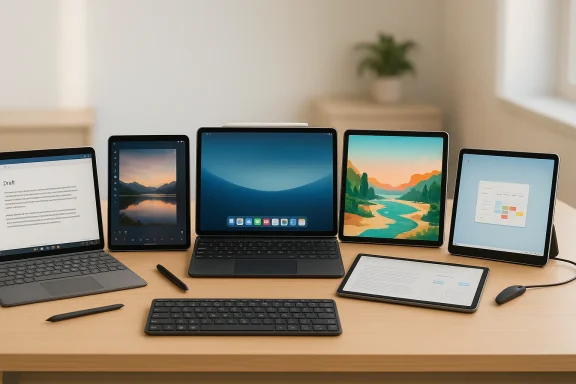
The line between tablet and laptop has never been blurrier — and for bloggers in 2026 that’s a good thing. Whether you publish long-form essays, run a photo-forward lifestyle site, or sketch layouts for web comics, today’s tablets can be a full writing studio, a lightweight content-creation rig, or a distraction-free notebook on the road. This feature dissects the seven tablets that matter to bloggers this year, reconciles conflicting spec claims you might have read elsewhere, and gives practical buying and workflow advice so you can choose a device that actually fits the way you work.
Background
Blogging in 2026 is a hybrid activity: research, drafting, editing, media creation, and publishing happen across devices and services. Tablets have matured far beyond consumption-first devices. Modern models offer:- True laptop-class performance on silicon like Apple’s M-series and high-end ARM/Intel chips.
- First-class pen input for annotation, creative work, and handwritten notes.
- Desktop-like interfaces (Windows, Samsung DeX, improved iPadOS windowing) that make multitasking credible.
- Accessory ecosystems (keyboards, trackpads, docks) that let a tablet become a primary productivity machine for many bloggers.
Overview: What this roundup covers
This article examines the seven tablets highlighted by a recent buyer’s piece and updates or corrects important specs and recommendations where necessary. The candidates are grouped by the user types they best serve:- Best overall Windows 2-in-1 (power + versatility)
- Best value Android pick (stylus included)
- Best Apple option (performance + app ecosystem)
- Best creative / drawing-first tablet
- Worthy alternatives for specialized needs
Surface Pro (2022–2026 family): Best overall for bloggers who want a real desktop
What you need to know
Microsoft’s Surface Pro line — now in its later iterations — is the closest mainstream tablet experience to a genuine laptop replacement. Recent Surface Pro models use a 13‑inch PixelSense Flow display with a 2880×1920 resolution that works out to roughly 267 PPI, a 3:2 aspect ratio, and dynamic refresh up to 120Hz. These models run desktop Windows 11 and support full desktop applications, which is the fundamental advantage for bloggers who depend on software such as full Microsoft Office, Adobe Photoshop, or a local development environment.The keyboard (Surface Type Cover) and Surface Slim Pen options are sold separately, and real-world usability depends heavily on buying those accessories.
Strengths for bloggers
- Full Windows 11 desktop experience: Run any desktop blogging tools — from advanced image editors to Git, local servers, and full-featured IDEs.
- Excellent keyboard feel with the Type Cover — typing experience approaches that of a traditional ultrabook.
- High-res, color-calibrated PixelSense display ideal for editing images and drafting long posts.
- Flexible connectivity: USB-C and, on many configurations, a USB-A or Surface Connect port for dongles, external storage, and monitors.
Practical caveats
- Accessory cost adds up: Keyboard, pen, and protective covers significantly increase the total price. Factor them into your budget.
- Thermals under heavy load: Intel or hybrid CPUs can generate heat during intensive export, batch photo edits, or long video renders.
- Tablet mode is secondary: Windows’ touch-first experience still lags iPadOS/Android for purely tablet-centric apps.
Who should choose Surface
Pick a Surface if you want a single device that runs full desktop apps without compromises and you need a near‑laptop typing experience in a detachable tablet form factor.Samsung Galaxy Tab S10 FE: Best value for stylus-first, budget-conscious bloggers
What you need to know
Samsung’s Galaxy Tab S10 FE series is the pragmatic midrange pick. It ships with an included S Pen in the box, supports Samsung DeX for a desktop-like interface, and offers a microSD slot for expandable storage — features that make it particularly attractive to bloggers who value pen input and flexible storage without premium pricing.Screen sizes vary across FE models (standard around 10.9 inches, FE+ at larger sizes), and the displays use LCD technology with refresh rates up to 90Hz. Performance is solid for web browsing, document editing, and light photo edits but won’t match Apple’s highest-end or flagship Windows silicon for heavy media production.
Strengths for bloggers
- S Pen included — immediate value for note-taking, markup, and quick image edits.
- Samsung DeX gives a more traditional windowed workflow for multitasking.
- Expandable storage via microSD — great for photographers and podcasters who accumulate large media files.
- Affordable entry price with reasonably long battery life.
Practical caveats
- Android tablet app inconsistencies: Some apps still don’t scale perfectly to larger screens, and Android productivity apps can vary by vendor.
- Keyboard accessory sold separately: You’ll want a keyboard attachment for serious writing, which adds cost.
- Processor limits: Acceptable for blogging and light editing but not for heavy video work.
Who should choose the Tab S10 FE
Budget-conscious bloggers who want stylus support out of the box, long battery life, and expandable storage without spending flagship money.iPad Pro (M5): Best for Apple-centered bloggers and creative pros
What you need to know
Apple’s iPad Pro has long been the de facto creative tablet, and the M5-powered iPad Pro continues that trend. Modern iPad Pro units in the M5 generation bring major performance gains in CPU, GPU, and on-device AI, paired with a new multitasking and windowing model in iPadOS that narrows the productivity gap to laptops. Apple currently offers iPad Pro sizes in multiple form factors aimed at both portability and canvas-like workflows.Apple’s Magic Keyboard remains the most polished keyboard accessory in the tablet space, and the Apple Pencil 2 (sold separately) is still the top choice for precise pen work.
Strengths for bloggers
- Industry-leading silicon: M5-level performance is laptop-caliber for nearly any creative or productivity task.
- Best-in-class display options (high brightness, ProMotion, and excellent color accuracy) — crucial for photographers and creators.
- Huge app ecosystem: Many publishing and creative apps are better optimized on iPadOS than on Android or Windows tablets.
- Battery life and reliability: Excellent power efficiency for long writing sessions.
Practical caveats
- iPadOS limitations: Despite improvements, the OS is still sandboxed compared with a full desktop; certain desktop workflows require workarounds.
- Accessories increase cost: Magic Keyboard and Apple Pencil add significantly to the purchase price.
- File management differences: Handling local files and external drives can be less straightforward than a desktop OS, though iPadOS continues to improve.
Who should choose iPad Pro
Apple ecosystem devotees and bloggers who pair heavy creative work with on-the-go writing. If you already use Mac and iPhone services, the iPad Pro will fit into an extremely seamless workflow.Wacom MovinkPad Pro 14: Best for creative bloggers who draw or illustrate
What you need to know
Wacom’s MovinkPad Pro 14 is a 14‑inch Android-based creative tablet targeted at illustrators, comic artists, and visual content creators. It’s a departure from the typical pen-display accessory — this is a standalone tablet with an OLED, textured glass surface designed to feel like paper, pro-grade pen pressure and tilt, and a focus on color accuracy.If your blog relies heavily on original drawings, webtoons, or pixel-accurate illustrations, this device gives you a portable, dedicated canvas without having to tether to a desktop.
Strengths for bloggers
- Best-in-class pen and surface feel: Battery-free Pro Pen 3 and textured glass produce a satisfying, low-parallax drawing experience.
- Color-accurate OLED display: 3K resolution and wide color gamut suit visual artists who publish work online.
- Standalone creative software compatibility: Ships with or supports Clip Studio and other Android creative apps.
- Portable yet powerful: Snapdragon-class silicon and 12GB RAM are capable of smooth art workflows.
Practical caveats
- Overkill for text-only bloggers: If you primarily write or edit text, you’ll pay for hardware you won’t use.
- Android app ecosystem for art is improving but still lacks certain iPad exclusives.
- May require workflows to move high-res files to a desktop for final compositing, depending on your toolchain.
Who should choose the MovinkPad Pro 14
Illustrators, webcomic artists, and visual bloggers who need pro pen responsiveness in a lightweight, portable package without being tied to a PC.Also good: tablets worth considering
iPad Air (M2)
A lighter, less expensive Apple option that retains excellent performance for writing and light-to-moderate editing. If you want many iPad benefits but don’t need the Pro-level display or the absolute fastest silicon, the iPad Air M2 is a strong value.Samsung Galaxy Tab S9+
A previous-generation flagship that’s often discounted. It still offers excellent displays and S Pen performance and is a good alternative for those who want a premium Android tablet without the S10 FE’s trade-offs.Microsoft Surface Go 4
The most portable Windows tablet in the Surface family is ideal for bloggers who favor a budget, lightweight Windows device for quick drafts and on-the-move edits. It’s not a heavy-duty creator machine, but it’s good for short-form writing and travel.How to choose the right tablet for blogging in 2026
Here are the critical factors to weight — and a short decision flow to help you pick.1. Typing experience
- If you write thousands of words daily, prioritize a high-quality keyboard (Surface Type Cover, Magic Keyboard, or proven third-party folios).
- Test key travel, backlight quality, and the trackpad — a poor keyboard kills productivity faster than a slow CPU.
2. Operating system and apps
- Need full desktop apps? Choose Windows Surface devices.
- Want polished tablet apps and best-in-class creative apps? Choose iPadOS.
- Want a flexible, pen-inclusive environment with DeX-style productivity? Android (Samsung) is the middle ground.
3. Screen size and quality
- Aim for 11–13 inches for split-screen research and comfortable typing.
- Choose high-brightness and wide color gamuts if you edit photos or video.
4. Battery life
- Look for 8–12 hours of mixed use for real all-day capability.
- If you work long stretches in cafés or travel frequently, prioritize battery over raw performance.
5. Accessories and cost
- Factor keyboard and pen into your total budget. Some tablets include pens; most don’t include keyboards.
- Consider protective cases and stands — ergonomics matter when you write for long hours.
6. Storage and expandability
- Photographers and podcasters should prioritize expandable storage (microSD) or higher internal SSD tiers.
- For Windows devices, removable or upgradeable SSDs are an advantage for future-proofing.
7. Connectivity (Cellular)
- If you blog on the go, consider cellular models. They add cost but provide reliable connectivity when Wi‑Fi is unavailable.
Practical tips: Getting the most from a tablet writing workflow
- Use cloud-synced editors (Google Docs, Microsoft OneDrive, iCloud Drive) for instant backup and cross-device editing.
- Pair a physical keyboard and a compact stand for ergonomic typing; angle the tablet to reduce neck strain.
- Adopt a dedicated file structure for drafts, media, and archives. Tablets can get messy quickly if you don’t separate working files from published assets.
- For photo editing, use tablet-optimized apps (Affinity Photo on iPad, Clip Studio, Adobe Lightroom mobile). Export to a desktop if you require batch or advanced lens correction.
- Use a cloud upload routine for raw media: keep only compressed versions locally to save storage.
- Consider a compact portable SSD for backups and heavy media transfers — many tablets support USB-C mass-storage drives.
Critical analysis: strengths, risks, and trade-offs
Strengths across 2026 tablet options
- Performance parity for many blogging tasks: M5 iPads and premium Windows/Android silicon are fast enough for long-form writing and moderate photo edits without a desktop.
- Improved multitasking: iPadOS 26 windowing and DeX-style environments make tablets more viable for multi-window research and editing.
- Pen input evolution: Wacom and Samsung have refined stylus tech to a pro level; if you draw or annotate, today’s pens are a game-changer.
Risks and important trade-offs
- Accessory cost and total cost of ownership: Prominent tablets are often the price of a laptop once you add keyboards, pens, and higher storage tiers.
- Ecosystem lock-in: Choosing iPadOS will steer you toward Apple services and apps; Windows ties you to desktop apps but leaves touch-first apps less polished; Android varies by manufacturer.
- Storage and backup headaches: Lower base storage on some models pushes you toward cloud or expandable storage — watch for bandwidth, cost, and portability implications.
- Thermals and throttling: Thin tablet chassis limit sustained performance — expect some thermal throttling during long export tasks.
- App scaling and optimization: Android and Windows tablet apps can suffer from scaling and UI gaps; the experience still depends on the developer’s investment.
Misinformation and spec mismatches to watch for
Some roundups recycle outdated Surface display sizes or iPad dimensions. Always confirm the model year and the manufacturer’s official specs for display dimensions, resolution, and accessory compatibility. For example, several sources mix older Surface 12.3‑inch claims with newer 13‑inch PixelSense Flow spec sheets — that discrepancy matters if you’re choosing a case or Type Cover.Final verdicts: which tablet for which blogger
- Best laptop replacement for serious bloggers who need desktop apps: Surface Pro (13" PixelSense Flow) paired with the Type Cover. Buy the higher SSD and RAM if you edit images locally.
- Best value for stylus + portability: Samsung Galaxy Tab S10 FE — S Pen included, DeX option, and microSD for media-heavy sites.
- Best for Apple-centered bloggers and creatives: iPad Pro (M5) — unmatched app quality and raw performance if you’re in the Apple ecosystem.
- Best for illustration-first bloggers: Wacom MovinkPad Pro 14 — a dedicated, paper-like canvas for drawing and webcomic creation.
- Best budget travel writer: Surface Go 4 or an iPad Air M2 with a third-party keyboard — lightweight, inexpensive, and reliable.
- Best previous-generation bargain: Galaxy Tab S9+ — often discounted and still a high-quality Android slate.
Closing: what to buy (practical purchase guidance)
- Decide whether you need a desktop OS or a tablet-first OS: this single choice narrows the field dramatically.
- Add the cost of a keyboard and stylus to your budget before making a decision.
- Prioritize display quality and keyboard comfort if long writing sessions are your priority; otherwise, favor weight and battery life for travel-first setups.
- If you handle a lot of media, buy higher storage or an expandable storage model — you’ll thank yourself when you don’t have to juggle files.
Source: Technobezz 7 Best Tablets for Bloggers in 2026
