
Techlusive’s recent roundup of value laptops has put a spotlight on machines that pack real productivity, light‑gaming, and entertainment capability into the much‑watched sub‑Rs 50,000 price bracket — and one model in particular, the Lenovo ThinkBook 16, stands out as a pragmatic blend of screen real estate, multi‑core CPU performance, and sensible upgradability for buyers who want the most capability for their money.
The Indian laptop market in 2025 is one of aggressive value engineering: vendors are increasingly shipping Ryzen‑based systems and higher RAM counts in the ₹40k–₹50k price band to capture students, hybrid workers, and content hobbyists. Techlusive’s gallery of “Top‑Rated Laptops Under Rs 50,000” highlights this trend by calling out several 15–16‑inch laptops that balance productivity, light content creation, and casual gaming without forcing buyers to compromise entirely on one axis for another. Among those, the Lenovo ThinkBook 16 appears frequently in retailer snapshots and deal roundups as a configuration that often falls under the ₹50,000 mark.
This article examines the ThinkBook 16 in detail, compares it with other strong contenders in the sub‑₹50k corridor, and lays out practical buying advice for readers who want performance, battery life, and an enjoyable entertainment experience without overspending.
However, the sub‑₹50k space is crowded and fast‑moving. ASUS, HP, and other vendors regularly surface SKUs with comparable cores, RAM, and storage for similar money — so the decisive factors should be exact SKU verified specs, display quality, warranty options, and after‑sales service availability in your region. If gaming performance is the main priority, plan to budget higher or look for rare discrete‑GPU deal SKUs that occasionally fall near this band.
The ThinkBook 16 and the wider set of sub‑Rs 50,000 laptops are proof that useful, multi‑purpose computing power is now affordable. For buyers seeking a blend of productivity, light creative work, and entertainment without sacrificing portability, the ThinkBook 16’s combination of Ryzen HS silicon, a 16‑inch 16:10 display, and upgradability make it one of the most compelling value propositions in the segment — provided you verify the SKU and buy with the checklist above in hand.
Source: Techlusive Top-Rated Laptops Under Rs 50,000 That Offer Maximum Productivity, Gaming, and Entertainment Experience
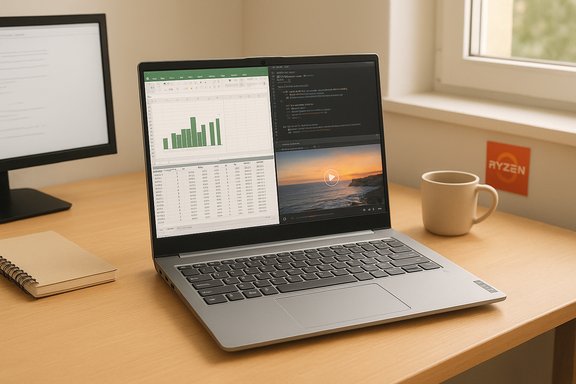 Background / Overview
The Indian laptop market in 2025 is one of aggressive value engineering: vendors are increasingly shipping Ryzen‑based systems and higher RAM counts in the ₹40k–₹50k price band to capture students, hybrid workers, and content hobbyists. Techlusive’s gallery of “Top‑Rated Laptops Under Rs 50,000” highlights this trend by calling out several 15–16‑inch laptops that balance productivity, light content creation, and casual gaming without forcing buyers to compromise entirely on one axis for another. Among those, the Lenovo ThinkBook 16 appears frequently in retailer snapshots and deal roundups as a configuration that often falls under the ₹50,000 mark.This article examines the ThinkBook 16 in detail, compares it with other strong contenders in the sub‑₹50k corridor, and lays out practical buying advice for readers who want performance, battery life, and an enjoyable entertainment experience without overspending.
Why the ThinkBook 16 is being noticed
Key specification snapshot (typical retail SKU)
- Processor: AMD Ryzen 5 7535HS (6 cores / 12 threads, boost clocks up to ~4.5 GHz) — HS‑class mid‑power APU targeted at balanced performance.
- Memory: 16 GB (commonly DDR5 in many SKUs; some listings show 8 GB variants).
- Storage: 512 GB NVMe SSD.
- Display: 16‑inch WUXGA / WUXGA+ (1920×1200), IPS, 16:10 aspect ratio, ~300 nits typical brightness.
- OS: Windows 11 Home (many retail bundles include Microsoft Office bundles; this varies).
- Extras: Backlit keyboard, fingerprint sensor, aluminum top cover.
- Weight: ~1.6–1.7 kg.
- Warranty: Typically 1 year standard.
Cross‑checked claims and price context
Retail price snapshots in Techlusive’s gallery and adjacent deal trackers list common ThinkBook 16 SKUs around Rs 47,900–48,990 in promotional windows; however, these prices fluctuate with retailer discounts, specific model numbers, and bundle inclusions. Treat the listed price as a snapshot, not a guaranteed, perpetual street price.Deep dive: Real‑world productivity performance
CPU and multitasking
The Ryzen 5 7535HS is an HS‑class APU that targets a 35–54W configurable TDP window in thin‑and‑light chassis, giving it stronger sustained performance than the typical 15W U‑class chips. In mixed productivity workloads — multiple browser tabs, virtual meetings, Office suites, light compiling, and basic video editing — the HS part gives the ThinkBook 16 a clear edge in responsiveness and throughput for the price band. For users juggling virtual machines, simultaneous browser‑heavy research, and media exports, that multi‑core headroom is the primary advantage.RAM and storage: multitask comfort
A 16 GB DDR5 configuration plus a 512 GB NVMe SSD is the modern sweet spot for productivity. This combination allows smooth switching between apps, fast resume, and quick project loads. Where vendors ship 8 GB SKUs, performance will be adequate for everyday tasks but more likely to show swap/page file activity when multitasking aggressively; buyers should verify whether a specific retail SKU includes 16 GB or whether a second SO‑DIMM slot is available for upgrading. Many retail listings and teardown notes indicate the platform supports user upgrades — a significant long‑term value proposition.Screen real estate and display quality
A 16:10 WUXGA panel with 300 nits of brightness offers extra vertical space compared with 16:9 1920×1080 panels, which matters for document editing, coding, and multi‑window productivity. The ~300‑nit rating is serviceable indoors but is not a bright HDR panel; color gamut and factory calibration vary by SKU, so creative professionals needing color‑critical work should test the exact unit or opt for external color‑accurate monitors.Gaming and entertainment on a budget: realistic expectations
Integrated graphics realities
The ThinkBook 16 uses an integrated AMD Radeon 660M (Rembrandt‑R iGPU) paired with the Ryzen HS APU. That integrated solution is fine for esports titles and older or less demanding 3D games at lowered settings and resolution. Expect playable frame rates in titles such as CS:GO, Dota 2, Rocket League, and others when settings are dialed back. For modern AAA games at high/ultra settings, a discrete GPU remains necessary. Buyers seeking sustained high‑FPS competitive play will be better served by entry‑level discrete‑GPU laptops, which typically push above the Rs 50k threshold.Media, streaming, and video playback
The widescreen 16:10 panel and stereo speakers make the ThinkBook 16 a pleasant media device for streaming shows and YouTube. Video decode hardware built into modern APUs supports efficient playback including HDR streams where the display supports it — though again, expect typical mid‑range color and brightness rather than OLED‑class vibrancy. Battery life while streaming depends heavily on brightness and OS power settings; typical moderate use will last a workday but not all‑day offline marathon viewing at high brightness.Design, build, and portability
Materials and chassis
ThinkBook tends to trade ThinkPad’s traditional conservative business styling for slimmer lines and lighter materials. The aluminum top gives a premium feel without a premium price, and a 1.6–1.7 kg weight keeps the machine portable for commuters and students who carry larger displays for productivity gains. The keyboard and trackpad are usually comfortable for long typing sessions, and many SKUs include a backlit keyboard and a fingerprint sensor for instant biometric login.Thermals and sustained performance
HS‑class APUs will put out more heat under load than low‑power U‑class chips; how a specific ThinkBook handles sustained loads depends on Lenovo’s cooling profile for that SKU. Users running long rendering or compilation tasks should expect audible fan activity and should verify thermal behavior in hands‑on reviews or retailer return windows. The trade‑off is higher performance for burst and sustained multithreaded work compared to cheaper, cooler running thin machines.Security, OS, and warranty
- Windows 11 Home is the common OS for these retail SKUs; some bundles advertise Microsoft Office preinstalled. Bundles vary by retailer and promotion — don’t assume Office is included unless the listing explicitly states it.
- Fingerprint sensors and modern firmware‑level security are common in the ThinkBook line at this price point, which is useful for hybrid work and single‑sign‑on convenience.
- Warranty typically is 1 year; Lenovo and retailers often offer paid extensions and on‑site options that are worth considering for business users who prioritize uptime.
How the ThinkBook 16 compares with other contenders under Rs 50,000
Techlusive’s roundup didn’t stop at Lenovo; several other models merit consideration when hunting for the best balance of productivity, gaming, and entertainment in this price range. Two of the more commonly seen alternatives are the ASUS Vivobook 15 and a handful of HP 15‑series machines — each with different strengths.ASUS Vivobook 15 (2025 snapshots)
- Typical SKU configurations include Ryzen 7 7730U with 16 GB RAM and 512 GB NVMe SSD at prices that have been shown around Rs 48,990 in promotions.
- Strengths: solid CPU core counts in the Ryzen 7 variant, well‑balanced portability, and vendor deals that sometimes include office bundles.
- Trade‑offs: depending on the SKU, the Vivobook may ship with DDR4 rather than DDR5 and its display brightness/resolution may be typical 15.6" FHD rather than the 16:10 advantage of the ThinkBook.
HP 15‑series family
- HP’s 15‑fd models and closely related SKUs are common in budget roundups. They range widely from Intel U‑class Core i5 variants to more capable Core Ultra or Ryzen SKUs.
- Strengths: broad retail availability, frequent promotional pricing, and multiple configuration choices to match RAM and storage needs.
- Trade‑offs: HP often segments features across SKUs, so you may see the same chassis with 8 GB or 16 GB RAM, different CPUs, and divergent display panels — the buyer must confirm exact model numbers.
Decision factors when comparing
- If multithreaded CPU performance and extra vertical screen space matter, the ThinkBook 16’s Ryzen HS silicon + 16:10 panel are compelling.
- If absolute price or brand availability and after‑sales service is the priority, HP and ASUS offer many SKUs that can undercut the ThinkBook during promotions.
- If discrete GPU gaming is a must, expect to step above the Rs 50k band or hunt for rare discounted entry‑GPU models; integrated graphics remain a compromise for modern AAA titles.
Practical buying checklist — what to verify before you buy
- Confirm the exact model number and SKU — the same model family can ship with different RAM, storage, and panel options.
- Verify RAM configuration: is it 16 GB (single‑soldered + DIMM) or 8 GB? Does the board support a second SO‑DIMM for later upgrades?
- Confirm SSD type and capacity — NVMe vs SATA and whether the SSD is removable/upgradable.
- Check the display specifics: resolution (WUXGA / 1920×1200 vs FHD 1920×1080), brightness (300 nits vs 250 nits), and color coverage if you do creative work.
- Test for thermal/noise behavior if possible; HS class chips vary by chassis cooling.
- Verify bundled software and warranty terms (Office, trialware, extended warranty offers).
- Compare return windows and seller reputation; price is often the easiest thing to change after purchase, but a poor return policy can make a “deal” risky.
Who should buy the ThinkBook 16 (and who should not)
- Ideal for hybrid students and professionals who want a large, productive screen and strong multi‑core CPU performance without paying a premium for a discrete GPU.
- Good for content hobbyists who edit short timelines, crop photos, and work with many browser tabs or virtualized environments.
- Not ideal for competitive gamers chasing 120+ FPS at high settings — a machine with a discrete GPU will be necessary.
- Not the best pick for color‑critical photo/video professionals who require high brightness and wide color gamut displays; they should consider higher‑end panels or external reference monitors.
- Buyers who value long battery life above all else should compare measured battery tests for a specific SKU before committing, as thinner chassis can trade weight for battery capacity.
Practical tips to squeeze more value from a sub‑Rs 50,000 purchase
- If you find an 8 GB SKU at a tempting price, factor in the cost of a RAM upgrade if the board supports it — sometimes upgrading to 16 GB yourself yields better long‑term value than paying up for a 16 GB SKU out of the gate.
- Check for student discounts, bank card offers, and festival sale windows if your purchase is not urgent — many of the highlighted models have historically dropped substantially during limited sales periods.
- Consider a light external monitor if color accuracy or brightness is important; the laptop provides on‑the‑go convenience while the external display provides color fidelity for creative work.
- Buy extended warranty or accidental damage protection if you plan to tote the laptop frequently — a Rs 50k investment becomes far more expensive if repair costs are high.
Final verdict: Best value posture for 2025 sub‑₹50k shoppers
In the crowded market of budget‑friendly laptops, the Lenovo ThinkBook 16 emerges as a practical standout because it pairs a mid‑power HS‑class Ryzen CPU with a roomy 16:10 display, 16 GB memory configurations, and upgradeability — attributes that favor productivity and light content work above raw gaming prowess. Techlusive’s inclusion of this model in its “Top‑Rated Laptops Under Rs 50,000” gallery reflects this balanced positioning, and retail snapshots commonly show the ThinkBook 16 in the ₹47k–49k promotional window for certain SKUs. That combination of features, price positioning, and upgradability makes the ThinkBook 16 a smart purchase for buyers prioritizing work efficiency and versatility.However, the sub‑₹50k space is crowded and fast‑moving. ASUS, HP, and other vendors regularly surface SKUs with comparable cores, RAM, and storage for similar money — so the decisive factors should be exact SKU verified specs, display quality, warranty options, and after‑sales service availability in your region. If gaming performance is the main priority, plan to budget higher or look for rare discrete‑GPU deal SKUs that occasionally fall near this band.
Closing note on verifiability and price volatility
Prices, included software bundles, and exact configurations vary by region, retailer, and promotional timing. The price points and SKU features discussed in this article reflect the retail snapshots and Techlusive’s gallery at the time they were published; prospective buyers should confirm the SKU, specifications, and the final price on the retailer page before purchase. Any claim about a bundled Office suite, exact RAM configuration, or a specific brightness rating should be validated for the individual listing you intend to buy. Where a claim could not be directly verified across multiple retailer pages, it has been flagged as variable; always confirm the product label and model number on the checkout page.The ThinkBook 16 and the wider set of sub‑Rs 50,000 laptops are proof that useful, multi‑purpose computing power is now affordable. For buyers seeking a blend of productivity, light creative work, and entertainment without sacrificing portability, the ThinkBook 16’s combination of Ryzen HS silicon, a 16‑inch 16:10 display, and upgradability make it one of the most compelling value propositions in the segment — provided you verify the SKU and buy with the checklist above in hand.
Source: Techlusive Top-Rated Laptops Under Rs 50,000 That Offer Maximum Productivity, Gaming, and Entertainment Experience
