

This week’s Microsoft Store roundup centers on a compact but useful mix of new games, productivity utilities and platform-level tweaks: from a VR-ready mini‑golf sim and a Lego robotics companion, to sensor diagnostics and a Microsoft-supplied media codec extension that fills a long-standing web playback gap. The short list of highlights also landed against bigger platform milestones — Microsoft reported that Windows 10 was running on more than 600 million devices at the time — and the company shipped a milestone mobile moment as Microsoft Edge left preview and arrived on iOS and Android.
BetaNews’s weekly “Best Windows 10 apps this week” column functions as a curated discovery feed for Windows users who don’t want to wade through the Store’s noise. The edition under review is typical: it lists short app blurbs, a handful of discounts, some new-game picks and a few notable updates that matter to everyday workflows. The roundup’s value is speed and curation — a single glance surfaces new trialable software and small updates that might otherwise go unnoticed in the Microsoft Store.
The cadence matters because the Microsoft Store remains a mixed ecosystem. The software on offer includes:
Evaluate each app on its merits, verify permissions and update history, and test in a safe environment before adding tools to a managed fleet. For everyday users, pick a single utility or game from the list to trial; for IT pros and power users, focus on the diagnostic and platform packages (SensorExplorer and Web Media Extensions) that deliver measurable operational value. Above all, keep discovery lightweight: the Microsoft Store rewards experimentation, but prudence pays off when apps touch sensitive data, hardware drivers or enterprise workflows.
Source: BetaNews Best Windows 10 apps this week
 Background / Overview
BetaNews’s weekly “Best Windows 10 apps this week” column functions as a curated discovery feed for Windows users who don’t want to wade through the Store’s noise. The edition under review is typical: it lists short app blurbs, a handful of discounts, some new-game picks and a few notable updates that matter to everyday workflows. The roundup’s value is speed and curation — a single glance surfaces new trialable software and small updates that might otherwise go unnoticed in the Microsoft Store.The cadence matters because the Microsoft Store remains a mixed ecosystem. The software on offer includes:
- native UWP/UWP-like packages,
- Win32 apps bundled via Desktop Bridge,
- small hobbyist utilities and
- ports of mobile games and services.
Quick summary of this week’s top picks
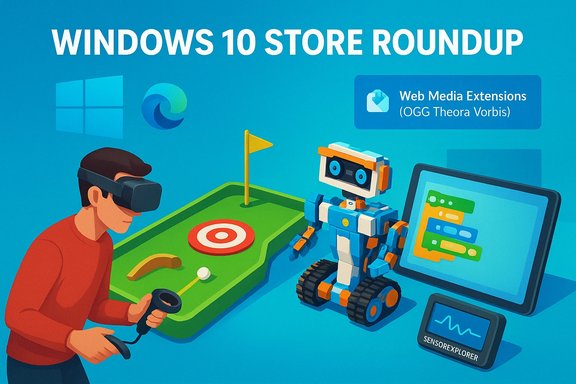
BetaNews highlighted the following items in this edition (short, verified descriptions):- Ballistic Mini Golf — a 3D mini‑golf title with single‑player, split‑screen and online multiplayer modes; supports VRR and offers tournament and hotseat modes.
- Lego Boost — the official companion app to Lego Boost Creative Toolbox with building instructions, videos and drag‑and‑drop coding for controlling Lego models (Bluetooth 4.1+ required).
- Monster Legends RPG — a turn‑based monster‑catching strategy game with level progression, exploration and PvP combat.
- Pixel Gun 3D: Pocket Crafting & Building — a survival/crafting mashup reminiscent of Minecraft with zombie combat.
- SensorExplorer — a Microsoft tool for testing device sensors (currently oriented to accelerometer/orientation checks).
- ViaOpta Hello — an assistive app for users with low vision that attempts object and face recognition (Windows Mobile listing noted; Android build also exists).
- Web Media Extensions — an official Microsoft package that adds system‑wide support for OGG/Theora/Vorbis media formats so Edge and Windows apps can play those formats.
New apps and games — what’s worth your time
Ballistic Mini Golf — polished regardless of price point
Ballistic Mini Golf is a full 3D mini‑golf sim with modes that suit solo play or a group on a single device. The title’s strengths are:- Multiple modes (tournament, hotseat, splitscreen),
- Local and online multiplayer, and
- VRR support for smoother frame timing on compatible displays.
Lego Boost — the physical/digital bridge for makers and parents
Lego Boost is the official app for the Lego Boost Creative Toolbox. It provides:- step‑by‑step building instructions,
- short tutorial videos, and
- a friendly drag‑and‑drop coding interface to control the physical models.
Monster Legends RPG and Pixel Gun 3D — mobile ports to watch
Both titles are mobile‑first games ported to Windows:- Monster Legends RPG follows the familiar monster‑catching, turn‑based progression formula with PvP and exploration.
- Pixel Gun 3D blends blocky world‑building with zombie survival mechanics and crafting.
SensorExplorer — small but important for diagnostics
SensorExplorer (sometimes listed as Sensor Explorer or SensorInfo historically) is a Microsoft app aimed at developers, technicians and curious users who want a quick way to view and test device sensors. The release discussed is limited — focused on orientation tests via the accelerometer — but the tool is useful for:- confirming whether a sensor is present,
- validating orientation data during troubleshooting, and
- diagnosing sensor‑related problems before pursuing driver or hardware replacements.
ViaOpta Hello — assistive tech with obvious limits
ViaOpta Hello markets itself as an accessibility tool that helps users with low vision identify objects and recognize registered faces. The app’s concept is compelling, but users and administrators should note:- face/object recognition accuracy varies by lighting, camera quality and model,
- on‑device processing vs cloud recognizers determines privacy tradeoffs, and
- platform availability can differ (the listing referenced Windows Mobile with an Android build noted elsewhere).
Web Media Extensions — the small add‑on that unblocks formats
The Web Media Extensions package from Microsoft adds native support for the OGG container, Theora video codec and Vorbis audio codec to Windows 10 and Microsoft Edge. This matters because:- these formats are common on the open web (e.g., some embedded videos and web apps),
- installing the extension enables system‑wide support (Edge and Windows apps can use it without further action), and
- Microsoft implemented the package using FFmpeg interop to leverage proven decoders.
Discounts and deals — short list
BetaNews highlights several short‑window promotions this week. Highlights include: 2Day (task management) and Battery Bar Graph temporarily free, Choshim Diary free for 30 days, Gamiflux discounted for streaming game access, Hi Photos for encrypted photo storage and mAloud (text‑to‑speech) temporarily free. These deals are typical of the Store’s short promotion cycles — if a discounted app looks useful, grab it, test it and then decide whether to keep it.Notable updates and platform context
Windows 10 installed base milestone
BetaNews noted Microsoft’s disclosure that Windows 10 was installed on more than 600 million devices. Multiple independent outlets reported the same figure at the time, with Microsoft executives referencing the tally in shareholder updates and press coverage. That milestone is an important backdrop to Store activity — a large installed base means developers still see Windows as a viable distribution channel, and small updates or companion apps can reach a sizeable audience.Microsoft Edge becomes available on iOS and Android
Microsoft moved Edge beyond desktop boundaries by releasing final, non‑preview mobile builds for iOS and Android. The mobile Edge apps sync favorites, reading lists and can “Continue on PC,” improving cross‑device continuity. Important implementation detail: on iOS Edge is built atop WebKit (Apple platform requirement), while the Android variant uses Chromium/Blink — neither uses EdgeHTML from the desktop engine. That deployment strategy helps Edge offer parity of experience without re‑implementing a rendering engine for mobile platforms.Spotify Live Tile on the Windows Store app
The Store build of the Spotify app added Live Tile support to promote trending playlists — a small but visible integration with Windows 10’s Start experience. The Live Tile’s behavior is limited (it promotes playlists rather than displaying the currently playing track), but the change is emblematic of companies gradually adding Store‑specific integrations for Windows 10.Critical analysis — strengths, weaknesses and risks
Strengths: discovery, diversity, and low‑barrier trials
- Curated discovery works. The weekly roundup model surfaces small, high‑value utilities that would otherwise be buried in the Store. For users who want to experiment, the list is a high‑signal starting point.
- Platform diversity persists. The Store still contains polished ports, niche utilities and first‑time UWP experiments. That breadth is useful for power users, educators and small businesses seeking compact tools.
- Microsoft’s platform add‑ons are practical. Items like the Web Media Extensions solve tangible compatibility gaps without forcing aggressive OS changes.
Weaknesses: ephemerality, surface‑level summaries, and API fragility
- Store listings are ephemeral. Small developers change names, pull titles or let projects lapse. A BetaNews mention is a discovery lead — not a lifetime endorsement. Where independent documentation is sparse, treat the pickup as a signal to verify on the Store.
- Roundups are surface summaries. Weekly posts rarely contain exhaustive technical detail (e.g., exact codecs, admin deployment options, or enterprise‑grade policy toggles). For critical deployments, consult vendor pages and test in a lab environment.
- API dependencies create fragility. Third‑party clients that depend on service APIs (social clients, video downloaders, etc. may break when upstream providers change terms or protocols.
Privacy and security risks to watch
- Assistive and recognition apps (e.g., ViaOpta Hello) often rely on biometric or face‑recognition data: confirm data handling, retention policies and whether templates are stored locally or in the cloud.
- Small hobby apps can request broad permissions. Before installing, review the permissions list and recent user reviews to flag suspicious requests.
- Media and codec extensions change what content can play on a device. Install only widely used, vendor‑provided codec packages (like Microsoft’s Web Media Extensions) rather than random third‑party codec bundles that may bundle adware or attempt to change default handlers.
Practical recommendations — who should install what
- Developers and testers:
- Install SensorExplorer on devices you plan to deploy to validate sensor presence and orientation data. Use it before replacing hardware or drivers.
- Families and educators:
- Install Lego Boost with the physical kit for hands‑on coding lessons; it’s a safer, well‑supported companion than unofficial wrappers.
- Casual gamers:
- Try Ballistic Mini Golf for group play and Pixel Gun 3D if you want a mobile‑style sandbox; trial the monetization model before purchases.
- Media consumers:
- Add Web Media Extensions if you frequently encounter OGG/Vorbis/Theora content on the web. This official package uses FFmpeg backends to provide reliable playback.
- Privacy‑minded users:
- Avoid installing assistive or recognition apps until you confirm where templates and recognition logs are stored and whether they are shared with third parties.
IT and enterprise guidance
- Test Store apps in a controlled ring before broad deployment. The Microsoft Store contains a mix of vendor‑backed and hobbyist software; in a managed environment, even simple utilities may introduce configuration drift or permission changes.
- Prefer apps with clear update cadence and corporate reputations for any device that touches sensitive data. Services that rely on cloud APIs risk sudden behavior changes; have fallback workflows and SLA expectations documented.
- For media and codec deployments, use vendor‑supported packages (e.g., Microsoft’s Web Media Extensions) rather than unknown third‑party codec installers. That reduces the risk of unwanted software and improves maintainability.
- When an assistive app is considered for accessibility services, require a privacy impact assessment: identify data flows, storage locations, retention periods and mechanisms to delete or anonymize biometric templates.
Verification, caveats and unverifiable claims
BetaNews’s compact format is useful for discovery but it occasionally references behaviors that are hard to verify after the fact. For example:- BetaNews described some in‑app posting workflows and direct‑post claims for Grid Maker for Instagram; public confirmation of a Windows Store listing for that exact app is sparse, so treat the mention as a lead and confirm the Store entry and permissions before using it.
- Server‑side PWA changes (like the Twitter “Translate Tweet” tweak BetaNews mentions) can be rolled out without a Store package update; availability can therefore vary by account, region or server configuration. Test on the accounts you plan to use.
- install in a sandbox or VM,
- audit permissions and network traffic if you’re privacy‑concerned, and
- retain screenshots and version numbers in case a later delisting removes ability to reproduce the behavior.
Why this weekly format still matters
The Microsoft Store’s scale means that curated picks are a shortcut for busy users. Weekly roundups:- surface small utilities that solve everyday pain points,
- highlight platform integrations (Live Tile support, official codec packages), and
- remind readers to validate apps before deploying them at scale.
Conclusion
This week’s Store picks are less about blockbuster launches and more about practical additions that push daily Windows usage forward: a plausible party game in Ballistic Mini Golf, a well‑integrated Lego companion for learners, diagnostic tooling for sensor validation, and an official Microsoft extension that fixes a long‑standing web media gap. The broader context — Windows 10’s large installed base and Microsoft shipping official mobile Edge clients — explains why even modest app updates and Store integrations matter: they scale.Evaluate each app on its merits, verify permissions and update history, and test in a safe environment before adding tools to a managed fleet. For everyday users, pick a single utility or game from the list to trial; for IT pros and power users, focus on the diagnostic and platform packages (SensorExplorer and Web Media Extensions) that deliver measurable operational value. Above all, keep discovery lightweight: the Microsoft Store rewards experimentation, but prudence pays off when apps touch sensitive data, hardware drivers or enterprise workflows.
Source: BetaNews Best Windows 10 apps this week
