

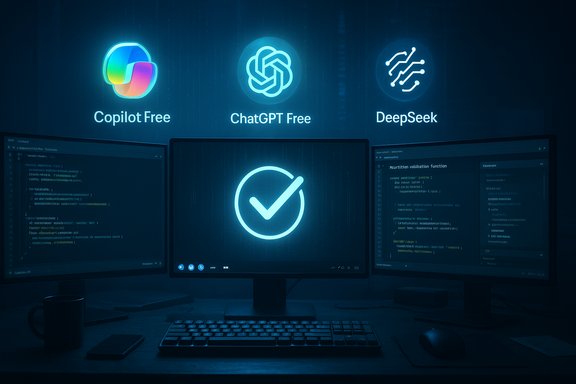
Short, sharp, and uncomfortably useful: a hands‑on recheck of free AI coding assistants in mid‑2025 found that just three free chatbots reliably completed a practical four‑test developer suite on first pass — GitHub Copilot Free, ChatGPT Free, and DeepSeek — while five other well‑known free offerings produced frequent errors or outright failures. This snapshot, reproduced and analyzed from the original hands‑on review, offers a practical barometer for which free assistants are safe for first‑pass code generation and which ones require heavy verification before any real‑world use.
The last few years have shifted AI assistance from autocomplete into full‑blown coding companionship: code generation, multi‑file edits, debugging, and agentic workflows that can open pull requests or run tests. That change also produced a clear split in the market between high‑fidelity paid coding agents and cost‑constrained free tiers that prioritize latency and scale over deep reasoning.
The reviewer used a reproducible four‑test suite designed to capture everyday developer tasks and platform edge cases:
The reviewer’s four tests mirror day‑to‑day developer traps:
Why it performed strongly:
Strengths:
Why DeepSeek is interesting:
A recommended minimum governance checklist for teams that adopt free AI coding helpers:
Key takeaways for Windows and cross‑platform developers:
Source: Bahia Verdade The best free AI for coding in 2025 - only 3 make the cut now - Bahia Verdade
 Background / Overview
The last few years have shifted AI assistance from autocomplete into full‑blown coding companionship: code generation, multi‑file edits, debugging, and agentic workflows that can open pull requests or run tests. That change also produced a clear split in the market between high‑fidelity paid coding agents and cost‑constrained free tiers that prioritize latency and scale over deep reasoning.The reviewer used a reproducible four‑test suite designed to capture everyday developer tasks and platform edge cases:
- Build a small WordPress plugin with a functioning UI
- Rewrite a string validation function to accept valid dollars‑and‑cents inputs
- Diagnose an obscure framework bug that requires platform knowledge
- Create a mixed macOS/Chrome/Keyboard Maestro automation script
What the test found — the short leaderboard
- Winners (passed majority / first‑pass correctness): GitHub Copilot Free (4/4), ChatGPT Free (3/4), DeepSeek (3/4).
- Fell short (unreliable for production without heavy review): Claude (free), Google Gemini Flash (free), Meta’s free assistant, Grok (XAI auto mode), and Perplexity. Most of these bots passed one or two tests but failed others in ways that would make pushing AI output directly to production hazardous.
Why this snapshot matters to Windows and cross‑platform developers
Free tiers are where most developers first experiment with AI tooling. They let individuals and teams validate fit and safety before committing to paid plans and vendor lock‑in. But free tiers intentionally trade off capability for cost: smaller models, shorter thinking budgets, and quota constraints. That means free assistants are useful for prototyping and scaffolding but dangerous if used without automated tests, static analysis, and human review gates.The reviewer’s four tests mirror day‑to‑day developer traps:
- UI generation that appears correct but fails to wire functionality
- Input validation edge cases (leading to crashes in production)
- Framework knowledge errors (where model folklore—not facts—causes incorrect fixes)
- Multi‑tool automations that require precise platform semantics (often where flash models stumble)
Verifying the key platform and pricing claims
Any analysis that relies on vendor‑facing pricing, quotas, or model family differences must be double‑checked against the vendors’ own pages and neutral reporting. The most load‑bearing claims from the review were verified against vendor documentation and primary announcements:- OpenAI continues to operate a freemium ChatGPT plan alongside paid tiers; ChatGPT Plus is listed at $20/month and a higher‑capacity Pro tier at $200/month on OpenAI’s pricing page. These tiers correlate with different model access and limits on usage.
- GitHub Copilot Free has explicit monthly allowances that constrain heavy usage: the published Copilot plans page and GitHub changelog list 2,000 code completions and 50 chat (agent) requests per month for the Free tier. These are hard quotas designed for casual or exploratory usage; paid tiers expand or remove those quotas.
- Google’s Gemini 2.5 family is released in Flash and Pro variants where Flash is designed for cost and speed while Pro prioritizes deeper reasoning and coding performance. Google has publicly documented the 2.5 Flash vs Pro distinction and its intention that Flash trade some depth for latency savings. That difference explains why Gemini Flash (the freely available variant) may produce markedly different outcomes than Gemini Pro.
- DeepSeek’s pricing and rapid model rollouts have been covered by reputable outlets; Reuters reported DeepSeek’s aggressive pricing moves and their broader market impact in early 2025. This corroborates the reviewer’s characterization of DeepSeek as a lower‑cost, high‑capability entrant that has also attracted scrutiny. Careful governance and legal review are recommended before enterprise adoption.
Deep dive: the three free winners, what they actually did well
GitHub Copilot Free — first‑pass reliability inside the IDE
Copilot Free topped the review’s practical leaderboard, achieving first‑try correctness across all four tests.Why it performed strongly:
- IDE integration: Copilot runs natively in VS Code and Visual Studio where it can access local context, multiple files, and editor state. That localized context matters when generating multi‑file edits or wiring UI elements. The reviewer observed that Copilot’s Quick Response mode produced correct outputs in the WordPress plugin and scripting tests.
- Model selection and tooling: Copilot’s product team pairs multiple foundation models under the hood and routes requests to models that suit the task; free users are given access to curated, lower‑latency variants balanced for cost and speed. The GitHub docs and changelog document the Free plan’s quotas and model access.
ChatGPT Free — broad competence, one known tripwire
ChatGPT’s free tier passed three of four tests; it stumbled on the platform‑specific AppleScript/Keyboard Maestro challenge.Strengths:
- General knowledge and conversational debugging: ChatGPT provides excellent conversational scaffolding for debugging and quick rewrites. In the test suite, it produced a working plugin, fixed a regular expression rewrite, and diagnosed the framework bug.
- Model variant constraints: The free ChatGPT tier uses a less resource‑intensive model variant compared with paid tiers, which can lead to hallucinations in platform‑specific or obscure API details. The reviewer recorded an AppleScript output that referenced a non‑existent function — a pattern consistent with lower‑capacity models omitting necessary import/usage lines. For first‑pass reliability on platform‑specific automations, the free tier can fail.
DeepSeek — raw capability with governance caveats
DeepSeek (DeepSeek‑V3.2 family in the review) produced strong code generation and debugging results in most tests, but it returned multiple alternative implementations and failed the mixed macOS automation test.Why DeepSeek is interesting:
- Aggressive price/throughput model: Independent reporting has shown DeepSeek pursuing low‑cost developer pricing and off‑peak discounts that pressured competitors; Reuters documented these moves and the market reaction. That makes DeepSeek attractive for cost‑sensitive users.
- Tendency to return multiple variants: The reviewer received two or more function implementations for some prompts. That can be valuable (multiple design choices) but is also time‑consuming because the user must validate versions rather than receiving a single, correct answer.
Free chatbots to avoid for first‑pass coding (based on these tests)
The review found several well‑known free assistants delivered brittle or plainly incorrect outputs in at least half the tests. Common failure modes were:- Generating UI without wiring event handlers
- Producing validation code that crashes on null/undefined inputs
- Inventing nonexistent platform functions instead of importing the right libraries
- Ignoring a key tool specified in the prompt (e.g., Keyboard Maestro) and building hacky workarounds
Risks, safety, and governance — the practical checklist
AI tools amplify both productivity and risk. The review’s tone is pragmatic: use free assistants, but treat outputs as drafts.A recommended minimum governance checklist for teams that adopt free AI coding helpers:
- Run unit tests and integration tests on every AI‑generated change.
- Gate any AI‑origin PR behind human code review and a security scan.
- Record prompts, outputs, model versions, and timestamps for traceability.
- Enforce license and IP checks — determine whether vendor policies allow your code to be used to further model training.
- Use multiple assistants to cross‑check critical outputs; feed one AI’s conclusions to another for independent verification.
- Keep a rollout plan that requires staged deployment and canary releases for AI‑produced code.
Practical playbook: how to use the three winners together
If you’re constrained to free tools and want a pragmatic workflow that balances speed with safety, the reviewer recommends combining tools and layering checks:- Step 1: Use Copilot Free while you’re inside VS Code for multi‑file edits and quick wiring of UI elements. It tends to produce pragmatic, IDE‑aware code.
- Step 2: Paste the Copilot output into ChatGPT Free for a conversational audit: request reasoned explanations, edge‑case checks, and suggested unit tests. This helps expose subtle logic errors.
- Step 3: For alternative implementations and performance tradeoffs, consult DeepSeek (if available and allowed by policy). Use it to explore multiple approaches, but validate each carefully.
- Step 4: Run static analysis, unit tests, and security scanners. Treat AI outputs as a draft for the engineering workflow, not as final deliverables.
Notable strengths and limitations of the original testing methodology
Strengths:- The tests are practical, reproducible, and focused on realistic developer tasks — not synthetic benchmarks.
- They include platform‑specific edge cases (AppleScript + Keyboard Maestro) where cheaper models typically fail.
- The reviewer documented first‑try correctness rather than “eventually correct after prompting,” which is a stricter and more useful bar for real‑world workflows.
- The suite is small (four tests). While representative, it cannot cover the full breadth of programming tasks or languages.
- Model backends and quotas change frequently; a tool that failed this snapshot can be materially improved in subsequent updates. The reviewer acknowledges this and calls the results a snapshot rather than a final ranking.
- Some experiential claims (for example, precise productivity sped‑ups that a paid Pro plan delivered for the reviewer) are anecdotal and not independently verifiable without a controlled experiment. Those should be treated as illustrative rather than empirical facts.
How to evaluate free AI coding tools yourself (short, tactical checklist)
- Reproduce at least three of your own real tasks with the free tool (UI, validation, and debugging).
- Measure time to first working prototype and count follow‑up prompts required to reach correctness.
- Log model IDs, timestamps, and prompt history; repeat tests after a week to catch backend changes.
- Run unit tests and automated security scans over AI outputs.
- If considering DeepSeek or other non‑US vendors, involve legal and security teams early.
Conclusion
Free AI coding assistants in 2025 are no longer academic curiosities — they are practical tools that can save hours of work for individuals and small teams. The hands‑on recheck summarized here identified three free tools that, on a pragmatic four‑test suite, consistently produced usable code on first pass: GitHub Copilot Free, ChatGPT Free, and DeepSeek. That headline is a useful starting point but not a substitute for your own validation and governance.Key takeaways for Windows and cross‑platform developers:
- Use free assistants to prototype and scaffold, not to ship unreviewed production code.
- Verify quota, model, and pricing claims against vendor pages — OpenAI’s pricing and GitHub’s Copilot Free limits were confirmed on vendor pages.
- Expect Flash/Free model variants to prioritize latency/cost over deep reasoning — Gemini Flash vs Pro is a live example of two very different free vs paid experiences.
- Treat non‑US entrants like DeepSeek as technically interesting but subject to additional governance and legal review for enterprise adoption.
Source: Bahia Verdade The best free AI for coding in 2025 - only 3 make the cut now - Bahia Verdade
