

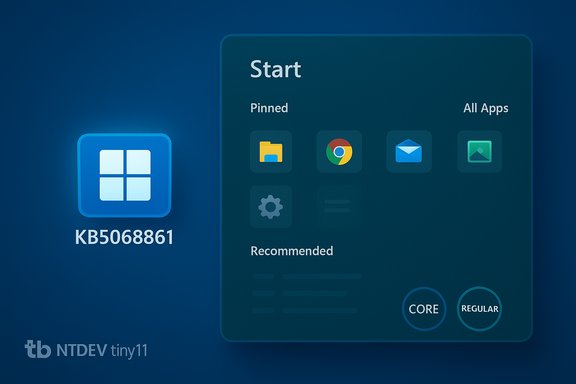
The tiny11 community release for Windows 11 25H2 has been updated to include November’s cumulative security rollup (KB5068861), and with it comes the long‑promised Start menu redesign now rolling out in that update — all packaged into NTDEV’s lightweight, debloated tiny11 images (available in both a serviceable “regular” build and an ultra‑compact “core” build).
small community projects that rebuild official Microsoft ISOs into minimal, purpose‑built images have become mainstream tools for enthusiasts, testers, and administrators who need a lean Windows footprint. tiny11, maintained by NTDEV, is one of the most visible projects in this space: it automates offline servicing of an official Windows 11 ISO using Microsoft’s tooling (DISM and optional ADK tools), removes a long list of inbox apps and optional features, and repackages the result with aggressive compression to produce a smaller, lighter installation image. The project exposes two broad profiles: a serviceable tiny11 and a more aggressive tiny11 core that sacrifices updateability for size and portability.
This November update is notable for two reasons. First, Microsoft’s official November 11, 2025 cumulative update — KB5068861 — is a monthly security and quality rollup for Windows 11 versions 25H2 and 24H2 that also bundles non‑security improvements, including a redesigned Start menu being rolled out in phases. Second, NTDEV has incorporated KB5068861 into the new tiny11 25H2 images so users can install Windows 11 with that patch already applied inside a slimmed image, rather than applying updates after installation.
The tiny11 project’s steady development and the inclusion of KB5068861 in the November images underscore the enduring demand for debloated Windows 11 alternatives, but they also reinforce the central lesson for IT practitioners and hobbyists alike: control comes with responsibility. Validate, test, and keep fallbacks ready when you trade vendor support for a leaner system image.
Source: Neowin Debloated and lightweight Windows 11 mod tiny11 November update with new Start menu and more
 Background / Overview
small community projects that rebuild official Microsoft ISOs into minimal, purpose‑built images have become mainstream tools for enthusiasts, testers, and administrators who need a lean Windows footprint. tiny11, maintained by NTDEV, is one of the most visible projects in this space: it automates offline servicing of an official Windows 11 ISO using Microsoft’s tooling (DISM and optional ADK tools), removes a long list of inbox apps and optional features, and repackages the result with aggressive compression to produce a smaller, lighter installation image. The project exposes two broad profiles: a serviceable tiny11 and a more aggressive tiny11 core that sacrifices updateability for size and portability.This November update is notable for two reasons. First, Microsoft’s official November 11, 2025 cumulative update — KB5068861 — is a monthly security and quality rollup for Windows 11 versions 25H2 and 24H2 that also bundles non‑security improvements, including a redesigned Start menu being rolled out in phases. Second, NTDEV has incorporated KB5068861 into the new tiny11 25H2 images so users can install Windows 11 with that patch already applied inside a slimmed image, rather than applying updates after installation.
What Microsoft’s November update (KB5068861) actually contains
Key technical facts verified
- KB5068861 is the cumulative update released on November 11, 2025 for Windows 11 versions 25H2 and 24H2. It includes the latest security fixes and non‑security improvements compiled from the previous month’s preview. The Microsoft support bulletin lists build numbers and the official release date.
- Among the highlighted improvements, Microsoft explicitly calls out changes to the Start menu: new configuration options and a phased rollout of a redesigned Start UI that addresses layout, pinning behavior, the Recommended section, and an integrated All Apps view. The bulletin and multiple independent outlets describe the redesign and emphasize the staged nature of the rollout — you may not see the new menu immediately even after installing the update.
- The update also addresses a range of reliability, storage, and system utility issues — notably a fix for Task Manager processes remaining in the background after being closed — and introduces other quality‑of‑life changes such as Taskbar battery icon improvements. These are standard cumulative‑update style fixes bundled with the monthly security patches.
What the Start menu redesign means in practice
- The redesigned Start menu shifts toward a more integrated, scrollable layout with three primary sections (Pinned, Recommended, All) on a single page; it increases pin density, offers options to hide or reduce the Recommended area, and adds layout choices for All Apps (Category, Grid, List). These changes are intended to reduce friction and visual clutter that many users have criticized since Windows 11’s initial Start menu release. The design is rolling out gradually and has produced reports of early bugs in public channels.
What NTDEV’s tiny11 November refresh actually does
Summary of the tiny11 change set
NTDEV’s tiny11 update for 25H2 packages KB5068861 into the rebuilt ISOs so that the November 2025 security and quality fixes (including the Start menu redesign where enabled) are present in the image itself. The maintainers provide two flavors:- tiny11 (regular / serviceable) — intended for daily use; removes a large set of inbox apps and optional features but retains Windows Update, Defender, and core servicing paths so the system can receive future updates and additional components as needed.
- tiny11 core — an ultra‑compact build that removes as many components as possible (including some servicing infrastructure) to produce a much smaller footprint; not recommended for daily drivers because it sacrifices serviceability, updateability, and may omit device drivers and recovery components.
What’s included and what’s removed (practical examples)
tiny11’s standard profile typically removes or suppresses a broad list of consumer‑focused inbox packages that many enthusiasts consider “bloat.” Examples commonly targeted across the project’s releases include:- Copilot, the new Outlook client, and consumer Microsoft Teams
- Xbox family apps, Clipchamp, Media Player, Phone Link (Your Phone), OneDrive integration
- News & Weather, Mail & Calendar (classic), GetHelp, GetStarted, Feedback Hub, Maps, and several others
Strengths: why tiny11 remains compelling
- Smaller disk footprint and faster installs. Recovery/LZMS compression and aggressive removal of preinstalled packages produce ISOs and installed footprints that are measurably smaller than stock images; that’s a practical benefit for devices with limited storage or when creating many VMs. Community builds have repeatedly shown multi‑gigabyte reductions in installed size.
- More predictable runtime behavior on older hardware. With fewer background services and inbox apps, idle RAM and CPU use improve on low‑spec machines, producing a snappier experience on older laptops and netbooks that struggle under default Windows 11.
- Transparency and DIY control. The builder is script‑driven and relies on Microsoft’s own DISM tooling; that lets technically literate users audit the process, change removals, and produce an image tailored to their environment rather than relying on opaque prebuilt images from unknown sources.
- Preapplied security rollups. Packaging KB5068861 into the ISO means a fresh install starts already patched to the November baseline, which can simplify deploying many machines or quickly provisioning test systems with the latest fixes included.
Risks, limitations, and legal/security considerations
Serviceability and update behavior
- Core builds are not serviceable. When the Component Store, WinRE, Windows Update, or Defender are removed or crippled, the OS loses standard update and repair paths. That means future cumulative updates or out‑of‑band fixes may not apply or could render the system unstable. These are explicit trade‑offs in the tiny11 core profile; using core on a daily machine is strongly discouraged.
- Rolling features can be inconsistent. Microsoft’s Start menu redesign is being rolled out in phases. Installing KB5068861 does not guarantee the new Start layout will appear immediately — Microsoft toggles some features server‑side and uses staggered rollouts to reduce risk. Expect a mixed UX across devices even after installing the patched tiny11 image.
Security and supply chain concerns
- Modified images carry inherent risk. tiny11 is built from official Microsoft ISOs using community scripts, but the final artifacts are modified images. That means you must trust the builder code and the distribution channel (for example, files posted to Internet Archive by NTDEV). For business use or any environment with compliance needs, deploying community‑modified images without rigorous validation is risky. Validate checksums, inspect the builder scripts, and prefer building your own image from an official ISO where possible.
- Support and licensing questions. Windows licensing is complex; installing a stripped image does not change Microsoft’s licensing terms. Unsupported installs (for example, bypassing hardware requirements) may be technically possible but are not supported by Microsoft and could affect eligibility for certain updates or enterprise management features. Exercise caution in managed or production environments.
Compatibility and subtle regressions
- Removing inbox components can break integration. Some UWP apps, shell features, or third‑party utilities rely on components that tiny11 may remove. This can cause edge‑case regressions that are difficult to diagnose after the fact; test thoroughly for the apps and drivers you rely on.
- Driver support and hardware quirks. Core images often strip drivers or recovery agents; this can leave systems without networking or cause blue screens on certain hardware. Always collect necessary drivers before deploying a core image to physical hardware.
Practical advice: how to evaluate and (safely) use tiny11 builds
Before you install: checklist
- Decide which profile you need. For daily machines, prefer the regular tiny11 serviceable build. Reserve tiny11 core for VMs, lab devices, testbeds, or single‑purpose appliances.
- Verify your source media. If you download a tiny11 ISO, verify the checksum and prefer obtaining the builder scripts and official ISO and creating the image yourself. NTDEV publishes official lists and Internet Archive entries; if you choose to download prebuilt ISOs, validate signatures and file hashes.
- Collect drivers and recovery tools. For core builds, download network and storage drivers and keep a recovery USB on hand. Core images may not ship with basic network drivers included.
- Test in a VM first. Always test an image in a virtual environment before deploying to physical hardware. Confirm that your required apps, drivers, and management tools work as expected.
How to build your own tiny11 image (high level)
- Download the official Windows 11 25H2 ISO from Microsoft and verify its checksum.
- Clone the tiny11builder repository (tiny11maker.ps1 / tiny11coremaker.ps1) from NTDEV. Inspect the PowerShell scripts to understand removals and options.
- Run the builder against the official ISO on a machine with sufficient RAM and disk (LZMS/recovery compression increases build RAM and CPU demands).
- Create a bootable USB or VM image from the resulting ISO and perform validation.
Best practices during rollout
- For multiple devices, standardize the testing process: baseline a reference VM with the image, run a functional checklist of critical apps and drivers, and stage pilot machines before wide deployment.
- Keep a fallback plan: maintain a stock Microsoft ISO or recovery image so you can revert if you encounter unfixable compatibility issues.
- Monitor update behavior: serviceable tiny11 images should accept Windows Update, but keep an eye on which updates apply and whether Microsoft changes Store or servicing behaviors that reintroduce removed packages. Tiny11 maintainers frequently update scripts to respond to such changes.
Developer and community posture: monthly updates and distribution
NTDEV has shifted from occasional big updates to an approach of publishing updated tiny11 images more frequently so that ISOs contain the latest monthly rollups. This speeds provisioning of patched systems but also means the project must adapt quickly to Microsoft’s changes to the servicing model, the Microsoft Store, and feature rollouts. The project’s public documentation and Internet Archive listings are the primary distribution vectors referenced by the community. Independent outlets and reviewers have repeatedly validated the builder’s core claims (reduced footprint, removal of Copilot/new Outlook/Teams where selected, and the two‑profile model), while also urging caution about long‑term maintenance and security in production deployments. That consensus frames tiny11 more as an enthusiast and test tool than an enterprise endpoint solution.How the Start menu redesign interacts with debloated images
- The Start menu redesign is an OS feature delivered via Microsoft update channels; packaging KB5068861 into tiny11 ensures the patched code for the redesign is present in the image. However, because Microsoft is rolling the new Start UI server‑side and in phases, simply having KB5068861 included does not guarantee every tiny11 install will show the redesign immediately. Expect a transition period where some devices show the new menu while others retain the legacy layout until Microsoft toggles the rollout. This is consistent with Microsoft’s phased feature deployment strategy.
- Some users have reported early bugs following the redesign rollout; those reports are part of why Microsoft stages the feature. When testing a tiny11 image that contains KB5068861, validate the Start experience against your workflow and document any UI or automation regressions if the device will be used in a managed environment.
Final assessment and recommendation
tiny11’s November refresh that bundles KB5068861 is a pragmatic evolution of an already mature community tool. For hobbyists, power users, and lab administrators who value control over installed components and who understand the trade‑offs between minimal footprint and serviceability, the serviceable tiny11 build offers a reasonable balance: a lean Windows 11 image with the November security baseline preapplied and with Microsoft’s Start menu redesign included where the feature is enabled. However, the risks are real and unavoidable:- Use tiny11 core only for VMs, disposable images, or very constrained devices where updateability and support are not required.
- Validate and test every build thoroughly before any broad deployment. Expect surprises; the operating system’s behavior can change when core components are removed.
- Prefer building your own image from an official ISO and the builder scripts rather than downloading unknown prebuilt ISOs when possible. Verify checksums and the integrity of the tools you run.
The tiny11 project’s steady development and the inclusion of KB5068861 in the November images underscore the enduring demand for debloated Windows 11 alternatives, but they also reinforce the central lesson for IT practitioners and hobbyists alike: control comes with responsibility. Validate, test, and keep fallbacks ready when you trade vendor support for a leaner system image.
Source: Neowin Debloated and lightweight Windows 11 mod tiny11 November update with new Start menu and more
