

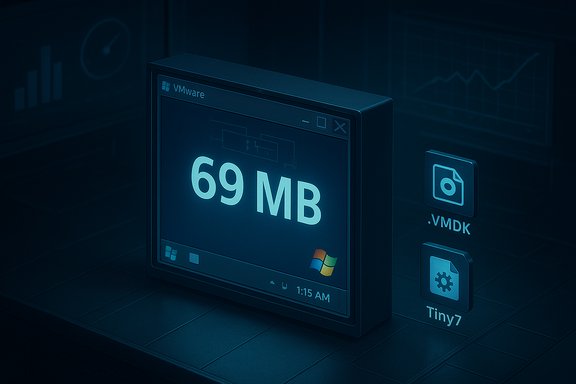
A veteran tinkerer has reduced a running copy of Windows 7 to a mere 69 megabytes on disk — a headline‑grabbing proof of concept that boots to a desktop but deliberately strips nearly everything that makes Windows usable, leaving a minimal kernel+shell that exists to teach, provoke, and expose the boundary between what an operating system needs to boot and what it needs to be useful.
The recent Tiny7 stunt continues a long running hobbyist tradition: pushing mainstream Windows to its absolute minimum, then documenting what breaks. The artifact published by the builder (known as Xeno or @XenoPanther) is circulated as a compressed archive containing a VMware virtual disk and a VM configuration file; the on‑disk figure most widely reported is 69.0 MB. The build boots to a desktop and still triggers Windows’ genuine/activation checks in screenshots, but the author stresses it is a fun proof of concept, not a usable release. This experiment is a living demonstration of two well‑known engineering levers that community builders use to shrink Windows:
At the same time, the stunt underlines an uncomfortable truth: producing a tiny, usable Windows image requires careful curation, serviceability planning, and ongoing patch management. Microsoft’s own Nano Server lineage illustrates that when a vendor produces a minimal image for a supported scenario, it pairs the small footprint with a constrained API surface, tooling, and an update pipeline — tradeoffs that community builds often reject in favor of size. The Tiny7 artifact is a reminder that “small” and “usable” are not the same thing.
The stunt makes a point that many enthusiasts already suspect: with enough pruning and compression, Windows can be made astonishingly small — but usable, secure, and maintainable are separate, harder targets. The Tiny7 example is a striking demonstration of technical possibility and a reminder that for production‑grade minimal Windows, the design choices made by vendors and communities will always be about trade‑offs, not miracles.
Source: Red Hot Cyber Windows 7 Shrinks to 69MB: A Minimalist's Achievement
 Background / Overview
The recent Tiny7 stunt continues a long running hobbyist tradition: pushing mainstream Windows to its absolute minimum, then documenting what breaks. The artifact published by the builder (known as Xeno or @XenoPanther) is circulated as a compressed archive containing a VMware virtual disk and a VM configuration file; the on‑disk figure most widely reported is 69.0 MB. The build boots to a desktop and still triggers Windows’ genuine/activation checks in screenshots, but the author stresses it is a fun proof of concept, not a usable release. This experiment is a living demonstration of two well‑known engineering levers that community builders use to shrink Windows:- Surgical pruning — remove optional packages, inbox apps, language packs, many DLLs and drivers, and even parts of the Component Store (WinSxS).
- Aggressive compression — use Microsoft’s image and filesystem compression modes (CompactOS, high‑ratio WIM recovery compression such as LZX/LZMS) to store remaining binaries in highly compressed form.
What XenoPanther actually published
The artifact and its limits
The published package is a small archive (reports cite a 40.4 MB 7‑zip mirror) that contains:- A VMware virtual disk image that holds the pruned Windows 7 runtime.
- A virtual machine configuration so the image can be booted in a lab VM.
Verified load‑bearing claims
The most important, verifiable facts about this experiment are simple and unambiguous:- The builder reports an on‑disk size of 69.0 MB for the published image artifact.
- The build is distributed as a compressed VM image and config rather than a full installer ISO, emphasizing reproducible demonstration over practical use.
- The image boots to a desktop and still shows Windows’ activation checks, indicating core kernel and some activation paths survive the trimming.
How such extreme slimming is accomplished
Two complementary engineering levers
- Surgical pruning
- Remove inbox and packaged applications, UI frameworks, language packs, fonts, shell integrations, and optional drivers.
- Aggressively trim the WinSxS component store and serviceability metadata that normally allows components to be swapped safely.
- Delete or omit runtime libraries and CRTs that most Win32 apps expect (e.g., variants of msvcrt), which immediately breaks large classes of binaries.
- Aggressive compression
- Use Windows image and filesystem compression mechanisms (CompactOS, LZX/LZMS when exporting WIM/ESD) to reduce bytes at rest.
- Trade CPU and memory at install or runtime for on‑disk savings; a compressed system will expand pieces on demand or during servicing.
Practical example components removed in extreme builds
- Common dialog plumbing and controls (comdlg32, comctl32)
- Shell integration DLLs (shell32, explorer extensions)
- CRTs and runtime libraries (msvcrt and friends)
- WinSxS servicing scaffolding and manifests
- Many device drivers (audio, GPU acceleration) and multimedia stacks
- Windows Update and Defender/antimalware in many community builds
Where a 69 MB Windows image could be useful
This kind of project is not aimed at replacing production systems; instead it serves specific niches:- Educational lab — a readable, deterministic artifact that exposes the minimum components needed to reach a GUI and teaches Windows boot/service dependencies.
- Micro‑VM test harnesses — tiny artifacts reduce storage and snapshot costs for automated testing and CI jobs where a full OS is unnecessary.
- Retro‑computing and deterministic legacy runtimes — with a small curated set of restored DLLs, a tiny image can host a narrow set of legacy games or demos in a hermetic VM. Some community write‑ups speculate older games could be supported if the exact compatibility DLLs are added back. Treat those possibilities as experimental and conditional.
- Embedded or offline appliances — in tightly constrained, air‑gapped appliances where updates and security are centrally managed by rebuilds, a compact image reduces footprint and boot time.
Comparison: Microsoft’s Nano lineage and community Tiny builds
The Tiny7 stunt sits in a broader ecosystem of “minimal Windows” thinking — both vendor and community efforts have tried to make Windows smaller for specific scenarios.- Microsoft experimented with Windows Server Nano (announced historically in 2015) as a headless, purpose‑built server image. Later Microsoft produced a Nano Server base container image intended for containers; published guidance and community documentation indicate a Nano Server base extract is on the order of ~290 MB once pulled/extracted — i.e., hundreds of megabytes rather than tens.
- Community projects such as Tiny11 and the even more aggressive Nano11 (from NTDEV and associated builders) apply the same surgery+compression recipe to modern Windows 11 images. They have demonstrably produced ISOs and installed footprints in the low single‑gigabyte range (examples: 2.2–3.3 GB ISOs or ~2.8–3.3 GB installed footprints), with the clear caveat that many resulting images are intentionally non‑serviceable (no Windows Update or standard patch path).
Security, licensing, and supply‑chain risks
The most consequential downsides to aggressive pruning are not theoretical; they are operational realities:- No regular security patching — if the servicing stack, WinSxS metadata, or Windows Update plumbing has been removed, the image cannot receive cumulative security updates via normal channels. That creates permanent exposure unless updates are baked into rebuilt images. Community reports emphasize this as the central risk of extreme builds.
- Antimalware and protection may be absent — removing Defender and other security components removes built‑in protection left to the deployer to replace, increasing risk for network‑connected systems.
- Driver and hardware fragility — trimming drivers breaks hardware acceleration, Wi‑Fi, audio, and other peripheral support. Tiny images are far safer in VMs than on real hardware.
- Activation and licensing confusion — removing files does not change licensing obligations. Screenshots from the Tiny7 project show Windows’ activation checks persist; a valid license is still required for lawful use. Publishing trimmed Microsoft binaries can also create legal and supply‑chain questions; maintainers advise publishing scripts to reproduce the build from official ISOs rather than distributing trimmed OS binaries.
- Supply‑chain tampering risk — downloading prebuilt trimmed images carries substantially higher risk than rebuilding from vendor media; a malicious actor could insert backdoors into redistributed binaries. For trustworthy experimentation, prefer rebuilding from an official ISO using transparent scripts.
Reproducibility, provenance, and responsible experimentation
If the Tiny7 release inspires hands‑on curiosity, apply conservative, reproducible practices:- Start from an official Microsoft ISO rather than downloading prebuilt trimmed system images.
- Use documented tooling (DISM, the Windows ADK, compact.exe /CompactOS, and WIM export options) and publish the exact scripts used to reproduce the image; scripts are safer and more auditable than binaries.
- Run experiments only inside isolated VMs with snapshots and no persistent production data.
- Maintain an offline canonical build server for producing images and baking security patches into images centrally.
- Avoid publishing trimmed Microsoft binaries — prefer scripts or instructions so others can validate and reproduce from official media.
Technical checklist: what to restore if you want a usable “Tiny7” derivative
If the goal is a practical tiny image for a narrow task (e.g., running a specific legacy app in a VM), the minimal set of components that commonly need to be restored includes:- The Microsoft CRT/runtime libraries required by the target app (msvcrt/Visual C++ runtimes).
- Common Controls and dialog libraries (comctl32, comdlg32) so UIs can appear.
- Shell and explorer DLLs if you want functional file dialogs and shell behavior.
- A minimal set of drivers for the target environment (network, storage, display).
- The servicing scaffolding (WinSxS metadata) or an alternative update procedure if long‑term patches are needed.
Why this matters: technical clarity vs. practical utility
The 69 MB Windows 7 experiment succeeds as an educational artifact and a provocative engineering statement. It shows, in concrete terms, how far the userland has grown relative to the kernel and how much of an OS’s visible “bloat” is actually optional for reaching a graphical shell. For anyone who writes about OS internals or builds bootable test harnesses, that clarity is valuable.At the same time, the stunt underlines an uncomfortable truth: producing a tiny, usable Windows image requires careful curation, serviceability planning, and ongoing patch management. Microsoft’s own Nano Server lineage illustrates that when a vendor produces a minimal image for a supported scenario, it pairs the small footprint with a constrained API surface, tooling, and an update pipeline — tradeoffs that community builds often reject in favor of size. The Tiny7 artifact is a reminder that “small” and “usable” are not the same thing.
Practical steps for experimenters (short, safe playbook)
- Reproduce, don’t redistribute: obtain an official Windows 7 ISO and reproduce the pruning workflow locally.
- Sandbox aggressively: boot trimmed images only in disposable VMs with network isolation.
- Version and script everything: record DISM commands, compact flags, and file deletions in a script you can audit and share — do not publish the trimmed WIMs themselves.
- Document component restores: if you add a CRT or dialog DLL back in to run a test app, document the exact file, version, and why it was needed.
- Treat security as unresolved: never run network‑connected services on an unserviceable, trimmed image — rebuild a patched image if connectivity is required.
Critical analysis: strengths, novelty, and real risks
- Strengths and novelty
- The release is a clean, visual demonstration of OS minimality that teaches architecture and dependency mapping.
- It provokes useful debate about how much of a modern OS is essential versus optional — a conversation that informs lightweight image design for CI, containers, and embedded systems.
- The artifact is reproducible in principle: the community already has tooling and scripts (DISM, CompactOS) to perform similar transforms for Windows 10/11 and server base images.
- Real risks and limits
- Security and updateability: the trimmed image lacks the machinery for regular security updates unless rebuilt regularly — a deal breaker for real‑world deployment.
- Legal and supply‑chain exposure: distributing modified Microsoft binaries invites legal and trust issues; publishing scripts that reproduce the transformation from official media is the safer, more defensible path.
- Practical usability: many day‑to‑day features and drivers are removed. The image’s value is pedagogical and experimental, not operational.
Conclusion
XenoPanther’s 69 MB Windows 7 is less a new distribution than it is a laboratory specimen: a deliberately pruned, compressed Windows runtime that boots and shows the kernel’s minimal surface, but removes almost every convenience, compatibility shim, and update path that would let it serve as a practical desktop OS. The artifact is valuable because it teaches where the boundaries lie, but it is dangerous to treat as anything more than a controlled experiment. For anyone interested in the craft of minimal Windows images, the responsible next steps are clear: reproduce from official media, publish scripts, run only in isolated VMs, and treat security and licensing as first‑class constraints rather than afterthoughts.The stunt makes a point that many enthusiasts already suspect: with enough pruning and compression, Windows can be made astonishingly small — but usable, secure, and maintainable are separate, harder targets. The Tiny7 example is a striking demonstration of technical possibility and a reminder that for production‑grade minimal Windows, the design choices made by vendors and communities will always be about trade‑offs, not miracles.
Source: Red Hot Cyber Windows 7 Shrinks to 69MB: A Minimalist's Achievement
