

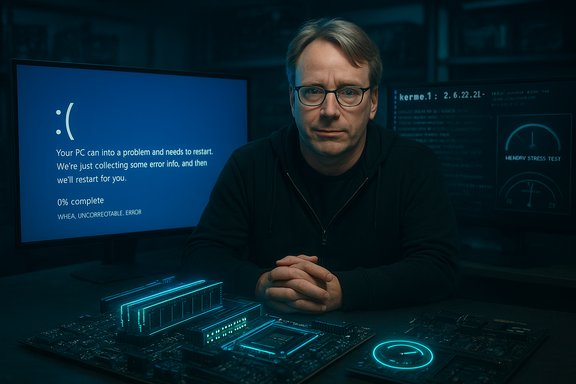
Linus Torvalds’s punchy defense of Windows stability — arguing that a “big percentage” of modern BSoDs are hardware failures rather than software bugs — arrived at a moment when Windows 10’s retirement, rising Linux downloads, and ongoing debates about ECC memory and overclocking have pushed reliability into the headlines. The comment, made while Torvalds appeared on Linus Tech Tips to help build a Linux-focused PC, isn’t a denial that operating systems (or drivers) can fail; it’s a reminder from one of the world’s most experienced kernel developers that hardware unreliability — especially in memory subsystems and poorly tested components — still causes a large share of the crashes users blame on Windows.
For users voting with their feet after Windows 10’s retirement, the takeaway is pragmatic: if you depend on your machine for critical work, invest in reliability — ECC-capable platforms where possible, validated components, and conservative power/clock settings. If you are exploring Linux as an alternative, the surge in downloads and ISO traffic shows curiosity and demand — but migration still requires a careful approach to drivers, gaming compatibility, and support expectations. Ultimately, stop screens are symptoms, not villains — and the path to fewer crashes runs through better hardware choices, clearer vendor guarantees, and equally robust software testing and review.
Source: Windows Central https://www.windowscentral.com/micr...developer-defends-windows-against-bsod-jokes/
 Background
The immediate context: Windows 10 end of support and a migration bump
Microsoft officially ended mainstream support for Windows 10 on October 14, 2025, prompting a wave of choices for millions of users — upgrade to Windows 11 if hardware supports it, enroll in Extended Security Updates (ESU), replace aging hardware, or consider alternative operating systems. Microsoft’s lifecycle notices and guidance make those options explicit. That window has coincided with measurable interest in Linux desktop distributions. One poster-child example is Zorin OS, which reported about 1 million downloads shortly after Windows 10’s retirement and said roughly 78% of those downloads came from Windows users — a back-of-the-envelope suggestion that as many as 780,000 downloads originated with Windows leavers (downloads are not the same as active migrations, which is an important distinction). At the same time, smaller gaming-focused distros such as Bazzite reported extremely high ISO traffic — a stated terabyte-to-petabyte scale of downloads — as users explored alternatives and gaming compatibility on Linux improved. These numbers have been widely reported by mainstream tech outlets tracking the migration story.The Torvalds line: hardware, ECC, and overclocking
During the Linus Tech Tips session, Torvalds emphasized two technical points that he says are frequently overlooked by casual observers who chalk up crashes to Windows’s code:- Memory reliability matters. Torvalds flagged ECC (Error-Correcting Code) memory as a meaningful reliability feature; when ECC is absent, transient memory errors can silently occur and ultimately trigger system crashes that look like operating-system failures.
- Overclocking and marginal hardware choices increase crash risk. He singled out gaming communities and enthusiast builds as environments where running components beyond manufacturer-specified margins, or using marginal-quality parts, raises the odds of memory or CPU errors that can produce BSoDs.
Why Torvalds’s point matters: the hardware vs. software fault taxonomy
What a modern BSoD actually signifies
A “blue screen of death” (BSoD) — or the updated black stop screen used in later Windows 11 builds — is a kernel-level indicator that the OS detected a condition it cannot safely recover from. Historically, stop errors can be caused by a broad set of issues: faulty device drivers, buggy kernel code, failing hardware (RAM, CPU, GPU, storage), firmware/BIOS problems, or malware. Microsoft’s own documentation explicitly lists hardware failures as a classic cause, and the Windows Hardware Error Architecture (WHEA) exposes hardware-originated errors to the OS so the system can record and react to them. Modern Windows stop codes — for example, the WHEA_UNCORRECTABLE_ERROR (0x124) — are specifically designed to call out hardware errors. Microsoft’s technical guidance for 0x124 says this bug check “indicates that a fatal hardware error has occurred” and lists typical culprits such as defective hardware, heat-induced failures, and issues caused by overclocking. That language underlines why kernel-level crashes are not automatically evidence of buggy OS code: many such crashes are the OS responding correctly to a hardware fault.ECC’s role — what it protects and what it doesn’t
ECC RAM adds parity/check bits and correction logic so single-bit memory errors can be fixed on the fly, and double-bit errors can at least be detected and surfaced. In server and mission-critical environments ECC is standard because it dramatically reduces silent data corruption and random crashes. ECC’s advantages are well documented in hardware vendor and educational materials: it reduces the odds that a single-bit soft error (caused by radiation, electrical noise, aging, etc. will flip a bit and cause an application or kernel to misbehave. However, ECC is not a panacea:- ECC corrects errors within the memory subsystem but cannot protect against faults that occur between the memory module and CPU (signal integrity problems, DIMM-to-CPU trace errors), nor can it magically fix logic bugs in device firmware or drivers.
- Marketing around DDR5 and “ECC-like” features has added complexity: some consumer DDR5 modules advertise internal error mitigation without offering full, end-to-end ECC as implemented in server platforms. That distinction matters because on-die or partial ECC is not equivalent to system-level ECC that protects the full transfer path. Torvalds’ caution about marketing blur and practical limitations is technically sound: some claimed “ECC” features do not provide the complete coverage you’d expect from true ECC DIMMs on a platform that supports them.
Cross-checking the claims: independent verification
- Linus Torvalds’ comments were reported by mainstream outlets covering the Linus Tech Tips interview; multiple independent technology publications summarized his remarks about hardware-caused crashes and his advocacy for ECC-equipped systems. These outlets reproduced Torvalds’ gist: a large percentage of stop errors are hardware-related rather than pure OS bugs.
- Microsoft’s official documentation on stop codes (including WHEA 0x124) and WHEA’s role in exposing hardware faults to event logs confirms that the OS categorizes and surfaces hardware-originated failures — matching Torvalds’ technical framing that not all stop errors are software defects. That gives the claim technical credibility beyond anecdote.
- Independent reporting on migration statistics (Zorin OS downloads, Bazzite ISO traffic) is available from multiple outlets tracking Windows 10’s retirement impact; they corroborate that downloads and ISO demand spiked after the October 14, 2025 EoL announcement, though downloads do not map one-to-one to permanent migrations. The distinction between downloads and users migrated is central to interpreting the statistics.
Strengths of Torvalds’s argument
- Domain expertise: Torvalds is a kernel developer with decades of experience diagnosing low-level faults, so his instinct to blame hardware in many cases mirrors the practical reality of debugging kernel crashes.
- Actionable advice: Advocating for ECC and caution around overclocking is practical: both steps materially reduce the probability of transient hardware errors and marginal-system failures that surface as stop errors.
- Refocuses troubleshooting: The claim pushes users and IT professionals to adopt a balanced diagnostic approach (log analysis, memory tests, power-supply checks) instead of reflexively blaming the OS alone.
Risks and limitations of the claim
- Over-correction hides responsibility: Saying “many BSoDs are hardware” can be misread as absolving Windows and driver developers of responsibility for crashes that stem from buggy drivers, update regressions, or poorly validated OEM firmware. The OS/software ecosystem does cause crashes — drivers run in privileged context and have repeatedly been implicated in large outages. The correct stance is balanced: both hardware and software are realistic causes, and each needs rigorous QA.
- Data ambiguity: Torvalds used qualitative language (“big percentage”), but without broad telemetry disclosing root-cause breakdowns it’s hard to quantify the precise share attributable to hardware vs. software across the ecosystem. Public telemetry that partitions root cause is limited and typically proprietary to Microsoft or hardware vendors; independent verification at scale is therefore tricky.
- ECC is not always practical at consumer price points: ECC-equipped motherboards and DIMMs add cost and are often unavailable for many consumer laptops and mainstream desktop platforms. Pushing ECC as a universal fix ignores real-world economics and platform limitations.
Practical advice for Windows users, gamers, and admins
Below is a pragmatic checklist distilled from Torvalds’ core points, Microsoft’s debugging guidance, and established hardware troubleshooting best practices.Quick checklist — hardening your PC against stop errors
- Prefer ECC where feasible. Use ECC DIMMs and compatible motherboards for workstations and systems that do long-running, correctness-critical workloads. ECC reduces silent data corruption and lowers crash risk in server and workstation contexts.
- Avoid risky overclocks for critical machines. If stability is essential, revert to stock clocks and voltages; XMP/DOCP profiles should be tested and validated. Torvalds’ caution about gaming-overclock environments is relevant here: pushing hardware outside vendor specs increases error probability.
- Run hardware diagnostics when you see recurring crashes. For Windows stop codes pointing to WHEA or 0x124, run memory testing (MemTest86), stress CPU/GPU tests, and check storage health. Microsoft’s WHEA docs explain how the OS surfaces hardware error records that can guide diagnosis.
- Keep firmware and drivers trimmed. Use vendor-validated chipset drivers and firmware/BIOS updates; errant third-party “tuning” utilities can introduce instability.
- Collect and analyze dumps. Configure the system to save minidumps and upload or analyze them with WinDbg; minidump analysis often reveals whether the failure originated in the kernel, in a driver, or from a machine-check exception.
- For enterprises: consider hardware lifecycle policies and ESU planning for Windows 10 systems that cannot be replaced; unsupported systems raise the risk profile and complicate patch and incident management.
Troubleshooting steps (numbered)
- Reproduce and record: capture the stop code and minidump (C:\Windows\Minidump) and the Event Viewer entries (especially WHEA or Kernel-Power).
- Run MemTest86 (or Windows Memory Diagnostic) with all modules for several passes.
- Disable overclocking and XMP profiles; return RAM/CPU to vendor defaults.
- Update BIOS/UEFI and chipset drivers using the motherboard/vendor’s official downloads.
- Run stress tests: Prime95/IntelBurnTest for CPU, FurMark for GPU, and drive health checks for NVMe/HDD/SSD.
- Swap suspect modules (one RAM stick at a time) to isolate failures.
- If WHEA errors persist and point to CPU/chipset, consider RMA for the component.
What the industry should learn
- Hardware and firmware validation must keep pace with software complexity. As kernels evolve and CPUs adopt new features, motherboard vendors and firmware teams must synchronize testing across combinations of silicon, firmware, and OS updates.
- Transparency in telemetry would help. Aggregated, anonymized breakdowns of stop-code root causes (hardware vs. driver vs. OS) would help the community prioritize fixes. Right now, such telemetry is mainly internal to platform vendors.
- Better consumer guidance about “ECC-like” marketing is needed. Not all memory marketed as “reliable” implements full system-level ECC. Clearer labeling and platform guidance would reduce confusion for buyers trying to make stability decisions.
Conclusion — a nuanced verdict
Linus Torvalds’ defense of Windows against knee-jerk “BSoD jokes” is not an excuse for poor software quality; it’s a sober technical reminder that hardware reliability is a first-order factor in system stability. His point is well-grounded: many kernel-level stop errors are triggered by failing or marginal silicon, unstable memory paths, and systems driven outside their safe operating envelope. Microsoft’s own WHEA architecture and stop-code taxonomy back up this framing. At the same time, it would be a mistake to conclude that software isn’t also a frequent and fixable cause of crashes. Device drivers, firmware regressions, and OS-level bugs have historically produced high-impact outages and must remain a focus for rigorous testing, quicker patching cycles, and clearer communication when updates affect stability. The correct posture for users and admins is balanced skepticism: investigate both hardware and software, collect telemetry and dumps, and use methodical diagnostic steps rather than assigning blame to one side or the other.For users voting with their feet after Windows 10’s retirement, the takeaway is pragmatic: if you depend on your machine for critical work, invest in reliability — ECC-capable platforms where possible, validated components, and conservative power/clock settings. If you are exploring Linux as an alternative, the surge in downloads and ISO traffic shows curiosity and demand — but migration still requires a careful approach to drivers, gaming compatibility, and support expectations. Ultimately, stop screens are symptoms, not villains — and the path to fewer crashes runs through better hardware choices, clearer vendor guarantees, and equally robust software testing and review.
Source: Windows Central https://www.windowscentral.com/micr...developer-defends-windows-against-bsod-jokes/
