

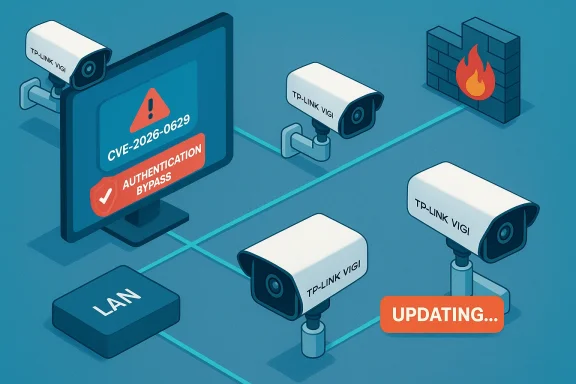
TP-Link’s VIGI professional camera line is the subject of a high‑severity authentication bypass that allows a local attacker to reset the administrator password and seize full administrative control of dozens of models unless they are running patched firmware. The issue, tracked as CVE‑2026‑0629, stems from the camera web interface’s password‑recovery flow and can be triggered by manipulating client‑side state on the LAN; vendor firmware updates are available and immediate patching plus network controls are strongly recommended. //www.tp-link.com/us/support/faq/4906/)
Background
TP‑Link’s VIGI family — sold under the VIGI and VIGI InSight brands and deployed widely across commercial facilities, small‑to‑medium enterprises, and managed video installations — combines on‑device web interfaces, a companion VIGI app, and cloud/brokered services for remote viewing and management. The product line covers many hardware variants (Cx20, Cx30, Cx40, Cx45, Cx50, Cx55, Cx85, C540 series, numerous “InSight” SKUs and 4G variants) and is used in both small‑site and enterprise installations where cameras are placed on building edges or customer‑facing locations. The scale and variety of deployments make firmware hygiene and correct default configuration critical.Vulnerabilities in camera firmware are not academic: they affect confidentiality (live and recorded video), integrity (device configuration and detection behavior), and availability (recording/streaming). Embedded cameras are frequent targets because many are internet‑reachable, run long past vendor EOL, and historically ship with weak or poorly enforced provisioning controls.
What the vulnerability is — technical overview
At its core, CVE‑2026‑0629 is an authentication bypass in the password recovery feature of the VIGI local web UI. The flaw is a logic/authorization design weakness (mapped to CWE‑287: Improper Authentication) where the device accepts a manipulated client‑side state during the recovery flow and allows the admin password to be reset without validating the requestor’s identity or ownership of the device. In practical terms:- An attacker with adjacent network access (on the same LAN or a network path that reaches the camera’s management interface) can trigger the vulnerable recovery flow.
- The recovery interaction relies on client‑side state (for example, cookies, local storage state, or an unauthenticated recovery token mechanism) that can be altered to bypass server‑side checks.
- Successful exploitation results in a reset of the administrator credentials, after which the attacker can log in as admin, change device settings, access live streams and recordings, and create persistent backdoors (additional users or altered firmware update endpoints).
Who and what is affected
TP‑Link and CISA (the U.S. Cybersecurity and Infrastructure Security Agency) list a broad set of VIGI models and precise build numbers as affected; the build‑level details matter because many VIGI SKUs have multiple sub‑releases and regional variants. Representative affected families and their fixed thresholds include (examples drawn from vendor and advisory data):- VIGI Cx45 series (C345, C445): fixed in firmware ≥ 3.1.0 Build 250820 Rel.57668n.
- VIGI Cx55 series (C355, C455): fixed in firmware ≥ 3.1.0 Build 250820 Rel.58873n.
- VIGI Cx85 series (C385, C485): fixed in firmware ≥ 3.0.2 Build 250630 Rel.71279n.
Important verification note: vendors publish fixes by exact build numbers and dates; do not assume a similar‑looking version number elsewhere means a given unit is safe — confirm on the device itself or via management tooling.
Exploitability, real‑world exposure, and scope
CISA’s advisory emphasizes that the vulnerability is exploitable from the adjacent network (LAN) and that the simplest, most likely attacker path is local network access. However, multiple independent reports and researcher telemetry indicate a non‑trivial number of VIGI cameras have been found reachable from the public internet (for example, by misconfigured NAT/fw rules or because they were deployed at remote sites with vendor maintenance tunnels enabled). Where devices are internet‑reachable, the effective exposure becomes much wider and automated scanning can rapidly find and target vulnerable units. Published reporting from researchers suggests that thousands of cameras were discoverable on the public IPv4 space in late 2025 and early 2026. That means organizations with lax perimeter controls are at heightened risk.Potential attacker impacts after takeover:
- Full administrative control over camera configuration (create accounts, change firmware update endpoints).
- Access to live video and stored recordings — immediate confidentiality breach.
- Tampering with event triggers, motion detection, or recording schedules — integrity/availability impact.
- Use of the camera as a pivot point into management VLANs and adjacent NVRs or servers.
- Erasure or tampering with logs and evidence that impair incident response.
Verification and cross‑checking of technical claims
Key claims and numbers were validated against multiple independent sources:- Vendor advisory: TP‑Link’s official security advisory on the VIGI password‑recovery authentication bypass lists the affected models and fixed firmware versions and reports the CVSS v4.0 score of 8.7. This is the vendor’s canonical fix directive.
- Vulnerability aggregators and CERTs (CIRCL, INCIBE, national CSIRTs) reproduce the advisory details and the CVSS metrics, confirming the description and confirming the CWE mapping to CWE‑287. These independent registries corroborate the affected models lists and severity.
- Third‑party reporting and researcher statements document that public internet scans found numerous VIGI cameras reachable prior to patching, increasing the practical attack surface for opportunistic exploitation. That reality underscores the need to both patch and remove internet exposure where possible.
Immediate mitigation and triage (what to do in the next 1–24 hours)
These actions are ordered by speed and likely immediate impact.- Inventory and identify affected devices. Locate every VIGI camera by IP, MAC, model string, and firmware build. If you use VMS/NVR management software, export or query the device list and firmware versions. Use on‑network discovery tools and the VIGI Security Manager where available.
- Remove Internet exposure. Immediately block any inbound NAT/port‑forward rules or firewall rules that expose camera management ports (HTTP/S), ONVIF, or vendor maintenance tunnels to the Internet. If you must permit remote maintenance, require jump hosts, VPNs with MFA, or vendor maintenance only via explicit allow‑list of vendor IPs.
- Isolate vulnerable devices. Move cameras to a dedicated management VLAN with restrictive outbound rules; deny access from general corporate or guest networks. Use ACLs so only authorised management hosts can reach device management ports.
- Patch promptly. If the device is on the supported model list and running an older firmware, schedule a staged firmware update to the vendor‑specified fixed build. Back up configuration before mass updates and roll out patches in phases to detect regressions. TP‑Link documents multiple update paths (VIGI app, VIGI Security Manager, device web UI) — use the method that fits your operations and validate the installed build after update.
- For devices that cannot be patched immediately, enable compensating controls: disable unnecessary services (RTSP/ONVIF if not required), enforce strong unique passwords on every device, and monitor for suspicious admin account creation or unexpected configuration changes.
Patching best practices and operational checklist
Updating firmware in camera fleets requires planning to avoid downtime and ensure verification.- Take device backups and snapshots before upgrading — record current firmware strings and configuration exports.
- Stage updates in a small pilot group; verify that streams, NVR connections, and analytics integrations continue to operate as expected.
- Validate firmware images by vendor cryptographic checksums or signed firmware where provided, and confirm the device reports the fixed build string after a successful upgrade.
- Maintain a rollback plan and maintenance windows — some cameras used in critical sites may need manual failover or temporary replacement during upgrades.
- After patching, force password rotation for administrators and service accounts and inspect logs for evidence of prior compromise (new accounts, unusual login times, configuration exports).
Detection, monitoring and hunting guidance
If you cannot patch immediately, increase monitoring to detect active exploitation:- Watch for anomalous web UI activity: repeated password‑recovery requests, unusual POSTs to recovery endpoints, or admin password changes originating from unknown LAN hosts.
- Inspect NVR and video management logs for new camera registrations, unexpected streams, or unknown client IPs connecting to RTSP.
- Create SIEM alerts for new local admin accounts on managed devices and for configuration pushes from unexpected sources.
- Use network telemetry to detect scanning and mass‑probing activity against camera management ports (HTTP/S, ONVIF, RTSP). IDS/IPS signatures tuned for web UI recovery endpoint misuse can help; vendor advisories and security vendors often publish detection patterns aligned to the disclosed behavior.
Practical risk considerations for integrators and operations teams
- Procurement: require vendor security support timelines and signed/verified firmware for any new camera purchases. Evaluate patch cadence and vulnerability disclosure transparency before large fleet commitments.
- Network architecture: place cameras behind a hardened management plane that enforces MFA on jump hosts and restricts outbound connections; treat vendor maintenance tunnels as high‑risk and monitor them closely.
- Change management: include firmware checks and vulnerability scanning in routine change windows; track device EOL dates and budget for replacement of unsupported units.
- Privacy and legal: compromised cameras can expose PII and recordings; involve privacy/compliance teams early if sensitive footage may have been accessed.
Why patching alone is necessary but not sufficient
Firmware updates fix the immediate logic flaw, but the event highlights recurring systemic problems in camera ecosystems:- Insecure default flows and convenience‑first recovery mechanisms favor usability over security.
- Installer practices that fail to change defaults or to segregate camera networks make a single design bug escalate into enterprise risk.
- Vendor cloud/relay services and convenience features increase the blast radius if backend credentials or pairing tokens are exposed.
What to tell non‑technical stakeholders (executive summary)
- Severity: High — CVE‑2026‑0629 enables an attacker with LAN access to reset admin passwords and fully control affected cameras; vendor fixes are available.
- Immediate ask: Apply vendor firmware updates for affected models and block any public exposure of camera management interfaces today.
- Business impact: Unpatched cameras can leak live and recorded video, be turned off or reconfigured at critical moments, and be used to access other parts of the network. This can lead to privacy breaches, service outages, and regulatory exposure.
- Next steps: IT/security teams will perform inventory, isolate vulnerable units, apply patches in a staged manner, and report status within defined maintenance windows.
Final assessment and caveats
CVE‑2026‑0629 is a serious, real‑world vulnerability that combines a common design mistake (client‑side state trusted for recovery) with a widely deployed hardware family. The vendor has published fixes and specific build thresholds; independent registries and national CERTs reproduce the technical details and severity, validating the advisory. However, defenders must be careful with automated assumptions: firmware build strings and regional variants differ, and some third‑party scanners may misidentify patched status. Always verify the build on the device or via your management console before concluding a unit is remediated.The two‑pronged response — immediate network containment plus a disciplined, staged firmware update program — is the correct operational posture. Patching fixes the vulnerability; network controls, strong provisioning, and device lifecycle management prevent the next similar disclosure from becoming an operational crisis.
Conclusion
Camera fleets require the same disciplined vulnerability and patch management as any other infrastructure. For organizations using TP‑Link VIGI cameras: treat this as a high‑priority security ticket — inventory your devices, remove internet exposure, apply the vendor’s fixed firmware per the precise build numbers, harden management access, rotate credentials, and monitor for signs of exploitation. The combination of fast patching and better network architecture will meaningfully reduce the operational and privacy risks posed by CVE‑2026‑0629.
Source: CISA TP-Link Systems Inc. VIGI Series IP Camera | CISA
