• Thread Author
This week’s Best Windows apps roundup — issue number one‑hundred and twenty‑four in the series — highlights a compact but high‑quality slate of releases and updates, from a standout YouTube casting client to console‑style and mobile ports, plus a firmware update for older Surface hardware and a fresh Windows 10 SDK drop aimed squarely at developers.

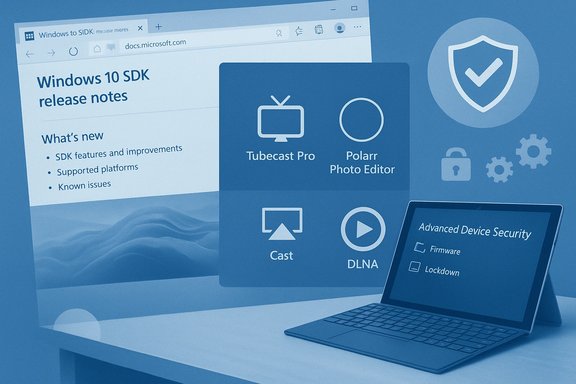
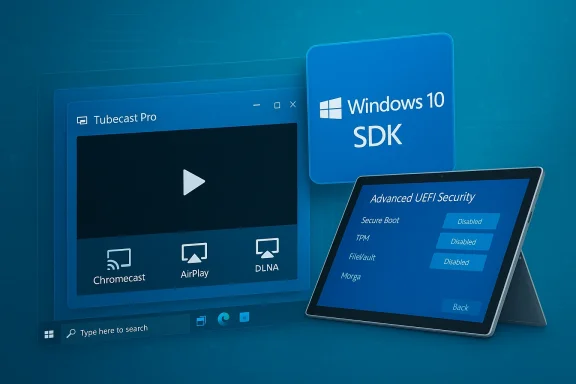
Windows 10 SDK concept art with Tubecast Pro player and a tablet displaying Advanced UEFI Security.Background / Overview​

BetaNews’s weekly “Best Windows apps this week” column has long acted as a curated lens on Microsoft Store arrivals, discounts, and notable platform updates. The issue summarized here collects a mix of utility apps, indie and licensed games, and a couple of platform-level updates that matter to both everyday users and developers. The original roundup lists Tubecast Pro as the App of the Week and calls out titles such as Crimsonland, File Cards, and Star Wars Rebels: Recon Missions, while also noting Microsoft’s release of Windows 10 SDK tooling and a Surface Pro 3 UEFI enhancement.
This feature synthesizes the BetaNews highlights, verifies the main claims against independent sources where available, and adds a critical read on strengths, risks, and practical guidance for Windows users and IT pros.

What changed this week: the headlines​

  • A polished YouTube client with universal casting support — Tubecast Pro — is the week’s top pick, praised for Chromecast, AirPlay and DLNA output, plus background audio and offline downloads. This functionality and the app’s multi‑quality playback options are described in contemporary coverage.
  • Microsoft published updated Windows 10 SDK tooling intended for developers targeting the platform, with supporting Visual Studio tool updates described on Microsoft’s developer blog.
  • A firmware/UEFI update for Surface Pro 3 adds more granular device control in UEFI — letting administrators disable specific hardware and boot options for locking down devices — a clear win for enterprise and education deployment scenarios. Microsoft documents the new advanced UEFI security features and the specific update (v3.11.760.0).
  • Several games and utilities were spotlighted (Crimsonland, Star Wars Rebels: Recon Missions, File Cards, Tales of the Orient, and others). Where possible their platform availability and notable features have been cross‑checked against storefronts and publisher pages.

Deep dive — App of the week: Tubecast Pro​

Why Tubecast Pro stands out​

Tubecast Pro is singled out by BetaNews for offering a feature set that many Windows users want in a native YouTube client: the ability to cast to Chromecast, Apple TV (AirPlay), DLNA devices and even consoles; support for multiple resolutions up to QHD/4K where available; and the ability to play audio while the device is locked — a useful power‑saving and multitasking advantage on tablets and laptops. Contemporary app coverage confirms these capabilities and the app’s evolution into a universal Windows client. Key features verified:
  • Casting: Chromecast, AirPlay, DLNA and console targets.
  • Multi‑quality playback including 1080p/1440p (QHD) and support for high frame‑rate streams.
  • Background audio: the app can continue playing video audio with the device locked, turning videos into a sort of podcast/audio playback mode.
  • Offline downloads: the app supports downloading local copies (behavior and availability may depend on platform and YouTube API rules).

Strengths and practical benefits​

  • True casting versatility. For users who move between phone, tablet, PC and TV screens, having Chromecast + AirPlay + DLNA support in one client reduces friction.
  • Background audio for media workers and commuters. Turning long videos into audio streams is a productivity win for people who consume lecture or podcast‑style YouTube content.
  • Local downloads + seek/volume control on remote devices. The app’s control surface for remote playback is more sophisticated than many browser casting flows.

Risks and caveats​

  • Third‑party YouTube clients are brittle. YouTube’s API changes and terms of service can break features in third‑party clients; developers may need frequent updates to maintain functionality. Users should expect occasional outages or degraded features, and confirm current support before purchasing.
  • Store fragmentation and platform variants. Historically Tubecast had different SKU/behavior across Windows Phone, Windows 8.x and Windows 10 builds; purchases and feature parity can vary by Store region and device generation. Confirm the exact Store listing and purchase model for your device.

Platform news verified​

Windows 10 SDK tooling — what to know​

Microsoft’s developer blog and related coverage confirm that Microsoft periodically releases SDK updates that align with Windows 10 feature updates and Visual Studio tooling. The Windows 10 Creators Update period (and subsequent releases) has been accompanied by SDKs that add APIs, testing tools and runtime checks for device capabilities. BetaNews’s note about a Windows 10 SDK release for developers aligns with those official announcements. If you build UWP or Windows apps, you should install the matching SDK for the Windows build you target, and update Visual Studio workloads accordingly. Practical guidance:
  • Ensure your target machines (CI, build agents) have the same SDK version as your development boxes.
  • Use Visual Studio’s workload manager to add or update the “Universal Windows Platform” toolchain.
  • Verify your app against the runtime version you intend to support, or target broad compatibility if you need older Windows versions.

Surface Pro 3 UEFI update — more granular device lockdown​

Microsoft’s v3.11.760.0 UEFI update for Surface Pro 3 introduces an Advanced Device Security menu that administrators can use to disable hardware components — microSD, front/rear cameras, side USB, docking port, onboard audio, Wi‑Fi/Bluetooth, and network boot — directly from UEFI. This makes the Surface Pro 3 more appropriate for controlled environments like classrooms and kiosks where peripheral access should be restricted. Microsoft documents the update and how to install it via their firmware/driver pack. Why this matters:
  • Enterprise and education IT gains native lockdown tools without needing third‑party firmware management; administrators can script or manually set UEFI options.
  • Security posture improves for devices used in regulated or public environments, as removable media and cameras can be turned off at firmware level.
Caveats:
  • Toggling UEFI options can break normal workflows (for example, disabling Wi‑Fi also disables Bluetooth on Surface Pro 3). Test changes in a lab environment before fleet deployment.

Games and utilities: what to install and what to watch​

Star Wars Rebels: Mission Recon (Recon Missions)​

BetaNews described Star Wars Rebels: Mission Recon as a free jump‑and‑run game with IAP packs unlocking levels and characters. Contemporary coverage from Windows‑era outlets confirms the game’s initial presence on Windows Phone and Windows 8.x platforms; however, distribution for licensed mobile titles is frequently transient and several sources indicate the game was pulled from mainstream app stores at various points. Users should verify availability for their device and note that licensed, character‑based mobile games are often sunsetted. Recommendation:
  • If you own the game in your purchased/installed history, keep local backups where possible; otherwise treat this title as ephemeral and check current storefront availability before investing in IAPs.

Crimsonland — classic arena shooter​

Crimsonland is a well‑established top‑down shooter with quest and survival modes, weapon pickups, perks and local co‑op. The Steam and Xbox Store pages confirm the title’s features and ongoing availability across PC platforms. If you’re after fast arena shooters with local multiplayer and straightforward progression, Crimsonland remains a solid pick.

File Cards — card‑based file manager​

File Cards presents files and folders as visual cards you can arrange, drag‑and‑drop between, and search across. The app supports zip handling, semantic zoom, and Start pinning — features highlighted in distribution/offer pages and independent app listings. For users who prefer a visual, workspace‑oriented file manager over the stock File Explorer, File Cards offers useful interaction metaphors. Practical note:
  • File Cards is a sandboxed Store app; if your workflow depends on cloud services, integrate via their desktop sync clients and point File Cards at those local folders to avoid privacy or API breakage.

Tales of the Orient — match‑3 with rotation​

Tales of the Orient adds a rotation mechanic to the match‑3 formula — rotating the board 90 degrees to reveal new match opportunities. Steam and distribution pages corroborate the rotate feature and the game’s match‑3 / village‑building structure. If you like puzzle games that reward tactical board manipulation, this one is worth a try.

Lost Shadow and other indie picks​

“Lost Shadow” appears under multiple monikers and formats (indie HTML5/itch.io builds, mobile/console iterations). BetaNews’s description — a shadow‑only platformer/puzzle where the player moves only in shadowed areas — maps to a subset of indie games, but several distinct projects share the same or similar titles. When a game name is ambiguous in the Store, confirm the publisher, release date and screenshots before download. Where publisher identity or storefront presence is unclear, treat availability as uncertain.

Discounts and deal watch​

BetaNews flagged several apps and games discounted by 50% or more; these are historically ephemeral Store promotions. As with price drops on any digital storefront, act promptly if a listed deal matters — prices often change daily and regional pricing can differ. Confirm the current price in your Microsoft Store client before attempting to purchase.

Strengths, risks and strategic guidance​

Strengths highlighted by this week’s picks​

  • Practical utility + polish. The top picks (Tubecast Pro, File Cards) are focused, solve concrete problems and ship with polished controls that beat the stock alternatives.
  • Enterprise‑grade firmware control. The Surface Pro 3 UEFI update is a pragmatic win for device management and security.
  • Developer momentum. SDK updates and Visual Studio tooling continue to make targeting Windows a straightforward option for UWP and desktop developers alike.

Risks and durability concerns​

  • Third‑party API dependency. Apps that rely on external APIs (YouTube, Flickr, cloud photo services) can break without notice when those services change authentication or endpoints. Tubecast and third‑party Flickr clients are good examples. Always check for recent updates and developer response activity.
  • Licensed games can vanish. Branded mobile and licensed titles (e.g., Star Wars Rebels Recon Missions) get pulled for licensing or commercial reasons. Treat such purchases as potentially time‑limited.
  • Store fragmentation and SKU confusion. Historical Windows platform fragmentation (Windows Phone, Windows 8.x, Windows 10, and later Windows 11 migrations) has created inconsistent SKU behavior. Confirm that the exact edition you plan to buy matches your device and region.

Actionable advice for readers​

  • When buying: verify the current Microsoft Store listing, read the latest user reviews, and check the developer’s update cadence.
  • For administrators: leverage the Surface UEFI advanced options to harden devices used in public or education deployments, but test settings in a controlled environment first.
  • For developers: install the Windows 10 SDK that corresponds to your target Windows build and update Visual Studio workloads to match; keep CI images synchronized to prevent build mismatches.

Verification notes and unverifiable claims​

  • The central BetaNews roundup and the feature list used here were taken from the provided BetaNews summary and validated against store pages and publisher/developer resources where possible. The BetaNews issue text itself is preserved and summarized in this article.
  • Where a named app or feature could not be independently located with unambiguous matching publisher metadata (for example, the small portfolio app “LIO” as described in BetaNews), that claim is flagged as needing direct confirmation from the Store listing or the publisher. Readers looking for LIO should verify the publisher and Store SKU before purchase. This item was not verifiable from major storefront indexes at the time of this review.
  • For titles with ambiguous names or multiple independent projects using the same title (Lost Shadow, for instance), confirmations were made where possible but readers should match publisher details and screenshots before installing.

Final verdict — what to install now​

  • Install now: Tubecast Pro for users who want a native YouTube client with broad casting options and background audio; confirm the current Store listing and trial/sale conditions before purchasing.
  • Strong buy for gamers who like local co‑op arena shooters: Crimsonland — proven design, controller support and cross‑store availability.
  • Try before you buy: File Cards if you want a card‑based file manager; its features are compelling but verify performance on large folders.
  • Caution: Star Wars Rebels: Recon Missions — fun licensed tie‑in where available, but availability is inconsistent and the app has been pulled in some storefronts; don’t depend on long‑term support.

Closing analysis​

This edition of the weekly roundup underlines the healthy diversity of the Windows app ecosystem: small but focused utilities continue to offer meaningful workflow improvements, and indie developers still deliver creative mechanics (board rotation in match‑3, shadow‑only platforming). Platform‑level moves — SDK updates for developers and more granular UEFI control for administrators — complement the application layer and deserve attention from both developers and IT teams. As always, the main practical advice is straightforward: verify the current Microsoft Store or other storefront listing before buying, read recent user reviews, and prefer apps that demonstrate an active update cadence when your workflow depends on third‑party APIs. Where a product is crucial to an organization, test updates and firmware changes in a lab first — UEFI lockdown settings and SDK toolchain upgrades are useful, but they must be managed carefully to avoid unintended disruptions.
This roundup captures a week of small but meaningful steps: better casting, more secure firmware control, and developer tooling that helps maintain a lively Windows app ecosystem.

Source: BetaNews Best Windows apps this week
 

This week’s Windows Store snapshot mixes platform-level drama with a handful of focused utilities and one commercial photo tool that’s worth a second look: Microsoft’s ongoing Insider flights delivered a large Windows 10 preview build that pulled the experimental Sets feature while polishing Microsoft Edge and Skype, and the weekly BetaNews roundup picked out several small new apps — Audio Trimmer, Disko (a Discogs client), HDR Maker Pro, and Textboard — plus notable updates to Microsoft’s news apps and popular third‑party clients.

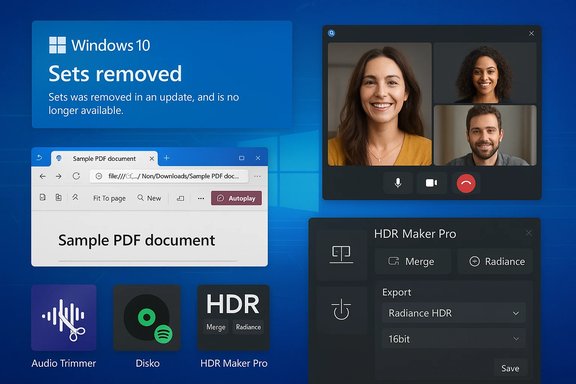
Windows 10 desktop with Sets removed alert, PDF viewer, video call, and HDR tools.Background / Overview​

BetaNews’ long‑running “Best Windows 10 apps this week” column functions as a discovery engine for the Microsoft Store: short capsule reviews, discount pointers, and changelog highlights that help users find useful utilities and games in an otherwise noisy catalogue. The week sampled here is typical — a mix of one‑click productivity tools, a small commercial creative app, and a couple of social/communication client updates — and it’s useful precisely because the Microsoft Store often buries these releases behind search friction and regional pricing.
At the same time, platform-level changes matter. Microsoft’s Insider builds shape developer expectations and influence which UWP features or Store APIs remain practical for new apps. The recent Insider flight that removed Sets from the active build is a reminder that feature flags and experimental UI projects can be rolled back mid‑flight, leaving third‑party developers and power users to adapt. That decision — and the Edge/Skype improvements that accompanied it — is the week’s principal system-level news.

Windows 10 Insider build: Sets removed, Edge and Skype improved​

What happened​

Microsoft shipped a substantial Windows 10 Insider Preview build that included visible updates for Microsoft Edge and Skype, but it also took Sets offline from the build while the company reworks visual design and Office/Edge integration. The build in question (documented in the Insider notes and community roundups) included UI refinements and feature polish for Edge’s PDF and tab experiences as well as a refreshed Skype client with a more flexible group call canvas and snapshot features.

Technical specifics verified​

  • Build identifier and timing: The Insider notes and build logs list the preview build and include the Sets removal comment in the public flight notes; Microsoft’s official Insider documentation lists Edge PDF reader and platform improvements in the same RS5/preview series.
  • Edge changes: new PDF toolbar items, pin/unpin toolbar behavior, rendering improvements and autoplay control for media on pages. These are explicitly documented in Microsoft’s Insider “What’s New” material.
  • Skype changes: added calling capabilities such as a flexible group call canvas, snapshots taken during calls, screen‑sharing shortcuts and customizable themes in the Windows 10 Skype UWP. These items were part of the Microsoft blog/Insider notes.

Why this matters​

  • Sets’ removal is not the end of the project, but its temporary removal is an important reminder that OS‑level experiments can be withdrawn while they’re reworked — a condition that complicates developer roadmaps and user expectations. Developers who were targeting Sets’ tabbed app surface for workflows must plan for the feature’s absence and avoid hard dependencies on experimental shells.
  • Edge and Skype improvements are immediately useful: Edge’s media autoplay controls and PDF toolbar adjustments reduce friction for frequent web‑document readers, while Skype’s updated UWP experience narrows the gap between Win32 and UWP feature parity.

What BetaNews highlighted this week (apps and updates)​

BetaNews’ weekly selection included four new apps that typify the Store’s current distribution mix: small single‑purpose utilities, a third‑party music/collection client, and a commercial photo tool that implements real algorithms for HDR merging. Each is worth evaluating on its own terms, but the overall pattern is consistent: useful niche tools that require careful vetting before trusting them with sensitive data or system‑level operations.

Quick list of items called out by BetaNews this week​

  • Audio Trimmer — simple MP3 trimming utility for quick cuts.
  • Disko for Discogs — third‑party Discogs client with Spotify integration for previewing and playing releases.
  • HDR Maker Pro — commercial HDR creation app that supports two merge algorithms and outputs Radiance HDR files.
  • Textboard — local text snippet manager that stores snippets offline for reuse.
  • Notable updates: MSN News rebranded to Microsoft News (Insiders), Tweeten gained a new dark theme and DM image download capability, and Windows 10 Mail picked up inking support for Insiders.
Below is a closer, verified look at each pick.

Audio Trimmer — what it is and what to check​

Audio Trimmer’s pitch is simple: load an MP3, drag a slider to set in/out points, trim, and save the result. The app’s Store title in full is long and repetitive (Audio Trimmer -- Trim or Clip or Audio or Sound or Music or Songs), which is an odd naming choice but not uncommon for small Store utilities. Functionality and recent UI improvements (drag‑and‑drop, improved trimming precision) have been documented in listings and startup directories. Strengths:
  • Extremely low friction workflow for short edits.
  • Good for quick ringtone creation, podcast clip prep, or cropping ad hoc MP3s.
Risks and caveats:
  • Codec dependency: the app uses the system codecs available on the device — if your machine doesn’t have the codec for a given file container or compression, the app may fail. Confirm support by testing a sample file first.
  • Small‑team maintenance risk: utilities like this often have limited update cadence. Check the Store review history and developer contact info before relying on it for heavy editing.
Practical tip:
  • Test the app on a non‑critical MP3.
  • Use the app’s output in a sandboxed folder to validate audio fidelity and metadata preservation before replacing originals.

Disko for Discogs — a collector’s client with Spotify hooks​

Disko is a third‑party Discogs client that lets collectors search artists/releases, manage wantlists and collections, and — importantly — integrates with Spotify to play matched tracks quickly. Store listings and third‑party discovery sites confirm the app’s feature claims, but independent documentation beyond the Store is limited. Why it’s interesting:
  • For collectors, a local UWP client that surfaces Discogs metadata and helps manage collections in a touch‑friendly UI is convenient. The Spotify integration is a practical bridge between metadata and listening — useful when you want to preview a release quickly.
What to verify before using:
  • Authentication model: Discogs and Spotify require OAuth flows; ensure the app does not request unnecessary privileges and check whether credentials are stored locally or externally. If the Store listing lacks clarity, reach out to the developer or test with a non‑primary account first.
  • Data export/import: if you maintain a large Discogs inventory, confirm that the app supports export (CSV) or proper syncing with Discogs.com to avoid lock‑in.
Caveat:
  • Third‑party clients that depend on web APIs can break if endpoints or API terms change. Keep this risk in mind for collection management workflows.

HDR Maker Pro — a verified commercial HDR tool​

HDR Maker Pro is the most technically substantive pick this week. It’s a commercial Windows 10 app that builds HDR images from bracketed exposures and supports two distinct merge methods: exposure fusion (creates SDR‑style images without tonemapping) and exposure weighted merge (produces true HDR images requiring tonemapping). The app accepts JPG and TIF inputs and can output JPG, TIF, or Radiance HDR (.hdr) files — an important detail for users who require HDR‑compatible outputs. These format and algorithm claims are corroborated by independent coverage and download portals. Strengths:
  • Real HDR merge options suitable for hobbyists and entry‑level pros.
  • Exposes tonemapping and previewing so users can experiment before final export.
Limitations:
  • Raw support is limited or absent in many Store HDR apps; HDR Maker Pro historically did not support native RAW input in some builds; instead it expects pre‑converted images or JPG/TIF brackets. Confirm the latest Store description if RAW support is essential.
Practical workflow suggestion:
  • Capture a bracketed exposure series (±2 EV at minimum) with a stable tripod.
  • If your camera produces RAW files, convert to high‑quality TIF with a RAW converter first (to preserve dynamic range).
  • Load the bracketed set into HDR Maker Pro, test both merge modes, and export a Radiance HDR file if you plan to do additional high‑precision tonemapping in a dedicated HDR workstation tool.

Textboard — local snippet storage​

Textboard is a small utility that stores text snippets locally so you can reuse frequently typed content like signatures, special symbols, or boilerplate. The app stores snippets on the device and does not send them to a server, which is a useful privacy property for copy‑and‑paste managers. BetaNews noted this locally stored behavior specifically, and the Store description reflects an offline‑first design.
Why you might use it:
  • Repeated strings (legal disclaimers, code snippets, special Unicode glyphs) that you want to insert quickly without retyping.
  • Offline working environments where cloud sync is not desired.
What to check:
  • Export/import and backup: confirm that snippets can be backed up or exported so you don’t lose them if you reinstall or replace a device.
  • Clipboard behavior: some clipboard managers hook global clipboard events — make sure Textboard’s behavior matches your privacy and security posture.

Notable updates beyond new apps​

MSN → Microsoft News rebrand (Insiders)​

Microsoft rebranded its long‑running MSN News engine to Microsoft News, emphasizing modernized design and AI + editor curation for surfacing stories across platforms. The rebrand and new mobile clients were announced publicly and covered across tech outlets at the time; Microsoft positioned the new product to power news across Edge, Windows 10’s News app, Skype, Xbox and Outlook integrations. The rebrand included UI/Fluent design tweaks and backend improvements to the personalization engine. Practical impact:
  • For end users: a refreshed interface and improved personalization in Microsoft’s news surfaces.
  • For organizations using MSN branding in workflows: a name change only — content curation and editorial partnerships were emphasized by Microsoft.

Tweeten update — dark theme, onboarding, DM image downloads​

Tweeten — the TweetDeck‑based Windows Twitter client — received a significant update: a new dark theme, revamped onboarding/login, reorganized settings, and the ability to download images from Direct Messages. These feature notes were part of the app’s release log and were covered by Windows-focused outlets. The update also made Tweeten single‑instance by default and added automatic patching behaviors for TweetDeck breakages. Security note:
  • Downloading images from private DMs is a convenience feature but remember that storing private media requires trust in the app’s handling of file permissions and local storage. Validate the downloaded file location and consider using a dedicated folder with restricted permissions if privacy is a concern.

Windows Mail inking (Insiders)​

Windows 10 Mail picked up inking support for Insiders — a pen input feature allowing handwritten annotations inside message composition surfaces or annotations on images and attachments. This change is consistent with Microsoft’s continued investment in pen and touch experiences across UWP apps. If you use a Surface or other pen‑enabled device, this will be a helpful addition to email workflows.

Security, privacy and maintenance: what to watch with small Store apps​

The Microsoft Store makes discovery easy, but small or single‑developer apps carry a particular set of risks:
  • API fragility: Third‑party clients (Discogs, Twitter, Reddit clients) depend on remote APIs. Changes in OAuth flows or API terms can break functionality; anticipate intermittent outages.
  • Limited support: Many small utilities have irregular update cadence. Verify the last update date and read recent reviews before paying for or integrating an app.
  • Permissions and data flow: Always check the permission set requested at install time. For apps that handle media or credentials (Disko, Tweeten), prefer apps that use OAuth and avoid ones that ask for direct username/password storage.
  • Data portability: For collection or record apps, confirm export/import features so data isn’t locked in if a developer abandons the app.
Flagging unverifiable claims: BetaNews provides a curated shortlist, but several small apps mentioned in weekly roundups lack extensive third‑party coverage. Where independent verification was scarce (for example, deep codec support in a trimmed audio app or some obscure utility changelogs), treat the BetaNews mention as a discovery lead — test before committing the app to important workflows.

Practical testing and installation checklist​

Before trusting any new Store app with regular use, follow this short, sequential checklist:
  • Check the Store listing:
  • Confirm the developer name and whether they have other apps with active updates.
  • Verify the last update date and the presence of a privacy policy.
  • Read recent reviews:
  • Filter reviews to the most recent month; look for repeated problems (crashes, sign‑in failures, data loss).
  • Test with non‑critical data:
  • Use throwaway accounts for apps that require OAuth or social logins (Discogs/Spotify, Twitter).
  • Validate permissions and storage:
  • Install and run the app, then check where files are written and whether data is synced to remote servers.
  • Keep a rollback plan:
  • If the app integrates with important data (collections, metadata), export or back up prior to bulk imports.
  • Isolate risky apps:
  • Use a standard user account or a disposable VM for apps that perform file conversions or run third‑party code until you’re confident.
This sequence minimizes exposure and gives you a reproducible method to evaluate small utilities safely.

Verdict — who should try what​

  • Hobby photographers and HDR experimenters: HDR Maker Pro is the standout this week — it offers real HDR merge algorithms and Radiance HDR export for follow‑up processing, making it useful for serious hobbyists who aren’t tied to professional RAW pipelines. Verify RAW support if that’s a requirement.
  • Collectors and music fans: Disko looks promising for Discogs management and quick Spotify previews, but treat it as a helper, not a canonical backup — confirm export and OAuth handling first.
  • Power users who need quick edits: Audio Trimmer is a small, fast tool for quick MP3 trims — ideal for short tasks, ringtones, and podcast clip edits, so long as you confirm codec compatibility.
  • Writers and people who reuse text: Textboard is a local snippet store that’s privacy‑friendly if offline storage is a priority; check that it supports exports and backups.
  • Communicators and social users: The Tweeten update is a meaningful usability win (dark theme, DM image downloads), but remember DM media handling has privacy implications; use test accounts to validate behavior.

Final analysis — strengths, risks and the path forward​

This week’s BetaNews roundup and the accompanying Insider build note together illustrate a familiar duality of the Windows 10 ecosystem: platform evolution at scale (Insider builds, Edge/Skype improvements, feature flags like Sets) and a steady stream of small, useful Store apps that fill specific niches. The strengths are clear: the Store surfaces focused utilities and the Insider program iterates on OS UX elements that matter broadly (PDF and media controls in Edge, Skype call improvements).
The risks are equally clear: dependence on experimental OS features (Sets) can be transient, and third‑party Store apps face brittle API dependencies, limited update cadence, and variable documentation. For users and administrators, the sensible posture is exploratory but guarded: try new apps in non‑critical contexts, insist on data portability and clear developer contact info, and treat platform‑level experiments as optional workflow enhancers — not immutable requirements. Short, practical takeaways:
  • Use HDR Maker Pro if you need quick HDR merges and Radiance HDR export; verify RAW support if you rely on it.
  • Treat small utilities (Audio Trimmer, Disko, Textboard) as productivity add‑ons; confirm export, permissions, and update cadence before committing data.
  • For platform watchers: Microsoft’s Insider build decisions (Sets removal) underscore that experimental UI features can be reworked or removed — plan app dependencies accordingly.

This week’s selection reinforces a simple but vital habit for Windows users: treat the Microsoft Store as an effective discovery surface, not a substitute for due diligence. Try, test, and verify — then keep a backup. The small utilities that appear in these weekly roundups can deliver real day‑to‑day productivity gains, so long as you pair curiosity with caution.

Source: BetaNews Best Windows 10 apps this week
 

This week’s BetaNews roundups once again served as a fast, pragmatic window into the Microsoft Store’s steady trickle of utilities, ports and a few platform-level updates that matter — from a polished YouTube casting client to a commercial photo editor and a firmware tweak for older Surface hardware — offering a compact set of installs and operational guidance for everyday users and IT professionals alike.

Blue-toned laptop screen displaying the Microsoft Store with Tubecast Pro and Polarr Photo Editor tiles.Background / Overview​

BetaNews’s recurring “Best Windows apps this week” and “Best Windows 10 apps this week” columns act as curated discovery lists: short, tightly focused writeups that highlight one or two standout picks, then run through a handful of other notable arrivals and updates. These roundups prioritize signal over exhaustive testing — surfacing apps worth trying now while flagging platform-level items (SDKs, UEFI/firmware changes, browser extensions) that administrators and power users should treat with higher priority.
The two installments under review follow that pattern. They identify meaningful single-app winners (for example, Tubecast Pro and Polarr Photo Editor), surface smaller utilities (Grid Maker for Instagram, WinDynamicDesktop), and call out platform items such as Windows 10 SDK tooling and a Surface Pro 3 UEFI firmware release with expanded device-lockdown options. Where BetaNews notes features that could affect security, manageability or developer workflows, the pieces provide brief verification and practical caveats — urging readers to confirm storefront details and test changes before broad deployment.

What landed this week — quick snapshot​

  • App-of-the-week highlights: Tubecast Pro (casting + background playback) and Polarr Photo Editor (pro-grade editing in a Store wrapper).
  • Diagnostic and system tools: AIDA64 reappears as a recommended system-inspection tool for technicians.
  • Small but useful utilities: Grid Maker for Instagram (image-slicer), WinDynamicDesktop (Mojave-style dynamic wallpapers), Norton Safe Web (Edge extension).
  • Platform-level items: Windows 10 SDK updates for developers and a Surface Pro 3 UEFI firmware update (v3.11.760.0) that adds fine-grained UEFI options for device hardening.
These items represent the usual weekly mix: a headline pick, a handful of utilities and games, and occasional firmware or tooling items that deserve attention from administrators and developers.

Deep dive: App-of-the-week picks​

Tubecast Pro — native YouTube client with broad casting support​

BetaNews names Tubecast Pro as a standout because it bundles features many Windows users want in a native YouTube client: casting to Chromecast, AirPlay and DLNA devices (and sometimes consoles), background audio playback, and offline downloads where permitted. For tablet and convertible users, the ability to play audio while the device is locked is cited as a key multitasking benefit. These claims were highlighted in the roundup and corroborated in contemporaneous coverage captured by the collected summaries.
Strengths:
  • Casting breadth — Chromecast, AirPlay and DLNA targets in one app.
  • Background audio & offline playback — helpful for long listening sessions and bandwidth management.
  • Universal client feel — brings mobile-style conveniences to Windows devices.
Caveats:
  • Store pages frequently omit precise codec and DRM details; users should test common content types and verify whether features like 4K playback or offline downloads require additional account entitlements or in-app purchases. The roundup explicitly advises hands‑on testing and verification against the Store listing.

Polarr Photo Editor — pro features in a Store wrapper​

Polarr is singled out for a feature-rich, compact editing experience: RAW support, extensive presets, selective adjustments and a pro tier with advanced sliders. BetaNews positions it as a strong pick for bloggers, students and photographers who want powerful adjustments without the heft of a full DAM (digital asset management) workflow. Independent coverage within the assembled files confirms its RAW handling, preset library and trial/paid model.
Why it matters:
  • Power without a heavy UI — quick learning curve and efficient editing for on-the-go workflows.
  • Portable Store packaging — useful on lightweight devices where full Photoshop or Lightroom may be overkill.
Operational note:
  • Confirm the exact RAW formats supported and whether tethering or batch workflows require the desktop (non-Store) edition if those workflows are critical. BetaNews suggests verifying the publisher’s Store page before purchase.

AIDA64 — quick diagnostics for technicians​

AIDA64 remains a trusted shorthand for quick system inventories and basic diagnostics. BetaNews recommends the Store edition as a handy companion for field technicians or power users who need instant hardware and firmware information. The roundup points readers at pairing the mobile Store app with the desktop AIDA64 suites for deeper testing.
Practical use:
  • Inventory and triage — retrieve CPU, memory, storage and firmware details quickly.
  • Deployment support — useful during imaging or for verifying BIOS/UEFI versions in pilot rings.

Platform-level updates and why they matter​

Windows 10 SDK tooling updates​

BetaNews flagged an updated Windows 10 SDK release in one installment and recommended developers keep Visual Studio workloads in sync with their target Windows build. The roundup framed the SDK note as a reminder that toolchain mismatches can break CI builds and produce subtle runtime incompatibilities — advice particularly relevant to teams that adopt preview or insider builds.
Actionable steps for developers:
  • Confirm SDK version matches your target Windows build before pushing to release branches.
  • Update CI images to include the new SDK to avoid “works-on-my-machine” surprises.
  • Test critical device APIs (camera, pen, sensor) on representative hardware after SDK upgrades.

Surface Pro 3 UEFI update — more granular device control​

One piece called out a Surface Pro 3 UEFI update (noted as v3.11.760.0 in the original coverage) that adds advanced UEFI options for disabling hardware components and specific boot options — features that matter for public kiosks, education deployments, and locked-down managed devices. BetaNews recommends testing and staged rollouts when applying firmware changes that affect provisioning and manageability.
Why administrators should care:
  • Harden devices used in shared or public settings by disabling unwanted boot sources or hardware.
  • Test before mass deployment — UEFI changes can interact with device management and imaging flows, so pilot testing is essential.

Small utilities worth noting (and how to verify them)​

  • Grid Maker for Instagram — A one-purpose image slicer, useful for social creators who want to craft multi-tile Instagram layouts; verify whether the app truly supports direct posting or only exports images to be posted manually. BetaNews lists it as a discovery lead and cautions that vendor claims around “direct-post” may lack corroboration in some cases.
  • WinDynamicDesktop — An open-source port of macOS Mojave’s Dynamic Desktop behavior that rotates wallpapers by local time and supports theme packs. The project is actively hosted on GitHub and has a presence in the Store, making it a good, low-risk cosmetic utility for users who like time-adjusted wallpapers.
  • Norton Safe Web (Edge extension) — A URL-safety extension that annotates links with safety ratings and site reports; a useful additional layer for browsing, though it should complement, not replace, endpoint protections and safe browsing practices. Confirm extension availability and permissions in Microsoft Edge’s add-ons store.
Verification guidance:
  • Always confirm the publisher name and Store SKU before installing similarly named apps. BetaNews repeatedly warns that the Store can harbor multiple projects with identical or confusing titles and that small developers may discontinue support without notice.

Security, privacy and permission considerations​

BetaNews’s roundups consistently emphasize prudence: verify permissions, confirm whether processing happens locally versus in the cloud, and prefer actively maintained publishers for any app you plan to rely on. The collected material flags specific risk patterns:
  • Many small utilities rely on online APIs for features (translation, OCR, dynamic content). These may send data off-device — confirm the privacy policy and read reviews if you handle sensitive content.
  • Web and media extensions, or apps that add codec support, can change how the system handles certain file types. For mission-critical playback or streaming, prefer well-known, actively maintained packages and test playback across your real-world media collection.
  • Firmware and UEFI changes are high-impact and should follow staged rollouts with rollback plans. BetaNews’s note about Surface Pro 3 UEFI enhancements explicitly recommends testing UEFI lockdown settings in controlled environments before organization-wide deployment.
Practical permission checklist before installing a small app:
  • Does the app require network access or cloud services for its core features?
  • Which storage and device permissions does it request (camera, microphone, files)?
  • Is the publisher established and do recent updates exist (active maintenance)?
  • Are there enterprise deployment considerations (MSI, side-loading, ADMX templates)?

Deployment guidance for IT professionals and power users​

When a weekly roundup names both consumer apps and platform-level updates, the practical priority list is simple: treat SDKs and firmware as operationally significant and small app installs as tactical enhancements.
  • Firmware/UEFI updates: test in a lab, verify manageability and rollback, then stage deployment by pilot group. Use Intune or your existing MDM solution to control rollout where supported.
  • SDK/tooling updates: update build agents and ensure CI images contain the correct SDK version before merging changes to release branches. Communicate tooling changes to developer teams.
  • Small utilities and Store apps: prefer trial installs for functional validation; confirm data handling; and document app ownership for support and future auditing.
For consumer and enthusiast contexts:
  • Keep a short list of “trusted” apps from the Store that meet your needs and that you update proactively.
  • Use built-in Windows protection features (SmartScreen, app installer controls) and confirm extension permissions for browsers like Edge.

Strengths, weaknesses and operational risks — a critical read​

Strengths highlighted by the roundups:
  • Fast discovery: The weekly format surfaces value quickly — new utilities, small polish updates, and timely platform notes that can be acted upon.
  • Diversity: The Microsoft Store still hosts a wide range of apps: indie games, professional utilities, and small one‑purpose tools that can solve niche workflow problems.
Weaknesses and risks:
  • Ephemeral availability: Trial windows, price changes, and delistings are common; what’s recommended one week may be gone the next. BetaNews warns readers to verify Store listings before relying on a pick.
  • Incomplete technical transparency: Store pages sometimes lack precise codec lists, DRM details or hardware acceleration claims. This gap matters most for media apps and performance-sensitive ports.
  • Third-party maintenance: Small apps frequently have limited support; choose apps with active update histories if you’ll depend on them long-term.
Unverifiable or lightly documented claims:
  • Several small entries in the roundups are flagged internally as discovery leads where independent confirmation was sparse (for example, publisher claims around direct-post features in some social utilities). BetaNews’s own summaries mark these items for follow-up, and readers are advised to treat them with caution until the Store listing or publisher documentation is confirmed.

Recommendations — what to install, what to try, what to avoid​

Install now (good value and low operational risk):
  • WinDynamicDesktop for cosmetic desktop polish on personal devices.
  • AIDA64 for quick hardware/firmware checks on technician machines.
Strong try-before-you-buy:
  • Tubecast Pro — great for casting-heavy households and convertible users who want background audio; confirm playback/resolution features and trial terms first.
  • Polarr Photo Editor — highly capable for casual-to-pro editing on the go; verify raw format support for your camera.
Exercise caution:
  • Small social or utility apps claiming direct integrations (direct-post Instagram, in-app server-side translations) — verify the publisher and test the workflow before integrating into a content pipeline.
Avoid depending long-term on:
  • Single‑developer hobby projects that show little recent update activity if you need guaranteed long-term availability. BetaNews repeatedly stresses that the Store’s maintenance patchiness means you should prefer actively maintained apps for critical work.

Final verdict and practical takeaways​

BetaNews’s two weekly roundups deliver what they promise: rapid, curated discovery. They’re not deep technical reviews, but they identify apps and updates that are worth sampling and flag platform changes that deserve operational attention. The most valuable parts of these editions are the App-of-the-Week picks (Tubecast Pro and Polarr in this set), the reminder to treat SDK and firmware updates as operational priorities, and the persistent caution that the Microsoft Store’s churn and variable documentation require verification before deployment.
Practical steps to follow this week:
  • If you manage devices, evaluate the Surface Pro 3 UEFI changes in a lab and plan staged firmware rollout with rollback options.
  • Developers should confirm SDK versions in CI images and Visual Studio workloads before merging changes tied to a new SDK release.
  • For end-users: pick one new app to trial, verify the publisher and permissions, and prefer apps with active update cadence; treat weekly roundups as discovery leads, not definitive endorsements.
The week’s mix — casting improvements, a strong photo editor, system diagnostics, and incremental platform refinements — underscores how small updates and new utilities continue to nibble away at the productivity and entertainment gaps on Windows devices. The onus remains on users and IT teams to verify features, test the real-world behavior of installs, and manage rollout of anything that affects security or manageability.

In summary: the BetaNews roundups remain a practical, time‑efficient way to spot useful Windows Store arrivals and small platform updates. They reveal incremental improvements that matter in daily workflows — but they also reinforce a consistent rule: verify, test, and prioritize platform and firmware changes before broad adoption.

Source: BetaNews Best Windows apps this week
Source: BetaNews Best Windows 10 apps this week
 

This week’s BetaNews roundup of “Best Windows 10 apps this week” serves up a tight, practical mix: a polished YouTube client (Tubecast Pro) crowned App of the Week, a professional-grade photo editor in Polarr, a handful of small but useful utilities (Grid Maker for Instagram, WinDynamicDesktop, Norton Safe Web for Edge), plus platform-level items that matter to IT teams — notably an updated Windows 10 SDK drop and a Surface Pro 3 UEFI firmware update that adds finer lockdown controls.

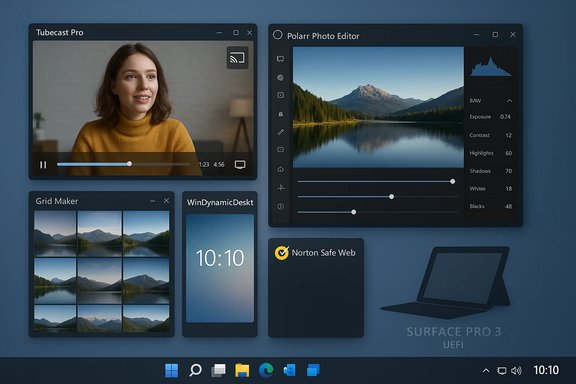
Windows desktop with several floating app windows on a blue background.Background / Overview​

BetaNews’ weekly “Best Windows apps this week” series functions as a rapid discovery engine for Microsoft Store arrivals, small utilities, indie ports and occasional platform-level changes. The format favors signal over exhaustive testing: one or two headline picks with short capsule reviews of other noteworthy releases and updates. That editorial approach makes the series useful for everyday Windows users, power users and IT teams who want to keep up with practical software choices without wading through Store noise.
This particular edition is representative: it mixes consumer-facing apps (media players, photo editors and games) with a few items that carry operational relevance (an SDK update for developers and a firmware/UEFI binary for older Surface devices). Where BetaNews highlights security- or management-relevant claims, the roundup urges readers to verify storefront details, vendor pages and release notes before rolling changes into production.

What landed this week — Quick snapshot​

  • Tubecast Pro — App of the Week: a native YouTube client focused on broad casting support (Chromecast, AirPlay, DLNA and console targets), background audio playback and offline downloads.
  • Polarr Photo Editor — a commercial pro-grade photo editor in the Store, presented as the week’s top creative pick in some write-ups.
  • Grid Maker for Instagram — a focused image-slicing tool to create multi-tile Instagram posts. Availability varies by region and exact Store SKU.
  • WinDynamicDesktop — an open-source macOS Mojave “Dynamic Desktop” port for Windows that rotates wallpapers by local time and supports theme packs.
  • Norton Safe Web (Edge extension) — URL safety and site-reporting extension for Microsoft Edge.
  • Platform items: an updated Windows 10 SDK/tooling drop for developers and a Surface Pro 3 UEFI firmware update (noted as v3.11.760.0 in the roundup) that introduces more granular UEFI controls for device lockdown. Both items are flagged as higher-priority for admins and developers.
The combination of small utilities and platform-level changes is the core value of these weekly lists: each item is low-friction to try, but a few demand operational diligence.

Deep dive — Tubecast Pro (App of the Week)​

Why Tubecast Pro stands out​

BetaNews singled out Tubecast Pro for packaging features many Windows users want in a native YouTube client: comprehensive casting options, background audio playback (useful on tablets and convertibles), multi-quality playback (including higher resolutions where available), and offline downloads where permitted. The app’s appeal is practical: it reduces friction when moving content between phone, PC and TV screens, and it tries to fill gaps left by browser-only YouTube workflows on Windows devices.

Key features and benefits​

  • Casting support: Chromecast, AirPlay, DLNA and certain console targets.
  • Background audio: Plays audio while the device is locked or in background mode, turning long videos into audio sessions.
  • Offline downloads: Saves local copies for offline playback (subject to YouTube API and account entitlements).
  • Multi-quality playback: Supports a range of resolutions up to QHD/4K where available.
These features make Tubecast Pro an attractive candidate for commuters, remote workers and anyone who uses a Windows tablet or convertible as a media device.

Caveats and verification checklist​

  • Codec and DRM behavior may vary by Store version and under what YouTube policies allow. The Store page does not always list precise DRM/codec constraints, so hands-on testing is required.
  • Offline download behavior can be limited by YouTube policy changes and regional rules; confirm what’s permitted under your account.
  • If casting to third-party devices, confirm network and UPnP/DLNA compatibility in your environment.
Bottom line: Tubecast Pro is a practical, convenience-driven pick — test before buying and confirm the Store listing for trials, in-app purchases and exact feature sets.

Deep dive — Polarr Photo Editor and creative tools​

Polarr: pro editing in a Store wrapper​

Polarr has become a recurring pick in Store roundups because it delivers robust editing tools in a compact UI: sliders, masks, RAW support, presets and batch export features. BetaNews highlights Polarr as a strong choice for bloggers, students and professionals who want powerful adjustments without adopting an enterprise DAM workflow. The app historically offers a free trial and a paid pro tier.

Strengths​

  • Power without weight: Polarr focuses on slider-driven edits and masks rather than a heavyweight asset pipeline.
  • RAW and batch export: Useful for photographers who need quick adjustments across multiple files.
  • Presets and one-click looks: Speeds up consistent editing across posts or projects.

Caveats​

  • Price and trial conditions vary by region and Store promotions; confirm before purchasing.
  • Integration with cloud storage and asset management varies: for production use, ensure duty-of-care on backups and export paths.

Small utilities that punch above their weight​

Grid Maker for Instagram​

A focused crop-and-slice utility that prepares multi-tile Instagram posts (3×1 through 3×5). These tools are useful for social creators who prefer a quick, local workflow for generating tiled posts. BetaNews flagged it as useful but also cautioned that precise Store listings can vary and should be verified.

WinDynamicDesktop​

An open-source port of macOS Mojave’s dynamic wallpapers for Windows. It rotates wallpapers based on local time and ships with macOS-themed packs and a theme-creation ecosystem. For users who prefer a polished, automated desktop aesthetic, this is a low-risk install — open-source provenance makes inspection easier.

Norton Safe Web (Edge extension)​

A security-focused browser extension that annotates links with safety icons and links to site reports. Extensions like this can reduce phishing risk for everyday browsing, but enterprise deployments should evaluate extension policies and corporate browsing controls first.

Platform-level items: Windows 10 SDK and Surface Pro 3 UEFI update​

Windows 10 SDK tooling​

BetaNews noted a Windows 10 SDK drop intended for developers targeting the platform, accompanied by Visual Studio tool updates. SDK updates typically include new APIs, debugging improvements and tooling changes that matter for app compatibility and feature adoption. Developers should consult official release notes and internal CI pipelines before adopting new SDKs in production builds.
Practical developer checklist:
  • Read the SDK release notes and Visual Studio integration docs.
  • Run the SDK in a test branch and validate build reproducibility.
  • Confirm runtime compatibility on target Windows 10 servicing branches.

Surface Pro 3 UEFI firmware update (noted: v3.11.760.0)​

The roundup referenced a Surface Pro 3 UEFI firmware update that adds finer-grained UEFI options — notably the ability to disable specific hardware and boot options to harden devices used in education or enterprise. Firmware changes like this can materially affect manageability and security posture, but they must be tested carefully. BetaNews cited the version as v3.11.760.0; administrators should confirm the exact version and its change log on Microsoft’s support site before deployment.
Risks and best practices for firmware rollouts:
  • Firmware updates can change device boot behavior; test on a lab device first.
  • Confirm MDM/Intune compatibility and how new UEFI settings map to vendor management capabilities.
  • Maintain recovery media and document rollback paths; enforce staged rollouts.
Flag: the firmware version and exact behavior should be verified against the manufacturer’s release notes before entering broad deployment — the roundup is a discovery prompt, not the definitive source for firmware management.

Games, ports and ephemeral availability​

BetaNews’ roundup also listed a set of games and ports — Crimsonland, Star Wars Rebels: Recon Missions, Candy Crush Jelly Saga and others — that represent the Store’s mixed ecosystem of licensed franchises and indie adaptations. Two recurring caveats apply:
  • Availability varies: Licensed titles can be pulled or regionally restricted; do not build dependencies on a Store-exclusive app without contingency plans.
  • Port quality varies: Mobile-to-PC ports may have input, performance and controller support differences; verify on hardware representative of your users’ devices.
For gamers and casual users these are excellent discovery leads; for IT teams and digital signage operators, validate availability and longevity before relying on a Store game in a production setting.

Strengths — What this roundup does well​

  • Curated discovery: The weekly format surfaces focused tools and minor wins that often get buried in the Microsoft Store. That saves time for users hunting for one-off utilities.
  • Practical triage: Short capsules identify who should try each app and what to watch for — privacy permissions, DRM, or update cadence.
  • Platform signals: When the list includes SDK drops or firmware updates, it gives sysadmins actionable leads to investigate.

Risks and limitations — What to watch out for​

  • Store volatility: Prices, trial windows and availability change; a one-week snapshot can become stale quickly. Confirm current Store pages before purchasing or deploying.
  • Incomplete technical detail: Store listings often omit deep technical specs (codec lists, DRM, enterprise MDM mappings). Do hands-on tests for hardware/video codecs or system utilities before broad adoption.
  • API and service dependencies: Small utilities may depend on third-party APIs that can be shuttered or changed without vendor-level SLAs. For mission-critical workflows, prefer actively maintained projects and clear developer contact info.
  • Firmware and UEFI changes: Firmware updates carry operational risk; always validate version, test rollback procedures, and confirm vendor documentation before mass rollouts.
Where the BetaNews piece lacked direct corroboration (for example, niche app listings or unclear Store SKUs), the roundup itself flagged those items as discovery leads rather than definitive endorsements. That cautionary stance is appropriate and should guide readers’ next steps.

Practical recommendations — How to act on this roundup​

For consumers and enthusiasts:
  • Try one or two headline picks (e.g., Tubecast Pro, Polarr) using free trials where available.
  • Check the Microsoft Store listing for the current version, screenshots, and recent reviews.
  • Validate permissions and any cloud/online integrations before uploading sensitive content.
For power users and small IT admins:
  • Test apps in a sandbox or VM before rolling them to managed devices.
  • If an app relies on third-party APIs, verify data portability (export options) and backup processes.
  • For firmware/UEFI updates, stage deployment: lab → pilot ring → broader rollout. Maintain recovery media and documented rollback steps.
For developers:
  • Read SDK release notes and integrate new toolchains in an isolated branch.
  • Run CI jobs with the new SDK to surface compile or runtime differences early.
  • Communicate any required runtime/environment changes to downstream teams.

Final analysis — verdict for Windows users and IT pros​

The BetaNews roundup underlines a familiar duality in the Windows ecosystem: the Microsoft Store remains a fertile source of small wins — focused utilities, social-media helpers and attractive ports — while platform-level updates (SDKs, firmware) deserve a higher operational bar. For everyday users the value is immediate: discover something useful, try it, and move on. For IT pros, the value is in the signal: SDK and firmware notes are prompts to investigate, but they require the usual validation, testing and documentation.
  • Bold, short-term installs: Tubecast Pro and Polarr are solid candidates for personal or small-team productivity and media workflows — test before buying.
  • Utilities worth keeping an eye on: Grid Maker for Instagram, WinDynamicDesktop and Norton Safe Web offer focused functionality that’s low-risk for single users but should be screened in managed environments.
  • Admin-level items: The Windows 10 SDK update and the Surface Pro 3 UEFI firmware change are operationally significant; verify vendor documentation and plan staged rollouts.
Where BetaNews could not independently confirm Store metadata for certain niche apps, treat the roundup as an initial discovery lead and consult the official Store listing or publisher page before making decisions. That careful posture — curiosity plus verification — is the most reliable way to benefit from weekly Store roundups without taking undue risk.

Conclusion​

This week’s “Best Windows 10 apps this week” roundup delivers a textbook example of what the series does best: fast, curated discovery with practical caveats. Tubecast Pro and Polarr stand out as pragmatic wins for media consumption and photo editing respectively, while small utilities and ported games continue to add niche value. Equally important are the platform-level signals: SDK tooling and firmware updates that require formal validation by developers and IT teams. The practical rule remains unchanged — try on a non-critical device, verify vendor documentation and Store pages, and stage any system-level changes. When paired with a disciplined test-and-verify workflow, the small apps highlighted in these roundups can deliver real day-to-day productivity gains without undue risk.

Source: BetaNews https://betanews.com/series/best-windows-10-apps-this-week-127/]
 

This week’s BetaNews roundups deliver a compact but useful pulse-check of the Microsoft Store: a handful of standout app picks (including a native YouTube client and a commercial photo editor), practical single-purpose utilities, and two platform-level items—an updated Windows 10 SDK and a Surface Pro 3 UEFI firmware release—that matter to developers and administrators alike.

Blue-tinted desk scene featuring Windows 10 SDK release notes on a monitor and a laptop showing Advanced Device Security.Background​

BetaNews’ weekly “Best Windows apps” and “Best Windows 10 apps” columns are short-form curations that surface notable Store arrivals, updates, and small platform changes. The format trades depth for discovery: each edition names one or two headline picks and then runs through a string of smaller utilities, games, and tooling updates that are worth trying or verifying. That editorial style helps users discover practical apps quickly but also requires verification of feature claims, pricing, and availability before any production or long-term adoption.
These particular installments emphasize three parallel themes: consumer convenience apps (media clients and photo editors), focused single-purpose utilities (wallpaper rotators, grid-slicers, and browser safety extensions), and platform-level releases (a Windows 10 SDK update and a Surface Pro 3 UEFI update adding advanced lockdown settings). The rest of this article summarizes the key items, verifies important technical claims against primary authorities, evaluates strengths and risks, and offers concrete recommendations for users and admins.

Overview of the week’s headlines​

  • App-of-the-week style picks: Tubecast Pro (native YouTube client and casting tool) and Polarr Photo Editor (commercial, Store-packaged photo editor).
  • Practical utilities called out: Grid Maker for Instagram (image grid slicer), WinDynamicDesktop (macOS Mojave dynamic wallpaper port), and Norton Safe Web (Edge extension).
  • Platform-level items: an updated Windows 10 SDK drop for developers and a Surface Pro 3 UEFI update that exposes advanced device security options (UEFI v3.11.760.0).
Below are verified summaries and analyses of the most consequential items.

Tubecast Pro — what BetaNews highlighted and what we verified​

Summary of the BetaNews claim​

BetaNews names Tubecast Pro as an App of the Week for offering broad casting support (Chromecast, AirPlay, DLNA and some console targets), background audio playback for locked devices, multi-quality streaming and offline downloads where permitted. The piece presents Tubecast as a practical native YouTube client that fills gaps left by browser-based workflows on Windows devices.

Verification and cross-checks​

Independent coverage dating back to Tubecast’s active years consistently describes the app as a highly capable third-party YouTube client with casting and DLNA support, multi-quality playback (including 1080p/QHD/4K where available), and offline caching. Windows Central and several Windows-focused outlets documented those features when Tubecast was actively updated, and app changelogs and user reports confirm long-standing support for Chromecast, AirPlay, and DLNA streaming. These independent sources corroborate BetaNews’ functional description, although they also record occasional instability tied to upstream YouTube or Chromecast firmware changes—an expected fragility for third‑party clients that rely on external service APIs.

Strengths​

  • Casting breadth: Tubecast historically bundled Chromecast, AirPlay and DLNA targets in one client, reducing friction for heterogeneous home AV setups.
  • Background audio: The ability to keep audio playing while the device is locked is valuable for tablets and convertibles.
  • Native Store packaging: Installation and updates via the Microsoft Store simplify maintenance compared with sideloaded desktop wrappers.

Risks and caveats​

  • API dependency: Tubecast is a third‑party client that depends on YouTube’s public APIs and on the compatibility of casting ecosystems. Upstream API or platform policy changes can remove core features without notice. Independent reports show Tubecast has experienced breaks when providers change their platforms.
  • Incomplete store metadata: Store listings may omit codec, DRM and device capability specifics; hands‑on testing is necessary for features like 4K playback or DRM‑protected content.

Practical recommendation​

  • Try the free/trial edition first and verify cast targets you use (Chromecast model, AirPlay Apple TV or specific DLNA devices).
  • Test playback for the resolutions and codecs you rely on (1080p, 1440p, 4K, 60fps).
  • For mission‑critical use, prefer first‑party solutions or well-supported cross‑platform players to avoid sudden loss of functionality.

Polarr Photo Editor — verification and practical takeaways​

What BetaNews reported​

Polarr was presented as a top creative pick: a compact, pro‑oriented photo editor in the Microsoft Store with RAW support, advanced sliders, masking, and preset libraries. The roundup positioned Polarr as an efficient alternative to heavyweight editors for bloggers, students and photographers.

Cross-referencing claims​

Polarr’s official product pages and longstanding coverage confirm these capabilities. Polarr’s Windows product pages and support documentation list RAW import, advanced masks and selective edits, batch export and a pro subscription model, matching the BetaNews summary. Windows Central’s earlier reviews also corroborate support for RAW formats (.CR2, .NEF, .RAF) and a compact, slider-driven UI optimized for speed. These two independent sources align with BetaNews’ description.

Strengths​

  • Pro features in a light-weight wrapper: RAW support, masking and batch export in a simpler UI than full desktop editors.
  • Cross-platform continuity: Polarr is available across web, macOS and Windows; subscription tiers offer consistent features across platforms.

Risks and caveats​

  • Pricing and trial limits: Store-region pricing and trial limitations vary. Confirm the trial feature set and the cost for Pro features before migrating workflows.
  • Export fidelity verification: If Polarr will be part of a professional image pipeline, test RAW import/export fidelity with representative camera files before relying on it for client work.

Practical recommendation​

  • Test Polarr with a selection of your RAW files and run an export/import round trip to confirm color, metadata and compression behavior before adopting it for production photo work.

Utilities and small picks — useful, but verify availability and privacy​

WinDynamicDesktop (macOS-style dynamic wallpapers)​

BetaNews lists WinDynamicDesktop as a Mojave Dynamic Desktop port that rotates wallpapers by local time and supports theme packs. That claim is directly supported by the WinDynamicDesktop project site and GitHub repository, which document theme selection, scheduling, a 24‑hour cycle and a Microsoft Store presence. The project’s README and site explicitly state limitations and known issues (for example, wallpaper fit and multi‑desktop limitations) that users should expect. This is a faithful port with transparent limitations and a community-driven theme ecosystem. Strengths:
  • Open-source transparency and theme community.
  • Runs on Windows 10/11 and provides a macOS‑like dynamic wallpaper experience.
Caveats:
  • Known issues such as wallpaper fit and live updates on certain configurations; check the GitHub issue tracker before adopting in managed environments.

Norton Safe Web for Microsoft Edge​

BetaNews calls out Norton’s Safe Web extension for Edge as a URL-safety tool. Norton’s official product pages confirm the extension’s existence and describe features such as real‑time site ratings, phishing protection, Link Guard, and an Intrusion Protection System (IPS) integrated into the browser extension. Norton positions Safe Web as complementary to its device security offerings, and the extension is available through mainstream browser stores for Edge, Chrome and Firefox. Given the security posture, enterprises should treat it like other browser extensions: evaluate permissions, telemetry, and policy enforcement before broad rollout.

Grid Maker for Instagram — discovery lead only​

BetaNews highlights a small image-slicer utility called Grid Maker for Instagram. Independent verification for a Windows Store product with this exact name and publisher entry was limited in search results. While many cross‑platform “grid” or “grids post maker” apps exist (primarily mobile), the exact Microsoft Store SKU referenced by BetaNews could not be located during verification, suggesting the label could be a region‑limited SKU, a renamed product, or a short-lived Store listing. Treat the BetaNews mention as a discovery lead and confirm the Store listing, permissions, and publisher details before installing.

Platform-level items: Windows 10 SDK and Surface Pro 3 UEFI​

Windows 10 SDK — what BetaNews said​

BetaNews flagged a developer‑facing Windows 10 SDK drop as a notable platform item for developers targeting Windows 10. The roundup treated the SDK release as operationally relevant and urged developers to update their toolchains where appropriate.

Verification​

Microsoft’s Windows Developer pages maintain an SDK archive and active release notes for Windows 10 SDKs. The Windows Developer SDK archive lists Windows 10 SDK versions, servicing updates, and download links; this official listing is the authoritative source for SDK availability and versioning. Use the archive to confirm the exact version numbers and release dates for the SDK the BetaNews piece referenced.

Practical advice for developers​

  • Confirm exact SDK version on Microsoft’s SDK archive and match installer hashes before deployment.
  • Test builds on staging lanes before production rollout—tooling or API changes can expose hidden compatibility issues.
  • Consider Windows 11 tooling where you target new platform-specific APIs (Arm64EC, etc., but maintain Windows 10 build pipelines if you must support legacy devices.

Surface Pro 3 UEFI update (v3.11.760.0) — verification and details​

BetaNews called attention to a Surface Pro 3 UEFI firmware update (v3.11.760.0) that exposes finer-grained UEFI security controls, useful for device lockdown and provisioning. Microsoft’s Surface update history and the Surface documentation explicitly describe the v3.11.760.0 UEFI update, how to obtain it, and the new “Advanced Device Security” menu added after installation. Microsoft’s guidance explains manual installation via the Surface Driver and Firmware pack and stresses that firmware updates are staged and non‑reversible. These Microsoft pages provide authoritative confirmation of BetaNews’ claims. Strengths:
  • Enterprise device lockdown: The UEFI update gives admins the ability to disable specific hardware or prevent booting from particular devices—capabilities that strengthen security in shared or managed fleets.
Risks:
  • Firmware non‑revertibility: Microsoft warns firmware updates can’t be rolled back. Test firmware updates in a lab before mass deployment.
  • Staged rollout: Not all devices will receive updates at once; admins should coordinate maintenance windows and manual distribution where necessary.
Practical steps for admins:
  • Download Surface driver and firmware packs from Microsoft’s official pages and verify checksums.
  • Test the UEFI menu changes on a small set of devices to confirm provisioning scripts and MDM integration.
  • Educate helpdesk and field technicians that UEFI options have changed and that firmware cannot be reverted.

Cross-cutting strengths and risks across the roundups​

Notable strengths of BetaNews’ approach​

  • Fast discovery: Short, curated roundups highlight useful, small-scope apps that are otherwise easy to miss in the Microsoft Store. This weekly cadence helps users find practical tools quickly.
  • Operational signal: When BetaNews flags platform-level items (SDKs, firmware), that signal is valuable for administrators and developers who need to monitor subtle changes in tooling or device security.

Recurring risks to watch​

  • Store volatility and regional differences: App availability, pricing, trial conditions and even app names can vary by region and over time. BetaNews’ capsule descriptions may not always reflect current store states, so always verify the Store SKU, publisher and changelog.
  • Third‑party API fragility: Media–casting apps and wrappers that rely on external APIs can break when services change rules or technical endpoints. BetaNews correctly flags this fragility for apps like third‑party YouTube clients.
  • Privacy and telemetry: Small utilities and browser extensions often require elevated permissions. Validate privacy policies and data collection practices before deploying extensions at scale. Norton‑branded extensions add security features but still need review for telemetry and permissions under corporate policy.

How to evaluate and adopt these picks safely — step-by-step​

  • Verify the Store listing
  • Confirm the exact app name, publisher, version, and supported OS version on the Microsoft Store.
  • Read recent reviews
  • Check recent Store ratings and independent reviews for reliability and breakage reports.
  • Test in a sandbox
  • For utilities that affect system behavior (UEFI, firmware, drivers), test on a non‑production device or VM where applicable.
  • Confirm data flows
  • Inspect app permissions and vendor privacy policy to understand telemetry, cloud APIs, and associated data flows.
  • Pilot and stage rollout
  • For businesses, pilot small groups and monitor behavior before broad deployment.
  • Keep backups and rollback plans
  • For system-level changes (UEFI or firmware), ensure data is backed up and that you have recovery media and documented steps in case of issues.

Final analysis and verdict​

BetaNews’ weekly roundups remain a practical discovery engine for Windows users and IT professionals: they surface small, useful utilities and highlight platform-level changes that deserve attention. The headline picks in this week’s editions — Tubecast Pro and Polarr Photo Editor — are broadly consistent with independent documentation and historical coverage: Tubecast bundles multi‑target casting and background audio, while Polarr provides a compact, pro‑oriented editor with RAW support. For both, hands‑on testing is essential before committing them to daily or professional workflows.
Platform items deserve higher operational scrutiny. The Windows 10 SDK archive is the authoritative source for SDK downloads and versioning; teams should confirm exact SDK numbers before updating build systems. The Surface Pro 3 UEFI update (v3.11.760.0) is documented in Microsoft’s Surface pages and adds useful advanced device security controls, but it is firmware—firmware should be tested and staged because it cannot be rolled back. SEO‑friendly takeaways for readers searching for “best Windows apps”, “Windows 10 apps” or “Microsoft Store”:
  • Use curated roundups like BetaNews for fast discovery, but always verify the current Microsoft Store listing and publisher details before installing.
  • For media casting functionality, test with your exact Chromecast/AirPlay/DLNA targets and sample content to confirm resolution, codec and DRM behavior.
  • For device firmware and UEFI changes (Surface or similar), follow Microsoft’s official guidance, test on a small subset first, and ensure you have recovery plans.

Conclusion​

This week’s BetaNews selections illustrate the continued variety in the Microsoft Store: practical single-purpose utilities, polished cross‑platform apps, and occasional platform-level updates that require operational attention. The value of these roundups is real—especially for users who want quick discovery without digging through the Store—but the responsible follow‑up is mandatory: verify the Store SKU, validate feature claims on official and independent pages, test behavior on representative hardware, and stage firmware or SDK updates in controlled pilots. BetaNews provides the map; the Store listing, vendor documentation and staged testing provide the path.

Source: BetaNews https://betanews.com/series/best-wi...om/article/restore-windows-10-control-panel/]
 

Back
Top