

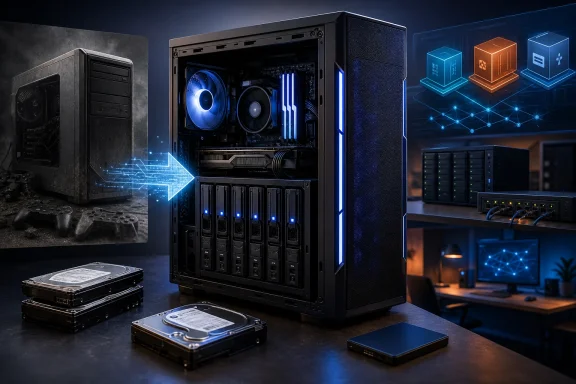
An old gaming PC can become a capable homelab NAS when repurposed with NAS-oriented software such as TrueNAS, Unraid, OpenMediaVault, or Proxmox, because its desktop CPU, expandable memory, SATA ports, PCIe slots, and standard case often exceed what many consumer NAS appliances provide. That does not make the appliance NAS obsolete. It does, however, expose the uncomfortable truth behind the home-storage market: a lot of people shopping for a NAS already own a better server than the one they are about to buy.
The argument is not that a tower full of spare parts is always cleaner, quieter, safer, or cheaper to operate than a purpose-built box. The argument is that the old gaming desktop sitting under a desk is often the most underpriced asset in a home lab because its resale value has collapsed faster than its usefulness. For Windows enthusiasts and IT pros, the question is less “Should I buy a NAS?” than “Am I about to pay twice for compute I already own?”
The modern prosumer NAS no longer wants to be a dumb disk box. Vendors now pitch six-bay and eight-bay systems as app platforms, media servers, backup targets, virtualization hosts, AI workstations, and small-business infrastructure. The drive bays remain the visual hook, but the marketing increasingly revolves around CPU class, RAM capacity, GPU or NPU acceleration, 10GbE, Thunderbolt, PCIe expansion, and container ecosystems.
That is why a machine such as Ugreen’s NASync iDX6011 Pro lands with such force. It is not a humble file server with a web UI; it is a compact storage appliance with Intel Core Ultra silicon, 64GB of LPDDR5X memory, six SATA bays, M.2 slots, PCIe expansion, dual 10GbE, and enough local AI branding to make clear where the market is headed. At a listed price around $2,599, it is also a reminder that “NAS” has become a luxury category once vendors add workstation-class parts.
The price is not irrational. A well-built appliance has costs a DIY desktop does not: custom chassis engineering, hot-swap backplanes, validated thermals, power delivery, vendor software, support, warranty handling, and the unglamorous work of making storage boring. Anyone who has debugged a flaky SATA cable at 1 a.m. understands why boring is worth money.
But the sticker shock changes the frame. If a NAS is now sold as a compact server, the old gaming PC becomes a legitimate competitor rather than a compromise. A Core i9 tower with 32GB, 64GB, or 96GB of RAM may be physically uglier and electrically thirstier, but it is not underpowered. In many homelabs, it is absurdly overpowered.
A 13th-generation Core i9-13900K, for example, is a comically strong chip for ordinary file sharing. Its 24-core hybrid design was built for high-end desktop workloads, not for serving SMB shares to a couple of laptops and a TV. Yet that surplus is exactly what makes it attractive in a homelab, where the NAS has a way of becoming the everything box: Plex or Jellyfin today, game servers tomorrow, Windows and Linux VMs after that, and a self-hosted database because someone read a forum thread at midnight.
That is the hidden value in repurposed gaming hardware. Consumer NAS buyers often discover after purchase that “can run apps” and “can comfortably run my apps” are not the same sentence. A low-power Celeron or ARM appliance may be excellent at file storage but wheeze once asked to transcode media, index photos, host containers, run development services, and keep backups moving at the same time.
An old gaming desktop flips the problem. It usually has more CPU than the job requires, enough memory slots to make upgrades cheap, and a motherboard with SATA, M.2, USB, and PCIe options that appliance buyers often pay dearly to regain. The waste becomes headroom, and in a homelab, headroom is what postpones the next purchase.
That matters because used gaming hardware depreciates brutally. A once-expensive desktop may not resell for enough to fund a high-end NAS with comparable compute. The owner who can add RAM, install disks, and boot a NAS or hypervisor stack may get far more value from continued use than from liquidation.
The How-To Geek example captures the logic neatly: an i9-13900K desktop with 32GB of DDR4 memory became a home server after a relatively modest RAM upgrade pushed it to 96GB. The result was a box with more compute and memory than most consumer NAS appliances, multiple SATA ports, several M.2 slots, and a standard ATX power supply. That is not a janky file share in the corner; that is a serious virtualization host that also happens to store data.
Still, the word “free” deserves suspicion. Drives cost money. Electricity costs money. A UPS costs money. A case with bad airflow over the drive cage can cost money in failed disks. The old gaming PC may be the cheapest way to obtain compute, but it is not automatically the cheapest way to run storage for five years.
The correct comparison is not purchase price alone. It is total usefulness per dollar already sunk, plus the cost of making the system safe enough to trust. For many enthusiasts, that equation still favors the desktop, especially if the alternative is a $1,000-to-$2,500 appliance bought mainly to run workloads the old PC can handle today.
TrueNAS remains the obvious answer for users who want ZFS-centered storage with a mature web interface and a strong storage-first culture. It is especially appealing when the machine has enough RAM, multiple drives, and a user who understands that ZFS is powerful precisely because it expects disciplined storage design. The reward is snapshots, replication, checksumming, and a storage model that has earned its reputation in serious environments.
Unraid appeals to a different temperament. It is popular among homelab users who want flexible drive expansion, Docker-based apps, VMs, and a less rigid relationship with mixed-capacity disks. It is not the same philosophy as a traditional ZFS pool, and that distinction matters, but its popularity is not an accident. It fits the “I have parts, I want services, and I will grow this over time” crowd very well.
OpenMediaVault is the lighter, Debian-based route for users who want NAS functionality without turning the system into a storage religion. It is approachable, flexible, and often a better fit for modest hardware or users who prefer to assemble services with Linux familiarity rather than buy into a more opinionated platform.
Then there is Proxmox, which changes the premise. Instead of asking the old desktop to be only a NAS, Proxmox asks it to become a virtualization host that can run a NAS VM alongside other workloads. That is not the simplest route, and storage pass-through must be handled carefully, but it reflects how many homelabs actually evolve. The file server becomes one service among many.
The risk is that storage does not forgive sloppy abstraction. A NAS wants clear control over disks, predictable write behavior, and an administrator who knows what is virtualized and what is passed through. The ideal configuration usually gives the NAS VM direct access to a disk controller or individual drives rather than hiding everything behind a virtual disk file on top of another filesystem.
This is where the old gaming PC may need one more purchase: an HBA or SATA controller that can be passed through cleanly. Motherboard SATA ports can work, but the layout and IOMMU grouping are not always friendly. Some consumer boards were designed for gaming convenience, not for the neat isolation that storage virtualization appreciates.
The payoff, though, is enormous. A single desktop can become a lab that teaches real infrastructure concepts: hypervisors, virtual switches, VLANs, snapshots, backup chains, storage pools, and resource allocation. A sealed NAS appliance may be better at doing the job quietly. A repurposed gaming PC is better at teaching why the job is complicated.
Old gaming cases vary wildly here. Some older towers are excellent NAS candidates because they have multiple 3.5-inch bays from the era when desktops still carried several hard drives and optical drives. Many newer gaming cases are worse. They trade drive cages for glass panels, vertical GPU mounts, radiators, and airflow aesthetics, leaving only a couple of hidden 3.5-inch sleds in the basement.
That does not kill the idea, but it changes the build. A desktop NAS needs a sober inventory before the OS is installed: how many drives fit, how they are cooled, how they are powered, and whether replacing one failed disk requires dismantling half the machine. The difference between “I can mount six drives somehow” and “I can service six drives safely” is the difference between a weekend project and infrastructure.
Hot swap is also easy to underrate until the first failure. In a dedicated NAS, the failed disk is usually obvious, accessible, and replaceable without opening the chassis. In a repurposed tower, the failed disk may be wedged behind a front panel, tied into a bundle of SATA cables, or identified only after careful serial-number checking. That inconvenience is tolerable for many home users, but it is real.
The difference may not matter if the box is used intermittently or if electricity is cheap. It matters if the machine runs all year. A 50-watt difference at idle becomes hundreds of kilowatt-hours over time. A 100-watt difference becomes a household conversation, especially in regions with expensive power or warm climates where waste heat also becomes cooling load.
There are mitigations. Remove the GPU if the CPU has integrated graphics and the server does not need hardware acceleration from the card. Disable decorative lighting and unused onboard devices. Tune fan curves. Use efficient power supplies at the expected load range. Enable CPU power management. Choose drives deliberately rather than stuffing the chassis with every ancient disk in the drawer.
Even then, a compact NAS appliance often wins the efficiency contest. That is why the old gaming PC is not a universal recommendation. It is a recommendation for people who need the compute, value the flexibility, or already run enough services that a low-power NAS would be under strain. If the only goal is Time Machine, Windows File History, and a family photo share, the most powerful box in the house may also be the least elegant answer.
The first discipline is storage design. RAID is not backup, mirrors do not protect against accidental deletion, and parity does not rescue a pool from every kind of human mistake. A home NAS that stores important data needs snapshots, external backups, and preferably off-site copies. The recycled desktop changes none of that.
The second discipline is power protection. A UPS is not glamorous, but sudden power loss and storage arrays are old enemies. Laptops have a funny advantage here because their batteries act as a miniature UPS, but desktops do not get that benefit for free. Anyone serious about a tower NAS should budget for a UPS before celebrating the money saved on the appliance.
The third discipline is monitoring. Drives should report SMART data. Temperatures should be visible. Scrubs should run. Alerts should go somewhere the owner actually reads. A server that fails silently is worse than no server at all because it creates confidence while data rots in the dark.
The fourth discipline is restraint. Homelab users love to pile services onto hardware precisely because they can. That is part of the fun, but it also creates blast radius. If the same box stores family data, hosts experimental containers, runs game servers, and serves as a development playground, then one careless change can affect everything. Virtualization helps isolate workloads, but it does not replace judgment.
SMB remains the everyday protocol that makes network shares feel native in Windows. A Linux-based NAS running Samba can present shared folders that map as network drives, support user accounts, and serve as a target for backups, installers, media libraries, and project archives. For most homes and small offices, that is the core NAS experience.
The extra compute opens more Windows-specific possibilities. A Proxmox host can run Windows test VMs for software validation, domain experiments, Intune or deployment labs, and legacy application testing. Developers can keep Linux build environments close to storage. IT pros can simulate small networks without renting cloud instances for every experiment.
That is where the old gaming PC becomes more than a cheap NAS. It becomes a local lab for skills that still matter. Cloud platforms dominate modern infrastructure, but networking, identity, storage, virtualization, backup, and patch management are easier to understand when you can break and rebuild them on hardware you own.
That is not laziness. It is a valid operational preference. The older one gets in IT, the easier it becomes to respect boring tools that work. A dedicated NAS can be the right choice precisely because it limits the owner’s impulse to turn storage into a perpetual experiment.
Appliances also tend to be physically better suited to shared spaces. A six-bay NAS may sit neatly on a shelf. A gaming tower may dominate the room like a space heater with opinions. Noise, dust, size, and aesthetics matter when infrastructure leaves the basement and enters domestic life.
Vendor support is another dividing line. If a business depends on the box, or if the owner is the informal IT department for relatives who will call during dinner, a supported appliance may be worth the premium. The DIY route saves money by moving responsibility from the vendor to the builder. Some readers will see that as freedom. Others will correctly see it as work.
That understanding compounds. Once a user has installed Proxmox, passed disks through to a storage VM, configured SMB shares, set up snapshots, and restored a file from backup, the home network stops being a mystery. Once they have watched a drive temperature climb because airflow was bad, they understand why enclosure design matters. Once they have measured idle power, they understand why efficient platforms are popular.
This is also why the old desktop does not have to be the final NAS. It can be the first serious server, the test platform, the migration bridge, or the heavy-compute node that remains useful after a dedicated NAS arrives. In the How-To Geek scenario, the gaming desktop eventually ceded primary storage duties to a high-end Ugreen appliance but remained valuable for heavyweight VMs and game server nodes. That is a familiar homelab arc: today’s recycled machine becomes tomorrow’s compute node.
The lesson is not “never buy a NAS.” The lesson is “do not confuse a NAS appliance with the only way to build network storage.” In a world where old gaming PCs are often too capable to throw away and too depreciated to sell well, repurposing them is not a compromise. It is a rational response to the economics of enthusiast hardware.
The mistake is treating those tradeoffs as moral choices. They are design choices. A homelab is not better because it is DIY, and a NAS is not better because it came in a retail box. The better system is the one whose failure modes, operating costs, and maintenance burden match the person who has to live with it.
Source: How-To Geek Your old gaming PC is the ultimate homelab NAS
The argument is not that a tower full of spare parts is always cleaner, quieter, safer, or cheaper to operate than a purpose-built box. The argument is that the old gaming desktop sitting under a desk is often the most underpriced asset in a home lab because its resale value has collapsed faster than its usefulness. For Windows enthusiasts and IT pros, the question is less “Should I buy a NAS?” than “Am I about to pay twice for compute I already own?”
 The NAS Market Has Started Selling Desktop Ambition in Appliance Clothing
The modern prosumer NAS no longer wants to be a dumb disk box. Vendors now pitch six-bay and eight-bay systems as app platforms, media servers, backup targets, virtualization hosts, AI workstations, and small-business infrastructure. The drive bays remain the visual hook, but the marketing increasingly revolves around CPU class, RAM capacity, GPU or NPU acceleration, 10GbE, Thunderbolt, PCIe expansion, and container ecosystems.That is why a machine such as Ugreen’s NASync iDX6011 Pro lands with such force. It is not a humble file server with a web UI; it is a compact storage appliance with Intel Core Ultra silicon, 64GB of LPDDR5X memory, six SATA bays, M.2 slots, PCIe expansion, dual 10GbE, and enough local AI branding to make clear where the market is headed. At a listed price around $2,599, it is also a reminder that “NAS” has become a luxury category once vendors add workstation-class parts.
The price is not irrational. A well-built appliance has costs a DIY desktop does not: custom chassis engineering, hot-swap backplanes, validated thermals, power delivery, vendor software, support, warranty handling, and the unglamorous work of making storage boring. Anyone who has debugged a flaky SATA cable at 1 a.m. understands why boring is worth money.
But the sticker shock changes the frame. If a NAS is now sold as a compact server, the old gaming PC becomes a legitimate competitor rather than a compromise. A Core i9 tower with 32GB, 64GB, or 96GB of RAM may be physically uglier and electrically thirstier, but it is not underpowered. In many homelabs, it is absurdly overpowered.
The Gaming PC’s Waste Is the Homelab’s Headroom
Gaming desktops are built around burst performance. They are designed to feed GPUs, cool hot CPUs, move air through roomy cases, and absorb upgrades without a fight. Those same traits map surprisingly well to home-server work once the GPU is removed, ignored, or repurposed.A 13th-generation Core i9-13900K, for example, is a comically strong chip for ordinary file sharing. Its 24-core hybrid design was built for high-end desktop workloads, not for serving SMB shares to a couple of laptops and a TV. Yet that surplus is exactly what makes it attractive in a homelab, where the NAS has a way of becoming the everything box: Plex or Jellyfin today, game servers tomorrow, Windows and Linux VMs after that, and a self-hosted database because someone read a forum thread at midnight.
That is the hidden value in repurposed gaming hardware. Consumer NAS buyers often discover after purchase that “can run apps” and “can comfortably run my apps” are not the same sentence. A low-power Celeron or ARM appliance may be excellent at file storage but wheeze once asked to transcode media, index photos, host containers, run development services, and keep backups moving at the same time.
An old gaming desktop flips the problem. It usually has more CPU than the job requires, enough memory slots to make upgrades cheap, and a motherboard with SATA, M.2, USB, and PCIe options that appliance buyers often pay dearly to regain. The waste becomes headroom, and in a homelab, headroom is what postpones the next purchase.
“Free” Hardware Is Never Free, but It Can Still Be the Right Price
The strongest case for the old desktop is psychological and economic: the money is already gone. The gaming PC was bought for another life. Its CPU, board, RAM, power supply, and case have already passed through the household budget, which means the decision today is not whether those parts were cheap. It is whether they are more useful in a closet, on eBay, or running your infrastructure.That matters because used gaming hardware depreciates brutally. A once-expensive desktop may not resell for enough to fund a high-end NAS with comparable compute. The owner who can add RAM, install disks, and boot a NAS or hypervisor stack may get far more value from continued use than from liquidation.
The How-To Geek example captures the logic neatly: an i9-13900K desktop with 32GB of DDR4 memory became a home server after a relatively modest RAM upgrade pushed it to 96GB. The result was a box with more compute and memory than most consumer NAS appliances, multiple SATA ports, several M.2 slots, and a standard ATX power supply. That is not a janky file share in the corner; that is a serious virtualization host that also happens to store data.
Still, the word “free” deserves suspicion. Drives cost money. Electricity costs money. A UPS costs money. A case with bad airflow over the drive cage can cost money in failed disks. The old gaming PC may be the cheapest way to obtain compute, but it is not automatically the cheapest way to run storage for five years.
The correct comparison is not purchase price alone. It is total usefulness per dollar already sunk, plus the cost of making the system safe enough to trust. For many enthusiasts, that equation still favors the desktop, especially if the alternative is a $1,000-to-$2,500 appliance bought mainly to run workloads the old PC can handle today.
The Operating System Choice Is the Real Build
The hardware gets the attention because hardware is visible. The operating system determines whether the machine becomes a dependable NAS or a science project with blinking LEDs. That choice is also where old gaming PCs have an advantage over many appliances: they are plain x86 machines, and plain x86 machines are welcome almost everywhere.TrueNAS remains the obvious answer for users who want ZFS-centered storage with a mature web interface and a strong storage-first culture. It is especially appealing when the machine has enough RAM, multiple drives, and a user who understands that ZFS is powerful precisely because it expects disciplined storage design. The reward is snapshots, replication, checksumming, and a storage model that has earned its reputation in serious environments.
Unraid appeals to a different temperament. It is popular among homelab users who want flexible drive expansion, Docker-based apps, VMs, and a less rigid relationship with mixed-capacity disks. It is not the same philosophy as a traditional ZFS pool, and that distinction matters, but its popularity is not an accident. It fits the “I have parts, I want services, and I will grow this over time” crowd very well.
OpenMediaVault is the lighter, Debian-based route for users who want NAS functionality without turning the system into a storage religion. It is approachable, flexible, and often a better fit for modest hardware or users who prefer to assemble services with Linux familiarity rather than buy into a more opinionated platform.
Then there is Proxmox, which changes the premise. Instead of asking the old desktop to be only a NAS, Proxmox asks it to become a virtualization host that can run a NAS VM alongside other workloads. That is not the simplest route, and storage pass-through must be handled carefully, but it reflects how many homelabs actually evolve. The file server becomes one service among many.
Virtualizing the NAS Is Powerful, but It Is Also Where Hobby Builds Get Sharp Edges
Running TrueNAS inside Proxmox is a common homelab pattern because it lets one powerful machine wear several hats. The NAS gets a VM. Development boxes get VMs. Game servers get containers or VMs. Home automation, monitoring, test domains, Linux labs, and backup tools can all coexist on one tower that once existed to chase frame rates.The risk is that storage does not forgive sloppy abstraction. A NAS wants clear control over disks, predictable write behavior, and an administrator who knows what is virtualized and what is passed through. The ideal configuration usually gives the NAS VM direct access to a disk controller or individual drives rather than hiding everything behind a virtual disk file on top of another filesystem.
This is where the old gaming PC may need one more purchase: an HBA or SATA controller that can be passed through cleanly. Motherboard SATA ports can work, but the layout and IOMMU grouping are not always friendly. Some consumer boards were designed for gaming convenience, not for the neat isolation that storage virtualization appreciates.
The payoff, though, is enormous. A single desktop can become a lab that teaches real infrastructure concepts: hypervisors, virtual switches, VLANs, snapshots, backup chains, storage pools, and resource allocation. A sealed NAS appliance may be better at doing the job quietly. A repurposed gaming PC is better at teaching why the job is complicated.
Drive Bays Are the One Thing the Desktop Usually Lacks
The biggest practical advantage of a purpose-built NAS is not the CPU. It is the enclosure. Hot-swap bays, clean cabling, directed airflow, acoustic tuning, and compact drive density are not luxuries if the system is expected to sit in a living space and run constantly.Old gaming cases vary wildly here. Some older towers are excellent NAS candidates because they have multiple 3.5-inch bays from the era when desktops still carried several hard drives and optical drives. Many newer gaming cases are worse. They trade drive cages for glass panels, vertical GPU mounts, radiators, and airflow aesthetics, leaving only a couple of hidden 3.5-inch sleds in the basement.
That does not kill the idea, but it changes the build. A desktop NAS needs a sober inventory before the OS is installed: how many drives fit, how they are cooled, how they are powered, and whether replacing one failed disk requires dismantling half the machine. The difference between “I can mount six drives somehow” and “I can service six drives safely” is the difference between a weekend project and infrastructure.
Hot swap is also easy to underrate until the first failure. In a dedicated NAS, the failed disk is usually obvious, accessible, and replaceable without opening the chassis. In a repurposed tower, the failed disk may be wedged behind a front panel, tied into a bundle of SATA cables, or identified only after careful serial-number checking. That inconvenience is tolerable for many home users, but it is real.
Power Draw Is the Bill That Arrives After the Honeymoon
The old gaming PC’s greatest strength is also its most persistent weakness. High-end desktop parts were not designed first for 24/7 efficiency. A Core i9 system with a large PSU, gaming motherboard, RGB controllers, multiple fans, and perhaps an idle discrete GPU can consume far more power than a purpose-built NAS or an efficient N100-based mini-server.The difference may not matter if the box is used intermittently or if electricity is cheap. It matters if the machine runs all year. A 50-watt difference at idle becomes hundreds of kilowatt-hours over time. A 100-watt difference becomes a household conversation, especially in regions with expensive power or warm climates where waste heat also becomes cooling load.
There are mitigations. Remove the GPU if the CPU has integrated graphics and the server does not need hardware acceleration from the card. Disable decorative lighting and unused onboard devices. Tune fan curves. Use efficient power supplies at the expected load range. Enable CPU power management. Choose drives deliberately rather than stuffing the chassis with every ancient disk in the drawer.
Even then, a compact NAS appliance often wins the efficiency contest. That is why the old gaming PC is not a universal recommendation. It is a recommendation for people who need the compute, value the flexibility, or already run enough services that a low-power NAS would be under strain. If the only goal is Time Machine, Windows File History, and a family photo share, the most powerful box in the house may also be the least elegant answer.
Reliability Is a Discipline, Not a Feature Sticker
Commercial NAS vendors sell reliability as part of the appliance experience. They validate drive compatibility, tune cooling, build management alerts, publish update paths, and design around a known hardware set. A DIY desktop can be just as reliable in practice, but it does not become reliable by being powerful.The first discipline is storage design. RAID is not backup, mirrors do not protect against accidental deletion, and parity does not rescue a pool from every kind of human mistake. A home NAS that stores important data needs snapshots, external backups, and preferably off-site copies. The recycled desktop changes none of that.
The second discipline is power protection. A UPS is not glamorous, but sudden power loss and storage arrays are old enemies. Laptops have a funny advantage here because their batteries act as a miniature UPS, but desktops do not get that benefit for free. Anyone serious about a tower NAS should budget for a UPS before celebrating the money saved on the appliance.
The third discipline is monitoring. Drives should report SMART data. Temperatures should be visible. Scrubs should run. Alerts should go somewhere the owner actually reads. A server that fails silently is worse than no server at all because it creates confidence while data rots in the dark.
The fourth discipline is restraint. Homelab users love to pile services onto hardware precisely because they can. That is part of the fun, but it also creates blast radius. If the same box stores family data, hosts experimental containers, runs game servers, and serves as a development playground, then one careless change can affect everything. Virtualization helps isolate workloads, but it does not replace judgment.
Windows Users Have More to Gain Than They Think
Windows households often treat NAS devices as Mac-like appliances: something that appears on the network, holds files, and stays out of the way. But a repurposed desktop NAS can integrate very naturally into a Windows-heavy environment if it is configured with SMB, sensible permissions, and a backup strategy that matches how people actually use their PCs.SMB remains the everyday protocol that makes network shares feel native in Windows. A Linux-based NAS running Samba can present shared folders that map as network drives, support user accounts, and serve as a target for backups, installers, media libraries, and project archives. For most homes and small offices, that is the core NAS experience.
The extra compute opens more Windows-specific possibilities. A Proxmox host can run Windows test VMs for software validation, domain experiments, Intune or deployment labs, and legacy application testing. Developers can keep Linux build environments close to storage. IT pros can simulate small networks without renting cloud instances for every experiment.
That is where the old gaming PC becomes more than a cheap NAS. It becomes a local lab for skills that still matter. Cloud platforms dominate modern infrastructure, but networking, identity, storage, virtualization, backup, and patch management are easier to understand when you can break and rebuild them on hardware you own.
The Appliance Still Wins When the Job Is Boring
There is a reason Synology, QNAP, Ugreen, Asustor, TerraMaster, and the rest of the NAS market continue to exist. Most people do not want their storage to be a personal systems-integration project. They want a small box, a supported app ecosystem, mobile photo backup, simple drive replacement, low noise, and a dashboard that does not require them to remember which VM owns the HBA.That is not laziness. It is a valid operational preference. The older one gets in IT, the easier it becomes to respect boring tools that work. A dedicated NAS can be the right choice precisely because it limits the owner’s impulse to turn storage into a perpetual experiment.
Appliances also tend to be physically better suited to shared spaces. A six-bay NAS may sit neatly on a shelf. A gaming tower may dominate the room like a space heater with opinions. Noise, dust, size, and aesthetics matter when infrastructure leaves the basement and enters domestic life.
Vendor support is another dividing line. If a business depends on the box, or if the owner is the informal IT department for relatives who will call during dinner, a supported appliance may be worth the premium. The DIY route saves money by moving responsibility from the vendor to the builder. Some readers will see that as freedom. Others will correctly see it as work.
The Old Desktop Is the Gateway Drug to Better Infrastructure
The best argument for repurposing an old gaming PC is not merely that it saves money. It is that it changes how the owner thinks about infrastructure. A NAS appliance encourages consumption of features. A DIY server encourages understanding of systems.That understanding compounds. Once a user has installed Proxmox, passed disks through to a storage VM, configured SMB shares, set up snapshots, and restored a file from backup, the home network stops being a mystery. Once they have watched a drive temperature climb because airflow was bad, they understand why enclosure design matters. Once they have measured idle power, they understand why efficient platforms are popular.
This is also why the old desktop does not have to be the final NAS. It can be the first serious server, the test platform, the migration bridge, or the heavy-compute node that remains useful after a dedicated NAS arrives. In the How-To Geek scenario, the gaming desktop eventually ceded primary storage duties to a high-end Ugreen appliance but remained valuable for heavyweight VMs and game server nodes. That is a familiar homelab arc: today’s recycled machine becomes tomorrow’s compute node.
The lesson is not “never buy a NAS.” The lesson is “do not confuse a NAS appliance with the only way to build network storage.” In a world where old gaming PCs are often too capable to throw away and too depreciated to sell well, repurposing them is not a compromise. It is a rational response to the economics of enthusiast hardware.
The Real Upgrade Is Knowing Which Box Should Do Which Job
The desktop-as-NAS idea works best when expectations are explicit. It is a terrific route for enthusiasts who want compute density, virtualization, experimentation, and maximum use of parts they already own. It is weaker for users who prioritize silence, low power, hot-swap convenience, warranty support, and a polished appliance experience.The mistake is treating those tradeoffs as moral choices. They are design choices. A homelab is not better because it is DIY, and a NAS is not better because it came in a retail box. The better system is the one whose failure modes, operating costs, and maintenance burden match the person who has to live with it.
The Sensible Path Through the Parts Bin
Before turning a retired gaming rig into the household storage hub, the smart move is to audit the machine like an administrator rather than admire it like a gamer. The parts that made it fast are only part of the story; the parts that make it maintainable are what determine whether it deserves your data.- A repurposed gaming PC is most compelling when it already has enough SATA ports, drive bays, RAM capacity, and cooling to become a storage server without a cascade of new purchases.
- A hypervisor-first setup such as Proxmox makes sense when the machine will run multiple services, but storage pass-through and backup design need to be planned before data is trusted to it.
- A dedicated NAS appliance still wins for users who care most about compact size, hot-swap drive service, vendor support, lower idle power, and a simpler management model.
- The cost comparison should include drives, a UPS, power use, replacement fans or controllers, and the value of the builder’s time rather than only the price of the NAS enclosure.
- The best long-term homelab may use both approaches, with the appliance handling dependable storage and the old gaming desktop absorbing compute-heavy VMs, containers, and lab workloads.
Source: How-To Geek Your old gaming PC is the ultimate homelab NAS
Last edited:
