

Canonical’s decision to bring Ubuntu Pro to Windows Subsystem for Linux (WSL) marks a turning point for organizations that want enterprise-grade Linux security and manageability inside Windows desktops and laptops — delivering expanded patching, compliance tooling, live kernel maintenance, and centralized provisioning directly to WSL instances.
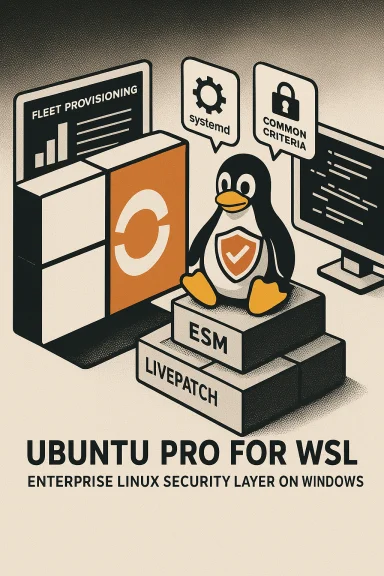
Canonical announced the general availability of Ubuntu Pro for WSL as a dedicated Windows application that automates attachment of an Ubuntu Pro subscription to Ubuntu distributions running on WSL. The offering is positioned to bring the same Extended Security Maintenance (ESM), compliance profiles, livepatching, and enterprise support used in cloud and server environments into developers’ Windows workstations and enterprise fleets. This move builds on a series of WSL platform improvements from Microsoft — including WSL 2’s virtualized kernel, official systemd support, and a new tar-based WSL distribution format that enables easy, scriptable image distribution and enterprise image customization — which together make WSL a credible target for production-focused tooling.
Adopt with a staged approach:
Source: WebProNews Canonical Launches Ubuntu Pro for WSL with Enterprise Security
 Background
Canonical announced the general availability of Ubuntu Pro for WSL as a dedicated Windows application that automates attachment of an Ubuntu Pro subscription to Ubuntu distributions running on WSL. The offering is positioned to bring the same Extended Security Maintenance (ESM), compliance profiles, livepatching, and enterprise support used in cloud and server environments into developers’ Windows workstations and enterprise fleets. This move builds on a series of WSL platform improvements from Microsoft — including WSL 2’s virtualized kernel, official systemd support, and a new tar-based WSL distribution format that enables easy, scriptable image distribution and enterprise image customization — which together make WSL a credible target for production-focused tooling. What Ubuntu Pro for WSL actually delivers
Security coverage: extended, broader, and focused on real-world packages
- 10 years of security coverage for LTS releases when using Ubuntu Pro, extending the normal 5-year LTS window and covering both main and the much-larger universe repository. This means thousands more packages commonly used by developers and data scientists receive canonical-patched CVE fixes.
- Coverage spans the complete ESM (esm-infra / esm-apps) model Canonical provides for servers and cloud images, adapted to WSL workflows.
Livepatch and kernel maintenance
- Canonical Livepatch is part of Ubuntu Pro: critical kernel security fixes can be applied without a full reboot. That matters for WSL because it reduces disruption for developers and automation pipelines that expect long-running instances. Note: livepatch behavior in WSL relies on the kernel model WSL uses, and administrators should confirm livepatch availability and constraints for specific WSL kernel versions and Windows releases.
Compliance and certified artifacts
- FIPS-certified cryptographic modules (NIST/FIPS builds) and Common Criteria EAL2 artifacts are available through Ubuntu Pro, enabling easier validation against regulated standards. Canonical already offers FIPS and Common Criteria support for cloud and server images, and these compliance components are being extended to Pro-managed WSL instances where applicable. Enterprises with strict compliance needs should validate how those artifacts map to Windows/WSL environments in practice.
Management, automation, and provisioning
- The WSL-tailored Ubuntu Pro app automates token attachment and subscription enablement for new and existing Ubuntu WSL distributions, simplifying large-scale rollouts.
- The new tar-based WSL distribution format allows IT to create and distribute pre-baked Ubuntu images with corporate hardening, agents, and policy baked in — a major convenience for managed fleets.
Why this matters: practical impacts for developers and IT
For developers and data scientists
- Access to an extended, canonical security posture for the full stack of Linux packages commonly used in ML/AI and analytics workflows (TensorFlow, PyTorch, Python runtimes, container toolchains).
- Reduced risk of supply-chain or dependency vulnerabilities in the universe repository thanks to ESM coverage for thousands of packages, which improves trust for local development environments that mirror production stacks.
For IT and security teams
- Ability to ship a golden WSL image (tar format) that already has corporate security policies, CIS/DISA-STIG baselines, monitoring agents, and EDR/management hooks installed — drastically reducing per-machine configuration drift.
- Centralized subscription-based patching and optional Canonical support (phone/ticket) gives enterprises vendor-backed remediation for critical issues discovered in developer endpoints.
For DevOps and platform engineering
- Better parity between local developer environments and cloud instances (Ubuntu Pro is widely available on public clouds), enabling more reliable CI/CD pipelines and fewer “works on my machine” surprises.
- Integration points for configuration management and orchestration (Landscape, cloud-init inside tar images, Ansible workflows) streamline fleet updates and compliance reporting.
Technical integration with WSL and Windows
How the app integrates
- The Ubuntu Pro for WSL Windows app automates attaching a Pro subscription token to WSL distributions whether installed from the Microsoft Store or imported via tar. This eliminates manual steps like editing config files or running bespoke attach commands for each machine.
Leveraging the tar-based distribution format
- Microsoft’s new tar-based WSL distro format lets organizations create portable .tar or .wsl images that can be installed via
wsl --install --from-file <image>or distributed through internal channels. This enables IT to produce a curated, compliant image that maps directly to internal standards before it reaches endpoints.
Systemd, kernel, and runtime compatibility
- WSL’s official systemd support reduces friction for running services and authenticating tooling that expects a standard Linux init system. Canonical’s tooling assumes systemd availability when provisioning production-like environments. Administrators should ensure target Windows/WSL versions meet the minimum WSL release with systemd enabled.
Market and strategic implications
- Canonical is converting an existing, broad WSL user base into a subscription funnel: Ubuntu already claims broad WSL marketshare, and enabling a pay-for enterprise tier inside Windows workstations is a natural monetization of that footprint. Canonical’s pricing and personal free tier (Ubuntu Pro is free for personal use on up to five machines) make initial trials frictionless for developers.
- For Microsoft, Canonical’s enterprise push strengthens the WSL ecosystem and makes Windows more attractive to organizations that require Linux tooling without adding a separate VM estate.
- Competitive dynamics: Red Hat and SUSE have enterprise Linux offerings, but their WSL presence or packaged WSL integrations are not as mature or as widely adopted as Ubuntu in the WSL market. Canonical’s early, tightly integrated approach creates headroom to capture enterprise WSL workloads. This could nudge Microsoft and other distro vendors to accelerate enterprise-focused WSL features and management integrations.
Real-world scenarios and use cases
- Data science on corporate laptops: Teams can use GPU-accelerated WSL instances for model training while keeping the local environment under corporate patch and compliance controls via Pro and a company-curated tar image.
- DevOps testing and pre-prod parity: Platform engineers run the same ESM-covered packages locally as in cloud CI agents, reducing divergence and accelerating time-to-fix for environment-specific issues.
- Regulated industries: Financial and healthcare firms can use FIPS/CC-provisioned WSL images and proof artifacts from Canonical to meet audit and regulatory requirements that previously demanded separate Linux workstations or VMs.
Risks, caveats, and practical limitations
1. Livepatch and kernel ownership
- While Canonical offers Livepatch, WSL’s kernel is managed in a different way than a physical or cloud VM kernel. Livepatch behavior in WSL may be subject to Windows-side kernel management details and specific WSL kernel versions. Organizations should test livepatch workflows in their target Windows builds before relying on zero-reboot patching in production.
2. Compatibility and Windows version constraints
- WSL 2 and the newer tar-based distribution format, plus systemd support, require recent Windows builds and the latest WSL package from the Microsoft Store. Older Windows 10 machines or locked-down corporate images may not support all features, so inventory assessment is required before mass deployment.
3. Performance profile vs native Linux
- For very large-scale compute or I/O-heavy workloads, native Linux or cloud instances may still outperform WSL due to hypervisor and I/O characteristics. WSL is closing that gap for many developer and ML workloads, but performance-sensitive production workloads require validation.
4. Licensing, cost and procurement
- Ubuntu Pro introduces subscription economics on top of free Ubuntu. While there’s a free personal tier (up to five machines) and trial options, enterprise deployments require procurement planning and budget allocation. Canonical’s published pricing tiers give clear per-workstation and per-server pricing options.
5. Compliance artifacts in WSL environments
- FIPS and Common Criteria artifacts are provided by Canonical, but the operational boundary for WSL resides on a Windows host. Organizations must evaluate how Windows-side telemetry, drivers, and host security posture factor into compliance attestations; in some regulated contexts, auditors may require additional controls around the host OS. Treat WSL compliance integrations as part of a broader audit scope, not a standalone certification.
How to evaluate and roll out Ubuntu Pro for WSL: practical checklist
- Inventory: Identify target Windows builds, WSL versions, and hardware (GPU, CPU, virtualization support).
- Compatibility matrix: Confirm that each endpoint supports the required WSL version (systemd, tar-based images) and that enterprise EDR/AV vendors are compatible with WSL kernels.
- Pilot image: Build a tar-based “golden” Ubuntu image with corporate hardening, required packages, and the Ubuntu Pro client pre-configured.
- Attach and test: Use Ubuntu Pro tokens to attach sample machines and validate services (ESM coverage, livepatch, fips, cc-eal where applicable).
- Monitoring and rollback: Integrate Landscape or your preferred management tooling, document rollback plans, and validate kernel patch behavior under livepatch.
- Policy and training: Update endpoint management docs, train devs on the supported toolchain, and inform security teams about the scope of canonical support vs Windows host responsibilities.
Administration and scaling notes
- Canonical designed the Ubuntu Pro for WSL app to support fleet-wide provisioning and token management; organizations that already use Landscape can fold WSL instances into their existing management plane.
- The tar-format makes air-gapped or internal distribution possible, enabling security teams to review and sign images before distribution. This is a major operational benefit for regulated or high-security enterprises.
Critical analysis: strengths and tradeoffs
Strengths
- Brings enterprise-grade support to developer endpoints: Canonical fills a long-standing gap by offering vendor-backed security and compliance artifacts for local Linux environments on Windows.
- Makes WSL a practical platform for production-like testing: When combined with the tar-based image format and systemd, WSL instances can be treated as first-class developer equivalents of cloud instances.
- Reduces configuration drift: Centralized golden images and subscription-backed patches help organizations keep developer workstations aligned with security baselines.
Tradeoffs and open questions
- Operational boundaries remain complex: Compliance certifications and kernel maintenance are meaningful, but the Windows host is still a critical part of the attack surface and audit scope. Enterprises must manage both sides.
- Dependency on Windows update cadence and WSL evolution: WSL’s capabilities are tied to Microsoft’s release and update model. Changes in WSL core or Windows servicing could affect behavior; keep lines of communication open with Microsoft and Canonical for long-term SLAs.
- Cost vs benefit must be quantified: Ubuntu Pro brings measurable security and support ROI, but organizations must weigh license costs against their risk profile and existing endpoint controls.
Final verdict and guidance
Ubuntu Pro for WSL is a timely, strategically significant offering that materially raises the security and manageability baseline for Linux workloads run inside Windows. For organizations that rely on WSL for development, testing, or edge workloads and who require vendor-backed patching, livepatching, and compliance artifacts, this is a practical way to shrink the gap between local developer environments and production-grade Linux fleets.Adopt with a staged approach:
- Start with a small pilot (5–10 teams) using the free personal or trial Pro tiers to validate image builds and livepatch behavior.
- Move to a controlled rollout with tar-based golden images and Landscape integration.
- Treat host Windows security, update cadence, and EDR compatibility as first-class dependencies in any compliance plan.
Source: WebProNews Canonical Launches Ubuntu Pro for WSL with Enterprise Security
