

After five years on Ubuntu the author of the MakeUseOf piece has switched to Fedora Silverblue, and that move is a useful case study in why some long-time Ubuntu users are reconsidering their daily driver: immutability, atomic updates, and a container-first workflow solve a set of real-world pain points that ordinary apt/dpkg-based desktops can’t, while also exposing trade-offs around hardware drivers, third‑party packaging, and daily‑use ergonomics.
Ubuntu rose to mainstream prominence because it offered a predictable, well-supported desktop with a huge ecosystem and low day‑one friction. Over time, however, mainstream status brought design choices and packaging decisions intended to serve a vast hardware base. Those same decisions have been criticized for producing a desktop that feels heavier and less nimble than users once remember. The MakeUseOf author — who used Ubuntu for half a decade — summarizes this fatigue and explains why they chose an immutable alternative instead.
At the same time, the Linux desktop ecosystem has been moving in two converging directions: (1) image‑based, immutable systems that favor atomic OS images and safe rollbacks, and (2) sandboxed app distribution that decouples GUI apps from the base system (Flatpak, Snap). Fedora Silverblue is representative of the first trend; Flatpak and Snap exemplify the second. The interaction of these two trends is changing how people manage updates, install apps, and recover from mistakes.
The key lesson is that the Linux desktop landscape has matured: you no longer need to accept a one‑size‑fits‑all distro. Immutable systems like Fedora Silverblue and appliance‑style images like SteamOS introduce new, pragmatic controls over updates and system integrity, while packaging ecosystems (Flatpak, Snap) continue to evolve. Test your workflows, validate hardware, and pick the model that reduces the kinds of failures you care about most.
Source: MakeUseOf After 5 years, I’m finally leaving Ubuntu for this Linux distro
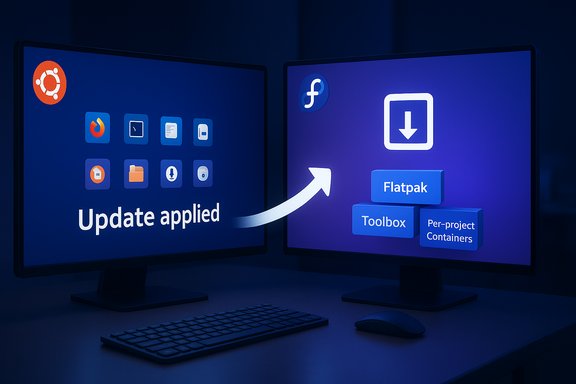 Background / Overview
Ubuntu rose to mainstream prominence because it offered a predictable, well-supported desktop with a huge ecosystem and low day‑one friction. Over time, however, mainstream status brought design choices and packaging decisions intended to serve a vast hardware base. Those same decisions have been criticized for producing a desktop that feels heavier and less nimble than users once remember. The MakeUseOf author — who used Ubuntu for half a decade — summarizes this fatigue and explains why they chose an immutable alternative instead.At the same time, the Linux desktop ecosystem has been moving in two converging directions: (1) image‑based, immutable systems that favor atomic OS images and safe rollbacks, and (2) sandboxed app distribution that decouples GUI apps from the base system (Flatpak, Snap). Fedora Silverblue is representative of the first trend; Flatpak and Snap exemplify the second. The interaction of these two trends is changing how people manage updates, install apps, and recover from mistakes.
What Fedora Silverblue actually is (short technical summary)
Fedora Silverblue is an immutable variant of Fedora Workstation: the base system is delivered as an image managed by OSTree/rpm‑ostree, updates are applied atomically as image swaps, and previous deployments are preserved for rollback. Updates take effect on reboot, and package layering and containerized workspaces (toolbox) provide mechanisms to run mutable tooling without changing the underlying image. This combination targets reliability for developers and people who tinker regularly. Key technical elements:- OSTree / rpm‑ostree: image-level deployment and versioning that lets you switch deployments or roll back.
- Toolbox / Podman: create per‑project containers that behave like full Fedora chroots so you can use DNF and other mutable tools without touching the base image.
- Flatpak: the recommended pathway for GUI desktop apps; keeps user apps sandboxed and independent of base‑OS packages.
Why the MakeUseOf author left Ubuntu: a concise, verifiable summary
- The author found Ubuntu increasingly heavy and felt the desktop had become bloated with packages and services intended to serve a huge hardware matrix rather than a single, lean workflow. This is a subjective judgment but one echoed by many long‑time Linux users who prefer minimalism or image‑based systems.
- Snap — Ubuntu’s preferred universal packaging for several first‑party apps — was called out specifically for slower launches and larger disk usage compared with traditional packages or Flatpaks. That concern is widely discussed in community tests, benchmark write‑ups, and long‑running critiques. (The technical cause is Snap’s use of compressed read‑only images mounted at runtime, which can increase cold‑start latency.
- The author had repeatedly broken installs in the past by editing system files or pulling in conflicting packages. An immutable OS with easy rollback removes much of that fatal single‑point risk: mistakes are less likely to render the system unbootable. This advantage is a core claim of image‑based systems and is explicitly documented in Fedora’s rollback documentation.
Atomic updates and "I can’t mess this up" — how immutability changes risk
Immutable desktops change the failure modes for everyday users. Instead of an update stream that overwrites files in place, atomic image swaps replace the whole root image at once. If the new image fails to boot, the system keeps the previous image and you can boot it instantly — or explicitly roll back with rpm‑ostree. That behavior is not theoretical: Fedora’s documentation explains update/rollback commands and workflows in detail, and many users report a higher confidence level when updating Silverblue or SteamOS‑style images. Benefits:- Updates are transactional and less likely to leave the OS in a partially updated, nonfunctional state.
- Rollbacks are simple: either choose a previous deployment at boot or use rpm‑ostree rollback to permanently switch.
- The base system is read‑only, so accidental deletion or corruption of base files is far less likely.
- You must reboot to apply OS updates (the update is installed for the next boot).
- Package layering (installing RPMs on top of the image) exists but creates new deployments and can complicate the image model; toolbox is the safer choice for many mutable use cases.
The security angle: immutability as persistence mitigation
Immutability is not a magic bullet for malware, but it reduces persistent compromise surface area. Because the OS image is read‑only and resets to a pristine image on reboot or rebase, attackers find it harder to make changes that survive reboots. That property is particularly valuable on shared machines, kiosks, or devices used by less‑technical family members. The same logic is why Valve shipped the Steam Deck with an immutable root: make the platform appliance‑stable for gaming users while preserving a developer mode for power users. Community documentation and Valve’s publicly available system images show this design philosophy in practice. Caveat: immutability does not stop in‑memory attacks, credential theft, or malware operating entirely inside a user session or containers. It raises the bar for persistent kernel/root filesystem modifications, but layered services, user home compromises, and container escapes remain real risks. Treat immutability as one part of a layered security posture, not a full substitute for patching, safe browsing, and good credential hygiene.Package formats: Snap vs Flatpak vs Deb — the practical differences
The MakeUseOf author singled out Snap as an aggravating factor. That criticism is not unique. Multiple writers and community threads have noted that Snaps can exhibit slower cold start times and larger on‑disk footprints compared with native DEB packages or Flatpaks; the underlying technical cause is Snap’s squashfs image model and the way snapd mounts images at runtime. Flatpak, by contrast, favors shared runtimes and different sandboxing primitives (bubblewrap), and many desktop users prefer Flatpak for GUI apps because of performance and theming behavior. Practical takeaways:- Flatpak is widely adopted for GUI apps across many distributions and generally integrates well with GNOME/KDE software centers.
- Snap is still common on Ubuntu and has benefits (automatic updates, confinement model), but its startup overhead and centralized store model have drawn sustained criticism. The degree to which this matters depends on hardware and how many snaps you install.
Developer workflows: why Silverblue appeals to devs
Fedora Silverblue intentionally targets developers who rely on containers and reproducible environments. Two patterns make it attractive:- Use toolbox to create project‑scoped containers where DNF, development tools, or compilers live. Those containers are disposable and do not affect the core OS.
- Use Flatpaks for GUI tools and OSTree‑based images for consistent system-level behavior across machines.
Gaming and SteamOS: the immutable model actually made sense there
The author mentions switching gaming machines to SteamOS, another image‑style OS for Valve’s Steam Deck that prioritizes atomic updates and a robust, appliance‑like experience. SteamOS (and derivatives or inspired builds) use an immutable root and an A/B style update approach so the device stays usable and can recover automatically if an update fails. That same idea — treat the system as an appliance with transactional updates — is what Fedora Silverblue brings to desktops. Public Steam Deck sysinfo, Valve’s messaging and community discussion all show this immutable design is intentional and practical for a consumer gaming appliance. Note: SteamOS’s underlying packaging and repository model has evolved; some community builds (Bazzite, Universal Blue etc. use rpm‑ostree while others layer different mechanisms. The core concept — immutable root and safe updates — is the common thread.Practical downsides and risks of switching to Silverblue (and immutable distros)
No technology is free of trade‑offs. The biggest practical risks when moving from a mutable Ubuntu install to Fedora Silverblue include:- Third‑party driver and closed software support: NVIDIA drivers historically require special handling and sometimes work better in mutable distros where package management is simpler. While it’s possible to install proprietary drivers on Silverblue (package layering or specialized images), the workflow is more involved than a DNF/APT install on traditional systems. Test your GPU drivers and peripherals in a Live environment or secondary disk first.
- Shorter Fedora lifecycle: Fedora releases have about a 13‑month support window; this means more frequent upgrades than long‑term supported releases like Ubuntu LTS. That’s part of Fedora’s “fresh upstream” philosophy, and if you want fewer distro upgrades you may prefer Ubuntu LTS or Mint.
- Learning curve: The rpm‑ostree model, package layering, and toolbox workflows require learning new commands and mental models. For users who value point‑and‑click simplicity above all else, that’s a nontrivial change.
- Edge cases with installers and vendor packages: Some enterprise installers, vendor drivers, or vendor‑shipped deb/rpm scripts assume a mutable root and will fail on an immutable image unless repackaged or run inside toolbox. Frequent examples include specialized VPN clients or hardware vendor utilities. Community threads document real‑world breakages.
Migration guidance: how to move safely from Ubuntu to Fedora Silverblue
If the MakeUseOf author’s path resonates, here’s a disciplined migration plan that balances curiosity with safety:- Back up everything. Create a full disk image and a copy of important files to cloud or external media.
- Test with a Live USB and separate drive. Boot Silverblue live or install on a spare SSD first to validate hardware and driver behavior.
- Map critical apps to their Silverblue equivalents: Flatpak, toolbox (for CLI tooling), or package layering only when necessary.
- Verify GPU and printing support. If you rely on NVIDIA proprietary drivers, test driver layering steps before moving critical machines.
- Keep a rollback path: retain the Windows or Ubuntu disk image for a cold fallback and practice restoring it so you’re not surprised under pressure.
UX and desktop polish: Fedora vs Ubuntu GNOME strains
Both Fedora and Ubuntu ship GNOME by default, but Ubuntu layers its own theming, Snap‑backed apps, and customizations on top of pure GNOME. Fedora’s default is closer to upstream GNOME and intentionally more minimal, which many users find cleaner and faster. The MakeUseOf author describes Ubuntu’s GNOME as heavier and more memory‑hungry; measurable memory use depends on the version, GNOME extensions installed, and background services, but the perception of bloat is real for many users on 8GB machines. If you prefer a lighter desktop, Silverblue’s closer‑to‑upstream GNOME (and Fedora’s spins like Kinoite or Sericea) may feel more responsive. Practical tip: If you like GNOME but not Ubuntu’s customizations, you can often achieve parity by stripping Ubuntu’s extra packages — but that is extra work and can introduce maintenance overhead. Switching to a distro that ships a cleaner upstream GNOME by default avoids that effort.Alternatives and variants to consider (if Silverblue looks promising but not perfect)
- Fedora Kinoite / Sericea: immutable variants with different desktop defaults (KDE Plasma, Sway) for users who prefer a non‑GNOME look.
- SteamOS / Bazzite / Blu‑based gaming distros: if gaming stability and atomic updates are your primary concern, SteamOS and SteamOS‑adjacent projects use immutable techniques tailored for gaming appliances. Community projects like Bazzite show how rpm‑ostree workflows can be adapted for gaming.
- Linux Mint / Ubuntu LTS: if long support windows and maximum out‑of‑the‑box third‑party compatibility are more important, an LTS‑based Ubuntu or Mint install remains a solid choice.
Final analysis and verdict: who should consider making the same jump?
Fedora Silverblue is an excellent choice for users who:- Value reliability and want transactional updates with easy rollbacks.
- Do a lot of development inside containers or want reproducible, per‑project workspaces via toolbox.
- Want to reduce the chance of breaking their daily driver by accidental system file changes.
- Rely heavily on proprietary vendor packages and NVIDIA drivers without the appetite to manage layering or custom images.
- Want a five‑year support window between major system upgrades without running an LTS base. Fedora’s lifecycle is intentionally shorter.
- Need a pure point‑and‑click, zero‑learning‑curve experience and prefer the de facto Ubuntu app store model with Snap as a nonissue (many users successfully stick with Ubuntu and avoid snaps where they matter).
Practical checklist before you switch (concise)
- Back up and image your existing system.
- Test Silverblue on a Live USB or spare drive.
- Validate GPU drivers, Wi‑Fi, and printer support.
- Map critical applications to Flatpak, toolbox, or layered RPMs.
- Learn the basic rpm‑ostree, toolbox, and flatpak commands.
- Keep an external recovery image and a plan for rollback.
Closing — what the shift from Ubuntu to Silverblue really represents
This switch is not a vote that one desktop “won” the other. It is a preference shift driven by evolving priorities: the author traded Ubuntu’s broad compatibility and convenience for predictability, atomic safety, and a container‑centric developer model. For many users — especially those who tinker, develop, or care deeply about update‑time reliability — that trade is worthwhile. For others, Ubuntu’s ecosystem and LTS cadence remain exactly the right fit.The key lesson is that the Linux desktop landscape has matured: you no longer need to accept a one‑size‑fits‑all distro. Immutable systems like Fedora Silverblue and appliance‑style images like SteamOS introduce new, pragmatic controls over updates and system integrity, while packaging ecosystems (Flatpak, Snap) continue to evolve. Test your workflows, validate hardware, and pick the model that reduces the kinds of failures you care about most.
Source: MakeUseOf After 5 years, I’m finally leaving Ubuntu for this Linux distro
