

Microsoft has placed “Unattended Remote Help for Windows — Remote Sign-in” on the Microsoft 365 Roadmap for Intune Suite, targeting worldwide general availability in August 2026 for desktop devices and promising cloud-based access without requiring the end user to approve a session. That single roadmap entry is small, but the operational shift is not. If Microsoft lands it as described, Remote Help stops being merely a user-assisted support tool and starts competing more directly with the unattended access features that keep many IT shops paying for third-party remote management platforms.
The phrase to watch is not “remote help.” It is remote sign-in. Microsoft is signaling that an authorized technician will be able to reach a Windows device over the cloud and authenticate with credentials even when the employee is absent, unavailable, locked out, or not yet involved. For endpoint teams that live inside Intune all day, this is the missing rung between policy-driven device management and the messy human reality of troubleshooting a PC that no one can currently operate.
Remote Help has always carried an odd tension in Microsoft’s endpoint portfolio. It looked like the natural cloud-era successor to a long line of Windows assistance tools, but it also retained a strong “ask the user first” posture. That made sense for privacy, consent, and abuse prevention, yet it limited the product’s usefulness in the exact cases where help desks burn the most time.
A user-assisted session is fine when someone is sitting at a laptop, can read a code, can click accept, and can describe what went wrong. It is far less useful when a kiosk is stuck at a sign-in screen, a shared workstation is in a closed office, a frontline device is between shifts, or a remote employee’s PC needs repair before the employee can even get back to work. In those cases, the user-consent model turns remote support into a scheduling problem.
The new roadmap item suggests Microsoft wants to collapse that gap. “Remotely access devices over the cloud without requiring end user involvement by signing in with credentials” is a compact sentence, but it describes the feature many administrators have been waiting for since Remote Help became part of the Intune story. The promise is not just screen sharing. It is independent administrative reach.
That matters because Intune’s management model has often been strongest when the device is healthy enough to check in, receive policy, run scripts, and report state. Remote troubleshooting is what administrators reach for when the clean declarative model runs out of road. Unattended access gives them a way to intervene when the device is still online but the person attached to it is not available.
The timing also intersects with a larger Microsoft endpoint strategy. Intune Suite has been Microsoft’s vehicle for premium endpoint management capabilities: Remote Help, Endpoint Privilege Management, advanced analytics, enterprise app management, cloud PKI, and other tools that appeal to organizations trying to consolidate around Microsoft’s security and management stack. Unattended Remote Help for Windows strengthens that consolidation pitch because remote support is one of the hardest tools to dislodge once an IT department depends on it.
Remote access vendors have historically survived Microsoft encroachment because they are operationally indispensable. A company may tolerate overlapping patch tools or duplicate inventory systems for a while, but remote control is different. When the CFO’s laptop is broken, when a conference room PC fails five minutes before a board meeting, or when a field device is sitting unattended in another city, the support team uses whatever tool works fastest.
Microsoft does not need Remote Help to become the most feature-rich remote support platform on the market to change buying behavior. It needs Remote Help to become good enough for the common enterprise case while being governed through Entra ID, licensed through Microsoft, launched from Intune, audited in familiar portals, and wrapped in the same administrative model that already controls the device. That is the kind of integration advantage competitors cannot easily clone.
Microsoft’s existing Remote Help model reflects that caution. Helpers and sharers authenticate with organizational identities. Intune role-based access controls define who can view a screen, take full control, elevate, or perform remote assistance tasks. Administrators can monitor sessions and review details after the fact. In short, the product was designed to make remote support accountable.
But the consent-centered design also left a practical hole. Many Windows admins have treated Remote Help as useful but incomplete because unattended access was either unavailable on Windows or too limited for their workflows. In the real world, support does not always begin with a cooperative user sitting in front of the machine. Often, support begins because that person cannot sign in, cannot respond, or has already given IT permission in a ticket and gone back to other work.
That is why this roadmap entry changes the conversation. The feature is not merely about convenience; it is about where Microsoft draws the line between user-mediated support and administrative control. If the helper can sign in remotely with credentials, the user’s presence is no longer the gating factor. The gating factors become identity, authorization, device scope, policy, logging, and whatever safeguards Microsoft builds around the session.
That shift will please administrators and unsettle privacy officers in equal measure. Both reactions are justified.
Unattended access cuts through that choreography. A help desk can remediate a device after hours, prepare a shared PC before the next shift, recover a locked-out machine, or verify a fix without forcing the employee to sit through the process. For distributed organizations, this is not a luxury. It is the operational baseline they expect from remote monitoring and management tools.
The word “cloud” is also doing important work here. Traditional remote access often depends on VPN reachability, local network assumptions, or agents that punch out to vendor infrastructure. Microsoft’s pitch is that Intune-managed devices already live in a cloud management plane. If Remote Help can use that relationship to broker secure remote access, it becomes another administrative action rather than a separate support universe.
That is especially attractive for companies that have spent the last decade moving away from domain-joined, office-bound assumptions. Windows endpoints now live in homes, coworking spaces, branch offices, classrooms, warehouses, and delivery routes. The old mental model of “remote into the machine on the corporate network” has been replaced by “find the managed device wherever it is and fix it without shipping it back.”
Remote sign-in is therefore not just a feature for help desks. It is a concession that endpoint management is now a logistics discipline. The less an organization has to move people, devices, or schedules around to repair a Windows machine, the more resilient its endpoint fleet becomes.
What Microsoft can do, however, is make the category feel native to the Microsoft administrative stack. That distinction matters. Many organizations already use Entra ID for identity, Conditional Access for sign-in policy, Intune for endpoint management, Defender for endpoint security, and Microsoft Purview or Sentinel for compliance and detection. A remote access tool that participates in that ecosystem has a structural advantage over a separate product that needs its own identities, groups, agents, logs, connectors, and license audits.
The selling point is less “we also have unattended access” than “you can govern unattended access using the same control plane you already trust.” If Microsoft exposes the right RBAC permissions, session logs, device compliance signals, Conditional Access hooks, and admin scoping, Remote Help becomes easier to justify to risk committees. The security team can ask familiar questions instead of learning an entirely separate remote-control platform.
That is also where Microsoft must be careful. Integration can become complacency. A feature that is easier to deploy can also be easier to overdeploy. If unattended access arrives as a broad permission bundled into a help desk role with insufficient ceremony, organizations may accidentally grant more power than they intend.
The strongest version of this feature would treat unattended Windows access as a privileged operation, not just another help desk convenience. It should be scoped tightly, audited aggressively, and separated from ordinary view-only support. Microsoft’s documentation for existing Remote Help already emphasizes least privilege, RBAC, and Conditional Access for helpers. Remote sign-in raises the stakes enough that those recommendations should become operational requirements.
That does not mean unattended Remote Help is inherently unsafe. It means the security model has to begin with adversarial thinking. The helper account should be protected like any other privileged identity, with strong multifactor authentication, phishing-resistant methods where possible, compliant-device requirements, privileged access workflows, and rapid revocation. A support technician’s account should not become a master key simply because the organization wanted faster laptop repair.
Microsoft has an opportunity here because Entra ID and Intune already provide pieces of the answer. Conditional Access can restrict how helpers authenticate. RBAC can constrain who they can help and what actions they can perform. Intune scope tags and role assignments can prevent a technician responsible for one business unit from reaching every Windows device in the company. Audit logs can give security teams a trail of who connected to what and when.
But the details matter. Administrators will want to know whether unattended sessions require a separate permission from ordinary full-control sessions, whether access can be limited to device groups, whether just-in-time elevation can be layered on top, whether session recording is supported or planned, and how remote sign-in interacts with local administrator rights, Windows Hello for Business, shared devices, and Privileged Identity Management. The roadmap entry does not answer those questions.
That uncertainty is normal for a feature still marked in development. It is also why early adopters should avoid treating August 2026 as a simple procurement deadline. The security review should begin before general availability, not after a help desk manager discovers the toggle.
The daily help desk gains are easy to imagine. A technician can finish a repair after the user has logged off for the day. A device provisioning issue can be investigated without walking someone through every screen. A conference room PC or shared workstation can be inspected when no one is nearby. A remote employee who files a ticket before lunch does not need to spend the afternoon waiting for a call.
The benefits get bigger in frontline and education environments. Devices in classrooms, clinics, retail counters, warehouses, and manufacturing areas are often shared, unattended between shifts, or used by people whose job is not to collaborate with IT. Requiring a user to initiate or approve every session can be unrealistic. Unattended access lets IT maintain the endpoint estate on operational time, not user time.
There is also a morale angle that vendors rarely admit. End users often dislike remote support sessions because they are forced to watch someone else operate their machine. Technicians dislike them because they have to narrate, wait, and negotiate for control. Unattended repair, when properly authorized and transparently governed, can be less intrusive than the traditional support call.
Still, “less intrusive” depends on policy. Users should understand when their organization permits unattended access, what kinds of devices are eligible, how sessions are logged, and whether personal data or active user sessions are protected. An enterprise-owned kiosk is not the same privacy scenario as a knowledge worker’s primary laptop. Microsoft can provide the technical controls, but employers must define the social contract.
Specialist products still have advantages. Many support multi-tenant managed service provider workflows, richer session recording, file transfer, backstage tools, command shells, cross-platform unattended access, branding, ad hoc external support, granular technician queues, and years of operational polish. Some are built for environments where Microsoft is not the center of identity or device management. Others serve use cases that Intune deliberately avoids.
Remote Help’s advantage is different. It is not breadth; it is proximity. If a device is already enrolled in Intune, if the helper already has an Entra identity, if the organization already pays for Intune Suite or a Remote Help entitlement, and if audit requirements already flow through Microsoft tooling, the threshold for “good enough” drops dramatically. The third-party tool has to justify its separate existence.
That is where the market impact may be most visible. Organizations rarely rip out incumbent remote support platforms overnight. They start by declining renewals for marginal seats, limiting premium tools to specialist teams, or standardizing basic help desk work on the platform they already own. Microsoft’s feature does not need to beat every competitor feature-for-feature to change renewal conversations.
For vendors, the defense will be depth, reliability, and independence. They will argue that remote access is too critical to be just another checkbox in a suite. They will point to cross-platform consistency, mature unattended workflows, and advanced support features. Some customers will agree. Others will look at a Microsoft-native option and see one fewer agent to deploy.
If an organization already owns Intune Suite, unattended Windows support could feel like found value. If it must buy Intune Suite primarily to get this feature, the comparison becomes more complicated. Third-party remote access tools often license by technician, device, concurrent session, or organization-specific models. Microsoft licensing may be simpler for companies already standardized on Microsoft 365, but it is not automatically cheaper.
The economics will vary by environment. A large enterprise with Microsoft 365 E5, Intune Suite, or evolving bundle entitlements may see consolidation savings. A smaller organization with a handful of support technicians but thousands of users might find a technician-based remote tool more attractive. An MSP supporting multiple tenants may care less about Microsoft-native elegance if the licensing and workflow do not map cleanly to its business.
Microsoft’s broader bundling strategy is therefore central to the feature’s fate. The more Intune Suite capabilities get packaged into enterprise agreements, the more Remote Help becomes a default option. The more it remains a separate line item that must beat dedicated competitors on price, the harder the sales motion becomes.
Administrators should not assume the roadmap entry settles licensing questions. Before planning a migration, they should verify entitlement requirements, who must be licensed, whether both helpers and target users need coverage, and how the feature behaves across enrolled, shared, or specialty devices. A remote access feature is only operationally useful if the licensing model matches the fleet it is supposed to support.
Microsoft will need to define how remote sign-in behaves at the lock screen, at the Windows sign-in screen, during an active user session, and on shared devices. Does the helper create a separate session, take over the console session, or authenticate into the device in a way that preserves user privacy? What happens if a user returns while the unattended session is active? How are notifications displayed? Can organizations require visible banners or user-facing records?
These are not academic questions. They determine whether the feature is appropriate for regulated industries, education, healthcare, legal environments, and any workplace where employee monitoring concerns are sensitive. A tool that can repair devices after hours can also be misused to inspect them after hours. The distinction must be enforced by controls, not etiquette.
The “remote sign-in” wording also invites questions about credentials. Administrators will want clarity on whether the helper signs in as themselves, uses a privileged local or domain account, leverages Entra credentials, or follows some brokered Microsoft model. The answer affects auditing, least privilege, access to user data, and incident response. “Signed in with credentials” is plain English, but in enterprise Windows it is a loaded phrase.
The safest design would make the helper identity explicit throughout the session and in logs. It should avoid shared admin credentials, discourage standing local administrator access, and make session provenance easy to reconstruct. If Microsoft can tie every unattended session to a named Entra identity, device object, role assignment, timestamp, and policy decision, it will have a stronger governance story than many legacy tools.
Yet every endpoint team knows automation has limits. Logs are incomplete, device state can be weird, scripts fail silently, and users do unpredictable things. Remote access remains the final mile of troubleshooting because sometimes an administrator needs to see the screen, inspect the environment, and make a judgment.
Unattended Remote Help for Windows could make that final mile feel less detached from the rest of Intune. Instead of jumping from Intune into a third-party console, a technician may be able to move from device record to remote session within the same administrative context. That makes break-fix work more discoverable and potentially more auditable.
It may also change escalation patterns. Level-one support could retain user-assisted viewing and basic guidance, while higher-tier teams receive unattended and elevation permissions for defined device groups. Security operations could use session logs as part of incident review. Desktop engineering could troubleshoot deployment failures without waiting for a user. The tool becomes not just a help desk feature, but an endpoint operations primitive.
The danger is that remote access becomes the path of least resistance. If technicians can easily remote into machines, they may do that instead of fixing root causes through policy, packaging, or automation. Mature organizations will need to keep unattended access in its place: a powerful exception path, not a substitute for disciplined endpoint engineering.
Administrators should watch for prerequisites. Will the device need to be enrolled in Intune? Will Entra join be required, or will hybrid join be enough? Will the Remote Help app need a particular version? Will the feature work before any user has signed in after provisioning? Will it support Windows 10, Windows 11, Windows 365 Cloud PCs, Azure Virtual Desktop, or only specific supported client versions? Each answer changes deployment planning.
Network behavior also matters. Remote Help already depends on cloud endpoints and outbound connectivity. Unattended support will be judged harshly if it fails in the exact environments where it is needed: locked-down networks, proxy-heavy enterprises, remote sites, and devices that are online but not actively used. Reliability will decide adoption more than marketing language.
Then there is the question of feature parity. Third-party tools often include file transfer, command execution, background service tools, session recording, multi-monitor support, reboot-and-reconnect workflows, and technician collaboration. Microsoft may not deliver all of that, at least not immediately. For many organizations, unattended sign-in alone will be enough. For others, the absence of advanced support features will keep a dedicated tool in place.
This is why the smart planning posture is neither hype nor dismissal. Treat the roadmap entry as a credible signal of Microsoft’s direction, then wait for the implementation details that determine whether it can replace anything in production.
Organizations should start by defining allowed scenarios. Repairing a corporate-owned kiosk after hours is one scenario. Accessing an employee’s primary laptop while they are away is another. Investigating a security incident is another still. Each may require different approvals, logging, notifications, and retention rules.
They should also separate roles. A technician who can view screens during user-assisted sessions does not automatically need unattended sign-in. A desktop engineer may need unattended access to lab devices but not executive laptops. A security responder may need emergency access under a different approval chain. Intune RBAC and scope controls are only useful if organizations invest the time to model real responsibilities.
Conditional Access should be part of the design from the beginning. Helper accounts should require strong authentication and should not be usable from unmanaged or risky devices. If privileged access workflows are available, unattended remote sign-in is an obvious candidate. A compromised support account with unattended reach is not a theoretical risk; it is precisely the kind of credential attackers prize.
Audit review should be operationalized, not merely enabled. Logs that no one reviews are forensic decorations. Security teams should decide what constitutes suspicious remote access, such as sessions outside business hours, repeated connections to sensitive devices, access by unusual helpers, or access following risky sign-in events. The strongest control is not a log entry. It is a log entry that someone or something actually evaluates.
This is not just about convenience. Endpoint management has become a consolidation target because sprawling toolchains are expensive to secure. Every remote access agent, admin portal, identity store, and audit pipeline creates risk. Microsoft’s argument is that organizations can reduce that complexity by centralizing more endpoint functions inside Intune.
The counterargument is equally familiar. Suites can lag specialist tools, obscure costs, and create dependency on a single vendor’s priorities. A best-of-breed remote support product may still outperform Microsoft where remote access is mission-critical, multi-platform, MSP-oriented, or heavily customized. For some IT departments, the right answer will be coexistence: Microsoft Remote Help for mainstream corporate Windows support, a specialist platform for edge cases.
But Microsoft does not need universal replacement to win. It needs enough customers to say, “For most Windows devices, this is now sufficient.” That is how suite gravity works. The specialist product survives where it is clearly better; the native feature absorbs the middle.
If unattended Remote Help for Windows is reliable, well-governed, and already licensed for a meaningful share of Microsoft 365 customers, it will become part of that middle very quickly.
The phrase to watch is not “remote help.” It is remote sign-in. Microsoft is signaling that an authorized technician will be able to reach a Windows device over the cloud and authenticate with credentials even when the employee is absent, unavailable, locked out, or not yet involved. For endpoint teams that live inside Intune all day, this is the missing rung between policy-driven device management and the messy human reality of troubleshooting a PC that no one can currently operate.
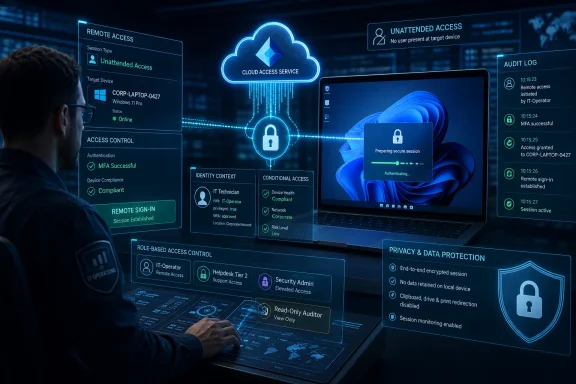 Microsoft Is Turning Remote Help From a Courtesy Call Into an Admin Channel
Remote Help has always carried an odd tension in Microsoft’s endpoint portfolio. It looked like the natural cloud-era successor to a long line of Windows assistance tools, but it also retained a strong “ask the user first” posture. That made sense for privacy, consent, and abuse prevention, yet it limited the product’s usefulness in the exact cases where help desks burn the most time.A user-assisted session is fine when someone is sitting at a laptop, can read a code, can click accept, and can describe what went wrong. It is far less useful when a kiosk is stuck at a sign-in screen, a shared workstation is in a closed office, a frontline device is between shifts, or a remote employee’s PC needs repair before the employee can even get back to work. In those cases, the user-consent model turns remote support into a scheduling problem.
The new roadmap item suggests Microsoft wants to collapse that gap. “Remotely access devices over the cloud without requiring end user involvement by signing in with credentials” is a compact sentence, but it describes the feature many administrators have been waiting for since Remote Help became part of the Intune story. The promise is not just screen sharing. It is independent administrative reach.
That matters because Intune’s management model has often been strongest when the device is healthy enough to check in, receive policy, run scripts, and report state. Remote troubleshooting is what administrators reach for when the clean declarative model runs out of road. Unattended access gives them a way to intervene when the device is still online but the person attached to it is not available.
The Calendar Makes This More Than a Feature Drop
The roadmap entry lists general availability for August 2026, with the item created on July 28, 2025, and updated on June 24, 2026. That timeline puts the feature in the long-burn category: not a surprise patch, not a hidden preview, but a capability Microsoft has been shaping for more than a year before planned broad release.The timing also intersects with a larger Microsoft endpoint strategy. Intune Suite has been Microsoft’s vehicle for premium endpoint management capabilities: Remote Help, Endpoint Privilege Management, advanced analytics, enterprise app management, cloud PKI, and other tools that appeal to organizations trying to consolidate around Microsoft’s security and management stack. Unattended Remote Help for Windows strengthens that consolidation pitch because remote support is one of the hardest tools to dislodge once an IT department depends on it.
Remote access vendors have historically survived Microsoft encroachment because they are operationally indispensable. A company may tolerate overlapping patch tools or duplicate inventory systems for a while, but remote control is different. When the CFO’s laptop is broken, when a conference room PC fails five minutes before a board meeting, or when a field device is sitting unattended in another city, the support team uses whatever tool works fastest.
Microsoft does not need Remote Help to become the most feature-rich remote support platform on the market to change buying behavior. It needs Remote Help to become good enough for the common enterprise case while being governed through Entra ID, licensed through Microsoft, launched from Intune, audited in familiar portals, and wrapped in the same administrative model that already controls the device. That is the kind of integration advantage competitors cannot easily clone.
The Old Consent Model Protected Users and Frustrated Technicians
There is a reason Remote Help leaned so heavily on authenticated helpers, authenticated sharers, visible sessions, and role-based access. Remote control software is powerful enough to be dangerous. The difference between legitimate support and intrusive surveillance can be a policy setting, a compromised admin account, or a missing audit trail.Microsoft’s existing Remote Help model reflects that caution. Helpers and sharers authenticate with organizational identities. Intune role-based access controls define who can view a screen, take full control, elevate, or perform remote assistance tasks. Administrators can monitor sessions and review details after the fact. In short, the product was designed to make remote support accountable.
But the consent-centered design also left a practical hole. Many Windows admins have treated Remote Help as useful but incomplete because unattended access was either unavailable on Windows or too limited for their workflows. In the real world, support does not always begin with a cooperative user sitting in front of the machine. Often, support begins because that person cannot sign in, cannot respond, or has already given IT permission in a ticket and gone back to other work.
That is why this roadmap entry changes the conversation. The feature is not merely about convenience; it is about where Microsoft draws the line between user-mediated support and administrative control. If the helper can sign in remotely with credentials, the user’s presence is no longer the gating factor. The gating factors become identity, authorization, device scope, policy, logging, and whatever safeguards Microsoft builds around the session.
That shift will please administrators and unsettle privacy officers in equal measure. Both reactions are justified.
Remote Sign-In Is Powerful Because It Bypasses the Most Human Failure Point
The most expensive part of remote support is often not the technical fix. It is coordination. The user has to be available, the support technician has to be available, the device has to be reachable, and both sides have to stay engaged long enough to complete the work.Unattended access cuts through that choreography. A help desk can remediate a device after hours, prepare a shared PC before the next shift, recover a locked-out machine, or verify a fix without forcing the employee to sit through the process. For distributed organizations, this is not a luxury. It is the operational baseline they expect from remote monitoring and management tools.
The word “cloud” is also doing important work here. Traditional remote access often depends on VPN reachability, local network assumptions, or agents that punch out to vendor infrastructure. Microsoft’s pitch is that Intune-managed devices already live in a cloud management plane. If Remote Help can use that relationship to broker secure remote access, it becomes another administrative action rather than a separate support universe.
That is especially attractive for companies that have spent the last decade moving away from domain-joined, office-bound assumptions. Windows endpoints now live in homes, coworking spaces, branch offices, classrooms, warehouses, and delivery routes. The old mental model of “remote into the machine on the corporate network” has been replaced by “find the managed device wherever it is and fix it without shipping it back.”
Remote sign-in is therefore not just a feature for help desks. It is a concession that endpoint management is now a logistics discipline. The less an organization has to move people, devices, or schedules around to repair a Windows machine, the more resilient its endpoint fleet becomes.
Microsoft’s Advantage Is Governance, Not Novelty
Unattended remote access is not new. Managed service providers, school districts, healthcare systems, retailers, and enterprises have used it for years through tools such as ConnectWise ScreenConnect, TeamViewer, BeyondTrust, AnyDesk, Splashtop, NinjaOne, and others. Microsoft is not inventing the category.What Microsoft can do, however, is make the category feel native to the Microsoft administrative stack. That distinction matters. Many organizations already use Entra ID for identity, Conditional Access for sign-in policy, Intune for endpoint management, Defender for endpoint security, and Microsoft Purview or Sentinel for compliance and detection. A remote access tool that participates in that ecosystem has a structural advantage over a separate product that needs its own identities, groups, agents, logs, connectors, and license audits.
The selling point is less “we also have unattended access” than “you can govern unattended access using the same control plane you already trust.” If Microsoft exposes the right RBAC permissions, session logs, device compliance signals, Conditional Access hooks, and admin scoping, Remote Help becomes easier to justify to risk committees. The security team can ask familiar questions instead of learning an entirely separate remote-control platform.
That is also where Microsoft must be careful. Integration can become complacency. A feature that is easier to deploy can also be easier to overdeploy. If unattended access arrives as a broad permission bundled into a help desk role with insufficient ceremony, organizations may accidentally grant more power than they intend.
The strongest version of this feature would treat unattended Windows access as a privileged operation, not just another help desk convenience. It should be scoped tightly, audited aggressively, and separated from ordinary view-only support. Microsoft’s documentation for existing Remote Help already emphasizes least privilege, RBAC, and Conditional Access for helpers. Remote sign-in raises the stakes enough that those recommendations should become operational requirements.
The Security Model Has to Assume the Helper Account Will Be Targeted
Every remote access product eventually becomes a security product, whether its vendor wants that label or not. An account that can remotely sign in to Windows devices is an attractive target. If compromised, it could provide an attacker with interactive access to managed endpoints at scale.That does not mean unattended Remote Help is inherently unsafe. It means the security model has to begin with adversarial thinking. The helper account should be protected like any other privileged identity, with strong multifactor authentication, phishing-resistant methods where possible, compliant-device requirements, privileged access workflows, and rapid revocation. A support technician’s account should not become a master key simply because the organization wanted faster laptop repair.
Microsoft has an opportunity here because Entra ID and Intune already provide pieces of the answer. Conditional Access can restrict how helpers authenticate. RBAC can constrain who they can help and what actions they can perform. Intune scope tags and role assignments can prevent a technician responsible for one business unit from reaching every Windows device in the company. Audit logs can give security teams a trail of who connected to what and when.
But the details matter. Administrators will want to know whether unattended sessions require a separate permission from ordinary full-control sessions, whether access can be limited to device groups, whether just-in-time elevation can be layered on top, whether session recording is supported or planned, and how remote sign-in interacts with local administrator rights, Windows Hello for Business, shared devices, and Privileged Identity Management. The roadmap entry does not answer those questions.
That uncertainty is normal for a feature still marked in development. It is also why early adopters should avoid treating August 2026 as a simple procurement deadline. The security review should begin before general availability, not after a help desk manager discovers the toggle.
The Help Desk Will Love It Because It Removes the Waiting Room
The most obvious beneficiaries are support teams that already live in Intune but keep a second remote access product because Remote Help cannot handle unattended Windows scenarios. For them, this roadmap item is a cost and workflow story. If Microsoft’s implementation proves reliable, it may reduce the need for a separate agent, separate vendor contract, and separate training path.The daily help desk gains are easy to imagine. A technician can finish a repair after the user has logged off for the day. A device provisioning issue can be investigated without walking someone through every screen. A conference room PC or shared workstation can be inspected when no one is nearby. A remote employee who files a ticket before lunch does not need to spend the afternoon waiting for a call.
The benefits get bigger in frontline and education environments. Devices in classrooms, clinics, retail counters, warehouses, and manufacturing areas are often shared, unattended between shifts, or used by people whose job is not to collaborate with IT. Requiring a user to initiate or approve every session can be unrealistic. Unattended access lets IT maintain the endpoint estate on operational time, not user time.
There is also a morale angle that vendors rarely admit. End users often dislike remote support sessions because they are forced to watch someone else operate their machine. Technicians dislike them because they have to narrate, wait, and negotiate for control. Unattended repair, when properly authorized and transparently governed, can be less intrusive than the traditional support call.
Still, “less intrusive” depends on policy. Users should understand when their organization permits unattended access, what kinds of devices are eligible, how sessions are logged, and whether personal data or active user sessions are protected. An enterprise-owned kiosk is not the same privacy scenario as a knowledge worker’s primary laptop. Microsoft can provide the technical controls, but employers must define the social contract.
Competitors Should Worry, But Not Panic
Remote support vendors have heard “Microsoft is coming” before. Sometimes it matters. Sometimes Microsoft ships a baseline capability that pushes the low end of the market while leaving advanced users with specialist tools. The likely outcome here is not immediate extinction for third-party remote access software. It is pressure.Specialist products still have advantages. Many support multi-tenant managed service provider workflows, richer session recording, file transfer, backstage tools, command shells, cross-platform unattended access, branding, ad hoc external support, granular technician queues, and years of operational polish. Some are built for environments where Microsoft is not the center of identity or device management. Others serve use cases that Intune deliberately avoids.
Remote Help’s advantage is different. It is not breadth; it is proximity. If a device is already enrolled in Intune, if the helper already has an Entra identity, if the organization already pays for Intune Suite or a Remote Help entitlement, and if audit requirements already flow through Microsoft tooling, the threshold for “good enough” drops dramatically. The third-party tool has to justify its separate existence.
That is where the market impact may be most visible. Organizations rarely rip out incumbent remote support platforms overnight. They start by declining renewals for marginal seats, limiting premium tools to specialist teams, or standardizing basic help desk work on the platform they already own. Microsoft’s feature does not need to beat every competitor feature-for-feature to change renewal conversations.
For vendors, the defense will be depth, reliability, and independence. They will argue that remote access is too critical to be just another checkbox in a suite. They will point to cross-platform consistency, mature unattended workflows, and advanced support features. Some customers will agree. Others will look at a Microsoft-native option and see one fewer agent to deploy.
Licensing Will Decide How Fast the Feature Spreads
The roadmap item names Intune Suite, which means this is not being framed as a free Windows feature or a baseline Intune Plan 1 capability. That matters because Remote Help has always been tied to licensing decisions, and licensing has shaped adoption as much as the product’s technical limits.If an organization already owns Intune Suite, unattended Windows support could feel like found value. If it must buy Intune Suite primarily to get this feature, the comparison becomes more complicated. Third-party remote access tools often license by technician, device, concurrent session, or organization-specific models. Microsoft licensing may be simpler for companies already standardized on Microsoft 365, but it is not automatically cheaper.
The economics will vary by environment. A large enterprise with Microsoft 365 E5, Intune Suite, or evolving bundle entitlements may see consolidation savings. A smaller organization with a handful of support technicians but thousands of users might find a technician-based remote tool more attractive. An MSP supporting multiple tenants may care less about Microsoft-native elegance if the licensing and workflow do not map cleanly to its business.
Microsoft’s broader bundling strategy is therefore central to the feature’s fate. The more Intune Suite capabilities get packaged into enterprise agreements, the more Remote Help becomes a default option. The more it remains a separate line item that must beat dedicated competitors on price, the harder the sales motion becomes.
Administrators should not assume the roadmap entry settles licensing questions. Before planning a migration, they should verify entitlement requirements, who must be licensed, whether both helpers and target users need coverage, and how the feature behaves across enrolled, shared, or specialty devices. A remote access feature is only operationally useful if the licensing model matches the fleet it is supposed to support.
Windows Itself Becomes the Battleground for Trust
Unattended remote sign-in also raises deep Windows-specific questions that do not exist in quite the same way on mobile devices. Windows is a multi-user, interactive, highly privileged endpoint operating system. It can hold cached credentials, local profiles, browser sessions, developer tools, corporate data, personal files, and administrative consoles. Remote access to Windows is therefore access to the user’s working environment, not merely a support surface.Microsoft will need to define how remote sign-in behaves at the lock screen, at the Windows sign-in screen, during an active user session, and on shared devices. Does the helper create a separate session, take over the console session, or authenticate into the device in a way that preserves user privacy? What happens if a user returns while the unattended session is active? How are notifications displayed? Can organizations require visible banners or user-facing records?
These are not academic questions. They determine whether the feature is appropriate for regulated industries, education, healthcare, legal environments, and any workplace where employee monitoring concerns are sensitive. A tool that can repair devices after hours can also be misused to inspect them after hours. The distinction must be enforced by controls, not etiquette.
The “remote sign-in” wording also invites questions about credentials. Administrators will want clarity on whether the helper signs in as themselves, uses a privileged local or domain account, leverages Entra credentials, or follows some brokered Microsoft model. The answer affects auditing, least privilege, access to user data, and incident response. “Signed in with credentials” is plain English, but in enterprise Windows it is a loaded phrase.
The safest design would make the helper identity explicit throughout the session and in logs. It should avoid shared admin credentials, discourage standing local administrator access, and make session provenance easy to reconstruct. If Microsoft can tie every unattended session to a named Entra identity, device object, role assignment, timestamp, and policy decision, it will have a stronger governance story than many legacy tools.
The Feature Could Change How Admins Think About Break-Fix Work
Modern endpoint management has pushed administrators toward automation, policy, compliance, and remediation scripts. That shift is healthy. The best support ticket is the one prevented by good configuration, and the best repair is the one executed automatically before the user notices.Yet every endpoint team knows automation has limits. Logs are incomplete, device state can be weird, scripts fail silently, and users do unpredictable things. Remote access remains the final mile of troubleshooting because sometimes an administrator needs to see the screen, inspect the environment, and make a judgment.
Unattended Remote Help for Windows could make that final mile feel less detached from the rest of Intune. Instead of jumping from Intune into a third-party console, a technician may be able to move from device record to remote session within the same administrative context. That makes break-fix work more discoverable and potentially more auditable.
It may also change escalation patterns. Level-one support could retain user-assisted viewing and basic guidance, while higher-tier teams receive unattended and elevation permissions for defined device groups. Security operations could use session logs as part of incident review. Desktop engineering could troubleshoot deployment failures without waiting for a user. The tool becomes not just a help desk feature, but an endpoint operations primitive.
The danger is that remote access becomes the path of least resistance. If technicians can easily remote into machines, they may do that instead of fixing root causes through policy, packaging, or automation. Mature organizations will need to keep unattended access in its place: a powerful exception path, not a substitute for disciplined endpoint engineering.
The Roadmap Leaves the Hardest Implementation Details Unsaid
The Microsoft 365 Roadmap is useful for timing and direction, but it is not a specification. The entry tells us the feature is in development, belongs to Intune Suite, targets desktop Windows, is planned for worldwide general availability, and is expected in August 2026. It does not tell us how broadly it will work on day one.Administrators should watch for prerequisites. Will the device need to be enrolled in Intune? Will Entra join be required, or will hybrid join be enough? Will the Remote Help app need a particular version? Will the feature work before any user has signed in after provisioning? Will it support Windows 10, Windows 11, Windows 365 Cloud PCs, Azure Virtual Desktop, or only specific supported client versions? Each answer changes deployment planning.
Network behavior also matters. Remote Help already depends on cloud endpoints and outbound connectivity. Unattended support will be judged harshly if it fails in the exact environments where it is needed: locked-down networks, proxy-heavy enterprises, remote sites, and devices that are online but not actively used. Reliability will decide adoption more than marketing language.
Then there is the question of feature parity. Third-party tools often include file transfer, command execution, background service tools, session recording, multi-monitor support, reboot-and-reconnect workflows, and technician collaboration. Microsoft may not deliver all of that, at least not immediately. For many organizations, unattended sign-in alone will be enough. For others, the absence of advanced support features will keep a dedicated tool in place.
This is why the smart planning posture is neither hype nor dismissal. Treat the roadmap entry as a credible signal of Microsoft’s direction, then wait for the implementation details that determine whether it can replace anything in production.
The August 2026 Toggle Belongs in a Change Board, Not Just a Help Desk Meeting
The most important preparation is governance. Unattended remote access touches security, privacy, compliance, support operations, and employee trust. It should not be enabled casually because a support team is excited to stop waiting for users to click accept.Organizations should start by defining allowed scenarios. Repairing a corporate-owned kiosk after hours is one scenario. Accessing an employee’s primary laptop while they are away is another. Investigating a security incident is another still. Each may require different approvals, logging, notifications, and retention rules.
They should also separate roles. A technician who can view screens during user-assisted sessions does not automatically need unattended sign-in. A desktop engineer may need unattended access to lab devices but not executive laptops. A security responder may need emergency access under a different approval chain. Intune RBAC and scope controls are only useful if organizations invest the time to model real responsibilities.
Conditional Access should be part of the design from the beginning. Helper accounts should require strong authentication and should not be usable from unmanaged or risky devices. If privileged access workflows are available, unattended remote sign-in is an obvious candidate. A compromised support account with unattended reach is not a theoretical risk; it is precisely the kind of credential attackers prize.
Audit review should be operationalized, not merely enabled. Logs that no one reviews are forensic decorations. Security teams should decide what constitutes suspicious remote access, such as sessions outside business hours, repeated connections to sensitive devices, access by unusual helpers, or access following risky sign-in events. The strongest control is not a log entry. It is a log entry that someone or something actually evaluates.
Microsoft’s Bet Is That Endpoint Gravity Beats Best-of-Breed Fatigue
The larger story is Microsoft’s continuing effort to make Intune the gravitational center of Windows endpoint administration. Every premium capability added to Intune Suite reduces the number of reasons an organization must leave Microsoft’s orbit. Remote Help was already part of that plan; unattended Windows access makes the plan more credible.This is not just about convenience. Endpoint management has become a consolidation target because sprawling toolchains are expensive to secure. Every remote access agent, admin portal, identity store, and audit pipeline creates risk. Microsoft’s argument is that organizations can reduce that complexity by centralizing more endpoint functions inside Intune.
The counterargument is equally familiar. Suites can lag specialist tools, obscure costs, and create dependency on a single vendor’s priorities. A best-of-breed remote support product may still outperform Microsoft where remote access is mission-critical, multi-platform, MSP-oriented, or heavily customized. For some IT departments, the right answer will be coexistence: Microsoft Remote Help for mainstream corporate Windows support, a specialist platform for edge cases.
But Microsoft does not need universal replacement to win. It needs enough customers to say, “For most Windows devices, this is now sufficient.” That is how suite gravity works. The specialist product survives where it is clearly better; the native feature absorbs the middle.
If unattended Remote Help for Windows is reliable, well-governed, and already licensed for a meaningful share of Microsoft 365 customers, it will become part of that middle very quickly.
The Practical Read for Windows Admins Before GA
The roadmap entry is short, but the planning implications are concrete. Treat August 2026 as the earliest broad decision point, not the day to begin thinking about architecture.- Microsoft is targeting general availability for Intune Suite Unattended Remote Help for Windows with remote sign-in in August 2026.
- The feature is meant to let authorized staff access Windows desktop devices over the cloud without end-user involvement.
- The likely value is highest for shared devices, kiosks, frontline systems, locked-out users, after-hours repair, and distributed fleets.
- The biggest risk is overbroad privileged access if organizations fail to separate unattended permissions from ordinary support roles.
- Remote Help’s Microsoft-native advantage will depend on Entra ID, Intune RBAC, Conditional Access, audit logging, and device scoping working together cleanly.
- Third-party remote support tools will remain relevant where organizations need deeper features, multi-tenant MSP workflows, richer automation, or broader platform coverage.
References
- Primary source: Microsoft 365 Roadmap
Published: 2026-06-24T23:15:55.6812517Z
Microsoft 365 Roadmap | Microsoft 365
The Microsoft 365 Roadmap lists updates that are currently planned for applicable subscribers. Check here for more information on the status of new features and updates.www.microsoft.com
- Official source: learn.microsoft.com
Using Remote Help on Windows to Assist Authenticated Users - Microsoft Intune | Microsoft Learn
Use the Remote Help app to provide remote assistance to authenticated users who also run the Remote Help app, and to troubleshoot for frontline workers (FLW).learn.microsoft.com - Official source: support.microsoft.com
Solve PC problems remotely with Remote Assistance | Microsoft Support
Remote Assistance lets someone you trust take over your Windows 10 PC and fix a problem from wherever they are.support.microsoft.com - Related coverage: m365admin.handsontek.net
Microsoft Intune: Intune Suite - Unattended Remote Help for Windows - Remote Login - M365 Admin
Remotely access devices over the cloud without requiring end user involvement by signing in with credentials. Product Microsoft Intune Release phase General Availability Release date January CY2026 Platform Desktop Cloud Instance Worldwide (Standard Multi-Tenant) Created 2025-07-28 Roadmap ID...m365admin.handsontek.net - Related coverage: anoopcnair.com
MS Intune Remotely Access Windows Devices Without User Interaction Using Unattended Remote Help HTMD Blog
MS Intune Remotely Access Windows Devices without User Interaction using Unattended Remote Help! Unattended Remote Help in Microsoft Intune will allowwww.anoopcnair.com - Related coverage: zarioh-ds.nl
Microsoft Remote Help unattended mode: take over devices without user presence | Zarioh | Zarioh Digital Solutions
Microsoft Remote Help is getting an unattended mode for Windows. IT administrators can take over devices remotely without user presence. Planned for July 2026 as part of the Intune Suite.zarioh-ds.nl
- Official source: directionsonmicrosoft.com
Remote Help for Intune Requires Intune Add-On Licenses - Directions on Microsoft
Intune Remote Help allows admins to connect to a remote user’s device from Intune to help them troubleshoot, even if the device is not yet managed. The capability helps organizations assist users working from home or other remote locations without requiring third-party add-ons for Windows...www.directionsonmicrosoft.com - Related coverage: bighatgroup.com
Intune Remote Help Gets a Performance Upgrade — What IT Teams Should Know | Big Hat Group Inc.
Microsoft released Remote Help for Windows 5.2.1037.0 with performance improvements. What this means for helpdesk operations and the 2605 service release still rolling out.www.bighatgroup.com - Related coverage: assets.ctfassets.net
- Official source: techcommunity.microsoft.com
Microsoft Word - Office 365 remote-work scenario guide of IT Pros.docx
PDF documenttechcommunity.microsoft.com
- Related coverage: static1.squarespace.com

