

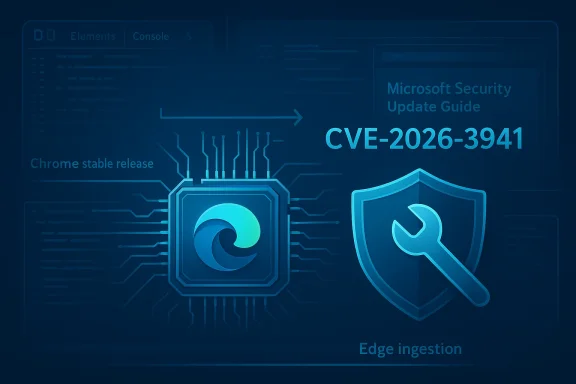
Chromium’s DevTools vulnerability tracked as CVE‑2026‑3941 has been cataloged in Microsoft’s Security Update Guide not because Microsoft authored the bug, but because Microsoft Edge (the Chromium‑based release) consumes Chromium’s open‑source code — and the Security Update Guide is how Microsoft tells Edge customers when their downstream build has ingested the upstream fix and is therefore no longer vulnerable. ps://app.opencve.io/cve/CVE-2026-3941)
Chromium is the open‑source browser project that supplies the Blink rendering engine, V8 JavaScript runtime, DevTools, and many other subsystems used by Google Chrome and by downstream browsers such as Microsoft Edge. When a security issue is discovered and fixed in Chromium upstream, Google assigns a CVE (Common Vulnerabilities and Exposures) and publishes the fix in its Chrome release notes. Because Microsoft builds Edge from a Chromium baseline, Microsoft must ingest that upstream patch into an Edge build, validate it, and then ship the patched Edge to customers. Microsoft uses the Security Update Guide (SUG) to record that downstream status — in effect, the SUG entry is an operational announcement: “This Chromium CVE exists upstream; here is the Edge patch status and the t procedural reality often confuses administrators and power users: a CVE that was assigned by Google shows up in Microsoft’s database. That does not mean Microsoft discovered the vulnerability; it means Microsoft is documenting downstream remediation so organizations can confirm their Edge instances are protected. This is precisely what you see with CVE‑2026‑3941.
941?
CVE‑2026‑3941 is recorded as an insufficient policy enforcement in DevTools issue. The publicly available vulnerability records indicate the flaw allowed an attacker — via a crafted HTML page — to bypass navigation restrictions enforced by DevTools in affected Chromium desktop builds prior to the patched Chrome version. The Chromium project rated this specific issue with low/medium operational severity upstream, but every such DevTools bug deserves careful attention because DevTools interacts with privileged browser internals and debugging protocols.
Chromium’s release metadata and CVE registries list the affected version ceiling as builds older than the Chrome stable version that introduced the fix (Chrome 146.0.7680.71 in this case), and the Chrome releases announcement bundled the remediation in a Stable channel update. That is the upstream timeline Microsoft watches when preparing Edge builds.
While DevTools vulnerabilities often require a user to perform an action — for example, open DevTools or accept a prompt — attackers craft social‑engineering lures that can convert a browser developer workflow into an exploit vector.treat DevTools issues with caution and why downstream vendors like Microsoft track Chromium DevTools CVEs closely.
Microsoft’s Security Update Guide entry for the same CVE documents the Edge versions that incorporate the upstream fix. The SUG entry is the authoritative downstream reference: if the SUG marks your Edge build as fixed, your Edge install has the ingestion and is considered remediyour Edge build predates the SUG‑listed fixed version, you must update.
Important operational point: many published CVE descriptions are intentionally terse and omit exploit details. Vendors will withhold full technical writeups when a significant portion of the user population remains unpatched. That’s why the public CVE text may simply state the root cause (insufficient policy enforcement) and the affected version ceiling without providing a proof‑of‑concept. Treat that omission as deliberate protective behavior by vendors, not as an indication the issue is harmless.
Below are the most reliable ways to determine your browser’s version across common platforms.
Source: MSRC Security Update Guide - Microsoft Security Response Center
 Background / Overview
Chromium is the open‑source browser project that supplies the Blink rendering engine, V8 JavaScript runtime, DevTools, and many other subsystems used by Google Chrome and by downstream browsers such as Microsoft Edge. When a security issue is discovered and fixed in Chromium upstream, Google assigns a CVE (Common Vulnerabilities and Exposures) and publishes the fix in its Chrome release notes. Because Microsoft builds Edge from a Chromium baseline, Microsoft must ingest that upstream patch into an Edge build, validate it, and then ship the patched Edge to customers. Microsoft uses the Security Update Guide (SUG) to record that downstream status — in effect, the SUG entry is an operational announcement: “This Chromium CVE exists upstream; here is the Edge patch status and the t procedural reality often confuses administrators and power users: a CVE that was assigned by Google shows up in Microsoft’s database. That does not mean Microsoft discovered the vulnerability; it means Microsoft is documenting downstream remediation so organizations can confirm their Edge instances are protected. This is precisely what you see with CVE‑2026‑3941.941?
CVE‑2026‑3941 is recorded as an insufficient policy enforcement in DevTools issue. The publicly available vulnerability records indicate the flaw allowed an attacker — via a crafted HTML page — to bypass navigation restrictions enforced by DevTools in affected Chromium desktop builds prior to the patched Chrome version. The Chromium project rated this specific issue with low/medium operational severity upstream, but every such DevTools bug deserves careful attention because DevTools interacts with privileged browser internals and debugging protocols.
Chromium’s release metadata and CVE registries list the affected version ceiling as builds older than the Chrome stable version that introduced the fix (Chrome 146.0.7680.71 in this case), and the Chrome releases announcement bundled the remediation in a Stable channel update. That is the upstream timeline Microsoft watches when preparing Edge builds.
Why DevTools matters as an attack surface
DevTools exists to provide deep debugging and instrumentation capabilities: inspect element trees, script execution, console access, and remote debugging protocols. Those capabilities require careful policy enforcement because they expose pathways that, if misused or insufficiently restricted, can be leveraged to perform navigation overrides, data exfiltration, or privileged script execution under certain conditions.While DevTools vulnerabilities often require a user to perform an action — for example, open DevTools or accept a prompt — attackers craft social‑engineering lures that can convert a browser developer workflow into an exploit vector.treat DevTools issues with caution and why downstream vendors like Microsoft track Chromium DevTools CVEs closely.
Why is this Chromium CVE listed in the Microsoft Security Update Guide?
Short answer: because Edge is built on Chromium, and Microsoft uses the Security Update Guide to declare when their Edge builds have absorbed the Chromium fix. The SUG entry does two jobs:- It informs administrators and users that the vulnerability originated upstream in Chromium/Chrome.
- It records the Edge version(s) where the ingestion and remediation are present so administrators can confirm their installations are safe.
How ingestion works (high level)
- Google fixes the bug in Chromium and publishes a Chrome stable release that includes the fix.
- Microsoft’s Edge engineering team pulls the Chromium change into the Edge codebase, runs their own validation and testing (including compatibility testing), and produces an Edge build that contains the upstream fix.
- Microsoft posts an SUG entry and updates Edge release notes to indicate which Edge build resolves the CVE and when users will receive the patched build (via automatic update channels or enterprise update processes).
- Administrators verify installed Edge versions against the SUG / Edge release notes to confirm remediation across devices.
Which browser versions are affected and where the fix lives
Public CVE records and Chromium’s release notes indicate that the fix for CVE‑2026‑3941 was rolled into Chrome’s Stable channel in the release identified by the Chrome team (the release series that contains 146.0.7680.71 and related builds). Upstream registries show affected builds as those older than that fixed Chrome version.Microsoft’s Security Update Guide entry for the same CVE documents the Edge versions that incorporate the upstream fix. The SUG entry is the authoritative downstream reference: if the SUG marks your Edge build as fixed, your Edge install has the ingestion and is considered remediyour Edge build predates the SUG‑listed fixed version, you must update.
Important operational point: many published CVE descriptions are intentionally terse and omit exploit details. Vendors will withhold full technical writeups when a significant portion of the user population remains unpatched. That’s why the public CVE text may simply state the root cause (insufficient policy enforcement) and the affected version ceiling without providing a proof‑of‑concept. Treat that omission as deliberate protective behavior by vendors, not as an indication the issue is harmless.
How to check your browser version (and why this single step matters)
If Microsoft’s SUG says “Edge is fixed in build X.Y.Z,” the fastest, most reliable way to confirm your device is protected is to check the Edge version installed on that device and compare it to the SUG/Edge release notes. This is a basic but crucial verification step for both individual users and IT administrators.Below are the most reliable ways to determine your browser’s version across common platforms.
Microsoft Edge (desktop: Windows / macOS / Linux)
- GUI method:
- Open Microsoft Edge.
- Click the three‑dot menu (Settings and more) in the upper right.
- Choose Help and feedback → About Microsoft Edge. The About page displays the version string and will trigger the browser to check for updates.
- URL method:
- Type edge://settings/help or edge://version in the address bar and press Enter. The same About information appears and Edge will check for updates automatically.
- Command line / scripted checks (useful for administrators):
- If msedge is on PATH, run:
- msedge --version
- Or for Chrome: chrome --version
- You can also inspect the file version metadata of the Edge binary on Windows:
- (Get-Item "C:\Program Files (x86)\Microsoft\Edge\Application\msedge.exe").VersionInfo
- Or examine the registry/package metadata with PowerShell to automate version checks across many systems. These programmatic approaches are especially helpful in enterprise patch‑management workflows.
Google Chrome (desktop)
- GUI method:
- Open Chrome.
- Click the three‑dot menu → Help → About Google Chrome. Chrome displays the version string and will check for updates.
- URL method:
- Type chrome://settings/help or chrome://version into the address bar.
- Command line:
- chrome --version (or chrome.exe --version on Windows) prints the installed version; suitable for scripts.
Mobile (brief)
- Android / iOS: open the browser’s Settings or the app’s page in the Play Store / App Store; the apeen reports the installed version. Mobile stores usually manage updates automatically.
Step‑by‑step: confirm whether CVE‑2026‑3941 is patched on your machine
- Find the fixed release for the CVE you care about. For CVE‑2026‑3941, upstream Chrome metadata lists the fix in the Chrome release containing 146.0.7680.71 (the Chrome stable update that included the remediation).
- Locate the corresponding Edge version in Microsoft’s Security Update Guide or Edge release notes — the SUG entry will show the Edge build that includes the ingestion of the Chromium fix.
- On your device, open Edge and go to Help and feedback → About Microsoft Edge (or type edge://settings/help). Note the version string.
- Compare your installed Edge version with the fixed version provided by Microsoft. If your version is equal to or newer than the fixed version, your Edge browser is listed as remediated. If it is older, update immediately (Edge will usually install updates automatically; the About page forces a check).
- For fleet management, script step 3 using msedge --version or PowerShell queries to enumeions at scale.
Mitigation and remediation guidance
- Patch immediately when your environment shows an older version. Both Chrome and Edge are configured to auto‑update by default; however, corporate policies, firewall rules, or disabled update services can prevent automatic ingestion. Confirm updates via the About page.
- Apply layered defenses:
- Use endpoint protection that inspects browser-based attacks anavigation or code execution.
- Harden DevTools access: in enterprise environments control who can access DevTools on managed systems; use restricted developer profiles where appropriate.
- Restrict extension installation where possible and enforce extension policies centrally — many DevTools/extension vectors surface through malicious or compromised extensions.
- Monitor vendor advisories: subscribe to both Google’s Chrome Releases feed (upstream) and Microsoft’s Security Update Guide (downstream) to see the complete patch lifecycle for Chromium CVEs. Comparing the two is the fastest way to determine whether Edge has ingested an upstream fix.
Risk assessment and practical impact
- Exploitation complexity: DevTools policy bypasses often require user interaction (for example, opening DevTools or accepting a prompt). That makes large‑scale remote exploitation less trivial than a pure remote code execution in a background renderer, but social‑engineering can defeat that barrier. Treat any DevTools policy bypass as a meaningful risk, particularly in developer or privileged user populations.
- Timeline and exposure window: There is always an exposure window between upstream disclosure, downstream ingestion, and enterprise deployment. Microsoft mitigates that by listing Chromium CVEs in the SUG once Edge builds contain the fix, which allows administrators to quantify the exposure across their fleet. The practical defense is to measure and reduce that window by accelerating update deployment.
- Hidden exposures: Do not forget non‑browser Chron apps, embedded Chromium runtimes, and custom WebView2 hosts can remain vulnerable even if the desktop browser is patched. Inventory these runtimes separately because they may not auto‑update with the browser.
Why you should still care about a Chromium‑assigned CVE listed under Microsoft
From an operational security standpoint, the distribution channel for the code (upstream open‑source vs downstream packaged product) does not change your responsibility: if the code runs in your environment, you must confirm it is patched. Microsoft’s listing of Chromium CVEs answers exactly that question — “Has Edge been patched?” — and gives IT teams the deterministic information they need to act. Ignore the vendor label (Chrome vs Edge) and instead follow the product version that you run — that is what determines exposure.Common questions administrators ask (and quick anss labeled Chrome — should I care if I use Edge?”
- A: Yes. Edge is built on Chromium; Microsoft lists the CVE in the Security Update Guide to communicate downstream patch status. Confirm via SUG and your installed Edge version.
- Q: “How do I automate checks across hundreds or thousands of machines?”
- A: Use scripts that query the Edge binary version (PowerShell Get‑Item on msedge.exe or registry/package metadata) and compare to the SUG/Edge release notes. Integrate that check into your patch‑management system and generate inventories of devices that require updates.
- Q: “If Chrome is patched, is Edge automatically patched?”
- A: Not immediately. Chrome's Stable release signals the upstream fix; Microsoft must pull that change into Edge, validate, and publish a patched Edge build. Use the SUG to see when Microsoft considers Edge fixed.
Critical analysis — strengths, gaps, and residual risks
- Strengths:
- The cross‑listing practice is transparent andl. Microsoft’s SUG gives enterprises a single place to verify downstream status for open‑source components that Microsoft consumes. That reduces ambiguity for administrators and improves remedial coordination.
- Browsers auto‑update by default, which reduces exposure windows for most users. The About page forces an immediate check, enmediation where automatic updates are blocked.
- Gaps:
- Timing mismatch remains the main operational gap: upstream disclosure and patching can precede downstream ingestion by days or weeks, creating a window of exposure for dooft mitigates this with SUG entries, but organizations must still measure and close the deployment gap.
- Inventory blind spots are real: electron‑based apps, embedded WebView2 hosts, and other Chromium runtimes do not inherit the desktop browser’s update schedule. Those runtimes often require separate patch processes that many organizations overlook.
- Residual risks:
- DevTools vulnerabilities are sometimes context‑sensitive. A vulnerability classified as “low” upstream may still be high risk in an enterprise environment where developers, contractors, or privileged accounts have elevated access. Those populations require stricter control and faster remediation cycles.
Practical checklist for administrators (quick, actionable)
- Identify whether your environment runs Microsoft Edge (Chromium‑based) or another Chromium embed (Electron, WebView2, etc.).
- Consult the Microsoft Security Update Guide for CVE‑2026‑3941 to identify the Edge build that contains the fix.
- On each desktop, run the GUI check (Edge → Help and feedback → About) or script a PowerShell/command‑line check (msedge --version or inspect msedge.exe file version).
- If any systems are older than the fixed build, prioritize and push updates. Document why any machines are deferred or held back (compatibility testing, imaging constraints).
- Inventory non‑browser Chromium runtimes and schedule independent patching for them.
Final takeaways
- CVE‑2026‑3941 is a DevTools policy‑enforcement issue that was fixed upstream in a Chrome stable release; Microsoft listed it in the Security Update Guide to inform Edge users when their downstream builds received the fix. That is the standard, intended behavior for a downstream vendor consuming an open‑source codebase.
- The single most important action you can take right now is simple: check your Edge version (Settings → Help and feedback → About Microsoft Edge or edge://settings/help) and compare it to the SUG / Edge release notes. If your version is older than the SUG‑listed fixed build, update immediately. Automate this check for fleet‑scale compliance.
- Finally, watch out for hidden Chromium runtimes (Electron, WebView, embedded browsers); they are common blind spots in patch programs and may remain exploitable even after the desktop browser is patched. Inventory, triage, and patch those runtimes separately to truly close the exposure window.
Source: MSRC Security Update Guide - Microsoft Security Response Center
