

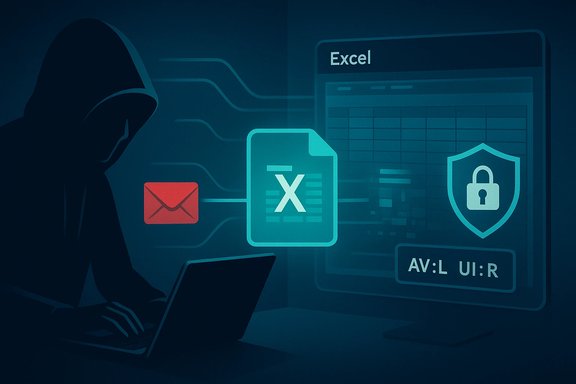
Microsoft’s CVE-2026-20957 advisory names the flaw as a “Microsoft Excel Remote Code Execution Vulnerability,” yet the published CVSS vector lists the Attack Vector as Local (AV:L) — a pairing that looks contradictory until you separate attacker origin and operational impact from the technical moment the vulnerable code is invoked. The headline “Remote Code Execution” signals the worst‑case outcome (an off‑host attacker can cause code to run on a target), while CVSS’s AV:L describes where the exploit trigger occurs — inside the victim’s local Excel process when a crafted workbook is parsed. This distinction is deliberate, common for Office document parsing issues, and essential for accurate triage and mitigation.
Document‑parsing vulnerabilities in Office products routinely produce confusion because vendor advisories use plain‑language impact labels while standardized scoring (CVSS) encodes mechanistic details. The CVE title answers a simple operational question — what can an attacker accomplish and from where can they try? — and therefore uses the concise, high‑urgency label “Remote Code Execution.” CVSS answers a different, technical question — where must the vulnerable code be executing at the moment the exploit triggers? — and therefore records AV:L when a local application (Excel) parses a file on the endpoint. These are complementary signals, not conflicting ones.
Source: MSRC Security Update Guide - Microsoft Security Response Center
 Background
Document‑parsing vulnerabilities in Office products routinely produce confusion because vendor advisories use plain‑language impact labels while standardized scoring (CVSS) encodes mechanistic details. The CVE title answers a simple operational question — what can an attacker accomplish and from where can they try? — and therefore uses the concise, high‑urgency label “Remote Code Execution.” CVSS answers a different, technical question — where must the vulnerable code be executing at the moment the exploit triggers? — and therefore records AV:L when a local application (Excel) parses a file on the endpoint. These are complementary signals, not conflicting ones.CVSS: Attack Vector and its intent
CVSS classifies attack locality using four mutually exclusive values:- AV:N (Network): exploit can be triggered over a network boundary without local user interaction.
- AV:A (Adjacent): attacker must be on the same network segment or adjacent network.
- AV:L (Local): exploit requires local interaction or execution on the host (for example, opening a file).
- AV
 (Physical): physical access to the device is required.
Why the CVE title says “Remote Code Execution” while CVSS shows AV:L
Two concise explanations:- The CVE/advisory title communicates attacker capability and origin: a remote adversary can deliver a malicious input that, when opened, leads to code execution on the victim’s machine. This label is an operational triage shorthand meant to draw immediate attention because RCE often correlates with rapid, high‑impact compromises.
- The CVSS Attack Vector documents the exploit’s trigger locality: if exploitation requires a local parser running in Excel to process a file (the moment memory corruption or control flow hijack occurs locally), CVSS correctly uses AV:L. CVSS views delivery and triggering as distinct phases and records only the locality of the trigger.
The technical anatomy: how a remote delivery becomes RCE despite AV:L
Understanding the typical exploit chain clarifies why the two descriptors coexist.Typical Excel document RCE chain
- Attacker crafts a malicious workbook (XLSX, XLSB, legacy BIFF record, or an embedded object) that targets a memory‑safety or parsing defect (use‑after‑free, heap overflow, out‑of‑bounds write/read).
- The attacker delivers the file remotely — common vectors include spear‑phishing email attachments, cloud‑share links, public downloads, or compromised file repositories.
- The victim opens the file (or a preview/thumbnail engine renders it) in the local Excel client or another component that invokes the same parser.
- Excel’s native parser runs inside the local process, hits the malformed structure, triggers memory corruption, and attacker‑controlled payload executes under the logged‑on user’s privileges.
Why parsers are a risky surface
Excel supports multiple legacy and modern formats, embedded object handlers, ActiveX/OLE mechanics, formula engines, and rendering subsystems — many of which are native C/C++ code. Native parsers historically harbor memory‑safety defects that attackers can weaponize when they control file data. These data‑only exploits do not require macros or scripting, making macro‑blocking mitigations insufficient on their own.The server‑side exception: when AV should be Network (AV:N)
There is a crucial exception that changes the operational exposure materially:- If the same vulnerable parser runs on a network‑facing service (for example, an email gateway that builds attachment previews, Office Online Server, SharePoint conversion services, or a cloud preview/thumbnail service), then the vulnerable code is running in a network‑bound process. In that case the correct CVSS Attack Vector is AV:N (Network) because attackers can trigger the vulnerable code remotely without requiring a specific endpoint user to open the file.
Practical implications for defenders and administrators
The apparent semantic mismatch has direct consequences for triage, patching, and risk communication. Treat the CVE as urgent even with AV:L in the vector.Prioritized actions
- Patch immediately: apply Microsoft updates for affected Office/Excel builds to endpoints and any servers that perform document parsing or previewing.
- Inventory parsing surfaces:
- Desktop Excel installations and their versions.
- Server-side components: Office Online Server, SharePoint file converters, mail gateways with preview/sandbox capabilities.
- Harden document handling:
- Ensure Protected View is enabled for files from the Internet and untrusted sources.
- Enable Safe Documents or Defender Application Guard for Office where available to isolate editing sessions.
- Configure email gateways to sandbox/detonate suspicious attachments and disable automatic previewing if possible.
- Principle of least privilege: limit privileges for common user accounts and reduce the immediate impact of a successful exploit.
- Detection and hunting:
- Build EDR detections for Excel spawning shells, child process anomalies, and unexpected network connections following Office process activity.
- Review gateway logs for unusual mass deliveries or repeated attachments with similar metadata.
Short communications to non-technical stakeholders
Use clear, plain language: “The advisory says ‘Remote Code Execution’ because attackers can send a malicious spreadsheet from anywhere; the ‘Local’ rating means the bug only runs when the spreadsheet is opened on a computer. In practice that still means a remote attacker can compromise someone by tricking them to open a file — so patching, mail gateway controls, and user caution are required.”Critical analysis: strengths, tradeoffs, and risks in the messaging
Strengths
- Operational clarity: Using “Remote Code Execution” in headlines ensures defenders and ops teams prioritize high‑impact items rapidly. An RCE label is a strong triage signal.
- Precise scoring: CVSS’s separation of impact from exploitation mechanics preserves consistent, machine‑readable scoring for automation and comparative risk analysis.
- Complementary signals: Together, the CVE title and CVSS vector provide both urgency and technical context for remediation planning.
Risks and sources of confusion
- Misreading AV:L as “low risk”: Some practitioners mistakenly deprioritize AV:L bugs assuming they require physical access. For document parsing RCEs this is dangerous: delivery channels are plentiful and social engineering is low friction.
- Server-side blind spots: Organizations that focus only on desktop endpoints may overlook high‑exposure servers or gateway services where a Network attack vector (AV:N) would apply.
- Overreliance on macro controls: Because many historical Office compromises used macros, defenders often emphasize macro hardening and miss data‑only parser exploits that bypass macro policies.
- Ambiguity in public discussion: Plain‑language advisories are necessary for speed, but they can create superficial contradictions with technical scoring unless both messages are read together. Clear internal guidance should reconcile both for operations teams.
Unverifiable or time‑sensitive claims
- Public proof‑of‑concepts (PoCs), exploit samples, and active exploitation reports change rapidly. At the time of writing, definitive public PoCs or broad exploitation telemetry for every Excel CVE are not guaranteed; defenders should check the vendor’s MSRC advisory and threat intelligence feeds for live updates and exploit evidence. Treat any unverified claim of active exploitation cautiously and accelerate remediation if confirmed.
How CVSS metrics beyond AV give operational nuance
CVSS uses multiple metrics that, read together, help operations decide on response priorities:- AV (Attack Vector): Where must the exploit run at trigger time? (Network/Adjacent/Local/Physical)
- PR (Privileges Required): Does the exploit need elevated privileges? Many Office parser RCEs are PR:N (no privileges required).
- UI (User Interaction): Is user action required? Document RCEs are commonly UI:R (user interaction required), reflecting the need to open or preview a file.
- C/I/A (Confidentiality / Integrity / Availability): Data outcomes of a successful exploit; full arbitrary code execution frequently scores C:H / I:H / A:H.
Recommendations — what Windows administrators should do now
- Inventory all endpoints and servers that run Excel or use Excel’s parsing libraries.
- Patch all affected Office clients, Office servers, and gateway/preview services immediately.
- Apply layered mitigations:
- Enforce Protected View for files from the internet zone.
- Use Safe Documents / Application Guard where available.
- Configure mail gateways to block or detonate suspicious attachments and disable unsafe previews.
- Harden accounts:
- Limit local admin privileges.
- Apply least‑privilege policies and remove unnecessary rights.
- Monitor and hunt:
- Build EDR rules for unusual Excel process activity and post‑spawn behavior.
- Review gateway and mail logs for suspicious attachments and mass deliveries.
- Communicate clearly:
- Explain to leadership that “Remote RCE” means an attacker can reach users from afar but exploitation requires the malformed file to be processed locally — patching and mail/gateway mitigations remain the top priorities.
Conclusion
The headline “Remote Code Execution” in Microsoft’s CVE‑2026‑20957 advisory is an operational alert: an attacker located off‑host can deliver a malicious spreadsheet that ultimately causes code to run on the target. CVSS’s Attack Vector AV:L is a technical descriptor: the vulnerable code executes locally inside the Excel process when that crafted file is parsed. Reading these two signals together provides the necessary nuance for triage: treat the issue as high priority, patch endpoints and server‑side parsing services, and apply layered mitigations (Protected View, mail sandboxing, least privilege, and EDR hunts). The apparent contradiction is not a misclassification — it is a purposeful separation of attacker reach from exploit mechanics that, when understood, improves decision making and defensive posture.Source: MSRC Security Update Guide - Microsoft Security Response Center
