

PCMag’s How‑To pages sit at the intersection of practical tech help and big‑audience publishing: they promise step‑by‑step solutions for everyday Windows problems while operating inside a commercial ecosystem built on advertising, affiliate relationships, and centralized editorial workflows. That combination delivers real value — fast, searchable fixes, lab‑tested recommendations, and accessible explanations — but it also creates measurable risks for accuracy, longevity of guidance, and reader trust. This feature examines how PCMag’s How‑To content works, why it’s typically useful for Windows users, and where readers and administrators should be cautious — especially in an era of rapid consolidation, cost pressures, and AI‑driven content tooling.
PCMag began as a print magazine in the early 1980s and gradually transitioned into a digital flagship that now commands a global audience. Over decades, the brand has developed three principal editorial strengths that drive its How‑To output: a legacy of product testing, a broad bench of subject matter writers and contributors, and an SEO‑optimized publishing pipeline that surfaces solution articles to users who are looking for immediate answers.
At the same time, PCMag is part of a larger publishing group whose business model blends ad revenue, audience scale, and affiliate commerce. That model supports free access to how‑to guides but introduces tensions between editorial independence and commercial incentives. Recent corporate activity across the parent company’s portfolio has reshaped staffing and workflows at scale, which in turn affects the resources available to research, update, and fact‑check practical guides.
Practical takeaway: Treat product recommendations as a starting point, not a definitive endorsement. Cross‑check critical purchases or security tools with independent reviews and user feedback before committing.
Practical takeaway: Confirm you’re reading the latest, original PCMag page (check the publication or last‑updated date and the author bio) and avoid blindly trusting republished copies.
Practical takeaway: For high‑risk operations (registry edits, system file replacements, firmware updates), follow multiple reputable guides and create full backups before proceeding.
Practical takeaway: Treat AI‑assisted guidance as draftable work that must be verified against live software screens and official vendor documentationn.
Practical takeaway: If a fix risks voiding support or involves privileged access, consult vendor documentation or support channels and document restoration options (restore point, backup image).
For Windows users, the smartest approach blends the speed of a searchable how‑to with the humility of verification: use PCMag for fast answers, then corroborate and protect your system with backups and official documentation before you click “Apply.” That balanced approach preserves the benefits of modern How‑To publishing while steering clear of the avoidable risks that come with speed, scale, and commerce.
Source: PCMag PCMag's Expert Tips, Solutions, and How-Tos
 Background
PCMag began as a print magazine in the early 1980s and gradually transitioned into a digital flagship that now commands a global audience. Over decades, the brand has developed three principal editorial strengths that drive its How‑To output: a legacy of product testing, a broad bench of subject matter writers and contributors, and an SEO‑optimized publishing pipeline that surfaces solution articles to users who are looking for immediate answers.At the same time, PCMag is part of a larger publishing group whose business model blends ad revenue, audience scale, and affiliate commerce. That model supports free access to how‑to guides but introduces tensions between editorial independence and commercial incentives. Recent corporate activity across the parent company’s portfolio has reshaped staffing and workflows at scale, which in turn affects the resources available to research, update, and fact‑check practical guides.
How PCMag’s How‑To content is structured
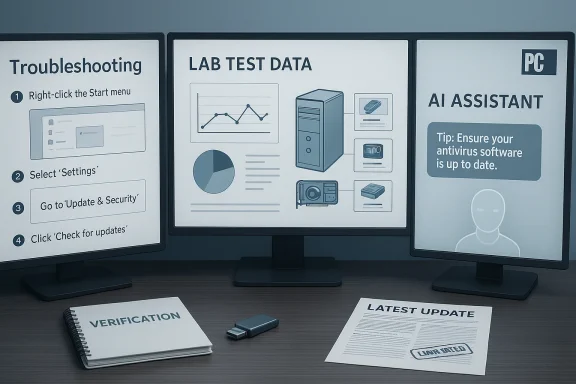
PCMag’s How‑To articles follow a recognizably modern recipe for web‑first technical guidance: concise problem statements, step‑by‑step instructions, screenshots or short videos, and a quick troubleshooting or “what to do if this fails” section. They’re designed for quick consumption and for search engines, so clarity and scannability are prioritized.- What readers get:
- Clear task framing (e.g., “How to fix Bluetooth pairing on Windows 11”).
- Ordered steps geared toward nonexperts.
- Visual aids — annotated screenshots or photos.
- Product or tool recommendations when appropriate.
- A short list of pros and cons when a tool or paid solution is involved.
- How they’re produced:
- Staff writers, subject specialists, and freelancers collaborate under centralized editorial guidelines.
- Many guides are updated periodically to reflect software patches, new OS releases, or product updates.
- Articles are optimized for search with headings, metadata and often evergreen phrasing that aligns with common user queries.
Strengths: What PCMag’s How‑To pages do well
1. Practical, actionable steps
PCMag’s How‑To pieces generally aim for directness: they map common problems into discrete remedies that a typical Windows user can follow. The stepwise format reduces ambiguity and, in many cases, avoids technical jargon or explains it concisely.2. Lab and test experience that informs recommendations
The publisher’s heritage in reviewing hardware and software means many How‑To pages draw on lab experience or are informed by product testing. That perspective helps authors prioritize solutions that are likely to work across real‑world configurations.3. Regular updates for high‑impact topics
High‑traffic guides — for example, Windows update troubleshooting, VPN setup, or privacy settings — tend to be refreshed more often, which keeps them aligned with recent OS updates or UI changes.4. Accessibility and reach
Because these guides are optimized for search, they reach millions of users who need fast help. Accessibility improvements (clear headings, short paragraphs, and illustrative images) make the content usable for readers with different levels of technical experience.5. Transparent commercial disclosures in the footer
The site explicitly notes the presence of affiliate links and that the publisher may earn fees from merchants. That disclosure is an important baseline for transparency in a commercial media environment.Risks and limitations readers must understand
1. Affiliate and commercial pressures can shape recommendations
Affiliate revenue is a legitimate part of modern digital publishing, but it can create perceived or real pressure to favor products that convert well. Readers should be aware that a recommended paid tool or VPN, while often useful, may also be incentivized by commission structures.Practical takeaway: Treat product recommendations as a starting point, not a definitive endorsement. Cross‑check critical purchases or security tools with independent reviews and user feedback before committing.
2. Thin pages and aggregation risk — content recycling across the web
Because many PCMag articles are syndicated, scraped, or republished by third parties, identical or lightly edited versions of the same guide circulate widely. That makes it harder to know whether a page you’ve found is the authoritative, updated version or an older copy. Additionally, the need for SEO scale has pushed many outlets toward producing many short, narrowly focused how‑to pages that solve a single query but lack broader context.Practical takeaway: Confirm you’re reading the latest, original PCMag page (check the publication or last‑updated date and the author bio) and avoid blindly trusting republished copies.
3. Staffing and workflow pressures dilute deep verification
The digital media industry has seen consolidation, acquisitions, and cost rationalizations. When editorial teams shrink or centralized workflows prioritize throughput over deep verification, the result can be more frequent small errors — outdated steps, misspelled commands, or missing caveats for risky operations (like registry edits or disk partitioning).Practical takeaway: For high‑risk operations (registry edits, system file replacements, firmware updates), follow multiple reputable guides and create full backups before proceeding.
4. AI tools and content generation: speed versus accuracy tradeoff
Increasingly, publishers — for efficiency — test or deploy AI assistance for drafting, summarizing, or localizing content. AI can speed the creation of standard how‑tos, but it also amplifies the risk of subtle inaccuracies (a missing modifier in a command line, a deprecated UI path, or a misinterpreted error message). Human oversight is essential when instructions are actionable.Practical takeaway: Treat AI‑assisted guidance as draftable work that must be verified against live software screens and official vendor documentationn.
5. Legal and safety considerations for technical instructions
Some how‑tos can lead users into actions with legal, warranty, or security implications: bypassing DRM, circumventing licensing checks, or disabling security controls. Authoritative outlets often avoid explicit instructions for illicit or warranty‑voiding activities, but ambiguous or incomplete steps can still produce undesirable outcomes.Practical takeaway: If a fix risks voiding support or involves privileged access, consult vendor documentation or support channels and document restoration options (restore point, backup image).
Reading PCMag How‑Tos like a pro: quick verification checklist
Before you follow any multi‑step Windows procedure you find online, run this short checklist:- Confirm the article’s publication or last‑updated date and prefer the most recent update.
- Read the author bio to see experience and editorial affiliation; long‑tenured authors or named lab analysts are a stronger signal.
- Look for vendor links or official documentation referenced in the article; official docs are the best single source for system APIs and commands.
- Check for affiliate or ad disclosures so you understand the commercial context.
- Cross‑verify critical steps across at least two reputable sources (official vendor documentation, community knowledge bases, or other major tech outlets).
- Ensure you have a backup and restore plan before attempting fixes that modify system state.
A practical Windows safety checklist to pair with any how‑to
When following any Windows how‑to that could affect system stability, perform these steps first:- Create a System Restore Point (Windows):
- Open Control Panel → Recovery → Configure System Restore → Create.
- Make a full backup or disk image if the changes are high risk:
- Use built‑in Windows Backup, third‑party imaging tools, or cloud backup depending on data sensitivity.
- Note your system configuration:
- OS version, build number, device model (use winver and Settings → System → About).
- If the guide involves command‑line actions, copy commands to a text file first and double‑check syntax.
- Bootable recovery media:
- Create Windows installation or recovery USB if you might need offline repair.
Editorial accountability: what PCMag does well and where it could strengthen trust
PCMag’s brand strength rests on testing capability and audience reach. To preserve trust in How‑To content, several editorial practices are essential:- Versioning and timestamps. Keep clear 'last updated' timestamps visible atop how‑to pages, and record changelogs for substantive edits.
- Author attribution and bios. Name authors prominently and include their relevant technical credentials.
- Robust fact‑checking for actionable content. Especially for commands and registry edits, a second technical reviewer should validate steps on an independent test machine.
- Flagging AI assistance. If AI tools are used to draft or summarize instructions, label this and ensure human verification.
- Stronger separation of commerce and editorial. Ensure recommendation sections are clearly distinguishable from pure instruction and that affiliate relationships don’t drive the order or prominence of solutions.
The broader media context: consolidation, unions, and editorial resources
The publishing parent that operates PCMag has pursued acquisitions and portfolio growth while also managing centralized operating efficiencies. That business reality has two consequences for How‑To content:- Consolidation can provide shared resources (testing labs, analytics, multimedia production) that improve guide quality.
- Centralized cost‑cutting can reduce headcount, shrink freelance budgets, and compress the time editors have for verification.
How to evaluate conflicting advice or controversy (real examples)
There are two common friction points readers encounter with How‑To content:- Conflicting product recommendations: one outlet ranks a VPN highly while others do not. This can result from different test methodologies, business relationships, or update cadences.
- Diverging technical steps: UI changes in Windows can make older screenshots or menu paths obsolete, so two guides with different wording might both be valid depending on OS build.
- Match the guidance to your exact OS version and build (Windows 10 vs. Windows 11; build numbers matter).
- Prefer guides that test and report on their test environment (e.g., Windows 11 Pro, build X).
- Watch for user comments or correction notes on the article page; they can reveal common pitfalls readers faced.
Recommendations for Windows users who rely on online how‑tos
- Maintain a habit of two‑source verification for any system‑level change.
- Keep system images and backups up to date so that you can revert after testing a fix.
- Use official vendor documentation for firmware, driver, and OS upgrade steps.
- Prefer guides that include a rollback or “undo” section for potentially destructive actions.
- If a guide recommends third‑party software, check that tool’s reputation on independent forums and the vendor’s site before downloading.
Recommendations for publishers and editors
To strengthen trust in high‑traffic How‑To content, publishers should:- Invest in editorial QA for high‑impact guides (security, firmware, recovery), including hands‑on verification on current OS builds.
- Maintain a public policy on AI use in content creation and require human sign‑off for actionable instructions.
- Display update histories and test environments prominently on how‑to pages.
- Expand community feedback mechanisms so readers can report broken steps or outdated screenshots quickly.
- Keep commerce and recommendation content clearly labeled and separated from procedural instructions to avoid perceived conflict of interest.
Conclusion
PCMag’s How‑To section delivers significant practical value to Windows users: digestible, searchable, and frequently useful instructions that solve common problems quickly. That value is grounded in a decades‑long editorial tradition and the scale of a major publishing operation. Yet the intersection of affiliate commerce, high‑velocity SEO publishing, and industry‑wide staffing pressures means readers must remain vigilant. Treat How‑To pages as useful tools rather than infallible authority: verify critical steps, confirm dates and test environments, and back up systems before applying instructions that change low‑level system behavior.For Windows users, the smartest approach blends the speed of a searchable how‑to with the humility of verification: use PCMag for fast answers, then corroborate and protect your system with backups and official documentation before you click “Apply.” That balanced approach preserves the benefits of modern How‑To publishing while steering clear of the avoidable risks that come with speed, scale, and commerce.
Source: PCMag PCMag's Expert Tips, Solutions, and How-Tos
