

Chrome’s latest security cycle has brought CVE-2026-5882 into the spotlight, and the bug is a reminder that browser security failures are not always about memory corruption or code execution. In this case, Google says an incorrect security UI in Fullscreen in Chrome prior to 147.0.7727.55 could let a remote attacker carry out UI spoofing through a crafted HTML page, which the Chromium team rates as Medium severity. Microsoft has also surfaced the issue in its security guidance, underscoring how quickly Chromium fixes now propagate across the wider browser ecosystem and into downstream products such as Edge. The practical message for Windows users is simple: if you are on an affected Chrome branch, update immediately, because this class of bug is designed to exploit trust rather than technical complexity. um’s security model has matured into a layered defense system, but that very layering creates opportunities for presentation-layer attacks. Fullscreen is one of those edge cases: it is designed to reduce chrome clutter and focus the user on content, but that same behavior can be abused if a page can convincingly impersonate browser UI. The CVE-2026-5882 advisory fits squarely into that long-running browser-security pattern, where the exploit is not a crash, but a deception.
Google’s release notes make clear that the fix landed in the 147.0.7727.55 line and that the weakness was publicly disclosed alongside a cluster of other Chromium issues. The Chrome Releases page for April 2026 shows CVE-2026-5882 listed as a Medium issue reported by Anonymous on February 2, 2026, which means the bug sat in the queue for some time before becoming public. That timeline is typical of Chromium’s responsible-disclosure workflow, where fixes may be held back until most users have had time to update. (chromereleases.googleblog.com)
The Microsoft Security Update Guide entry matters because it signals a broader industry reality: Chromium vulnerabilities are not just “Chrome problems.” They are inherited by downstream browsers and embedded web components that share the same engine lineage. That means browser security is now a platform issue as much as a product issue, especially for enterprises with mixenother important point is that this is not a particularly exotic bug. It sits in a familiar family of Chrome vulnerabilities involving incorrect security UI, a category that repeatedly shows up in Chromium advisories across Fullscreen, Picture-in-Picture, Downloads, Omnibox, Permissions, and other trust-sensitive surfaces. The repetition is revealing: attackers do not need to break encryption or sandboxing if they can convince users to trust the wrong interface. (chromereleases.googleblog.com)
From a WindowsForum perspective, the significance is less about one isolated CVE and more about the pattern it reinforces. Browser UI spoofing flaws are cheap for attackers to exploit, expensive for defenders to detect, and dangerous because they target human judgment rather than software memory. In other words, this is phishing with technical teeth.
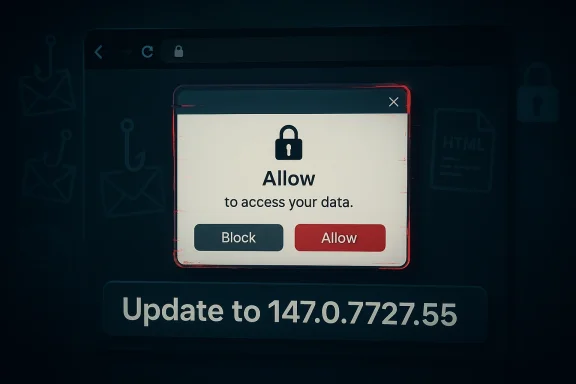
CVE-2026-5882 is described as incorrect security UI in Fullscreen in Google Chrome, allowing a remote attacker to perform UI spoofing via a crafted HTML page. The security label is Medium, which tells us the Chromium team sees real abuse potential even if the path to exploitation is narrower than a classic remote-code-execution bug. The key detail is that the attack does not require a browser crash or a privilege boundary escape; it relies on visuser trust.
The vulnerability description suggests that the bug was not merely cosmetic. If a crafted page can make security UI look authentic inside fullscreen, the attacker gains a better chance of persuading the user to disclose credentials, accept prompts, or ignore warning signs. That is why UI spoofing vulnerabilities continue to matter even when the browser engine itself remains intact. (chromereleases.googleblog.com)
In practice, this sort of issue often pairs with user interaction. Even where the CVE text does not say “click once” or “press a key,” the attack still depends on the user entering fullscreen or engaging with the page in a way that makes the spoof effective. That is why browser vendors tend to treat these bugs as important even when the exploit chain is relatively simple.
This is especially true when the target is a browser used for enterprise SaaS portals, banking, email, and collaboration tools. A fake browser or permission prompt rendered in fullscreen can be enough to trick a user into treating the attacker’s page as legitimate. In that sense, the harm comes from misplaced trust, not from memory corruption.
Chrome’s release notes also indicate that Google often keeps bug details constrained until a majority of users are updated. That approach is meant to reduce the blast radius of public disclosure, but it also means defenders must rely on version numbers and vendor advisories rather than waiting for a complete technical explanation. In other words, patch management becomes a race against exposure. (chromereleases.googleblog.com)
The pattern suggests a structural challenge: any time a browser offers UI that is visually close to system controls, attackers will try to imitate it. As browsers add richer modal experiences, overlay mechanisms, and immersive modes, the attack surface grows along with usability. Security engineers have to preserve clarity without making the product unusably restrictive, and that tradeoff is never simple.
Fullscreen is only one example. Chrome’s recent history includes similar issues in Omnibox, Permissions, History Navigation, Downloads, and Picture-in-Picture, showing that the browser is full of places where content and trust signals can visually overlap. Once an attacker can blur that line, the result is often a convincing fake dialog or an imitation security indicator. (chromereleases.googleblog.com)
That shortcut becomes even more dangerous on high-density displays and mobile-adjacent environments where UI chrome can be minimal. A spoofed prompt in a fullscreen session may feel authoritative enough to induce hasty action. The technical bug is in the browser, but the consequence is a manipulation of human expectation.
This also explains why similar issues have shown up repeatedly over the years in browser security advisories. The design space is naturally fragile: the browser must support immersive media, app-like experiences, and rich permission flows, all while keeping the security model legible. That balancing act is inherently unstable.
Microsoft’s pattern here is consistent across a long list of Chromium issues, from use-after-free vulnerabilities to policy bypasses and UI spoofing bugs. The company’s downstream documentation helps admins answer a practical question: has my Edge deployment reached the version that incorporates the upstream Chromium fix? That question matters because patch completeness is what separates theoretical remediation from actual risk reduction.
That is one reason browser CVEs show up so often in Microsoft’s guidance. The company is helping admins close the loop across products, patch channels, and inventory systems. The result is not just a security notice, but a synchronization mechanism across the Chromium ecosystem.
What changes over time is not the attacker’s objective, but the browser’s defensive surface. Chrome has improved sandboxing, permission UX, and feature separation, yet every new feature that brings the page closer to system-level presentation creates another possible confusion point. That is why the browser-security problem keeps mutating instead of disappearing.
Those goals can conflict. The more the browser hides itself, the easier it becomes for attackers to imitate the hidden pieces. The more the browser adds warning chrome, the more it risks becoming intrusive or breaking legitimate user workflows. That tension has no perfect solution.
From a defender’s standpoint, that means the browser must be treated as a live security perimeter, not a static app. If attackers can leverage a trustworthy UI path to deceive users, then even fully patched memory safety in another subsystem will not save the session.
Chrome’s own messaging usually relies on the fact that updates are automatic, but that only works if users do not leave the browser running for extended periods or disable update mechanisms. A lot of consumer risk, in practice, comes from inertia. People assume patching happened because the browser is still open; that assumption is often wrong.
That is why browser version tracking belongs in the same operational bucket as OS patching and endpoint protection. An attacker does not care whether the vulnerable browser is on a workstation, a shared terminal, or a remote desktop session. They only care whether the spoof can be made convincing enough to trigger the user.
This is also why Microsoft’s documentation matters. It helps Windows administrators connect the dots between upstream Chromium releases and downstream enterprise readiness. Without that mapping, an organization can easily assume it is protected when, in fact, only one browser channel has reached the fixed build.
What happens next will likely be boring in the best possible way: updates will roll out, the advisory will age out of the front page, and most users will never notice anything happened. But for security teams, that quiet ending is only successful if the patch actually lands everywhere it needs to. The real story is not just that Chrome fixed CVE-2026-5882; it is that browser trust remains one of the most valuable and fragile assets on the Windows desktop.
Source: NVD / Chromium Security Update Guide - Microsoft Security Response Center
Google’s release notes make clear that the fix landed in the 147.0.7727.55 line and that the weakness was publicly disclosed alongside a cluster of other Chromium issues. The Chrome Releases page for April 2026 shows CVE-2026-5882 listed as a Medium issue reported by Anonymous on February 2, 2026, which means the bug sat in the queue for some time before becoming public. That timeline is typical of Chromium’s responsible-disclosure workflow, where fixes may be held back until most users have had time to update. (chromereleases.googleblog.com)
The Microsoft Security Update Guide entry matters because it signals a broader industry reality: Chromium vulnerabilities are not just “Chrome problems.” They are inherited by downstream browsers and embedded web components that share the same engine lineage. That means browser security is now a platform issue as much as a product issue, especially for enterprises with mixenother important point is that this is not a particularly exotic bug. It sits in a familiar family of Chrome vulnerabilities involving incorrect security UI, a category that repeatedly shows up in Chromium advisories across Fullscreen, Picture-in-Picture, Downloads, Omnibox, Permissions, and other trust-sensitive surfaces. The repetition is revealing: attackers do not need to break encryption or sandboxing if they can convince users to trust the wrong interface. (chromereleases.googleblog.com)
From a WindowsForum perspective, the significance is less about one isolated CVE and more about the pattern it reinforces. Browser UI spoofing flaws are cheap for attackers to exploit, expensive for defenders to detect, and dangerous because they target human judgment rather than software memory. In other words, this is phishing with technical teeth.
 What CVE-2026-5882 Actually Is
CVE-2026-5882 is described as incorrect security UI in Fullscreen in Google Chrome, allowing a remote attacker to perform UI spoofing via a crafted HTML page. The security label is Medium, which tells us the Chromium team sees real abuse potential even if the path to exploitation is narrower than a classic remote-code-execution bug. The key detail is that the attack does not require a browser crash or a privilege boundary escape; it relies on visuser trust.Why the Fullscreen component matters
Fullscreen is one of the browser’s most trust-sensitive UI states because it suppresses familiar visual cues. Once the page takes over the screen, users may become less attentive to whether they are interacting with browser controls, page content, or a spoofed element painted to resemble a system prompt. That makes fullscreen a natural target for social engineering, especially on sites that already prime users to click, authorize, or download.The vulnerability description suggests that the bug was not merely cosmetic. If a crafted page can make security UI look authentic inside fullscreen, the attacker gains a better chance of persuading the user to disclose credentials, accept prompts, or ignore warning signs. That is why UI spoofing vulnerabilities continue to matter even when the browser engine itself remains intact. (chromereleases.googleblog.com)
The crafted-page attack model
The advisory says the flaw can be triggered by a crafted HTML page, which is a standard but important phrasing. It means the attacker needs only to get a victim to open malicious web content; no local malware, no physical access, and no specialized browser extension are required. For defenders, that lowers the barrier to real-world abuse and makes email, search poisoning, malicious ads, and cloned landing pages all plausible delivery vectors.In practice, this sort of issue often pairs with user interaction. Even where the CVE text does not say “click once” or “press a key,” the attack still depends on the user entering fullscreen or engaging with the page in a way that makes the spoof effective. That is why browser vendors tend to treat these bugs as important even when the exploit chain is relatively simple.
Why “Medium” is still serious
A Medium rating is easy to underestimate, but that would be a mistake. Chrome’s severity label reflects exploitability, impact, and realistic abuse potential, not just technical elegance. UI spoofing may not hand an attacker code execution, but it can still enable credential theft, fraud, or forced trust decisions that later open the door to deeper compromise.This is especially true when the target is a browser used for enterprise SaaS portals, banking, email, and collaboration tools. A fake browser or permission prompt rendered in fullscreen can be enough to trick a user into treating the attacker’s page as legitimate. In that sense, the harm comes from misplaced trust, not from memory corruption.
- Attack surface is a web page, not a local install.
- User interaction can amplify the spoof.
- The bug targets security cues, not just visuals.
- The main risk is social engineering at scale.
- Medium severity does not mean low practical impact.
How Chrome’s Release Cadence Shapes the Risk
The Chrome Releases page shows the fix appearing in the 147.0.7727.55 desktop branch on Tuesday, April 7, 2026, while Android received the corresponding security fixes in Chrome 147 for mobile. That is typical of Chromium’s cross-platform rhythm: desktop and mobile builds often move in parallel, but exact build numbers can differ by platform. For admins, the practical lesson is to verify the version on each endpoint rather than assuming a uniform rollout. (chromereleases.googleblog.com)Release timing and exposure windows
The release timing matters because every day between disclosure and update is a window where attackers can reverse-engineer the fix, study public descriptions, and craft abuse cases. Even if there is no known active exploitation at publication time, browser UI bugs can be replicated quickly once the underlying behavior is understood. That is why the update cadence matters almost as much as the patch itself.Chrome’s release notes also indicate that Google often keeps bug details constrained until a majority of users are updated. That approach is meant to reduce the blast radius of public disclosure, but it also means defenders must rely on version numbers and vendor advisories rather than waiting for a complete technical explanation. In other words, patch management becomes a race against exposure. (chromereleases.googleblog.com)
The broader Chromium pattern
CVE-2026-5882 is not an outlier. In the same 2026 Chrome cycle, Google has already documented multiple “incorrect security UI” issues across other surfaces, including Blink, browser UI, Picture-in-Picture, Downloads, and LookalikeChecks. That tells us the Chromium project is dealing with a family of trust-boundary bugs, not a one-off implementation accident. (chromereleases.googleblog.com)The pattern suggests a structural challenge: any time a browser offers UI that is visually close to system controls, attackers will try to imitate it. As browsers add richer modal experiences, overlay mechanisms, and immersive modes, the attack surface grows along with usability. Security engineers have to preserve clarity without making the product unusably restrictive, and that tradeoff is never simple.
What this means for enterprise patching
For enterprises, release cadence turns into operational pressure. You are not just patching Chrome on consumer desktops; you may also be covering managed endpoints, VDI environments, kiosk systems, and line-of-business applications that depend on Chromium-based browsers. That makes even a “medium” browser CVE important, because the patch has to move through inventory, testing, and rollout.- Verify the exact browser build on all managed systems.
- Treat fullscreen-capable browsing as a phishing-adjacent risk.
- Include Chromium-based browsers in patch validation.
- Watch for ringed rollout delays on managed devices.
- Assume users will encounter the bug before defenders finish triage.
Why UI Spoofing Bugs Keep Coming Back
UI spoofing vulnerabilities keep reappearing because browsers must present trusted interface elements inside untrusted content. The browser has to distinguish page-rendered content from browser-rendered chrome, while also supporting immersive features that intentionally blur the boundary. That is a hard engineering problem, and attackers know it.Fullscreen is only one example. Chrome’s recent history includes similar issues in Omnibox, Permissions, History Navigation, Downloads, and Picture-in-Picture, showing that the browser is full of places where content and trust signals can visually overlap. Once an attacker can blur that line, the result is often a convincing fake dialog or an imitation security indicator. (chromereleases.googleblog.com)
The psychology of browser trust
Users have learned to trust familiar browser cues: padlocks, origin bars, permission prompts, and exit controls. But those cues are only useful if the user can distinguish them from web content. Fullscreen attacks work because they exploit the mental shortcut that “if the browser is showing it, it must be real.”That shortcut becomes even more dangerous on high-density displays and mobile-adjacent environments where UI chrome can be minimal. A spoofed prompt in a fullscreen session may feel authoritative enough to induce hasty action. The technical bug is in the browser, but the consequence is a manipulation of human expectation.
Similar vulnerabilities in the ecosystem
Chromium’s 2026 release notes show multiple UI-related CVEs clustered in a short period, which suggests defensive hardening is still catching up with feature complexity. Security UI bugs often do not look dramatic in code review, but their impact can be outsized because they weaponize confidence rather than compute. That makes them a favorite for attackers targeting credential theft and session hijacking.This also explains why similar issues have shown up repeatedly over the years in browser security advisories. The design space is naturally fragile: the browser must support immersive media, app-like experiences, and rich permission flows, all while keeping the security model legible. That balancing act is inherently unstable.
Common abuse patterns
A spoofing attack using fullscreen often follows a recognizable playbook:- Entice the user to load a malicious page.
- Trigger fullscreen or a fullscreen-like state.
- Render interface elements that resemble browser or OS security UI.
- Prompt the user for credentials, confirmations, or downloads.
- Harvest the information or redirect the victim to a second-stage payload.
- UI spoofing is often paired with social engineering.
- Browser chrome is a recurring trust boundary.
- Rich web features can expand the attack surface.
- Visual similarity is enough to defeat hurried users.
- Security UI bugs are persistent because the design problem is persistent.
Microsoft’s Role in the Story
Microsoft’s listing of CVE-2026-5882 in its Security Update Guide is a reminder that Chrome’s security status influences more than just Chrome. The Security Update Guide serves as a downstream tracking layer for Chromium-origin bugs that matter to Microsoft Edge and related browser-dependent components. In that sense, Microsoft is not claiming ownership of the bug; it is telling customers when the upstream Chromium fix has become relevant to their environment.Why Microsoft surfaces Chromium CVEs
Edge is Chromium-based, so when Google fixes a browser-engine bug, Microsoft customers need to know whether their Edge builds have ingested that fix. The Security Update Guide provides a canonical place to check that state, especially in enterprise environments where Edge may be pinned, controlled, or updated on a slower cadence than consumer Chrome. That makes MSRC’s entry operationally useful even if the underlying flaw originated at Google.Microsoft’s pattern here is consistent across a long list of Chromium issues, from use-after-free vulnerabilities to policy bypasses and UI spoofing bugs. The company’s downstream documentation helps admins answer a practical question: has my Edge deployment reached the version that incorporates the upstream Chromium fix? That question matters because patch completeness is what separates theoretical remediation from actual risk reduction.
Enterprise relevance versus consumer relevance
For consumers, the guidance is straightforward: update Chrome and let auto-update do its job. For enterprises, the process is more complicated because browser updates may be governed by group policy, endpoint management tools, or compatibility holdbacks. An issue like CVE-2026-5882 therefore has a wider operational footprint in managed environments than in consumer households.That is one reason browser CVEs show up so often in Microsoft’s guidance. The company is helping admins close the loop across products, patch channels, and inventory systems. The result is not just a security notice, but a synchronization mechanism across the Chromium ecosystem.
What admins should take away
The presence of the CVE in Microsoft’s guidance should not bcific vulnerability announcement. Instead, it is a signal that the Chromium fix is important enough to track downstream and that Edge users should check their version state. That distinction matters because it keeps the focus on patch verification rather than vendor confusion.- Microsoft tracks Chromium bugs because Edge inherits Chromium fixes.
- The guide helps admins verify downstream patch status.
- Consumer auto-update is simpler than enterprise rollout.
- Version drift is the real risk in managed environments.
- The advisory is a coordination tool as much as a warning.
Historical Context: A Familiar Vulnerability Family
CVE-2026-5882 belongs to a long chain of browser trust bugs that goes back years. Chrome and Chromium have repeatedly patched fullscreen-related and UI-related spoofing issues, including older vulnerabilities that targeted the browser’s fullscreen API and similar trust surfaces. The recurring theme is not lack of effort, but the difficulty of designing secure, understandable browser interfaces in an increasingly app-like web.The evolution of fullscreen attacks
Earlier Chrome vulnerabilities in the fullscreen family were often described in terms like “inappropriate implementation” or “incorrect security UI,” and the practical abuse case was usually some form of spoofing. The details varied by platform and release line, but the goal was stable: trick the user into thinking they were seeing browser-controlled trust signals when they were actually looking at attacker-controlled content.What changes over time is not the attacker’s objective, but the browser’s defensive surface. Chrome has improved sandboxing, permission UX, and feature separation, yet every new feature that brings the page closer to system-level presentation creates another possible confusion point. That is why the browser-security problem keeps mutating instead of disappearing.
Why these bugs are hard to eliminate
The challenge is that fullscreen is both useful and risky. Users want immersive video, games, web apps, presentations, and kiosk experiences. Product teams want seamless transitions and less visual clutter. Security teams, meanwhile, want unmistakable cues that tell users when they are looking at content versus browser UI.Those goals can conflict. The more the browser hides itself, the easier it becomes for attackers to imitate the hidden pieces. The more the browser adds warning chrome, the more it risks becoming intrusive or breaking legitimate user workflows. That tension has no perfect solution.
The significance of the 2026 cluster
What stands out in the 2026 Chrome cycle is that UI spoofing bugs are not isolated; they are appearing alongside memory-safety flaws, policy issues, and feature-specific vulnerabilities. That makes Chrome’s security posture feel less like a single firewall and more like a layered negotiation between performance, convenience, and defensive hardening. The system is improving, but it is also getting more complex.From a defender’s standpoint, that means the browser must be treated as a live security perimeter, not a static app. If attackers can leverage a trustworthy UI path to deceive users, then even fully patched memory safety in another subsystem will not save the session.
- Fullscreen vulnerabilities are an old problem in a new form.
- Browsers must balance usability and trust.
- Security cues are only useful if they remain distinctive.
- UI spoofing evolves with browser design.
- Complexity is the attacker’s friend.
Impact on Windows Users
Windows users are likely the largest practical audience for this advisory, especially because Chrome and Edge dominate browser use across consumer and enterprise desktops. For most users, the patch arrives through automatic updates, but the real-world exposure depends on whether the browser has actually restarted and picked up the new build. A browser that is “installed” is not necessarily a browser that is protected.Consumer effect
For home users, the attack likely looks like a fake prompt or a deceptive fullscreen page that encourages an unsafe click. In that context, the risk is not that malware silently executes in the background, but that the user is manipulated into taking an action they would normally reject. That makes awareness and auto-update both relevant, because the flaw is as much about behavior as software state.Chrome’s own messaging usually relies on the fact that updates are automatic, but that only works if users do not leave the browser running for extended periods or disable update mechanisms. A lot of consumer risk, in practice, comes from inertia. People assume patching happened because the browser is still open; that assumption is often wrong.
Enterprise effect
In enterprise environments, the risk is broader because browser version drift is common. Managed devices may be staged, frozen, or delayed by change-control policy, and that increases the time between patch availability and actual exposure reduction. If a department uses Chrome in kiosk mode, browser-based training portals, or internal SaaS workflows, a fullscreen spoofing bug can be especially problematic.That is why browser version tracking belongs in the same operational bucket as OS patching and endpoint protection. An attacker does not care whether the vulnerable browser is on a workstation, a shared terminal, or a remote desktop session. They only care whether the spoof can be made convincing enough to trigger the user.
Why Windows remains central
Even though Chromium is cross-platform, Windows remains the default business desktop for most organizations. That makes Windows patch validation the first practical step for many admins. If your fleet includes Edge and Chrome side by side, the inventory problem is doubled, because each browser may ride a different update channel even though both use Chromium.This is also why Microsoft’s documentation matters. It helps Windows administrators connect the dots between upstream Chromium releases and downstream enterprise readiness. Without that mapping, an organization can easily assume it is protected when, in fact, only one browser channel has reached the fixed build.
Practical checks
- Confirm Chrome is at or beyond 147.0.7727.55.
- Verify Edge’s Chromium lineage has the corresponding fix.
- Restart browsers after updates rather than leaving them open.
- Review managed update holds and rollout rings.
- Audit kiosk and shared-device browser versions separately.
Strengths and Opportunities
The good news is that Chromium’s security process is doing what it is supposed to do: identify a subtle trust bug, patch it upstream, and push the fix into the release channel before the issue turns into a major public incident. The presence of Microsoft tracking the issue downstream also gives admins another layer of visibility. That combination is not perfect, but it is a sign of a mature ecosystem.- Rapid upstream response reduces the window for exploitation.
- Clear version thresholds make remediation straightforward.
- Downstream tracking helps Edge administrators verify status.
- Automatic updates protect many consumer systems with no action.
- Public disclosure discipline limits unnecessary exposure before patching.
- Browser hardening lessons can improve future fullscreen design.
- Security labeling helps teams prioritize intelligently.
Risks and Concerns
The core concern is that UI spoofing bugs are deceptively powerful. They do not look dramatic in the way a remote-code-execution exploit does, but they can still enable credential theft and high-confidence fraud. If users are trained to trust browser chrome, then spoofed chrome is a direct attack on that trust.- User deception can succeed even when the browser is otherwise secure.
- Fullscreen reduces visual context and increases spoofing risk.
- Enterprise rollout delays can leave pockets of exposure.
- Mixed browser fleets complicate version verification.
- Social engineering can turn a medium bug into a high-impact incident.
- Patch fatigue may lead admins to under-prioritize “UI” issues.
- Attackers can pair the flaw with phishing or redirect campaigns.
What to Watch Next
The next few days and weeks will tell us whether CVE-2026-5882 remains a quiet patch-cycle item or becomes part of a larger browser-security narrative. The key indicators will be rollout speed, whether exploit telemetry emerges, and whether Chrome’s next security notes reveal more UI trust issues in adjacent surfaces. If history is any guide, this will not be the last time Chromium has to patch the boundary between browser chrome and page content.Signals that matter
- Whether Chrome 147.0.7727.55 reaches the majority of stable users quickly.
- Whether Microsoft confirms the same fix in Edge downstream guidance.
- Whether threat intelligence vendors report phishing campaigns using fullscreen spoofing.
- Whether Chromium’s next release notes show another incorrect security UI issue.
- Whether enterprises see help-desk reports tied to suspicious fullscreen behavior.
- Whether browser vendors tighten UI separation around security-sensitive prompts.
What happens next will likely be boring in the best possible way: updates will roll out, the advisory will age out of the front page, and most users will never notice anything happened. But for security teams, that quiet ending is only successful if the patch actually lands everywhere it needs to. The real story is not just that Chrome fixed CVE-2026-5882; it is that browser trust remains one of the most valuable and fragile assets on the Windows desktop.
Source: NVD / Chromium Security Update Guide - Microsoft Security Response Center
Last edited:
