

Upgrading your Exchange estate to the latest Cumulative Update (CU) is no longer a benign maintenance task — it’s an operational imperative tied to hybrid security, enforced service changes, and survival of rich coexistence features. This battle-tested, friendly guide walks you from inventory to validation, with clear sequencing, practical checklists, and hard lessons learned from recent enforcement windows and hotfix rollouts that affected hundreds of enterprise environments.
Exchange Server’s update model shifted from a leisurely cadence to an urgent remediation posture in 2025 after a high‑severity hybrid authentication vulnerability and related cloud/hybrid policy changes forced Microsoft and security agencies to push administrators toward a tenant‑scoped hybrid model. The consequence: patched builds, a new dedicated Exchange hybrid application workflow, temporary EWS enforcement windows to force adoption, and a hard operational deadline for the legacy shared principal path. Administrators who delay risk losing Free/Busy, MailTips, and profile‑photo sharing across the hybrid boundary — and they face an elevated attack surface if servers remain unpatched.
Key timeline and support facts to record now:
If migration to Exchange Online or in‑place upgrade to Exchange SE is part of your roadmap, accelerate that program — ESU is a narrow bridge, not a solution. For now, follow the prioritized runbook in this guide, validate every step in a pilot ring, and maintain heightened monitoring during and after the rollout. The operational cost of careful, staged patching and credential hygiene is far lower than the cost of an outage or breach that could have been prevented by applying the CU and the dedicated hybrid app workflow.
Conclusion: the latest Exchange CU is your platform’s lifeline to secure hybrid operations and uninterrupted collaboration features. Treat the plan above as a playbook: inventory first, patch early, validate thoroughly, then clean up credentials — all while keeping a tested rollback and hardened monitoring posture ready. Failure to do so risks functional disruption during enforcement windows and elevated compromise potential for your organization.
Source: TechnologyHQ https://www.technologyhq.org/upgrade-exchange-server-to-the-latest-cu/
 Background
Exchange Server’s update model shifted from a leisurely cadence to an urgent remediation posture in 2025 after a high‑severity hybrid authentication vulnerability and related cloud/hybrid policy changes forced Microsoft and security agencies to push administrators toward a tenant‑scoped hybrid model. The consequence: patched builds, a new dedicated Exchange hybrid application workflow, temporary EWS enforcement windows to force adoption, and a hard operational deadline for the legacy shared principal path. Administrators who delay risk losing Free/Busy, MailTips, and profile‑photo sharing across the hybrid boundary — and they face an elevated attack surface if servers remain unpatched.Key timeline and support facts to record now:
- Exchange Server 2016/2019 entered a restricted support posture in October 2025; Microsoft published a six‑month ESU (Extended Security Update) program as a short bridge for eligible customers through April 14, 2026.
- Microsoft scheduled temporary enforcement windows in late 2025 (revised windows in September and October) and a permanent cutoff for the legacy shared service principal after October 31, 2025; hybrid rich coexistence features will be blocked if the dedicated hybrid app is not deployed.
- Minimum builds for dedicated hybrid app support and related hotfixes were published; verify your build numbers before proceeding.
Overview: Why upgrade to the latest CU today
Upgrading to the latest CU (and its paired Security/Hotfix Update) does more than deliver functional fixes — it:- Closes high‑risk hybrid attack paths by enabling tenant‑scoped hybrid authentication.
- Ensures compatibility with the updated Hybrid Configuration Wizard (HCW) and the ConfigureExchangeHybridApplication.ps1 workflow.
- Avoids functional disruption during scheduled enforcement windows that target the legacy shared service principal path for EWS.
- Provides the most recent hardening changes such as blocking Export‑ExchangeCertificate for the Exchange Auth Certificate and replacement diagnostic tooling (MonitorExchangeAuthCertificate).
Pre‑upgrade planning and inventory
Short planning windows force discipline. Execute this inventory and decision triage first.1. Inventory everything (Day 0)
- Run the Exchange Health Checker across all Exchange servers to capture exact CU/HU/SU build numbers and detect unsupported configurations. The Health Checker will also flag prerequisites and known post‑install steps.
- Identify hybrid‑participating servers (those responsible for Free/Busy, MailTips, photos, or hybrid mailflow) and internet‑facing endpoints first — they are highest risk.
- List management/automation workstations and any third‑party integrations (archiving, journaling, SMTP relays) that contact Exchange or rely on exported certificates.
2. Decide the target
- If you plan to remain on‑premises, choose between in‑place upgrade to Exchange Server Subscription Edition (SE) (recommended for Exchange 2019 customers) or side‑by‑side migration for older versions. SE reached general availability and is the modern lifecycle on‑prem option.
- If migrating to Exchange Online, plan mailbox waves and hybrid coexistence tests. FastTrack may assist qualifying tenants.
- If migration is not possible before the deadlines, evaluate ESU as a documented, paid contingency — not a strategy.
3. Validate prerequisites
- Check Windows Server OS compatibility, .NET versions, and any required Windows updates before installing the target CU. CUs sometimes require newer OS servicing or .NET SUs. Document compatibility across all servers.
- Ensure management tools (Exchange Management Shell/GUI) will be updated on admin workstations to match the server build. Mismatched management tools can cause operational issues.
Backup, test, and staging: minimum safe sequence
Don’t be the team trying the first production install during an enforcement window. Use a staged approach.- Create backups
- Full VM snapshots (if virtual), system state, and configuration exports of Exchange objects. Export transport/config rules and certificate inventories. Verify backups are restorable.
- Build a staging ring
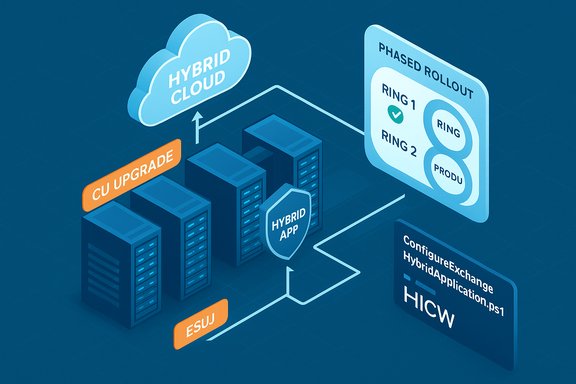
- A pilot ring should represent hybrid flows: at least one hybrid edge/connector server, one mailbox server that participates in hybrid lookups, and one management workstation. Validate all pre/post behaviors here.
- Test the update in staging
- Apply the CU + SU/HU to the staging ring, execute HCW and ConfigureExchangeHybridApplication workflows, and run functional tests: OWA/ECP, mailflow, connectors, Free/Busy queries, MailTips, and certificate validation.
- Bake time for remediation
- Allow 4–24 hours for the pilot ring to validate; schedule a 24–72 hour production rollout window per server group, with a rollback window clearly defined.
The upgrade sequence — step‑by‑step (battle tested)
This sequence reflects Microsoft’s guidance and community best practice for hybrid estates that need the dedicated hybrid app and minimal user disruption.A. Pre‑install checks (per server)
- Confirm inventory, confirm free disk, confirm Windows patches and required .NET.
- Stop non‑essential third‑party services that hook into IIS/Exchange (transport agents, backup agents) which might interfere.
- Record current build numbers and take consistent snapshots/backups.
B. Install CU and Security Update
- Install the target Cumulative Update for your Exchange SKU.
- Immediately apply the matching Security/Hotfix Update (SU/HU) that contains the hybrid hotfixes or mitigations (the April/October 2025 HUs were the pivot points). Updates are cumulative; you can apply the latest SU directly.
- Reboot as required and verify build numbers with the Health Checker.
C. Update management workstations
- Update any systems that run the Exchange Management Tools to the same SU/CU to avoid management compatibility issues.
D. Configure the dedicated Exchange hybrid app (tenant‑scoped)
- Use ConfigureExchangeHybridApplication.ps1 or the updated Hybrid Configuration Wizard (HCW) to create a tenant‑scoped dedicated service principal in Entra ID (Azure AD). This moves hybrid calls away from Microsoft's shared global service principal to a tenant‑owned one.
- Test Free/Busy, MailTips, and profile photo flows in a pilot tenant. Do not proceed to clean up the shared principal until all on‑prem servers are confirmed to be using the dedicated app.
E. Service Principal Clean‑Up and credential rotation
- After full validation across all on‑prem Exchange servers, run Service Principal Clean‑Up Mode to remove legacy keyCredentials from the shared service principal and rotate credentials for the new dedicated app. This step must be coordinated, logged, and executed only after validation to avoid transient outages.
- Beware: re‑running HCW with certain options can re‑upload certificates to the shared principal; document HCW runs and cleanup actions to avoid backsliding.
F. Post‑upgrade verification
- Re-run the Exchange Health Checker.
- Validate hybrid features (Free/Busy, MailTips, photo) in production slices.
- Verify Auth Certificate behavior using MonitorExchangeAuthCertificate instead of relying on Export‑ExchangeCertificate (blocked for that cert in recent SUs).
DAGs, edge transport, and multi‑server considerations
Large estates with DAGs and multiple roles need extra sequencing care.- Upgrade mailbox servers one node at a time inside each DAG, allow database replication to converge, and failover as necessary. Follow Exchange DAG best practice for pausing/activating databases during patch windows.
- Update Edge Transport servers and transport agents early in the ring if they are internet‑facing; noted HUs have caused EdgeTransport.exe restarts in some edge scenarios — verify Microsoft known issues for your SU.
- For distributed estates, prioritize internet‑facing and hybrid‑bridging servers first, then management tools, then leaf mailbox servers. This reduces the blast radius of any regression.
Rollback and recovery planning
Always prepare a tested rollback path before changing production.- Have VM snapshots or validated backups available and tested for full restore.
- Know the SU/HU uninstall path: HUs/SUs can be uninstalled in many cases, but uninstalls are not trivial and should be validated in test.
- If Service Principal Cleanup was run prematurely, be ready to:
- Recreate the shared principal credentials if necessary (with Microsoft direction).
- Re-run HCW carefully and document any reuploaded certificates that may require a cleanup pass.
Common post‑install failures and how to address them
- HCW re‑uploading certs: Re‑running HCW can reintroduce certificates to the shared principal. If this happens, re‑run the Service Principal cleanup and validate endpoints.
- Auth Certificate automation breakage: Scripts that exported the Exchange Auth Certificate will fail after recent SUs; switch to MonitorExchangeAuthCertificate for diagnostics and adjust automation that relied on exporting private keys.
- EdgeTransport service restarts: Some HUs documented known EdgeTransport.exe issues — consult Microsoft known issues and apply workarounds during pilot testing.
- Hybrid feature breakage (Free/Busy, MailTips): Usually caused by missing the dedicated app switch or by incomplete Service Principal cleanup. Validate hybrid flows in pilot groups before globally cleaning shared principal credentials.
Post‑upgrade hardening and monitoring
Patching is necessary but not sufficient. Harden and monitor.- Enforce Modern Authentication and disable Basic Auth where possible. Require MFA for admin accounts and privileged flows.
- Increase SIEM correlation between on‑prem Exchange telemetry (IIS, PowerShell, w3wp) and Entra ID/Exchange Online events. Hunt for anomalous token issuance and unusual service principal activity.
- Apply network controls: isolate Exchange into a hardened subnet, restrict management access to jump hosts, and place public endpoints behind reverse proxies/WAFs.
- Rotate credentials and certificates after a suspected compromise; preserve logs and perform forensics before sweeping servers in suspected incidents.
Critical analysis: strengths, tradeoffs, and remaining risks
Strengths in Microsoft’s approach
- The tenant‑scoped dedicated hybrid app materially reduces the shared‑principal attack surface and enables tenant‑level credential governance — a clear architectural improvement for hybrid security.
- Cumulative SUs/HUs simplify remediation sequencing: install the latest update and you inherit prior fixes. This reduces intermediate step complexity during emergency rollouts.
Operational tradeoffs and real risks
- Timing and scale: temporary enforcement windows and the October 31, 2025 cutoff impose aggressive timelines. Large, distributed estates may not be able to finish pilot/rollouts without short‑term functional impact.
- Complexity of HCW and cleanup sequencing: improperly ordered HCW runs or premature credential cleanup can reintroduce certificates or cause transient outages; coordination and documentation are non‑negotiable.
- Detection gaps: the underlying hybrid exploit scenario is stealthy by design. On‑premise activity may not raise obvious cloud alerts, so defenders must correlate on‑prem and cloud telemetry. This increases the emphasis on proactive patching and credential hygiene.
Where caution is required
- Any claim about current in‑the‑wild exploitation should be treated as time‑sensitive; public advisory status can change rapidly. If you suspect compromise, assume a worst‑case posture and follow IR playbooks that include memory capture, credential rotations, and forensic preservation.
Quick checklist — the cliff notes you can pin to the ticket
- Inventory: Run Exchange Health Checker and capture builds.
- Prioritize: Internet‑facing & hybrid‑role servers first.
- Patch: Install target CU, then latest SU/HU (updates are cumulative).
- Hybrid app: Run ConfigureExchangeHybridApplication.ps1 or HCW to create tenant‑scoped hybrid app.
- Validate: Test Free/Busy, MailTips, photos in pilot groups.
- Clean up: Run Service Principal Clean‑Up Mode only after validation across all servers.
- Harden: Enable MFA, disable Basic Auth, restrict management access, centralize logs.
- Contingency: Enroll in ESU only if absolutely necessary and continue migration planning.
Final recommendations
Treat upgrading to the latest CU as a security and operational priority, not a convenience. For hybrid customers the dedicated Exchange hybrid app workflow plus the April/October 2025 hotfixes are essential to maintain rich coexistence and to reduce the attack surface that historically allowed on‑prem compromises to escalate into cloud tenants. Use a pilot → staged rollout → cleanup sequence; do not delete shared principal credentials until every on‑prem server is confirmed to be using the tenant‑scoped hybrid app; and prepare rollback/restore paths in advance. Document every HCW, PS script run, and credential rotation; these logs may be invaluable if a cleanup must be unwound.If migration to Exchange Online or in‑place upgrade to Exchange SE is part of your roadmap, accelerate that program — ESU is a narrow bridge, not a solution. For now, follow the prioritized runbook in this guide, validate every step in a pilot ring, and maintain heightened monitoring during and after the rollout. The operational cost of careful, staged patching and credential hygiene is far lower than the cost of an outage or breach that could have been prevented by applying the CU and the dedicated hybrid app workflow.
Conclusion: the latest Exchange CU is your platform’s lifeline to secure hybrid operations and uninterrupted collaboration features. Treat the plan above as a playbook: inventory first, patch early, validate thoroughly, then clean up credentials — all while keeping a tested rollback and hardened monitoring posture ready. Failure to do so risks functional disruption during enforcement windows and elevated compromise potential for your organization.
Source: TechnologyHQ https://www.technologyhq.org/upgrade-exchange-server-to-the-latest-cu/
