

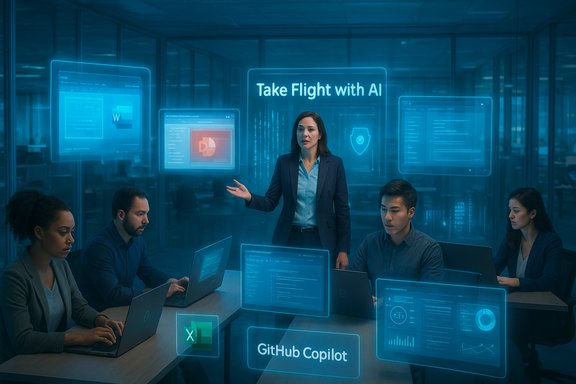
UST’s announcement that it has rolled out Microsoft 365 Copilot and GitHub Copilot across its operations — a deployment the company says covers 8,000 Copilot licenses as part of its “Take Flight with AI” initiative — is a clear signal that large systems integrators are moving generative AI from experiments into enterprise-standard workflows.
UST is a global digital transformation and engineering company that positions AI at the center of its services and delivery model. The company’s corporate materials put headcount near 30,000 employees across more than 30 countries, and its public messaging has emphasized sustained investment in AI tooling, platforms and workforce upskilling. The recent Copilot deployment is framed as an extension of that strategy, pairing product licenses with training, governance templates and role-based enablement.
Microsoft’s Copilot family now plays complementary roles for enterprises: Microsoft 365 Copilot embeds generative assistance into knowledge-worker apps (Word, Excel, PowerPoint, Outlook, Teams), while GitHub Copilot augments developer workflows inside IDEs and CI/CD pipelines. Both are designed to be managed and governed at scale through Microsoft’s enterprise tooling set (admin consoles, Copilot Studio, Azure AI Foundry and established identity/device controls). These platform-level controls are central to large-scale adoption.
Conclusion
The UST announcement marks another step in the mainstreaming of Copilot technologies across large organizations. When paired with disciplined governance, role-based training and measurable KPIs, the integration of Microsoft 365 Copilot and GitHub Copilot can yield meaningful productivity gains across business and engineering teams. Yet the claims of scale and impact remain company-reported until independently validated, and the long-term value will depend on sustained investment in operational practices that make AI assistance safe, auditable and reliable.
Source: Tribune India UST Deploys Microsoft 365 Copilot and GitHub Copilot to Accelerate AI-driven Transformation - The Tribune
 Background
UST is a global digital transformation and engineering company that positions AI at the center of its services and delivery model. The company’s corporate materials put headcount near 30,000 employees across more than 30 countries, and its public messaging has emphasized sustained investment in AI tooling, platforms and workforce upskilling. The recent Copilot deployment is framed as an extension of that strategy, pairing product licenses with training, governance templates and role-based enablement.Microsoft’s Copilot family now plays complementary roles for enterprises: Microsoft 365 Copilot embeds generative assistance into knowledge-worker apps (Word, Excel, PowerPoint, Outlook, Teams), while GitHub Copilot augments developer workflows inside IDEs and CI/CD pipelines. Both are designed to be managed and governed at scale through Microsoft’s enterprise tooling set (admin consoles, Copilot Studio, Azure AI Foundry and established identity/device controls). These platform-level controls are central to large-scale adoption.
What UST announced — the essentials
UST’s public statement highlights several concrete points:- The company has deployed 8,000 Microsoft 365 Copilot and GitHub Copilot licenses to employees as part of the Take Flight with AI program.
- The initiative has already included training for 25,000 associates in generative AI topics, per the company release.
- UST promises role-based enablement, security and governance templates, and de‑risked adoption playbooks intended to accelerate time‑to‑value and support rapid, compliant production deployments.
Technical reality: what Microsoft 365 Copilot and GitHub Copilot bring to enterprises
Microsoft 365 Copilot — productivity in the flow of work
Microsoft 365 Copilot is designed to work inside familiar productivity apps to speed common knowledge‑work tasks:- Drafting and editing documents and emails with context awareness.
- Generating charts, insights and data summaries inside Excel.
- Producing slide decks from meeting notes and documents in PowerPoint.
- Summarizing Teams meetings, surfacing action items and creating follow-ups.
GitHub Copilot — developer velocity, at scale
GitHub Copilot has evolved into a broad set of developer capabilities that go beyond line-completion suggestions:- Code completion and next-edit suggestions inside supported IDEs (VS Code, Visual Studio, JetBrains, Xcode, etc..
- Copilot Chat for interactive, context-aware coding help.
- Copilot Edits and agentic modes for performing multi-file edits from a single instruction.
- Copilot Autofix, integrated into code scanning and CI/CD workflows, to suggest remediation for security alerts (administrators can opt in/out at enterprise, org or repo level).
- Autonomous coding agents that can accept an issue, run in a sandbox, perform changes and raise a pull request for human review.
Why systems integrators are bundling licenses, training and governance
Large integrators like UST are packaging three things together: licenses, enablement and governance. This combination is important for three reasons:- Adoption depends on confidence. Knowledge workers and engineers will use Copilot widely only when IT provides guardrails that make the tool safe for their workflows — clear DLP rules, identity-based access and tailored training.
- Measurable ROI needs process change. Productivity gains reported in early adopter case studies usually appear where organizations pair Copilot with process improvements: templates, approval rules, and tracked KPIs.
- Security and compliance are buy-in drivers. Enterprises will not broadly deploy AI tools without audit logs, model choice controls and integration with existing security tooling; GitHub and Microsoft have invested to make those enterprise controls available.
Training and workforce transformation: the numbers and the implications
UST reports that its Take Flight with AI program has trained 25,000 associates in generative AI concepts. If accurate, that scale of upskilling speaks to a deliberate effort to build internal readiness for AI-augmented workflows. Large-scale training programs matter because they:- Reduce resistance and fear by giving employees practical experience.
- Help teams design safe prompts and use-cases that respect data boundaries.
- Create internal champions who can drive repeatable adoption patterns.
Security, governance and responsible AI — what enterprises must verify
Deploying Copilot at scale is an operational exercise with several hard requirements:- Data governance and DLP: Ensure Copilot’s interactions don’t exfiltrate proprietary data or violate regulatory constraints. Enterprises should map which data sources are allowed for grounding and which must be excluded.
- Identity and access controls: Use role-based access and conditional access policies to limit who can run Copilot, what models are allowed, and when in‑country processing rules apply.
- Auditability and telemetry: Ensure logs of Copilot interactions, model choices and outputs are retained as required for compliance and incident response.
- Model management: For organizations with sovereignty or regulatory needs, model routing or in‑country processing options are relevant to reduce cross-border exposure.
- Developer pipeline protections: On the engineering side, integrate Copilot with code scanning, CodeQL, and policy enforcement to ensure that AI-suggested code adheres to security and licensing standards.
Measurable benefits — what enterprises can realistically expect
Public case studies and product guidance suggest several repeatable gains when Copilot is adopted responsibly:- Faster document and proposal generation, reducing turnaround for routine content.
- Improved engineering throughput via multi-file refactors, faster remediation and AI-assisted reviews.
- Reduced friction in data analysis through natural-language exploration of spreadsheets and large datasets.
- Lowered operational costs from automating repetitive work and accelerating time-to-delivery.
Risks and failure modes — where leaders should be cautious
- Data leakage and inadvertent disclosure: Copilot models operate on prompts and can surface context; organizations must ensure that training and runtime policies prevent unintended sharing of sensitive artifacts.
- Over-reliance without verification: Copilot suggestions can be plausible but incorrect; teams must keep human-in-the-loop checks for accuracy and compliance.
- Licensing and cost surprises: Copilot pricing is typically per‑user and can scale quickly; procurement should model realistic adoption rates and negotiate volume terms.
- Inconsistent training definitions: Large headcount training numbers may mask shallow coverage; leaders should verify curriculum depth and practical assessment outcomes.
- Operational complexity: Integrating Copilot into secure CI/CD, identity systems and data estates is non-trivial and often requires platform engineering to achieve durable benefits.
How UST’s approach maps to enterprise best practices
UST’s model — buying licenses, delivering role-based enablement, providing governance templates and packaging “de‑risked” playbooks — follows a now-recognized pattern that other integrators and customers have used successfully:- Start with a clear set of prioritized use-cases where Copilot can deliver measurable outcomes.
- Run time‑boxed pilots that validate security settings, cost models and efficacy.
- Build a repeatable enablement program that includes training, templates and internal champions.
- Integrate Copilot with existing security and data platforms to enforce compliance by design.
- Scale with telemetry-driven governance and continual KPIs.
Market context — why this matters for customers and partners
The momentum behind Copilot adoption is not isolated. Microsoft has signaled commercial ambitions with large enterprise deals and a product roadmap that stitches together Azure AI Foundry, Copilot Studio and tenant controls to make Copilot a standard part of the enterprise stack. News reports and market analysis have documented major prospective deals and the steady expansion of Copilot features in both productivity and developer domains. Enterprises and system integrators are racing to define scalable models for consumption, cost management and compliance. For customers, the implication is clear: partners that can combine technology, governance and change management will be best positioned to deliver predictable outcomes. For Microsoft and GitHub, the growth of Copilot as a platform creates opportunities — and responsibilities — to deliver reliable, auditable enterprise controls.Practical checklist for IT leaders considering a similar rollout
- Clarify objectives: define 3–5 high‑value use cases with measurable KPIs (time saved, cycle time, remediation backlog reduction).
- Pilot deliberately: scope a pilot that includes licensing, identity controls, telemetry and model routing where applicable.
- Map data flows: perform a data classification and ensure Copilot access aligns with DLP and compliance requirements.
- Train for production: deliver role‑based training focused on safe prompting, data hygiene and verification workflows.
- Integrate with pipelines: for development teams, integrate Copilot with code scanning (CodeQL), security campaigns and PR-based review flows.
- Monitor and iterate: collect telemetry, measure outcomes against KPIs, and refine guardrails and curriculum.
Critical analysis: strengths and risks of UST’s announcement
Strengths- End-to-end approach: UST couples license deployment with training and governance — a combination that aligns with proven adoption strategies.
- Dual‑stack focus: Deploying both Microsoft 365 Copilot and GitHub Copilot targets productivity gains across knowledge workers and engineering, creating parallel vectors of impact.
- Alignment with Microsoft tooling: Close alignment with Microsoft roadmaps and admin tooling should reduce integration friction for customers using Azure and Microsoft 365 ecosystems.
- Verification of scale claims: License counts (8,000) and training numbers (25,000) are company-reported; third-party corroboration is often delayed. Readers and procurement teams should request verification of licensing terms and training outcomes before relying on headline figures.
- Depth of training: “Trained” can be a broad term; leaders should seek clarity on the duration, assessments and practical competencies delivered under the program.
- Operational complexity: Integrating Copilot across tens of thousands of users and engineering teams requires sustained platform engineering, not just an initial rollout. UST and customers must maintain investment in governance, telemetry and change management to protect long-term value.
Bottom line
UST’s deployment of Microsoft 365 Copilot and GitHub Copilot — combined with a large training program and governance playbooks — is emblematic of how major systems integrators are treating generative AI: as a platform shift that requires licensing, enablement and operational controls. The approach is sensible and aligned with enterprise best practices, but the real test will be in measurable, sustained outcomes and in how providers manage security, cost and human oversight over time. Companies evaluating similar moves should insist on clear KPIs, verified licensing terms, and robust governance before scaling their own Copilot programs.Conclusion
The UST announcement marks another step in the mainstreaming of Copilot technologies across large organizations. When paired with disciplined governance, role-based training and measurable KPIs, the integration of Microsoft 365 Copilot and GitHub Copilot can yield meaningful productivity gains across business and engineering teams. Yet the claims of scale and impact remain company-reported until independently validated, and the long-term value will depend on sustained investment in operational practices that make AI assistance safe, auditable and reliable.
Source: Tribune India UST Deploys Microsoft 365 Copilot and GitHub Copilot to Accelerate AI-driven Transformation - The Tribune
