

Unreal Tournament 2004 is playable again on modern Windows machines thanks to a community-led revival that bundles full installers with a major compatibility patch — a practical, careful rescue mission that makes one of the early‑2000s’ defining arena shooters run cleanly on Windows 10 and Windows 11 while also opening the door for Linux, macOS and ARM builds.
Unreal Tournament 2004 (UT2004) arrived in the same era that defined fast, twitch-based arena shooters: modular weapons, tight maps, and modes that rewarded raw mechanical skill and map knowledge. Over the last two decades, UT2004's player base dwindled as multiplayer infrastructures aged, and installers and patches became brittle on modern operating systems. Old installers, CD checks, legacy DirectX/DirectPlay dependencies and mismatched GPU drivers made getting the game running a technical scavenger hunt for many fans.
That changed when the preservation-focused community project OldUnreal announced a coordinated effort — with Epic Games’ tacit approval for archival access — to make UT2004 available again and to ship modern patches that address long-standing compatibility issues. The project provides an installer that automates fetching the original disc image, extracting files, applying community patches and delivering a patched, modern-ready client. This installer model and the new patchset together are what make the comeback practical for a broad audience.
First, it’s a conservation win. Games are software ecosystems that rot without maintenance: installers fail, DRM and CD checks stop working, and old middleware is unsupported. The OldUnreal approach—leveraging archival host permissions and publishing install wrappers plus patches—keeps the original game data intact while applying engineering fixes to run on modern systems. This model preserves authorship and content while restoring playability rather than reimagining the game.
Second, it's a practical win for players. Where the previous experience required hunting obsolete patches, tweaking .ini files and relying on community guides, the new installers plus the 3374 preview remove much of that friction. The result: players can download, install, and join servers within minutes rather than hours — and experience UT2004 in widescreen and modern resolutions with far fewer crashes. Early testers report a much better out‑of‑the‑box experience.
For most players, the payoff is immediate: fewer crashes, better widescreen support, simpler installation, and the chance to experience (or re-experience) an arena shooter that shaped a generation. For preservationists and modders, it creates a stable foundation to build upon.
That said, this is preview territory. Expect iteration: bug fixes, occasional regressions, and ongoing discussion between server operators, competitive players and the patch maintainers. If you love arena shooters and want UT2004 to keep thriving, this project is precisely the sort of community effort to support — but do so from the official project pages and GitHub releases to avoid risk and to ensure you’re playing the real, unmodified game code that the community intended.
In short: Unreal Tournament 2004's comeback is real, practical and already delivering the core promise — the game runs again on modern machines, and it’s easier than ever to jump back into the arena.
Source: Techgenyz Unreal Tournament 2004 Revival: Big Fixes for Modern PCs
 Background
Unreal Tournament 2004 (UT2004) arrived in the same era that defined fast, twitch-based arena shooters: modular weapons, tight maps, and modes that rewarded raw mechanical skill and map knowledge. Over the last two decades, UT2004's player base dwindled as multiplayer infrastructures aged, and installers and patches became brittle on modern operating systems. Old installers, CD checks, legacy DirectX/DirectPlay dependencies and mismatched GPU drivers made getting the game running a technical scavenger hunt for many fans.That changed when the preservation-focused community project OldUnreal announced a coordinated effort — with Epic Games’ tacit approval for archival access — to make UT2004 available again and to ship modern patches that address long-standing compatibility issues. The project provides an installer that automates fetching the original disc image, extracting files, applying community patches and delivering a patched, modern-ready client. This installer model and the new patchset together are what make the comeback practical for a broad audience.
What’s included in this revival (the essentials)
- Full game installers that automate fetching the archival disc image and apply community patches so you don't need original CDs or messy manual copies. These installers target Windows 7 and later for now and are the simplest route to a working UT2004 install.
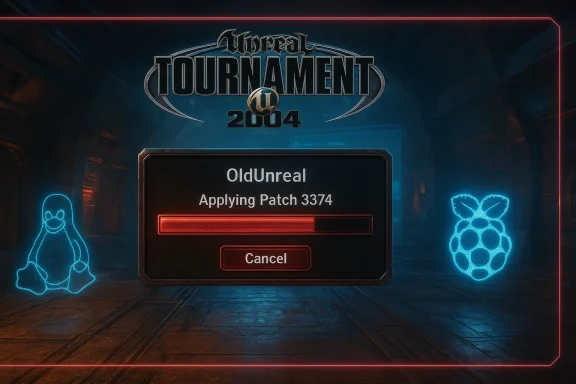
- Patch 3374 (preview builds, e.g., Preview 9) — a substantial community patch that modernizes the build system, introduces a new SDL backend for non‑Windows platforms, updates or replaces render paths, and addresses widescreen/resolution and stability issues on modern GPUs. This patch is the first sizeable public update to UT2004 in over 20 years and represents a significant engineering effort to compile and run the original codebase on contemporary toolchains.
- Cross‑platform reach — builds and support for Linux and macOS (x86_64 and ARM/aarch64), and experimental ARM builds for devices like Raspberry Pi, enabling enthusiasts and streamers on non‑Windows systems to run UT2004.
- Quality‑of‑life improvements — widescreen and high‑resolution (including 4K) handling, reduced hard crashes, smoother frame pacing on modern hardware, and updated tools and compilers where feasible.
Why this matters: preservation + playability
There are two overlapping reasons this revival is noteworthy.First, it’s a conservation win. Games are software ecosystems that rot without maintenance: installers fail, DRM and CD checks stop working, and old middleware is unsupported. The OldUnreal approach—leveraging archival host permissions and publishing install wrappers plus patches—keeps the original game data intact while applying engineering fixes to run on modern systems. This model preserves authorship and content while restoring playability rather than reimagining the game.
Second, it's a practical win for players. Where the previous experience required hunting obsolete patches, tweaking .ini files and relying on community guides, the new installers plus the 3374 preview remove much of that friction. The result: players can download, install, and join servers within minutes rather than hours — and experience UT2004 in widescreen and modern resolutions with far fewer crashes. Early testers report a much better out‑of‑the‑box experience.
The technical story: what 3374 Preview 9 (and related work) actually fixes
Patch 3374 is not a one‑liner; it’s a multi‑part modernization that touches rendering, platform portability, and runtime dependencies.Renderer and backend
- The patch introduces a new renderer path and updates old render calls so the game can work properly with modern GPU drivers and APIs. This improves texture handling, prevents common driver-related crashes, and enables higher resolutions and better widescreen behavior. The community has explicitly targeted high-refresh and 4K setups as part of the fix set.
- For non‑Windows targets, the patch replaces antiquated SDL1 usage with SDL3, providing a modern, supported input/video/audio layer on Linux and macOS builds. That’s a substantial change because it makes input handling and presentation far more reliable on current desktop stacks.
Platform support and build modernization
- The patch removes legacy 32‑bit support in favor of x86_64 and aarch64 builds. This is a pragmatic move: current OS ecosystems and compilers are optimized for 64‑bit, and maintaining 32‑bit build flows is a growing maintenance burden.
- The community has enabled builds on ARM64 (e.g., Raspberry Pi 4/5 and Apple Silicon), which is remarkable: it turns UT2004 from an x86-only curiosity into something that runs on low‑power devices and modern Macs. Expect lower framerates on ARM devices, but the functionality is a huge step for preservation and experimentation.
Toolchain and compile fixes
- Significant effort was invested to get the codebase to compile on modern compilers and CI systems; parts of the original tooling and headers were replaced or shimmed. That work underpins the rest of the runtime fixes and is the invisible engineering victory enabling the patch. The patch notes and project pages explicitly call this out as the primary blocker the team overcame.
How the installers work (and why they’re safer than random repacks)
OldUnreal provides an installer that does three things in sequence:- Downloads the original disk image from an archival source that has permission to host it (the Internet Archive in this case).
- Extracts the disc contents into a chosen folder on the user’s PC.
- Applies the latest official OldUnreal patch automatically, producing a patched, configured install ready to run.
Step-by-step: recommended installation for Windows users
Follow these condensed steps for the smoothest experience. (This is a paraphrase of the project’s recommended process.)- Backup any existing UT2004 install folder and your System directory if you plan to preserve custom .ini files or mods.
- Download the official OldUnreal full game installer for UT2004 (Windows build).
- Run the installer; allow it to download and extract the disc image and install files to your chosen folder.
- After installation, grab the 3374 Preview 9 patch release (or use the installer’s option if it auto-applies the latest public patch).
- Apply the patch over the install. If you’re moving from an older patched install, follow any update instructions about preserving or replacing Default.ini and DefUser.ini to avoid menu regressions.
- Launch UT2004 and check your resolution and input settings; update UT2004.ini if needed (the project notes describe a menu problem if Default.ini isn’t updated).
Troubleshooting and common gotchas
- If you encounter a black screen or immediate crash, you may be running the wrong executable (on Linux/macOS make sure you run the UT2004 binary, and on Windows UT2004.exe). The project’s troubleshooting notes document common startup error messages and their fixes.
- The Windows builds now require DirectX 9 runtime libraries, even on DX11/12 systems; missing DLLs can cause crashes. If DX9 support is not present on your system you may need to install those redistributables. The OldUnreal notes call this out explicitly.
- Playing at very high frame rates can expose legacy gameplay timing bugs that were previously masked on older hardware. Some regressions are expected when you run an engine designed for 2004 at modern frame pacing; the OldUnreal team is tracking and fixing such issues but you may see minor gameplay discrepancies early in the preview cycle.
- For multiplayer: servers, master server support and anti‑cheat interactions can vary. If you rely on community servers, check server compatibility notes before upgrading your client or expect to temporarily revert to older patch versions for particular competitive environments.
Performance and quality: what players are seeing
Early adopters and published tests report:- Fewer hard crashes on Windows 10/11 compared to unpatched or older community builds.
- Smoother frame rates on modern GPUs; the renderer updates reduce driver conflicts and texture corruption.
- Better widescreen and 4K support, including corrected field-of-view behavior and UI scaling improvements compared to vanilla UT2004.
Security, trust and provenance — what to watch for
Community-led recoveries rely on trustworthy channels. OldUnreal has published tools and patches from their site and GitHub repositories, and news outlets have independently verified the project’s approach. However, best practices remain essential:- Download only from the official OldUnreal website or its GitHub releases to avoid repacked binaries. The project maintains an explicit policy and hosts installers that fetch archival ISOs rather than redistributing them directly.
- Verify signatures and release notes on GitHub releases when available. If OldUnreal provides checksums for installers and patches, compare them before running the executable.
- Scan installers with your AV before running, and prefer the installer’s “extract-only” mode if you want to inspect files before running. OldUnreal states that packages are scanned but also includes disclaimers about no warranties.
- Avoid downloading “repacked” versions from random mirrors or torrent sites claiming to be “patched” — these are the most likely vectors for bundled adware or malware. Instead, use the installer that fetches the original ISO from the archive and applies the official patch.
Compatibility tools, wrappers and legacy components
Even with a well-engineered patch, some legacy subsystems and odd hardware interactions may persist. Community wisdom around compatibility still applies:- Enabling legacy Windows features such as DirectPlay can help with some multiplayer or older installers that expect those components. However, enabling DirectPlay won’t create a 16‑bit runtime for old 16‑bit installers — for those you’ll need a VM or emulator. The general compatibility guide used by the community lists DirectPlay and legacy wrappers among the first stops for troubleshooting.
- Wrappers and translators like dgVoodoo2 and DDrawCompat remain valuable for specific issues: dgVoodoo2 can translate legacy DirectDraw and Glide calls into modern DirectX, fixing texture issues and enabling higher-resolution scaling when direct patching is insufficient. These solutions are documented in the community’s compatibility guides and remain useful fallback tools for fringe cases.
- If compatibility mode fails, consider a VM with an older Windows install (XP/Vista) for restricted cases, but prefer patched native builds first: they perform better and avoid emulator overhead.
Community, modding and the future
OldUnreal’s approach effectively hands the community two things: preserved, original content and a stable platform to mod and iterate upon. Expect a few predictable paths forward:- A renewed modding surge. Easier installs and a modern toolchain mean mapmakers and modders can re-use old assets, create widescreen-aware HUDs, and publish mods tested against the latest patch.
- Server revival. With installers standardizing client builds, server admins can expect smoother onboarding for new players. Community servers and pick-up games are likely to rise as barriers to entry fall.
- Ongoing engineering. The OldUnreal team is clear that preview releases are the start, not the finish. Bug tracking on GitHub will guide incremental fixes — expect frequent micro-patches while the team stabilizes gameplay timing and edge-case regressions.
Risks and open questions
- Regressions are inevitable. Modernizing a 20+ year codebase and changing low-level subsystems (renderer, input, audio) unavoidably surfaces new bugs. The OldUnreal team has signaled they will prioritize gameplay-impacting fixes, but early adopters should expect some instability.
- Multiplayer interoperability. Competitive servers or leagues that rely on specific legacy behavior may require time to adapt. If you play in a structured community, check compatibility guidance before patching.
- Legal clarity for distribution. While Epic has greenlit archival hosting for some Unreal titles and OldUnreal has navigated permissions for installer workflows, the project’s stance is conservational not commercial. Users should avoid mirror sites that host repacked installers outside the approved channels. The OldUnreal site and community discussions document provenance and the limits of redistribution.
Practical tips for a smooth first run (short checklist)
- Backup any existing UT2004/System directory before patching.
- Use the OldUnreal full game installer (Windows) for the simplest path.
- Ensure DirectX 9 runtime libraries are installed on Windows.
- If you regularly use custom .ini files, review the patch notes about Default.ini and DefUser.ini merging before starting the new client.
- If something fails, check the OldUnreal GitHub issues page and the project's troubleshooting notes; the team is actively triaging preview feedback.
- If you need to fix input or legacy rendering issues, test dgVoodoo2 or DDrawCompat as a targeted fallback.
Final appraisal
The OldUnreal revival of Unreal Tournament 2004 — anchored by the 3374 Preview builds and full installers — is a textbook example of what sustained community stewardship can accomplish for game preservation and playability. The revival is not a polished retail rerelease; it's a pragmatic engineering campaign: compile old code on new compilers, bridge old APIs to modern runtimes, and wrap the whole process in an audited installer that reduces friction for players.For most players, the payoff is immediate: fewer crashes, better widescreen support, simpler installation, and the chance to experience (or re-experience) an arena shooter that shaped a generation. For preservationists and modders, it creates a stable foundation to build upon.
That said, this is preview territory. Expect iteration: bug fixes, occasional regressions, and ongoing discussion between server operators, competitive players and the patch maintainers. If you love arena shooters and want UT2004 to keep thriving, this project is precisely the sort of community effort to support — but do so from the official project pages and GitHub releases to avoid risk and to ensure you’re playing the real, unmodified game code that the community intended.
In short: Unreal Tournament 2004's comeback is real, practical and already delivering the core promise — the game runs again on modern machines, and it’s easier than ever to jump back into the arena.
Source: Techgenyz Unreal Tournament 2004 Revival: Big Fixes for Modern PCs
