

Microsoft’s latest Validation OS refresh — surfaced as build 2601 in community reporting — adds a pragmatic but important set of utilities for administrators: WinRE offline management support, updated servicing tooling, and several lightweight feature-package improvements that make Validation OS a more useful appliance for imaging, testing, and recovery validation. The change is not flashy, but it materially affects how organizations prepare and maintain recovery images, inject surgical Safe OS updates, and validate recovery flows before devices ever reach end users. Early evidence and Microsoft’s own servicing guidance make one thing clear: treat this update as image hygiene, not a consumer feature drop, and add WinRE verification to every deployment gate. erview
Validation OS is Microsoft’s lightweight Windows image designed for automated testing, imaging validation and hardware lab scenarios. It intentionally exposes modular feature packages (for example OOBE, WPF/.NET support, drivers packs and diagnostic utilities) so imaging teams can build focused artifacts without the bloat of a full retail install. Over the last 18 months Microsoft has been shipping targeted Validation OS builds that mirror mainstream servicing changes and provide a controlled surface for testing WinRE, setup, and Safe OS dynamic updates. Community and vendor notes show Validation OS has regularly gained small but operationally important features — from DISM tooling enhancements to expanded driver packs and remote access bits — making it the right place to trial Safe OS behavior before applying changes to golden images.
Why the 2601 refresh matters: in modern Windows servicing, Safe OS (WinRE) updates and Setup Dynamic Updates are delivered as small, surgical packages that change only the binaries used during recovery and setup. These packages are intended to be injected into offline WIMs or applied at runtime; they are frequently non-removable from an image once applied. That permanence raises the stakes for validation. Validation OS 2601’s additions make it easier to perform those offline injections, verify file v pre-boot recovery flows in a controlled environment.
Source: Windows Report https://windowsreport.com/new-windo...1-adds-winre-offline-management-support-more/
Validation OS is Microsoft’s lightweight Windows image designed for automated testing, imaging validation and hardware lab scenarios. It intentionally exposes modular feature packages (for example OOBE, WPF/.NET support, drivers packs and diagnostic utilities) so imaging teams can build focused artifacts without the bloat of a full retail install. Over the last 18 months Microsoft has been shipping targeted Validation OS builds that mirror mainstream servicing changes and provide a controlled surface for testing WinRE, setup, and Safe OS dynamic updates. Community and vendor notes show Validation OS has regularly gained small but operationally important features — from DISM tooling enhancements to expanded driver packs and remote access bits — making it the right place to trial Safe OS behavior before applying changes to golden images.
Why the 2601 refresh matters: in modern Windows servicing, Safe OS (WinRE) updates and Setup Dynamic Updates are delivered as small, surgical packages that change only the binaries used during recovery and setup. These packages are intended to be injected into offline WIMs or applied at runtime; they are frequently non-removable from an image once applied. That permanence raises the stakes for validation. Validation OS 2601’s additions make it easier to perform those offline injections, verify file v pre-boot recovery flows in a controlled environment.
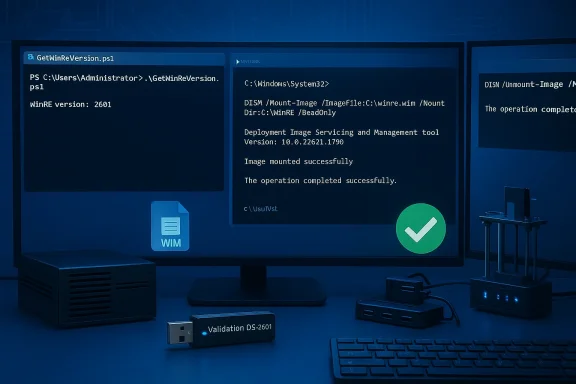 What’s new in Validation OS 2601
WinRE Offline Management Support — the headline change
The most operationally relevant addition in this build is explicit support for managing WinRE images offline from within Validation OS tooling. That means imaging engineers can:- Mount and service winre.wim with the same DISM tooling they use for install.wim.
- Apply Safe OS dynamic update CAB/MSU packages offline into a WinRE image.
- Run Microsoft-supplied verification helpers (for example, GetWinReVersion.ps1) inside the Validation OS environment to confirm expected Wifter servicing.
Additional package and tooling improvements
Beyond WinRE-specific items, build 2601 follows the ongoing Validation OS pattern of adding lightweight, useful bits for lab workflows:- Expanded DISM support for offline operations (including tweaks to scratch-space and memory-backed RAM disk options in certain USB boot scenarios).
- New optional packages for small user-mode utilities and debugging helpers that help triage Safe OS behavior when injected into an image.
- Improved support for running a subset of WPF/.NET workloads in the lightweight environment — useful when reproducing UI-driven recovery scenarios in the lab.
Why Microsoft publishes these as Validation OS changes
Validation OS is a safer place to experiment with recovery-image servicing because it is intentionally minimal and easier to reset. When Microsoft or OEMs want to validate that a WinRE refresh will not break input, storage, BitLocker, or other pre-boot flows across varied firmware, Validation OS is the right test bed. That’s why this build’s WinRE offline management features are stra let you reproduce the exact offline injection workflows administrators use in production.Technical deep dive: what “WinRE offline management support” enables — and how it is used
The practical operator’s toolbox
When working with WinRE images, imaging teams and desktop engineers commonly use a small set of commands and tools to verify, inject, and confirm correctness:- reagentc /info — reveals whether WinRE is enabled and the on-device path to winre.wim.
- DISM (mount / apply / commit) — mount a winre.wim offline and apply update packages or replace files.
- GetWinReVersion.ps1 — a Microsoft-supplied PowerShell script that rel version string so you can verify the post-servicing target version.
Example verificlevel)
- Boot Validation OS 2601 from USB (or run it in a VHD/VHDX test host).
- Use reagentc /info to find the active winre.wim path if you are servicing an on-device image; for offline images, point DISM directly at the WIM file.
- Mount winre.wim with DISM: DISM /Mount-Image /ImageFile:<path> /Index:1 /MountDir:<mountpoint>.
- Apply the Safe OS CApoint> /Add-Package /PackagePath:<CAB>.
- Run GetWinReVersion.ps1 (as Administrator) or inspect file versions inside Windows\System32 to confirm the expected WinRE version string reported by Microsoft’s manifest.
What the update does not change
It’s important to be precise: Validation OS 2601’s support features do not automatically alter your production WinRE images. They provide the capability and guidance to perform offline servicing reliably. The actual Safe OS dynamic update content (the CAB/MSU that includes the refreshed binaries and driate Microsoft-served artifact and must be obtained from the Microsoft Update Catalog or Windows Update/WSUS as appropriate. Treat Validation OS as the workbench, not the payload distributor.Operational impact: Why image hygiene and verification matter now
Recovery is the last line — and it must be current
WinRE is the platform’s last line of defense when Windows cannot boot or when a feature upgrade requires offline recovery flows. A stale or misaligned WinRE can produce catastrophic user experiences: frozen recovery tiles, unresponsive USB input, or unexpected BitLocker prompts that halt a reset or cloud reinstall. Recent servicing cycles have repeatedly shown that small changes to the pre-boot stack or to device controller drivers can make WinRE unusable for subsets of hardware. That’s why Microsoft has increasingly amic updates to keep WinRE current without forcing full image rebuilds. Validation OS 2601 helps teams validate those updates offline before they are embedded permanently.Non-removability increases the need for disciplined validation
Microsoft’s documentation and KB notes repeatedly emphasize that Safe OS DUs applied to an image are typically non-removable. Once a CAB is injected into a captured winre.wim and that image is shipped to devices, rolling back means restoring a prior golden image or creating recovery media from scratch. That permanence converts a small injection script into an operational decision that demands test coverage across hardware a(BitLocker, TPM). Use Validation OS 2601 to run those scenarios and capture logs so your rollback path is deliberate, not accidental.Secure Boot and boot manager signing nuances
When Safe OS/Setup dynamic updates replace pre-boot components (for example bootmgfw.efi), certificate and signing metadata matters. Some Setup dynamic updates conditionally replace the boot manager when a device has a newer UEFI CA entry; toggling Secure Boot or altering the UEFI signature database afterwards can trigger secure-boot violations if the stored DB does not match the signed binary. Imaging teams should test toggling Secure Boot states and verify that recovery media still boots, because a mismatch can render devices unbootable until recovery mges are applied. Validation OS 2601 lets you simulate those DB and signing interactions safely.Risks, edge cases and what we found in verification attempts
Real-world failures and their lessons
Public incidents during recent servicing windows show how fragile recovery flows can be in the wild. For example, an October 2025 cumulative produced a regression that left USB input unresponsive inside WinRE for some devices; Microsoft followed with an out-of-band correction and guidance for offline application of Safe OS updates. That episode highlights two lessons: small, targeted updates can have broad impact; and offline image hygiene tooling (precisely what Validation OS 2601 improves) is invaluable whenvalidate and remediate images across a hardware fleet.Edge case: KDNET and Boot Manager debugging
Some Safe OS changes address low-level features like kernel debugging over the network (KDNET). If your deployment uses Boot Manager debugging or KDNET-based automation, verify that KDNET still attaches under the new WinRE image — fically call this out as a failure mode they sometimes address. Include KDNET exercises in your lab test plan if you rely on remote debugging in your recovery workflows.Unverifiable or proprietary claims — cautionary note
If third-party reporting claims specific micro-behaviors (for example, exact file versions beyond what Microsoft’s manifests publish, or OEM-specific firmware interactions) and you cannot reproduce them in your Validation OS test ring, flag them as unverified in your runbook. When a claim is critical for your fleet (e.g., "this Safe OS DU will break X OEM model’s BitLocker flow"), require reproducing it on hardware representative of that OEM before proceeding. Microsoft sts and version strings for many Safe OS packages — use those authoritative artifacts for verification rather than relying on community posts alone.A practical rollout and verification checklist (for imaging teams)
- Set up a Validation OS 2601 test environment that mirrors your productionme UEFI/BIOS settings, Secure Boot state, BitLocker/TDE configuration and OEM custom software).
- Download the Safe OS DU CAB/MSU from the Microsoft Update Catalog in a controlled network segment; verify th3. Boot Validation OS 2601 and mount a captured winre.wim with DISM. Apply the CAB offline and commit.
- Run GetWinReVersion.ps1 and compare the returned WinRE version against Microsoft’s stated post-install target value in the KB manifest. Use reagentc /info and DISM inspection for secondary confirmation.
- Execute recovery flows: Automatic Repair, Reset this PC (local and cloud reinstall where applicable), and any OEM factory recovery options. Check for USB/mouse/keyboard input, BitLocker prompts, and OEM tool compatibility.
- Simulate Secure Boot DB changes and verify recovery media still boots with the updated WinRE and boot manager signatures. If a bootmgfw.efi replacement was part of the update, confirm no Secure Boot violations occur.
- If everything passes, inject the updated winre.wim into your golden install.wim and update deployment media. Preserve a pre-update golden image for rollback. Document the verification steps and test results for audit compliance.
Recommendations and best practices
- Treat WinRE and Safe OS content as first-class artifacts in your deployment pipeline; do not assume it “just works.”
- Keep a verified, external Windows 11 boot USB or WinPE image for recovery; keep BitLocker keys and OEM recovery tools accessible during rollouts.
- Pilot updates in a ring that includes USB-only devices and BitLocker-protected machines to capte modes early.
- Use Validation OS 2601 to automate the offline injection and verification steps so you can perform batch validation across image variations without touching production endpoints.
- Maintain a strict image-retention policy: preserve previous golden images until you have completed at least two deployment cycles with the new WinRE image. Because Safe OS updates applied into a WIM are effectively permanent, this makes rollback feasible.
Critical analysis — strengths and potential risks
Strengths
- Repeatable, auditable offline servicing: Validation OS 2601 formalizes an admin-friendly way to mount, inject, and validate winre.wim updates offline, reducing human error in image hygiene workflows. This improves deployment confidence and reduces surprise outages.
- Faster fault isolation: With more diagnostic u support in the Validation OS workbench, imaging teams can reproduce UI-driven recovery issues without involving full retail builds. That shortens mean-time-to-diagnosis.
- Alignment with Microsoft’s DU model: The update acknowledges Microsoft’s move toward surgical, low-visibility Safe OS packages and gives administrators a method to validate those packages before they become permanent in shipped images.
Risks and trade-offs
- Permanent changes require absolute confidence: Because many Safe OS DUs are non-removable from images, any error in an injected winre.wim requires a golden-image restore — a coske if not covered by backups.
- Test coverage demands are high: The diversity of OEM firmware, USB controllers, and driver mixes means your Validation OS test ring must be credibly representative. Partial testing increases the risk of edge-case rollouts that break recovery flows.
- Complex rollback in constrained environments: Home users or small IT teams that do not keep external recovery media and BitLocker keys are especially vulnerable during servicing incidents. Documentation and training are necessary to reduce support calls.
Conclusion
Validation OS 2601 doesn’t chase headlines — it solves a practical, high-value problem: giving administrators a reliable, repeatable environment for offline WinRE servicing and verification. In a world where Safe OS dynamic updates are increasingly surgical and permanent, the ability to inject, validate, anlows in a throwaway test appliance is indispensable. If your organization manages images, deploys at scale, or relies on built-in recovery flows in production, add Validation OS 2601 to your test bench, formalize the reagentc / DISM / GetWinReVersion verification steps into your pre-deployment gates, and treat WinRE as critical infrastructure rather than an afterthought. The small upfront investment in image hygiene will prevent the large operational headaches that follow a broken recovery environment.Source: Windows Report https://windowsreport.com/new-windo...1-adds-winre-offline-management-support-more/
