

Title: I Hate That Microsoft Might Be “Vibecoding” Windows — And Why It’s Probably Inevitable
Lede
- A week after a Neowin editorial coined the phrase and vented a common frustration, the conversation about “vibecoding” — using conversational AI and agentic tools to build features, UIs and even whole apps from natural language — has graduated from niche blogs into platform-level product planning. For Windows users who like their OS to “just work,” that feels like a threat to predictability and control. For product teams and IT, it looks like an acceleration of a long-term trend Microsoft has already been betting heavily on: putting AI into the operating system and into developer workflows. This story unpacks what vibecoding means, what Microsoft is doing that makes it relevant to Windows, how this could change the feel of the OS (literally and figuratively), and what users and IT professionals should prepare for next.
- Vibecoding is shorthand for a class of interfaces and workflows where natural language, agentic prompts, or conversational AI become the primary way to create software or drive UI behavior — “say what you want, and the system assembles it.” Ethan Mollick’s widely read experiments and writeups helped popularize the term in early 2025, showing how advanced agents can spin up a small application or prototype in minutes and arguing that the new “programming language” is English (or any human language you use). The point Mollick and others made is crucial: vibecoding shifts the gatekeeping of creation from mastering syntax to mastering intent and verification.
- Why this matters to Windows specifically: Microsoft isn’t just curious about LLMs and agents — it has been embedding AI into the platform (Copilot, Copilot+ PCs, on-device NPUs, Recall, Cocreator etc.), which creates natural entry points for vibecoding-style features to leak into the OS experience. When the OS itself becomes an AI surface (and ships hardware designed for on-device models), the boundary between “I asked the OS to do something” and “the OS decided to change how things work” gets thinner. Microsoft’s Copilot initiatives and Copilot+ PC program are a clear signal that the company intends AI to be a first-class agent in day-to-day Windows experiences.
- Replit and platform vibecoding: Startups and platforms that market themselves as “vibecoding” environments are moving into the enterprise. For example, Replit announced integration with Microsoft Azure to make its agentic app-building platform easier for enterprise customers to procure and deploy — a concrete example of vibecoding tools joining Microsoft’s cloud ecosystem and sales channels. That partnership signals commercial acceptance of these interfaces and makes it easier for organizations to adopt vibecoding within an Azure + Windows landscape.
- Copilot and Copilot+ PCs: Microsoft’s product roadmap for 2024–2025 made a decisive bet on turning the PC into an AI-first device. Copilot is now a persistent, contextual assistant in Windows; Copilot+ PCs (announced in May 2024) pair specialized silicon (NPUs) with OS experiences designed to surface AI features locally, and Microsoft continues to expand Copilot functionality through updates and insider previews. That platform-level commitment is what makes “vibecoding Windows” plausible — the company has both the software APIs and the hardware roadmap to bake agentic experiences into system flows.
- Haptics: the literal “feel” of Windows is changing — and fast. Recent Insider previews revealed a hidden “Haptic signals” settings surface in Windows 11 (build 26220.7070 / KB5070300), describing a global toggle and an intensity slider with example triggers like “snap windows” and “align objects.” Those strings — discovered by community sleuths and documented in platform- and community-level writeups — show Microsoft is preparing OS-level tactile feedback hooks that can be mapped to UI events. That’s a small technical detail but a telling one: the OS will not only accept conversational instructions; it will also decide how interactions should physically feel to the user.
- Platform feedback loops: When the OS exposes AI primitives and device-level hooks (for input, haptics, imaging, recall, etc.), developers and vendors will use those APIs to surface even more agentic features. Because Microsoft controls the platform, it gets to define the defaults and the patterns. As vibecoding platforms (agents, Replit-like services) become easier to integrate, developers and product teams will increasingly push features that are faster to compose with language-driven tools than to hand-code — and users will notice the OS shifting behavior faster than they can adapt.
- Economies of integration: Microsoft’s cloud and device strategies are aligned. If an enterprise can procure a vibecoding platform through Azure Marketplace, and that platform plugs into Windows-level APIs and Copilot flows, adoption becomes frictionless for IT — which encourages further integration and standardization. The Replit-on-Azure example is a direct illustration of that path.
- The UX and delight tradeoff: Vibecoding optimizes for rapid iteration and scale; shipping features that “feel good” (animations, haptics, AI-suggested UI changes) is cheap if an agent can prototype and A/B them quickly. But delight is personal; OS-level defaults matter more than app-level ones. If the platform favors expressive, AI-crafted interactions (vibe-first UI), users who prefer predictable, conservative behavior will feel pushed out.
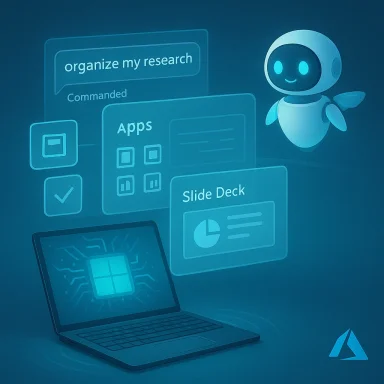
- System-suggested workflows: Imagine asking Copilot, “Organize my research into a shareable slide deck and a summary email.” An agentic workflow could scaffold a PowerPoint, rewrite the email, and — controversially — change system-level window layouts, insert assets from the Recall index, and snap applications into tailored Snap Layouts. Vibecoding reduces the effort to prototype such cross-app automations, and Microsoft’s on-device agents and APIs make such a scenario technically simple.
- Micro-UX changes that feel like decisions: Haptics for snapping and alignment — a small example — will change the micro-feedback loop. The OS might decide when to vibrate and with what intensity as part of a “polish” layer that an agent can tune dynamically during an update. That’s not only a cosmetic change: it affects accessibility, battery life, and audio recording behavior (microphones can pick up actuator noise). Evidence of a “Haptic signals” setting in Insider builds shows Microsoft is already plumbing those hooks into the OS.
- Agentic UI tuning: If vibecoding is used by OEMs or Microsoft itself to A/B different tactile or animation patterns, the OS could ship more aggressive, noisy, or attention-grabbing defaults unless users or IT push back. Remember that platform defaults matter: many users never change them, and enterprise images typically follow OEM or Microsoft recommendations.
- Faster iteration: Product teams can prototype meaningful end-to-end features faster. Vibecoding can lower the bar for small businesses or internal teams to automate workflows or build utilities without full engineering teams.
- Accessibility gains: Thoughtful haptics, voice-driven workflows, and automatic summarization could help users with low vision or motor limitations when implemented with granular control and opt-in defaults. Microsoft’s haptics APIs and guidance already include intensity ranges and accessibility recommendations — a promising sign if the company follows through with conservative defaults and fine-grained controls.
- Democratization of craft: Vibecoding can transfer value from writing boilerplate to curating, reviewing and validating outputs. As Mollick argued, the role of technical experts shifts toward orchestration and quality control rather than line-by-line development.
- Loss of control and surprise behavior: The most visceral reaction to “vibecoding Windows” is about surprise: the OS changing behavior; agentic “optimizations” being applied without clear consent; or the system deciding what is decorative vs. essential. Broad, visible changes that were once opt-in can feel compulsory at scale.
- Fragmentation and inconsistency: Haptic experience depends on actuators, drivers and firmware. Without tight OS+OEM coordination (and certification), users will see wildly divergent results across devices. Microsoft’s presence of a UI stub in Insider builds proves intent — but intent is not delivery; the shape of the final experience depends on partners.
- Privacy and telemetry questions: Vibecoding often relies on contextual information (what’s on your screen, files in Recall, recent web activity) to produce useful outputs. That increases telemetry and places more sensitive data into the model’s decision loop. Microsoft’s Copilot and Recall programs have already attracted privacy scrutiny; more agentic behavior in Windows invites more questions. The company has publicly committed to responsible AI principles, but the implementation details — data residency, on-device vs cloud processing, opt-in defaults — matter.
- Security and supply-chain concerns: When the OS accepts higher-level instructions and then triggers system-level actions (installations, driver changes, peripheral control like haptics), the attack surface expands. Agents must be sandboxed, signed, and subject to enterprise policy controls.
- User experience overload and backlash: Microsoft has recently faced user backlash over perceived AI overload in Windows (the company has reportedly been rethinking some Copilot placement and Recall decisions in response). That demonstrates the political and product risk of pushing too many agentic features into core workflows without clear benefit and control.
- Start pilot programs and set clear success metrics: If you run device pilots, include vibecoding and Copilot scenarios in the test plan. Measure productivity gains, support costs, and user satisfaction. Microsoft recommends early testing for Copilot+ PCs in enterprise environments — follow that advice before broad rollouts.
- Inventory haptic-capable hardware and vendor support: Because system haptics depend on device actuators and drivers, catalog which devices in your fleet have haptic touchpads or haptic mice, and engage vendors for driver maturity and MDM support. The Settings discovery we’ve seen will only be meaningful on hardware that reports supported actuators.
- Define policy guardrails: Draft policies for AI-driven OS changes: what agents can do, whether they can change system settings, and how Recall or other contextual features can be used. Use MDM to gate features and define consent flows.
- Train reviewers, not just users: Vibecoding shifts emphasis from writing code to verifying outputs. Train staff on prompt engineering, validation, and common failure modes. Create an internal “review checklist” for agent-generated artifacts (security, PII, licensing).
- Monitor telemetry and privacy settings: Evaluate what data is sent to cloud models vs processed on-device. If your organization has regulatory constraints, insist on clear data handling and on-device options where possible. Microsoft’s Copilot documentation and product guidance include enterprise deployment notes; use them.
- Use the kill switches: Expect Microsoft to expose toggles (like the discovered “Haptic signals” control) to shut off agentic micro-features. If you prefer a conservative interface, start by turning off Copilot or its suggestions, disable Recall-like indexing, and reduce system AI permissions.
- Check app and device vendor settings: Peripheral vendors (Logitech, Microsoft Surface software) already provide haptic controls — use those to override OS defaults when needed.
- Stay in control of updates: For cautious users, delay major Insider or feature channel updates on production machines. Insider builds expose experimental UX plumbing that may not be mature.
- Vibecoding is not a single product — it’s a collection of trends: agentic tools, on-device NPUs, platform haptics and system-level AI surfaces. Microsoft’s product signals (Copilot, Copilot+ PCs, the Replit/Azure integrations) and the discovery of OS haptics plumbing show that these trends will intersect in Windows. The result is not a single “vibecoded Windows” product, but an ecosystem in which agentic creation and runtime agent behavior will be common.
- Inevitable? Yes, in the narrow sense that the technical and commercial forces make this path very likely. But inevitability does not mean helplessness. Companies and users can shape the outcome: conservative defaults, robust MDM policies, careful pilot programs, and vendor accountability will temper the worst outcomes. Microsoft’s public documentation on haptics and its enterprise Copilot guidance give us tools to do that if organizations use them.
- The anger behind “I hate that Microsoft might be vibecoding Windows” is real and understandable. Users are right to worry about surprise changes, noisy defaults, and creeping telemetry. But vibecoding also holds legitimate promise: quicker prototyping, new accessibility pathways, and the ability to automate tedious workflows.
- What matters now is governance: Microsoft must offer safe, discoverable defaults, strong privacy and telemetry controls, and clear enterprise management APIs. OEMs and peripheral vendors must ship consistent driver behavior and certify haptic/agent integrations. And IT teams must define boundaries: decide which agentic scenarios are allowed, test them, and document what good looks like.
- If you’re reading this on WindowsForum and you feel uneasy, you’re not alone. Push for transparency on any AI-driven feature your org plans to deploy. Ask vendors: “How do you honor OS-level haptic policies? How do you ensure agent outputs can’t do harmful things? How do you let users opt out?” Those questions will determine whether vibecoding is an upgrade — or an annoyance — to the Windows experience.
- Ethan Mollick’s writeups and experiments on “vibecoding,” which helped popularize the term and demonstrated how an agent can assemble working prototypes in minutes.
- Neowin coverage of Replit partnering with Microsoft Azure to bring a vibecoding platform to enterprise customers.
- Microsoft blog posts on Copilot+ PCs and the Copilot on Windows program, which describe Microsoft’s platform- and device-level push for on-device AI experiences.
- Microsoft developer docs for Windows.Devices.Haptics and related APIs, which show the OS-level primitives Microsoft exposes for tactile feedback.
- Community and Insider discoveries of a hidden “Haptic signals” Settings surface in Windows 11 preview builds (build 26220.7070 / KB5070300), which include a global toggle, an intensity slider, and strings referencing triggers like snapping and alignment (community reporting and internal forum summaries).
- Reporting on the pushback to Microsoft’s broad AI integrations in Windows and indications of product re-evaluation (Windows Central).
- I can produce a step-by-step IT pilot plan (device inventory template, MDM policy snippets, testing checklist) and a short user-facing FAQ that admins can distribute to employees explaining Copilot, Recall, and haptic controls, including exact Settings paths and screenshots (for the Windows Insider build where the UI is present). Which would be more useful to your community right now — the IT pilot playbook or the user FAQ with safe-default recommendations?
Source: Neowin https://www.neowin.net/editorials/i...ght-be-vibecoding-windows-but-its-inevitable/
