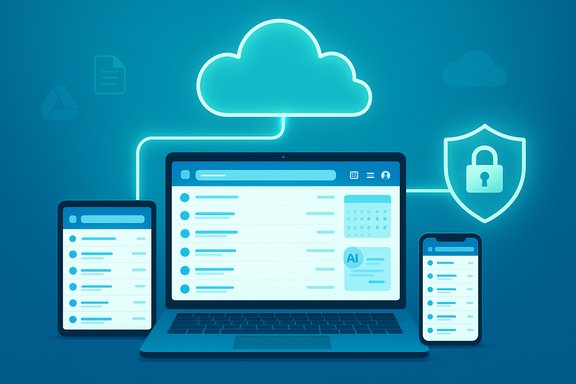
We’re at a tipping point: the long-held assumption that desktop email clients are the default “professional” way to handle email no longer survives close scrutiny — for most people, the native web interface from Gmail, Outlook.com, or other major providers is faster, safer, and more convenient than traditional desktop apps.
The story of email clients began in a pre-cloud era when users worked from fixed desktops, storage was local, and networked synchronization was complex. Desktop clients like Microsoft Outlook, Eudora, and the many Outlook‑Express-style programs offered powerful offline storage, complex filtering rules, and a single-pane view of multiple accounts. That architecture made sense when internet connectivity was intermittent and cloud services were nascent.
Over the last decade the balance shifted. Webmail vendors rebuilt their platforms around always-on cloud storage, machine learning spam filters, integrated calendars and document stores, and device-agnostic experiences. The result is a feature set that covers the needs of most users directly in the browser — no client setup, no local data files to maintain, and seamless sync across laptop, phone, and tablet.
This article unpacks that transition, summarizes the key claims in a recent MakeUseOf piece arguing that “email clients are overrated,” and assesses where webmail is genuinely superior, where desktop clients still matter, and what risks and trade-offs readers should weigh before switching their workflow.
This is more than convenience — it’s resilience. Many mainstream providers also deliver polished mobile apps that mirror the browser experience, making email a consistent, cross‑device experience rather than a collection of device‑specific silos.
Large webmail providers invest heavily in enterprise‑grade security: multi‑factor authentication, anti‑phishing and malware filters that block vast volumes of threats before they reach users, enforced TLS, opportunistic and client‑side encryption options, and rapid incident response teams. Google and Microsoft explicitly market these protections as cloud advantages — Gmail and Workspace block the overwhelming majority of spam and phishing with server‑side protections and continuously add AI‑powered detection, while Microsoft emphasizes multi‑factor authentication and service‑level security for Microsoft 365 customers. Those are not minor features; they’re core operational investments.
If you need absolute end‑to‑end confidentiality (where no provider can access message bodies or attachments), specialized solutions or strict client‑managed encryption remain the safer choice. For most users and organizations, however, the combination of TLS, server‑side protections, and new client‑side encryption options strikes a pragmatic balance between usability and security. It’s important to understand which model your provider uses and whether it meets your compliance or threat model.
That said, the choice isn’t binary. Desktop clients still have meaningful advantages for defined audiences: privacy purists, power users, and certain enterprise workflows. The prudent path for most readers is pragmatic: adopt webmail for the productivity and security benefits it delivers, but preserve an understanding of the risks and keep options — like local archives or hybrid policies — in place for situations where they matter.
Email isn’t a hobby; it’s infrastructure. The sensible move isn’t dogma for or against clients — it’s matching the tool to the requirements, minimizing risk, and taking advantage of the cloud when it truly simplifies life. The present moment favors webmail for the many, while leaving room for desktop clients where the work demands it.
Source: MakeUseOf Email clients are overrated
 Background / Overview
The story of email clients began in a pre-cloud era when users worked from fixed desktops, storage was local, and networked synchronization was complex. Desktop clients like Microsoft Outlook, Eudora, and the many Outlook‑Express-style programs offered powerful offline storage, complex filtering rules, and a single-pane view of multiple accounts. That architecture made sense when internet connectivity was intermittent and cloud services were nascent.Over the last decade the balance shifted. Webmail vendors rebuilt their platforms around always-on cloud storage, machine learning spam filters, integrated calendars and document stores, and device-agnostic experiences. The result is a feature set that covers the needs of most users directly in the browser — no client setup, no local data files to maintain, and seamless sync across laptop, phone, and tablet.
This article unpacks that transition, summarizes the key claims in a recent MakeUseOf piece arguing that “email clients are overrated,” and assesses where webmail is genuinely superior, where desktop clients still matter, and what risks and trade-offs readers should weigh before switching their workflow.
What the “email clients are overrated” argument says
The core thesis is straightforward: modern webmail handles reading, replying, searching, calendar integration, attachments, collaboration, and security for the vast majority of users — and it does so without the setup, bloat, and sync headaches that come with dedicated desktop software. The article calls out several recurring themes:- Webmail is device‑agnostic and always in sync.
- Browser interfaces now include advanced search, calendar and Drive/OneDrive integration, and even AI features — removing the historical advantages of clients.
- Desktop clients introduce extra complexity, local storage and backup obligations, and often pack unnecessary features that overwhelm ordinary users.
- Major providers invest heavily in security (spam/phishing filters, MFA, TLS, enterprise encryption), which negates the perceived security advantage of keeping mail local.
- Desktop clients retain value in a handful of specialized scenarios (strict privacy needs, deep offline workflows, Exchange/Teams integrations), but they are no longer the default “professional” choice.
Why webmail often wins: convenience, sync, and features
Access anywhere, no setup required
Webmail is available on any device with a modern browser. That straightforward fact yields outsized benefits: zero setup on new machines, consistent state across devices, and immediate recovery when hardware fails. If a laptop dies, the inbox and full message history remain intact in the cloud; with a desktop client you must restore local data files or re-download messages, sometimes with complex PST/OST management.This is more than convenience — it’s resilience. Many mainstream providers also deliver polished mobile apps that mirror the browser experience, making email a consistent, cross‑device experience rather than a collection of device‑specific silos.
Native integration with calendar, files, collaboration and AI
Modern webmail is no longer just mail. Gmail and Google Workspace have added increasingly deep integrations — from Drive and Calendar links inside messages to AI‑assisted summarization, meeting scheduling, and event extraction — that work in the browser without additional configuration. Google’s Workspace updates and Gmail feature roadmap show steady investments in AI helpers and calendar integrations that reduce friction for everyday tasks. Microsoft’s Outlook.com and the broader Microsoft 365 ecosystem follow a similar strategy: integrated calendar and Teams workflows are now designed to minimize context switching and centralize scheduling inside the cloud. Recent updates to the calendar and Outlook/Teams integration reinforce that cloud‑centric approach.Powerful search and smarter prioritization
Search used to be a weak point for webmail, but that has changed. Gmail’s search capabilities and recent AI enhancements prioritize the most relevant messages, making it easier to find old conversations without local indexing or manually maintained rules. Browser‑based search benefits from server‑side indexing and compute power that desktop clients can’t match on a single machine.Less bloat, fewer distractions
Desktop clients historically tried to be everything at once — email, calendar, tasks, contacts, note-taking, CRM hooks — which increased complexity and resource consumption. For many users this feature glut creates noise rather than productivity. Webmail can keep a focused, streamlined inbox view while delegating advanced productivity hooks to separate cloud apps that are updated and supported centrally.Security: the myth that local storage equals safety
Cloud providers’ security investments
A common argument for desktop clients is that local storage offers privacy and security advantages. That’s only partly true. While local files remove server‑side access vectors, they introduce other risks: device theft, local malware, unpatched operating systems, and the burden of securing backups and encryption.Large webmail providers invest heavily in enterprise‑grade security: multi‑factor authentication, anti‑phishing and malware filters that block vast volumes of threats before they reach users, enforced TLS, opportunistic and client‑side encryption options, and rapid incident response teams. Google and Microsoft explicitly market these protections as cloud advantages — Gmail and Workspace block the overwhelming majority of spam and phishing with server‑side protections and continuously add AI‑powered detection, while Microsoft emphasizes multi‑factor authentication and service‑level security for Microsoft 365 customers. Those are not minor features; they’re core operational investments.
Encryption: nuance matters
Transport encryption (TLS) is standard in major webmail services and protects messages in transit between servers, but it’s not the same as end‑to‑end encryption (E2EE). Microsoft and Google both offer stronger encryption options for enterprise customers — including client‑side and E2EE tools in beta — but the availability and guarantees differ depending on product tier and configuration.If you need absolute end‑to‑end confidentiality (where no provider can access message bodies or attachments), specialized solutions or strict client‑managed encryption remain the safer choice. For most users and organizations, however, the combination of TLS, server‑side protections, and new client‑side encryption options strikes a pragmatic balance between usability and security. It’s important to understand which model your provider uses and whether it meets your compliance or threat model.
When desktop clients still make sense
Not all use cases are identical. Desktop clients still shine in several scenarios:- Strict privacy requirements and local key control. If you manage your own encryption keys and refuse any server‑side decryption, a client that stores and manages keys locally (or an encrypted local archive) can be preferable. Open‑source clients like Thunderbird are designed with privacy in mind and give users fine‑grained control over where data resides. However, that control often comes with trade-offs in convenience and cross‑device sync.
- Power users with complex local filtering and automation. Journalists, researchers, or power administrators who use advanced local filters, scriptable automation, and complex archival workflows may prefer a desktop client that supports local rules and offline processing.
- Enterprise ecosystems that rely on deep desktop integrations. Organizations that depend heavily on Exchange, Dynamics, or Teams integrations sometimes get richer functionality from the desktop Outlook client — delegate access, advanced rule sets, integration with line‑of‑business systems, and certain macros or add‑ins that haven’t been fully reimplemented in web versions. For complex enterprise workflows the desktop client can still be the glue that reduces friction between multiple local systems.
- Reliable offline-first workflows. Field workers or people who routinely work offline in bandwidth‑constrained environments sometimes prefer locally cached mail stores that allow full access without a network connection. Desktop clients are still optimized for that use case.
The transition costs: what you lose when you go webmail-only
Switching entirely to webmail is not costless. Consider these trade‑offs:- Dependence on provider uptime and policies. With webmail your access depends on the provider’s infrastructure and policies. If the service experiences an outage or enforces new retention policies, you may be constrained. Cloud providers publish uptime SLAs and recovery options, but there’s no substitute for local control.
- Privacy and metadata exposure. Even with strong encryption in transit and at rest, using third‑party cloud mail means metadata (sender, recipient, subject line, timestamps) often remain visible to providers and potentially accessible under legal process. If metadata confidentiality is critical, local solutions or dedicated private servers are necessary.
- Learning new workflows and governance. Organizations migrating from desktop clients to webmail need to update policies for retention, eDiscovery, mail archiving, and device access. The cloud simplifies many of those tasks but changes how administrators manage them.
- Potential phishing and fraud vectors tied to cloud features. New security features, including link‑wrapping and automated email‑based workflows, have sometimes been weaponized by attackers to make phishing more convincing. Cloud defenders continuously update protections, but any system with powerful automation introduces new attack surfaces. Recent incidents show attackers abusing link‑wrapping services to bypass protections, so vigilance is still required.
Practical migration and hybrid strategies
For users and organizations debating a move to webmail, a hybrid approach often makes the most sense. Here are pragmatic, ranked steps to migrate without losing important capabilities:- Inventory mail usage: identify critical mailboxes, retention needs, and any PST/OST archives that must be preserved.
- Enable MFA and security posture: before switching access patterns, require multi‑factor authentication on accounts and enable device management policies. This reduces risk during the transition.
- Use provider tools for migration: Gmail and Microsoft 365 offer import and migration utilities to move mail, labels, and calendar data — use these to avoid manual exports.
- Implement a cloud backup/archival policy: choose a separate backup plan for long‑term retention independent of the provider’s active storage (Google One, Microsoft retention policies, or third‑party archiving).
- Keep a read‑only local archive if required: export critical mail to local archives (.pst or mbox) for long-term offline access if organizational policy demands.
- Train users and update policies: ensure teams know how to spot new phishing vectors (especially those exploiting advanced link handling or encrypted message workflows) and update your compliance/audit procedures.
Critical analysis: strengths, weaknesses, and risks
Strengths of the MakeUseOf thesis
- Practical and user-focused. The piece is right to emphasize that most users simply read, reply, and occasionally search — webmail handles those tasks well without complexity. Server‑side indexing and cloud compute make search and spam filtering objectively better for many everyday users.
- Security and resilience at scale. Large providers operate security teams, automated defenses, and rapid patching cycles that most individuals and SMBs cannot match. Multi‑factor authentication and automated phishing detection materially reduce risk for everyday users.
- Continuous feature innovation. AI‑driven helpers, calendar extraction, and workspace integrations are arriving first — and fastest — on webmail platforms. That momentum makes the browser experience richer every quarter.
Weaknesses and overstatements to flag
- “Desktop clients are dead” is too absolute. The claim that clients are broadly obsolete ignores legitimate, continuing use cases where local control, offline performance, or specialized integration is required. For regulated industries, researchers, and users with special privacy concerns, desktop clients remain relevant. Those exceptions don’t contradict the article’s central point for mainstream users, but they do narrow its universal sweep.
- Privacy trade‑offs require nuance. The article correctly notes that webmail providers “are investing billions” in security — but dollars alone don’t resolve every privacy concern. Cloud providers offer tools to reduce exposure (client‑side encryption, hardware key management), but the degree of true E2EE and key ownership varies across offerings and editions. Readers must confirm the exact encryption model for their account.
- Attack surface changes rapidly. Webmail’s surface area is different, not inherently smaller. Features like link‑wrapping and AI‑assisted workflows can be abused; defenders must respond continuously. The security arms race continues on both sides. Recent campaigns exploiting link‑wrapping and URL rewriting systems show how attackers adapt to new cloud defenses.
Recommendations: who should switch, and how
- Choose webmail first if you:
- Use multiple devices regularly and value seamless sync.
- Rely on shared calendars, cloud attachments, and collaborative editing.
- Want strong, managed security (MFA, spam filters, zero‑trust controls) without running an internal security team.
- Stick with a desktop client if you:
- Require strict local key control or absolute E2EE where a third party must not be able to decrypt messages.
- Depend on offline‑first operations or very large local archives that must be manipulated with custom tools.
- Run complex desktop automation, legacy add‑ins, or line‑of‑business integrations that webmail does not support.
- Use a hybrid approach if you:
- Need the convenience of webmail for day‑to‑day work but must retain archives or comply with specific regulatory retention rules.
- Want to protect particularly sensitive mail with local encryption while letting the rest of your mail live in the cloud.
Final verdict: choose the right tool for the job, not the ritual
The MakeUseOf argument — that desktop email clients are overrated for most users — is persuasive when judged against current realities. Webmail platforms now deliver the core functionality most people use, plus cloud‑scale search, AI features, and a security posture that individual users and small organizations rarely can replicate on their own.That said, the choice isn’t binary. Desktop clients still have meaningful advantages for defined audiences: privacy purists, power users, and certain enterprise workflows. The prudent path for most readers is pragmatic: adopt webmail for the productivity and security benefits it delivers, but preserve an understanding of the risks and keep options — like local archives or hybrid policies — in place for situations where they matter.
Email isn’t a hobby; it’s infrastructure. The sensible move isn’t dogma for or against clients — it’s matching the tool to the requirements, minimizing risk, and taking advantage of the cloud when it truly simplifies life. The present moment favors webmail for the many, while leaving room for desktop clients where the work demands it.
Source: MakeUseOf Email clients are overrated