

Which? has told consumers to take “extreme caution” with older Windows machines — and, in blunt terms, to disconnect unsupported Windows PCs from the Internet if they cannot be upgraded or patched. The consumer watchdog’s advice is stark because the technical reality is simple: once Microsoft stops shipping security updates, any Internet‑connected Windows installation becomes a growing and persistent attack surface. This article explains what Which? and several news outlets are reporting, puts that guidance into technical and practical context, verifies the key claims with independent sources, and gives a prioritised, step‑by‑step playbook for home users and small organisations that still run legacy Windows systems.
Which? — the UK consumer body — has published guidance warning that ageing or unsupported Windows installations (including Windows 10 and older releases) present a security hazard and that, where a secure upgrade or vendor patch is not available, the safest short‑term option is to isolate the machine from the network — ideally by disconnecting it from the Internet. That recommendation is practical: it reduces the chance a remote attacker can reach the unpatched kernel, drivers or legacy components still vulnerable to exploitation. The same piece also lists other obsolete technologies consumers should avoid. Microsoft’s official lifecycle pages confirm the larger factual anchor behind the alarm: Windows 10 reached end of support on 14 October 2025. When an OS reaches end of support, Microsoft no longer issues routine security updates for mainstream builds; that elevates risk for devices that remain connected to the Internet unless they are enrolled in an Extended Security Updates (ESU) program or moved to a supported OS. Microsoft’s guidance and upgrade routes are explicit and aimed at reducing exactly the exposure Which? warns about. At the same time, security researchers and national cyber agencies continue to add legacy Windows‑related vulnerabilities to their “actively exploited” lists — including flaws in the MSHTML (Internet Explorer / WebBrowser) engine and other compatibility code that remain present on modern Windows builds for legacy enterprise apps. The live, exploit‑driven nature of those vulnerabilities is why watchdogs urge caution for older, unpatched systems.
The cautionary message is straightforward: running unsupported Windows builds connected to the Internet is increasingly hazardous. Which?’s consumer‑facing instruction to disconnect is a reasonable and effective immediate mitigation for users who cannot patch or upgrade right now. That advice is reinforced by Microsoft’s lifecycle documentation and by multiple security advisories documenting active exploitation of legacy components such as MSHTML — demonstrating why the call for “extreme caution” is not alarmism but prudent risk management. For readers running legacy Windows: treat disconnection as the first step, not the last — document, plan your migration, and use this breathing room to move data and services to a supported, patched environment.
Source: Daily Record https://www.dailyrecord.co.uk/news/...e-urged-disconnect-internet-warning-36247593/
Source: Plymouth Live https://www.plymouthherald.co.uk/ne...ng-issued-people-10644519/?service=responsive
 Background / Overview
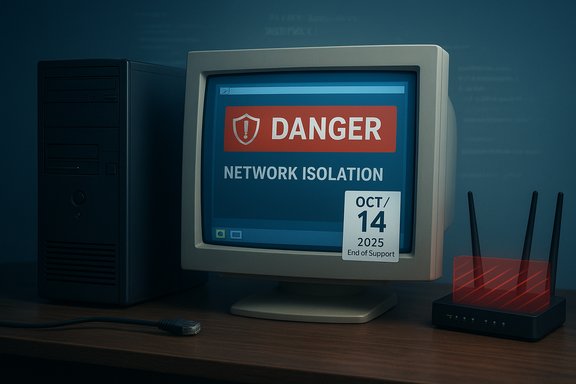
Which? — the UK consumer body — has published guidance warning that ageing or unsupported Windows installations (including Windows 10 and older releases) present a security hazard and that, where a secure upgrade or vendor patch is not available, the safest short‑term option is to isolate the machine from the network — ideally by disconnecting it from the Internet. That recommendation is practical: it reduces the chance a remote attacker can reach the unpatched kernel, drivers or legacy components still vulnerable to exploitation. The same piece also lists other obsolete technologies consumers should avoid. Microsoft’s official lifecycle pages confirm the larger factual anchor behind the alarm: Windows 10 reached end of support on 14 October 2025. When an OS reaches end of support, Microsoft no longer issues routine security updates for mainstream builds; that elevates risk for devices that remain connected to the Internet unless they are enrolled in an Extended Security Updates (ESU) program or moved to a supported OS. Microsoft’s guidance and upgrade routes are explicit and aimed at reducing exactly the exposure Which? warns about. At the same time, security researchers and national cyber agencies continue to add legacy Windows‑related vulnerabilities to their “actively exploited” lists — including flaws in the MSHTML (Internet Explorer / WebBrowser) engine and other compatibility code that remain present on modern Windows builds for legacy enterprise apps. The live, exploit‑driven nature of those vulnerabilities is why watchdogs urge caution for older, unpatched systems. Why “disconnect from the Internet” is now common advice
The technical rationale
- Unsupported OS = no vendor patches. Once Microsoft’s monthly security updates cease for a given Windows build, newly discovered platform vulnerabilities are not normally fixed for that build. Attackers can reverse‑engineer patches for newer Windows releases and use that information to craft exploits that also work on unpatched legacy builds. That effect — often called “patch diffing” leading to forever‑days — turns unsupported systems into long‑term targets.
- Legacy code remains present. Components such as MSHTML (the engine behind Internet Explorer and embedded WebBrowser controls) are still included for compatibility reasons. Those components have surface area that still gets targeted in the wild; CISA and other authorities have catalogued MSHTML‑class flaws and added them to known‑exploited lists. That means older or unpatched systems connected to the Internet can be targeted by simple social‑engineering lures (e.g., opening a malformed document or shortcut).
- Scale and automation. Large installed bases of unsupported Windows versions create an economic incentive for automated exploit and malware toolkits. Once an exploit for an unpatched platform exists, scanning and mass‑infection tools make it trivial for adversaries to compromise many machines quickly.
Practical impact for home users and small businesses
- Online banking, email, and cloud credentials stored or cached on legacy devices become higher‑value targets for attackers once the OS stops receiving patches.
- Lateral movement risk: in mixed networks (a mix of supported and unsupported PCs), an unsupported PC can be a pivot point for attackers to reach servers, NAS devices, or other business assets.
- Compliance and insurance: running unsupported OSes may break contractual or insurance requirements for security hygiene in some sectors.
What Which? actually said — and what it didn’t
Which?’s consumer guidance is pragmatic: it enumerates several categories of ageing tech to avoid and explicitly flags Windows 10 and older Windows versions as items to treat with “extreme caution.” The headline recommendation for users whose hardware cannot run Windows 11 (or who cannot obtain ESU or vendor patches) is to avoid exposing those devices to the Internet — i.e., disconnect them until an upgrade or replacement can be arranged. That is a short‑term risk reduction step, not a long‑term solution. What Which? did not claim — and what consumers should not infer — is that the OS will instantly “stop working” the moment support ends. Microsoft is explicit: devices keep functioning after end‑of‑support, but they no longer receive vendor‑supplied security patches. The advice to disconnect is therefore about risk management, not device shutdown.Real‑world examples that justify the alarm
MSHTML spoofing and active exploitation
The MSHTML platform spoofing vulnerability (CVE‑2024‑43573) was added to multiple vulnerability trackers and CISA’s Known Exploited Vulnerabilities catalog after Microsoft patched it in October 2024. The vulnerability can be used to spoof or deceive embedded browser contexts and has been observed in targeted campaigns where legacy behaviour in applications or files is leveraged to trick users or their software into treating untrusted content as trusted. This is not theoretical: trackers report active exploitation and government advisories asked organisations to apply mitigations or discontinue use of affected products.Legacy server remains exploitable long after support
Third‑party reports and community investigators have shown practical exploitation and stop‑gap mitigation activity (for example, micropatches from third parties like 0patch) for vulnerabilities that affect older Windows Server releases and older client builds. Those community fixes can help temporarily, but they are not a substitute for vendor long‑term support and official patches. That reinforces the consumer advice: if you cannot get a trusted fix and you must keep the device, isolate it.What to do now — a prioritised action plan
The following is a practical, ordered checklist for home users and small organisations facing the Which? warning. Prioritise items at the top first.- Identify which machines are running unsupported Windows builds.
- Check Settings → System → About or use the System Information tool to confirm the OS version and build.
- If you have a mix of devices, list which host sensitive data, which access corporate resources, and which are primarily offline.
- If a machine is unsupported and is not required to access the Internet for critical functionality, disconnect it immediately.
- Disable Wi‑Fi and unplug Ethernet.
- Turn off Bluetooth or other remote radios.
- For devices that must stay on the LAN for local services (e.g., printing), restrict their routing so they cannot reach the public Internet. Isolate via VLANs or firewall rules.
- If you must keep an Internet connection for a legacy device:
- Enroll in a vendor ESU program if you are eligible (Microsoft offers a Consumer ESU window to stretch support, but it’s a stop‑gap).
- Run the latest vendor firmware and application updates that are available for that hardware.
- Hard‑isolate the device behind a robust firewall and apply strict ACLs to allow only necessary outbound destinations.
- Use a dedicated, monitored gateway and IDS/EDR to watch for suspicious outbound connections.
- Plan and execute migration:
- Prioritise devices that store or process sensitive data for migration to Windows 11 or move workloads to a supported cloud or virtual desktop.
- Backup data and application lists; test restore procedures before decommissioning the old machine.
- If a clean hardware replacement is not immediately possible, evaluate refurbished modern hardware as an interim upgrade option.
- If you suspect compromise:
- Do not reconnect to the Internet.
- Isolate the system, image the disk for forensic analysis, reset passwords from a known‑good device, and restore from a known‑good backup if necessary.
- Consider professional incident response support for business‑critical systems. Industry playbooks emphasise disconnecting compromised hosts as a first containment step.
- Long‑term security hygiene:
- Enable automatic updates on supported systems.
- Move away from applications that require legacy Internet Explorer engine usage; replace with standards‑compliant alternatives where possible.
- Keep asset inventory and patch management processes current.
Quick technical mitigations you can apply today
- Disable legacy browser components where feasible (avoid opening .htm/.html attachments in legacy controls).
- Restrict execution of Office macros and configure Microsoft Defender Application Control or SmartScreen to reduce the success of social‑engineering lures.
- Use network segmentation and firewall rules to prevent unsupported devices from reaching management interfaces or cloud accounts.
- If a device must remain on the Internet for a defined service, create strict application‑level proxies and outbound allow lists that only permit necessary traffic.
What organisations and sysadmins should do differently
Large networks face additional pressures: budget cycles, legacy application dependencies, and compliance windows. For IT teams, the top priorities are:- Inventory and risk scoping: determine which systems are unsupported and which are high‑value targets.
- Temporary compensating controls: micro‑segmentation, multifactor authentication, just‑in‑time admin, and EDR with YARA/SIGMA rules for known IOCs.
- Rapid migration planning: allocate budget and test migration paths for the highest‑risk systems first.
- External guidance: follow advisories from national CERTs and CISA, and treat KEV (Known Exploited Vulnerabilities) additions as emergency tickets.
Strengths and limitations of the Which? advice
Strengths
- Clear, actionable: telling non‑technical users to disconnect an unsupported device is a concrete step that materially reduces risk.
- Aligned with vendor guidance: the recommendation intersects with Microsoft’s end‑of‑support reality and expert advice on isolating legacy systems.
- Public‑facing and accessible: Which? reaches consumers who might otherwise miss technical bulletins and gives plain‑English guidance.
Limitations and risks
- Not a long‑term fix: Disconnecting buys time but does not replace migration. A disconnected PC still carries data risk if it’s later reconnected or physically moved.
- Usability tradeoffs: Many home users rely on Internet connectivity for updates, backups, or cloud data; disconnecting impairs those functions and can cause productivity loss.
- Potential for incomplete adoption: Users who disconnect for convenience but later reconnect without addressing the underlying vulnerability remain exposed.
How credible is the reporting?
The headline warnings in consumer pieces — urging people to disconnect unsupported Windows machines — are grounded in verifiable facts: Microsoft’s lifecycle end‑of‑support dates are published by Microsoft, and national cybersecurity agencies have repeatedly listed vulnerabilities that affect legacy Windows components as actively exploited. Multiple independent security trackers and vendor advisories confirm those vulnerabilities (for example, MSHTML CVE‑2024‑43573 was listed in CISA’s KEV and analysed by multiple security vendors). This cross‑validation supports Which?’s cautious wording. A note on nuance: some headlines can sensationalise “disconnect” as a permanent instruction rather than an immediate mitigation. The careful reading — which Which? and Microsoft both support — is: disconnect if you cannot ensure timely patching, then plan the upgrade or ESU route.A short Q&A on common reader concerns
- Will my PC stop working if I disconnect it from the Internet?
- No. Disconnecting does not stop the OS from operating. It simply reduces exposure. However, important cloud‑based features and automatic backups will not work while the device is offline.
- Can I keep using the device offline forever?
- Technically yes, but long‑term offline usage still carries risks (e.g., physical theft, offline malware, or later reconnection). The safer long‑term path is migration to a supported OS or enrollment in a supported ESU program.
- Are third‑party micropatches safe?
- Third‑party micropatches (from reputable vendors) can be useful stop‑gaps, but they require trust in the vendor and do not substitute for official, tested vendor patches. Use them with caution and prefer vendor solutions when available.
Final checklist (do these in order)
- Inventory: list all Windows machines and their exact OS builds.
- Prioritise: mark devices with sensitive data or Internet exposure.
- Short‑term containment: disconnect or firewall‑isolate unsupported devices immediately if migration or ESU is not possible.
- Backup: take verified, offline backups of important data before significant remediation or migration work.
- Patch/migrate: enrol eligible devices into ESU or schedule migration to supported OS/hardware.
- Monitor: deploy EDR and network monitoring to detect anomalous outbound connections from legacy hosts.
- Document: keep records of decisions, mitigations, and timelines for compliance and future audits.
The cautionary message is straightforward: running unsupported Windows builds connected to the Internet is increasingly hazardous. Which?’s consumer‑facing instruction to disconnect is a reasonable and effective immediate mitigation for users who cannot patch or upgrade right now. That advice is reinforced by Microsoft’s lifecycle documentation and by multiple security advisories documenting active exploitation of legacy components such as MSHTML — demonstrating why the call for “extreme caution” is not alarmism but prudent risk management. For readers running legacy Windows: treat disconnection as the first step, not the last — document, plan your migration, and use this breathing room to move data and services to a supported, patched environment.
Source: Daily Record https://www.dailyrecord.co.uk/news/...e-urged-disconnect-internet-warning-36247593/
Source: Plymouth Live https://www.plymouthherald.co.uk/ne...ng-issued-people-10644519/?service=responsive
