• Thread Author
Windows users across the UK and beyond have been told to "make a change or risk exposure" after consumer groups and security agencies issued blunt warnings about the growing danger of running unsupported or unpatched Windows installations — advice that, in some cases, explicitly recommends isolating or disconnecting vulnerable machines until a secure upgrade or mitigation is in place.

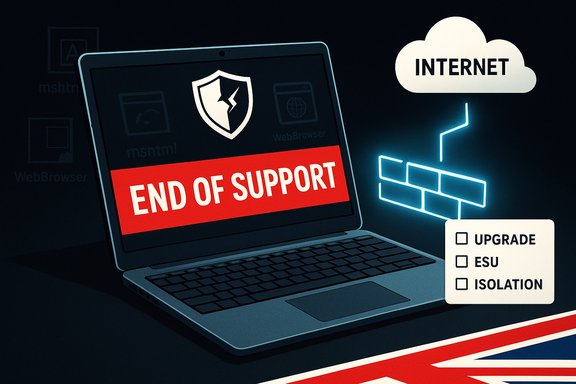
Laptop screen shows “END OF SUPPORT” warning with a glowing firewall and internet cloud.Background / Overview​

Microsoft’s published lifecycle for Windows means that when a version reaches its end-of-support date it stops receiving routine security updates, bug fixes, and standard technical assistance. For Windows 10 mainstream servicing that endpoint arrived in mid‑October 2025, a change that turned a large installed base into a potentially high‑risk target unless owners take action. The consumer organisation Which? took an unusually direct line in public guidance: for ageing machines that cannot be patched or upgraded promptly, treat them with extreme caution and, where necessary, disconnect them from the Internet until a secure migration or supported arrangement is available. That message has been amplified by national and industry reporting and underpinned by multiple security advisories that show legacy components — especially the MSHTML/WebBrowser engine used for backward compatibility — remain a recurring, actively‑exploited entry point. This is more than alarmist headline writing. Real vulnerabilities (including at least one MSHTML platform spoofing flaw tracked as CVE‑2024‑43573) were added to government “known exploited” lists and attracted emergency guidance and patching work. That combination — a mass of devices transiting to unsupported status and ongoing exploitation of legacy compatibility code — explains why the consumer message shifted from “upgrade when convenient” to “act now or reduce exposure.”

Why the warning matters: technical and practical roots​

The lifecycle truth: end of support is not a suggestion​

When Microsoft ends mainstream servicing for a Windows release it stops shipping routine security updates for that release. That leaves any remaining machines without the vendor’s protections against newly discovered vulnerabilities. Attackers can and do exploit that reality by deriving exploit techniques from patches issued for supported versions (a process often called “patch diffing” or generating “forever‑day” exploits). The result is that unsupported systems become an increasingly reliable target set for automated, opportunistic attack campaigns.

Legacy components still lurk inside modern systems​

Even modern Windows builds and many third‑party applications include legacy engines and compatibility shims — things like the MSHTML (Trident) engine, WebBrowser controls, and older help/document viewers. Those components are convenient for developers and for compatibility with older enterprise software, but they also expand the attack surface. Several high‑profile flaws have targeted that legacy surface and been exploited in the wild. That underlines the core technical rationale for blunt consumer advice: a connected, unpatched machine is materially exposed.

Government-level urgency: CISA and KEV actions​

Certain vulnerabilities have been so actively exploited that they were added to government "known exploited vulnerabilities" lists with required mitigation timelines for federal bodies. CVE‑2024‑43573 — an MSHTML platform spoofing vulnerability — was included in such catalogues and carried directives to apply vendor mitigations or discontinue use of affected features where mitigations were unavailable. That official grading and call-to-action elevates the advisory from consumer noise to emergency operational guidance for organisations.

What was promised but sometimes disappeared — missing local coverage​

Readers have noticed media echoes of the warning in local outlets; an example page referenced by readers appears to be offline or removed, producing a “page not found” experience. That disappearance illustrates a modern problem in news circulation: headlines can spread widely even as individual local reports go unavailable, which fuels confusion and the “headline without context” effect. Where the original local article can’t be reached, rely on primary vendor and agency statements (Microsoft lifecycle pages, CISA advisories, and consumer‑group publications) for the canonical facts.

The key technical facts every Windows user should validate now​

  • Windows 10 mainstream support ended on October 14, 2025. Devices not enrolled in a legitimate Extended Security Updates (ESU) program or migrated to a supported OS will not receive routine security patches from Microsoft.
  • Certain MSHTML/embedded‑browser vulnerabilities (for example, CVE‑2024‑43573) have been publicly disclosed and labelled as actively exploited, prompting government and vendor mitigations. That class of vulnerability is often exploited by crafted documents, shortcuts, or deceptively presented content in Explorer or embedded help panes.
  • National and industry security advisories have recommended either patching per vendor guidance, switching off or blocking vulnerable features, or isolating affected systems while a migration plan is executed. For consumer machines that cannot be patched or upgraded promptly, the practical advice has been to disconnect from the Internet until a safer state is reached.

Strengths of the public guidance — why it’s justified​

  • Clarity in risk treatment: Advising to disconnect or isolate unsupported machines removes ambiguity. It’s a simple, effective mitigation that dramatically reduces remote exposure until a secure plan is in place.
  • Alignment with technical reality: The guidance tracks real, tangible risk vectors (legacy engines, known exploited CVEs) rather than hypothetical threats. Agencies and vendors independently validated those vectors.
  • Actionable triage for consumers: Not everyone can upgrade immediately. Telling users to disconnect, enrol in an ESU where eligible, or consider moving to an alternative OS provides a short list of pragmatic options.
  • Pressure for long-term hygiene: Public emphasis on removing obsolete software nudges households and small businesses to consider procurement and lifecycle policies that reduce the risk of mass‑aged devices accumulating in the field.

Risks, trade-offs, and practical harms of the advice​

The “disconnect it now” prescription is blunt and effective, but it carries important trade-offs that must be acknowledged.
  • Operational pain and productivity loss. A disconnected machine cannot access online services, updates, cloud backups, or remote support. For households or small businesses that rely on an older PC for daily tasks, disconnection is a costly, sometimes infeasible, short‑term fix.
  • False sense of permanence. Disconnecting a device is a stopgap, not a solution. Without a concrete migration or ESU plan, disconnected machines merely delay an inevitable security decision and can become forgotten technical debt.
  • Supply‑chain and patching trust concerns. Some users distrust vendor update mechanisms and may prefer manual control. Public guidance that emphasises mandatory updates (or ESU enrolment requiring a tied Microsoft account) can be politically or philosophically contentious, and in some cases will drive users toward unofficial patches or workarounds that introduce new risks.
  • Cost and equity issues. Replacing hardware or subscribing to paid ESU programs can be expensive. Marginalised users and public organisations on tight budgets will face hard choices that have social and environmental consequences (waste, procurement timelines, digital exclusion).

What users should do now — prioritized checklist​

Below is a practical, prioritized playbook that balances urgency, feasibility, and defensive impact.
  • Verify your Windows version and support status.
  • Open Settings → System → About, or run winver from Run. If you’re on Windows 10, confirm whether your exact build remains eligible for any form of vendor update or ESU.
  • If you can upgrade to Windows 11 safely, plan and test the upgrade.
  • Check hardware compatibility, backup your data, and test critical applications in advance. Upgrading is the most straightforward path for many users and restores regular security updates.
  • Consider Extended Security Updates (ESU) only as a planned bridge.
  • ESU options are time‑boxed and, as vendors adjust programs, the enrolment requirements can change (for example, consumer ESU arrangements that require a Microsoft account). ESU is a bridge, not a permanent fix.
  • If you cannot upgrade or obtain ESU, consider isolating the device:
  • Disconnect from the Internet where practical.
  • If network access is required, segment the machine into an offline VLAN or behind a strict firewall that blocks outbound access to untrusted hosts.
  • Disable features that expose legacy engines (for instance, where possible, block or restrict MSHTML/WebBrowser control usage).
  • Apply all available security updates now and verify patch status.
  • Some CVEs affecting legacy components have vendor mitigations. Ensure Windows Update shows a fully patched posture, and verify third‑party applications are updated.
  • Harden authentication and backup credentials.
  • Enable multi‑factor authentication (MFA) for critical accounts, rotate service credentials, and ensure backups are complete and tested. Backups are the single most reliable recovery method if exploitation leads to data loss.
  • If you must keep an older machine online, apply compensating controls.
  • Use reputable endpoint detection and response (EDR) tools, restrict admin privileges, enable firewall rules, and deploy network monitoring focused on odd outbound connections.
  • Avoid unofficial patches unless you understand the trade-offs.
  • Third‑party “hot‑fix” vendors exist, but they require significant trust. Evaluate such options carefully and prefer vendor‑sanctioned fixes where they exist.

For small organisations and IT teams: a rapid-response plan​

  • Create an inventory immediately: enumerate all endpoints, their OS versions, and critical applications that block upgrades.
  • Triage by risk and business function: prioritise devices that handle sensitive data or are externally reachable.
  • Use segmentation and zero‑trust techniques: place legacy devices on isolated subnets with strict egress rules.
  • Budget for migration: short‑term ESU costs, device replacements, or managed cloud desktops should be modelled and funded as urgent capital or operational expenses.
  • Communicate clearly to users and stakeholders: an operational disconnect can look like a system failure; plan communication timelines and alternatives for critical services.
  • Document fallback and incident response: ensure backups, rollback plans, and forensic capabilities are in place.
These organisational steps reduce both the window of exposure and the likelihood of a business disruption from forced, last‑minute changes.

The policy and vendor angle — where the friction is coming from​

Two policy tensions underlie public frustration with the situation.
  • Microsoft’s lifecycle policy and ESU economics. The company has made ESU options available, but they are time‑limited and sometimes incorporate eligibility and enrolment requirements (for example, account linking and verification), creating friction for privacy-conscious users or organisations that avoid cloud ties. This is a deliberate incentive to move the installed base toward supported configurations but can feel coercive for some users.
  • The trade-off between user control and platform security. Long‑time Windows enthusiasts prize the ability to defer updates or retain old application versions. But mandatory update models reduce attack windows for widely distributed flaws. The balance between user agency and ecosystem safety is at the centre of recent controversy. Industry observers have noted that centralising update control improves public safety but risks alienating a constituency of advanced users and IT teams.

The limits of the evidence and cautionary notes​

  • Local article unavailable: an initial local news item referenced in social feeds was either removed or is returning a “page not found” message. That makes it harder to attribute a specific quote or headline to that outlet — rely instead on vendor lifecycle pages, the consumer group statements and official vulnerability listings for verifiable claims.
  • Unverifiable anecdotes: numerous community posts describe unexpected update behaviors and vendor mislabeling events; while these are real for affected admins, they are situational and require environment‑specific diagnosis before generalising. Treat such reports as signals to investigate, not universal truths.
  • Third‑party mitigations carry their own risk profile. Services that offer unofficial patches can protect unsupported machines in the short term, but they introduce trust and maintenance complexities and should be used only with a clear acceptance of their limitations.

Conclusion — what this moment demands from Windows users​

The blunt consumer warnings are rooted in technical reality: a widely used OS hit its lifecycle endpoint; legacy compatibility engines remain exploitable; and government and vendor advisories have escalated the language of urgency. For vulnerable Windows users the pragmatic options are straightforward — upgrade, enrol in supported extended updates for a planned interval, migrate away from Windows, or isolate the device — but none are frictionless.
The right immediate action depends on your situation, but the priorities are clear: verify your device’s support status, patch where possible, and reduce Internet exposure for unsupported machines until a durable mitigation is in place. That triage buys time to plan an orderly migration while materially reducing the chances of becoming an easy target for exploitation.
Public guidance that urges disconnection of unpatched Windows PCs is not fearmongering — it is a practical, direct tool in a security toolkit that otherwise requires technical sophistication. But it is only the first step: the real work is in planning, funding, and executing safe migrations, and in finding humane, affordable pathways for people and organisations that cannot upgrade overnight.

Quick reference — immediate checklist (one page)​

  • Confirm Windows version (winver).
  • Install all available security updates now.
  • If eligible, plan an upgrade to Windows 11; test critical apps first.
  • Consider ESU only as a one‑year bridge and check enrolment requirements.
  • If upgrade or ESU not possible: disconnect or tightly segment the device.
  • Harden credentials (MFA), backup data, and enable reputable endpoint protection.
  • Avoid unofficial workarounds unless you fully understand the trade‑offs.
The time for complacency has passed — measured, decisive action now will determine whether an unsupported machine is an inconvenient relic or an active risk.

Source: Bristol Live https://www.bristolpost.co.uk/news/uk-world-news/windows-users-encouraged-make-simple-10657766/
 

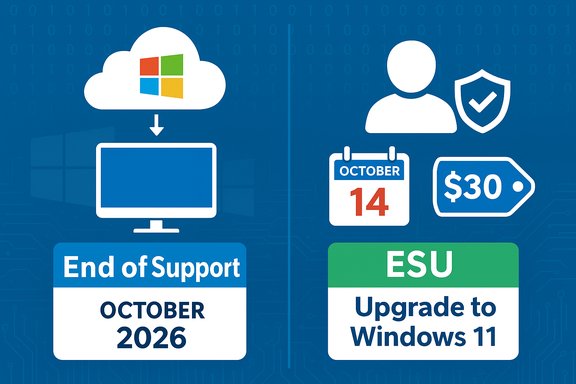
Microsoft has quietly made one change that matters far more than a routine update: if you want to keep receiving security patches for Windows 10 after its official end-of-support date, you must switch from a local account to a Microsoft account (or pay to enroll) and enroll in the Windows 10 Consumer Extended Security Updates (ESU) program — otherwise your PC will increasingly be exposed to unpatched vulnerabilities.

Windows end of support in October 2026, with ESU to Windows 11 for $30.Background: what just happened and why it’s urgent​

Microsoft declared that Windows 10 reached end of support on October 14, 2025, meaning that automatic security patches, feature updates, and standard technical assistance for the OS have ceased. Devices running Windows 10 will continue to function, but they will no longer receive new security fixes unless they are enrolled in the ESU program or upgraded to a supported version of Windows. For consumers Microsoft created a one-year bridge: the Windows 10 Consumer Extended Security Updates (ESU) program continues to provide critical and important security updates through October 13, 2026. However, Microsoft has tied free ESU eligibility to a crucial condition — the device must be signed in with a Microsoft account and remain signed in. Alternatively, users can make a one-time $30 purchase (local currency equivalent) to get ESU without switching to a Microsoft account. This change transforms a routine maintenance decision into an identity and privacy choice: sign in with a Microsoft account (the no-cost path) or remain local and pay. Either way, there is a deadline and a meaningful change in how Windows 10 will be supported going forward.

Why this “one crucial change” matters: the security math​

Windows security updates patch vulnerabilities that are discovered continuously. Once mainstream support ends, any newly discovered critical or important vulnerabilities will not be addressed for users who are not enrolled in ESU or who do not upgrade, leaving those systems increasingly exposed to malware, ransomware, and exploitation. That exposure is not theoretical — it is exactly the risk Microsoft warns about in its end-of-support advisories. Key security realities to consider:
  • No new security updates = growing attack surface over time as new vulnerabilities are found.
  • Browsers and apps: some key apps (such as Microsoft Edge) will continue to receive updates on Windows 10 for a period, but that does not offset OS-level vulnerabilities. Edge support has been extended separately, but the OS kernel, drivers, and older system components remain at risk if unpatched.
  • Supply-chain and third-party software: many vendors will stop validating or testing against Windows 10, which can lead to drivers and apps becoming unstable or insecure over time.
In short: staying on an unsupported OS is effectively a decision to accept elevated and growing cyber risk. The most direct way to limit that risk without buying new hardware is to enroll in ESU — and the easiest path to ESU for most home users now requires switching to a Microsoft account.

What Microsoft’s ESU rules actually require​

Microsoft’s consumer ESU program offers two enrollment options with slightly different requirements and trade-offs:
  • Free ESU via Microsoft account: Users who sign in and remain signed in to their Windows 10 device with a Microsoft account can enroll and receive security updates at no additional cost through October 13, 2026. If you stop signing in with that Microsoft account for an extended period (Microsoft notes a grace period of up to 60 days), ESU entitlement may be discontinued until you re-enroll.
  • One-time payment for local accounts: Users who prefer to stay on a local account can purchase ESU for a one-time fee (listed by Microsoft as $30 USD or local equivalent, plus tax) to enable updates through the same October 13, 2026 deadline. Enrollment itself still requires a Microsoft account to sign up for the program, but this option lets you continue signing in to Windows with a local account thereafter.
These conditions are deliberately designed to encourage migration to Microsoft accounts and make the free path conditional on account linkage. Technical and policy watchers have noted that businesses historically relied on paid ESU offerings for longer-term support, while consumers have only this one-year window.

How to verify which path applies to your PC​

Before making any change, confirm these basic facts on your machine:
  • Confirm your Windows 10 version is 22H2 (only devices on Windows 10 version 22H2 are eligible for the consumer ESU). You can check in Settings > System > About or via winver.exe. Microsoft’s lifecycle pages make the version requirement explicit.
  • Check whether you currently sign in with a Microsoft account or a local account. Settings > Accounts will show your sign-in identity. If you use a local account and want the free route, plan to convert to a Microsoft account (or be prepared to pay).
  • Determine whether your PC meets the hardware requirements to upgrade to Windows 11 (TPM 2.0, UEFI Secure Boot, minimum RAM and storage). If your device can upgrade, that is Microsoft’s recommended long-term path. Use Microsoft’s PC Health Check or Settings > Windows Update > Check for updates to see if an upgrade offer is available.
These are practical checks that should take less than 10 minutes per machine.

Step-by-step: enrolling in Consumer ESU (what to expect)​

If you decide ESU is your path, here’s a tidy sequence:
  • Confirm Windows 10 version is 22H2 and that you have the latest cumulative updates installed.
  • If you want the no-cost option, sign in to the PC with a Microsoft account (or convert an existing local account). You must stay signed in with that Microsoft account to retain entitlement.
  • Run Microsoft’s ESU enrollment tool / wizard as directed on the Microsoft support/ESU page and follow the enrollment steps. Enrollment is available until October 13, 2026 but delaying enrollment leaves you exposed.
  • If you prefer not to use a Microsoft account, purchase the one-time ESU license for $30 (or the local equivalent) during enrollment; expect to provide a Microsoft account at the time of purchase.
  • Verify Windows Update is receiving ESU-designated updates post-enrollment by checking Update History and confirming critical/important patches install successfully.
Note: Microsoft says devices that lose their Microsoft account connection may stop receiving ESU updates after a short grace period and will have to re-enroll to resume updates. That makes the “remain signed in” requirement operationally important.

Upgrading to Windows 11: the recommended long-term fix​

Microsoft’s public guidance is clear: if your hardware supports Windows 11, upgrading is the best long-term route to remain supported and secure. Upgrading removes the need for ESU and restores regular security and feature updates. Practical upgrade checklist:
  • Run the Windows PC Health Check or check Settings > Windows Update to see if your PC qualifies.
  • Ensure backups: use Windows Backup or a full disk image before major OS changes.
  • If your PC does not meet TPM/UEFI requirements, consider hardware upgrades where feasible, or evaluate a new PC purchase or trade-in. Microsoft has trade-in and recycling programs and partners that can help offset costs.
Upgrading is often frictionless for compatible devices: Microsoft provides the upgrade free, and many OEMs bundle tools and driver updates to simplify the transition.

Alternatives to ESU or Windows 11​

Not every user wants a Microsoft account or to purchase upgrades. Viable alternatives include:
  • Move to a supported Linux distribution (Ubuntu, Fedora, etc., which can breathe new life into older hardware while keeping software actively patched. The Guardian and other outlets have highlighted Linux and ChromeOS Flex as practical alternatives for users unwilling to migrate to Windows 11.
  • Try ChromeOS Flex for web-centric tasks — Google’s lightweight OS can run on a wide range of older PCs and receives ongoing updates.
  • Purchase a new Windows 11-capable PC (look for trade-in or recycling credits from vendors).
Each alternative has trade-offs in app compatibility, peripheral support, and user familiarity. Thoroughly test options on a non-critical machine before committing.

Privacy and policy implications: why some users are uneasy​

Microsoft’s free ESU route is conditioned on linking devices to a Microsoft account, which raises privacy and policy questions for users who intentionally prefer local accounts. That requirement nudges home users further into Microsoft’s account ecosystem — a shift that some users and privacy advocates view as a material change in how control of devices is exercised.
Critically:
  • Microsoft’s documentation confirms free ESU requires using a Microsoft account and remaining signed in; local account users can still buy ESU but must either convert or use the paid purchase path during enrollment.
  • Regulatory pressure in certain jurisdictions (notably the EEA) has already caused Microsoft to relax some conditions; for example, the European Economic Area saw a loosening of free ESU conditions to avoid privacy and antitrust concerns, creating a two-tier experience by geography. Users outside the EEA retain the account requirement unless they pay.
For privacy-focused users, this is a pivotal decision point: adopt a Microsoft account to receive no-cost updates and tighter Microsoft integration, or pay for ESU, or leave Windows entirely. Each option carries both security and privacy trade-offs.

Practical risks and blind spots to watch for​

Even with ESU, there are limitations and risks to be explicit about:
  • ESU provides only critical and important security updates, not feature or quality updates, and does not include full technical support. It is a stopgap, not a long-term solution.
  • Some third-party software vendors may reduce testing and support for Windows 10, which can create compatibility problems even if you remain patched via ESU.
  • If you enroll via a Microsoft account and later remove that account or stop signing in, Microsoft states ESU updates may be discontinued after a grace period, requiring re-enrollment. That makes account stability an operational risk for households that share credentials or change sign-in habits.
  • Geography matters: EEA users have benefited from regulatory nudges that loosened requirements; users elsewhere may not see the same concessions. This geographic inconsistency can create confusion and unequal risk exposure.
These blind spots mean ESU should be treated as temporary insurance while a migration plan is finalized.

Cost analysis: is paying for ESU rational?​

For many consumers, the cost calculus is simple: $30 one-time for ESU per eligible device versus the potential costs of a security breach or buying a new PC.
Considerations:
  • If a device has sentimental value or specialized software, $30 to keep receiving critical security patches for a year can be cost-effective.
  • If you have multiple devices, Microsoft allows the use of an ESU license for up to 10 devices under the consumer program, which can change the per-device math.
  • If your device is easily upgradeable to Windows 11, the long-term value of upgrading (free) outweighs the $30 ESU purchase.
  • For enterprise or business contexts, paid ESU options historically extend for multiple years at different price points, but consumer ESU is deliberately short-term (one year) to expedite migration.
Bottom line: for single or critical machines where upgrading is impractical, the $30 option is defensible as a stopgap; for households with many devices, weigh ESU against the cost of a single new Windows 11-capable PC.

Recommended action plan for users right now​

  • Inventory: list machines still running Windows 10 and identify which are critical.
  • Verify Windows 10 versions are 22H2 and fully updated.
  • Decide per machine: upgrade to Windows 11 if eligible; enroll in ESU (free via Microsoft account or $30 paid option); or migrate to Linux/ChromeOS Flex if appropriate.
  • Back up all data before making account or OS changes. Use Windows Backup or full-image backups to external drives or cloud storage.
  • If choosing the free ESU path, convert to a Microsoft account now and enroll — don’t wait until the last month. Enrollment is available until October 13, 2026, but delaying increases exposure.
Following these steps will deliver maximum protection with minimal disruption.

Expert perspective: balancing security, privacy, and convenience​

The policy choice Microsoft made is pragmatic from a security-management point of view: tying ESU to a Microsoft account simplifies entitlement tracking and reduces abuse. From a user rights and privacy standpoint, it shifts the balance toward centralized account control, which is a legitimate concern for those who prefer local accounts and minimal cloud linkages.
Security professionals will tell you that staying on an unsupported OS is unacceptable for machines handling sensitive tasks — ESU is a short-term mitigation, not a replacement for an upgrade. Privacy advocates will say that the trade-off is meaningful: a free year of updates in exchange for account linkage. Both positions have merit; the right choice depends on the user’s threat model and device role.

What to watch next: likely developments​

  • Expect clearer guidance, tools, and migration offers from OEMs and retailers through the end of 2026: trade-in credit, recycling programs, and targeted upgrade deals have already been flagged by Microsoft as part of their transition plan.
  • Regulatory pressure could drive further regional exceptions (as seen in the EEA) or changes to account requirements if public pushback grows. Watch how Microsoft responds to feedback and legal challenges.
  • Third-party vendors may announce extended support plans or special drivers for critical hardware to bridge gaps for enterprise and prosumer users. Keep an eye on device makers if you rely on niche peripherals.

Conclusion: the practical takeaway​

The single crucial change Microsoft users should consider now is whether to switch affected Windows 10 machines to a Microsoft account and enroll in the Consumer ESU program — or instead take decisive action to upgrade or migrate. The choice is straightforward in technical terms but meaningful in policy and privacy: enroll and stay signed in for a free year of security updates, pay a modest fee to keep a local account, upgrade to Windows 11 if your hardware supports it, or adopt an alternative OS.
Every day without a security update increases risk. For most home users with eligible machines, the fastest low-friction route to maintain protection is to sign into Windows with a Microsoft account and enroll in ESU, or apply the free upgrade to Windows 11 where available. Those who value local-only accounts or who run legacy hardware must weigh the $30 ESU purchase, migration to a new OS, or hardware replacement — each has costs and consequences.
Act now: check your Windows 10 version, confirm account type, back up your data, and pick the path that aligns with your security needs and privacy preferences. The window to make that decision without elevated exposure is time-limited.
Source: Daily Express US Microsoft Windows users urged to make crucial change to their computer - Tech News - Tech - Daily Express US
 

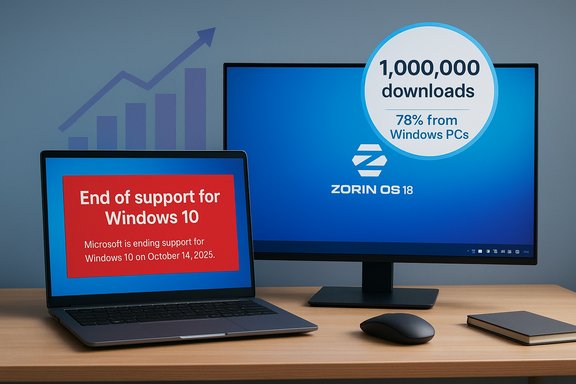
The end of official support for Windows 10 has produced an unexpected ripple effect: a small Irish Linux distribution, Zorin OS, says its new release — Zorin OS 18 — has been downloaded more than one million times in just over a month, and roughly 78% of those downloads originated from Windows PCs. That surge, announced by Zorin and picked up across the Linux press, coincides directly with Microsoft’s October 14, 2025 end-of-support deadline for Windows 10, and it crystallizes a simple truth for many users: when continuing on the familiar OS is no longer free or secure, curiosity quickly turns into exploration.

Laptop and monitor show Windows 10 end-of-support alert with Zorin OS 18 download stats.Background​

What changed with Windows 10?​

Microsoft formally ended free mainstream security and feature updates for Windows 10 on October 14, 2025. After that date, Windows 10 systems stopped receiving the standard stream of updates that protect devices from newly discovered vulnerabilities and compatibility issues. Microsoft’s official guidance encourages upgrading eligible devices to Windows 11, using Extended Security Updates (ESU) for temporary protection, or replacing the hardware. This policy shift created a moment of decision for millions of users still on Windows 10.

Zorin OS 18: the distribution at the center of the story​

Zorin Group, the developer behind Zorin OS, published a blog post announcing that Zorin OS 18 had surpassed one million downloads within a little over a month of its launch. In that post the team highlighted that about 78% of downloads came from Windows machines — a statistic the company used to frame Zorin’s purpose as a Windows-friendly alternative. Independent Linux sites echoed the announcement, carrying the same headline numbers and flagging the Windows-origin statistic as particularly notable. Those two strands — Windows 10’s end of support and Zorin’s record downloads — are the foundation for the question now being debated in forums and community sites: are we seeing proof that the Windows-to-Linux transition is finally happening at scale?

Why Zorin — features and positioning​

A Windows-like experience, designed for switchers​

Zorin OS has deliberately focused on lowering the friction for users who want to switch from Windows to Linux. Its strategy is to present a familiar desktop and a gentle onboarding path:
  • Multiple desktop layouts that mimic Windows 10/11, macOS, and classic layouts
  • An integrated “Zorin Appearance” utility to match workflows quickly
  • A simplified installer and guided upgrade paths
  • Bundled essentials and compatibility tools to ease software transitions
These features reduce the cognitive cost of migrating. They are explicitly engineered to attract users who are comfortable with Windows UI paradigms but are motivated to leave by security, privacy, or hardware concerns. The Zorin team’s marketing and release notes for Zorin OS 18 emphasize “ease of migration” and accessibility as key selling points.

Hardware and driver coverage​

Another practical advantage Zorin touts is its broad hardware compatibility, largely because it is built on the popular Ubuntu ecosystem and benefits from mature kernel and driver stacks. For many users who can’t or won’t move to Windows 11 due to strict hardware checks for TPM and other requirements, a modern Linux distribution can breathe new life into older hardware. However, while Linux hardware support has improved substantially, edge cases remain—particularly around newer Wi‑Fi chipsets, certain power-management features on ultraportables, and vendor-specific firmware. Independent testing remains the gold standard to confirm full compatibility for any particular machine.

The timing: Windows 10 end of support as the spark​

Why the timing matters​

The correlation between Windows 10’s end of support and the spike in interest for Zorin OS is more than coincidence; it’s behavioral economics at work. When the free security net disappears, users face a narrow set of choices:
  • Upgrade to Windows 11 (if hardware and drivers permit)
  • Pay for a short-term bridge (Microsoft’s Consumer ESU)
  • Buy a new Windows 11-capable PC
  • Move to an alternative OS, such as Linux
Microsoft’s end-of-support messaging and upgrade prompts pushed many Windows 10 users to evaluate those alternatives. For users with older machines that don’t meet Windows 11’s TPM, Secure Boot, and CPU lists, the practical options narrow further and migration to Linux becomes more attractive. Microsoft’s official lifecycle pages and ESU guidance make these constraints obvious to consumers looking for long-term security.

Windows 11 requirements and hardware friction​

Windows 11 imposes hardware prerequisites that notably include TPM 2.0, UEFI Secure Boot, and a list of supported CPU models, alongside minimum memory and storage thresholds (4 GB RAM, 64 GB storage). Those checks effectively disqualify a large number of Windows 10-era devices from an easy upgrade. The result is a population of users with otherwise functional hardware who suddenly face an expensive choice: retrofit, repurpose, or replace. That dynamic pushes the question of whether a Linux distribution can offer “the future” for older machines.

What the download numbers actually mean — cautious interpretation​

Downloads vs. installs vs. retention​

Downloads are a headline-grabbing metric, but they are not a reliable proxy for long-term adoption. A single ISO can be downloaded and never installed; many users download to test in a virtual machine, or to create a live USB and then abandon it. Zorin’s million-download announcement is impressive as an indicator of interest, but it does not prove a sustained switch away from Windows for any given number of machines.
  • Downloads indicate curiosity and demand for evaluation media.
  • Installs (especially dual‑boot or replacement installs) show deeper commitment.
  • Weekly/monthly active usage, support subscriptions, or telemetry (where available) are the best indicators of actual migration at scale.
Zorin’s announcement does not disclose conversion rates from download to installation, nor the retention of users who tried the distribution. Those are the gaps that prevent confident claims about a broader Linux “breakthrough.” The available public signals — blog posts, forum chatter, and early upgrade reports — point to meaningful interest but not yet to a wholesale exodus from Windows.

Where the downloads came from​

Zorin reports that roughly 78% of downloads originated from Windows systems. That suggests many of the people who downloaded Zorin were doing so from the very devices they might replace or repurpose. Independent outlets repeated the same percentage after checking Zorin’s announcement, lending plausibility to the claim. That said, IP- or agent-based download attribution can be noisy: shared machines, corporate gateways, download accelerators, and caching systems can skew counts. The number is directionally useful — it shows Windows-origin traffic — but it’s not infallible.

Strengths and opportunities for Zorin and similar distributions​

1. A clear play for nontechnical switchers​

Zorin’s focus on a familiar UI and integrated migration tools addresses the single biggest barrier to Linux adoption: user comfort. By reducing surprises in the UI and by providing a stable, guided upgrade path from earlier Zorin releases, the distro lowers the activation energy for less technical users.

2. Reuse of existing hardware​

For many users, switching to Linux is a way to extend the useful life of hardware that Windows 11 will not support. This satisfies both economic and environmental concerns: fewer new purchases and less electronic waste. Zorin’s Ubuntu base means it enjoys wide driver availability and access to a mature software repository, which is crucial for supporting older devices.

3. Focused community and commercial model​

Zorin combines community support with a pro edition and optional paid features, which can help fund long-term development and provide a clearer support path for users who want paid assistance. That hybrid approach makes the distro more viable as a long-term alternative for non-enterprise use.

Risks, gaps, and areas of friction​

1. Real-world compatibility and device quirks​

Hardware support is vastly better than it was a decade ago, but incompatibilities still exist. Issues with GPU drivers (notably for bleeding-edge Intel/AMD/NVIDIA chips), certain Wi‑Fi adapters, and vendor-specific power management can create a frustrating day-one experience. Users upgrading mission-critical devices should test thoroughly in a live environment before committing. Testing and backups are essential.

2. Application gaps and the Windows legacy​

While Linux app ecosystems have matured, certain Windows-first workflows remain stubbornly persistent: legacy line-of-business apps, specialized vendor software, and some DRM-protected media services. Wine and Proton have narrowed the gap for many Windows apps and games, but they cannot guarantee parity for every enterprise application. For professionals reliant on those systems, virtualization or containerized Windows environments may be necessary — solutions that add complexity and reduce the simplicity that appeals to most switchers.

3. Support expectations and enterprise inertia​

Many consumers expect phone or chat-level support for critical issues. Community forums and documentation are helpful, but they differ qualitatively from vendor-provided enterprise support contracts. Small businesses or less-technical households may prefer the safety net of commercial support or ESU options, even at a cost, over a do-it-yourself migration to Linux.

4. Security posture and update cadence​

Linux distributions receive rapid security updates, but the responsibility for patch management falls to the user or sysadmin. For nontechnical users, this may present a new operational model. Tools exist to automate updates and notifications, but user education remains a necessary component of a successful migration.

How to evaluate a switch from Windows to Zorin OS — practical checklist​

  • Backup everything: create image and file backups and store them off-device.
  • Test in a live session: boot Zorin from USB and check hardware, Wi‑Fi, and display scaling.
  • Check application needs: identify essential Windows-only apps and test compatibility via Wine, Proton, or virtual machines.
  • Try a dual-boot: if you’re cautious, install Zorin alongside Windows to evaluate day-to-day use without losing the original system.
  • Prepare for peripherals: printers, scanners, and specialized devices often need vendor drivers or extra configuration.
  • Review support options: decide whether community support is enough or whether paid/professional help is required.
These steps reduce the risk of a painful transition and give a realistic sense of which workflows will change and which will continue largely unchanged.

Migration pathways and short guides​

Quick-start: testing Zorin in a live USB (3 steps)​

  • Download the Zorin OS 18 ISO from the official site and verify the checksum.
  • Create a bootable USB using a tool like Rufus (on Windows) or balenaEtcher.
  • Boot the target PC from USB (change boot order in the UEFI/BIOS) and select “Try Zorin” to run without installation.

If you decide to install: safe sequence​

  • Confirm full backups exist.
  • Update Windows and create recovery media.
  • Shrink an existing Windows partition (if dual-booting) using built-in disk tools.
  • Install Zorin into free space and configure GRUB to allow choosing the OS at boot.
  • Reboot and test both OSes before removing recovery partitions.
These steps are condensed; users should follow the distribution’s full installation guide and community-tested upgrade notes.

Industry and market-level implications​

Will this spark a Linux breakthrough year?​

The million-download figure is an important signal, but one data point does not a tectonic shift make. For a true “breakthrough,” several broader conditions would need to align:
  • Sustained active usage metrics across a diverse user base
  • Enterprise migration support and vendor endorsement for key workloads
  • Easier transitions for proprietary app ecosystems
  • OEMs shipping more consumer devices with Linux preinstalled
Zorin’s surge is a harbinger: it demonstrates demand and curiosity. But enterprise inertia, entrenched software ecosystems, and consumer expectations of one-click vendor support remain strong counterforces. The immediate effect may be more repurposing of older machines and increased awareness of Linux as a viable alternative — not an instant, mass-market replacement for Windows. Independent reports and forum activity suggest increased trials and conversions among enthusiasts and cost-sensitive users, while corporate and mainstream consumer adoption will likely lag.

The Microsoft ESU safety valve​

Microsoft’s Consumer Extended Security Updates program offers a measured safety valve: for a limited period, users can pay for security updates or enroll under specific conditions (or redeem Microsoft Rewards in some markets). That option reduces the absolute urgency for some users to migrate immediately, and it will affect the short-term rate of conversions to alternative OSes. That said, ESU is a temporary bridge, not a long-term alternative for those seeking to avoid vendor lock-in or telemetry concerns.

Practical recommendations for readers considering a switch​

  • Approach migration incrementally: test, dual‑boot, and only replace a primary device after a successful trial.
  • Prioritize backups and learn the recovery steps before you change partitions.
  • Evaluate software compatibility early — browser-based or cross-platform apps are the simplest wins.
  • For older hardware, consider Linux to extend usable life and regain performance.
  • If a device must run specific Windows-only business apps, plan for virtualization or continue ESU coverage while transitioning.

Conclusion​

Zorin OS 18’s rapid download milestone is a vivid datapoint that captures a larger narrative: when the cost or friction of staying with a vendor rises, users will look for alternatives — and many of them will try Linux. Zorin’s polished Windows-style experience and Ubuntu foundation make it a natural candidate for users exploring options after Windows 10’s support sunset. However, downloads alone do not equal long-term adoption; real migration requires successful installs, steady daily use, and workable solutions to application and peripheral compatibility.
The broader landscape now contains more choices than it did a year ago. Users who cannot or will not upgrade to Windows 11 have tangible alternatives: pay for a temporary ESU, purchase new hardware, or embrace a modern Linux distribution. Zorin’s announcement underscores growing openness to that third path, but it is one step in a long process — a meaningful signal, not a definitive conversion. For anyone contemplating the move, measured testing, careful backup practices, and realistic expectations are the safest route forward.
Source: Research Snipers Windows 10 end: Linux provider celebrates record downloads – Research Snipers
 

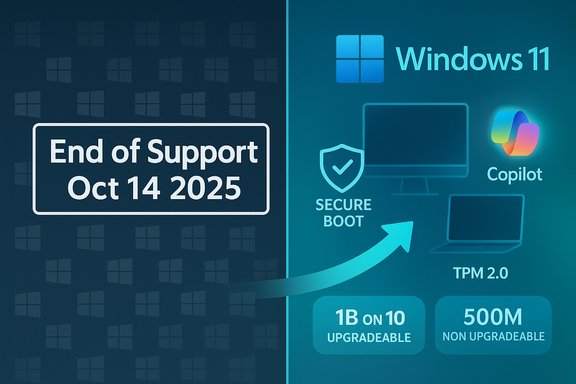
Windows 10 reached its end-of-support milestone in mid‑October, yet a huge portion of the Windows install base remains on the decade‑old operating system — a stubborn reality underscored by Dell executives who say roughly 1 billion PCs are still running Windows 10, split between machines that can upgrade and those that cannot.

Windows end of support on Oct 14, 2025, with Windows 11 features highlighted.Background / Overview​

Microsoft’s formal lifecycle for Windows 10 concluded on October 14, 2025, meaning mainstream security updates, feature updates and standard technical support for consumer editions no longer arrive unless a device is enrolled in an Extended Security Updates (ESU) program or falls under a long‑term servicing channel. Microsoft’s own support page spells this out and outlines the consumer ESU bridge offered for a limited period. At the same time, market trackers recorded a late‑2025 inflection point: after a multi‑year adoption slog, Windows 11 briefly overtook Windows 10 in desktop market share around mid‑2025, a milestone driven largely by enterprise rollouts and the urgency of the approaching Windows 10 sunset. That statistical crossover — widely reported in July 2025 by multiple analytics observers — helped shift the migration narrative even as hundreds of millions of PCs remain tethered to Windows 10. Dell’s recent Q3 earnings commentary injected a blunt framing into the public conversation: COO Jeffrey Clarke told investors that Dell estimates roughly 1.5 billion PCs in the installed base, with “about 500 million” devices capable of running Windows 11 that haven’t been upgraded and “another 500 million” machines that are several years old and cannot run Windows 11 under Microsoft’s hardware rules. Clarke used that split to position the situation as a commercial opportunity for OEMs and channel partners. The comment was reported and transcribed across the tech press.

How accurate are the “1 billion” and “500 million” figures?​

Two numbers, two interpretations​

  • The headline claim — about 1 billion PCs still on Windows 10 — is easy to repeat and dramatic. Dell’s COO framed it as two groups: roughly 500 million upgrade‑eligible devices and another 500 million that aren’t. That math produces the rounded “one billion” figure cited in media coverage of Dell’s earnings call.
  • But the raw accuracy depends on three upstream questions: Dell’s definition of the installed base, the telemetry or market data used to size that base, and how “capable of running Windows 11” is being operationalized (hardware lists, TPM status, firmware settings, etc.. Dell is an OEM with deep channel visibility, but its estimates are commercial statements made during an earnings discussion — useful signal, not a neutral census.

What independent data says​

Market trackers such as StatCounter and independent analysts produce monthly snapshots that are directionally consistent with Dell’s claim — a large Windows 10 population persisted into late 2025 — but those datasets give different totals depending on methodology (web telemetry, sampling windows, device classification). Public estimates from independent trackers in mid‑2025 placed Windows 10’s share in the mid‑40s to high‑40s percent band, implying hundreds of millions of devices still using Windows 10 worldwide; convergence across trackers supports the broad shape of Dell’s argument, if not the precise rounding.

Why rounding and corporate context matter​

  • Dell’s numbers were delivered in an earnings call and framed as market opportunity for upgrades and AI‑capable PCs. That context means the figures have commercial intent; OEMs benefit from emphasizing upgrade demand.
  • The devil is in the definitions: “capable of running Windows 11” could mean meets Microsoft’s full supported hardware list, can run an unsupported install via workaround, or has hardware that vendors could enable via firmware updates. Different interpretations change the count materially.
  • Independent telemetry and OEM channel views are complementary but not identical. Treat Dell’s breakdown as a high‑level indicator of scale and segmentation, not as a precise device census.

Why migration has stalled: technical, social, and economic friction​

Strict hardware requirements​

Windows 11 raised the security and hardware baseline — TPM 2.0, UEFI Secure Boot, specific CPU generations and other platform expectations — to enable features Microsoft calls foundational (virtualization‑based security, measured boot, hardware‑backed encryption). That decision deliberately excluded many functioning Windows 10 PCs. For users, the result is practical: a nontrivial share of otherwise‑healthy machines are ineligible for an official Windows 11 upgrade.

Behavioral inertia and enterprise constraints​

Enterprises weight application compatibility, testing windows, and staged rollouts far more conservatively than consumers. Many organizations delay mass upgrades until explicit compatibility evidence is in place for business‑critical software and peripherals. That conservatism pushed enterprise adoption later in the cycle and helps explain why the migration curve only accelerated as the Windows 10 end‑of‑support deadline neared.

Cost, sustainability and e‑waste concerns​

Replacing an entire fleet is expensive and environmentally fraught. Advocacy groups and researchers raised early warnings that Microsoft’s strict baseline could accelerate device churn and e‑waste if consumers and businesses default to hardware replacement rather than alternative mitigation (ESU, Linux, ChromeOS Flex, refurbished devices). The economic reality for tight budgets is a major barrier to mass migration.

User experience and trust​

Windows 10 earned broad goodwill for stability; many users prefer the known behavior of their current OS over the change management costs and uncertain tradeoffs of a new interface and feature set. Aggressive upgrade nudges from Microsoft and OEMs produced backlash in corners of the user community, which slowed the voluntary adoption curve.

Security, compliance, and operational risk after end of support​

The practical consequence of a stopped update stream is unambiguous: vulnerabilities discovered after the cutoff no longer receive vendor patches for unenrolled Windows 10 devices, creating potential “forever‑day” exposure as attackers reverse‑engineer fixes for newer OS versions and weaponize those flaws against unpatched machines.
  • Organizations that must satisfy compliance, insurance, or regulatory obligations face material risk if they keep mission‑critical workloads on unsupported operating systems.
  • For consumers, the aggregate effect manifests in higher exposure to ransomware, credential theft and browser/plug‑in attacks over time unless compensating controls are deployed (network segmentation, strict application whitelisting, endpoint detection, or enrollment in ESU).
Extended Security Updates offer a time‑limited bridge: Microsoft’s consumer ESU program provided one additional year of security‑only updates for enrolled devices, and enterprise ESU arrangements extend coverage further for paying customers. But ESUs are explicitly temporary and do not substitute for migration to a supported OS in the long run.

Dell’s framing: opportunity or marketing?​

Dell’s message to investors was straightforward: hundreds of millions of PCs represent upgradeable inventory for OEMs, IT resellers and retail channels. There are valid business arguments in that view — demand for Windows 11‑capable hardware, AI‑optimized “Copilot+” machines, and refresh cycles will drive a segment of replacement purchases.
But the framing omits important counterpoints:
  • An OEM sees upgrade‑eligible devices as revenue potential; independent analysts should test that view against affordability, replacement timelines, and regions where device replacement is less likely.
  • The 500M/500M split smooths over the heterogeneity of the installed base — some of the “cannot upgrade” devices can be extended with inexpensive firmware or TPM activations, while other devices truly need replacement. The spectrum between “upgradable today” and “irreversibly incompatible” is wide.
  • Market demand for new hardware competes with other macro factors (macroeconomic conditions, supply chain, memory/SSD pricing, and the increasing appeal of cloud/virtual desktop alternatives) that temper the raw conversion rate Dell implies.

The Linux migration surge: small but meaningful​

The end‑of‑support moment produced an immediate reaction in the alternative OS ecosystem. Zorin OS — a user‑friendly Linux distribution positioned as a Windows replacement for older hardware — reported a wave of downloads after October’s cutoff, with the developer and multiple outlets saying hundreds of thousands of downloads originated from Windows systems in the weeks after support ended. That movement is significant even if a portion of downloads do not result in full installations; it signals real user dissatisfaction and an openness to migrate off Microsoft’s platform in some segments. This trend matters for two reasons:
  • It demonstrates that unsupported Windows 10 does not automatically equal automatic Windows 11 upgrades — some users prefer alternatives to paying for ESU or buying new hardware.
  • Even modest Linux migration at scale is strategically important: it reshapes the addressable market for web apps, SaaS vendors and support ecosystems and increases the number of devices that will need new training, driver packaging, and helpdesk practices.

What Microsoft’s strategy appears to be — and the tradeoffs​

Microsoft’s roadmap emphasized a higher security baseline and deeper AI integration in Windows 11. Those goals are defensible: hardware‑backed security reduces certain classes of compromise, and AI features like Copilot are a strategic priority for the company’s platform vision.
But the tradeoffs are visible:
  • The security baseline improved, but the hardware gate left millions behind, creating an equity issue and a policy discussion about vendor responsibility during transitions.
  • The integration of AI features and OEM marketing around Copilot+ PCs accelerates hardware differentiation — good for OEM margins, but it increases pressure on consumers and institutions with constrained budgets.
  • Microsoft’s messaging and in‑OS nudges accelerated the migration curve for some, but also generated resistance and privacy concerns in others.
The bottom line: Microsoft traded ease of migration for a higher baseline and new feature vectors; that trade produced a messy transition with security, environmental and trust consequences that remain unresolved.

Practical advice: what consumers and IT teams should do now​

For individual users (home, freelancers)​

  • Run the PC Health Check and confirm whether your machine meets Windows 11 requirements; if eligible, schedule a tested upgrade and back up first.
  • If ineligible and you care about security, enroll in the consumer ESU (if eligible) as a short‑term bridge while budgeting for hardware replacement or exploring cloud PCs.
  • Consider lightweight alternatives for older machines — ChromeOS Flex or a mainstream Linux distro such as Zorin or Linux Mint — if you want to extend device life instead of buying new hardware.

For small businesses and IT leaders​

  • Inventory and classify endpoints by risk and upgradeability. Prioritize machines handling sensitive data for immediate migration.
  • Use ESU selectively as a controlled bridge while migrating critical systems and testing app compatibility in pilot groups.
  • Evaluate cloud desktop options (Windows 365 / Cloud PC) to accelerate migration without wholesale device replacement for all users. Consider tradeoffs in latency, costs, and data residency.

For enterprise security teams​

  • Assume the unsupported OS population is a rising attack surface: deploy compensating controls (network segmentation, EDR/XDR, least‑privilege policies, multi‑factor authentication, and zero‑trust network segmentation).
  • Track patch differentials closely; prioritize threat intelligence feeds that highlight vulnerabilities exploited in newer Windows versions, which can be back‑ported by attackers against unpatched Windows 10 machines.

What to watch next — trigger points and timelines​

  • October 13, 2026: the end of the one‑year consumer ESU window (where enrollment conditions applied). That date will create a hard posture forcing more migrations or persistent operational risk for those remaining on Windows 10.
  • OEM refresh cycles (holiday and back‑to‑school seasons) and pricing for refurbished Windows 11 hardware — these commercial levers will shape the replacement rate.
  • Tracker data (StatCounter and others): expect volatility month‑to‑month around the migration deadline as corporate deployments and individual replacement schedules create ephemeral spikes.

Final assessment — strengths, weaknesses and the path forward​

Microsoft’s transition calculus is clear: raise the platform security baseline, accelerate AI integration and move the ecosystem forward on new hardware. That strategy has technical merit — security features enabled by TPM and modern silicon reduce risk vectors and unlock capabilities that older platforms cannot support.
However, the execution created three structural problems:
  • Equity and access: Millions of users and organizations cannot afford or justify new hardware immediately, and the consumer ESU mechanics (account linking, limited free paths) raised fairness questions.
  • Environmental and economic friction: A potential spike in device replacement creates e‑waste and budget pressure at scale; reuse and refurbishment programs must be part of any responsible transition.
  • Measurement and messaging gaps: OEM statements such as Dell’s provide useful market color but are not precise censuses; policymakers, IT leaders and consumers need transparent, independently verifiable telemetry to plan responsibly.
Finally, note one unverifiable claim in public conversation: media reports paraphrased a Microsoft executive as saying “almost 1 billion people rely on Windows 11.” That phrasing is vague and a direct primary transcript locating that exact quote was not available in public Ignite transcripts at the time of writing; treat similar corporate soundbites cautiously unless they appear in an attributable Microsoft record. When planning, rely on concrete dates (October 14, 2025 is the Windows 10 end‑of‑support date) and device inventories instead of headline soundbites.
Windows’s transition from a decade‑old default to a hardware‑anchored future will be messy and uneven. The numbers Dell cited describe a real friction point: hundreds of millions of devices will require choices — upgrade, enroll in time‑boxed security programs, replace, or migrate to alternatives. For users and IT teams the calculus is straightforward in principle and difficult in practice: prioritize security, inventory ruthlessly, and use the ESU window as a bridge, not a destination. The next 12–24 months will determine whether the migration becomes a managed modernization or a patchwork of digital risk that lingers far longer than anyone intends.
Source: Windows Central https://www.windowscentral.com/micr...indows-10-has-windows-11-adoption-hit-a-wall/
 

Windows 10 remains entrenched on roughly one billion PCs worldwide even after Microsoft formally ended mainstream support for the operating system, a reality underscored by Dell’s recent earnings commentary and corroborated by public telemetry and Microsoft’s own transition messaging.

A digital visualization related to the article topic.Background​

Microsoft released Windows 10 in 2015 and maintained it as the dominant PC operating system for a decade; the company formally ended mainstream support for consumer Windows 10 editions on October 14, 2025, and published an Extended Security Updates (ESU) program to provide a temporary safety net through October 13, 2026. That official end-of-support date changed the migration calculus: organizations and consumers who can upgrade to Windows 11 face a decision to do so, while many devices—by Microsoft’s hardware eligibility rules for Windows 11—are effectively barred without hardware replacement. The gap between Microsoft’s marketing metrics for Windows 11 and the reality in the field creates the headline figure repeated across the press: about one billion PCs continue to run Windows 10.

What Dell Actually Said — and why it matters​

On a November 2025 Q3 earnings call, Dell Technologies’ COO Jeffrey Clarke laid out a blunt view of the installed base: Dell estimates about 1.5 billion PCs in the field, of which “about 500 million” are capable of running Windows 11 but haven’t been upgraded, and “another 500 million” are roughly four years old and cannot run Windows 11 under the current hardware baseline. Clarke framed that split as both a constraint and a market opportunity for PC refreshes and “AI PCs.” Those numbers matter for three reasons:
  • They convert abstract percentages into absolute dollars-and-units scale for OEMs and channel partners. Saying “500 million upgrade-capable holdouts” turns software migration into a tangible hardware market.
  • They highlight the dual nature of the challenge: some devices need only a software migration, while others require new silicon and system-level hardware—creating divergent procurement and support tracks.
  • They force a re-evaluation of Microsoft’s timelines and OEM forecasts for PC demand in 2026 and beyond. Dell used the numbers to explain why client PC unit growth might be muted even as the AI-PC upgrade cycle creates higher-margin opportunities.
Important caveat: Dell’s figures are company estimates stated in an investor call, not an audited global census. Treat them as directional telemetry from a major OEM rather than a definitive device-by-device inventory. Independent trackers support the broad shape of Dell’s thesis—Windows 10 remains widely deployed while Windows 11 adoption has advanced—but different measurement methods (web telemetry panels, enterprise asset inventories, OEM channel counts) yield different totals.

Microsoft’s counterpoint: “nearly a billion” and ambiguous metrics​

Microsoft’s messaging in the same period emphasises scale in different terms. During Ignite and related Windows communications the company used language such as “nearly a billion people rely on Windows 11” to highlight momentum for the new platform and the ecosystem it supports. That phrasing is effective marketing, but it is inherently ambiguous: it does not explicitly define whether “nearly a billion” refers to monthly active devices, unique signed-in users, OEM shipments, or a blended internal metric. When two large players—Microsoft and a major OEM—use different definitions for “scale,” public confusion is predictable. Analysts and IT decision-makers need precise, auditable metrics to reconcile those claims: what is counted as an “active device”? Are cloud-connected PCs that use Windows 11 services included? Does a monthly sign-in count equate to a uniquely owned physical device? Microsoft’s phrasing is not incorrect, but unpacking the exact meaning is essential before drawing firm conclusions.

Verifying the key claims​

Several of the biggest claims in this story are easily verifiable with public documents; others require caution.
  • Windows 10 end-of-support date and ESU details: Microsoft’s lifecycle and ESU pages confirm the October 14, 2025 end-of-support date and the consumer ESU window through October 13, 2026, with enrollment options (syncing settings to a Microsoft account, redeeming Rewards points, or a paid option). The ESU is security-only and excludes new features or broad technical support.
  • Dell’s installed-base estimates and the 500M/500M split: The earnings-call transcript and multiple press outlets captured Jeff Clarke’s comments verbatim; transcripts and contemporaneous reporting show Dell stated an installed base of roughly 1.5 billion PCs and described about 500 million upgrade-capable but unupgraded devices and another roughly 500 million that are too old to run Windows 11. The direct quote appears in published call transcripts.
  • Microsoft’s “nearly a billion” Windows 11 phrase: Microsoft executives and corporate messaging did indeed use high-level scale language at Ignite; multiple outlets reported the phrase as part of the anniversary and Ignite coverage. However, Microsoft has not publicly released a simple device-by-device audited table that matches the wording to a specific metric, so the phrase should be read as marketing shorthand until Microsoft publishes a detailed metric.
Where exact figures are critical (procurement planning, budgeting, compliance), organizations should obtain primary telemetry from their fleets or request clarification from vendors; public corporate statements are directional and useful, but not a substitute for inventory-level audits.

Why the migration is slower than expected​

Multiple structural and behavioral factors explain why hundreds of millions of Windows 10 PCs remain un-upgraded months after the support cutoff.

Hardware gating and compatibility​

Windows 11 introduced stricter baseline requirements—UEFI/Secure Boot, TPM 2.0, 64-bit CPUs, and a published family/generation CPU list—that have excluded a large portion of otherwise functional Windows 10 PCs from an officially supported upgrade path. For many organizations and consumers, those requirements translate into replacement, not a software update.

Cost, timing, and procurement cycles​

Enterprise refreshes follow budgeting cycles; buying a fleet of new PCs is rarely a last-minute decision. For SMEs and consumers, replacing a perfectly serviceable PC is a discretionary expense, and many will defer until a natural replacement event. Dell and other OEMs have noted that the PC refresh window for Windows 11 is a multi-year runway, not a single-year spike.

Application compatibility and business continuity​

Some environments run bespoke or legacy applications tied to specific Windows 10 builds or drivers. Testing, validation, and regulatory compliance add friction and cost to migration plans—especially in healthcare, manufacturing, retail, and specialized verticals where stability is paramount. Virtualization or containerization often become pragmatic workarounds, but they introduce operational overhead.

Privacy and user attitudes​

Microsoft’s push toward Microsoft Account sign-in for certain ESU workflows and the broader Copilot/telemetry narrative has provoked pushback in parts of the user base. For privacy-conscious users or those who have intentionally avoided stronger Microsoft service integration, the experience of forced-account tie-ins is a disincentive to migrate.

Security and operational risks​

Remaining on an unsupported OS carries real risks. After the ESU window closes (consumer ESU ends October 13, 2026), unpatched Windows 10 systems will no longer receive critical security updates from Microsoft, increasing exposure to new attack vectors and zero-day exploits. Even during the ESU period, the updates are security-only and exclude functional or driver fixes. Organizations should therefore treat ESU as a temporary bridge while planning a robust migration strategy. A few practical risk notes:
  • Unsupported endpoint fleets increase the compliance burden for regulated industries and raise potential insurance and audit concerns.
  • Legacy hardware often lacks modern security primitives (e.g., hardware root-of-trust), making these systems more vulnerable to firmware and supply-chain attacks.
  • The attacker economics change when a large, static population becomes a long-term target; mass exploitation becomes more attractive to adversaries.

The environmental and sustainability angle​

A forced or rushed hardware refresh raises legitimate e-waste concerns. Millions of otherwise functional PCs could be prematurely retired to meet Windows 11’s hardware baseline, and that carries both environmental and corporate social responsibility implications. Industry counsel and independent analysts have urged OEMs and large buyers to coordinate certified refurbishment, trade-in, and recycling programs to avoid a landfill wave and to extract the highest remaining value from retiring devices.

Practical options for users and IT teams​

For organizations and individual users still running Windows 10, there are pragmatic pathways—each with trade-offs.
  • Upgrade to Windows 11 where supported
  • Best for security, long-term support, and compatibility with Microsoft’s Copilot/AI features.
  • Check hardware eligibility with official tools (PC Health Check and vendor compatibility lists).
  • Enroll in Extended Security Updates (ESU)
  • Consumer ESU runs through October 13, 2026; enrollment can be free if you sync settings to a Microsoft account, via Microsoft Rewards points, or via a paid option. ESU is security-only and temporary.
  • Use virtualization or cloud desktops
  • Host legacy Windows 10 images in a VM on patched hosts to isolate risk.
  • Consider Windows 365 or VDI for high-risk endpoints or line-of-business desktops.
  • This approach preserves application compatibility while centralizing security and patching.
  • Consider Linux or Chrome OS Flex for older hardware
  • Modern Linux distributions and Chrome OS Flex can breathe new life into older devices and reduce security exposure compared to running an unpatched Windows 10 system. Test application compatibility carefully.
  • Buy certified refurbished Windows 11 machines
  • A middle ground for budget-conscious buyers, reducing environmental impact and extending the useful life of devices through certified refurbishment programs.
  • Avoid unsupported hacks for Windows 11
  • Unofficial workarounds exist to install Windows 11 on unsupported hardware, but they can carry update entitlement and driver stability risks and should be treated as short-term stopgaps.

What this means for OEMs and the PC market​

Dell’s framing—half a billion upgrade-capable holdouts and half a billion hardware-blocked devices—creates a multi-year commercial runway. For OEMs, channel partners, and the secondary market, the scenario looks like this:
  • Near-term: A steady, phased refresh market driven by regulated upgrades, enterprise procurement cycles, and targeted AI-PC pilots.
  • Mid-term: Strong demand for mid-range and AI-capable PCs as organizations select future-proofed devices expected to hold value for 3–5 years.
  • Long-term: A vibrant refurbish-and-resell ecosystem and increased focus on device modularity, repairability, and sustainability to address both cost and environmental concerns.
OEMs that can offer migration services, device trade-in credits, and robust support for hybrid deployment models (physical refresh plus cloud/VDI options) will be at an advantage. The market opportunity is large, but converting it requires trust, clear ROI on AI-PC features, and affordability.

Policy and governance implications​

Public policy actors and large institutional buyers should note the intersection of lifecycle policy, digital equity, and e-waste. Mandates or incentives for longer vendor support windows, repairability standards, and certified refurbishment pipelines would materially change the commercial calculus and reduce social and environmental costs of this transition. Corporate boards should also treat device refresh cycles as part of ESG reporting where appropriate.

Final analysis — a protracted, negotiated transition, not a cliff​

The headline that “Windows 10 is still installed on one billion PCs” is a useful shorthand for a complex reality: Windows 10’s retirement forces decisions, but those decisions are distributed across budgets, timelines, and local constraints. Dell’s earnings-call numbers crystallize the commercial opportunity for OEMs while Microsoft’s “nearly a billion” Windows 11 language highlights platform momentum—both perspectives are directionally true but measure different slices of the market. For IT leaders and consumers, the sensible approach is pragmatic and layered: inventory and prioritize, use ESU and cloud options as bridges where needed, favor certified refurbishment where possible, and treat unsupported hacks as short-term stopgaps rather than long-term solutions. The migration to Windows 11 will continue, but it will be an incremental process shaped by procurement cycles, application compatibility, trust in Microsoft’s roadmap, and the real-world economics of hardware replacement.

In short: the one‑billion figure encapsulates a messy middle—lots of opportunity for refreshes, real security and sustainability questions, and a market that will convert over multiple budget cycles rather than overnight.
Source: eTeknix Windows 10 Is Still Installed on One Billion PCs
 

Back
Top