

The Microsoft Store has come a long way since the Windows 8 era, but the improvements don’t erase why many power users — including the author of the XDA piece that prompted this discussion — still avoid it: frequent, recurring errors; continued gaps in app availability and listing quality; and a UI that too often feels slow or fragile.
The Store launched in 2012 as a vision of one-click, centrally curated app distribution for Windows. Over the last few years Microsoft has reworked the Store’s engine, widened the kinds of apps it accepts (Win32, MSIX, PWAs, UWP), and pushed integration with tooling like the Windows Package Manager (winget) and enterprise services such as Intune. Microsoft has also opened the Store to more desktop apps and introduced features intended to improve discovery, packaging, and updates. The company’s developer-facing announcements and platform documentation show a clear strategy: reduce friction for publishers and treat Windows as a modern distribution platform for both games and traditional desktop apps. Those platform-level improvements are real, and they matter. But for many users the question isn’t whether Microsoft is trying — it’s whether the Store is consistently reliable and complete enough to replace the decades-old habit of downloading installers directly from vendor sites or using package managers and third-party updaters. The rest of this feature unpacks the three reasons that keep experienced Windows users away, verifies the technical and policy context where possible, and offers guidance for people who want to work around the Store’s shortcomings while keeping an eye on when it might finally be good enough to trust.
Microsoft has published claims of performance improvements — reductions in launch times and increased download reliability in some releases — but those incremental gains have not erased the subjective perception that the Store is “not snappy enough.” Community archives and forum posts echo that perception.
For now, pragmatic users should use the Store where it provides clear benefits (security-scoped, simple installs, and apps that advertise Store-managed updates), rely on winget and vendor installers for reproducibility and speed, and monitor Microsoft’s rollout of orchestration and developer policy changes. If Microsoft delivers sustained, measurable improvements in reliability and real catalog growth — not just policy headlines — the Store will finally graduate from “promising” to “primary.” Until then, seasoned Windows users will continue to keep one foot in the Store and one foot on the vendor website.
Source: XDA 3 reasons I still avoid the Microsoft Store despite the improvements
 Background / Overview
The Store launched in 2012 as a vision of one-click, centrally curated app distribution for Windows. Over the last few years Microsoft has reworked the Store’s engine, widened the kinds of apps it accepts (Win32, MSIX, PWAs, UWP), and pushed integration with tooling like the Windows Package Manager (winget) and enterprise services such as Intune. Microsoft has also opened the Store to more desktop apps and introduced features intended to improve discovery, packaging, and updates. The company’s developer-facing announcements and platform documentation show a clear strategy: reduce friction for publishers and treat Windows as a modern distribution platform for both games and traditional desktop apps. Those platform-level improvements are real, and they matter. But for many users the question isn’t whether Microsoft is trying — it’s whether the Store is consistently reliable and complete enough to replace the decades-old habit of downloading installers directly from vendor sites or using package managers and third-party updaters. The rest of this feature unpacks the three reasons that keep experienced Windows users away, verifies the technical and policy context where possible, and offers guidance for people who want to work around the Store’s shortcomings while keeping an eye on when it might finally be good enough to trust.1) Frequent errors and brittle reliability
What users actually experience
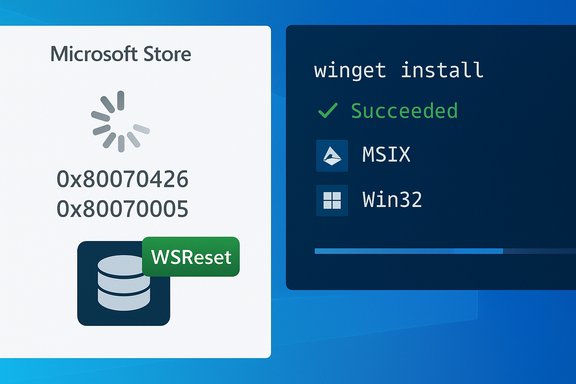
One of the most persistent complaints about the Microsoft Store is simple: sometimes it fails to load, refuses to sign in, or throws error codes when you try to download or update an app. Those failures are often intermittent and can be caused by a variety of factors — corrupted local cache, account token problems, background services that aren’t running, or wider server-side issues. Community threads and Microsoft support channels are full of reports of the Store showing errors like 0x80070426, 0x80070005, or generic “Something happened on our end” messages — and the fixes vary widely, from the trivial (WSReset to clear the Store cache) to the intrusive (re-register Store packages with PowerShell or run SFC/DISM to repair system files). The XDA author’s central complaint — having to repeatedly fix Store-related problems until it simply became quicker to download installers directly from vendor sites — mirrors a widespread, repeated pattern: one-off errors are tolerable; repeated, unpredictable failures break trust.Why these errors happen (short technical primer)
- Cached state and token problems: the Store keeps local caches and license tokens; these can become stale or corrupted, and WSReset or re-signing-in sometimes clears the issue. Microsoft’s own troubleshooting guidance and community Q&A show these are among the first recommended steps.
- System component interaction: the Store depends on background services (App Installer, Delivery Optimization, Windows Update hooks). If a service is misconfigured, stopped, or blocked by security policies, installs and downloads can fail or time out. Community recommendations often point to checking services, running SFC/DISM, and ensuring Windows Update components are healthy.
- Server-side or rollout incidents: Microsoft occasionally pushes new code or changes server-side components; those rollouts can generate transient global or regional failures that individual troubleshooting cannot fix. When this happens, the fix is on Microsoft’s side. Community incident threads and Microsoft Q&A records confirm this pattern.
The user-facing impact and risk
For users who install a few apps once and forget them, occasional errors may be an annoyance. For power users or IT pros who rely on the Store for reproducible provisioning across multiple systems, unpredictable failures are far worse: they increase support time and introduce the very manual processes the Store is meant to eliminate. The XDA author’s verdict — “I know how to fix these things, but I shouldn’t have to” — captures the core trust problem: reliability is as important as features.What Microsoft has done and where it still falls short
Microsoft publishes troubleshooting guidance (reset Store cache, run the Windows Store Apps troubleshooter, re-register packages), and community-facing fixes exist for many common error codes. Those measures help, but the Store still generates high-impact support calls and forum posts when things go wrong. Until the client and backend achieve the same stability users expect from major consumer-facing stores (App Store, Google Play), many users will regard the Store as optional, not essential.2) App availability, discoverability and listing quality remain inconsistent
“More apps” — yes. “All apps” — not yet.
Microsoft has removed many historical barriers for devs: the Store now accepts Win32 apps, MSIX and PWAs, and Microsoft has relaxed or reworked onboarding in recent years to make publishing easier. The goal is clear: attract mainstream desktop apps and make the Store useful beyond small UWP utilities. Microsoft’s Build-era notes and docs describe these changes and the removal of earlier restrictions. But reality on the ground is patchy. The XDA author gives concrete examples: some longtime favorites (PicPick) or heavyweight apps (DaVinci Resolve) are not available through the Store on many systems, and search results can promote poor-quality clones or wrapper packages ahead of the official offering. That inconsistency damages trust: if a search returns a questionable third-party listing when the authentic installer exists elsewhere, users will treat the Store as less authoritative than a vendor site.The discoverability paradox
Three forces conspire against discovery:- Developer inertia: repackaging desktop apps for Store distribution (MSIX, signing, etc. requires work. Big vendors prioritize their own distribution channels — website installers, Steam, or dedicated update systems — because they control timing and telemetry.
- Historical quality control problems: the Store’s reputation for clones and low-quality listings means users sometimes distrust search results. Microsoft has repeatedly removed scammy apps in past sweeps, but reputational scars linger.
- Ranking and algorithm issues: when the top results aren’t trustworthy, users stop relying on the Store for discovery and go to vendor sites or package managers.
Policy fixes and incentives — a mixed bag
Microsoft has tried to make the Store more attractive to developers by changing revenue and appraisal policies. Notable recent announcements — including waiving individual developer onboarding fees and giving developers the option to use their own commerce systems (allowing many publishers to keep 100% of non-game revenues when using their own payment flows) — are intended to lower barriers and encourage publication to the Store. Coverage in the press confirms Microsoft’s direction here and suggests these changes are likely to increase catalog breadth over time. But policy shifts alone can’t force publishers to do the work of packaging, testing, and supporting Store updates; that takes time and an elevated level of trust in the Store’s review and update systems.The verifiable claim vs. the unverifiable lament
- Verifiable: Microsoft accepts more packaging formats, has removed some developer fees, and provides mechanisms (web links, MSIX, WinGet submission) that make Store publication possible for many kinds of apps.
- Not always verifiable: whether a given app (e.g., PicPick or a specific third-party tool) is available in the Store can change by market, region, or publisher decision. Those are facts you should check in the Store directly for your region; claims that a particular app “isn’t in the Store” can be true at one moment and resolved the next.
3) The Store still feels slow and laggy for many users
Symptoms reported by long-time users
The complaints are consistent: the Store takes seconds (sometimes many seconds) to open; navigation between tabs and search results stutters; downloads and updates appear slower or less predictable than rival ecosystems. For people who install and update frequently, the extra latency adds up and reduces the perceived value of the Store. The XDA author describes the same issues: good UI design but sluggish transitions and load times across multiple machines.Microsoft has published claims of performance improvements — reductions in launch times and increased download reliability in some releases — but those incremental gains have not erased the subjective perception that the Store is “not snappy enough.” Community archives and forum posts echo that perception.
Why performance matters beyond aesthetics
Performance is a proxy for reliability. A store that feels fast gives users confidence that downloads will complete, that the catalog is responsive, and that updates will be handled smoothly. A laggy experience introduces friction at every step:- Discovery becomes slower, which discourages browsing and serendipitous discovery.
- Updates feel less dependable because long downloads or stalled progress make users suspicious that something is wrong.
- Support load increases as more users open support threads for downloads that appear stuck.
Where the bottlenecks are likely to be
- Client-side rendering and state management: older Store client code paths or heavy UI frameworks can cause sluggish transitions, especially when the Store is parsing large result sets.
- Backend delivery and CDN variance: while Microsoft uses global CDNs, intermittent throttles or regional issues can affect download reliability for large packages.
- Update orchestration complexity: the Store’s evolving role — coordinating Win32 updates, hosting MSIX packages, talking to winget and the Windows orchestrator — means there are more moving parts to synchronize, and that complexity can increase latency in edge cases.
Why these three problems persist (and what would actually fix them)
1) Developer economics and inertia
Large vendors are pragmatic: if your own website and update pipeline work and give you full control of pricing and telemetry, the Store needs to offer a clear benefit to justify the engineering cost of packaging and certification. Microsoft’s move to smarter revenue options and waived onboarding fees reduces friction, but it does not immediately change the economics that lead many publishers to prefer direct distribution.2) Certification, QA and scale
Catching scammy apps and verifying quality at scale is operationally expensive. Microsoft must simultaneously speed up onboarding and maintain a robust review pipeline. Past cycles show the company can remove problematic apps — but doing so while preserving developer trust and fast review times is a classic platform challenge.3) Update orchestration is inherently hard
Centralizing updates (making the Store or Windows the “single polite updater” for Windows apps) is attractive, but it’s technically complex. It requires secure update provider registration, rollback paths, schedule coordination (battery, idle, activity), and a robust telemetry and diagnostics story. Microsoft has an orchestrator project and pilot integrations, but widespread enterprise and publisher adoption will take time and careful testing.Practical advice: what to do today if you want reliable installs and fewer headaches
- Use command-line package managers for speed and reproducibility
- WinGet (Windows Package Manager) is an official, supported option for scripting installs and can be integrated into setup scripts and provisioning workflows. It’s fast, repeatable, and particularly good for power users and IT admins.
- Keep the Store healthy (if you rely on it)
- Run WSReset.exe to clear the Store cache when encountering failures.
- Use the Windows Store Apps troubleshooter (Settings > System > Troubleshoot).
- If issues persist, re-register the Store package via PowerShell (
Get-AppxPackage -allusers [I]WindowsStore[/I] | Foreach {Add-AppxPackage -DisableDevelopmentMode -Register "$($_.InstallLocation)\AppXManifest.xml"}) — this is a blunt tool but sometimes necessary. Microsoft’s community docs list these steps. - Prefer vendor-hosted installers for niche or high-dependency tools
- For complex, heavyweight apps (video editing suites, specialized capture utilities), vendor installers are still the safest route because they often bundle the exact codecs, drivers, or extras the vendor expects.
- Use mixed strategies in enterprise environments
- For IT admins, leverage Intune and the Store integration where possible for managed deployments, but keep a provisioning pipeline (Win32
.intunewin, MSIX) as a fallback. Microsoft’s Intune docs explain the available paths and the trade-offs. - Watch the Store’s policy and feature roadmap
- Microsoft’s changes to developer fees and commerce were intended to expand the catalog; if you rely on the Store for discovery, keep an eye on Microsoft's announcements and the presence of your favorite apps. Policy shifts on revenue-sharing and fee waivers will influence how quickly publishers invest in Store packaging.
Critical assessment: strengths, risks, and what to watch for
Strengths
- Centralized vetting and security: apps in the Store are vetted and benefit from Microsoft’s distribution and signing model — that offers a safer baseline than random web downloads.
- Modern packaging support: acceptance of Win32, MSIX, PWA and tighter winget integration makes the Store technically capable of being a universal delivery point.
- Developer incentives are improving: policy changes (e.g., waived individual publishing fees and permissive commerce terms) should produce a measurable increase in indie and small-vendor submissions.
Risks and caveats
- Trust is slow to rebuild: reputation and quality control are sticky problems — thousands of old bad listings or a few public rollouts that break installs will slow adoption for years.
- Centralized update orchestration increases blast radius: a single orchestrator that handles many vendors’ updates needs extraordinarily careful rollout and rollback capabilities. Centralization improves polish when it works, but it raises systemic risk when it fails.
- Discoverability and algorithmic promotion still need work: unless search results consistently surface the official, authoritative listings, the Store will remain a secondary channel for many users.
What would convince me (and many users) to switch for good?
- Stable client reliability: no recurrent support chores for basic tasks (opening the Store, signing in, initiating a download).
- Catalog parity for everyday tools: mainstream, reliable apps (and not just games) should be present and obviously authentic in search results.
- Faster, more transparent updates: automatic, reliable updates for Store-installed Win32 apps with clear provenance and rollback where necessary.
Conclusion
The Microsoft Store’s improvements are meaningful: broader packaging acceptance, integration with winget, and developer-friendly policy changes show Microsoft wants a modern desktop app marketplace. But the Store is not yet the frictionless, always-trustworthy app hub many users want. The three practical reasons the XDA author still avoids it — frequent errors, limited or unreliable availability, and perceived slowness — are not solely surface annoyances. They are symptoms of deeper platform and ecosystem problems: trust, scale, and the hard engineering work of making centralized distribution just work for a wildly heterogeneous desktop ecosystem.For now, pragmatic users should use the Store where it provides clear benefits (security-scoped, simple installs, and apps that advertise Store-managed updates), rely on winget and vendor installers for reproducibility and speed, and monitor Microsoft’s rollout of orchestration and developer policy changes. If Microsoft delivers sustained, measurable improvements in reliability and real catalog growth — not just policy headlines — the Store will finally graduate from “promising” to “primary.” Until then, seasoned Windows users will continue to keep one foot in the Store and one foot on the vendor website.
Source: XDA 3 reasons I still avoid the Microsoft Store despite the improvements
