

Microsoft Azure CTO Mark Russinovich said in a Microsoft developer video posted in early May 2026 that Win32, the Windows programming interface born in the Windows 95 era, remains a first-class foundation inside Windows 11 because decades of applications and tooling still depend on it. That is not just a nostalgic admission from one of Windows’ most credible technical historians. It is a reminder that the operating system Microsoft sells as an AI-era platform is still, at its core, a bargain with the 1990s. Windows keeps winning on the desktop not because it escaped its past, but because it made compatibility into infrastructure.
The easiest joke is that Windows 11 is a museum with rounded corners. Click through far enough and the Fluent Design polish gives way to old dialogs, management consoles, and utilities that look like they were preserved in amber. The joke works because every Windows power user has seen it: a modern Settings page on one click, a Control Panel relic on the next.
Russinovich’s comment gives that visual mismatch a deeper technical frame. Win32 is not merely some dusty compatibility shim left behind for a few old apps. It remains one of the central ways Windows software talks to the operating system, from windows and files to input, processes, graphics, networking, and the other mundane mechanics that make desktop computing feel desktop-like.
That reality can feel absurd in 2026, when Microsoft is also trying to sell Windows as the front end for Copilot, cloud identity, neural processing units, and “agentic” workflows. But the absurdity is the point. Windows is not a clean-room future machine; it is the most commercially successful continuity project in personal computing.
The platform’s apparent contradiction is also its moat. Every time Microsoft is criticized for dragging legacy code forward, it is also being paid by customers who expect old software to keep running. The same inheritance that makes Windows look inconsistent is the inheritance that keeps it indispensable in banks, hospitals, factories, engineering firms, government offices, point-of-sale systems, and IT departments that cannot simply “move fast” because a vendor presentation found a prettier abstraction.
That is how software history usually works. The future does not arrive as a clean replacement for the past; it arrives as a stack. TCP/IP did not vanish because web APIs got friendlier. SQL did not evaporate because NoSQL had a better conference booth. Win32 did not die because Microsoft found newer names for Windows development.
The result is that Windows 11 can look like a contemporary consumer OS while behaving, underneath, like a long-running treaty between Microsoft and the world’s accumulated software investments. That treaty says: if you built for Windows, Microsoft will try very hard not to strand you.
There is an obvious cost. Every preserved behavior becomes another constraint on redesign. Every undocumented assumption in an old application becomes another reason an apparently simple change can break something important. In that sense, Win32 is less like an old engine still bolted into a modern car and more like the road network itself: ugly in places, expensive to maintain, impossible to remove without stopping commerce.
That strategy failed to displace Win32 for reasons that were obvious in retrospect but painful at the time. Developers did not want to rewrite mature desktop applications for a platform whose audience and business case were uncertain. Users did not want a touch-first shell imposed on conventional PCs. Enterprises did not want to trade working applications for architectural purity.
Windows 8’s commercial and cultural backlash mattered because platform transitions are not won by APIs alone. They require trust, distribution, developer incentives, and a user experience that feels like an upgrade rather than a punishment. Microsoft had a story about the future, but Win32 had the installed base.
The company has spent the years since retreating from revolution into coexistence. UWP did not disappear, but it stopped being the presumed destination for all Windows apps. WinUI, the Windows App SDK, MSIX, and modern desktop modernization guidance now tell a subtler story: bring newer capabilities to existing apps, do not demand that the ecosystem leap off a cliff.
That shift is pragmatic, but it is also an admission. Microsoft can introduce new frameworks, package formats, UI stacks, and runtime models. It cannot wish away the gravitational mass of the classic desktop.
Win32 is legacy in that second sense. It is old, yes, but it is also an interface through which an enormous body of software continues to function. The API’s persistence is not simply sentimental; it reflects the economics of deployed systems.
A manufacturing plant running a specialized control application does not care whether the UI toolkit excites developers on social media. A hospital system with a validated workflow does not rewrite software lightly because a platform vendor has a cleaner model. A small business with a line-of-business application written years ago may not even have access to the original developers, much less the budget for a ground-up port.
This is where consumer complaints about Windows “bloat” collide with institutional reality. Enthusiasts may want a leaner Windows, stripped of old subsystems and inconsistent interfaces. Administrators often want the opposite: a Windows that tolerates old installers, old peripherals, old automation scripts, old management habits, and old vendor dependencies.
Microsoft has to serve both groups with one product family. That is why Windows can feel simultaneously overburdened and uniquely capable. It is asked to be a modern consumer platform, a gaming runtime, a developer workstation, an enterprise endpoint, a kiosk OS, a compatibility layer for industrial software, and a security boundary under active attack. No elegant design survives that job unchanged.
On the other hand, deep integration is exactly what attackers like. The Windows desktop ecosystem has long included powerful process, file, registry, scripting, service, driver, and interprocess communication surfaces. Those capabilities make legitimate administration possible, but they also create opportunities for persistence, lateral movement, credential theft, and living-off-the-land abuse.
Microsoft’s modern security work is, in part, an effort to impose contemporary guardrails around an older freedom model. Defender, Smart App Control, virtualization-based security, driver blocklists, application control, signed binaries, constrained scripting, and cloud reputation systems are all attempts to reduce risk without breaking the core expectation that Windows runs Windows software.
That balancing act is harder than designing a locked-down platform from scratch. Apple can make sharper breaks when it controls more of the stack and has a customer base conditioned to accept platform transitions. Mobile operating systems can enforce app sandboxing because they were born into an app-store model. Windows has to retrofit discipline onto an ecosystem that predates those assumptions.
This is why “just rewrite Windows” remains a fantasy answer. A rewritten Windows that breaks too much is not Windows in the market sense; it is a new operating system with a familiar logo. The hard problem is not producing cleaner code. The hard problem is preserving the behavioral contract while making the platform safer, faster, and less chaotic.
Tools like Process Explorer, Autoruns, Procmon, Sysmon, and ZoomIt occupy a special place in Windows culture. They are not merely utilities; they are a vocabulary for understanding what the operating system is doing. They appeal to the same audience that sees Windows not as a sealed appliance but as a system to be interrogated, scripted, debugged, and bent into shape.
That matters because it undercuts the simplistic version of the legacy-code complaint. The old Windows model is not only a burden; it is also why the platform has such a rich tooling ecosystem. Administrators can peer into processes, trace file and registry activity, inspect startup entries, monitor system behavior, and build operational workflows around visibility that many modern platforms hide behind abstraction.
Sysmon’s increasing relevance in security operations is especially telling. A tool rooted in classic Windows internals has become more important, not less, as endpoint detection and incident response have matured. The same platform depth that complicates Windows also gives defenders a wealth of signals when they know how to collect and interpret them.
ZoomIt’s continued life inside PowerToys tells the gentler version of the same story. Even as Microsoft chases AI overlays and cloud-connected experiences, some of the most beloved Windows utilities remain small, practical tools built for the rituals of desktop work. The old ecosystem survives partly because it still solves real problems elegantly.
That is less glamorous than a clean platform reset, but it is more credible. Enterprises do not modernize by burning down everything at once. They modernize by replacing the riskiest parts, wrapping the most valuable parts, and slowly reducing dependence on fragile assumptions.
The Windows App SDK reflects that compromise. It is not a guillotine for Win32. It is an attempt to decouple newer Windows application capabilities from the operating system release cycle while allowing existing desktop applications to consume them. That is a very Microsoft solution: less revolution, more adapter layer.
There is a strategic lesson here for the AI-era Windows push as well. If Microsoft wants Copilot and local AI features to become meaningful on Windows, it will not be enough to bolt chat panels onto the shell. The company will need to make modern capabilities accessible to the enormous existing desktop ecosystem without demanding that developers abandon everything that works.
The future of Windows, then, is unlikely to be a single new API that sweeps the old world away. It will be a thicker stack: Win32 below, modern app frameworks beside it, cloud services above it, AI features threaded through it, and compatibility workarounds everywhere. That may offend architectural purists, but it matches how Windows has actually survived.
That inconsistency is not just aesthetic. It affects trust. Users who see old UI fragments inside a supposedly modern system reasonably wonder whether Microsoft is maintaining Windows or merely decorating it. Enthusiasts who want a coherent desktop experience read every legacy panel as evidence that nobody is in charge.
But the same inconsistency can also be a sign of restraint. Microsoft has learned, painfully, that replacing familiar management surfaces can break workflows even when the replacement is visually better. IT departments build documentation, scripts, training, and muscle memory around tools that may look archaic but work reliably.
The challenge is deciding when preservation becomes neglect. A legacy dialog that remains because it exposes necessary controls is defensible. A duplicated settings path that confuses users for a decade is harder to justify. The line between compatibility and indecision is one Microsoft has crossed more than once.
Windows 11’s interface therefore becomes a public record of internal compromise. It shows where Microsoft has modernized confidently, where it has papered over older subsystems, and where the company has not yet found a migration path that satisfies both home users and enterprise administrators.
The Windows developer story is more pluralistic than it used to be. Some teams build with .NET and WinUI. Some maintain WPF or Windows Forms applications. Some ship Electron apps because cross-platform reach matters more than native purity. Some write C++ against Win32 because they need control, performance, or integration depth. Many mix layers because real products rarely fit a platform diagram.
That pluralism frustrates anyone looking for the one true Windows app model. But it is also why Windows remains viable across so many categories. The same OS can run a CAD package, a trading terminal, a game launcher, a hospital records client, a Python IDE, a kiosk shell, and a 20-year-old internal utility.
Microsoft’s failure to impose a single successor to Win32 may look like strategic weakness. It is also a form of ecosystem realism. Developers do not migrate because a vendor says “modern”; they migrate when the benefits exceed the costs and the destination looks durable enough to justify the work.
That is the shadow Windows 8 still casts. Once developers see a major platform push falter, they become more cautious about the next one. Microsoft can win them back, but only by proving that new layers complement old investments rather than threatening them.
This is the Windows trap. Break compatibility and customers revolt. Preserve compatibility and the product accumulates complexity. Modernize aggressively and enterprises hesitate. Move slowly and consumers accuse the company of stagnation. Push a store model and developers resist. Leave the classic model open and security teams inherit the mess.
There is no painless way out because the trap is also the business. Windows remains important precisely because it is the place where old and new can coexist. That coexistence is untidy, but it is valuable. It lets organizations amortize software investments over decades rather than product cycles.
The more interesting question is not whether Microsoft can eliminate Win32. It is whether Microsoft can continue to contain the costs of carrying it. That means better isolation, clearer modernization paths, stronger defaults, fewer duplicated interfaces, more predictable deployment, and developer tooling that makes secure choices easier than insecure ones.
If Windows fails, it will not be because Win32 exists. It will be because Microsoft lets the old contract prevent the new work from feeling coherent. Compatibility is a strength only when it is actively engineered, not when it becomes an excuse for entropy.
The most concrete lessons are not especially romantic:
Source: 36Kr Flying Car Didn't Arrive, but Win32 Lives On: Microsoft CTO Admits Windows 11 Rests on 1990s "Ancestral Code"
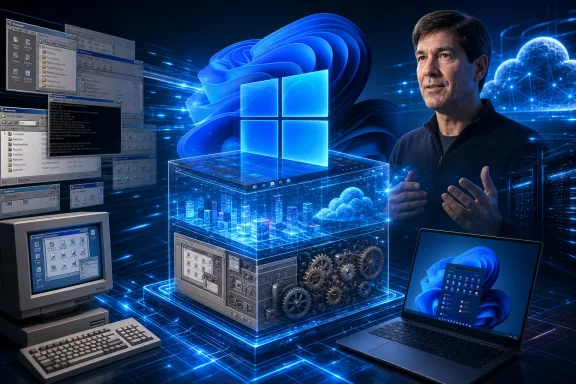 Windows 11’s Modern Face Still Sits on an Old Contract
The easiest joke is that Windows 11 is a museum with rounded corners. Click through far enough and the Fluent Design polish gives way to old dialogs, management consoles, and utilities that look like they were preserved in amber. The joke works because every Windows power user has seen it: a modern Settings page on one click, a Control Panel relic on the next.Russinovich’s comment gives that visual mismatch a deeper technical frame. Win32 is not merely some dusty compatibility shim left behind for a few old apps. It remains one of the central ways Windows software talks to the operating system, from windows and files to input, processes, graphics, networking, and the other mundane mechanics that make desktop computing feel desktop-like.
That reality can feel absurd in 2026, when Microsoft is also trying to sell Windows as the front end for Copilot, cloud identity, neural processing units, and “agentic” workflows. But the absurdity is the point. Windows is not a clean-room future machine; it is the most commercially successful continuity project in personal computing.
The platform’s apparent contradiction is also its moat. Every time Microsoft is criticized for dragging legacy code forward, it is also being paid by customers who expect old software to keep running. The same inheritance that makes Windows look inconsistent is the inheritance that keeps it indispensable in banks, hospitals, factories, engineering firms, government offices, point-of-sale systems, and IT departments that cannot simply “move fast” because a vendor presentation found a prettier abstraction.
The Flying Cars Line Landed Because It Was True
Russinovich’s “flying cars and moon stations” line spread because it captured a particular kind of engineering humility. The people building Windows in the 1990s were not imagining a world in which their API choices would still shape daily computing three decades later. They were building for the market in front of them, with the assumptions and constraints of their era.That is how software history usually works. The future does not arrive as a clean replacement for the past; it arrives as a stack. TCP/IP did not vanish because web APIs got friendlier. SQL did not evaporate because NoSQL had a better conference booth. Win32 did not die because Microsoft found newer names for Windows development.
The result is that Windows 11 can look like a contemporary consumer OS while behaving, underneath, like a long-running treaty between Microsoft and the world’s accumulated software investments. That treaty says: if you built for Windows, Microsoft will try very hard not to strand you.
There is an obvious cost. Every preserved behavior becomes another constraint on redesign. Every undocumented assumption in an old application becomes another reason an apparently simple change can break something important. In that sense, Win32 is less like an old engine still bolted into a modern car and more like the road network itself: ugly in places, expensive to maintain, impossible to remove without stopping commerce.
Microsoft Tried to Move the Center of Gravity and Learned the Desktop Would Not Follow
The story is not that Microsoft lacked ambition. Windows 8 was the company’s most visible attempt to reset the Windows application model for a new era of tablets, app stores, touch interfaces, sandboxing, and cleaner lifecycle management. WinRT, Metro, and later UWP were not random branding exercises; they were a strategic attempt to pull Windows development toward a more controlled, modern, and cross-device platform.That strategy failed to displace Win32 for reasons that were obvious in retrospect but painful at the time. Developers did not want to rewrite mature desktop applications for a platform whose audience and business case were uncertain. Users did not want a touch-first shell imposed on conventional PCs. Enterprises did not want to trade working applications for architectural purity.
Windows 8’s commercial and cultural backlash mattered because platform transitions are not won by APIs alone. They require trust, distribution, developer incentives, and a user experience that feels like an upgrade rather than a punishment. Microsoft had a story about the future, but Win32 had the installed base.
The company has spent the years since retreating from revolution into coexistence. UWP did not disappear, but it stopped being the presumed destination for all Windows apps. WinUI, the Windows App SDK, MSIX, and modern desktop modernization guidance now tell a subtler story: bring newer capabilities to existing apps, do not demand that the ecosystem leap off a cliff.
That shift is pragmatic, but it is also an admission. Microsoft can introduce new frameworks, package formats, UI stacks, and runtime models. It cannot wish away the gravitational mass of the classic desktop.
Legacy Is the Wrong Insult for Something Still Doing Useful Work
The word legacy often functions as a slur in software debates. It suggests code that is old, dirty, embarrassing, or overdue for demolition. But in enterprise computing, legacy often means something more precise: code that survived because it still performs a job nobody can afford to interrupt.Win32 is legacy in that second sense. It is old, yes, but it is also an interface through which an enormous body of software continues to function. The API’s persistence is not simply sentimental; it reflects the economics of deployed systems.
A manufacturing plant running a specialized control application does not care whether the UI toolkit excites developers on social media. A hospital system with a validated workflow does not rewrite software lightly because a platform vendor has a cleaner model. A small business with a line-of-business application written years ago may not even have access to the original developers, much less the budget for a ground-up port.
This is where consumer complaints about Windows “bloat” collide with institutional reality. Enthusiasts may want a leaner Windows, stripped of old subsystems and inconsistent interfaces. Administrators often want the opposite: a Windows that tolerates old installers, old peripherals, old automation scripts, old management habits, and old vendor dependencies.
Microsoft has to serve both groups with one product family. That is why Windows can feel simultaneously overburdened and uniquely capable. It is asked to be a modern consumer platform, a gaming runtime, a developer workstation, an enterprise endpoint, a kiosk OS, a compatibility layer for industrial software, and a security boundary under active attack. No elegant design survives that job unchanged.
Backward Compatibility Is a Feature Until It Becomes a Security Problem
The security implications of Win32’s endurance are more complicated than either critics or defenders usually admit. On one hand, a permissive desktop application model is part of why Windows remains so useful. Native applications can integrate deeply with the system, access hardware, automate workflows, and interoperate with decades of tools.On the other hand, deep integration is exactly what attackers like. The Windows desktop ecosystem has long included powerful process, file, registry, scripting, service, driver, and interprocess communication surfaces. Those capabilities make legitimate administration possible, but they also create opportunities for persistence, lateral movement, credential theft, and living-off-the-land abuse.
Microsoft’s modern security work is, in part, an effort to impose contemporary guardrails around an older freedom model. Defender, Smart App Control, virtualization-based security, driver blocklists, application control, signed binaries, constrained scripting, and cloud reputation systems are all attempts to reduce risk without breaking the core expectation that Windows runs Windows software.
That balancing act is harder than designing a locked-down platform from scratch. Apple can make sharper breaks when it controls more of the stack and has a customer base conditioned to accept platform transitions. Mobile operating systems can enforce app sandboxing because they were born into an app-store model. Windows has to retrofit discipline onto an ecosystem that predates those assumptions.
This is why “just rewrite Windows” remains a fantasy answer. A rewritten Windows that breaks too much is not Windows in the market sense; it is a new operating system with a familiar logo. The hard problem is not producing cleaner code. The hard problem is preserving the behavioral contract while making the platform safer, faster, and less chaotic.
Sysinternals Is the Perfect Symbol of the Platform Microsoft Cannot Quit
Russinovich’s own career makes the Win32 discussion unusually resonant. Before he became Azure CTO, he was known to Windows administrators and developers through Sysinternals, the suite of diagnostic and troubleshooting tools that became essential precisely because Windows was so deep, complex, and inspectable.Tools like Process Explorer, Autoruns, Procmon, Sysmon, and ZoomIt occupy a special place in Windows culture. They are not merely utilities; they are a vocabulary for understanding what the operating system is doing. They appeal to the same audience that sees Windows not as a sealed appliance but as a system to be interrogated, scripted, debugged, and bent into shape.
That matters because it undercuts the simplistic version of the legacy-code complaint. The old Windows model is not only a burden; it is also why the platform has such a rich tooling ecosystem. Administrators can peer into processes, trace file and registry activity, inspect startup entries, monitor system behavior, and build operational workflows around visibility that many modern platforms hide behind abstraction.
Sysmon’s increasing relevance in security operations is especially telling. A tool rooted in classic Windows internals has become more important, not less, as endpoint detection and incident response have matured. The same platform depth that complicates Windows also gives defenders a wealth of signals when they know how to collect and interpret them.
ZoomIt’s continued life inside PowerToys tells the gentler version of the same story. Even as Microsoft chases AI overlays and cloud-connected experiences, some of the most beloved Windows utilities remain small, practical tools built for the rituals of desktop work. The old ecosystem survives partly because it still solves real problems elegantly.
The Real Windows Strategy Is Layering, Not Replacement
The most revealing part of Microsoft’s current Windows developer posture is not any single framework. It is the company’s repeated insistence that developers can modernize incrementally. Existing Win32, WPF, and Windows Forms applications can call newer APIs, adopt newer packaging, use modern UI components where appropriate, and move at a pace that fits the application rather than the vendor’s annual keynote.That is less glamorous than a clean platform reset, but it is more credible. Enterprises do not modernize by burning down everything at once. They modernize by replacing the riskiest parts, wrapping the most valuable parts, and slowly reducing dependence on fragile assumptions.
The Windows App SDK reflects that compromise. It is not a guillotine for Win32. It is an attempt to decouple newer Windows application capabilities from the operating system release cycle while allowing existing desktop applications to consume them. That is a very Microsoft solution: less revolution, more adapter layer.
There is a strategic lesson here for the AI-era Windows push as well. If Microsoft wants Copilot and local AI features to become meaningful on Windows, it will not be enough to bolt chat panels onto the shell. The company will need to make modern capabilities accessible to the enormous existing desktop ecosystem without demanding that developers abandon everything that works.
The future of Windows, then, is unlikely to be a single new API that sweeps the old world away. It will be a thicker stack: Win32 below, modern app frameworks beside it, cloud services above it, AI features threaded through it, and compatibility workarounds everywhere. That may offend architectural purists, but it matches how Windows has actually survived.
The Cost of Immortality Shows Up in the User Interface
For ordinary users, the most visible consequence of this history is inconsistency. Windows 11 can feel like three operating systems wearing the same coat. Settings and Control Panel still overlap. Some dialogs have modern spacing and typography; others look like they wandered in from a service pack. Administrative tools often expose the deeper truth faster than consumer-facing surfaces do.That inconsistency is not just aesthetic. It affects trust. Users who see old UI fragments inside a supposedly modern system reasonably wonder whether Microsoft is maintaining Windows or merely decorating it. Enthusiasts who want a coherent desktop experience read every legacy panel as evidence that nobody is in charge.
But the same inconsistency can also be a sign of restraint. Microsoft has learned, painfully, that replacing familiar management surfaces can break workflows even when the replacement is visually better. IT departments build documentation, scripts, training, and muscle memory around tools that may look archaic but work reliably.
The challenge is deciding when preservation becomes neglect. A legacy dialog that remains because it exposes necessary controls is defensible. A duplicated settings path that confuses users for a decade is harder to justify. The line between compatibility and indecision is one Microsoft has crossed more than once.
Windows 11’s interface therefore becomes a public record of internal compromise. It shows where Microsoft has modernized confidently, where it has papered over older subsystems, and where the company has not yet found a migration path that satisfies both home users and enterprise administrators.
Developers Are Voting for Stability, Even When They Complain About It
Developers love to complain about old APIs until old APIs are the reason their customers can still run their software. This is the paradox at the heart of Win32. It is not the fashionable choice in many greenfield conversations, but it remains an extraordinarily practical one when performance, hardware access, native behavior, and broad Windows compatibility matter.The Windows developer story is more pluralistic than it used to be. Some teams build with .NET and WinUI. Some maintain WPF or Windows Forms applications. Some ship Electron apps because cross-platform reach matters more than native purity. Some write C++ against Win32 because they need control, performance, or integration depth. Many mix layers because real products rarely fit a platform diagram.
That pluralism frustrates anyone looking for the one true Windows app model. But it is also why Windows remains viable across so many categories. The same OS can run a CAD package, a trading terminal, a game launcher, a hospital records client, a Python IDE, a kiosk shell, and a 20-year-old internal utility.
Microsoft’s failure to impose a single successor to Win32 may look like strategic weakness. It is also a form of ecosystem realism. Developers do not migrate because a vendor says “modern”; they migrate when the benefits exceed the costs and the destination looks durable enough to justify the work.
That is the shadow Windows 8 still casts. Once developers see a major platform push falter, they become more cautious about the next one. Microsoft can win them back, but only by proving that new layers complement old investments rather than threatening them.
The Windows Moat Is Also the Windows Trap
Every platform company wants lock-in until it has to maintain the locks. Microsoft’s desktop monopoly was built partly on the fact that Windows software stayed valuable across hardware generations and OS releases. That continuity created a staggering advantage over rivals. It also bound Microsoft to choices made when today’s computing assumptions did not exist.This is the Windows trap. Break compatibility and customers revolt. Preserve compatibility and the product accumulates complexity. Modernize aggressively and enterprises hesitate. Move slowly and consumers accuse the company of stagnation. Push a store model and developers resist. Leave the classic model open and security teams inherit the mess.
There is no painless way out because the trap is also the business. Windows remains important precisely because it is the place where old and new can coexist. That coexistence is untidy, but it is valuable. It lets organizations amortize software investments over decades rather than product cycles.
The more interesting question is not whether Microsoft can eliminate Win32. It is whether Microsoft can continue to contain the costs of carrying it. That means better isolation, clearer modernization paths, stronger defaults, fewer duplicated interfaces, more predictable deployment, and developer tooling that makes secure choices easier than insecure ones.
If Windows fails, it will not be because Win32 exists. It will be because Microsoft lets the old contract prevent the new work from feeling coherent. Compatibility is a strength only when it is actively engineered, not when it becomes an excuse for entropy.
The 1990s API That Explains the 2026 Desktop
Russinovich’s admission is useful because it turns a meme into a diagnosis. Win32’s survival is not an embarrassing footnote; it is the architectural fact that explains much of Windows’ power and much of its mess. The platform’s future depends on managing that fact honestly.The most concrete lessons are not especially romantic:
- Windows 11 still depends heavily on Win32 because the Windows desktop ecosystem has decades of applications, tools, behaviors, and operational practices built on top of it.
- Microsoft’s attempts to shift developers toward newer models, especially during the Windows 8 and WinRT era, never displaced the classic desktop because the migration cost outweighed the perceived benefit for many developers and enterprises.
- Backward compatibility remains one of Windows’ strongest commercial advantages, particularly in organizations that rely on specialized or long-lived software.
- The same compatibility that keeps Windows valuable also increases the burden on Microsoft’s security, reliability, and user-interface teams.
- The realistic future of Windows is incremental modernization around Win32, not a sudden purge of the old desktop model.
- Developers and administrators should treat “legacy” Windows technologies less as dead weight and more as long-lived infrastructure that still requires active maintenance, hardening, and modernization planning.
Source: 36Kr Flying Car Didn't Arrive, but Win32 Lives On: Microsoft CTO Admits Windows 11 Rests on 1990s "Ancestral Code"
Last edited:
