

Windows 10’s longevity and near‑ubiquity weren’t accidents; they were the product of deliberate design choices, a pragmatic upgrade policy, and an operating model that prioritized compatibility and incremental improvement over radical reinvention. In the years after its July 2015 debut, Windows 10 became the default “safe” option for consumers, enterprises, gamers, and developers — a platform that felt modern without forcing users to relearn the PC. Today, as the platform approaches and passes its advertised end‑of‑support milestones, the reasons for Windows 10’s high popularity remain instructive for anyone planning migrations or managing fleets of Windows devices.
Background
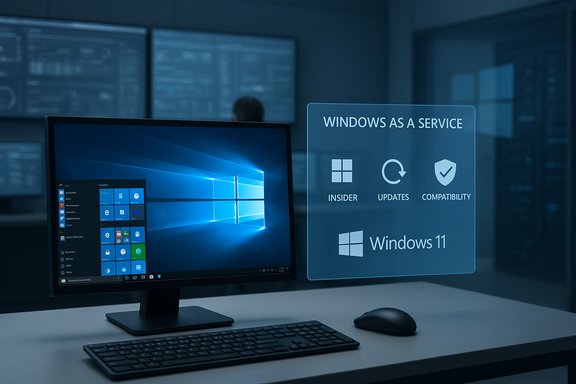
Windows 10 launched as a corrective pivot away from Windows 8’s controversial changes. Microsoft returned the Start menu, re‑emphasized the desktop, and promised a “Windows as a Service” model: rolling feature updates, more frequent quality fixes, and a public preview program (Windows Insider) to gather feedback before changes shipped. Those moves framed Windows 10 not as a one‑time upgrade but as a continuously evolving platform, which appealed to a wide audience that prized stability and continuity.From day one Microsoft also used economics as a lever: offering Windows 10 as a free upgrade to qualifying Windows 7 and 8.1 devices removed a major adoption barrier and produced enormous initial momentum. That free upgrade policy, combined with conservative UI choices and broad hardware compatibility, seeded massive adoption and created long‑term inertia.
Why Windows 10 Became So Popular
1. Familiar, desktop‑first user experience
The interface choices in Windows 10 were intentionally conservative. Restoring a recognizable Start menu and maintaining a desktop‑centric workflow reassured users who had been frustrated by Windows 8’s full‑screen tiles. The psychological effect — Microsoft “listening” and returning to a known mental model — reduced friction for large swaths of users and organizations planning upgrades. That design conservatism made Windows 10 feel like an evolution, not an upheaval.2. Broad hardware and software compatibility
Windows 10’s compatibility promise was a major selling point. Enterprises, specialized workstations, PoS devices, and gamers rely on drivers and legacy applications that can be fragile under OS transitions. Windows 10 maintained API and driver continuity while adding modern features, which translated into predictable behavior for critical workloads and peripherals. For many organizations the cost and risk of validating Windows 11 outweighed the perceived benefits, and Windows 10’s compatibility profile reinforced that risk‑averse choice.3. Free upgrade economics and mass migration
Removing upfront cost is a powerful adoption accelerator. Microsoft’s free upgrade offer for qualifying Windows 7 and 8.1 devices eliminated a direct purchase decision, enabling fast, low‑friction mass migrations. That created a massive installed base whose sheer scale generated additional inertia: ecosystem partners, ISVs, and peripheral vendors optimized for Windows 10, which in turn reduced switching incentives for end users.4. Rolling updates and the Windows Insider feedback loop
The Windows Insider program and the move to a rolling updates cadence gave enthusiasts and enterprise testers a stake in Windows 10’s development. That transparency produced faster iteration on bugs and features and created a community that felt ownership over the OS’s trajectory. The result: visible improvements over time and a perception that Windows 10 was being actively refined in response to real user needs.5. Incremental polish that matched user expectations
Early Windows 10 releases had rough edges, but Microsoft’s frequent quality‑of‑life updates addressed many of them: display scaling, Settings app maturation, taskbar and notification improvements, and smoother tray behavior. These incremental fixes may have seemed small individually, but together they turned a rocky launch into a consistently usable platform — an important factor for users who value reliability over novelty.6. Developer and power‑user tools
Windows 10 made important strides for developers. The Windows Subsystem for Linux (WSL) and the modern Windows Terminal crossed a long‑standing usability gap for devs who previously favored macOS or Linux. These tools helped keep Windows relevant in development workflows and drove adoption among professionals who needed native access to Unix‑style tooling.7. Strong gaming and multimedia support
For gamers, Windows 10’s established performance characteristics and wide driver support were decisive. Much of the gaming ecosystem — titles, anti‑cheat systems, and GPU drivers — matured around Windows 10, and until Windows 11 offered clearly superior gaming benefits for everyday titles, the incentive to upgrade remained weak. This segment’s cautious approach helped keep Windows 10’s installed base large for longer.8. Enterprise readiness: deployment, management, and security features
Windows 10 provided concrete management benefits for IT: cleaner deployment workflows, tools like System Center Configuration Manager integration, and enterprise security features (Device Guard, Credential Guard, BitLocker improvements). Enterprise customers framed Windows 10 as offering improved productivity, lower IT management costs, and stronger security baselines — arguments that made migration attractive and defensible in ROI terms.Adoption Numbers and the Market Picture
Different measurement tools paint different pictures of “who’s winning” among Windows versions because each tracker uses different signals (page views, device telemetry, or active user surveys). Some web‑analytics trackers indicated Windows 10 remained a very large share of measured web activity well into 2025, while other datasets, like gaming or new‑hardware shipments, showed faster Windows 11 adoption in certain segments. The divergence underscores an important point: raw market share estimates vary by dataset and region, and no single number fully captures the installed base.Microsoft’s lifecycle policy set a hard date for mainstream support: October 14, 2025. That deadline changed the migration calculus with a clear contract: after that date, free mainstream updates cease for most consumer and business SKUs unless covered by Extended Security Update (ESU) programs. The presence of ESU options softened immediate pressure for some organizations, but it was explicitly a time‑boxed safety valve, not a permanent alternative.
Trade‑offs, Criticisms, and Unintended Consequences
Windows 10’s design and deployment model delivered huge benefits, but it also introduced trade‑offs and controversies that shaped how users perceive Microsoft and its platforms.- Telemetry and privacy concerns: The “Windows as a Service” model relied heavily on diagnostic and usage data to prioritize fixes and features. While Microsoft added transparency tools later, telemetry collection by default raised privacy questions for many users and watchdogs. Some diagnostic controls remained limited on consumer SKUs, which fueled criticism.
- Ecosystem nudges and platform lock‑in: Windows 10 increasingly integrated Microsoft services — OneDrive, Microsoft Account sign‑in, Microsoft Store, and Microsoft 365 hooks. These integrations boosted convenience for invested users but also nudged others toward cloud‑centric workflows, creating a perception (and occasionally a reality) of reduced local‑first flexibility.
- UI commercialization: Suggested apps and promotional surfaces appeared in system real estate (Start menu suggestions, promoted tiles). While optional, those placements signaled a willingness to use OS UI for distribution and monetization — an unwelcome change to users who prefer a neutral desktop.
- Fragmentation risk as the platform ages: Extended lifecycles mean more devices on older code paths for longer, which can lead to fragmentation and higher long‑term support costs for ISVs and security teams. The ESU program can delay but not eliminate this inevitability.
The Security and Compliance Implication of Staying on Windows 10
After the end‑of‑support date, Windows 10 devices face increasing risk exposure over time. The primary concerns are:- Unpatched vulnerabilities: Without routine OS‑level security patches, new exploits may remain unaddressed on unsupported machines, increasing risk for endpoint compromise.
- Regulatory and compliance impact: Organizations subject to industry regulations (PCI‑DSS, HIPAA, GDPR expectations for secure defaults) may find running end‑of‑support systems a compliance liability without compensating controls.
- Third‑party support alignment: Independent software vendors often align their support windows with Microsoft’s lifecycle. Over time, anti‑malware vendors and enterprise apps may change compatibility policies, increasing operational risk for holdouts.
Practical Migration Checklist (for IT teams and advanced home users)
- Inventory and baseline
- Identify all Windows 10 devices, hardware specs, and installed applications.
- Flag mission‑critical systems and legacy apps with compatibility risk.
- Assess compatibility and performance
- Confirm hardware meets Windows 11 requirements where upgrade is planned.
- Engage vendors for app and peripheral compatibility statements.
- Pilot and validation
- Run a phased pilot with a representative subset of hardware and users.
- Validate performance, driver stability, and business app behavior.
- Backup and rollback planning
- Ensure reliable backups and test rollback procedures for the pilot group.
- Phased rollout
- Schedule staged deployments that align with business cycles and support windows.
- Maintain imaging and provisioning recipes for reproducible deployments.
- Security posture and ESU planning
- If immediate upgrade is impossible, evaluate ESU enrollment for critical systems.
- Harden network segmentation and endpoint controls to reduce exposure.
- Training and change management
- Communicate functional changes to users, provide training materials, and collect feedback.
- Decommission and remediation
- Retire unsupported hardware where necessary and ensure secure disposal or repurposing.
Advice for Home Users
- If your device meets Windows 11 system requirements and you want the newer UI and features, plan the upgrade after backing up your data and confirming app compatibility.
- If you prefer to stay on Windows 10 temporarily, consider hardening your PC: enable full‑disk encryption, keep browsers and anti‑malware updated, and avoid risky software sources.
- ESU is an option for critical single machines but is expensive and temporary; it’s typically not recommended as a permanent solution for average consumers.
Critical Analysis: Strengths, Weaknesses, and Strategic Consequences
Strengths (what Microsoft got right)
- Stability through compatibility: By balancing legacy support with modern features, Windows 10 minimized friction for large organizations and ensured broad third‑party support. This approach delivered tangible ROI for many enterprises.
- Developer relevance: WSL and modern terminal tooling brought Windows back into many developers’ workflows, reducing migration to other platforms.
- Managed evolution: Rolling updates and the Windows Insider program created a virtuous loop of feedback, reducing large, risky release cycles and enabling steady improvement.
Weaknesses and risks
- Privacy friction: Default telemetry choices raised trust issues and created an ongoing reputation cost for Microsoft among privacy‑sensitive users. The trade‑off (faster telemetry‑driven improvements vs user control) remains contentious.
- Monetization of system UI: Introducing promotional content into the OS interface eroded perceptions of neutrality and risked alienating power users who expect an uncluttered desktop.
- Support cliff and fragmentation: Long lifecycles create a squeezed window where some segments rapidly adopt newer OSes while others lag, increasing complexity for developers and IT teams. ESU delays that reckoning but does not eliminate the eventual cost of migration.
Long‑term implications
Windows 10’s success normalized a model where Microsoft’s platform decisions are tightly coupled with cloud services and telemetry. That model accelerated feature delivery and created powerful synergies with Microsoft 365 and Azure, but it also hardened expectations around identity‑centric workflows and cloud integration. The net result is a Windows ecosystem that favors continuity and managed transitions — a pragmatic posture that explains much of Windows 10’s longevity and its users’ reluctance to move quickly to Windows 11.Claims That Need Careful Verification
Some popularly quoted numbers — such as exact market share percentages at a specific date or Microsoft’s internal usage counts — vary by tracker and by the measurement method. Web‑analytics tools, installed‑base telemetry, and segment‑specific surveys (e.g., gaming hardware) can all produce different figures. Treat any single percentage as an estimate and cross‑check with multiple independent datasets before using it for procurement or strategic planning. The Windows 10 end‑of‑support date, however, is a concrete contractual milestone published by Microsoft and should be treated as definitive for lifecycle planning.Conclusion
Windows 10’s high popularity grew from a pragmatic combination of design humility, compatibility focus, and a low‑friction upgrade path. By restoring the desktop‑first experience, offering free upgrades, and cultivating a public feedback loop, Microsoft turned an uncertain post‑Windows‑8 era into a decade of dominance for Windows 10. That success came with trade‑offs — telemetry debates, ecosystem nudging, and eventual lifecycle friction — but the platform’s reliability, developer tooling improvements, and broad compatibility created an entrenched installed base that resisted rapid displacement.For organizations and home users now weighing their next steps, the choice is clear in operational terms: treat the platform’s lifecycle as a project, not an afterthought. Inventory devices, assess compatibility, pilot the move, and use ESU only as a controlled bridge. For many, Windows 11 will ultimately be the right path; for others, measured delay with robust compensating controls may be the practical choice. Either way, Windows 10’s legacy shows that measured design, clear upgrade economics, and a focus on real‑world compatibility can produce both rapid adoption and long‑lasting loyalty.
Source: Inbox.lv News feed at Inbox.lv -
