

Windows 11 often feels heavier than it should because Microsoft has steadily turned the desktop into a service platform, not just an operating system. The result is a base install that emphasizes always-on convenience, AI integration, and background automation over a lean first-boot experience. Official Microsoft documentation shows that features like startup apps, Windows Search indexing, and the Copilot app are built to run in the background by default, while newer Windows 11 experiences increasingly assume you want more cloud-connected intelligence layered onto the system.
That tension is the real story here. Windows 11 is still broadly usable and, on modern hardware, usually fast enough for everyday work. But Microsoft’s own defaults can make a machine feel busier than its hardware would suggest, especially when the operating system is juggling preloaded apps, indexing, updater tasks, and AI features that many users never explicitly asked for.
Windows has always shipped with a lot of moving parts, but the philosophy has changed over time. Earlier versions were often criticized for clutter and background services, yet Windows 11 arrives in a different era: one where search is expected to be instant, devices are expected to be always connected, and AI features are increasingly treated as a core part of the user experience. Microsoft’s recent Windows messaging explicitly frames the platform as the home for AI on the PC, which helps explain why the operating system now feels more feature-dense than minimalist.
At the same time, Microsoft has continued to raise the baseline hardware and security bar. The company still documents Windows 11’s minimum requirements at 4 GB of RAM, a supported CPU, TPM 2.0, and Secure Boot, which is a clear signal that Windows 11 is not designed for ultra-thin margins on older systems. That doesn’t mean the OS should feel sluggish on compliant hardware, but it does mean Microsoft is willing to trade flexibility for a more controlled platform.
This matters because the perception of heaviness is often strongest on machines that are technically “supported” but not especially roomy. A five-year-old laptop with limited RAM, modest thermals, and an SSD that’s already juggling a lot of activity will feel every background task more sharply than a high-end desktop. Microsoft’s own guidance on search indexing even notes that enhanced indexing may use more system resources, which is a polite way of saying that convenience has a cost.
There’s also a broader market context. Microsoft has spent the last several years pushing Windows toward AI-assisted workflows, tighter account integration, and richer built-in experiences. That trajectory is strategic, but it can also make the OS feel like it is doing too much before the user even opens an app. The friction is not simply technical; it is philosophical. Windows 11 increasingly behaves like a platform that wants to anticipate your needs, even when you would prefer it to stay out of the way.
A fresh install can therefore be misleading. The desktop loads, animations look crisp, and the OS seems fine. Then the startup list, scheduled tasks, cloud sync clients, tray helpers, and telemetry-related jobs all begin waking up. The system becomes responsive only after the background storm settles, which is why many users describe Windows 11 as feeling heavy rather than outright slow.
That matters because most users think in terms of apps, not orchestration. They assume that disabling an item in Startup Apps is enough. In practice, the Windows boot experience is a web of processes, not a single list, and that complexity is part of why the OS feels harder to rein in than it should.
This does not mean SysMain is universally harmful. On some systems, especially older ones, predictive caching can still help smooth out a few operations. But on many modern PCs, the real-world benefit is marginal, while the trade-off is persistent background activity that users can notice in Task Manager.
The problem is not merely that Copilot exists. It is that Microsoft increasingly assumes it belongs in the default state of the OS. That shifts the burden onto users who have to remove, disable, or ignore features they never asked to enable in the first place.
For many users, the issue is that they do not need always-on indexing to that degree. If you rely on folder navigation, cloud app search, or third-party tools, the Windows indexer may be solving a problem you barely have. The system, however, continues to treat search freshness as a priority.
That is the central tension: instant search is great, but it is never truly free. In a lightweight OS, you might accept the cost more readily. In Windows 11, where the machine already feels like it has a lot going on, the indexer becomes part of the broader perception of excess.
This matters because defaults shape perception. If a fresh install already feels busy, the OS begins life at a disadvantage. Users may never measure CPU or memory use precisely, but they will notice that the machine feels less immediate than they hoped.
The result is a platform that can feel heavier even when it is technically modern. A user’s desktop may look clean, but behind that surface is an intricate machine coordinating system tasks, app services, and intelligent features.
That is why startup trimming and background pruning are so popular among enthusiasts. People are not merely chasing benchmarks; they are trying to recover a sense of ownership over the machine.
That does not mean enterprises reject the features outright. It means they are more likely to disable, limit, or stage them carefully. Windows 11’s “always on” personality is therefore a stronger fit for managed, modern, high-spec environments than for older or resource-constrained ones.
The irony is that Microsoft has plenty of technical talent and enough platform insight to make Windows feel lighter. The question is not whether it can do better. The question is whether its product strategy still values restraint enough to make that improvement a priority.
That could work if Microsoft is honest about trade-offs. If it continues to present background activity as invisible magic, users will keep describing the platform as heavy. If it starts giving people real control over what loads, what indexes, and what AI features are active by default, Windows 11 could feel more responsive without giving up its modern ambitions.
Source: XDA Windows 11 feels heavier than it should, and these defaults are part of the problem
That tension is the real story here. Windows 11 is still broadly usable and, on modern hardware, usually fast enough for everyday work. But Microsoft’s own defaults can make a machine feel busier than its hardware would suggest, especially when the operating system is juggling preloaded apps, indexing, updater tasks, and AI features that many users never explicitly asked for.
 Background
Windows has always shipped with a lot of moving parts, but the philosophy has changed over time. Earlier versions were often criticized for clutter and background services, yet Windows 11 arrives in a different era: one where search is expected to be instant, devices are expected to be always connected, and AI features are increasingly treated as a core part of the user experience. Microsoft’s recent Windows messaging explicitly frames the platform as the home for AI on the PC, which helps explain why the operating system now feels more feature-dense than minimalist.At the same time, Microsoft has continued to raise the baseline hardware and security bar. The company still documents Windows 11’s minimum requirements at 4 GB of RAM, a supported CPU, TPM 2.0, and Secure Boot, which is a clear signal that Windows 11 is not designed for ultra-thin margins on older systems. That doesn’t mean the OS should feel sluggish on compliant hardware, but it does mean Microsoft is willing to trade flexibility for a more controlled platform.
This matters because the perception of heaviness is often strongest on machines that are technically “supported” but not especially roomy. A five-year-old laptop with limited RAM, modest thermals, and an SSD that’s already juggling a lot of activity will feel every background task more sharply than a high-end desktop. Microsoft’s own guidance on search indexing even notes that enhanced indexing may use more system resources, which is a polite way of saying that convenience has a cost.
There’s also a broader market context. Microsoft has spent the last several years pushing Windows toward AI-assisted workflows, tighter account integration, and richer built-in experiences. That trajectory is strategic, but it can also make the OS feel like it is doing too much before the user even opens an app. The friction is not simply technical; it is philosophical. Windows 11 increasingly behaves like a platform that wants to anticipate your needs, even when you would prefer it to stay out of the way.
System Defaults as Hidden Weight
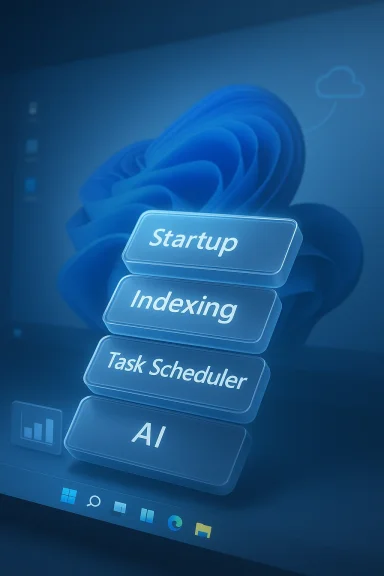
The biggest complaint about Windows 11 is not one dramatic bug. It is the accumulation of dozens of small defaults that each seem reasonable on their own. Startup apps, scheduled tasks, indexing, AI integrations, syncing layers, and update services all start to add up, and the combined effect is a system that feels busier than necessary.Startup behavior is the first place the drag shows up
Microsoft’s own support guidance confirms that startup apps can be managed in Settings > Apps > Startup or via Task Manager, and that these apps have a direct impact on startup speed and overall performance. That alone reveals the issue: Windows is designed to tolerate a lot of software competing for attention as soon as you log in. If you leave everything enabled, the desktop may appear quickly, but the system often keeps churning in the background long after that first screen.A fresh install can therefore be misleading. The desktop loads, animations look crisp, and the OS seems fine. Then the startup list, scheduled tasks, cloud sync clients, tray helpers, and telemetry-related jobs all begin waking up. The system becomes responsive only after the background storm settles, which is why many users describe Windows 11 as feeling heavy rather than outright slow.
Task Scheduler is the less visible culprit
Task Scheduler is where the picture becomes more complicated. Even after you trim the obvious startup list, many background jobs can still launch through scheduled triggers, update checks, and service hooks. Microsoft’s support material points users toward startup control, but the existence of Task Scheduler means the OS can still activate software you thought you had disabled.That matters because most users think in terms of apps, not orchestration. They assume that disabling an item in Startup Apps is enough. In practice, the Windows boot experience is a web of processes, not a single list, and that complexity is part of why the OS feels harder to rein in than it should.
SysMain and the SSD Era
SysMain is one of the most debated defaults in modern Windows, and it survives mostly because of legacy assumptions. Microsoft’s historical SuperFetch mechanism was designed to predict what you would open and preload it into memory, which made more sense in the mechanical-disk era than it does on NVMe systems. Today, the feature still exists as SysMain, and it still reflects an older model of performance tuning.Why it feels outdated
The core issue is that modern storage is already very fast. On systems with SSDs, the bottleneck is rarely “can the OS fetch the app fast enough?” It is more often a question of whether background services are consuming memory and CPU for no meaningful gain. Microsoft’s own search and startup documentation shows a platform that values background preparation, but SysMain is a good example of a default that can feel anachronistic on current hardware.This does not mean SysMain is universally harmful. On some systems, especially older ones, predictive caching can still help smooth out a few operations. But on many modern PCs, the real-world benefit is marginal, while the trade-off is persistent background activity that users can notice in Task Manager.
Memory management versus guesswork
Modern RAM is best used dynamically, not by trying to guess the next app a person might launch. Windows 11 can feel less efficient when it reserves resources for heuristics that no longer fit the storage landscape. That is why many experienced users choose to disable SysMain on their own systems: not because they hate optimization, but because they want performance behavior that matches their hardware.- Predictive preloading made more sense with slower drives.
- Dynamic memory use is usually a better match for SSD-based PCs.
- Background churn can create the impression of sluggishness even when the system is technically idle.
- Legacy tuning often survives because it is harmless on paper, not because it is essential in practice.
Copilot and the New AI Baseline
Microsoft is betting hard on AI, and Windows 11 now reflects that bet everywhere. The Copilot app is described by Microsoft as being installed by default on new Windows 11 PCs, and the support documentation lists features such as wake word, voice interaction, Copilot Vision, file search, and Windows Settings support. That is not a small add-on; it is an embedded layer of intelligence integrated into the OS experience.Always available does not mean always needed
The appeal of Copilot is obvious to some users. It can help with search, settings, screenshots, and other guided tasks, and Microsoft continues to expand its capabilities across Windows and the web. But always available also means always present, with the possibility of background readiness, app integration, and extra memory use. On a machine where users want a lean desktop, that can feel like an invisible tax.The problem is not merely that Copilot exists. It is that Microsoft increasingly assumes it belongs in the default state of the OS. That shifts the burden onto users who have to remove, disable, or ignore features they never asked to enable in the first place.
Consumer utility versus enterprise restraint
For consumers, Copilot can look like a helpful shortcut layer. For enterprises, however, the value calculation is stricter. IT teams care about consistency, supportability, policy control, and predictable resource use. A feature that is useful in a demo may be less attractive when deployed across hundreds or thousands of endpoints, especially if it complicates boot times or user expectations.- Consumer users may welcome integrated AI help.
- Power users may prefer to keep the desktop uncluttered.
- Enterprise admins typically want tighter policy control.
- Resource-sensitive systems feel the extra overhead most sharply.
Search Indexing and the Cost of Instant Results
Search indexing is one of Windows’ most defensible defaults, but it still contributes to the “heavy” feeling. Microsoft explains that indexing improves search speed by cataloging file names, metadata, and in some cases file contents, and that it runs in the background after the initial build. In other words, Windows is continuously paying a small performance cost so that future searches are faster.Classic versus enhanced indexing
Microsoft now offers Classic and Enhanced search indexing modes. Classic indexes common folders and is explicitly described as a balance between performance and resource usage, while Enhanced indexes the entire PC and can use more resources. That distinction is important because it shows Microsoft knows the trade-off exists; it is not pretending search is free.For many users, the issue is that they do not need always-on indexing to that degree. If you rely on folder navigation, cloud app search, or third-party tools, the Windows indexer may be solving a problem you barely have. The system, however, continues to treat search freshness as a priority.
Why it can feel busier than useful
Indexing becomes most noticeable when something changes at scale. A large file copy, a mailbox sync, or a big update can trigger more work than users expect, and that background activity often shows up as disk or CPU spikes. Microsoft’s documentation says the indexer reindexes updated data in the background, which is convenient, but also confirms that the activity never really stops.That is the central tension: instant search is great, but it is never truly free. In a lightweight OS, you might accept the cost more readily. In Windows 11, where the machine already feels like it has a lot going on, the indexer becomes part of the broader perception of excess.
The Windows 11 Design Philosophy
The deeper problem is that these defaults are not accidents. They are deliberate choices that reflect Microsoft’s priorities. Windows 11 is designed to be a feature-rich, account-connected, AI-capable platform, and that ambition naturally pushes the OS toward more background services and more pre-enabled capabilities.Convenience first, control second
Microsoft’s support pages make it clear that many defaults are meant to help the average user. Startup apps can be controlled, indexing can be tuned, and Copilot is there to assist. But the burden still falls on users to subtract what they do not want. That is a different philosophy from building a minimalist system and letting users add functionality later.This matters because defaults shape perception. If a fresh install already feels busy, the OS begins life at a disadvantage. Users may never measure CPU or memory use precisely, but they will notice that the machine feels less immediate than they hoped.
The OS is doing more than the user sees
Windows 11 now includes richer search integration, Copilot-driven features, and other experiences that span local files, cloud services, and settings. Microsoft has framed newer Windows experiences as part of a broader AI future, and that ambition is visible in the way features are surfaced by default.The result is a platform that can feel heavier even when it is technically modern. A user’s desktop may look clean, but behind that surface is an intricate machine coordinating system tasks, app services, and intelligent features.
Consumer Impact Versus Enterprise Impact
The same defaults do not affect everyone equally. A consumer with a 32 GB desktop may barely notice the extra background activity, while a student on an aging laptop may feel every startup delay and every disk spike. The OS is uniform, but the experience is not.On consumer PCs, the pain is emotional as much as technical
Most home users do not care about service names or scheduled jobs. They care that the PC feels slower than it should, especially after a clean install or a major update. When the system spends its energy doing things the user never requested, it creates a sense of mistrust. The machine feels less like a tool and more like a bundle of competing intentions.That is why startup trimming and background pruning are so popular among enthusiasts. People are not merely chasing benchmarks; they are trying to recover a sense of ownership over the machine.
In enterprise environments, predictability is king
Enterprises evaluate Windows differently. They care about security posture, support compliance, AI policy, and user productivity across fleets. Microsoft’s platform direction may be appealing if it unlocks faster search or AI-assisted workflows, but it can also complicate endpoint management. When every default has a resource cost, those costs scale across the organization.That does not mean enterprises reject the features outright. It means they are more likely to disable, limit, or stage them carefully. Windows 11’s “always on” personality is therefore a stronger fit for managed, modern, high-spec environments than for older or resource-constrained ones.
Competitive Implications
Windows 11’s heaviness is not happening in a vacuum. Linux desktops, macOS, and even ChromeOS benefit whenever Windows feels like too much work for too little gain. Microsoft can afford to be feature-heavy because of its market share, but market share is not the same as user affection.Why rivals benefit when Windows feels bloated
If users believe a clean OS should feel lighter, then every unnecessary startup process becomes a competitive argument for alternatives. Linux in particular has spent years improving hardware support and user-friendly desktops, which makes “lean” an easier pitch than it used to be. Microsoft may still dominate the desktop market, but the company also gives rival platforms an opening whenever Windows feels overstuffed.- Linux can market itself as configurable and lighter.
- macOS can emphasize polish and integration with less visible clutter.
- Chromebooks can appeal to users who want simplicity over flexibility.
- Windows remains dominant, but dominance can breed tolerance, not love.
Microsoft’s advantage and risk
Microsoft’s advantage is that most users are locked into the Windows ecosystem for work, software compatibility, or habit. The risk is that the company starts taking that lock-in for granted. A platform can survive feeling heavier than it should for a long time, but user patience is not infinite. Over time, annoyance becomes churn at the margins.The irony is that Microsoft has plenty of technical talent and enough platform insight to make Windows feel lighter. The question is not whether it can do better. The question is whether its product strategy still values restraint enough to make that improvement a priority.
Why These Defaults Persist
The simplest explanation is that Microsoft optimizes for the median user, not the enthusiast. The median user probably wants search, sync, update automation, and AI features to “just work,” even if the system pays for that convenience in the background. That is rational from a product perspective, but it leaves power users feeling ignored.Supportability matters
One reason these defaults survive is that they simplify support and create a more predictable baseline. When Windows can assume indexing, startup orchestration, and Copilot-ready services, Microsoft can build experiences around them. That makes feature development easier and helps standardize the platform. The trade-off is that some users inherit overhead they would never have chosen themselves.The platform is becoming opinionated
Windows 11 is increasingly opinionated about how people should use a PC. It wants search to be immediate, AI to be available, and services to be ready before you ask. That vision is coherent, but it is not lightweight. It assumes the modern PC should constantly prepare itself for your next action, and that is exactly why it can feel so lumbering.Strengths and Opportunities
The criticism of Windows 11 defaults should not obscure the fact that the platform still has real strengths. Microsoft could turn this issue into an advantage if it makes the OS more transparent, more modular, and more respectful of user intent.- Better default profiles could distinguish between power users and casual users.
- Clearer startup visibility would help users understand what is actually launching.
- More resource-aware AI integration could make Copilot feel less intrusive.
- Smarter indexing modes could reduce unnecessary background work.
- User education could turn tuning from folklore into a guided experience.
- Enterprise policy controls could make default behavior easier to standardize.
- Performance-first setup options could improve first impressions on modest hardware.
Risks and Concerns
The biggest risk is not that Windows 11 is broken. It is that it trains users to accept unnecessary overhead as normal. That creates a slow erosion of trust, especially when people feel the OS is doing more on their behalf than they want.- Background bloat can make capable hardware feel underpowered.
- AI defaults may alienate users who want a traditional desktop.
- Search indexing overhead can be noticeable on lower-end systems.
- Too many scheduled tasks make troubleshooting harder.
- Legacy features like SysMain can feel increasingly out of place.
- Perceived bloat gives rivals a marketing advantage.
- User frustration grows when control is hidden behind multiple layers of settings.
Looking Ahead
The most likely future for Windows 11 is not a dramatic reversal. Microsoft is too invested in AI, search, and service integration for that. Instead, the more plausible path is a slow refinement of defaults, with more settings surfaced to users who want a quieter system and more aggressive feature bundles for those who do not.That could work if Microsoft is honest about trade-offs. If it continues to present background activity as invisible magic, users will keep describing the platform as heavy. If it starts giving people real control over what loads, what indexes, and what AI features are active by default, Windows 11 could feel more responsive without giving up its modern ambitions.
- Watch for more Copilot integration in both consumer and enterprise builds.
- Monitor search behavior changes in future Windows 11 releases.
- Pay attention to startup defaults after major feature updates.
- Expect more AI-first settings and services to appear in the OS.
- Look for third-party tuning tools to remain popular among power users.
Source: XDA Windows 11 feels heavier than it should, and these defaults are part of the problem
