

Microsoft’s explanation for missing Windows 11 features cuts to the heart of a long-running tension: modernize the shell and ship a polished experience, or preserve decades of customization and power-user affordances. The short version is simple — Microsoft rebuilt major parts of the Windows shell, made engineering trade-offs, and used telemetry and prioritization to decide which legacy features to restore. The resulting decisions explain why some familiar behaviors (notably moving the taskbar to the top or sides) are absent, why others returned later, and why third-party tools stepped in to fill gaps.
Windows has allowed free taskbar placement for decades. Power users and admins routinely dock the taskbar to the left, right, or top of the screen to match workflow or multi-monitor setups. When Windows 11 launched, Microsoft shipped a redesigned shell and a new taskbar implementation that intentionally omitted several legacy affordances. That change sparked community backlash and questions about whether the missing features were technical necessities or product choices. Multiple Microsoft engineers and product leads addressed these concerns during Ask Me Anything (AMA) and Insider sessions, framing the omissions as deliberate trade-offs tied to engineering complexity and usage data.
Third-party vendors and community projects have shown the features can be implemented, albeit with narrower compatibility commitments and quicker risk tolerance. That practical evidence underlines that Microsoft’s decisions are product-driven trade-offs rather than purely technical impossibilities.
For end users and IT professionals, the practical takeaway is clear: expect gradual restoration of high-impact workflows, plan conservatively if you rely on niche customizations, and weigh the risks before accepting third-party shell patches on production systems. Microsoft’s engineering rationale is plausible and defensible, but the company will need greater transparency and better supported paths for power users if it wants to fully close the trust gap that emerged after Windows 11’s launch.
Source: Neowin https://www.neowin.net/news/microsoft-explains-why-certain-windows-11-features-are-missing/
 Background
Windows has allowed free taskbar placement for decades. Power users and admins routinely dock the taskbar to the left, right, or top of the screen to match workflow or multi-monitor setups. When Windows 11 launched, Microsoft shipped a redesigned shell and a new taskbar implementation that intentionally omitted several legacy affordances. That change sparked community backlash and questions about whether the missing features were technical necessities or product choices. Multiple Microsoft engineers and product leads addressed these concerns during Ask Me Anything (AMA) and Insider sessions, framing the omissions as deliberate trade-offs tied to engineering complexity and usage data. What Microsoft said: reconstructed shell + “reflow”
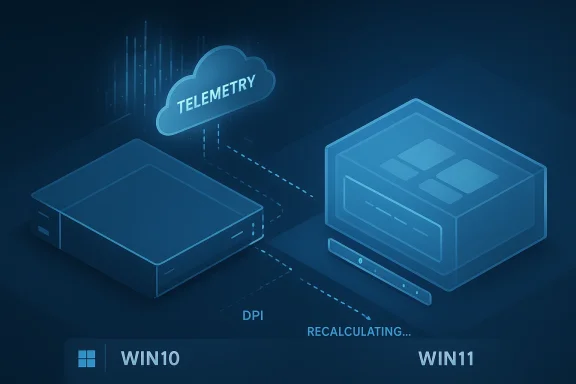
Microsoft’s product team explained that the Windows 11 taskbar was rebuilt from scratch rather than ported directly from Windows 10. That reconstruction created opportunities for cleaner animations, improved touch behavior, and modern UI plumbing — but it also meant legacy code paths weren’t automatically preserved. The company repeatedly used the term reflow to describe the challenge of moving the taskbar. In Microsoft’s account, placing the bar on a side edge changes available window geometry, snap behavior, DPI math, and myriad compatibility interactions across Win32 and UWP appears; ensuring a consistent, glitch-free reflow across millions of configurations is non-trivial. Microsoft said it made data-driven choices and prioritized restoring features that caused the most user pain.The observable result
- High-impact regressions tied to workflows (for example, missing drag‑and‑drop to taskbar) received priority fixes and were restored in subsequent updates.
- Customization and niche scenarios (vertical or top taskbar placement) were deprioritized because telemetry indicated a smaller user base.
- The ecosystem responded: third-party tools and community projects reintroduced missing behaviors in ways that proved technically achievable even if Microsoft chose not to prioritize them immediately.
Why Microsoft’s technical explanation matters
Microsoft’s messaging is twofold: a technical rationale (reflow and compatibility) and a product rationale (data-driven prioritization).The compatibility surface
Rebuilding the taskbar is not just cosmetic. The taskbar and Start interact with:- Window-snapping logic and snap layouts
- Multi-monitor coordinate systems
- Per-app window insets and layout calculations
- DPI scaling, fractional scaling, and mixed-DPI displays
- Legacy Win32 behaviors, shell extensions, and third-party hooks
The product trade-offs
Engineering time is finite. Microsoft told Insiders it used telemetry and user signals to decide what to restore first. Features that caused immediate, broad pain (e.g., inability to drag files to the taskbar) moved up the backlog. Niche customization scenarios — even those loved by a vocal minority — scored lower in telemetry and were postponed. The company framed this as a rational prioritization to reduce the likelihood of regressions and to focus on scenarios that improved the experience for the largest groups of users.What returned, what stayed missing, and how Microsoft fixed it
Restored items and polish
Microsoft actively restored and tweaked several behaviors after Windows 11 shipped. Notable examples include:- Drag-and-drop: functionality that many users missed was restored through feature updates after shipping initial builds.
- Touch and small-screen optimizations: collapsible taskbar and improved touch targets for tablets and convertible devices were prioritized to support modern hardware.
- Context menu and File Explorer fixes: Microsoft has iterated on the context menu design and File Explorer responsiveness to reduce friction that users reported.
Still missing or limited
- Side/top taskbar docking: Microsoft has said it does not have a plan or timeline to reintroduce free taskbar placement; the feature remains absent in official settings.
- Certain customization freedoms: resizable taskbar height and full Windows 10-like Start menu resizability remain restricted compared with legacy behavior.
Third-party solutions: proof-of-possibility and risk
The existence of third-party utilities that restore vertical or top taskbars complicates Microsoft’s messaging. Commercial products (for example, Stardock’s Start11 and StartAllBack) and open-source community projects (ExplorerPatcher, Taskbar11) have shipped features that bring back side docking and Windows 10-style behaviors. Their success demonstrates the feature is technologically possible, challenging the notion that side docking is an insurmountable engineering problem.Why third-party tools can ship features faster
- Smaller scope: third-party utilities intercept shell behaviors and recompose the UI for a narrower set of scenarios.
- Controlled compatibility: these tools often target a subset of configurations and deliberately accept edge-case breakage.
- Fewer QA constraints: vendors may ship faster, accepting trade-offs that Microsoft, given the enormous Windows install base, cannot accept for an official experience.
The risks of using third-party shell mods
- Stability and updates: utilities that patch or replace shell behavior can break after cumulative updates, forcing users to hold off updates or wait for tool vendor fixes.
- Security and support: enterprise policies and OEM warranties might be affected; vendors must be trusted and vetted.
- Edge-case regressions: handling every third-party extension and legacy app remains an ongoing burden for these utilities.
Staged rollouts, feature flags, and hidden binaries
Microsoft uses staged deployments, server-side gating, and feature flags to control the visibility of new capabilities. Two key points are important for readers:- An update can include feature binaries without enabling them right away. Microsoft often ships code in cumulative updates and flips a server-side flag or uses an enablement package to make features visible later.
- Local feature toggles and community tools (such as ViVeTool) can expose features that are already present in the binary stream but gated by configuration. That practice explains why identical machines can show different experiences and why enthusiasts sometimes “unlock” features early.
Telemetry, transparency, and trust
Microsoft’s reliance on telemetry to prioritize behaviour restoration raises valid concerns about transparency and user control.Telemetry-driven choices
Microsoft argues telemetry provides objective measures of feature usage and helps reduce wasted engineering cycles on low-impact requests. The company has presented telemetry as a rational way to shape the backlog and reduce regression risk.The transparency gap
Critics point out Microsoft has not published the telemetry aggregates that justify deprioritizing features like side docking. Without data transparency, users are forced to accept the company’s reasoning on faith. The lack of published numbers fuels skepticism, especially when third-party vendors demonstrate the functionality is achievable.The perception problem
Even where telemetry indicates a small user base, the vocal minority often includes professionals who depend on those features for day-to-day productivity. A design decision that improves experience for the majority but breaks critical workflows for specialists can erode trust among the most engaged users. That tension is central to the controversy.Security, performance, and compatibility implications
Microsoft’s decisions are not purely aesthetic. They intersect with security and performance trade-offs.- Security surface: a rebuilt shell with modern APIs can reduce older attack vectors — but adding complexity back in (to preserve legacy behaviors) increases the testing matrix and potentially heightens the chance of regressions that could be security-relevant.
- Performance: Microsoft contends that a redesigned taskbar and shell can deliver better animations and lower UI-thread overhead on modern hardware. However, perceptual slowness persists for some users, especially on older integrated GPUs or systems with many third-party shell extensions.
- Compatibility: restoring legacy behaviors across millions of unique driver and application permutations is expensive. Microsoft’s caution reflects a desire to avoid shipping a brittle feature that breaks workflows at scale.
Practical advice for users, power users, and administrators
For typical users
- Expect Microsoft to prioritize fixes that address broad, high-impact regressions first.
- Keep systems up to date for security and publicly announced fixes to usability issues.
- Use built-in settings rather than third-party shell mods on managed machines to preserve supportability.
For power users who need missing behaviors
- Evaluate trusted third-party utilities (StartAllBack, Start11, ExplorerPatcher) as a practical stopgap, but understand the support implications.
- Use feature-unlock tools (community utilities that flip local flags) only on non-critical machines and with full backups.
- Maintain a recovery plan (system image, bootable media) before experimenting with shell-level modifications.
For IT administrators
- Pilot updates in representative hardware+driver configurations before enterprise-wide deployment.
- Communicate with users about staged feature visibility and potential behavioral changes.
- Where third-party tools are necessary for workflows, vet vendors, and test updates thoroughly to avoid update/compatibility loops.
What Microsoft could do to bridge the gap
Microsoft has several paths to rebuild user trust while managing engineering constraints:- Publish aggregated telemetry summaries for controversial decisions to increase transparency.
- Offer a supported “power-user” compatibility mode that restores certain legacy behaviors for specific device classes or enterprise-managed configurations, accompanied by a robust testing program.
- Accelerate developer APIs that allow third-party vendors to implement compatibility layers without fragile hook-based patches.
- Provide a clear public roadmap for contentious features so organizations and enthusiasts can plan.
Strengths and risks of Microsoft’s approach
Strengths
- Modern codebase and UX: a rebuilt shell gives Microsoft the opportunity to modernize UI, improve touch experiences, and reduce legacy technical debt.
- Data-driven prioritization: telemetry helps focus engineering resources on fixes that yield the largest overall user benefit.
- Phased rollouts minimize blast radius: feature flags and staged deployments limit the impact of regressions and allow incremental validation.
Risks
- Alienating power users: removing widely used customization can erode goodwill among advanced users and enterprise customers who rely on predictable workflows.
- Perception of closed decision-making: lack of shared telemetry and roadmap details invites community skepticism and fuels third-party patchworks.
- Fragmented experience: server-side gating and staged enablement mean identical systems can behave differently, complicating support and documentation.
The reality: engineered compromise, but not inevitability
The controversy over missing Windows 11 features reflects a real engineering tension: large-platform vendors must balance modern design, compatibility, security, and the needs of specialized users. Microsoft’s explanation — centered on a reconstructed taskbar, reflow complexity, and telemetry-based prioritization — is coherent and defensible from a platform engineering point of view. It is not, however, a final verdict that the missing features are impossible or should never return.Third-party vendors and community projects have shown the features can be implemented, albeit with narrower compatibility commitments and quicker risk tolerance. That practical evidence underlines that Microsoft’s decisions are product-driven trade-offs rather than purely technical impossibilities.
Conclusion
Microsoft’s explanation of why certain Windows 11 features are missing boils down to a familiar software truth: rebuilding a core platform component forces choices. The company chose to modernize the shell, accept an initial loss of legacy affordances, and use telemetry to guide which behaviors would be restored first. That approach yielded tangible wins — modern animations, touch improvements, and focused bug fixes — but also left power users frustrated and created a fertile space for third-party fixups.For end users and IT professionals, the practical takeaway is clear: expect gradual restoration of high-impact workflows, plan conservatively if you rely on niche customizations, and weigh the risks before accepting third-party shell patches on production systems. Microsoft’s engineering rationale is plausible and defensible, but the company will need greater transparency and better supported paths for power users if it wants to fully close the trust gap that emerged after Windows 11’s launch.
Source: Neowin https://www.neowin.net/news/microsoft-explains-why-certain-windows-11-features-are-missing/
