

Microsoft’s latest Beta-channel preview for Windows 11 quietly reshapes how security teams collect host telemetry: Build 26220.7752 (KB5074177) adds native Sysmon support as an optional Windows feature, pairs that capability with a handful of File Explorer and cloud‑file reliability fixes, and continues Microsoft’s controlled rollout strategy for new Insider features. For administrators and threat hunters this is a meaningful operational shift — Sysmon’s proven event model is now accessible without a separate Sysinternals download, but it also introduces migration, management, and operational trade‑offs that IT teams should evaluate before enabling broadly.
Windows Insiders in the Beta Channel received Build 26220.7752 (KB5074177) in early February 2026. This preview package is an enablement update tied to Windows 11, version 25H2, and continues Microsoft’s practice of shipping binaries while selectively enabling features with server-side gates and the “Get the latest updates as they are available” toggle in Settings. The release notes split changes into two sets: items being gradually rolled out to Insiders who opt into the early updates toggle and fixes that are applied more broadly across the Beta Channel.
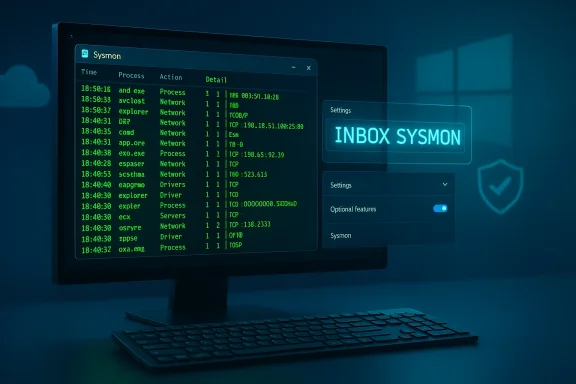
The single headline change here is the inbox availability of Sysmon (System Monitor) — a long‑standing Sysinternals tool used by defenders to produce high‑fidelity host telemetry (process creation, network connections, DLL/driver loads, registry changes, and more). Microsoft explicitly states the built‑in Sysmon is disabled by default and must be enabled by administrators. That conservative default preserves compatibility for machines that shouldn’t run additional monitoring agents by default, while giving security teams the convenience of an optionally installable, OS‑managed telemetry component.
Action: plan a phased migration with automation (Intune scripts / SCCM tasks) that uninstalls the old Sysmon, enables the optional feature, installs the service, and verifies configuration and event forwarding.
Action: tune your initial config to capture high‑fidelity events where they matter (endpoints with elevated risk) and apply selective filters elsewhere. Work with your SIEM/collector owners to adjust ingest pipelines and retention policies before enabling enterprise‑wide.
Action: restrict installation privileges to tightly‑controlled admin accounts and deploy Sysmon only on systems where it’s operationally appropriate. Combine Sysmon telemetry with endpoint protection platform (EPP), EDR, and network telemetry to build a layered detection approach.
Action: validate Sysmon against representative hardware and software combinations in a staged lab before broad rollout.
If you lead security or endpoint teams, follow this starter checklist:
Conclusion
Microsoft’s preview makes an established security tool more accessible by surfacing it inside Windows itself, but the real benefits will accrue only to teams that treat the change as an operational program: plan, pilot, automate, and tune. The new optional Sysmon lowers barriers and aligns lifecycle management with Windows servicing, but it also elevates the importance of disciplined configuration management and telemetry governance across the enterprise.
Source: gHacks New Windows 11 Preview Adds Sysmon, Fixes Explorer Issues - gHacks Tech News
 Background
Windows Insiders in the Beta Channel received Build 26220.7752 (KB5074177) in early February 2026. This preview package is an enablement update tied to Windows 11, version 25H2, and continues Microsoft’s practice of shipping binaries while selectively enabling features with server-side gates and the “Get the latest updates as they are available” toggle in Settings. The release notes split changes into two sets: items being gradually rolled out to Insiders who opt into the early updates toggle and fixes that are applied more broadly across the Beta Channel. The single headline change here is the inbox availability of Sysmon (System Monitor) — a long‑standing Sysinternals tool used by defenders to produce high‑fidelity host telemetry (process creation, network connections, DLL/driver loads, registry changes, and more). Microsoft explicitly states the built‑in Sysmon is disabled by default and must be enabled by administrators. That conservative default preserves compatibility for machines that shouldn’t run additional monitoring agents by default, while giving security teams the convenience of an optionally installable, OS‑managed telemetry component.
What Microsoft shipped: the details
Built‑in Sysmon: what’s the change?
- What it is: Sysmon is now available as an optional Windows feature that ships with the OS image in this Insider preview. Enabling it installs Sysmon functionality without requiring a separate download from the Sysinternals site. This preserves the existing Sysmon feature set — the component writes events to the Windows Event Log and supports XML configuration files to filter events.
- Default state: Disabled. Administrators must explicitly enable Sysmon through Settings or via command line before it becomes active.
- How it integrates with existing tooling: Events are written to the standard Sysmon event channel (Applications and Services Logs → Microsoft → Windows → Sysmon → Operational), making them compatible with typical SIEM agents and Windows Event Collector architectures. The command syntax and configuration model remain the same as the standalone Sysinternals package.
- Prerequisite / compatibility note: If a system already has the standalone Sysmon installed from Sysinternals, Microsoft advises uninstalling that copy before enabling the built‑in version to avoid conflicts. Documentation will be added to Windows in a future update.
How to enable (exact, copy‑ready steps)
Microsoft published two supported activation paths for the inbox Sysmon:- Using Settings:
- Open Settings → System → Optional features → More Windows features.
- Check Sysmon and apply the change.
- Using an elevated command prompt or PowerShell:
- Run:
Dism /Online /Enable-Feature /FeatureName:Sysmon - Complete installation by running:
sysmon -i
sysmon -i or sysmon -i config.xml) to install the service/driver and apply any configuration file. The same command‑line switches administrators have used with the Sysinternals package are supported. Accompanying fixes and UX changes
In addition to Sysmon, Build 26220.7752 includes a targeted set of fixes rolling out gradually to toggled Insiders:- File Explorer: accessibility improvements (keyboard navigation and access keys), fixes when renaming folders using custom names, and restoration of missing icons and tooltips for "Add to favorites".
- Cloud file reliability: fixes addressing application freezes when accessing files stored on OneDrive or Dropbox; some Outlook setups with PST files on OneDrive were also affected and are addressed.
- Voice Access: Netherlands locale support was added for speech control accessibility.
Why the inbox Sysmon matters: benefits and use cases
Reduced friction for security telemetry
For enterprise defenders, the most apparent benefit is operational simplicity. Historically, deploying Sysmon across thousands of endpoints required packaging, distribution, and update management via configuration management tools (SCCM, Intune, Group Policy scripts). Shipping Sysmon as an optional OS feature means:- Administrators can enable Sysmon without distributing a separate binary.
- Updates to the Sysmon components can ride the Windows servicing pipeline, which simplifies version management and ensures patching is consistent across the fleet.
Preserves established workflows and SIEM integration
Because the built‑in Sysmon keeps the same event model — the same event IDs, fields, and configuration syntax — existing log collection and detection rules should remain compatible. Security teams that already parse the Sysmon event channel for detection logic, threat hunting, and incident response will find the built‑in version familiar and consumable by existing SIEMs and log‑forwarding agents.On‑demand rollout and safer testing
Since the feature is optional and disabled by default, administrators can pilot Sysmon on a subset of devices (e.g., a SOC test group) before enabling it org‑wide. The Beta build’s controlled feature rollout model also means Microsoft can flip enablement serverside, offering an additional safety net during early testing.Operational and security implications: what to watch for
Shipping Sysmon in‑box is a net positive for defenders, but it introduces important operational considerations and potential risks. Below are the most consequential items IT and security leaders should assess.1) Migration and versioning hazards
If you already deploy Sysmon from Sysinternals, you must uninstall the standalone copy before enabling the in‑box feature. That requirement creates a migration window where endpoints could be left without Sysmon or running mismatched versions if the transition is not scripted and enforced. Poorly executed migrations can lead to blind spots in telemetry during the swap.Action: plan a phased migration with automation (Intune scripts / SCCM tasks) that uninstalls the old Sysmon, enables the optional feature, installs the service, and verifies configuration and event forwarding.
2) Configuration management and centralized control
Sysmon’s power comes from configuration: well‑crafted XML files control which events are logged and which are filtered out. The inbox change does not itself provide a centralized configuration distribution mechanism; Sysmon configuration is still applied via thesysmon -i config.xml or sysmon -c config.xml commands and the registry‑backed configuration. Enterprises will still need to decide how to distribute and update config files:- Use Intune (Win32 apps or scripts), SCCM/ConfigMgr packages, or GPO‑driven scripts to push configuration changes.
- Consider a test and validation phase for config updates to avoid suddenly enabling verbose events (such as ImageLoad) that create massive telemetry volume.
3) Storage, telemetry volume, and cost
Sysmon can generate a high volume of events, particularly when image loads, process create events with full command lines, or network connect events are enabled across a broad fleet. Those events increase local log storage and SIEM ingestion costs, and may overwhelm existing collectors or retention policies.Action: tune your initial config to capture high‑fidelity events where they matter (endpoints with elevated risk) and apply selective filters elsewhere. Work with your SIEM/collector owners to adjust ingest pipelines and retention policies before enabling enterprise‑wide.
4) Privilege and attacker considerations
Sysmon installs a kernel driver and service and therefore must be installed with elevated privileges. That means the same administrative control plane used to deploy Sysmon could be abused if adversaries obtain administrative rights. Additionally, because Sysmon authors themselves emphasize that Sysmon does not attempt to hide from attackers, defenders should not rely on Sysmon alone for stealthy detection.Action: restrict installation privileges to tightly‑controlled admin accounts and deploy Sysmon only on systems where it’s operationally appropriate. Combine Sysmon telemetry with endpoint protection platform (EPP), EDR, and network telemetry to build a layered detection approach.
5) Conflicts and compatibility with other agents
Although Microsoft says functionality remains the same, real‑world conflicts between monitoring agents are possible, especially where multiple components attempt to load kernel drivers or modify the same event pipeline. The uninstall‑then‑reinstall pathway recommended for existing Sysmon users mitigates some conflict risk, but extensive compatibility testing is still required for complex endpoint stacks (custom drivers, legacy AV, third‑party monitoring).Action: validate Sysmon against representative hardware and software combinations in a staged lab before broad rollout.
Recommendations: how to plan a safe, effective rollout
Below is a practical playbook for organizations evaluating the new inbox Sysmon capability.- Inventory and discovery
- Identify endpoints where Sysmon is already deployed (standalone).
- Map critical apps, third‑party drivers, and endpoints that host high‑volume workloads.
- Pilot group
- Establish a SOC pilot group (10–50 devices) representing Windows versions, hardware, and common software stacks.
- Enable the optional Sysmon feature for the pilot and exercise the full installation, configuration, and event forwarding path.
- Automate migration
- Build a scripted migration that:
- Uninstalls existing Sysmon (
sysmon -u). - Enables the feature (
Dism /Online /Enable-Feature /FeatureName:Sysmon). - Installs Sysmon and applies config (
sysmon -i <config.xml>). - Validates the event channel and SIEM ingestion.
- Baseline and tune config
- Start with a conservative Sysmon XML that captures process creation, network connect (selective), and driver loads as needed.
- Avoid broad image load monitoring initially — toggle that only where necessary because of log volume.
- Use rule groups and include/exclude logic to limit noise.
- Monitor operational metrics
- Track event ingestion rates, SIEM CPU/storage usage, and local log growth.
- Validate detection rules against real‑world benign behaviors to reduce false positives.
- Policy and access controls
- Restrict who can enable the optional feature and who can run
sysmon -i. - Document the approved config files and maintain a signed, auditable repository for config distribution.
- Communication and rollback plan
- Communicate with application owners and helpdesk teams about the pilot and rollout schedule.
- Keep a tested rollback procedure (uninstall Sysmon and revert feature) in case of unforeseen stability impacts.
Technical deep dive: commands, event locations, and configuration mechanics
- Exact enablement command (admin/elevated):
Dism /Online /Enable-Feature /FeatureName:Sysmon. After enabling the feature, run the Sysmon installer CLI to instantiate the service/driver:sysmon -iorsysmon -i C:\Path\To\Config.xml. The installer accepts the usual Sysmon switches (-accepteula,-c,-u, etc.). - Event channel: On modern Windows versions (Vista and above), Sysmon writes to Applications and Services Logs → Microsoft → Windows → Sysmon → Operational. Many SIEM agents and Windows Event Forwarding configurations already target that channel.
- Configuration: Sysmon uses an XML configuration model with a schemaversion attribute. You can update configuration live using
sysmon -c <config.xml>and dump the current configuration withsysmon -c. The configuration supports rule groups, include/exclude filters, and hashing algorithms for file images (MD5, SHA1, SHA256, IMPHASH). - Uninstall: Use
sysmon -uto remove the service and driver when required. Neither install nor uninstall requires a reboot.
Governance and compliance considerations
Adding host telemetry at scale touches privacy and compliance boundaries. Sysmon records command lines, sometimes including user‑entered data, file paths, and network destinations. Organizations in regulated industries should:- Review privacy policies and data handling procedures before enabling Sysmon widely.
- Mask or avoid capturing PII where possible in configuration filters.
- Coordinate with legal and privacy officers to document retention, access control, and allowed use cases.
- Ensure SIEM retention and export controls align with data protection obligations.
What this means for different stakeholders
Security Operations (SOC) teams
- Benefit: easier endpoint coverage and faster deployment of host telemetry.
- Work: must design config templates, reduce noise, and integrate Sysmon events with detection rules and playbooks.
Endpoint/Systems administrators
- Benefit: fewer external packages to distribute and maintain.
- Work: plan migration, validate compatibility with existing endpoint agents, and automate installation and rollback scripts.
Compliance and privacy officers
- Work: review telemetry content, retention, and access controls; ensure policy alignment before large‑scale rollouts.
Vendors and ISVs
- Work: test for driver and monitoring conflicts, particularly on specialized systems (financial trading desks, medical devices, industrial endpoints).
Strengths, caveats, and longer‑term outlook
Notable strengths
- Operational simplification: Sysmon as an optional OS feature reduces deployment friction and centralizes updates through Windows servicing.
- Compatibility: Maintains existing Sysmon command semantics and event schema, preserving investment in detection rules.
- Controlled, optional enablement: Disabled by default and gated by Microsoft’s CFR model, which reduces the likelihood of surprise behavior on production endpoints.
Potential weaknesses and risks
- Migration complexity: The uninstall‑then‑enable path could cause telemetry gaps without careful automation.
- Configuration distribution remains manual: Microsoft did not introduce a new centralized configuration channel for Sysmon; administrators must still build processes to distribute and manage XML configs.
- Operational cost: Increased event volume can raise SIEM ingestion and storage costs if not tuned.
- Compatibility and privilege risks: Installing kernel drivers and services requires admin privileges and careful compatibility testing with other endpoint components.
The long view
Microsoft’s decision to bring Sysmon into Windows suggests a strategic shift: host telemetry is becoming an increasingly core OS capability rather than an add‑on. Over time we may see further integration — for example, management hooks for enterprise configuration distribution, or richer telemetry toggles that allow per‑policy enablement. For now, the initial inbox availability is primarily a convenience and lifecycle improvement; the heavy lifting of configuration, tuning, and enterprise governance still rests with customers and their security teams.Final verdict and practical next steps
Windows 11 Build 26220.7752 and its inclusion of built‑in Sysmon represent a welcome operational improvement for defenders. The continuity in command syntax and event schema removes friction for rapid adoption and helps ensure consistent deployments via Windows Update. However, the feature is not a silver bullet — it demands thoughtful planning for migration, centralized configuration, log‑volume management, and privacy compliance.If you lead security or endpoint teams, follow this starter checklist:
- Create a test plan and pilot group before enabling Sysmon broadly.
- Automate the uninstall + enable + install + config lifecycle to avoid telemetry gaps.
- Start with a conservative Sysmon configuration and iterate to reduce noise.
- Coordinate with SIEM/collector owners to account for increased ingestion and retention.
- Document governance, retention, and access policies for the new telemetry stream.
Conclusion
Microsoft’s preview makes an established security tool more accessible by surfacing it inside Windows itself, but the real benefits will accrue only to teams that treat the change as an operational program: plan, pilot, automate, and tune. The new optional Sysmon lowers barriers and aligns lifecycle management with Windows servicing, but it also elevates the importance of disciplined configuration management and telemetry governance across the enterprise.
Source: gHacks New Windows 11 Preview Adds Sysmon, Fixes Explorer Issues - gHacks Tech News
