

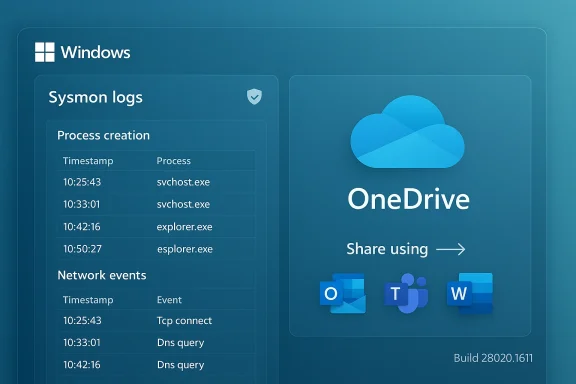
Windows 11’s Canary build 28020.1611 folds two practical features into the OS: Sysmon as an inbox optional feature and a smoother OneDrive file-sharing flow, plus a small but welcome fix to the desktop watermark. The changes arrive as a controlled rollout to Insiders and signal a deliberate push to make advanced endpoint telemetry and cloud-file sharing feel more native to Windows — while also raising operational and privacy considerations that IT teams need to plan for before flipping the switch.
Windows Insider Preview Build 28020.1611 was published in mid-February 2026 to the Canary Channel. This is an early-development channel intended to surface platform-level changes that Microsoft may evaluate, iterate on, or remove as development continues. The build is part of a staged, controlled-feature rollout model: features may appear for a subset of Insiders while Microsoft monitors behavior and feedback. Among the listed items in this release, the introduction of built-in Sysmon is the most consequential for IT operations and security teams. The OneDrive sharing enhancements and a fix to the build-number watermark are smaller but meaningful usability updates for end users.
For IT and security professionals, the path forward is clear: test the in-box Sysmon in a controlled environment, craft and vet configuration files, validate SIEM ingestion and costs, and update governance before a fleet-wide rollout. For end users, the improved OneDrive sharing flow is a nice quality-of-life update that simplifies sending cloud file links through apps. Together, these changes show Microsoft inching more advanced security and collaboration capabilities into the Windows core — but with power that demands careful, measured use.
Source: Neowin Windows 11 gets built-in Sysmon and sharing improvements in build 28020.1611
 Background
Windows Insider Preview Build 28020.1611 was published in mid-February 2026 to the Canary Channel. This is an early-development channel intended to surface platform-level changes that Microsoft may evaluate, iterate on, or remove as development continues. The build is part of a staged, controlled-feature rollout model: features may appear for a subset of Insiders while Microsoft monitors behavior and feedback. Among the listed items in this release, the introduction of built-in Sysmon is the most consequential for IT operations and security teams. The OneDrive sharing enhancements and a fix to the build-number watermark are smaller but meaningful usability updates for end users.What Microsoft added in build 28020.1611
Built-in Sysmon: what changed, exactly
- Sysmon is now available as an optional, in-box Windows feature. It is disabled by default and must be explicitly enabled by a user or administrator.
- Enablement paths: GUI (Settings > System > Optional features > More Windows features, then check “Sysmon”) or command line using DISM:
- Dism /Online /Enable-Feature /FeatureName:Sysmon
- Complete installation by running: sysmon -i
- Uninstall requirement: If you already run the standalone Sysinternals Sysmon, you must uninstall it before turning on the built-in variant to avoid conflicts.
- Functional parity claim: Microsoft says the built-in Sysmon preserves the tool’s core behavior — it captures process activity, network connections, driver loads, image loads, file-time changes, and more; events are written to Windows Event Log for consumption by security tools and SIEMs.
- Configuration model remains XML-based. You can supply custom Sysmon XML configuration files to filter noisy events and focus on desired detections.
- Event destination: Sysmon writes its events to the dedicated Windows event channel (Applications and Services Logs → Microsoft → Windows → Sysmon → Operational), where downstream collectors already expect to find them.
- Rollout gating: The feature is being rolled out gradually to Insiders — not every device will immediately see the option even after installing the Canary/Dev/Beta preview packages.
OneDrive right-click sharing improvements
- When sharing a OneDrive cloud file via right-click, the Copy link action now surfaces a “Share using” flow that lists other apps you can use to send the link.
- This is a refinement to the Windows share experience that lets cloud file links be dispatched through the same share UI you use for other content types.
- The rollout is restricted to Microsoft-account-signed-in Insiders and is not available for Microsoft accounts registered in the European Economic Area (EEA) at the time of the announcement.
Minor general fix
- The build fixed the desktop watermark so it shows the correct build number instead of the wrong one some Insiders were seeing.
Why built-in Sysmon matters
Sysmon (System Monitor) has long been one of the single most useful endpoint telemetry tools for security teams. Historically distributed as a separate Sysinternals download, Sysmon provides a consistent, forensic-grade stream of events that include:- Full process creation data, including command line
- Network connection events tied back to processes
- Driver load and image-load details
- File creation timestamps and file-hash capabilities
- Service and DLL activity useful for threat hunting and incident response
- Simplified provisioning: Administrators can enable Sysmon via Group Policy, DISM, or scripted configuration across fleets without pulling a separate installer package from the internet.
- Consistent servicing: An in-box feature can be serviced via Windows Update channels and integrated with normal Windows servicing, helping reduce version skew across endpoints.
- Better integration with Windows management tooling: The presence of Sysmon as an optional feature means it can be handled by standard Windows feature-management workflows and tooling, and will appear in the same UI that IT pros use for other OS components.
Technical details and operational behavior
Installation and activation
Administrators have two practical activation options:- Settings (GUI)
- Settings → System → Optional features → More Windows features → check Sysmon
- Command-line / automation
- Dism /Online /Enable-Feature /FeatureName:Sysmon
- Then run sysmon -i (or sysmon64 -i) to install the service and driver and to apply a configuration file if desired.
- sysmon -i <config.xml>
- sysmon -c <config.xml> (or sysmon64 -c)
- sysmon -u (or use the GUI to remove the Optional Feature)
Where events land and how collectors will behave
- Sysmon writes to the dedicated event log under Applications and Services Logs → Microsoft → Windows → Sysmon → Operational on modern Windows systems.
- Existing SIEM agents and collectors (Winlogbeat, NXLog, Event Forwarding, commercial collectors) that already parse the Sysmon channel will not need to change the event source as long as they continue to read that channel.
- Be aware: if a fleet previously had no Sysmon and you enable it en masse with default rules, the immediate spike in event volume may impact log collection pipelines and storage sizing.
Performance, driver behavior, and system impact
- Sysmon deploys a kernel driver that can be configured to start at boot to capture activity that occurs early in the system lifecycle.
- With aggressive configuration (for example, enabling image-load or hashing on every file), event volume and CPU/disk usage can grow significantly.
- Proper configuration tuning is critical: a bad default config can lead to noisy logs, high storage usage, and increased processing costs in SIEM and log analytics platforms.
Practical guidance: rollout checklist and best practices
Before enabling the built-in Sysmon on production devices, treat the change as a small platform upgrade with security and operational implications. Recommended steps:- Test in a lab or staged environment
- Validate the in-box Sysmon behaves as expected with common enterprise workloads and verify that previously used community configs (e.g., hardened templates) apply cleanly.
- Uninstall any standalone Sysmon first
- Make sure automation scripts account for the uninstall step to avoid failed deployments.
- Define and version a Sysmon configuration
- Use XML config files tailored to your visibility needs. Start conservative: enable high-value events first and iterate.
- Monitor event volume and ingestion
- Measure event counts for representative endpoints and ensure collectors (Winlogbeat, NXLog, event forwarding) and storage are sized accordingly.
- Validate SIEM mappings and alerts
- Confirm that event IDs and fields map into your detection rules and dashboards; adjust parsers if necessary.
- Plan retention and access controls
- Sysmon logs contain sensitive information (full command lines, file hashes, network details). Ensure logs are stored securely, access is restricted, and retention meets regulatory requirements.
- Automate lifecycle and updates
- Treat the in-box Sysmon feature like any other Windows Optional Feature: include it in your imaging/deployment pipelines and document patching/testing windows.
- Pilot at scale
- Roll out to a representative set of endpoints (workstation types, server roles, remote devices) before a broad rollout.
Benefits: why many teams will welcome the change
- Easier scale: Removing the requirement to push a separate binary across thousands of endpoints simplifies operational overhead, especially in environments that tightly control outbound internet access.
- Consistency: With Sysmon managed as a Windows feature, teams can expect fewer version mismatches and a single update channel.
- Security posture uplift: Teams without Sysmon can now gain rich telemetry quickly, improving detection, hunting, and incident response capabilities.
- Lower friction for automation: Enabling via DISM or Settings integrates neatly with scripted deployments, Intune, and other management workflows.
Risks and caveats: what to watch for
- Event noise and costs: New telemetry equals more data to store and analyze. Without aggressive, tuned configs, organizations can face skyrocketing ingestion and retention costs.
- Privacy and compliance: Sysmon captures detailed process and network information, including command lines that may include personal or sensitive data. Data governance policies must be updated to reflect the new telemetry source and its retention/forwarding behavior.
- Operational mistakes: If admins enable Sysmon without removing older installations or without verifying configuration compatibility, there’s a real chance of service conflicts or missing events.
- False sense of security: The mere presence of Sysmon is not a replacement for a properly tuned detection program. Teams must pair Sysmon with alerting, aggregation, and trained analysts to gain value.
- Potential for unreviewed changes: Because the in-box feature will be serviced via Windows Update channels, enterprises should account for the possibility that Microsoft could patch or change Sysmon behavior. Standard change windows and pre-deployment testing remain essential.
- Regulatory differences: The announced rollout excludes EEA Microsoft accounts for this sharing enhancement. This hints at region-specific behavior driven by regulation; similar regional constraints may affect other Windows features.
OneDrive sharing UX: a practical look
The OneDrive right-click sharing tweak is relatively small but improves everyday workflows:- Instead of copying a link and manually pasting into email or chat, the updated flow surfaces target apps when you click Copy link, showing a Share using menu.
- This leverages the Windows share UX and makes it faster to send a cloud link through Mail, Teams, or other installed apps.
- At present, Microsoft limits the experience to Microsoft accounts outside the EEA for Insiders, so availability will vary by region and account type.
- Users who frequently collaborate on cloud documents will see fewer steps when sharing links.
- For organizations that rely heavily on Teams or Outlook, this reduces friction and clipboard juggling.
- For administrators, this is a low-risk quality-of-life improvement that doesn’t change file permissions or link behavior — it’s a presentation-layer convenience.
Troubleshooting tips
If you enable Sysmon and don’t see expected behavior, try the following:- Confirm uninstall of standalone Sysmon
- Ensure any previous Sysinternals installation is removed before enabling the in-box feature.
- Confirm service and driver installation
- Run sysmon -c to dump the active configuration. Use sysmon -i to (re)install and sysmon -u to uninstall.
- Check Event Viewer
- Applications and Services Logs → Microsoft → Windows → Sysmon → Operational should show event activity after tests (process creation, network connect).
- Validate collector configuration
- If you rely on Winlogbeat, NXLog, or other collectors, confirm they are configured to read the Microsoft-Windows-Sysmon/Operational channel.
- Inspect configuration XML
- Misconfigured or overly restrictive XML can suppress events. Use a known-good configuration to test.
- Watch resource utilization
- After enabling, sample CPU and disk usage on representative endpoints; adjust config to reduce noisy rules (e.g., image-load events) if necessary.
Governance and privacy considerations
Sysmon logs often contain information that can be sensitive: full command lines, user identities, network endpoints, and file paths. Adding a new telemetry source to many endpoints is as much a policy change as a technical one. Before broad deployment, update your:- Data classification and handling policies
- Log retention and purge schedules
- Role-based access controls for log review and export
- Legal hold and eDiscovery processes
- Privacy notices and employee communications where required by law or internal guidance
Strategic implications for enterprise security
The in-box Sysmon move is more than convenience: it’s a subtle shift in how Microsoft approaches endpoint telemetry. Historically, Sysmon was a third-party (Sysinternals) tool that organizations chose to deploy. Making it an official optional component accomplishes several strategic outcomes:- Normalization of advanced endpoint telemetry: More teams — including those with conservative application whitelisting or blocked download policies — will be able to obtain forensic telemetry without special approvals.
- Baseline elevation: Enterprises that standardize on the in-box feature may get more consistent detections and lower variance between machines.
- Vendor lock-in risk (operational): While technically unchanged, the fact that Sysmon will be serviced through Windows channels means organizations need to treat changes to it as part of Windows lifecycle management.
- Easier compliance for small orgs: Small IT teams that lacked the time or expertise to deploy Sysmon at scale now get a lower-friction path to richer telemetry.
What remains unclear and what to watch next
- Documentation cadence: Microsoft indicated documentation will be added to Windows soon; until then, teams should validate behavior in lab environments. Relying on the standalone Sysmon documentation for most behavioral specifics is reasonable, but confirm where Microsoft may have adjusted defaults for the in-box variant.
- Default configuration: It’s not yet universally clear what default Sysmon configuration, if any, Microsoft will ship with the in-box feature. Teams should not assume the default will match their operational needs and should plan to supply a tested config.
- Rollout timetable and scope: The feature is rolling out via controlled feature rollout; exact timing for full availability across channels and markets remains in Microsoft’s hands.
- Regulatory scope and telemetry handling: Because the OneDrive sharing update already shows region-specific gating (EEA exclusion), keep an eye on whether Sysmon’s rollout also incurs regional differences in behavior, telemetry collection, or availability.
Recommendation: how to approach this change
- Treat built-in Sysmon like any other platform capability: test, tune, document, and roll out in phases.
- Start with a limited pilot that validates:
- Collector compatibility
- Event volumes and pipeline headroom
- Comfort with the data captured by Sysmon
- Prepare a hardened XML configuration tailored to your environment before broad deployment.
- Update governance and privacy documentation to include the new telemetry source.
- Coordinate with SOC, IT ops, and legal/compliance teams before enabling across the fleet.
- For individual power users or small teams interested in improved detection, enabling Sysmon on a handful of endpoints with a conservative config is a low-friction way to start.
Conclusion
Windows 11 build 28020.1611 delivers a pragmatic platform improvement by making Sysmon an optional in-box feature, alongside a small but practical OneDrive sharing refinement and a watermark fix. The in-box Sysmon is attractive: it reduces deployment friction, promises more consistent telemetry at scale, and aligns Sysmon’s lifecycle with Windows management tooling. Yet the change also requires deliberate action from security teams: it is disabled by default for a reason, and enabling it without planning can lead to noisy logs, higher ingestion costs, and privacy gaps.For IT and security professionals, the path forward is clear: test the in-box Sysmon in a controlled environment, craft and vet configuration files, validate SIEM ingestion and costs, and update governance before a fleet-wide rollout. For end users, the improved OneDrive sharing flow is a nice quality-of-life update that simplifies sending cloud file links through apps. Together, these changes show Microsoft inching more advanced security and collaboration capabilities into the Windows core — but with power that demands careful, measured use.
Source: Neowin Windows 11 gets built-in Sysmon and sharing improvements in build 28020.1611
