

Microsoft builds more useful, opinionated Windows tools than it ships with Windows 11 — and that disconnect matters more than you think.
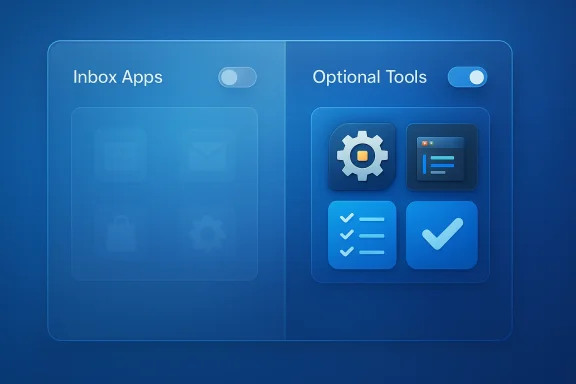
Windows has always shipped as a mix of core system components and optional conveniences. Over the last decade Microsoft shifted many traditionally “built‑in” experiences into Microsoft Store packages and optional provisioning flows. That makes the out‑of‑the‑box experience more modular, but it also changes what users actually find installed on a brand‑new PC: Microsoft now refreshes and provisions many inbox apps separately from the OS image, and — importantly — it can change which apps arrive pre‑installed in any given Windows 11 build or OEM image. Microsoft documented this inbox‑app refresh approach for the Windows 11 24H2 servicing and media updates, which delivered a set of updated inbox Store apps in refreshed installation media.
That context explains the current debate: readers and writers notice that Microsoft maintains a growing catalog of first‑party utilities — PowerToys, Visual Studio Code, Microsoft To Do among them — yet not all of those utilities are found on new Windows 11 installs. That omission can feel like a usability oversight for power users and developers, but it’s also the outcome of deliberate product, packaging, and platform choices that have real tradeoffs for Microsoft and for IT administrators. Community discussion and forum rbbringing these tools into Windows and the operational reasons Microsoft leaves many as separate downloads.
This article examines the three apps most frequently mentioned in this discussion — PowerToys, Visual Studio Code (VS Code), and Microsoft To Do — verifies what Microsoft actually ships today, analyzes why they’re not universally preinstalled, and evaluates the benefits and risks of bundling them into Windows by default.
Enterprises also have policy tools introduced in 25H2 to remove or deprovision default Microsoft Store packages at the device level, so admins can selectively strip out inbox apps (including To Do) during provisioning. That policy-level control further complicates blanket statements about what is or isn’t “included” on every Windows 11 PC.
From a user perspective, the simplest practical guidance is clear: if you want the best developer and power‑user experience on Windows, install PowerToys and VS Code — they’re free, actively maintained, and well‑integrated with the platform. From a platform perspective, Microsoft should reduce discovery friction: an optional, explicit selection at setup or a curated “Windows Essentials” bundle in the store would preserve modular servicing while making these genuinely useful tools easy to get. That middle path would honor Microsoft’s operational concerns while delivering the usability gains most readers are asking for.
Source: How-To Geek Microsoft's 3 best apps aren't even included with Windows 11
 Background / Overview
Windows has always shipped as a mix of core system components and optional conveniences. Over the last decade Microsoft shifted many traditionally “built‑in” experiences into Microsoft Store packages and optional provisioning flows. That makes the out‑of‑the‑box experience more modular, but it also changes what users actually find installed on a brand‑new PC: Microsoft now refreshes and provisions many inbox apps separately from the OS image, and — importantly — it can change which apps arrive pre‑installed in any given Windows 11 build or OEM image. Microsoft documented this inbox‑app refresh approach for the Windows 11 24H2 servicing and media updates, which delivered a set of updated inbox Store apps in refreshed installation media.That context explains the current debate: readers and writers notice that Microsoft maintains a growing catalog of first‑party utilities — PowerToys, Visual Studio Code, Microsoft To Do among them — yet not all of those utilities are found on new Windows 11 installs. That omission can feel like a usability oversight for power users and developers, but it’s also the outcome of deliberate product, packaging, and platform choices that have real tradeoffs for Microsoft and for IT administrators. Community discussion and forum rbbringing these tools into Windows and the operational reasons Microsoft leaves many as separate downloads.
This article examines the three apps most frequently mentioned in this discussion — PowerToys, Visual Studio Code (VS Code), and Microsoft To Do — verifies what Microsoft actually ships today, analyzes why they’re not universally preinstalled, and evaluates the benefits and risks of bundling them into Windows by default.
PowerToys: the Swiss Army knife Microsoft never included
What PowerToys is and what it adds
PowerToys is a free, open‑source collection of focused utilities that extend Windows with practical productivity features. Over the past several years PowerToys has grown from a handful of tweaks into a modular suite containing features such as:- FancyZones (custom window tiling and layouts)
- PowerRename (batch renaming with regular expressions)
- File Explorer add‑ons and preview handlers (SVG, STL, 3D previews)
- Always On Top (pin a window above others)
- Color Picker (system‑wide color sampling)
- Keyboard Manager (remap keys, create system shortcuts)
- Text Extractor (on‑device OCR)
- Advanced Paste (clipboard transformations, now with hybrid AI hooks).
Why PowerToys isn’t bundled by default
On the surface PowerToys' feature set seems like a natural fit for inclusion in Windows. But there are several practical reasons Microsoft ships it separately:- Modularity and servicing: PowerToys ships on a faster cadence than Windows itself and is updated via GitHub and the Microsoft Store. Bundling would force Windows servicing cycles to absorb a much faster‑moving codebase or create confusing update channels. The modular distribution lets PowerToys evolve quickly without tying OS servicing to community release rhythm.
- Stability and surface area: PowerToys exposes many system hooks (Explorer preview handlers, keyboard remapping, wine hooks increase the attack surface and raise the bar for regression testing across the thousands of hardware configurations Microsoft supports. Packaging it as an opt‑in utility reduces the risk of a widely‑distributed hard failure.
- Audience segmentation: PowerToys is explicitly targeted at “power users”; Microsoft may prefer to keep Windows lean for mainstream users while offering the tool as an optional download for those who want it.
Why PowerToys should be included (the counterargument)
PowerToys fills many real gaps that users and IT pros encounter daily: reliable Explorer previews for modern image and 3D file formats, flexible window management, and lightweight tools that replace paid third‑party utilities. For many users, the friction of having to manually discover and install PowerToys is unnecessary: the functionality is widely beneficial and, importantly, costless for Microsoft to distribute. Community feedback and coverage repeatedly call out FancyZones, PowerRename, and the File Explorer preview handlers as features long overdue for native inclusion.Risks and governance concerns with bundling PowerToys
If Microsoft were to bundle PowerToys, the company would need to address:- Update cadence alignment: Will PowerToys updates remain separate (Store/GitHub) or become part of cumulative Windows servicing? Each choice changes patch windows, telemetry, and rollback strategies.
- Enterprise control and bloat: Adding dozens of new utilities to the inbox image increases storage and increases the set of components admins must validate and potentially disable in corporate images.
- Support and liability: Bundling adds a formal support expectation; Microsoft would need to expand QA, support channels, and compatibility guarantees for each new Windows release.
Visual Studio Code: the de facto editor that remains optional
What VS Code is and how Microsoft distributes it
Visual Studio Code has become a standard editor across platforms: lightweight, extensible, and central to modern development workflows (the product is also the basis for several derivative or integrated experiences). But there are two important, easily missed facts about VS Code’s distribution:- The open‑source repository used to develop the product is “Code‑OSS” on GitHub and is published under an MIT license.
- Microsoft’s official download of Visual Studio Code is a Microsoft‑licensed distribution that wraps the open source core with proprietary distribution assets and marketplace integration. The project explicitly documents this distinction.
Why bundling VS Code with Windows is complicated
- Audience mismatch: VS Code is primarily a developer tool. Microsoft historically keeps developer‑centric applications out of default consumer inbox images to avoid confusing non‑technical users and to minimize perceived bloat on consumer devices.
- Licensing nuance: The distribution’s Microsoft product license differs from the MIT license of the source repo. Bundling would require Microsoft to reconcile the distribution policy across global markets and OEM agreements.
- Enterprise and education policy: Many organizations control developer tooling via centralized package management or configuration management (Intune/MDM, chocolatey, internal images). Preinstalled developer tooling can create policy friction and questions about versioning and security hardening.
Why some argue Windows should ship with VS Code
There are practical benefits to bundling a modern code editor:- Windows positions itself as a developer platform; including a robust editor would be a clear, user‑facing signal that Windows is serious about developers.
- Replacing or complementing the historically tiny Notepad experience with an editor that supports modern languages, tabs, search, and extensions would reduce the need for users to hunt for third‑party downloads after a fresh install.
- For image creators and OEMs targeting developer audiences (Surface devices, developer edition laptops), preloading VS Code would increase immediate productivity.
Microsoft To Do: the “Wunderlist” heir that sometimes ships, sometimes doesstory
Microsoft acquired Wunderlist in 2015 and later folded many of its ideas into Microsoft To Do, which became Microsoft’s cross‑platform task manager. To Do supports repeating tasks, reminders, subtasks (Steps), file attachments, and syncs with Outlook and Teams. For users who remember Wunderlist fondly, To Do is the closest official successor.Is Microsoft To Do included with Windows 11?
This is where nuance is essential. Coverage that claims “Microsoft To Do isn’t included with Windows 11” is sometimes accurate for specific Windows builds, OEM images, or historical points in time — but Microsoft shifted its inbox app provisioning strategy in 2025. In its refreshed installation media for Windows 11 version 24H2 (released mid‑2025), Microsoft included a set of updated inbox apps — explicitly listing Microsoft To Do among the included titles. Independent reporting and Microsoft’s Windows IT Pro commentary confirm that newer media installs for 24H2 and later ship with an expanded set of inbox Microsoft Store apps, which includes To Do. That explains why some users see To Do preinstalled while others do not: the presence depends on image timing, SKU, and OEM provisioning.Enterprises also have policy tools introduced in 25H2 to remove or deprovision default Microsoft Store packages at the device level, so admins can selectively strip out inbox apps (including To Do) during provisioning. That policy-level control further complicates blanket statements about what is or isn’t “included” on every Windows 11 PC.
Why Microsoft would (or wouldn’t) want To Do installed by default
- Reasons to include To Do: it’s lightweight, cross‑platform, deeply integrated with Outlook and Teams, and fills a real productivity need for many users. The friction of discovering and configuring a task manager after setup is low‑value busywork that To Do could remove.
- Reasons Microsoft might not: Microsoft is juggling multiple task/reminder surfaces (Copilot Reminders, Outlook Tasks, Calendar integrations). Bundling multiple overlapping reminders systems risks fragmentation and confusing users — and Microsoft has a history of consolidating or deprecating experiences when overlap grows. Recent critique suggests Microsoft sometimes duplicates To Do functionality via Copilot features instead of centrally investing in a single, coherent reminders app.
Cross‑cutting themes: the technical and product tradeoffs
- Modular servicing vs. inbox simplicity
- Microsoft’s store‑backed inbox app model allows rapid iteration and security updates outside the Windows cumulative update cycle, but it fragments what users see on first boot. The 24H2 media refresh made inbox apps more up‑to‑date out of the box, yet it also increased the installed app surface — a tradeoff Microsoft explicitly acknowledged.
- Audience segmentation
- Microsoft must balance mainstream consumer expectations (simple, uncluttered) with the needs of developers and power users. PowerToys and VS Code both target users who proactively install tooling; To Do sits closer to the mainstream but clashes with Microsoft’s multiple reminders/AI surfaces.
- Enterprise management and image control
- Large organizations want predictable images with controlled app sets. Microsoft introduced policies in 25H2 that let admins deprovision inbox Microsoft Store packages at scale precisely to avoid surprise components in corporate images. That capability makes it easier for Microsoft to keep optional utilities outside the core image without permanently locking them out of managed fleets.
- Security, QA, and support obligations
- Bundling increases Microsoft’s QA and support obligations. Optional distribution via Store/GitHub localizes responsibility: Microsoft supports the tools but treats them as 'user opt‑in' experiences rather than core OS components.
What Microsoft could (and should) do — practical proposals
- Offer an OOBE (out‑of‑box experience) app selection screen: During Windows setup, give users a concise optional list — “Install PowerToys? Install a developer editor (VS Code)? Enable Microsoft To Do?” — default off for non‑power modes but simple opt‑in for power/dev users.
- Ship a “Windows Tools” checkbox in OEM images for developer‑focused SKUs: OEMs that target creators and developers could preselect VS Code and PowerToys for a developer image, while typical consumer SKUs remain lean.
- Create an official “Windows Essentials” mini‑package in the Microsoft Store: A curated bundle containing PowerToys, To Do, and a developer starter pack that users can install with one click after setup — that preserves modular servicing while making discovery trivial.
- Standardize enterprise provisioning playbooks: Provide Microsoft Endpoint Manager (Intune) templates and OMA‑URI payloads to easily provision or remove these utilities during Autopilot/OOBE flows.
Hands‑on: how to get these tools today (quick reference)
- PowerToys
- Available via the Microsoft Store and the open‑source GitHub repository; install and configure FancyZones, File Explorer preview handlers, PowerRename, and more. PowerToys is actively maintained and updated independently of Windows servicing.
- Visual Studio Code
- VS Code’s official Microsoft distribution is separate from Code‑OSS. You can download and install the Microsoft build for Windows and, for managed images, use the documented bootstrap method to preinstall extensions for first run. Microsoft documents the difference between the code repository and the official distribution and supports preinstallation for machine images.
- Microsoft To Do
- Many Windows 11 24H2+ images include Microsoft To Do as an inbox Store app; if yours does not, you can install it from the Microsoft Store. For IT admins, the 25H2 policies provide controls to include or remove To Do during provisioning.
Risks and caveats to bundling — a balanced warning
- Update/rollback complexity: Bundling rapidly evolving tools forces tighter coupling between OS updates and app updates. That increases the probability that an app regression could require OS servicing to fix.
- Storage and performance: Every inbox app takes disk space and contributes to background processes and telemetry. For constrained devices, that matters.
- Duplication and UX fragmentation: Microsoft already has overlapping task, reminder, and note surfaces. Bundling more tools without coherent consolidation risks confusing users rather than helping them.
- Security exposure: Tools that hook deep into the shell or provide extensibility (keyboard remapping, preview handlers) increase the exploitable surface for attackers and thus require more rigorous testing and policy controls.
Conclusion
The complaint that “Microsoft’s best apps aren’t included with Windows 11” is half right and half depends on timing. PowerToys and Visual Studio Code remain opt‑in by design: they are powerful, fast‑moving, and aimed at audiences that typically expect to install developer or power‑user tooling. Microsoft To Do sits in the middle: once optional, it’s now part of the refreshed inbox app set for modern Windows 11 media, but provisioning and SKU differences mean not every PC will surface it immediately.From a user perspective, the simplest practical guidance is clear: if you want the best developer and power‑user experience on Windows, install PowerToys and VS Code — they’re free, actively maintained, and well‑integrated with the platform. From a platform perspective, Microsoft should reduce discovery friction: an optional, explicit selection at setup or a curated “Windows Essentials” bundle in the store would preserve modular servicing while making these genuinely useful tools easy to get. That middle path would honor Microsoft’s operational concerns while delivering the usability gains most readers are asking for.
Source: How-To Geek Microsoft's 3 best apps aren't even included with Windows 11
