

Windows remains the practical default for most desktop users for reasons that go well beyond sticker price: deep vendor support, decades of familiarity, and institutional lock‑in create an ecosystem where the path of least resistance is often the path that leads back to Microsoft. The argument that “Linux is free” is true in a narrow sense, but it misreads how real people make real purchasing and operational decisions—decisions shaped by compatibility matrices, retraining costs, procurement rules, and risk tolerance. This piece unpacks the three forces most often cited when explaining why mainstream users stick with Windows—software and hardware compatibility, user familiarity and switching costs, and Microsoft’s institutional presence—and tests them against recent developments that are changing the calculus for some users while leaving the default intact for most. The original summary from gHacks neatly frames the three claims, and that core thesis is a useful starting point for a more detailed, evidence‑based look at what’s changing and what isn’t. rview
The desktop operating system market is not static. Over the last decade Linux has moved from a niche hobbyist option to a credible platform for many technical users, developers, and gamers—thanks in part to investment by companies like Valve and to improvements in graphics and driver support. Yet when researchers measure worldwide desktop usage, Windows still overwhelmingly leads. Recent industry measures place Windows at roughly two‑thirds to three‑quarters of global desktop usage, while Linux remains in the single digits as a share of active desktops. This gap is the factual backdrop for any conversation about mass migration away from Windows.
The question is not whether Linux is technically capable—it often is—but whether it removes enough friction to be the default choice for ordinary consumers, schools, and corporate fleets. Where it does, Linux adoption grows. Where it doesn’t, Windows stays put.
That progress, however, is not universal. Anti‑cheat systems are the recurring show‑stopper. Some anti‑cheat vendors and publishers have made their systems work under Wine/Proton or written Linux‑compatible modules. Epic’s Easy Anti‑Cheat extended Linux support in 2021, and BattlEye has signaled incremental steps toward broader compatibility. Still, high‑profile removals or non‑support decisions—for example publishers limiting Steam Deck compatibility or explicitly withdrawing support because of cheating concerns—illustrate that compatibility friction remains real for specific, high‑value titles. When publishers or anti‑cheat vendors take a hard line, the only reliable workaround for players is to run Windows.
But important gaps remain outside consumer GPUs:
Switching to Linux is often a small project of continuous retraining, not a single weekend task. Even distribuesktops and curated app stores force new conventions—package managers, sandboxing, different update semantics, and new ways to manage drivers and firmware. For users and organizations that value minimized disruption, that retraining cost is a real economic factor. The gHacks summary is right to put familiarity front and center as a non‑monetary barrier.
This institutional inertia is a feedback loop: standardized Windows deployments lead to skilled Windows users, which leads to consumer purchases and further institutional reinforcement. gHacks’ third point—about Microsoft’s leverage in institutional environments—is central to why Windows continues to be the default.
Cloud and SaaS tools have reduced some of this lock‑in, but they also create new ones: integration patterns built around Azure Active Directory, Intune device management, and Microsoft 365 administration further entrench Windows in corporate life.
Conversely, Windows remains the pragmatic default for the majority because it reduces immediate risk and decision friction. That default is supported by market data and confirmed by vendor and publisher behaviors. Growth in Linux adoption is happening and meaningful in pockets (notably gaming via Valve and the Steam Deck ecosystem), but the mainstream desktop landscape is still organized around Windows for the time being.
If you value predictability, minimal support overhead, and maximum compatibility with commercial hardware and software, Windows is stic choice for now. If you value control, transparency, and a platform optimized for developers or privacy, and you’re willing to accept occasional friction or do workarounds, Linux is a powerful and increasingly practical alternative. For most people and organizations, the smartest approach is pragmatic hybridization: use the right tool for the job, pilot changes carefully, and treat any migration as a deliberate project rather than a single download.
The debate is not a binary contest between freedom and convenience. It’s a real‑world trade‑off between short‑term predictability and long‑term control—and for the majority of desktop users the scales still tip toward predictability.
Source: gHacks Why Most Users Stay On Windows Despite Linux Being Free? - gHacks Tech News
The desktop operating system market is not static. Over the last decade Linux has moved from a niche hobbyist option to a credible platform for many technical users, developers, and gamers—thanks in part to investment by companies like Valve and to improvements in graphics and driver support. Yet when researchers measure worldwide desktop usage, Windows still overwhelmingly leads. Recent industry measures place Windows at roughly two‑thirds to three‑quarters of global desktop usage, while Linux remains in the single digits as a share of active desktops. This gap is the factual backdrop for any conversation about mass migration away from Windows.
The question is not whether Linux is technically capable—it often is—but whether it removes enough friction to be the default choice for ordinary consumers, schools, and corporate fleets. Where it does, Linux adoption grows. Where it doesn’t, Windows stays put.
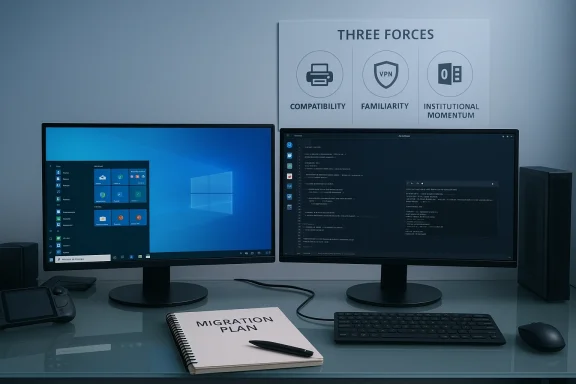 1) Software and hardware compatibility still favor Windows
Why compatibility matters more than price
Compatibility is an ecosystem problem, not a single‑feature problem. End users don’t just ask “can I run X app?” They ask whether their entire stack—printer, scanner, audio interface, GPU, PDF workflow, corporate VPN, anti‑cheat support for multiplayer games—will behave predictably on day one. Vendors historically prioritize Windows because that's where the largest installed base and commercial budgets are. That vendor prioritization shows up as:- Official drivers and signed kernel modules for Windows before other platforms.
- Commercial support and certification (e.g., “works with Windows” tests).
- Enterprise software and plug‑ins built around Windows APIs and management tooling.
Gaming: Proton helped—but anti‑cheat and publisher choices still bite
Gaming is the most visible battleground for OS compatibility. Valve’s Proton (a Wine‑based translation layer) and the Steam Deck have materially increased the number of Windows games that can run on Linux without native ports. Proton releases and Valve’s SteamOS labeling have improved the “it just works” story for many titles, and Valve continues to invest heavily in the compatibility stack. Proton upgrades (Proton 9/10 and the ongoing experimental releases) have repeatedly added compatibility for previously broken titles.That progress, however, is not universal. Anti‑cheat systems are the recurring show‑stopper. Some anti‑cheat vendors and publishers have made their systems work under Wine/Proton or written Linux‑compatible modules. Epic’s Easy Anti‑Cheat extended Linux support in 2021, and BattlEye has signaled incremental steps toward broader compatibility. Still, high‑profile removals or non‑support decisions—for example publishers limiting Steam Deck compatibility or explicitly withdrawing support because of cheating concerns—illustrate that compatibility friction remains real for specific, high‑value titles. When publishers or anti‑cheat vendors take a hard line, the only reliable workaround for players is to run Windows.
Drivers, GPUs, and professional hardware: progress, not parity
Graphics vendors show how the compatibility story can change. NVIDIA’s move to publish open GPU kernel modules and provide an “open” driver flavor for modern GPUs reduced one long‑running barrier to smooth Linux desktop experiences. NVIDIA published the open‑kernel modules and documentation in 2022 and has since worked with Linux distributions to package and support that code path, improving integration and distribution packaging. AMD’s Linux support has long leaned on the open Mesa ecosystem, and for many AMD GPUs the open stack provides excellent results for general use and gaming. These vendor moves measurably lower the barrier for mainstream desktop Linux usage.But important gaps remain outside consumer GPUs:
- Specialized instrumentation, lab equipment, and industrial devices often ship drivers only for Windows (and sometimes macOS).
- Professional audio interfaces, boutique peripherals, and some enterprise printing/scanning systems still rely on closed drivers or vendor tools that are Windows‑centric.
- Some professional software suites, especially vertical market and proprietary enterprise apps, are Windows‑only and costly to port.
Practical checklist before you switch
- Inventory critical applications and hardware (including games and anti‑cheat dependencies).
- Check official Linux support or validated community workarounds for every critical item.
- Test everything on representative hardware or in a virtualized environment before committing.
2) Familiarity keeps users anchored
Human factors and the psychology of change
Operating systems are not neutral tools; they scaffold habits, workflows, and muscle memory. Most non‑technical users learned Windows in school or at home and have decades of implicit knowledge—where the Control Panel (or Settings) lives, how to deal with updates, how to install printer drivers, and which files open with Microsoft Word. That mental model has value: it reduces the cognitive load of ordinary computing and makes troubleshooting more predictable.Switching to Linux is often a small project of continuous retraining, not a single weekend task. Even distribuesktops and curated app stores force new conventions—package managers, sandboxing, different update semantics, and new ways to manage drivers and firmware. For users and organizations that value minimized disruption, that retraining cost is a real economic factor. The gHacks summary is right to put familiarity front and center as a non‑monetary barrier.
Corporate inertia and training budgets
When an organization considers platform change, the cost model includes:- Retraining employees and helpdesk staff.
- Rewriting internal documentation and scripts.
- Revalidating compliance, security scans, and backup workflows.
- Potential lost productivity during the transition.
Gradual adoption patterns that work
Rather than full wholesale replacements, many successful Linux adoptions are selective and pragmatic:- Keep Windows for productivity and compatibility, and use Linux for development, servers, or privacy‑focused tasks.
- Dual‑boot or run Linux in VMs to trial workflows without losing access to Windows tools.
- Start with non‑critical devices (secondary laptops, home lab machines, or a single developer workstation) and expand once confidence grows.
3) Microsoft’s institutional presence reinforces Windows dominance
Schools, enterprise supply chains, and default choices
Microsoft’s reach into education, public administration, and corporate IT is deep and long‑standing. From bulk licensing agreements and standardized imaging tools to integrated identity and Office ecosystems, many institutions are built around Windows and Microsoft services. Students who learn on Windows carry those habits into the workforce; businesses standardizing on Microsoft tooling reduce cross‑platform complexity for pand compliance.This institutional inertia is a feedback loop: standardized Windows deployments lead to skilled Windows users, which leads to consumer purchases and further institutional reinforcement. gHacks’ third point—about Microsoft’s leverage in institutional environments—is central to why Windows continues to be the default.
Office formats, collaboration tooling, and document fidelity
Microsoft Office—Word, Excel, PowerPoint—and the Office file formats are entrenched in business workflows. While libre alternatives and cloud‑based tools exist, organizations often depend on exact formatting, macros, and ecosystem integrations that are easiest to support on Windows. Even when documents open on Linux with LibreOffice or web apps, edge cases (complex Excel macros, specialized add‑ins, or vendor‑locked formats) cause friction.Cloud and SaaS tools have reduced some of this lock‑in, but they also create new ones: integration patterns built around Azure Active Directory, Intune device management, and Microsoft 365 administration further entrench Windows in corporate life.
Procurement and support economics
Large organizations prefer a single vendor for predictable lifecycle management. Windows‑based fleets can be governed with established MDM tooling, imaging, and patch management—lowersupport overhead at scale. Introducing a second desktop OS increases the support matrix, raises testing costs, and complicates compliance audits. Those are real operational dollars, not abstract inconveniences.Strengths, risks, and the long run
Strengths of staying on Windows
- Predictable compatibility for a broad range of third‑party hardware and commercial software.
- Lower short‑term risk for critical workflows and procurement.
- Centralized management tooling that reduces IT complexity at enterprise scale.
Strengths of using Linux (where it fits)
- Cost flexibility and freedom from per‑seat Windows licensing in some scenarios.
- Transparency and control: open source stack, configurable updates, and privacy‑friendly setups.
- Niche excellence: servers, development workstations, embedded and privacy‑driven workflows, and an increasingly strong gaming story for many titles.
Risks of staying on Windows
- Vendor lock‑in and exposure to Microsoft's future policy choices.
- Potential privacy concerns relating to telemetry and cloud defaults (contextual and policy‑dependent).
- Single‑vendor dependency for critical enterprise tooling.
Risks of switching to Linux
- Compatibility gaps for specialized hardware and vertical‑market applications.
- Training and productivity costs during transition.
- Publisher decisions (especially in gaming) that may leave essential titles unsupported.
Cross‑checks and recent facts (what’s changed, what hasn’t)
- Desktop market share: StatCounter and other aggregators continue to show Windows as the dominant desktop OS globally; Linux desktop usage is still in the low single‑digit percentages worldwide, though there are regional and segmental variations. For example, Linux saw measurable growth tied partly to Steam Deck/SteamOS adoption and certain education/lab use cases. These patterns confirm gHacks’ core point about Windows retaining majority share while Linux grows in pockets.
- GPU and driver progress: NVIDIA’s release of open GPU kernel modules in 2022 and subsequent packaging improvements materially improved the Linux story for many modern GPUs, and distributions have increasingly packaged the open option as the default for supported architectures. AMD’s Mesa‑backed stack continues to offer strong open support. These vendor actions reduce friction for general users but don’t eliminate niche device gaps.
- Gaming & anti‑cheat: Proton has improved Linux compatibility significantly, but anti‑cheat and publisher choices remain blockers for specific titles. Valve’s ongoing work and Proton updates have expanded compatibility, yet when publishers prioritize anti‑cheat integrity and choose not to support Linux or Proton, gamers face a binary choice: run Windows or accept that some titles won’t run. Recent publisher reversals and removals (or explicit decisions not to support Linux) show that the gaming compatibility story is improving but still uncertain for major multiplayer titles.
Practical guidance for readers considering a move
If you’re thinking about switching a personal machine or recommending Linux for an organization, treat the migration as a project.- Inventory everything that matters: list every application, peripheral, and game you rely on.
- Prioritize: mark items as “must have”, “nice to have”, or “replaceable.”
- Validate: for each “must have”, confirm either official Linux support or a reliable, well‑documented workaround.
- Pilot: test with a VM, live USB, or secondary machine. Include workflows that matter (printing, VPN, video conferencing, proprietary hardware).
- Model costs: estimate retraining and support overhead, plus contingency for urgent compatibility fixes.
- Choose a hybrid path if needed: dual‑boot, VM, or keeping Windows available for critical tasks reduces risk while letting you explore Linux benefits.
The verdict: pragmatic realism, not ideology
The gHacks argument captures a practical truth: price alone rarely drives mainstream desktop OS choices. Compatibility, retraining costs, and institutional momentum matter far more for most consumers and organizations. Linux’s advantages—control, transparency, and (increasingly) gaming viability—are real and growing, but they currently matter most to specific user groups: developers, privacy‑conscious users, hobbyists, and some gamers who can tolerate technical workarounds.Conversely, Windows remains the pragmatic default for the majority because it reduces immediate risk and decision friction. That default is supported by market data and confirmed by vendor and publisher behaviors. Growth in Linux adoption is happening and meaningful in pockets (notably gaming via Valve and the Steam Deck ecosystem), but the mainstream desktop landscape is still organized around Windows for the time being.
What to watch next (signals that could change the balance)
- Major publishers embracing robust, kernel‑level anti‑cheat support for Proton/Wine or formally supporting SteamOS could swing more gamers to Linux.
- Continued vendor moves to open and package GPU kernel modules (NVIDIA, AMD, and Intel) that make drivers truly distribution‑agnostic will reduce one big compatibility barrier.
- Large education or public procurement shifts away from Windows toward standardized Chromebooks or Linux fleets would change long‑term user familiarity patterns.
- Any substantive change in Microsoft’s licensing, pricing, or OEM arrangements could also alter institutional calculus—though such shifts are rare and slow.
Conclusion
“Linux is free” is a clear and accurate statement, but it’s insufficient as a migration argument for most users. What matters in real decisions are the ecosystem guarantees—hardware drivers, vendor support, document fidelity, and institutional tooling—that make a platform reliable for everyday life. Linux has closed many gaps and continues to make impressive progress—particularly around graphics and gaming—but those improvements are uneven and often lateral rather than universal.If you value predictability, minimal support overhead, and maximum compatibility with commercial hardware and software, Windows is stic choice for now. If you value control, transparency, and a platform optimized for developers or privacy, and you’re willing to accept occasional friction or do workarounds, Linux is a powerful and increasingly practical alternative. For most people and organizations, the smartest approach is pragmatic hybridization: use the right tool for the job, pilot changes carefully, and treat any migration as a deliberate project rather than a single download.
The debate is not a binary contest between freedom and convenience. It’s a real‑world trade‑off between short‑term predictability and long‑term control—and for the majority of desktop users the scales still tip toward predictability.
Source: gHacks Why Most Users Stay On Windows Despite Linux Being Free? - gHacks Tech News
