

Changing a few words in Windows is rarely just a copyedit; it’s a coordinated choreography that forces Microsoft to lock down text long before engineers finish locking down code — and that scheduling choice leaves a trail of “orphan” strings and odd, sometimes misleading wording in the OS for years.
Every modern software product that ships in many languages must coordinate two distinct workflows: the engineering release cadence and the localization (l10n) cadence. Engineering moves on a cycle of feature completion, stabilization, and then a final “no code changes” gate. Localization works on a separate timeline: once source strings stop changing for a release, translation teams extract those strings, translate them into dozens (or hundreds) of target locales, and then validate the translations in context. That extraction-and-translation window is usually called a string freeze.
The string-freeze model is common across large projects: from browsers and desktop apps to operating systems. It gives translators the stability they need to complete high-quality translations, run localization QA passes, and avoid repeated churn. In practice, that freeze often arrives well ahead of the code freeze for engineering, because translators need calendar time to translate, review, and QA the string set across many languages and locales.
But the practical effect of a string freeze is rarely obvious to end users: it means strings that are in the translation pipeline become immutable for that release. When engineers subsequently change behavior, labels, or UI structure, teams face a choice: change existing strings (which invalidates translations), reuse or add new strings, or delay the engineering change. Microsoft, like many large vendors, tends to avoid invalidating already-published translations and instead adds new localized candidates while leaving the old strings in place. Over multiple releases that conservative approach leads to an accumulation of abandoned or “orphan” strings in the OS.
At a practical level, vendor write-ups and developer docs that explain resource indexing, localization packaging, and fallback behavior confirm the mechanics that lead to orphan strings: resource identifiers are stable anchors for translation, and changing them requires a new translation lifecycle for each affected locale. Microsoft’s resource management model and the use of PRI/Resource Manager are explicit about candidate selection and fallback logic, which explains why updating strings is operationally nontrivial.
Caveat: some public commentary frames these retention decisions as a strict immutability policy — but an exact, universally applicable Microsoft policy statement that every string is forever immutable is not typically published as a one-line rule in public docs. Practically, however, the engineering and localization workflows create de facto immutability for strings that have already been published and shipped in translation packs across servicing branches. Treat Chen’s explanation and several engineering writeups as a pragmatic description of how the pipeline behaves in practice rather than a formal corporate rule you can find in a single policy doc.
Fixing this requires investment in process and tooling: better aliasing and mapping for semantically equivalent strings, smarter translation memory that safely reuses prior work, and an explicit deprecation/cleanup cadence built into major releases. For enterprise teams, the practical response is to avoid scraping UI text for automation, rely on canonical identifiers and APIs, and keep pilot rings representative of language diversity.
The story is a good reminder that what looks like a trivial copyedit can be a hard project when your product must speak dozens of languages — and that translation timelines and tooling are as central to product quality as code review and testing.
Source: The Register https://www.theregister.com/2025/11/28/chen_windows_text_translation/?td=keepreading/
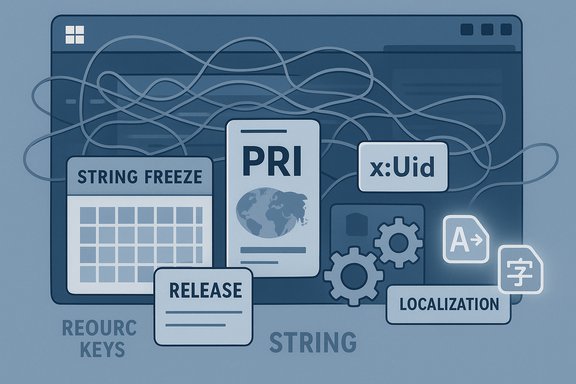 Background
Every modern software product that ships in many languages must coordinate two distinct workflows: the engineering release cadence and the localization (l10n) cadence. Engineering moves on a cycle of feature completion, stabilization, and then a final “no code changes” gate. Localization works on a separate timeline: once source strings stop changing for a release, translation teams extract those strings, translate them into dozens (or hundreds) of target locales, and then validate the translations in context. That extraction-and-translation window is usually called a string freeze.The string-freeze model is common across large projects: from browsers and desktop apps to operating systems. It gives translators the stability they need to complete high-quality translations, run localization QA passes, and avoid repeated churn. In practice, that freeze often arrives well ahead of the code freeze for engineering, because translators need calendar time to translate, review, and QA the string set across many languages and locales.
But the practical effect of a string freeze is rarely obvious to end users: it means strings that are in the translation pipeline become immutable for that release. When engineers subsequently change behavior, labels, or UI structure, teams face a choice: change existing strings (which invalidates translations), reuse or add new strings, or delay the engineering change. Microsoft, like many large vendors, tends to avoid invalidating already-published translations and instead adds new localized candidates while leaving the old strings in place. Over multiple releases that conservative approach leads to an accumulation of abandoned or “orphan” strings in the OS.
What an “orphan string” actually is
The anatomy of an orphan
- A string is authored and released in the base language (typically en-US).
- The string is shipped or staged for shipping and included in the translation workload.
- Translators create corresponding translations for many locales.
- Later, engineering changes the UI or wording. Rather than altering the original string (which invalidates translations), a new string identifier or a new resource entry is introduced.
- The old string remains in the build because it still exists in code paths, resource maps, or legacy components — but its meaning may have drifted, been superseded, or become contextually incorrect. That old-but-still-present textual artifact is an orphan string.
Why they persist
- Changing an already-extracted/translated string can cause mismatches between compiled resource packs and the localized packages that were created for previous builds or servicing branches.
- Once a translation pack is published for a given resource key, updating that key risks producing untranslated UI (falling back to the base language) or, worse, inconsistent text across locales.
- For compatibility and servicing reasons, the Windows engineering and localization pipeline prioritizes stability of resource identifiers and predictable fallback behavior over aggressive text cleanup.
How Windows handles localizable resources today
Understanding why orphan strings are a structural inevitability in large OS lifecycles requires a quick look at how Windows and modern apps manage resources.- Windows apps and components commonly use resource files (.resw, .mui, .resx) and platform resource indexing (PRI) to manage localized assets.
- The Resource Management System (the MRT/PRI pipeline) builds an index mapping canonical resource identifiers to locale-specific candidates, and at runtime the resource manager selects the best candidate based on the user’s preferred language and fallback rules.
- Changing the identifier or the property path used by a UI element (for example, XAML’s x:Uid pattern or a different resource key) effectively creates a new resource candidate. The resource manager will not magically map old translations to the new identifier; translations need to be re-associated or retranslated.
- The system also implements fallback behavior: if a translation isn’t available for the selected locale, the platform falls back to a default or base-language resource. That fallback behavior is reliable but not always desirable for UX consistency.
The practical consequences: why users and admins notice the problem
Strange wording and mixed-language UIs
The most visible symptom is odd or stale UI text. That ranges from slightly anachronistic phrasing to outright misleading labels. For global users, this often shows as:- A dialog still using old phrasing while nearby text uses a newer term.
- Mixed-language screens where some UI elements fall back to the base language because the localized candidate was invalidated.
- Buttons or menus that reference features by old names even after the feature behavior has changed.
Increased binary and resource size
Because vendors typically add new resource candidates rather than removing old ones, the OS or app accumulates multiple translations for variants of the same message. Over the course of many releases this can measurably increase the size of language packs and the surface area of resources loaded by the system.Automation fragility
Enterprise tools and scripts that relied on particular display strings for automation or logging find themselves brittle. When string churn happens and multiple similar strings exist, in-place parsing breaks. That’s why administrators and service tooling should avoid parsing free-text UI strings and favor canonical identifiers (KB numbers, build tokens, package GUIDs, or programmatic APIs).Why Microsoft (and other large vendors) do this: the trade-offs
- Compatibility-first posture. Large platform vendors must weigh the risk of breaking translations and creating missing-ui regressions across millions of devices. Conservatism wins in most cases.
- Localization throughput. Translators need time to do accurate translations and to validate strings in-context. That timeline is real and can be lengthy for major OS components with many strings and many locales.
- Operational complexity. Ship teams are juggling parallel servicing branches, catalog metadata, and distribution channels; changing strings mid-cycle introduces complexity in packaging and catalog consistency.
- Risk of silent regressions. Altering strings can cause fallback to the base language in surprising places, which sometimes goes unnoticed until customers report confusion.
Real-world validation and industry context
The pattern described above is not unique to Windows. Large projects with structured localization pipelines commonly use string freezes and experience resource churn when UI changes outpace translation updates. Translation teams often require a two-to-eight week window (or more) between freeze and QA; projects like Firefox, GNOME, and many distribution releases follow similar practices to avoid repeated rework. Platform documentation and developer guidance for localization (resource indexes, x:Uid patterns, PRI usage) also underscore the fragility of identifier changes and the need for stable resource keys.At a practical level, vendor write-ups and developer docs that explain resource indexing, localization packaging, and fallback behavior confirm the mechanics that lead to orphan strings: resource identifiers are stable anchors for translation, and changing them requires a new translation lifecycle for each affected locale. Microsoft’s resource management model and the use of PRI/Resource Manager are explicit about candidate selection and fallback logic, which explains why updating strings is operationally nontrivial.
Caveat: some public commentary frames these retention decisions as a strict immutability policy — but an exact, universally applicable Microsoft policy statement that every string is forever immutable is not typically published as a one-line rule in public docs. Practically, however, the engineering and localization workflows create de facto immutability for strings that have already been published and shipped in translation packs across servicing branches. Treat Chen’s explanation and several engineering writeups as a pragmatic description of how the pipeline behaves in practice rather than a formal corporate rule you can find in a single policy doc.
Technical deep dive: what makes strings “stick”?
Resource identifiers and UI properties
In XAML, for example, the x:Uid directive ties a control to a resource key and property (e.g., GoButton.Content), so renaming the control or changing the property means a different resource path, which the PRI index treats as a new candidate. Native Win32/MUI workflows use resource IDs and MUI DLLs, and changing a resource ID similarly breaks the mapping.Resource packaging and the PRI index
The MakePRI tool compiles resource candidates into a package resource index (PRI). The index maps named resources to candidate lists (language-qualified strings, images, etc.. Once a PRI is built and shipped, changing a logical resource name or the linking between code and resource requires a rebuild of the PRI and a retranslation if the original candidate mapping is altered.Fallback behavior
If the resource manager cannot locate a candidate in the requested language, it tries fallback logic that typically ends up serving the base (en-US) resource. That fallback is predictable, but users who expect consistent localized UX will notice it.Localization QA and human review
Many languages require contextual adjustments — grammatical agreement, gendered forms, plural rules, or different idiomatic phrasing. Translators validate text in context (screenshots, runtime contexts). When developers change where a string is used (button -> label), even unchanged text may need a new translation pass because context can change meaning. Conservatively adding a new resource rather than repurposing an old one protects translation accuracy, but it also leaves the old candidate behind.Practical guidance: what developers, product teams, and IT admins should do
For product teams and engineers
- Design stable resource identifiers. Prioritize stable x:Uid values and resource keys that survive UI refactors. If you must refactor, provide aliasing mappings so existing translations can be associated with new keys when the meaning hasn't changed.
- Avoid embedding user-facing text in code. Use resource bundles and stable identifiers; that reduces churn when UI code moves.
- Use reuse-friendly resource patterns. Where a phrase is intentionally reused, ensure the resource key is intentionally shared and documented so translators can treat the phrase consistently.
- Provide translation context. Add notes, screenshots, and usage metadata for translators to reduce the chance that a small change forces a full retranslation due to lack of context.
- Invest in translation memory and mapping tools. Translation memory systems and automated fuzzy-matching can reuse previous translations when text changes slightly. Invest in tooling that can detect semantic equivalence to prevent unnecessary rework.
- Plan string freeze windows explicitly. Communicate freeze dates early with product management, translators, and localization QA so teams can coordinate.
For localization teams and program managers
- Adopt flexible workflows. Use translation memory and pre-translation tools to handle small copy changes without full manual retranslation.
- Use deprecation metadata. Mark old strings as deprecated in tools rather than simply deleting them. That helps engineers know which strings are safe to purge in a major release and gives translators a signal about planned cleanup.
- Negotiate micro-release processes. For small wording fixes, negotiate safe uplift mechanisms that let translators update only the affected keys without invalidating the entire pack.
For enterprise IT and ISVs consuming Windows
- Don’t parse user-facing strings in automation. Use canonical identifiers (KB numbers, build IDs, package GUIDs, APIs) rather than free-text matching on display labels.
- Expect mixed-language transients after updates. In phased rollouts and server-side toggles, some devices may show mixed-language UI while resource rollouts land. Plan support messaging and runbook guidance accordingly.
- Keep a close pilot ring with language diversity. Piloting on devices that represent the language diversity in your org will surface localization regressions early.
- Educate help-desk staff. When users report confusing wording, an awareness of the localization lifecycle will speed triage and reduce escalations.
How Microsoft (and others) could improve the situation
- String aliasing and semantic mapping. Provide an internal mechanism where developers can indicate that a new resource key is semantically equivalent to a prior key so existing translations can be remapped automatically (with QA flags).
- Translation patching for minor edits. Allow translators to patch existing translations with minimal gate friction instead of forcing a full retranslation cycle, paired with targeted review tooling to prevent regression.
- Better in-context translation tooling. Enable translators to review UX in a live or near-live environment so they can judge whether a small change is safe to accept or requires rework.
- Deprecation lifecycle and cleanups on major releases. During major releases it’s reasonable to do a controlled purge of deprecated strings; make this a documented and scheduled step with tooling support to avoid accidental fallout.
- Stronger use of translation memory and fuzzy match automation. Improve tooling so that small textual edits are identified as likely semantic equivalences and translators are offered pre-filled suggestions rather than starting from scratch.
Risks and trade-offs: compatibility vs. clarity
- The current approach favors compatibility and reduces the risk of translation regressions or localized UI breakage in serviced branches. That’s defensible for a platform that must keep millions of devices stable.
- The cost is UX drift and resource bloat. Over time, orphaned strings can accumulate and produce user-visible inconsistencies — eroding perception of polish and readability.
- Aggressive cleanup or automatic re-use of translations risks validating inappropriate translations in context, which could introduce new user-facing mistakes or cultural issues.
Conclusion
Orphan strings are not a bug in the usual sense; they are a consequence of how large-language, long-lived systems coordinate engineering and localization work. The status quo — lock strings early, add new candidates rather than overwrite old ones — is a conservative approach that minimizes translation regressions and servicing risk, but it produces long-term UX trade-offs: odd wording, mixed-language screens, and larger resource footprints.Fixing this requires investment in process and tooling: better aliasing and mapping for semantically equivalent strings, smarter translation memory that safely reuses prior work, and an explicit deprecation/cleanup cadence built into major releases. For enterprise teams, the practical response is to avoid scraping UI text for automation, rely on canonical identifiers and APIs, and keep pilot rings representative of language diversity.
The story is a good reminder that what looks like a trivial copyedit can be a hard project when your product must speak dozens of languages — and that translation timelines and tooling are as central to product quality as code review and testing.
Source: The Register https://www.theregister.com/2025/11/28/chen_windows_text_translation/?td=keepreading/
