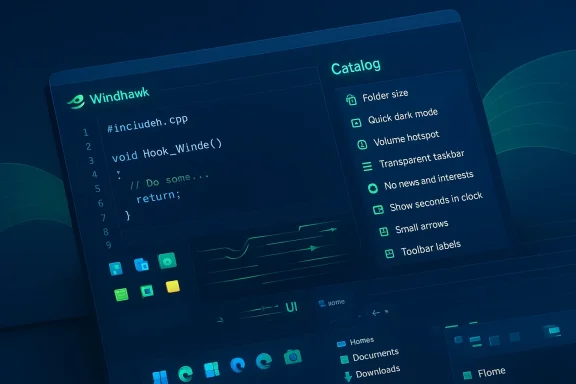
Windhawk has quietly become the Swiss Army knife of Windows 11 customization: a lightweight, open‑source modding engine that injects small, auditable C++ mods into Windows processes and — in many cases — restores functionality and flexibility that Microsoft removed or locked down. What used to be a niche hobbyist workflow is now a polished marketplace of community‑authored tweaks that cover everything from taskbar behavior to Start menu styling, and the results are both powerful and surprisingly safe when you follow a few basic safeguards. (github.com)
Windows 11 shipped with a much tighter, more opinionated shell than Windows 10: the taskbar is fixed to the bottom by default, Start is less customizable, and many traditional options were removed or hidden. For power users this has meant an explosion of third‑party tools aiming to “bring back” familiar behavior — but those tools vary wildly in approach, performance, and reliability. Some are commercial, monolithic replacements; others are registry hacks that break with updates; and a few use deeper process‑level techniques that can trigger security software. The landscape is messy, and Windhawk staked out a different path.
What to remember:
That said, exact numbers — “a few megabytes of RAM” or “1–2% CPU usage” — are device and mod dependent, and you should treat such figures as indicative rather than guaranteed. Some mods that run frequent timers or hook per‑frame rendering paths will have more measurable impact. Conversely, mods like “Timer Resolution Control” explicitly aim to improve battery by preventing frequent high‑resolution timer requests. Always test on your hardware and disable or uninstall mods if you notice regressions.
For everyday users who want a “set it and forget it” change with commercial support and guaranteed compatibility, a paid product like Start11 may still be a better fit. Enterprise environments or competitive gamers should weigh the tradeoffs carefully and use Windhawk selectively or in restricted contexts where anti‑cheat or security policies permit.
If you plan to try Windhawk:
Source: MakeUseOf This Windows 11 modding tool blows every alternative away
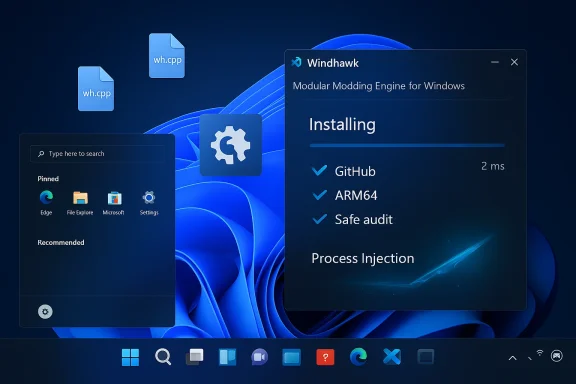 Background
Windows 11 shipped with a much tighter, more opinionated shell than Windows 10: the taskbar is fixed to the bottom by default, Start is less customizable, and many traditional options were removed or hidden. For power users this has meant an explosion of third‑party tools aiming to “bring back” familiar behavior — but those tools vary wildly in approach, performance, and reliability. Some are commercial, monolithic replacements; others are registry hacks that break with updates; and a few use deeper process‑level techniques that can trigger security software. The landscape is messy, and Windhawk staked out a different path. Overview: what Windhawk is and why it matters
Windhawk is not a single tweak‑app but an engine plus a catalog of modular mods. The core Windhawk runtime is responsible for injecting and running small, compiled modules inside target processes; the mods themselves are distributed as source files (typically .wh.cpp) and compiled into tiny binaries that Windhawk loads at runtime. That design gives Windhawk three practical advantages:- Modularity: install only what you want, avoid one‑size‑fits‑all installers.
- Transparency: every mod is a source code file you can read before installing.
- Maintainability: the engine handles updates, symbol resolution, and exclusions so mods can remain compact and focused. (github.com)
How Windhawk works — a short technical tour
Mods as small C++ snippets
Each Windhawk mod is authored in C++ and submitted to the official mods repository as a single source file. Mods include metadata that tells Windhawk which processes to patch and which interfaces to expose to end users. Because mods are source files, reviewers and curious users can audit exactly what will be injected before compiling and running it. This is a key differentiator compared with opaque binaries or closed‑source “tweaker” tools.Injection, symbols, and process selection
The Windhawk engine includes components that handle process enumeration, symbol lookup, and safe unloading. The engine ships in multiple architectures (x86/x64/ARM64 where supported) so that mods can target native processes on the platform they run on. The engine also supports configurable rules to exclude known‑incompatible programs, which helps mitigate conflicts with games and system components. (github.com)The marketplace model
Rather than bundling dozens of features into one monolithic app, Windhawk exposes a mod catalog and lets users pick independent tweaks — everything from a middle‑click to close taskbar items to full taskbar theming. Mods can be developed and submitted by community members; Windhawk’s repository and deployment pipeline manage distribution and updates. This marketplace approach scales better than individual projects trying to do everything.The ecosystem: breadth, quality, and notable mods
Windhawk’s mod catalog is deep and diverse. The official site and Git repository list dozens of high‑usage mods — some with hundreds of thousands of installs — which is a strong signal that the platform has traction beyond hobbyist circles. Popular examples include:- Windows 11 Start Menu Styler — themeable Start menu replacements and presets (hundreds of thousands of users).
- Windows 11 Taskbar Styler — theming and multirow styling for the taskbar.
- Taskbar Clock Customization — add weather, feeds, and custom formatting to the taskbar clock.
- Better file sizes in Explorer details — shows folder sizes and switches to MB/GB units for large files.
ARM64 support: why it matters for modern devices
A major turning point for Windhawk has been the addition of ARM64 support in recent releases. Windows on Arm (Snapdragon and other ARM‑based PCs) is a fast‑growing segment of ultralight laptops and tablets, and until Windhawk added an ARM64 engine build native customization of ARM processes was limited. The v1.6 release explicitly added ARM64 support while acknowledging caveats for x86/x64 emulation and compatibility. That move dramatically broadened the audience for Windhawk and made the platform a practical option for Copilot+ and other Snapdragon‑powered devices.What to remember:
- Windhawk supports ARM64 processes natively, but mods that target x86/x64 behavior may require adjustments.
- The engine added smarter exclusion rules to reduce conflicts with known‑incompatible programs (a welcome safety measure for gamers and virtualized environments).
Performance and battery life: measured claims vs. reality
One of Windhawk’s selling points is that it’s designed to be “always on” without noticeable resource impact. Official messaging stresses robustness and low overhead; community reports largely support this: the service and background processes are idle most of the time, and mods are meant to execute only when necessary. That design reduces the continuous CPU or memory pressure you might see from heavier UI replacement suites. (github.com)That said, exact numbers — “a few megabytes of RAM” or “1–2% CPU usage” — are device and mod dependent, and you should treat such figures as indicative rather than guaranteed. Some mods that run frequent timers or hook per‑frame rendering paths will have more measurable impact. Conversely, mods like “Timer Resolution Control” explicitly aim to improve battery by preventing frequent high‑resolution timer requests. Always test on your hardware and disable or uninstall mods if you notice regressions.
Security, antivirus, and anti‑cheat: the real risks
Windhawk’s approach — injecting code into other processes — is technically powerful but also the reason security and compatibility concerns exist. Two classes of issues recur in community threads and official discussions:- Antivirus false positives: Because Windhawk includes a compiler toolchain and performs process injection, some antivirus engines occasionally flag Windhawk components as suspicious. The project and community consistently call most detections false positives, and the maintainers advise reporting the detections to vendors and using the official distribution channels. GitHub issue discussions and forum threads document these incidents and how they were resolved.
- Anti‑cheat and virtualization conflicts: Anti‑cheat systems used by competitive games (and some virtualization or hypervisor systems) can consider DLL injection or process hooks to be an unacceptable alteration of the runtime environment. In practice, this means Windhawk can prevent a game from launching or trigger an “unsafe environment” error until you close Windhawk; bans are rare, but access problems are real and reported by users. The platform’s process exclusion rules (and the ability to stop Windhawk before launching a game) mitigate the risk but don’t eliminate it.
- Use the official installer and verify digital signatures.
- Review mod source code before installing; prefer mods from trusted authors with GitHub profiles.
- For competitive gaming, close Windhawk or use the provided exclusion lists when launching anti‑cheat‑protected titles.
- Maintain backups or restore points before applying system‑level mods.
How Windhawk compares to alternatives
There are several alternative approaches to customizing Windows 11; each has tradeoffs.- Start11 (commercial, monolithic replacement): A feature‑rich, paid app designed to replace or heavily customize the Start menu and taskbar. It’s polished and supported commercially, but it’s not modular and locks you into a single product ecosystem. For many corporate deployments, Start11’s management features are an advantage; for individual tinkerers who want granular control, its monolithic nature is a disadvantage.
- ExplorerPatcher / StartAllBack / StartIsBack: These projects historically used low‑level hooks and sometimes break when Microsoft changes taskbar internals. Windows updates have occasionally made them unreliable until the maintainers release fixes, and Microsoft has taken measures that can impede or complicate these tools. ExplorerPatcher is powerful for restoring classic taskbar behavior but has a higher maintenance surface for compatibility with OS updates.
- 7+ Taskbar Tweaker and similar utilities: Lightweight and stable for older Windows versions, they often avoid the full scope of Windows 11 changes. The developer behind Windhawk is also the author of 7+ Taskbar Tweaker, and some functionality from the tweaker has been ported into Windhawk mods, which shows a continuity of expertise and a migration path for users.
- Modularity and transparency: choose per‑feature mods and inspect the code.
- Active community and official mod repo: reduces the chance of installing malicious mods compared with random downloads.
- Cross‑architecture support (ARM64): expands reach to modern devices.
- Injection techniques: inherently present compatibility and security tradeoffs.
- Community QA: not every mod is production‑grade; vetting is still user responsibility.
- Game and virtualization interactions: if you rely on a platform that forbids code injection, Windhawk may be inconvenient.
Practical guide: getting started safely with Windhawk
If you want to try Windhawk, follow these practical steps to stay safe and productive.- Backup first
- Create a system restore point or a full image backup before making system‑level changes.
- Install Windhawk from the official distribution
- Use the official release build and check the digital signature in file properties.
- Start with low‑risk mods
- Try cosmetic or convenience mods like “Middle click to close on the taskbar” or the clock customization before attempting deep system hooks.
- Review mod source code
- Open the .wh.cpp in the official repository and scan for obvious red flags (network calls, downloads, obfuscated logic) before installing. The mod metadata usually includes the author’s GitHub handle.
- Use exclusions for gaming or virtualization
- Windhawk has process exclusion rules; add games or hypervisors you trust to the exclusion list and close Windhawk if an anti‑cheat complains.
- Monitor performance and behavior
- After installing a mod, monitor Task Manager and your battery stats for a few days. If you notice regressions, disable the mod and file an issue with the mod author. (github.com)
Auditing and vetting mods: a quick checklist
- Is the mod authored by a known contributor (e.g., m417z) or a GitHub profile with history?
- Does the mod compile cleanly and include metadata (version, target processes)?
- Does the mod request elevated privileges or perform external downloads at runtime? If so, treat it with extra caution.
- What do the user comments and issue tracker say — are there reports of crashes or incompatibilities with specific Windows builds?
- Is there a recent commit or activity on the mod that matches your Windows build (23H2, 24H2, etc.)? Mods that haven’t been updated in a long time may not account for recent shell changes.
Case studies: real‑world headaches and how Windhawk addresses them
- Windows updates that change taskbar internals can break monolithic tools. Windhawk’s smaller, single‑purpose mods are easier to patch individually, and the official mod repo can deploy updates without shipping a whole new client. That reduces the blast radius for compatibility regressions.
- Anti‑cheat conflicts: Windhawk’s v1.6 added default process exclusion rules to prevent known incompatible programs from being patched, reducing game launch failures. The ability to stop the background service quickly is also a practical mitigation when gaming.
- False positives: Windhawk bundles compiler tooling (e.g., clang binaries) that have triggered detections in some AV engines. The project’s maintainers and the community treat these incidents as false positives in most cases, and users should report such detections rather than reflexively deleting files. When in doubt, run the installer in a VM first.
Critical analysis — strengths, caveats, and where Windhawk could improve
Strengths- Unmatched flexibility: Windhawk’s modular approach and public source code make it uniquely powerful for targeted customization.
- Transparency and community governance: the mods repo and requirements for metadata/GitHub links raise the bar on trust compared to random binaries.
- Cross‑platform Windows support: adding ARM64 support and per‑mod exclusion rules shows maturity in the project roadmap.
- Surface area for conflicts: anything that injects into other processes is going to bump into security tooling, virtualization stacks, or anti‑cheat systems. That’s a technical inevitability, not a fault unique to Windhawk.
- Quality variability: the marketplace model means some mods are excellent while others are experimental; users must remain vigilant.
- Windows update churn: Microsoft’s periodic changes to shell internals can still break mods; timely upstream updates are essential to maintain reliability.
- Better vetting badges: an optional “trusted author” badge system tied to GitHub verification and automated static analysis could help novice users make safer choices quickly.
- Official sandbox mode: a built‑in sandbox to test mods in a disposable session would lower the risk for mainstream users.
- Automated compatibility checks: integration with a Windows build matrix to flag mods likely to break on specific OS builds would reduce surprise regressions. These are engineering investments that could broaden Windhawk’s audience beyond enthusiasts.
Final verdict: who should use Windhawk, and how
Windhawk is the most compelling Windows 11 customization platform available to anyone who wants modular, auditable, and powerful tweaks — particularly if you value transparency and community governance over closed, paid replacements. For enthusiasts, IT power users, and developers, Windhawk is a near‑perfect tool: it’s open source, actively maintained, and now supports ARM64 devices. (github.com)For everyday users who want a “set it and forget it” change with commercial support and guaranteed compatibility, a paid product like Start11 may still be a better fit. Enterprise environments or competitive gamers should weigh the tradeoffs carefully and use Windhawk selectively or in restricted contexts where anti‑cheat or security policies permit.
If you plan to try Windhawk:
- Start small, back up your system, and review mod source code.
- Use the official mod repository and prefer mods with active authors and recent updates.
- Close Windhawk when you run anti‑cheat‑protected games or critical virtualization workflows.
Source: MakeUseOf This Windows 11 modding tool blows every alternative away