

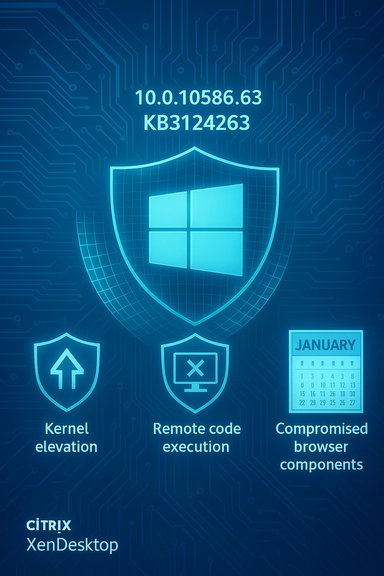
Microsoft has begun rolling out the January 12, 2016 cumulative update that raises Windows 10 (Version 1511) for non‑Insider PCs to build 10586.63 (delivered as KB3124263), a security‑focused release that patches multiple kernel, browser and remote‑code‑execution vectors and aligns public PC, Mobile and IoT Core channels to the same patch level.
Windows 10’s servicing model uses cumulative updates: each monthly package includes all previously released fixes for that servicing branch, and is identified by a KB number as well as the resulting OS build. The package published on January 12, 2016 — KB3124263 — is a cumulative security update for Windows 10, version 1511 (the November Update) that increments the public OS build to 10.0.10586.63. Microsoft published a support article for the cumulative update that details the fixes, file hashes, and a short list of known compatibility issues.
The January release arrived during Patch Tuesday and is intentionally modest in user‑visible changes: this is not a feature drop but a security and stability package. The contents include several Microsoft security bulletins from the same patch cycle, and Microsoft made the update available via Windows Update and the Microsoft Update Catalog for manual download.
Insider testing accelerates discovery of regressions and compatibility problems, but cumulative updates still represent the main vehicle for monthly security and reliability fixes for non‑Insider customers. This update demonstrates the two‑track model: rapid Insider feature testing alongside monthly cumulative security maintenance for production machines.
Windows 10 IoT Core (Raspberry Pi, DragonBoard, MinnowBoard targets) received the corresponding cumulative update and build increment; Microsoft published the IoT Core update separately through its IoT channels. That meant the Device Portal and IoT tooling benefited from the same stability and security improvements that PC users received.
Because cumulative updates change any affected system files and drivers, regression risk exists even when the update is security‑focused. That’s why enterprises test monthly cumulative updates through an internal test ring before broad deployment.
Recommended sequence for IT teams:
Strengths
The public release demonstrates operational discipline: fixes for critical kernel and browser vulnerabilities were grouped and shipped promptly, and Microsoft included compatibility guidance for third parties where known issues existed. The tradeoff remains that cumulative updates can sometimes produce surprise incompatibilities, especially in heterogeneous enterprise environments.
For readers tracking Windows version history, this update is one of a series of incremental 10586.x releases that brought stability and security refinements through early 2016 before subsequent feature updates and the broader Redstone development cycle.
Concise action checklist:
Source: theusbport.com Windows 10 PC build 10586.63 is out for non-Insiders via KB3124263
 Background
Windows 10’s servicing model uses cumulative updates: each monthly package includes all previously released fixes for that servicing branch, and is identified by a KB number as well as the resulting OS build. The package published on January 12, 2016 — KB3124263 — is a cumulative security update for Windows 10, version 1511 (the November Update) that increments the public OS build to 10.0.10586.63. Microsoft published a support article for the cumulative update that details the fixes, file hashes, and a short list of known compatibility issues.The January release arrived during Patch Tuesday and is intentionally modest in user‑visible changes: this is not a feature drop but a security and stability package. The contents include several Microsoft security bulletins from the same patch cycle, and Microsoft made the update available via Windows Update and the Microsoft Update Catalog for manual download.
What KB3124263 actually contains
KB3124263 is a cumulative security update that bundles multiple fixes from Microsoft’s January security disclosures. The public summary for the update lists the following security bulletins and advisory items as included in the package:- MS16‑008 (KB3124605) — Security update for the Windows kernel to address elevation of privilege vulnerabilities.
- MS16‑007 (KB3124901) — Security update to address remote code execution scenarios in Windows components.
- MS16‑005 (KB3124584) — Security update for kernel‑mode drivers to address remote code execution.
- MS16‑001 (KB3124275) — Cumulative security update for Internet Explorer to address remote code execution vulnerabilities.
- Microsoft Security Advisory (KB3118753) — Updates for ActiveX kill bits.
Brief technical context for the bundled bulletins
- Elevation of privilege (kernel): these vulnerabilities allow an attacker with local access or the ability to run code on the machine to escalate rights — for example, from a limited user to SYSTEM — by exploiting flaws in the kernel. Fixes typically harden privilege checks and correct memory handling in kernel components.
- Remote code execution (RCE): these are the highest‑impact serveralities: a successful exploit could let an attacker run arbitrary code remotely — in some cases without any user interaction — by supplying specially crafted input to a vulnerable component (browser, driver, or service).
- Internet Explorer fixes: historically, IE updates in this bundle mitigated specially crafted webpages and malicious content that could trigger RCE via the browser’s script engine or rendering components.
- ActiveX kill bits: the advisory updates registry kill bits used to block unsafe ActiveX controls from loading in legacy contexts.
Release cadence, Insider testing and why non‑Insider users see this now
Microsoft’s Insider rings are the front lines for testing higher‑risk builds and feature previews. In early January 2016 Microsoft had been pushing faster builds to Insiders, but cumulative updates continue to be the delivery mechanism for production devices. The 10586.63 build had circulated among Insiders and in Device/IoT channels shortly before being pushed to the public via KB3124263.Insider testing accelerates discovery of regressions and compatibility problems, but cumulative updates still represent the main vehicle for monthly security and reliability fixes for non‑Insider customers. This update demonstrates the two‑track model: rapid Insider feature testing alongside monthly cumulative security maintenance for production machines.
Platform alignment: PC, Mobile and IoT Core
An important operational point for IT pros and hobbyists: Microsoft aligned multiple branches with the same build number at this time. The same OS build number, 10586.63, was made available across PC and Windows 10 IoT Core, and similar update packages reached Mobile channels in the same window. For organizations and developers that target more than one Windows platform — for example, UWP developers or IoT device builders — this alignment reduces fragmentation and helps reproduction of issues across platforms.Windows 10 IoT Core (Raspberry Pi, DragonBoard, MinnowBoard targets) received the corresponding cumulative update and build increment; Microsoft published the IoT Core update separately through its IoT channels. That meant the Device Portal and IoT tooling benefited from the same stability and security improvements that PC users received.
Known issues and compatibility caveats
No cumulative update is risk‑free. Microsoft’s support bulletin for KB3124263 listed at least one notable compatibility issue that administrators must consider:- Customers with Citrix XenDesktop installed may be blocked from receiving this update. Microsoft documented a compatibility problem where, on systems with certain versions of Citrix XenDesktop, installing this update could prevent users from logging on successfully. The manufacturer (Citrix) and Microsoft advised caution: devices with affected Citrix components might not be offered the update through Windows Update, and the recommendation was to consult Citrix for remediation or to remove incompatible software before applying the update if necessary.
Because cumulative updates change any affected system files and drivers, regression risk exists even when the update is security‑focused. That’s why enterprises test monthly cumulative updates through an internal test ring before broad deployment.
Installing KB3124263: methods and verification
For most home users and small organizations, the simplest path is to let Windows Update deliver KB3124263 automatically. For administrators and power users there are additional options:- Use Windows Update (Settings > Update & Security > Windows Update) — the update will be offered and installed automatically for devices on the standard servicing channel once Microsoft starts the rollout.
- Get the stand‑alone MSU package via the Microsoft Update Catalog and apply it manually using the Windows Update Standalone Installer (wusa.exe) — useful for offline machines or staged deployments.
- Use WSUS / ConfigMgr to distribute and approve the update in enterprise environments.
- After rebooting, verify the OS build: run winver (Start > type winver) — the dialog should show 10.0.10586.63 on systems where the update completed successfully.
- If you download the MSU, verify the file integrity using the SHA1/SHA256 hashes published on Microsoft’s support page before running the installer; Microsoft published hashes for both x86 and x64 packages.
- Review Windows Update history (Settings > Update & Security > View update history) for KB3124263, or use wmic/qfe or PowerShell (Get‑HotFix) to check installation records in automated scripts.
- Use Settings > Update & Security > Recovery or Control Panel > Programs and Features > View installed updates to remove a problematic KB package.
- Advanced: use wusa.exe with /uninstall /kb:3124263 or System Restore as fallback. In enterprise environments, remediation plans should be tested in a lab before relying on uninstall as mitigation.
Enterprise impact and recommended patch management steps
Enterprises must treat cumulative monthly updates as part of routine risk management. The January KB3124263 release illustrates the balance between quickly patching serious vulnerabilities and avoiding business disruption.Recommended sequence for IT teams:
- Test ring: Approve and deploy to a small set of test machines (including diverse hardware and critical third‑party apps such as virtualization, management agents, and security suites).
- Validation checklist:
- Confirm logon and authentication flows (especially if Citrix or remote desktop technologies are in use).
- Test line‑of‑business (LOB) applications, print drivers, audio/video pipelines, and any custom kernel drivers.
- Verify backup/restore and imaging processes still function.
- Staged rollout: Expand distribution in waves, monitoring telemetry, update install success rates and user reports.
- Communication: Notify users of required reboots and known post‑install behaviors; schedule updates to minimize productivity impact.
- Fallback plan: Ensure you have image-based recovery or tested uninstall steps for the update if widespread regressions occur.
- If your environment uses Citrix XenDesktop or similar third‑party virtualization stacks, coordinate with the vendor and apply any vendor‑recommended hotfixes before approving the Microsoft update broadly.
- Endpoint protection (antivirus, antimalware) can interfere with update processes; validate the vendor’s support stance for the KB before mass rollout.
Risks, strengths and critical analysis
This cumulative update demonstrates both the strengths and inherent tradeoffs of Microsoft’s continuous servicing approach.Strengths
- Timely security coverage: KB3124263 addresses multiple serious vulnerability classes (kernel elevation of privilege and remote code execution), reducing the attack surface for both local and remote threats.
- Simplified servicing: The cumulative model ensures devices are brought up to date with a single package, reducing complexity for administrators who keep pace with monthly patches.
- Cross‑platform alignment: Releasing the same build across PC, Mobile and IoT reduces fragmentation and helps developers and support staff reproduce and debug issues across platforms.
- Compatibility regressions: Kernel and driver fixes can interact unpredictably with third‑party drivers (antivirus, virtualization) and proprietary hardware stacks. The documented Citrix XenDesktop issue is a concrete example where a security update can impact logon functionality.
- Opaque change logs for cumulative packages: Microsoft often summarizes cumulative updates as “improvements in functionality” while the specifics of non‑security fixes may be sparse. That can make targeted risk assessment difficult for administrators who need to know whether a particular subsystem has changed.
- Rollback complexity: Because cumulative updates replace system files, rolling back can be non‑trivial at scale. Uninstalling an MSU can help, but for wide deployments the preferable mitigation is to test before wide release and keep validated images.
- Perception/communication: Messaging that “this update brings small improvements and bug fixes” risks underplaying the importance of addressing RCE vulnerabilities. Conversely, alarmist messaging can prompt premature, untested installs in critical environments.
Practical advice for home users and enthusiasts
- If you are a home user without complex third‑party stacks (no Citrix, no specialized virtualization, few custom drivers), allow Windows Update to download and install KB3124263 automatically. Reboot when prompted.
- Create a restore point or ensure a recent full image backup exists before applying system updates if you keep critical unsaved configuration or custom setups.
- If you manage small labs or hobby IoT devices, verify the IoT Core Dashboard updates and test device‑specific functionality (GPIO, device portal, SSH) after the update.
- If you experience post‑update problems:
- Reboot in Safe Mode and remove the update (if necessary).
- Check Device Manager for driver errors.
- Use the Windows Update Troubleshooter if installation stalls.
- If multimedia or codec applications fail, test after temporarily disabling security software to rule out interference.
How this update fits into the larger Windows 10 servicing story
The January 2016 KB3124263 package is a snapshot of Microsoft’s evolving servicing strategy: fast feature cadence via the Insider program, combined with monthly cumulative security maintenance for production. That strategy emphasizes rapid response to discovered vulnerabilities while attempting to limit fragmentation across platform variants.The public release demonstrates operational discipline: fixes for critical kernel and browser vulnerabilities were grouped and shipped promptly, and Microsoft included compatibility guidance for third parties where known issues existed. The tradeoff remains that cumulative updates can sometimes produce surprise incompatibilities, especially in heterogeneous enterprise environments.
For readers tracking Windows version history, this update is one of a series of incremental 10586.x releases that brought stability and security refinements through early 2016 before subsequent feature updates and the broader Redstone development cycle.
Final assessment and recommended next steps
KB3124263 (build 10586.63) is a security‑centric cumulative update that should be applied on all eligible Windows 10 Version 1511 systems after appropriate testing. It closes several high‑risk vulnerabilities and aligns multiple Windows channels to the same baseline. However, administrators must treat it like any monthly cumulative package: test first, pilot widely, and proceed to full rollout only after confirming there are no regressions with critical third‑party software such as virtualization and management agents.Concise action checklist:
- Validate whether any Citrix XenDesktop components are present; consult vendor guidance before installing.
- Apply the update first to a test ring that represents your environment.
- Verify device build with winver and confirm KB3124263 appears in the update history.
- Maintain a recovery path (image, restore point, or tested uninstall strategy) in case rapid rollback is needed.
- Keep endpoint protection and management agents updated and aligned with vendor recommendations for this KB.
Source: theusbport.com Windows 10 PC build 10586.63 is out for non-Insiders via KB3124263
