Windows 10 End of Support: 0patch Micropatching as a Security Bridge

  • Thread Author
Microsoft’s decision to stop routine security updates for Windows 10 on October 14, 2025 left millions of machines facing a clear decision: upgrade, pay for a limited Extended Security Updates (ESU) bridge, migrate to another OS, or accept increasing risk — and a growing number of users and small organisations have chosen a different route: third‑party micropatching from 0patch.

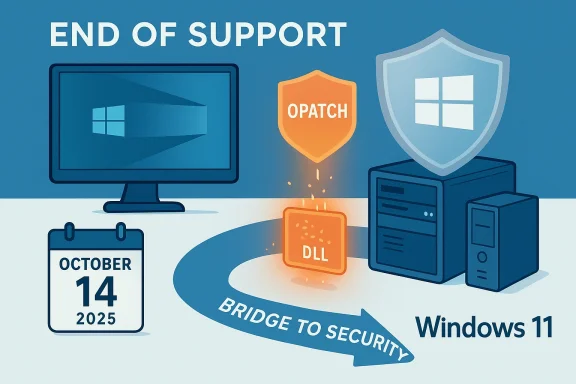
End of Windows 10 support on Oct 14, 2025; upgrade to Windows 11 for security.Background / Overview​

Microsoft’s lifecycle calendar closed the free support window for Windows 10 (version 22H2 and mainstream SKUs) on October 14, 2025. After that date, the company stopped shipping routine security, quality, and feature updates for those editions and recommended migration paths: upgrade eligible hardware to Windows 11, replace incompatible devices, or enroll eligible systems in the Consumer Extended Security Updates (ESU) programme through October 13, 2026.
The ESU option was intentionally time‑boxed and narrowly targeted: consumer devices could obtain a one‑year extension of critical security updates through October 13, 2026 (either at no monetary cost for Microsoft‑account‑synced devices or via a one‑time purchase of $30 for local‑account devices), but ESU was never positioned as a long‑term replacement for a supported OS. Independentt reporting and community guidance reinforced that ESU is a short runway rather than a final destination.
Into that operational gap stepped 0patch, an independent Slovenia‑based vendor that provides targeted “micropatches” — tiny runtime fixes designed to neutralise specific, high‑risk vulnerabilities without replacing Microsoft binaries on disk. 0patch publicly committed to “security‑adopt” Windows 10 v22H2 and to deliver post‑end‑of‑support micropatches for a minimum of five years (through at least October 2030), with the potential to extend that commitment if demand warrants. The company sells a Pro plan aimed at individuals and small businesses, an Enterprise tier with central management, and a free tier that offers a limited set of zero‑day mitigations.

How 0patch works: the technical primer​

What is a micropatch?​

A micropatch is a surgical, narrowly scoped change that modifies program behaviour at runtime to block a vulnerability or exploit primitive. Instead of shipping full file replacements or cumulative updates, 0patch’s Agent injects small modifications into process memory (often just a handful of CPU instructions) when a vulnerable module is loaded. Because the change is applied in memory, many micropatches take effect immediately and do not require a system reboot.

The mechanics in plain terms​

  • The 0patch Agent runs as a lightweight background service and monitors process loads.
  • When 0patch publishes a micropatch for a targeted CVE or exploit technique, the Agent downloads the micropatch.
  • The Agent applies a runtime modification to the relevant process memory (DLL or executable region) to neutralise the vulnerable code path.
  • If a micropatch causes problems, it can be disabled centrally (Enterprise) or locally (Pro/Free), and uninstalling the Agent removes all runtime patches; nothing is written permanently to Microsoft binaries on disk.

Strengths of the runtime model​

  • Low downtime: Many patches are applied without rebooting, valuable for always‑on systems and servers.
  • Fast reaction: 0patch can ship mitigations quickly for publicly disclosed or actively exploited vulnerabilities without waiting for vendor cumulative updates.
  • Selective footprint: Micropatches are tiny and targeted, reducing the chance of wide regressions from sweeping updates.

Limitations inherent to the approach​

  • Scope is selective: Micropatches target high‑risk, public or exploited vulnerabilities — they are not a substitute for full vendor servicing that addresses broad code quality or feature regressions.
  • Runtime-only changes: Because the fixes live in memory, they disappear if the agent is removed; organisations must treat 0patch as a compensating control rather than permanent remediation.

What 0patch covers and how it decides​

0patch prioritises vulnerabilities that meet a strict set of criteria. Those most likely to be patched include:
  • Vulnerabilities with public proof‑of‑concept or exploit code.
  • Issues that are actively exploited in the wild.
  • Bugs for which Microsoft does not plan to provide fixes on legacy SKUs.
  • Components that are widely used and present high impact if compromised.
The practical outcome is a focused risk‑reduction strategy: 0patch tends to address high‑severity, high‑probability a minor CVE. That focus keeps the service lightweight and actionable, but it also creates coverage gaps that users must plan around.

Installation, UI and real‑world performance​

Installation and day‑to‑day experience​

Independen the hands‑on ZDNet piece provided for this feature — describe the 0patch Agent as easy to install and largely invisible in normal use. The dashboard shows active patches, protected processes, patch counts, and whether a Pro licence is active, providing transparency about what has been applied. Patches are delivered automatically and can be disabled individually if they cause issues.

Performance: what reviewers and users report​

  • In isolated benchmark testing, some reviewers observed negligible performance impact (for example, no meaningful change in Geekbench 6 runs during a ZDNet test).
  • At scale and in community forums, some users reported compatibilitylity problems and intermittent slowdowns or crashes, particularly when interacting with certain antivirus or endpoint protection products. The vendor’s troubleshooting guidance explicitly lists known interaction issues and recommends staged rollouts and testing.
Practical takeaway: for single PCs and small deployments the day‑to‑day impact is usually low, but larger or heterogeneous environments must pilot 0patch carefully to detect and mitigate edge‑case interactions.

Pricing, plans and what you actually get​

0patch offers three main tiers:
  • Free: Intended for personal, testing, and nonprofit use. Free users receive a limited set of zero‑day and critical patches but do not get the full set of post‑EoS legacy patches. The Agent, basic dashboard and community support are included.
  • Pro: Priced at €24.95 + tax per device per year (roughly USconversion and taxes). Pro includes all Free patches plus the broader Windows 10 22H2 post‑EoS patch set, Office legacy patches, standard support, and a 30‑day trial.
  • Enterprise: Priced at €34.95 + tax per device per year, the Enterprise tier adds central management, group policies, user roles, and features required for organisational rollout. Volume discounts are available.
ZDNet’s practical advice mirrors the vendor positioning: individual users who need a low‑cost, manageable mitigation path should consider Pro, while users relying on ESU for the short term might pair ESU with 0patch Free for extra zero‑day coverage — but note that ESU itself is limited to October 13, 2026.

Security, governance and compliance implications​

0patch is a pragmatic mitigation tool, but adopting a third‑party runtime patching system brings non‑trivial governance questions that organisations — and careful users — must weigh.

Trust and supply chain​

  • You are implicitly trusting 0patch as a supplier of security fixes that modify code execution at runtime. That carries supply‑chain risk: malicious or buggy micropatches could create new vulnerabilities or instability.
  • 0patch mitigates this through public patch metadata, a blog that explains why patches were issued, and a track record of responsible disclosure, but the model still requires trust in a smaller vendor rather than in the original platform owner.

Compatibility and interaction with endpoint security​

  • Runtime modification of processes increases the attack surface for incompatibilities with antivirus, EDR, or kernel‑level utilities. Advice from vendors and reviewers is consistent: test extensively before broad rollouts and keep rollback plans ready.

Regulatory and audit considerations​

  • For organisations in regulated sectors, third‑party mitigations can complicate compliance. Security teams must document compensating controls, maintain inventory of patched systems, and be ready to demonstrate testing and rollback processes to auditors.
  • 0patch’s Enterprise tools (central management, role‑based access) help, but they do not replace vendor SLAs or attestations from Microsoft. Treat 0patch as part of a layered control set — not a legal substitute for vendor support where the compliance standard requires it.

Practical decision matrix: which path makes sense for different users​

Deciding between Windows 11, ESU, 0patch, or OS migration comes down to use case, hardware capability, compliance needs, and budget.
  • Strongly consider 0patch Pro if:
  • You run legacy hardware that cannot meet Windows 11 requirements.
  • You must keep Windows 10 for legacy apps or specialised devices.
  • You manage a small organisation or a fleet that can be tested and staged, and you accept third‑party mitigations as a temporary control.
  • Pair ESU + 0patch Free only when:
  • You need a short, controlled runway (through October 13, 2026) to migrate, and you want extra zero‑day coverage during that time. This is a bridge — not a long‑term plan.
  • Move to Windows 11 when:
  • Hardware is compatible and you want vendor SLA, feature updates, and long‑term platform support.
  • Your compliance posture requires vendor‑backed security updates.
  • Migrate to Linux or ChromeOS Flex when:
  • Your workflow is primarily web and modern applications, and the cost of retraining or app substitution is acceptable. This often provides the most sustainable long‑term security posture for older hardware.

Risks and limits: where 0patch is not a silver bullet​

  • Coverage gaps: 0patch explicitly does not promise to patch every vulnerability. Lower‑risk bugs and non‑security quality issues typically fall outside the service’s remit. Treat 0patch as targeted mitigation, not full remediation.
  • Third‑party dependency: Relying on a single vendor for extended protection introduces vendor concentration risk. If 0patch were to change pricing, reduce coverage, or go out of business, customers would face abrupt exposure unless they already have a migration plan.
  • Operational overhead at scale: Large enterprises must pilot, validate, and integrate 0patch into existing endpoint management and security workflows; the Enterprise tier helps but doesn’t eliminate rollout risk.
  • Not a compliance panacea: For regulated environments that explicitly require vendor‑supplied updates or vendor attestation for patching, 0patch may not satisfy auditors — careful documentation of compensating controls is essential.
Where claims could not be independently verified: 0patch’s pledge to extend support beyond October 2030 is explicitly conditional on market demand and therefore a vendor commitment rather than a contractual guarantee; organisations should budget and plan with that distinction in mind.

Deployment checklist and recommended steps​

For households, power users and small organisations considering 0patch, the following steps form a practical, defensible rollout plan:
  • Inventory and classification:
  • Record which Windows 10 devices are internet‑facing, which host legacy apps, and which are compliance‑sensitive.
  • Check hardware and ESU eligibility:
  • Confirm whether devices can upgrade to Windows 11 or enroll in Consumer ESU (through October 13, 2026).
  • Pilot 0patch on representative machines:
  • Install the Agent on a small, controlled group; monitor for application crashes, antivirus conflicts, and performance anomalies.
  • Combine compensating controls:
  • Use network segmentation, robust endpoint protection (EDR), and restricted administrative privilege to reduce attack surface.
  • Maintain migration timelines:
  • Treat 0patch as a bridge — continue planning hardware refresh, OS migration, or alternative platform migration with target dates.
  • Document governance:
  • Keep records of micropatches applied, testing results, rollback procedures, and justification for relying on third‑party mitigations.
Adopting this structured approach converts what could be a risky stopgap into a manageable, auditable mitigation strategy.

Long‑term outlook: is micrenance model?​

0patch’s approach is practical and technically elegant for the specific problem it addresses: protecting legacy or locked‑down environments where vendor updates are unavailable or impractical. The existence of micropatching vendors raises strategic questions for platform owners and enterprises alike:
  • Will micropatching become a standard part of post‑end‑of‑service strategies for critical infrastructure and specialised devices?
  • Will platform owners respond by providing longer, cheaper ESU programmes, or will an ecosystem of third‑party mitigations mature into a parallel maintenance market?
  • How will regulators and auditors evolve their guidance around third‑party runtime mitigations?
For the immediate horizon, 0patch provides a defensible option for many users who face an unrealistic upgrade path or steep hardware replacement costs. But the model requires continued vendor stability, transparent patching practices, and disciplined rollout controls to remain safe and effective.

Conclusion​

When Microsoft closed the free support chapter for Windows 10 on October 14, 2025, the reality for many users was stark: either migrate, pay for ESU through October 13, 2026, or accept rising risk. 0patch offers a third way — a targeted, low‑cost micropatching service that can meaningfully reduce exposure to high‑risk, actively exploited vulnerabilities without the churn of full OS updates. ZDNet’s hands‑on reporting and multiple other vendor and community summaries show 0patch delivers fast, lightweight fixes and a clear management surface, but also that it is not a drop‑in replica of vendor support.
For individuals and small organisations whose hardware cannot run Windows 11, 0patch Pro priced at €24.95/year is a practical, cost‑effective stopgap — provided it is deployed deliberately, tested thoroughly, and used alongside other security controls. For mission‑critical and regulated environments, 0patch can be part of a layered compensating control strategy, but it should not replace migration planning or vendor contracts where those are required for compliance.
In short: 0patch fills a real need created by Windows 10’s end of service. It is a powerful tool for delaying risky upgrades or expensive hardware refreshes, but organisations must treat it as a bridge — valuable, carefully governed, and time‑limited — rather than a permanent escape hatch.

Source: ZDNET Microsoft said my Windows 10 PC no longer supported updates - but this software saved it
 

Microsoft’s decision to stop routine security updates for Windows 10 on October 14, 2025 forced a hard choice for millions of PC users: upgrade to Windows 11, buy limited Extended Security Updates, move to another OS, or accept growing risk — and a third option has emerged as a practical stopgap: third‑party micropatching from vendors such as 0patch, which promises targeted, in‑memory “micropatches” for high‑risk vulnerabilities on unsupported Windows 10 systems.

Windows 10 patch update shown on a futuristic monitor with a glowing shield icon.Background / Overview​

Microsoft’s lifecycle calendar and support pages make the hard line explicit: Windows 10 mainstream support ended on October 14, 2025. After that date, Microsoft no longer provides free security updates, quality fixes, or technical assistance for Home and Pro editions — and users were directed to upgrade to a supported Windows 11 configuration or enroll in limited Extended Security Updates (ESU) as a short bridge.
That formal end of support created an immediate operational problem for a sizeable installed base of Windows 10 devices that either can’t meet Windows 11 hardware requirements (TPM 2.0, Secure Boot, newer CPU rules) or are bound to legacy software and hardware. The gap between vendor maintenance and field reality produced a market for compensating controls — sandboxing, third‑party patchers, stricter network controls — and one of the most visible offerings in that space is 0patch (operated by ACROS Security), a micropatching service that applies surgical fixes into process memory rather than altering on‑disk binaries.
This article explains how 0patch works, what it can and cannot do for Windows 10 users after Microsoft’s end‑of‑support date, assesses real‑world tradeoffs including performance and compatibility, verifies pricing and vendor commitments, and offers practical recommendations for home users and admins deciding whether to rely on micropatching as part of a defensible post‑support strategy.

What is a micropatch — the technical primer​

The technique in plain English​

A micropatch is a tiny, targeted change that modifies program behavior at runtime. Instead of shipping a full vendor patch that replaces files on disk and usually requires reboots, a micropatch modifies a few CPU instructions inside the running process memory to neutralize a specific vulnerability or exploit primitive.
  • Micropatches typically change only a handful of instructions.
  • They are applied by a local agent when a target module loads.
  • Because the patch acts in memory, many micropatches take effect immediately and often do not require reboots.
  • Uninstalling the micropatch agent removes the in‑memory modifications — they do not persist as file changes.

Why the approach can work​

Micropatching is practical because many high‑risk vulnerabilities map to narrowly defined code paths. If an exploit depends on a particular function sequence, a carefully chosen instruction change can block the exploit without otherwise altering program behavior. This makes micropatching valuable for:
  • Rapid zero‑day mitigation before vendor fixes arrive.
  • Patching legacy platforms that vendors will no longer support.
  • Reducing downtime where reboots or wide patch campaigns are operationally painful.
But this surgical model also brings important limits — it is inherently selective and reactive rather than comprehensive.

0patch: the vendor, the commitment, and pricing​

Who is 0patch?​

0patch is a Slovenia‑based security product run by ACROS Security that has built a reputation providing micropatches for unsupported Microsoft products in the past (Windows 7, older Server versions, and various Office releases). The vendor documents its “security‑adopt” policy: when a product reaches vendor end‑of‑life, 0patch may decide to monitor and issue micropatches for critical vulnerabilities in that product.

Official commitments and horizons​

0patch publicly stated that it would “security‑adopt” Windows 10 v22H2 when Microsoft’s official support ends and pledged to provide critical micropatches for at least five additional years — effectively promising post‑EOS coverage through around October 2030, with the explicit possibility of extending further based on demand. Vendor messaging stresses that time horizons are contingent on capacity and market demand rather than a legally binding SLA.

Pricing and tiers (verified)​

0patch publishes clear, per‑device pricing:
  • Free tier — provides certain zero‑day mitigations and basic agent access (community/personal use; limited coverage).
  • Pro — €24.95 (+tax) per device per year (roughly US$30 depending on exchange rates), intended for individuals and small organizations; includes all Pro and Free patches and standard support.
  • Enterprise — €34.95 (+tax) per device per year; adds central management, group policies, roles, silent mode, and other enterprise features.
Those numbers align with multiple independent reports summarizing the offering; the yearly cost is modest compared with buying a new Windows 11 PC for each legacy endpoint, which makes 0patch attractive for budget‑constrained scenarios — though price alone does not answer capability and risk questions.

How 0patch works on a Windows 10 machine​

Installation and daily operation​

Installing 0patch is straightforward: download the 0patch Agent, register (Free/Pro/Enterprise) and let the agent run as a background service. The Agent:
  • Synchronizes with 0patch servers for new micropatches.
  • Monitors process loads and applies relevant micropatches when target modules are running.
  • Maintains a local dashboard so users can see active patches and which CVEs are mitigated.
Administrators can disable individual micropatches or pause the service if compatibility issues arise, and Enterprise customers can stage rollouts via central management.

Patch delivery model and priorities​

0patch prioritizes patches that meet criteria such as:
  • Public disclosure with proof‑of‑concept or exploit code.
  • Evidence of active exploitation in the wild.
  • The absence of an imminent vendor fix (or the vendor declaring “won’t fix” for legacy SKUs).
  • Broad impact across widely used components.
This prioritization approach keeps the service lean but also means not every vulnerability receives a micropatch — coverage is selective by design.

Real‑world effectiveness: strengths and evidence​

Rapid mitigation for high‑risk issues​

Independent hands‑on reports and vendor case studies demonstrate that 0patch can deliver timely protection against exploited vulnerabilities — for example, the vendor’s documented micropatches for high‑severity flaws in Windows components and Office products. Because micropatches can be deployed without reboots, they offer operational advantages for always‑on systems.

Low resource footprint in many cases​

Benchmarks and reviewer reports typically show minimal performance overhead from 0patch’s agent under normal desktop and server workloads. The micropatch technique alters only tiny portions of code at runtime; therefore, most users do not notice measurable slowdowns during everyday use.

Practical value for legacy or constrained devices​

For systems that simply cannot be upgraded (medical devices, industrial controllers, point‑of‑sale terminals), micro‑patching provides a way to reduce the immediate attack surface and keep critical CVEs mitigated — an important short‑to‑mid‑term risk management option compared with doing nothing or paying for limited, time‑boxed ESU coverage.

Known limitations, compatibility caveats, and risks​

Not a drop‑in replacement for vendor updates​

0patch is a security mitigation service — not a substitute for full vendor support. It doesn’t deliver feature updates, driver fixes, broad quality improvements, or the extensive testing Microsoft carries out as part of its update cycle. Organizations relying long term on third‑party micropatches will accumulate a growing list of technical gaps and governance questions.

Selective coverage and potential blind spots​

The vendor’s prioritization model means many lower‑profile vulnerabilities may remain unpatched for longer periods. Critically, 0patch currently focuses on native user‑space code; kernel‑level vulnerabilities, managed code issues, or certain classes of driver bugs may not be patchable via 0patch’s current methods. That technical boundary creates residual risk.

Compatibility issues and reports from the field​

Although most deployments report minimal performance impact, there are documented incidents of compatibility problems — particularly interactions with certain anti‑virus/endpoint protection solutions and rare application crashes after specific micropatches. These issues underscore the need for staged rollouts, testing, and an ability to quickly disable a problematic micropatch. Community reports and vendor advisories both highlight this as an operational reality.

Trust, supply‑chain, and legal considerations​

By design, micropatching inserts third‑party code into process memory at runtime. That raises legitimate governance questions in enterprise and regulated environments:
  • Who audits the micropatches?
  • What liability or compliance implications arise from running third‑party runtime modifications?
  • How does this affect forensic analysis or recovery after an incident?
Enterprises should require procurement-level assurances, review 0patch’s security practices, and align any deployment with internal compliance policies.

The “how many patches” question — variable cadence, not a fixed promise​

Vendor and community summaries sometimes quote average micropatch cadence figures (for example, two to three micropatches per month), but this is inherently variable and depends on the discovery rate of exploitable vulnerabilities and 0patch’s prioritization. Treat such averages as indicative rather than contractual — frequency can spike in months with multiple high‑severity disclosures and be quiet in others. In short, patch cadence is opportunistic and driven by external factors.

Cross‑verification of key claims​

To be clear and verifiable:
  • Microsoft’s published lifecycle calendar and support pages confirm the Windows 10 end of support date: October 14, 2025. The company recommends upgrading to Windows 11 or enrolling in time‑limited ESU as appropriate.
  • 0patch’s own documentation and pricing page list Pro at €24.95/year and Enterprise at €34.95/year, and the vendor publicly announced its plan to “security‑adopt” Windows 10 v22H2 for at least five years post‑EOS. Those facts are present on 0patch’s website and in its blog posts.
  • Independent trade press, community forums, and aggregated reporting corroborate 0patch’s model, pricing signals, and the practical benefits and limits reported across multiple deployments. These independent sources (press coverage and community postings) largely echo vendor claims while also reporting real‑world compatibility issues and user anecdotes.
Where claims are vendor statements of intent — for example, "support through 2030" — note that these are commercial commitments rather than statutory guarantees; customers should assume they are contingent on continued business viability and demand, and plan accordingly.

Practical guidance: who should use 0patch and how to deploy it safely​

0patch is not a universal solution; it’s a targeted risk‑management tool. Use the following guidance to decide whether and how to deploy it.

Use cases where 0patch makes strong sense​

  • Legacy hardware that cannot run Windows 11 but remains critical to operations (POS terminals, point controllers, dedicated industrial PCs).
  • Small organizations or home users for whom buying a new Windows 11‑capable PC immediately is impractical.
  • Milestone migration plans where 0patch is part of a temporary mitigation layer while budget and migration paths are executed.

Use cases where 0patch is not a suitable long‑term strategy​

  • Enterprises that require comprehensive vendor support, driver updates, and long‑term compatibility assurances should treat 0patch as a short‑to‑medium term stopgap — not a replacement.
  • Regulated environments where third‑party runtime modification would violate policy or complicate compliance unless explicitly approved.

Deployment best practices​

  • Test first — Stage 0patch in a representative test group to catch compatibility problems with AV, endpoints, or legacy drivers.
  • Start with the Free tier — Use the free 0day coverage to validate agent behavior before committing enterprise funds.
  • Staged rollout — For Pro/Enterprise, roll out by device class and monitor telemetry and user reports for a 2–4 week window.
  • Maintain backups and recovery plans — Even in‑memory patches can have unexpected side effects; ensure good rollback and recovery procedures.
  • Policy and procurement review — Have legal/compliance teams review the vendor’s terms and security practices before broad deployment.
  • Combine with other controls — Micropatching should be one layer in a defense‑in‑depth plan that includes robust endpoint protection, application patching where possible, network restrictions, sandboxing for high‑risk apps, and user training.

Example decision matrix for a home user vs. a small business​

  • Home user, single machine, cannot upgrade: Consider 0patch Free to start; if satisfied and you see value, upgrade to Pro at €24.95/year. Continue regular backups and minimize risk exposure (avoid risky downloads, use modern browsers and reputable AV).
  • Small business with a handful of legacy machines running critical apps: Pilot 0patch Pro on a small subset; if compatibility is good, purchase Pro licenses for the fleet or move to Enterprise if central management and roles are needed. Invest parallel effort into migration planning to Windows 11 or Linux alternatives to avoid indefinite vendor dependency.

Verdict and critical perspective​

0patch offers an effective, pragmatic, and relatively low‑cost mitigation path for many Windows 10 users faced with Microsoft’s end‑of‑support reality. Its strengths are clear:
  • Rapid, surgical mitigations for high‑risk, publicly disclosed vulnerabilities.
  • Low operational disruption — many micropatches apply without reboot.
  • Affordable per‑device pricing for Pro and Enterprise tiers compared with full hardware replacement or some enterprise ESU costs.
However, the service is not a magic wand. Key limitations that must shape decisions:
  • Selective coverage: not all vulnerabilities will be micropatchable or prioritized.
    ust**: running third‑party runtime modifications introduces supply‑chain and compliance questions.
  • Potential compatibility issues: interactions with AV or specific drivers have been reported; careful testing is necessary.
  • Vendor commitment is commercial: 0patch’s “support until 2030” is a vendor pledge and contingent on business viability and continued demand.
For many users, 0patch is a useful part of a transitional strategy — not the final destination. The safest, long‑term posture remains moving to a currently supported OS and maintaining an ecosystem of vendor‑supplied updates. When that is not possible in the near term, micropatching paired with layered defenses and careful operational controls provides a defensible way to reduce immediate risk.

Conclusion​

Microsoft’s October 14, 2025 cutoff turned Windows 10 from a mainstream supported platform into a maintenance and risk decision point. 0patch answers a practical need by offering rapid, targeted micropatches for critical vulnerabilities and a clear commercial pricing model that many users find compelling. Verified vendor documentation shows a Pro price of €24.95/year and an Enterprise option at €34.95/year, and 0patch’s public commitment to “security‑adopt” Windows 10 for multiple years gives organizations an explicit mitigation pathway.
Yet micropatching is not without costs beyond euros — there are governance choices, possible compatibility tradeoffs, and coverage gaps that must be understood. Use 0patch where it makes operational sense: as a temporary, risk‑reducing tool for legacy systems, with staged testing, backups, and a migration roadmap to a fully supported platform. That combination — micropatching as a bridge plus an active plan to modernize — is the most defensible approach for individuals and organizations that cannot immediately adopt Windows 11 or another supported OS.
If you decide to test 0patch, start with the free tier, verify behavior in a controlled environment, and use Pro/Enterprise only after confirming compatibility and managerial approvals. That pragmatic path preserves safety, minimizes disruption, and keeps long‑term modernization decisions in your control.

Source: www.filmogaz.com New Software Revives Windows 10 PC After Microsoft Ends Update Support
 

Back
Top